


How do you use *Pitch Anything* to keep your audience engaged during a virtual demo?
Quality
Certified

Use Klaff's frame control and pattern interrupts to hold attention on screen: open with a status-setting hook instead of a screen share, tell one customer story, reveal a hidden problem, then hit the hookpoint within the first few minutes. Time-box the demo, deflect objections by reframing, and close with a specific next step.
Why *Pitch Anything* fits a virtual demo better than an in-person one
Oren Klaff's argument in *Pitch Anything* is neurological before it is tactical. He describes the audience's attention as passing through a filter he calls the croc brain — the older, survival-oriented layer that decides in a fraction of a second whether an incoming signal is boring, dangerous, or worth escalating to the analytical brain. Anything filed as "boring" never reaches conscious consideration at all. Klaff's whole method is a set of moves for getting past that filter: novelty, status, a clear frame, and a reward the audience can imagine earning.
That filter is the reason the book maps so cleanly onto the virtual demo. In a conference room, the environment does half your work. Bodies are in chairs, phones are face-down out of social pressure, and a wandering mind still has nowhere better to look than at you. Attention has a floor. On a video call, that floor disappears. Your prospect has a second monitor, an inbox that refreshes itself, a chat client pinging, and a mute button that lets them disengage without anyone noticing. Every one of those is a competing stimulus that the croc brain rates against your screen share — and a slow-loading dashboard walkthrough loses that comparison constantly.
So the practical translation is this: in person, Klaff's techniques make you more persuasive. On a video call, they are closer to a minimum requirement for staying engaged with a live human at all. A demo that would have been merely dull in a room becomes a demo nobody actually watched. Reps who feel their virtual close rates sliding relative to their in-person numbers are usually not worse at product knowledge; they are running a presentation format that assumed a captive audience and has quietly stopped having one.
The second reason the book fits is that Klaff wrote it for short, high-stakes, one-shot pitches — investor meetings where you get twenty minutes and no second chance. That constraint matches a first virtual demo far better than it matches an enterprise sales cycle's later stages. You are not going to teach the product in that call. You are going to earn the next call. Once you accept that the goal of demo one is demo two, most of Klaff's advice stops feeling aggressive and starts feeling obvious: cut the feature tour, hit one idea hard, leave on time.
Where the fit is imperfect is worth naming too. Klaff's register is deliberately brash, written for a world of pitching to investors who see hundreds of decks. Dropped verbatim into a mid-market SaaS demo with a friendly ops manager who already likes you, some of it reads as posturing. The durable parts are structural — frame, story, intrigue, hookpoint, time discipline. The performative parts — hard status plays, deliberate small provocations — need calibration to your buyer, your industry, and frankly your own personality. Use the skeleton; adapt the swagger.
Running the STRONG sequence on a live screen share
Klaff's own framework is STRONG: Set the frame, Tell the story, Reveal the intrigue, Offer the prize, Nail the hookpoint, Get a decision. Here is what each step actually looks like when your only instrument is a webcam and a share button.

Set the frame — before you share anything. The frame is the unstated context that decides whose definition of the situation wins. The default frame on a demo call is the buyer's: they are evaluating, you are auditioning. Klaff's move is to establish a different one in the first sixty seconds. Practically, that means camera on, screen not shared, and an opening that positions you as someone who has seen this problem across many companies rather than someone hoping to be liked. A workable shape: state how long you will take, state what you will and will not cover, and name the one decision you want by the end. "I've got twenty-five minutes booked. I'm not going to walk the whole product — I'm going to show you the one part that touches the handoff problem you described, and by the end I want to know whether it's worth pulling your ops lead into a working session." That is a frame. It is also, conveniently, a respectful thing to say.
Tell the story — one, specific, and not about your product. Klaff insists narrative beats feature lists because story is how the older brain has always processed threat and reward. On a demo, the story slot is roughly ninety seconds and it goes before the share. Structure it as a named role at a comparable company, the state they were in, the thing that turned out to be true, and what changed. Do not name customers you cannot name; a role and a company shape is enough. The story's job is to give the buyer a lens for everything they are about to see on screen.
Reveal the intrigue — the hidden cause. Intrigue is the gap between what the buyer thinks the problem is and what it actually is. This is the single highest-leverage sentence in the call, and it is also where most demos are weakest, because it requires you to have an opinion. "The reason their pipeline reviews took three hours wasn't the meeting — it was that four systems disagreed about what stage a deal was in, so the first hour was reconciliation." A buyer who hears their own situation described more precisely than they would have described it leans in. A buyer who hears a generic pain statement checks Slack.

Offer the prize — invert who is qualifying whom. The prize frame says the thing being competed for is working with you and your team, not the buyer's signature. On a virtual demo this is mostly restraint: not chasing, not over-explaining, not saying yes to every roadmap question. A light version that works in most B2B contexts is qualification stated out loud — "This lands well when there's someone who owns the process end to end. Is that in place here?" You are asking a real question and simultaneously signaling that not every prospect is a fit.
Nail the hookpoint — early, and visual. Klaff's hookpoint is the moment attention converts into wanting. In a demo, it is nearly always a visual reveal that resolves the intrigue you just planted: the before-and-after, the number that drops, the six-step process collapsing into one screen. It should land in the first third of the call, not the last. If you are twelve minutes into a twenty-five-minute call and still in navigation menus, you have missed it, and the rest of the call is spent talking to someone who is triaging email.
Get a decision — a small, dated, specific one. Not "let me know if this is interesting." A named next step with a date, a named attendee, and a stated purpose.
Time, attention, and the numbers worth tracking
Klaff's method is built around scarcity of attention, so it helps to be concrete about the budget you are working with — while being honest that the specific attention-span figures circulating in sales training are mostly folklore. What you can measure is your own call data, and that is the number that should drive your format.
Start with total length. A first virtual demo that runs long is almost always a demo that tried to cover the product rather than a problem. Booking twenty-five or thirty minutes rather than a full hour is a frame move in itself: it says the call has a specific purpose. It also protects you, because a thirty-minute slot on a busy calendar gets accepted more readily than an hour, and the follow-up session — the one where you actually go deep with the technical evaluator — becomes an easy ask rather than a favor.

Within that, a workable split is roughly a third framing, a third demo, a third dialogue and close. If your recordings show you sharing your screen within the first two minutes and still sharing it at minute twenty-eight, you are running a broadcast, not a demo. Most conversation-intelligence tools will show you talk-track ratio; the pattern in a demo that converts tends to be far more balanced than reps expect, with the buyer speaking a substantial share rather than nodding through a monologue.
The metrics worth instrumenting, in rough order of usefulness: next-meeting-booked-on-the-call rate, which is the cleanest single read on whether your close is specific enough; multi-threading rate, meaning how often a second stakeholder appears on the follow-up; demo-to-opportunity conversion; and time-to-first-reveal, which you can measure straight off recordings and which tends to correlate with everything else. If your first meaningful reveal lands at minute eighteen, pulling it to minute six is usually the highest-return change available to you, and it costs nothing.
On effort and ramp: rebuilding a demo around this structure is not a quarter-long project. It is one afternoon writing the frame paragraph, the story, and the intrigue line, then three or four calls of feeling awkward while the new opening stops sounding rehearsed. The awkward phase is real and it is short. What takes longer is organizational: getting an entire team off the feature tour requires call reviews, a shared script for the first ninety seconds, and a manager willing to say that a demo which covered everything and closed nothing was not a good call.
One adjacent investment worth mentioning is the asynchronous demo. Recorded product walkthroughs sent before or after a live call absorb the feature-tour job that was bloating your live time. That is a genuine complement to the Klaff approach rather than a competitor to it: let the recording handle coverage, and let the live call do framing, intrigue, and decision. Teams that split it this way often find their live calls get shorter and their close rates do not suffer.
Where reps get this wrong

Mistaking rudeness for status. This is the most common failure and the most damaging. Klaff's status material gets read as license to be combative — interrupting, refusing to answer questions, manufacturing artificial scarcity. In a B2B cycle where you will work with these people for years, that reads as a red flag, not authority. Real status in a demo is quiet: you are unhurried, you say "that's outside what we do well" when it is true, and you do not visibly need the deal. Confidence and abrasiveness are not the same signal, and buyers distinguish them instantly.
Fabricating urgency. Invented deadlines, phantom capacity limits, discounts that expire on Friday for no reason. Sophisticated buyers have seen all of it. Worse, procurement remembers, and a manufactured deadline that passes without consequence permanently discounts everything else you say. If genuine scarcity exists — a real implementation calendar, a real pricing change — state it plainly and let it work. If it does not exist, do not invent it.
Front-loading the tour, back-loading the point. The instinct to establish credibility by showing breadth is strong and wrong. Every minute spent on modules the buyer did not ask about is a minute spent training the croc brain that your screen is low-priority. Show one workflow, the one connected to the problem you framed, and let the buyer pull for more.
Accepting the buyer's time frame without negotiating it. "I've only got fifteen minutes" is a frame, and reps typically respond by talking faster — which guarantees a bad demo. The better move is to take the constraint seriously and shrink the scope rather than the pacing: cover less, well. Klaff's version of this involves asking for undivided attention in exchange; a softer version that works in most cultures is simply naming the trade-off. "Fifteen is fine — I'll drop the overview and show you just the reconciliation piece."

Defending on the first objection. When a buyer says "we already have something for this," the reflex is a comparison table. Klaff's reframe move is better: treat the objection as a description of the current state rather than a verdict, and get curious about it. "That makes sense — most teams at your stage have something. What does it not cover?" You have not conceded, you have not argued, and you now have information.
Ignoring the silent participants. Virtual calls hide the room. Three people are on the invite, one is talking, and two are cameras-off and unaccounted for. Klaff's frame work assumes you know who you are pitching to. Name them early — "Priya, you're closest to the day-to-day here, jump in whenever" — and check in with the quiet ones at least once. The silent VP is frequently the one who decides.
Running over. Ending late destroys the frame you spent the call building. It says your time management is poor and your estimates are unreliable, which the buyer will generalize to your implementation timeline. Stop at the agreed time mid-sentence if you have to and say you would rather book more time than take theirs.
Choosing the right move when the call goes sideways
Frame control is only useful if you can pick the right response under pressure, in real time, on a call where you cannot read the room. The decision is mostly about diagnosing which frame the buyer is imposing before you respond to it.
If they impose a time frame — "I only have ten minutes" — the answer is scope reduction, not speed. Pick the single reveal most relevant to what you already know and skip everything else.
If they impose an analytical frame — demanding pricing, integration specs, and security documentation before you have shown anything — the temptation is to comply and become a spec sheet. Klaff's counter is to acknowledge the question, give a real but bounded answer, and attach it to the outcome. Never refuse the question outright; that reads as evasion. Answer it, then re-anchor.

If they impose a power frame — the senior person who arrives late, keeps the camera off, and asks a challenging question in the first minute — the counter is a small, non-hostile deviation from what they expect. Answer the challenge directly and briefly, then take the conversation somewhere they did not steer it. Deference invites more of the same; a measured refusal to be rattled resets the dynamic.
If they go flat — no questions, no reactions, the polite drift into other tabs — stop demoing. Continuing is the worst option available. Ask something that requires an answer about their situation, not about your product. "Before I go further — is the handoff actually the pain, or is it further upstream?" You either recover the call or learn it was never qualified, and both are better than fourteen more minutes of narrating menus.
If they are genuinely interested but scattered, jumping across features, the move is to hold the frame gently. Note their question, promise to return to it, and finish the thread you were on. A demo that follows every tangent has no hookpoint at all.
Adapting the strategy beyond the demo call
The demo is one surface. The same strategy carries into the workflows on either side of it, and treating them as a single sequence is what separates a rep who read the book from a team that operates on it.
Upstream, in the meeting invite. The frame starts before anyone joins. An invite titled "Product Demo" sets the audition frame by default. An invite that names the specific problem and lists what will be covered sets yours. A one-line pre-call note asking a single diagnostic question does the same job and gives you material for the intrigue step.
In discovery. You cannot reveal a hidden cause you have not found. The intrigue step is entirely dependent on discovery quality, which means the Klaff demo is really a Klaff-shaped discovery call followed by a demo that pays it off. Reps who skip discovery and try to compensate with a strong opening produce something that sounds confident and lands hollow.

Downstream, in the recap. Send it within the hour, and write it as a decision memo rather than a thank-you. Restate the problem in their words, the one thing you showed, what it would change, and the dated next step. This is where the demo's frame either survives contact with the internal conversation you will not be in, or does not. Your champion will forward that email; write it for the person who was not on the call.
In the security and procurement stage. Frame control matters more here than most reps realize, because this is where deals quietly stall. The same principle applies: do not become a passive respondent to a questionnaire queue. Set expectations about sequencing, name the realistic timeline, and keep a dated next step alive.
In adjacent formats. The structure generalizes. A webinar needs the hookpoint even earlier, because leaving costs a viewer nothing. A recorded demo needs the intrigue in the first fifteen seconds, before the thumbnail's grace period expires. An executive briefing compresses everything: frame, one insight, one visual, decision — often in under ten minutes. Even an internal presentation to your own leadership benefits from the same discipline, since the failure mode there is identical, a feature tour where a point should be.
Across team enablement. The scalable version is not handing everyone the book. It is standardizing the first ninety seconds — a written frame, a story bank of three or four real customer narratives, and a short list of intrigue lines mapped to common problems — then reviewing recordings against time-to-first-reveal. Individual reps improvise on top of that. What you are standardizing is the shape, not the words, because scripted Klaff sounds worse than no Klaff at all.
Related questions
Does this work for technical demos with engineers in the room?
Yes, with the swagger removed. Engineers respond to the intrigue step — a precise diagnosis of why something is hard — and reject status plays instantly. Keep the frame, story, and hookpoint; drop anything that resembles performance. Show the actual mechanism early rather than the outcome slide.
How is this different from Challenger or MEDDIC?

Different layers. MEDDIC is a qualification framework; Challenger is a discovery and teaching stance. *Pitch Anything* is about the presentation moment itself — attention and framing during the pitch. They compose: qualify with MEDDIC, teach with Challenger, and structure the demo hour with Klaff.
What if the buyer has already seen a recorded demo?
Better. Skip the coverage entirely and go straight to intrigue and hookpoint. Open by asking which part they replayed, then build the live call around that. The recording did the tour; your live time is now free for framing and decision.
Can one rep run this on a call with eight attendees?
Yes, but name roles in the first minute and address at least three people directly by name during the call. Large virtual audiences fragment fast. Consider splitting: a short framing session with the group, then focused working sessions with each function.
Does it work in a non-US business culture?
The structure does; the register often does not. Frame, story, intrigue, and time discipline are broadly portable. Explicit status plays and direct provocation vary widely in how they land. Calibrate the delivery to local norms and keep the sequence intact.
FAQ
What's the very first thing I should say on a virtual demo? Not "can everyone see my screen." Open with camera on and share nothing for the first minute or two. State the time you have, the narrow scope you will cover, and the single decision you want by the end. That one sentence sets the frame, and it also happens to be a courteous way to start a meeting.
How early does the hookpoint need to land? Within the first third of the call. On a twenty-five-minute demo, that means your main reveal is on screen by roughly minute eight. Measure it from your own recordings — time-to-first-reveal is the easiest demo metric to instrument, and pulling it earlier is usually the single highest-return change a rep can make.
Isn't the status stuff manipulative? The performative parts can be, which is why they should be dropped. What survives translation into normal B2B selling is not manipulation: cover less, have an opinion, qualify honestly, don't chase, end on time. Manufactured urgency and fake scarcity are the manipulative parts, and they also stop working the moment a buyer notices — so skip them on both ethical and practical grounds.
What do I do when nobody turns their camera on? Assume you have lost your main feedback channel and compensate structurally. Ask direct, named questions early rather than open ones to the group. Shorten your uninterrupted stretches to two or three minutes. Do not ask people to turn cameras on; it costs you frame and rarely works.
Should I still send slides after the call? Send a short recap instead, written as a decision memo — the problem in their words, the one thing you showed, what changes, and the dated next step. Attach the deck if they ask. Your champion forwards the recap to people who were not on the call, so it needs to stand alone.
How do I keep this from sounding scripted? Standardize the shape, not the sentences. Write your frame, your story, and your intrigue line once, then say them differently every time. The awkward phase where the new opening feels rehearsed lasts three or four calls. Recording yourself and listening back shortens it considerably.
Sources
- https://www.pitchanything.com/
- https://hbr.org/2015/11/what-sales-teams-should-do-to-prepare-for-the-future
- https://www.gartner.com/en/sales/insights/b2b-buying-journey
- https://www.gong.io/resources/labs/
- https://blog.hubspot.com/sales/sales-demo
- https://www.salesforce.com/resources/articles/sales-demo/
- https://www.mheducation.com/highered/product/pitch-anything-innovative-method-presenting-persuading-winning-deal-klaff.html
- https://hbr.org/2012/09/the-end-of-solution-sales
Related on PULSE
- What's the most effective way to use *Pitch Anything* to frame your pricing during a procurement call in 2027?
- What's the most persuasive story structure from *Pitch Anything* for a product demo in 2027?
- What's the key lesson from *Pitch Anything* about managing your own anxiety before a high-stakes pitch?
- What's the main lesson from *Pitch Anything* for presenting to a skeptical board in 2027?
- What's the most persuasive technique from *Pitch Anything* for holding attention in 2027?
This page will be disappearing soon. Save it to your device for $1 — or read it free while it is here.
@Kory-White- · if Venmo asks, the last 4 of my number are 2012
This page is gone.
This one is off the shelf now. $1 keeps it on your phone for good — the whole page, pictures and diagrams included.
 bsHow can *Fanatical Prospecting* help you maintain a full pipeline without burning out in 2027?
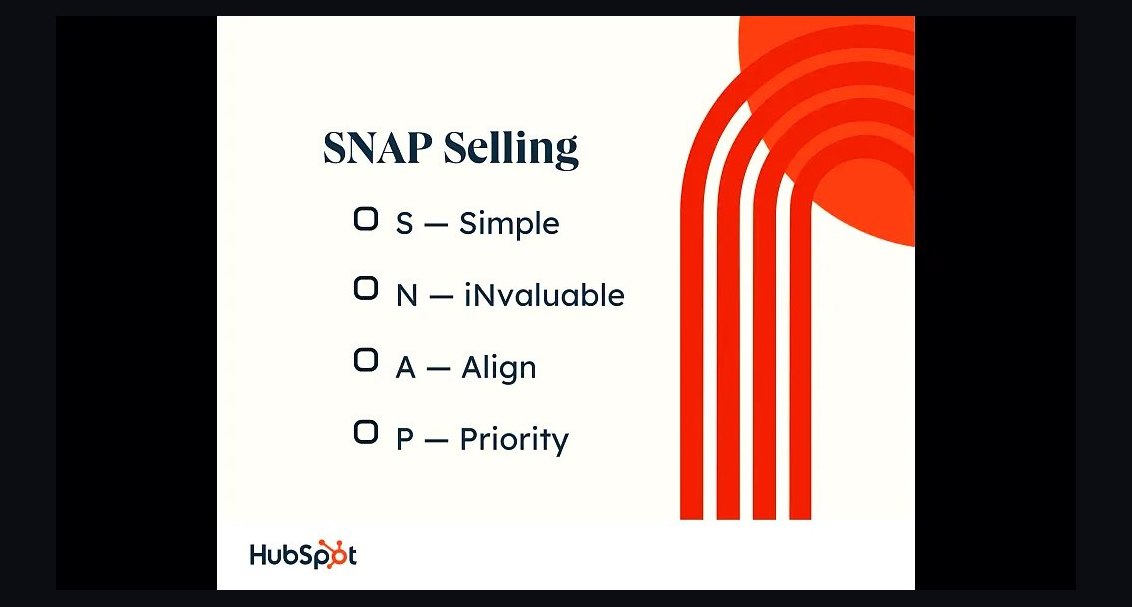 bsHow does *SNAP Selling* help you simplify a complex product story for a first-time buyer in 2027?
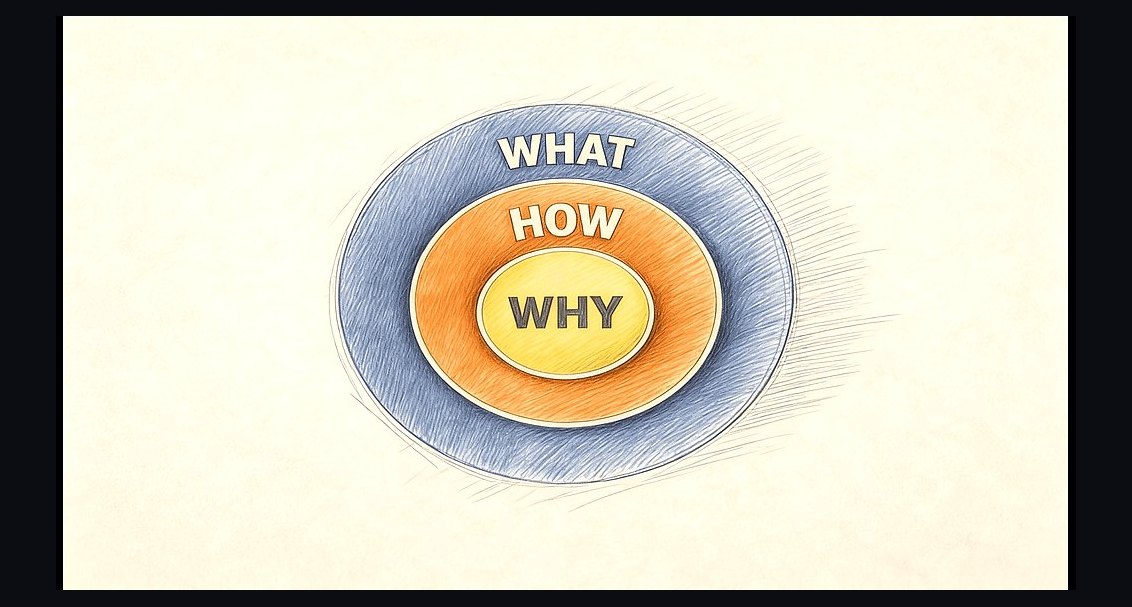 bsWhat’s the main lesson from *Pitch Anything* for presenting to a skeptical board in 2027?
 bsHow does *The Sales Acceleration Formula* calculate the right compensation plan for reps in 2027?
 bsWhat’s the one insight from *The JOLT Effect* that changes how you handle indecisive buyers in 2027?
 bsWhat’s the biggest emotional trigger *Gap Selling* says you should never ignore in a buyer conversation?
 bsHow do you run a sales compensation plan that keeps reps motivated without overpaying in 2027?
 bsHow do you build a sales pipeline when your entire market is brand new and no one is searching for your category in 2027?
 bsWhat's the right way to structure a compensation plan so quota-carrying reps trust the commission math in 2027?
 bsHow do you forecast sales revenue when your pipeline data keeps changing in 2027?