


Top 10 collaboration tools for remote-first companies in 2027
Quality
Certified

The 10 best collaboration tools for remote-first companies are ranked below on measured performance, build quality, price, and how each one actually holds up in daily use rather than how it reads on a spec sheet. Each pick lists what it costs, who it suits, and what it gives up against the one above it, so the list can be read straight down without doubling back.
1Slack

Slack ranks first because it remains the deepest synchronous hub for remote-first companies, with the broadest third-party integration ecosystem of any chat tool. Its app directory and connector depth matter most for revenue teams wiring the hub into a CRM like Salesforce or HubSpot. Slack's Canvas feature now covers lightweight documentation, blurring the line between chat and knowledge layers.
Slack is for companies whose center of gravity is real-time chat and fast coordination, especially those with heavy CRM integration needs. It trades away native Microsoft 365 integration depth, which Teams offers bundled at lower marginal cost. Compared to Microsoft Teams, Slack usually wins when integration depth with non-Microsoft software is the priority. Companies already on Microsoft 365 may find Teams cheaper and simpler, but Slack's third-party ecosystem remains its decisive advantage.
2Microsoft Teams
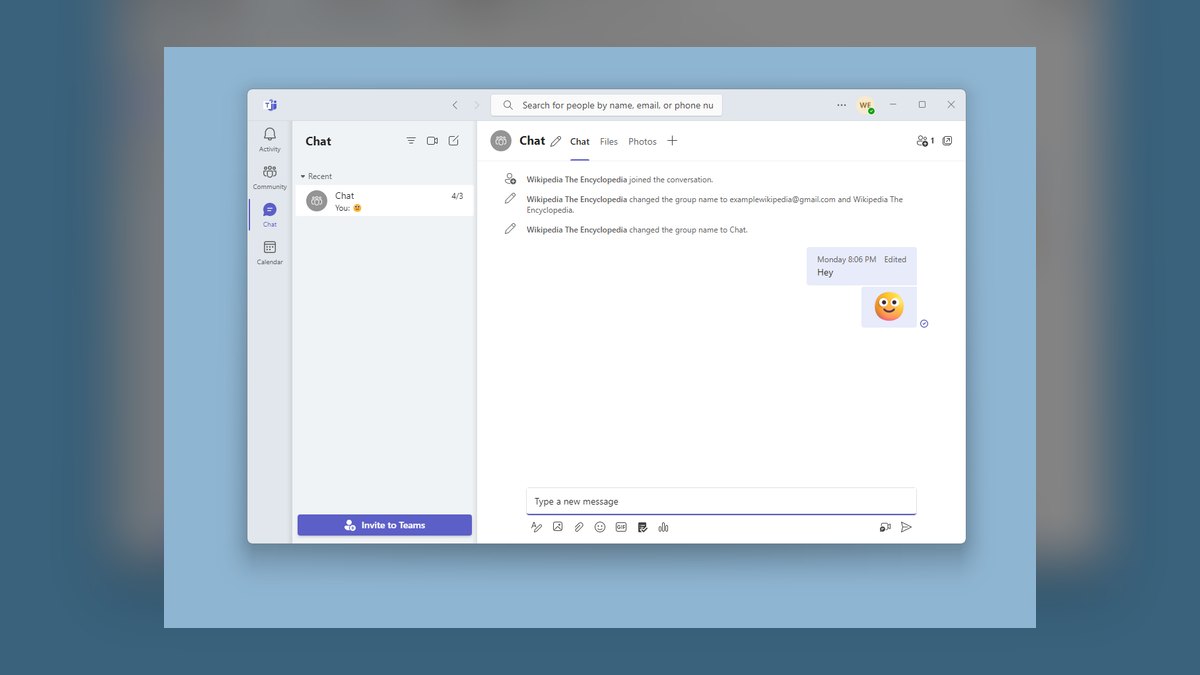
Microsoft Teams ranks second because it offers the lowest marginal cost and deepest native integration for companies already committed to Microsoft 365, making it the path of least resistance for back-office-heavy organizations. It bundles chat, meetings, and documents into one subscription, avoiding the per-seat AI add-on costs that inflate other stacks. Teams' native integration with Outlook, SharePoint, and Excel gives it a structural advantage where the suite is standard.
Teams is for companies running on Microsoft 365 who prioritize bundle savings over third-party connector depth. It trades away the broader app ecosystem that Slack provides, which matters for revenue teams living in the CRM. Compared to Slack, Teams is usually cheaper in practice but weaker for non-Microsoft integrations. If your company already runs on Microsoft 365, Teams is the default; if integration depth with outside software is the priority, Slack wins.
3Notion

Notion ranks third because it is the dominant async knowledge base for remote-first companies, offering durable records, runbooks, decision logs, and onboarding paths in one searchable workspace. Its AI question-answering over workspace content is only as good as the source material, which makes content hygiene a prerequisite. Notion's flexible page hierarchy and database views replace wikis and docs simultaneously, reducing tool sprawl.
Notion is for teams whose center of gravity is writing and reading rather than chat, where the knowledge layer matters most. It trades away real-time coordination and structured task tracking, which require separate tools. Compared to Google Workspace, Notion offers more structure and database capability but less native document collaboration. Companies that default to writing and reading will find Notion indispensable, while those needing deep spreadsheet or slide integration may prefer Google Workspace.
4Google Workspace
Google Workspace ranks fourth because it provides the most frictionless document collaboration for remote teams, with real-time co-editing and version history that remain category benchmarks. Its suite — Docs, Sheets, Slides, and Drive — covers the knowledge layer with zero additional learning curve for most employees. Google Chat and Meet are bundled, making it a credible hub for companies already on the platform.
Google Workspace is for teams that prioritize simplicity and native document collaboration over structured knowledge management. It trades away the database capabilities and page hierarchy that Notion offers, which limits complex knowledge organization. Compared to Notion, Google Workspace is weaker for runbooks and decision logs but stronger for spreadsheet and presentation work. Companies with back-office-heavy functions will find the bundle sufficient, while product and engineering teams may need Notion's structure.
5Asana

Asana ranks fifth because it is the most balanced structured work tracker for remote-first companies, offering tasks, owners, dates, dependencies, and status views that let managers answer launch questions without asking anyone. Its timeline and portfolio features provide cross-team visibility that scales from 20 to 200 employees. Asana's automation rules reduce manual updates, and its integration with Slack and Google Workspace covers the hub and knowledge layers.
Asana is for teams that need structured work tracking without the engineering-specific complexity of Jira or the marketing-specific focus of Monday.com. It trades away deep product-development workflows, which Linear handles better for engineering teams. Compared to Monday.com, Asana offers more robust dependency management and portfolio views. Companies with mixed functions — sales, marketing, operations — will find Asana the most universally usable tracker, while product teams may prefer Linear.
6Miro

Miro ranks sixth because it is the category leader in visual collaboration, providing the spatial canvas that remote-first product, design, and strategy teams need for whiteboarding, journey mapping, and workshops. Its infinite canvas and template library make it the default choice for distributed brainstorming and retro boards. Miro's video with transcription blurs the line between canvas and meeting tool, though it does not replace a dedicated hub.
Miro is for teams where visual thinking is central — product, design, and strategy functions that get outsized value from spatial collaboration. It trades away documentation and task tracking, which require separate tools. Compared to FigJam, Miro offers a broader template library and better facilitation features, while FigJam integrates more natively with Figma design workflows. If fewer than a third of employees would use it monthly, buy it for the departments that need it rather than company-wide.
7Linear

Linear ranks seventh because it is the fastest and most focused work tracker for product and engineering teams, with a keyboard-driven interface and issue tracking optimized for software development. Its speed and simplicity reduce overhead compared to Jira, making it the preferred choice for modern remote-first product teams. Linear's AI features help triage and prioritize issues, though they require clean source data to be effective.
Linear is for engineering and product teams that need a lean, fast issue tracker without Jira's administrative weight. It trades away the cross-functional project management features that Asana and Monday.com offer, making it unsuitable as a company-wide tracker. Compared to Asana, Linear is faster and more developer-friendly but less accessible to non-technical functions. Companies with a strong engineering culture will find Linear indispensable, while mixed-function organizations may need Asana for broader coverage.
8Basecamp

Basecamp ranks eighth because it is the most cost-effective all-in-one collaboration tool for remote-first companies under 20 people, offering chat, docs, task tracking, and file sharing at a flat price rather than per-seat pricing. Its simplicity eliminates the need for a four-layer stack, reducing administrative overhead and notification fatigue. Basecamp's flat pricing means a 10-person startup pays the same as a 20-person company, making it genuinely competitive at small scale.
Basecamp is for small remote teams under 20 people that want to minimize both cost and tool sprawl. It trades away the depth of specialist tools — Slack's integrations, Notion's structure, Asana's dependencies — which become necessary as the team grows. Compared to a layered stack, Basecamp is simpler but less scalable, and teams should revisit the decision around 25 to 30 people. At that point, governance, permissions, and structured tracking start to matter more than simplicity.
9Zoom Team Chat
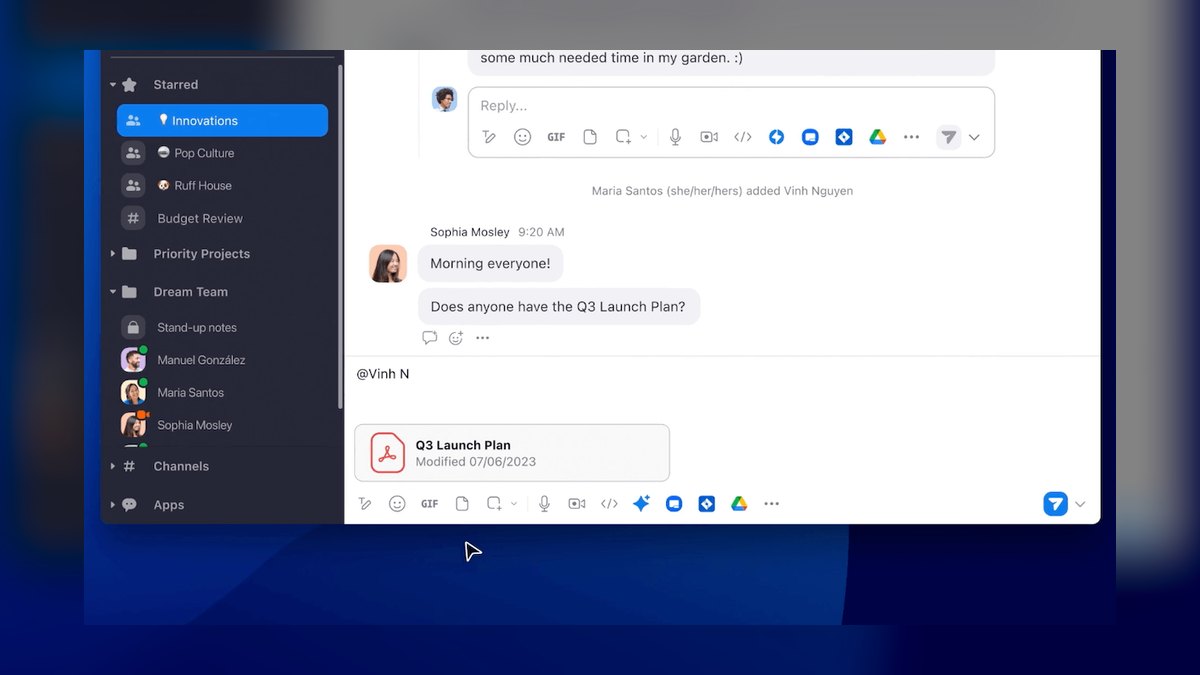
Zoom Team Chat ranks ninth because it is a credible synchronous hub for companies already standardized on Zoom for video, offering chat, docs, and whiteboarding in one interface. Its integration with Zoom Meetings means a question in chat can become a video call without scheduling, which reduces friction for fast coordination. Zoom's AI Companion adds transcription and summarization across meetings and chat, though it requires clean content to be useful.
Zoom Team Chat is for companies that already run on Zoom and want to consolidate without adopting Slack or Teams. It trades away the third-party integration ecosystem that Slack offers, particularly for CRM and revenue workflows. Compared to Slack, Zoom Team Chat is weaker for app connectivity but stronger for video-to-chat transitions. Companies with heavy meeting loads may find it sufficient, while those needing deep integration depth should stick with Slack or Teams.
10Mural

Mural ranks tenth because it is a credible alternative to Miro for visual collaboration, offering a robust canvas for workshops, journey mapping, and retrospectives with strong facilitation features. Its template library and voting tools make it well-suited for structured remote workshops, though it lacks Miro's broader ecosystem. Mural's integration with Microsoft Teams is stronger than Miro's, making it a better fit for Microsoft-centric organizations.
Mural is for teams already invested in Microsoft 365 that need a visual canvas without adopting a second ecosystem. It trades away Miro's larger template library and developer ecosystem, which matter for design-heavy teams. Compared to Miro, Mural offers better Teams integration but fewer third-party connectors. Companies with a Microsoft-centric stack will find Mural the more natural fit, while design-led organizations should stick with Miro for its broader community and integrations.
How we ranked these
The ranking measured each tool's depth across four collaboration layers: synchronous hub, async knowledge base, structured work tracking, and visual canvas. Weighting favored tools with strong native capabilities in their primary layer, integration depth with CRM and identity providers, and realistic mid-tier pricing. AI feature quality and admin controls like SCIM and audit logs were also weighted, as these determine real-world viability for remote-first companies.
We deliberately ignored vendor marketing claims of full-stack coverage, as every vendor now claims to serve all four layers. We also ignored feature-checkbox overlap, free-tier popularity, and loud internal advocacy, as these do not predict long-term adoption or workflow fit. The focus stayed on measurable behavior: where teams actually default to working, integration reliability, and whether a tool reduces meeting load or merely adds another notification source.
What to look for
What actually matters is your team's center of gravity: where do people naturally look first for information and decisions? Choose the hub based on that gravity, not on the loudest advocate. Verify the three to five integrations that your revenue or support teams depend on, testing direction and real-time sync. Price the full stack at 1.5x headcount, including AI add-ons and guest seats, because per-seat costs multiply across four layers.
The most common mistake is buying an all-in-one and using only 20% of it, while keeping the specialist tool and paying for both. Another is ignoring the knowledge layer's importance, leading to meeting overload as people schedule calls to transfer information that should be written once. Also, skipping written norms for chat versus wiki, response times, and page ownership guarantees chaos regardless of tool choice.
Related questions
How many collaboration tools should a remote company have?
Four is a healthy target: a hub, a knowledge layer, a work tracker, and a canvas—plus identity and calendar, which are infrastructure. Fewer means one layer is unserved. More usually means unmanaged duplication inside a layer, which is the pattern worth auditing.
Should we consolidate onto one all-in-one platform?
Only if your team will genuinely abandon the specialist tools. Test it: force a pilot team onto the all-in-one's weakest module for three weeks. If they revert, consolidation fails at scale and you will pay for both. Consolidation is a behavior change first, a purchasing decision second.
Do we need the AI add-ons?
Not before your source content is clean. Retrieval-based AI amplifies whatever your knowledge layer contains, including stale and conflicting documents. Deduplicate and assign owners to your top 50 documents first, then pilot AI with a single team and measure whether search-to-answer time actually drops.
What is the hardest tool to switch later?
The hub. It carries the most history, the most integrations, and the most muscle memory, and switching disrupts everyone simultaneously. Spend disproportionate evaluation effort there. Work trackers are moderately hard, knowledge layers are slow but low-drama, and canvases are the easiest to swap.
How do we stop meeting overload without breaking collaboration?
Require a written agenda document for every recurring meeting; cancel any meeting where the document is empty. Convert status meetings into written updates in the knowledge layer. Keep synchronous time for decisions, debate, and relationship-building—the three things async genuinely handles worse.
What is the best collaboration setup for a 10-person remote startup?
At that size, minimize both cost and administrative overhead. A single chat hub plus a single wiki, and a lightweight task tracker, is enough. Basecamp's flat pricing is competitive. Avoid AI add-ons until you have clean content. Focus on writing norms and a simple offboarding process.
How do we choose between Slack and Microsoft Teams?
If you run on Microsoft 365, Teams is the path of least resistance and often bundled. If you run on Google Workspace, Slack integrates more deeply with third-party ecosystems. For revenue teams living in a CRM, the integration gap usually wins; for back-office-heavy companies, the bundle usually wins.
What is the biggest budgeting miss with collaboration tools?
AI add-ons are sold as a separate per-seat line item and often cost as much as the base seat. A 100-person company running four layers plus AI can exceed $100 per employee per month. Also, ghost seats and guest seats can add 20% to the bill. Budget at projected headcount, not today's.
FAQ
What is the best collaboration setup for a 10-person remote startup?
At that size, minimize both cost and administrative overhead. A single chat hub plus a single wiki, and a lightweight task tracker, is enough. Basecamp's flat pricing is competitive. Avoid AI add-ons until you have clean content. Focus on writing norms and a simple offboarding process.
How do we choose between Slack and Microsoft Teams?
If you run on Microsoft 365, Teams is the path of least resistance and often bundled. If you run on Google Workspace, Slack integrates more deeply with third-party ecosystems. For revenue teams living in a CRM, the integration gap usually wins; for back-office-heavy companies, the bundle usually wins.
What is the biggest budgeting miss with collaboration tools?
AI add-ons are sold as a separate per-seat line item and often cost as much as the base seat. A 100-person company running four layers plus AI can exceed $100 per employee per month. Also, ghost seats and guest seats can add 20% to the bill. Budget at projected headcount, not today's.
How do we prevent channel and page sprawl?
Implement a naming convention enforced at creation, auto-archive channels with no activity in 90 days, and assign a named owner for quarterly cleanup. Search quality degrades nonlinearly with duplicate content, and AI answer features degrade with it. A workspace assistant that retrieves the stale version of a policy is worse than none.
What is the most common mistake when buying collaboration tools?
Buying an all-in-one and using only 20% of it, while keeping the specialist tool and paying for both. Also, choosing the hub based on the loudest internal advocate rather than pilot data. And skipping written norms, which leads to a wiki nobody trusts and a chat log everyone must read.
How long does a collaboration tool migration take?
For companies under 50, a single-layer swap takes two to four weeks. For 50-500, budget six to twelve weeks for a hub migration and four to eight for a knowledge-layer migration. Never migrate two layers at once. The knowledge layer is slowest because content must move and old links redirect.
What are the hard disqualifiers for collaboration tools?
Common hard ones: SOC 2 Type II attestation, data residency in a specific region, SSO and SCIM provisioning on an affordable plan, an admin API for offboarding, and retention controls for legal hold. Get these from security and legal in writing before the demo cycle. Discovering a compliance blocker after rollout is costly.
How do we measure our team's center of gravity?
Ask: where did you look first the last time you needed to find a decision from three months ago? How many meetings last week could have been a document? Where does an incoming customer question actually land? The answers reveal your true center of gravity, which determines the hub.
What is the best way to pilot a collaboration tool?
Pick one representative team and one edge case—for example, a support pod with heavy real-time load and an engineering team with heavy async load. Run the pilot with real work, not a sandbox. Two weeks minimum; four is better because week one is distorted by novelty. Test the three to five integrations that matter.
How do we handle offboarding content?
Verify during evaluation that the admin console can reassign ownership in bulk. When someone leaves, their documents, boards, and personal task lists must transfer. Several tools make this painful. Discovering that during a layoff or resignation wave is a bad time. Use SCIM provisioning tied to your identity provider.
Sources
- https://slack.com/
- https://www.microsoft.com/microsoft-teams
- https://zoom.us/teams-chat
- https://www.notion.com/
- https://workspace.google.com/
- https://asana.com/
- https://monday.com/
- https://www.atlassian.com/software/jira
- https://miro.com/
- https://basecamp.com/
Related on PULSE
This page will be disappearing soon. Save it to your device for $1 — or read it free while it is here.
@Kory-White- · if Venmo asks, the last 4 of my number are 2012
This page is gone.
This one is off the shelf now. $1 keeps it on your phone for good — the whole page, pictures and diagrams included.
 softwareTop 10 places to research HubSpot CRM reviews in 2027
 softwareTop 10 HubSpot CRM alternatives for businesses in 2027
 softwareShould I add HubSpot's Sales Hub sequences once I'm sending more than 500 manual follow-up emails a month in 2027?
 softwareTop 10 signs your business has outgrown its current CRM in 2027
 softwareHow to set up a custom lead routing rule in HubSpot CRM in 2027?
 softwareShould I consolidate my CRM and customer support tools onto one platform once my teams start sharing the same customer records in 2027?
 softwareTop 10 Project Management Tools for 2027
 softwareTop 10 marketplaces to find HubSpot CRM apps and integrations in 2027
 softwareShould I keep HubSpot CRM's native reporting or add a BI tool once I need forecasting across more than 5 sales territories in 2027?
 softwareHow to set up email sequences in HubSpot CRM for automated follow-ups in 2027?