


How do you get started with Software in 2027?
Quality
Certified

Getting started with Software in 2027 means defining a specific problem, selecting a no-code or AI-assisted development platform matching your skill level, and deploying through a managed cloud service — all within days, not months, using generative AI to accelerate every step from planning to debugging.
What it is and why it matters
The process of getting started with Software in 2027 has fundamentally shifted from a coding-first to a problem-first discipline. The core activity is no longer typing syntax but rather orchestrating AI tools, visual builders, and managed infrastructure to deliver functional applications. This matters because the barrier to entry has collapsed: a person with zero programming experience can now build and deploy a web application in an afternoon using platforms like Bubble, Glide, or Adalo combined with AI planning assistants. However, the skills that differentiate successful builders from those who abandon projects have also shifted. Data literacy — the ability to define metrics, interpret user behavior, and structure information — now matters more than memorizing language syntax. Understanding API integration, data modeling, and basic security principles remains essential even when using low-code tools, because these platforms expose real complexity behind simplified interfaces. In 2027, the fastest path to a working Software product involves three concurrent tracks: learning just enough domain logic to specify what the Software should do, using AI to generate and iterate on code or configurations, and relying on platform-as-a-service providers to handle deployment, scaling, and monitoring. The strategic advantage goes to people who can clearly articulate a user need, design a minimal solution, and rapidly test assumptions — not to those who write the most lines of code.
The step-by-step process
Getting started with Software in 2027 follows a repeatable five-phase cycle that prioritizes speed and learning over perfection. Phase one is problem definition and validation: write a single-sentence problem statement, identify three target users, and conduct five brief interviews or surveys to confirm the need exists. Phase two is platform selection: map your technical comfort level against project complexity using the decision framework below. Phase three is prototyping: use an AI tool like ChatGPT or Claude to generate a step-by-step build plan, then construct a clickable prototype or minimum viable product within one to three days. Phase four is user testing: share the prototype with your target users, collect feedback using in-app tools like PostHog or Hotjar, and identify the top three friction points. Phase five is iteration and deployment: fix the critical issues, connect your Git repository to a platform like Vercel or Railway for automatic deployment, and launch to a small group of early adopters. The entire cycle should take no more than two weeks for a first version. After launch, the loop repeats weekly, with each cycle focused on the single highest-impact improvement identified by user data.

Costs, timelines, and typical ranges
The financial investment required to get started with Software in 2027 varies dramatically based on the development approach chosen, but the floor has never been lower. For a no-code project using Bubble or Glide, the monthly cost ranges from $0 (free tier with limited capacity) to $29 per month for a professional plan that supports custom domains and basic workflows. AI coding assistant subscriptions like GitHub Copilot cost $10 to $19 per month for individuals, while ChatGPT Plus or Claude Pro run $20 per month each. Deployment through Vercel or Netlify offers generous free tiers — typically 100 GB of bandwidth and 100 build hours per month — before costs scale. A beginner can therefore launch a functional Software product for under $50 in the first month, excluding domain registration ($10 to $15 per year). Timelines follow a similar compression: a simple internal tool or landing page with a form can be built and deployed in four to eight hours using no-code tools. A more complex multi-user application with authentication, database relationships, and third-party API integrations typically requires one to three weeks for a first working version when using low-code platforms with AI assistance. Custom-coded applications using traditional frameworks like React or Django, even with AI pair programmers, generally take two to six weeks for a minimum viable product, assuming the builder has some prior experience. The hidden cost is learning time: beginners should budget 10 to 20 hours to become proficient with their chosen platform, though this is dramatically lower than the 200 to 400 hours required to reach similar capability with traditional coding in 2020. Ongoing operational costs for a small application serving fewer than 1,000 monthly active users typically run between $0 and $50 per month, covering hosting, database, and any third-party API subscriptions.
Where teams get it wrong
The most common failure pattern when getting started with Software in 2027 is building too much before testing. Beginners frequently spend weeks perfecting features they assume users want, only to discover after launch that the core problem was misidentified. This is amplified by AI tools that make it easy to generate large amounts of code or configurations quickly — teams mistake volume for progress. A second major mistake is platform lock-in without exit planning. Many no-code platforms allow rapid prototyping but impose severe limitations on data export, custom logic, or scaling. Teams that build a successful prototype on a restrictive platform often face a painful and expensive migration when they need to add features or handle growth. A third error is neglecting basic security practices because the platform abstracts them. Beginners commonly hardcode API keys, skip input validation, or expose database credentials in front-end code, assuming the platform handles everything. In 2027, AI-generated code frequently contains security vulnerabilities — studies from multiple security firms show that AI assistants produce insecure code in 30 to 40 percent of cases when not explicitly prompted for security considerations. A fourth failure is over-reliance on AI for decision-making. Teams that ask AI to choose their tech stack, design their database schema, or prioritize features without human domain judgment often end up with technically correct but strategically wrong solutions. Finally, many beginners abandon their first project because they try to make it perfect. The most successful approach is to launch something embarrassingly simple — a single form, a static page with a contact button, a spreadsheet that acts as a backend — and only add complexity when real user demand proves it necessary.
Decision framework: when to choose what
Selecting the right development approach in 2027 requires evaluating three dimensions: the builder's technical skill level, the application's complexity, and the expected scale. For a complete beginner with no coding experience building a simple internal tool, form, or content-managed website, no-code platforms like Bubble, Glide, or Airtable are the optimal choice. These tools handle authentication, database management, and hosting automatically, and they support enough customization for 80 percent of small-scale applications. For a beginner who is willing to learn basic syntax — variables, loops, functions — and is building a moderately complex application with custom business logic or integrations, low-code platforms like OutSystems or Mendix combined with AI code generation provide the best balance of speed and flexibility. For someone with some programming background building a specialized or high-performance application — real-time data processing, complex algorithms, or applications requiring fine-grained control over infrastructure — traditional coding with AI pair programmers like GitHub Copilot or Amazon CodeWhisperer is the appropriate path. Scale considerations also matter: no-code platforms typically handle up to 10,000 to 50,000 monthly active users before performance degrades or costs become prohibitive. Low-code platforms scale further but often require dedicated infrastructure at higher volumes. Custom-coded applications can scale to any level but require ongoing maintenance and operational expertise. A practical heuristic is to start with the simplest tool that can deliver a working prototype in under one week, then migrate to a more powerful platform only when user growth or feature requirements force the move.

Related questions
Can I build a profitable Software product as a complete beginner in 2027?
Yes. Many successful SaaS products generating $1,000 to $10,000 monthly recurring revenue were built by non-technical founders using no-code tools. Focus on a narrow niche problem and validate demand before building.
What programming language should I learn first in 2027?
Python remains the best first language due to its readability, vast library ecosystem, and strong AI tool support. JavaScript is a close second if you plan to build web applications, as it runs everywhere.
How do I know if my Software idea is worth building?
Conduct at least five customer discovery interviews before writing any code. If three or more people express strong interest and describe a current workaround they use, the idea has sufficient validation to proceed.
What is the fastest way to learn enough to build something useful?
Use interactive platforms like Scrimba or freeCodeCamp for fundamentals, then immediately start a small project. Learning accelerates dramatically when you have a concrete goal and use AI to answer specific questions as they arise.
Should I use a template or starter kit for my first project?
Yes, templates reduce decision fatigue and provide proven architecture. Platforms like Bubble offer marketplace templates, while GitHub has thousands of starter repositories. Modify them to fit your specific use case.
FAQ
What is the single most important thing to do before writing any code? Define your problem in one sentence and identify the specific user who has that problem. Write down what they currently do instead of using your solution. This clarity prevents building features nobody needs and keeps your project focused.
How do I choose between Bubble, Glide, and Adalo for no-code development? Bubble offers the most flexibility for complex web applications with custom logic and database relationships. Glide excels for mobile-friendly apps that connect to spreadsheets or simple databases. Adalo is best for mobile-first apps with native-feeling interfaces. All three have free tiers for testing.
Can I switch from a no-code platform to custom code later without losing data? Yes, but plan for it. Use platforms that support data export in standard formats like CSV or JSON. Avoid platform-specific features like custom workflows that cannot be replicated elsewhere. Document your data model and logic from day one.
How much time should I spend learning versus building? Spend no more than 20 percent of your time on structured learning. The remaining 80 percent should be hands-on building with AI assistance. You learn faster by solving real problems than by completing tutorials, and AI can explain concepts as you encounter them.
What security measures must I implement as a beginner? Use environment variables for all API keys and secrets. Enable HTTPS through your hosting platform. Never store passwords — use managed authentication services like Auth0 or Firebase. Validate all user inputs on the server side. Run basic security scans using free tools like OWASP ZAP.
How do I handle user data and privacy compliance in 2027? Start by understanding what data you actually need — collect the minimum necessary. Use platforms that are SOC 2 compliant or GDPR-ready. Provide a clear privacy policy. If you handle sensitive data, consult a legal professional before launch.
What should I do if my first project fails? Analyze why it failed — was it the wrong problem, poor execution, or lack of users? Apply those lessons to your next project. Most successful Software builders have multiple failed attempts behind them. The key is to fail fast and cheap, which the 2027 tooling makes possible.
Sources
- Bubble Documentation and Pricing
- GitHub Copilot Documentation
- Vercel Pricing and Features
- Netlify Deployment Guide
- PostHog Product Analytics
- freeCodeCamp Curriculum
- Scrimba Interactive Courses
- Atlassian Git Tutorial for Beginners
- OWASP ZAP Security Scanner
- AWS Serverless Computing Overview
Related on PULSE
This page will be disappearing soon. Save it to your device for $1 — or read it free while it is here.
@Kory-White- · if Venmo asks, the last 4 of my number are 2012
This page is gone.
This one is off the shelf now. $1 keeps it on your phone for good — the whole page, pictures and diagrams included.
 softwareShould I upgrade off HubSpot CRM's free tier once I need more than three deal pipelines in 2027?
 softwareTop 10 HubSpot CRM implementation consultants in 2027
 softwareShould I upgrade to HubSpot Enterprise once I need more than 10 custom objects in 2027?
 softwareHow to set up email sequences in HubSpot CRM for automated follow-ups in 2027?
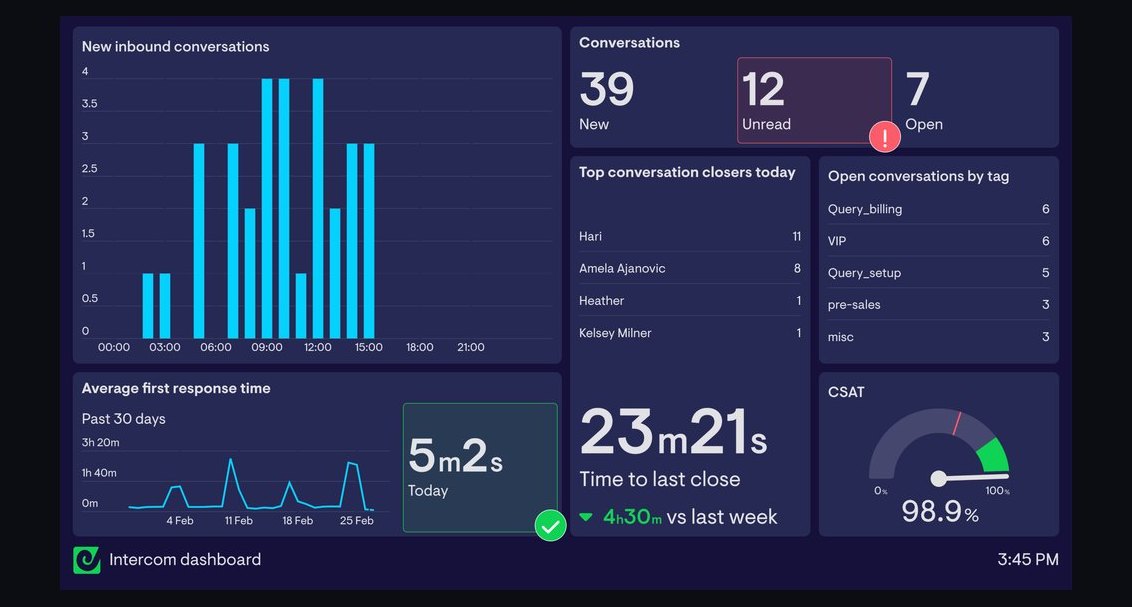 softwareTop 10 live chat software for websites in 2027
 softwareTop 10 directories to discover HubSpot CRM agencies in 2027
 softwareHow to set up a custom lead routing rule in HubSpot CRM in 2027?
 softwareWhat is the difference between Outreach and Saleshandy for email sequencing in 2026?
 softwareTop 10 ways to discover HubSpot CRM user communities in 2027
 softwareWhat is the best way to approach Software in 2027?