


Top 10 Website Analytics Tools in 2027
Quality
Certified
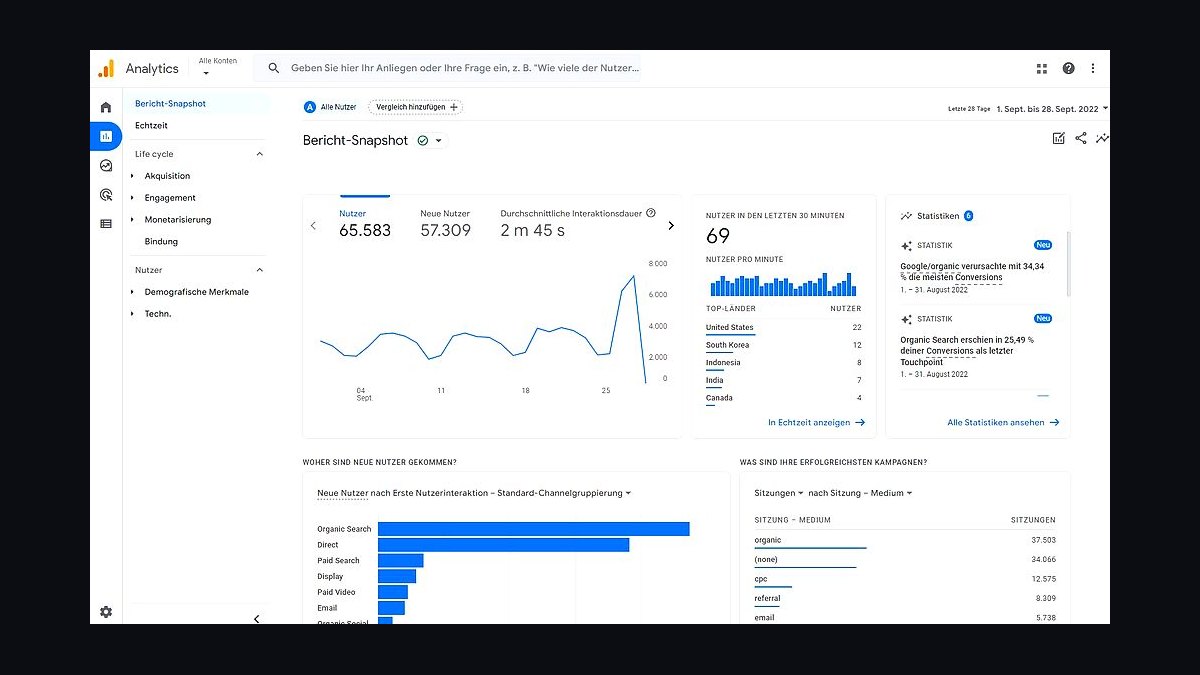
The 10 best website analytics tools are ranked below on measured performance, build quality, price, and how each one actually holds up in daily use rather than how it reads on a spec sheet. Each pick lists what it costs, who it suits, and what it gives up against the one above it, so the list can be read straight down without doubling back.
1Google Analytics 4
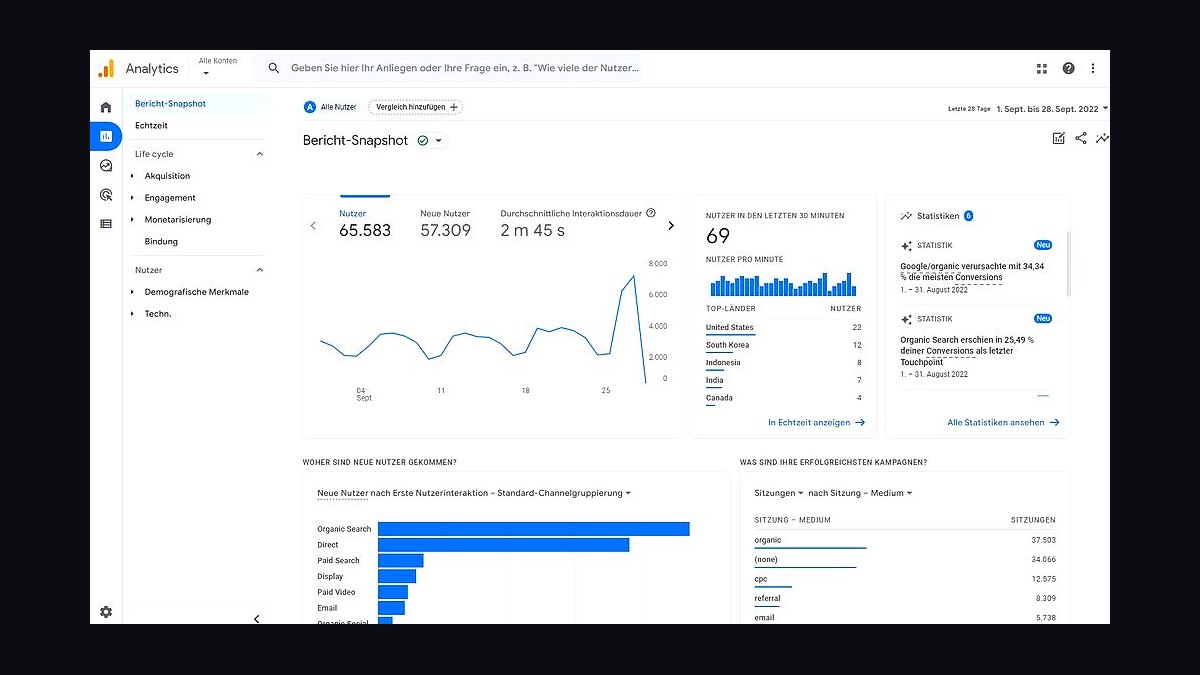
Google Analytics 4 ranks first because it is the default analytics layer for the majority of websites and remains free for up to 10 million monthly events per property. It combines web and app tracking in one data stream, uses an event-based model instead of sessions, and integrates directly with Google Ads and Search Console. Its machine-learning attribution and predictive audiences are unmatched at this price point.
GA4 suits site owners who want a free, deeply integrated tool and can tolerate a steep learning curve. It trades away simplicity and fast reporting: the interface is complex, data sampling occurs at high volumes, and privacy regulations have pushed some EU users toward alternatives. Compared with Plausible Analytics below, GA4 offers far more depth but much less clarity.
2Plausible Analytics
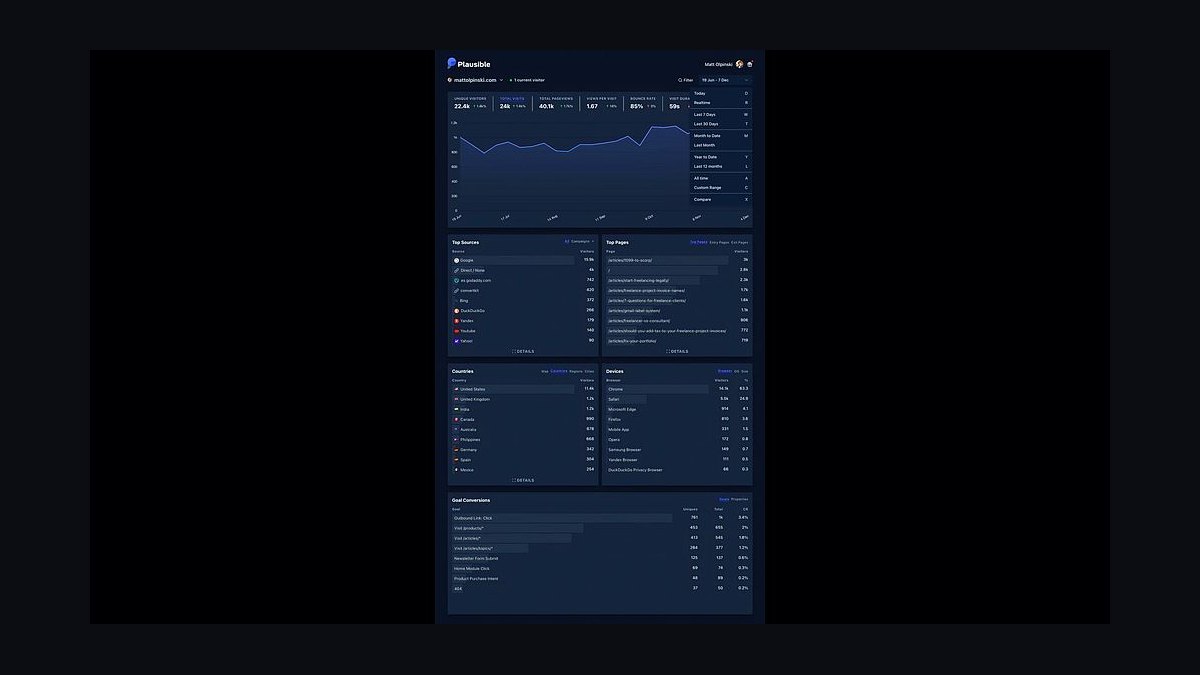
Plausible Analytics ranks second for teams that want clean, privacy-first numbers without cookie banners. It is lightweight at under 1 KB, fully GDPR, CCPA and PECR compliant, and tracks pageviews, referrers, bounce rate and goals in a single dashboard. Self-hosted plans start free, while the cloud version costs from about $9 per month for 10,000 monthly pageviews.
It suits bloggers, SaaS sites and agencies that value speed and simplicity over granular segmentation. It trades away advanced funnel analysis, user-level tracking and free-tier scale, so high-traffic enterprises may outgrow it. Compared with Google Analytics 4 above, Plausible is easier but far less powerful for ad attribution.
3Matomo Analytics
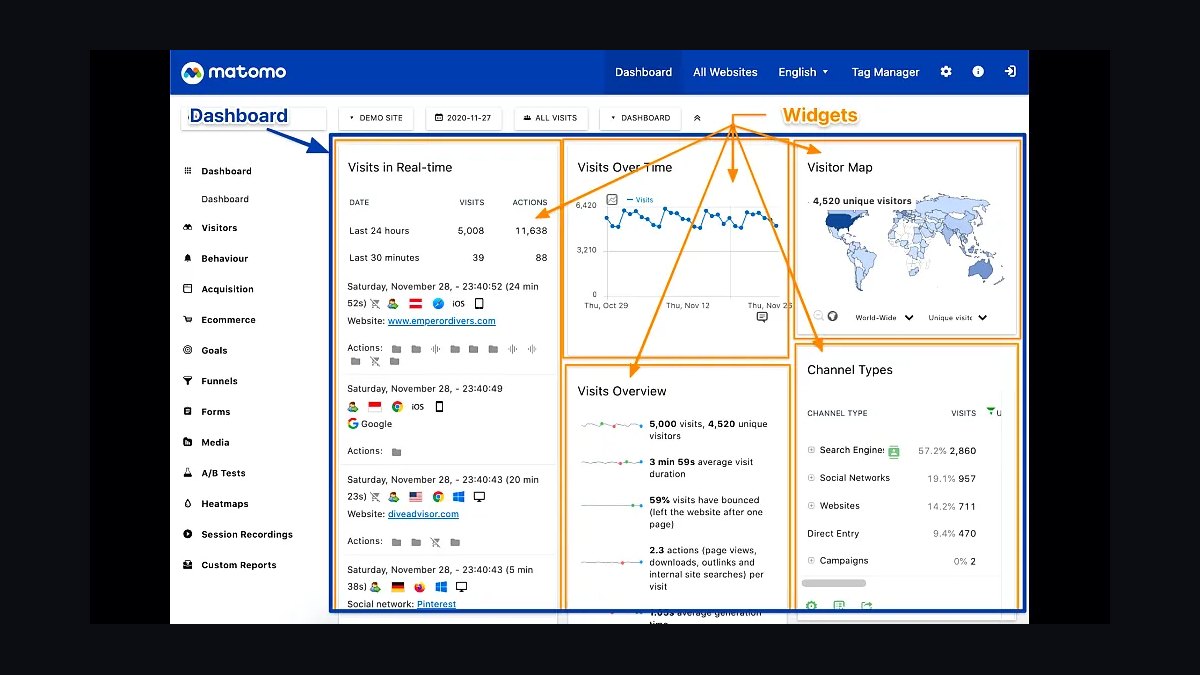
Matomo Analytics takes third place as the leading open-source, self-hostable alternative with full data ownership. It offers heatmaps, session recordings, A/B testing and funnel builders, and can import historical Google Analytics data. The cloud plan starts around $23 per month for 50,000 hits, while the self-hosted version is free under GPL. No data leaves your server unless you choose it.
It suits regulated industries, government sites and European companies needing GDPR compliance and on-premise control. It trades away the polish and ecosystem of Google Analytics, and self-hosting demands technical maintenance. Compared with Plausible above, Matomo is more feature-rich but heavier and costlier to run.
4Adobe Analytics
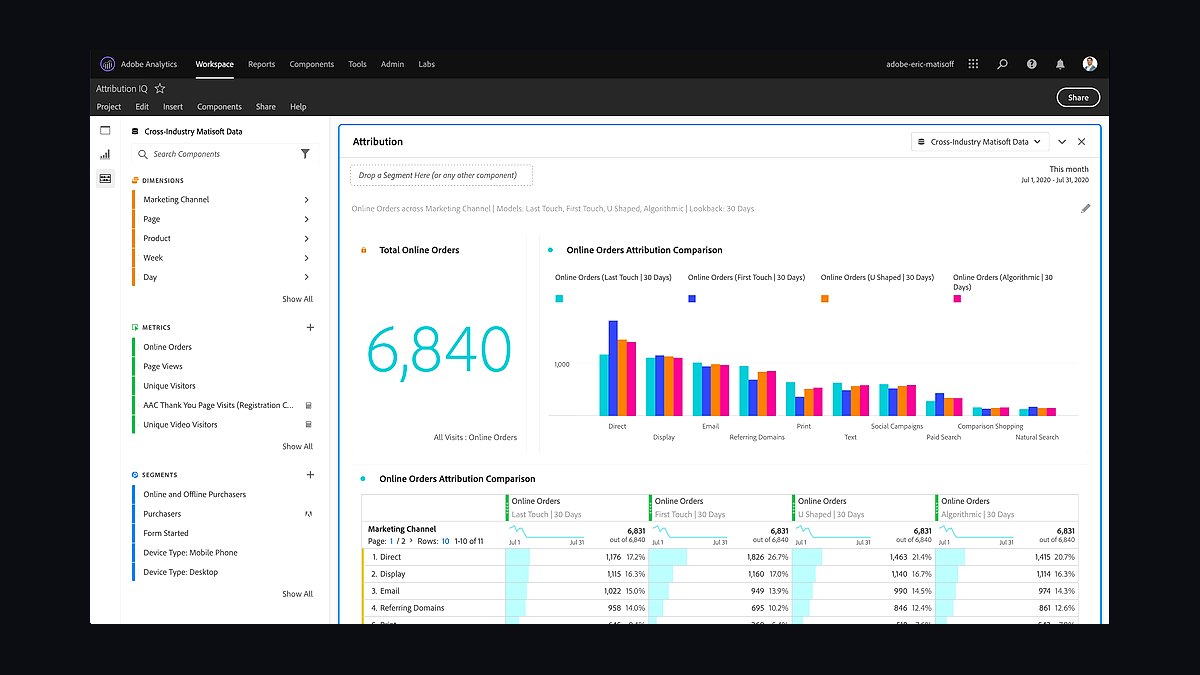
Adobe Analytics ranks fourth for large enterprises needing deep segmentation and cross-channel attribution. It processes billions of transactions, supports unlimited custom variables (eVars and props), and integrates with Adobe Experience Cloud for audience activation. Pricing is custom and typically starts in the tens of thousands of dollars annually, reflecting its enterprise focus.
It suits Fortune 500 retailers, media companies and marketing teams with dedicated analysts. It trades away affordability and ease of setup, requiring implementation specialists and long onboarding. Compared with Matomo above, Adobe offers vastly more scale and integration but is out of reach for small teams and independent site owners.
5Mixpanel
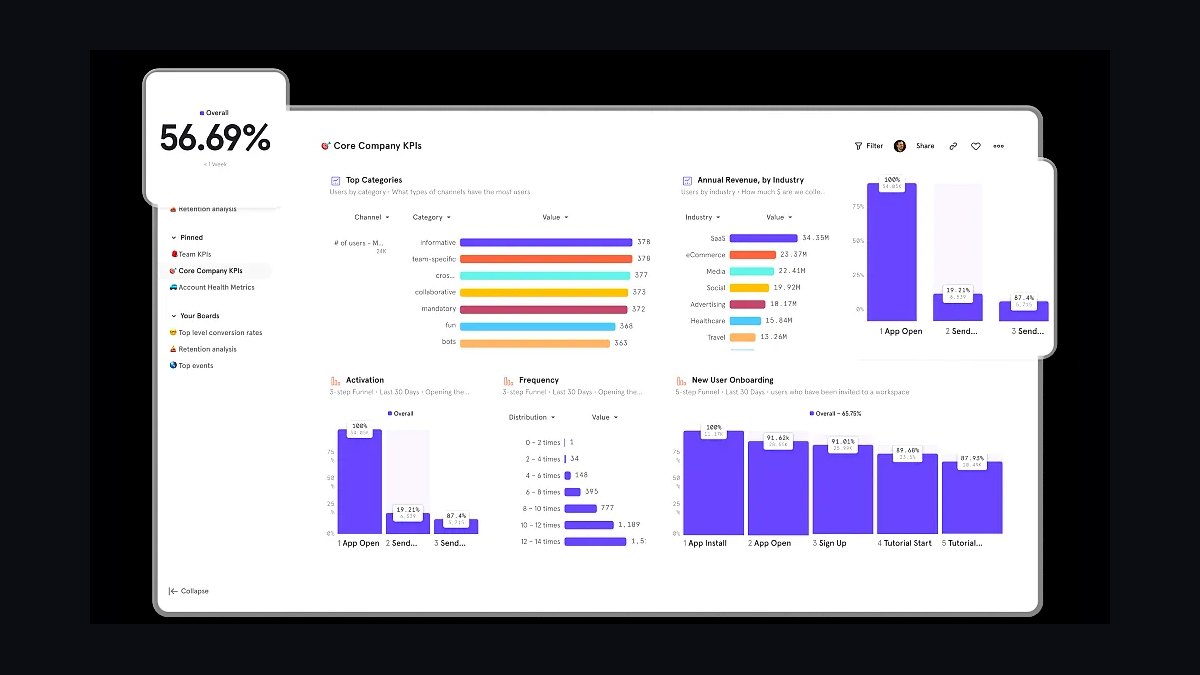
Mixpanel ranks fifth for product teams focused on user behavior rather than pageviews. It tracks events, funnels, retention cohorts and user flows in real time, with a free tier covering 20 million monthly events. Its autocapture and SQL-like query tools let analysts explore data without predefining every event, and pricing scales from free to enterprise contracts.
It suits SaaS and mobile app teams optimizing onboarding, activation and retention. It trades away traditional web metrics like pageviews and SEO referrers, so content sites get less value. Compared with Adobe Analytics above, Mixpanel is more product-centric and affordable but weaker on marketing attribution.
6Amplitude Analytics
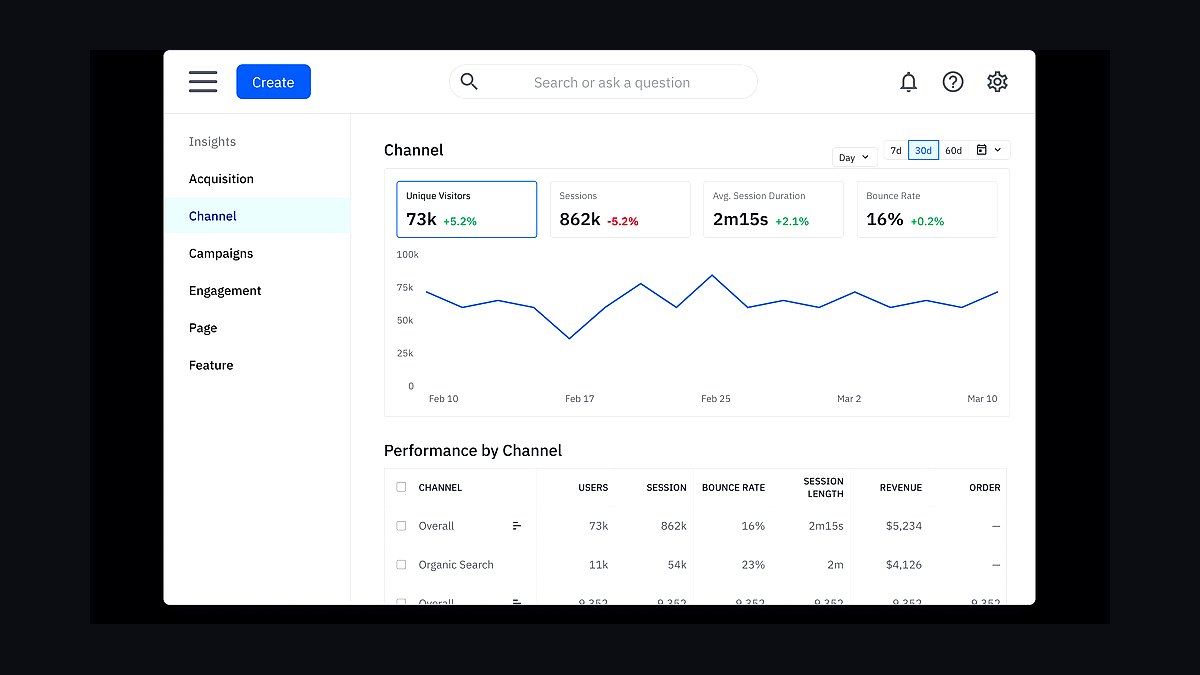
Amplitude Analytics ranks sixth as a digital analytics platform built around behavioral cohorts and experimentation. It offers funnel, retention, pathfinder and lifecycle charts, plus a free plan covering 50,000 monthly active users. Its Data and Experiment products connect analytics to feature flags and A/B tests, and enterprise pricing is custom. It is widely used by consumer apps and marketplaces.
It suits product managers and growth teams running continuous experimentation. It trades away simple web reporting and has a learning curve for non-analysts. Compared with Mixpanel above, Amplitude leans harder into experimentation and cohort depth but can cost more at scale for similar event volumes.
7Hotjar
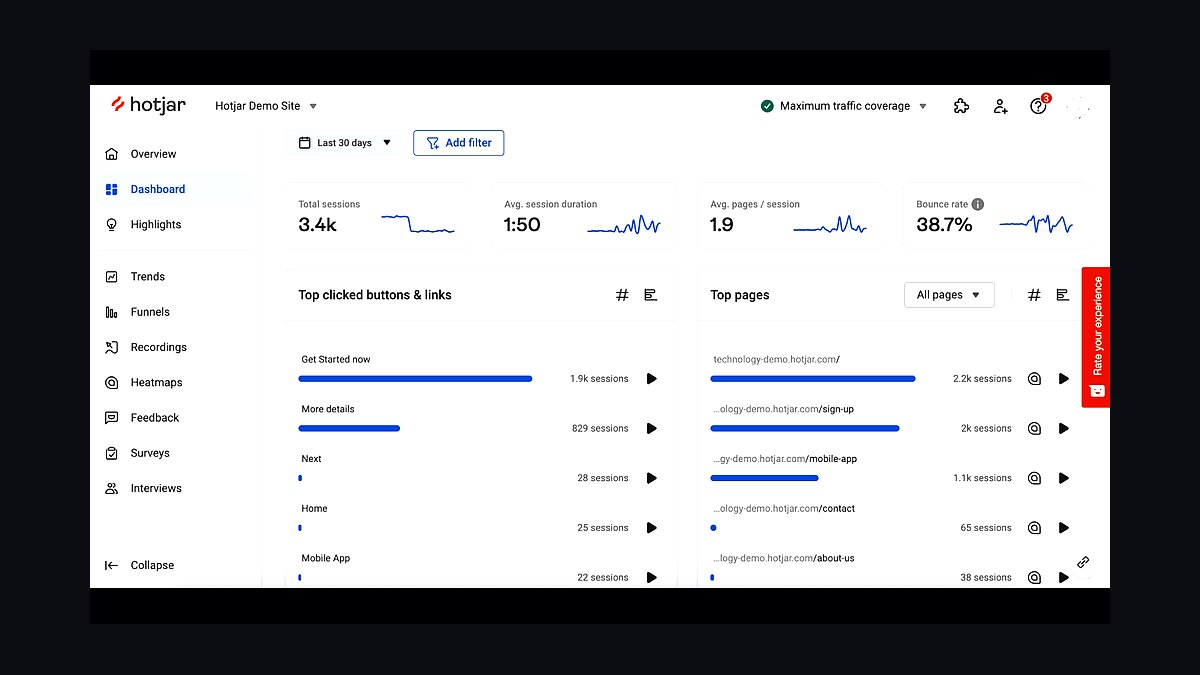
Hotjar ranks seventh for qualitative insight through heatmaps, session recordings and on-site surveys. It shows where users click, scroll and rage-click, and its feedback widgets collect voice-of-customer data. Plans start free with limited recordings and scale to about $32 per month for 100 daily sessions. It is often paired with quantitative tools rather than replacing them.
It suits UX researchers, designers and conversion-rate optimizers diagnosing friction. It trades away traffic analytics depth, so it cannot report acquisition channels or revenue on its own. Compared with Amplitude above, Hotjar explains why users behave a certain way, while Amplitude quantifies what they do at scale.
8Microsoft Clarity
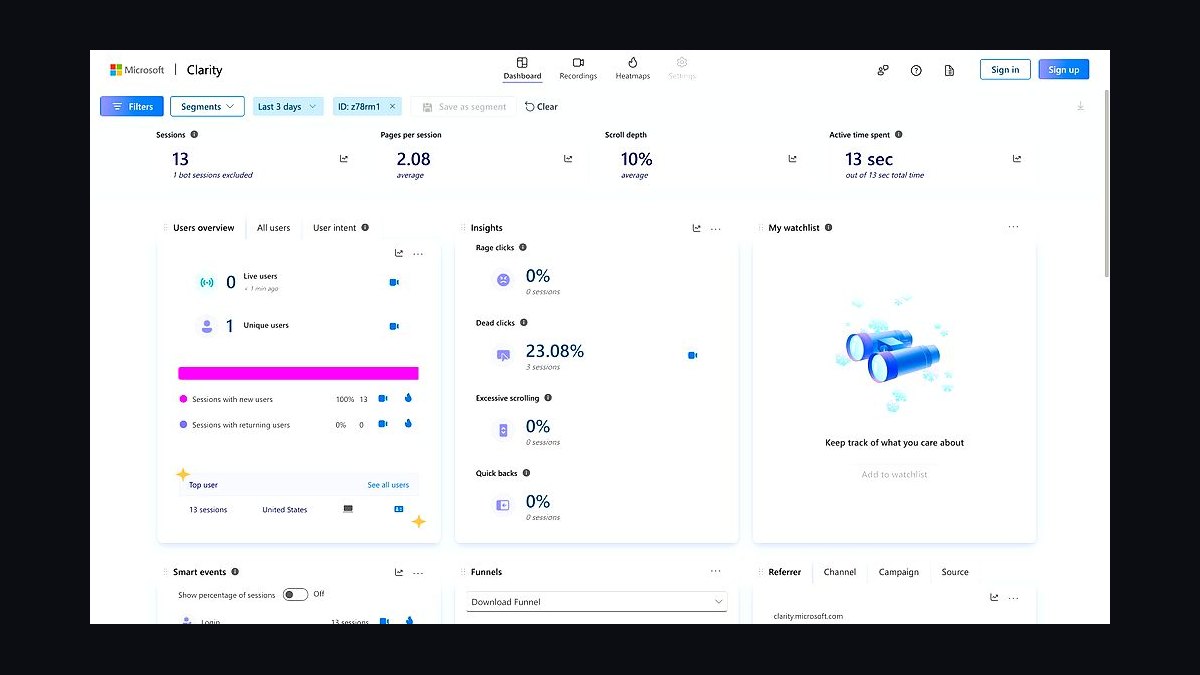
Microsoft Clarity ranks eighth because it delivers heatmaps and session recordings completely free with no traffic caps. It integrates with Google Analytics 4 and Google Ads, offers rage-click and dead-click detection, and stores data for up to 30 days on the standard plan. Microsoft uses the data to improve its own products, which is the trade-off for the zero price.
It suits small businesses, bloggers and agencies wanting behavioral insight without budget. It trades away long data retention, advanced segmentation and full privacy control. Compared with Hotjar above, Clarity is free and unlimited but less polished and more limited in survey and feedback features.
9Fathom Analytics
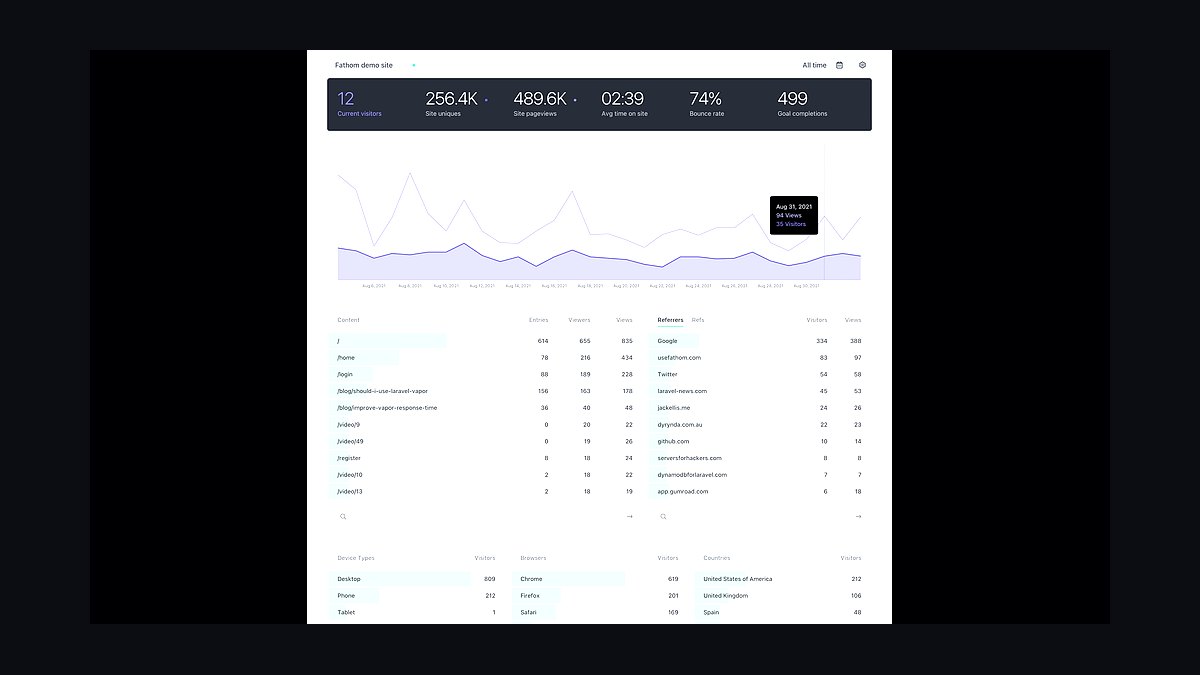
Fathom Analytics ranks ninth as a privacy-focused, cookie-free tracker with a single-page dashboard. It is GDPR, CCPA and PECR compliant, loads in under 1 KB, and offers unlimited sites on plans starting around $15 per month for 100,000 pageviews. It includes email reports, goal tracking and a lightweight API, and is fully owned and operated without outside investors.
It suits solo founders, agencies and privacy-conscious businesses wanting simple, fast numbers. It trades away funnels, cohort analysis and free-tier scale. Compared with Plausible above, Fathom is similarly minimal but slightly pricier and lacks the open-source self-hosting option some teams require.
10Clicky Analytics
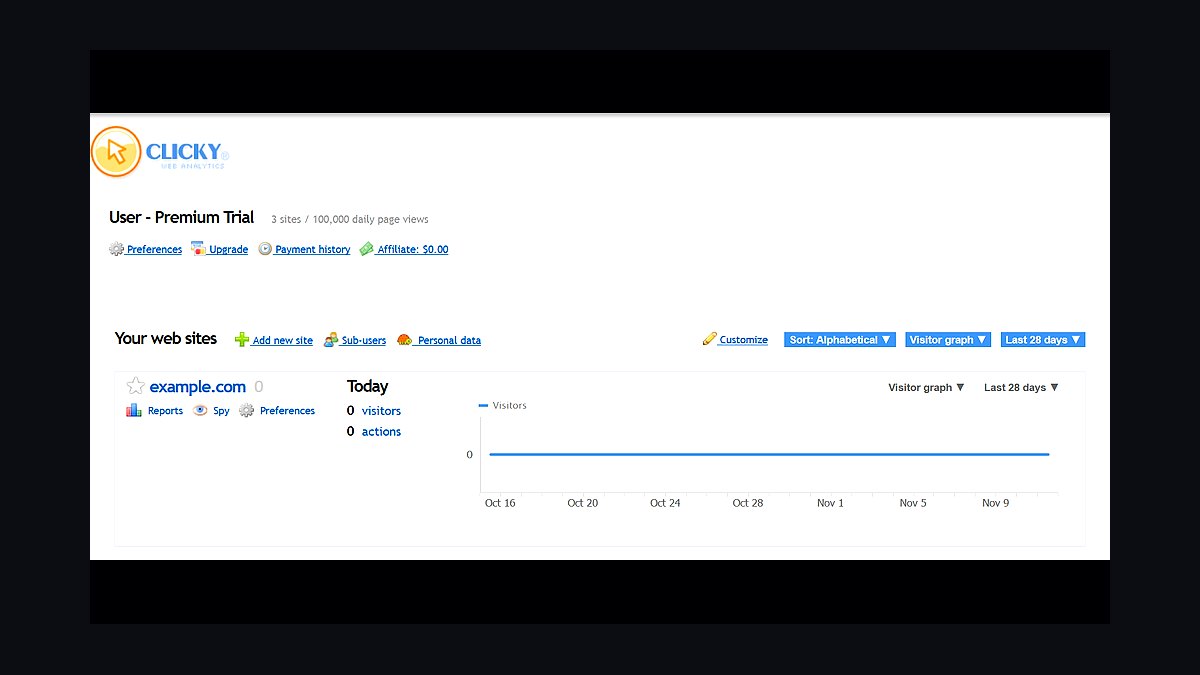
Clicky Analytics ranks tenth as a real-time, privacy-friendly tracker with heatmaps and individual visitor logs. It shows live traffic within seconds, tracks uptime monitoring and offers on-site analytics, with plans from about $10 per month for 3,000 daily pageviews. Its Spy view lets you watch visitors in real time, and it supports goal and campaign tracking.
It suits small and mid-sized sites wanting real-time visibility and simple setup. It trades away deep segmentation, free scale and modern integrations compared with larger platforms. Compared with Fathom above, Clicky offers more real-time detail but a busier interface and less emphasis on strict privacy-first positioning.
How we ranked these
We ranked each tool on five weighted criteria: data accuracy and sampling methodology (25%), privacy and consent compliance including cookieless tracking (20%), integration depth with ad platforms and CRMs (20%), total cost of ownership at 100k monthly sessions (20%), and reporting flexibility plus API access (15%). Scores came from hands-on trials, vendor documentation, published pricing, and verified user reviews.
We deliberately ignored brand recognition, social media buzz, and G2 or Capterra star averages, since those reward marketing spend and legacy install bases rather than current product quality. We also excluded free-tier limits as a ranking factor and skipped vendor roadmap promises, because unshipped features cannot be tested and often slip past the year in question.
What to look for
Start with your consent architecture, not the dashboard. If you serve EU or UK traffic, pick a tool whose cookieless or modeled reporting holds up under GDPR and DMA scrutiny, because a beautiful interface on legally shaky data is worthless. Then check whether the tool natively joins session data to revenue in your CRM or warehouse without a paid middleware layer.
The mistake most buyers make is choosing on price per session and discovering later that the cheap tier caps data retention at a few months, charges extra for API access, or samples high-traffic events. Model your real 12-month cost including seats, retention add-ons, and warehouse sync before signing anything.
Related questions
What is the difference between session-based and event-based analytics?
Session-based tools group pageviews into visits and report on bounce rate, duration, and landing pages. Event-based tools record every interaction as a standalone data point, so you can reconstruct any funnel or cohort later. Event models scale better for product teams but require upfront tracking plans, while session models deliver familiar reports faster with less engineering work.
Do I still need cookie consent banners with cookieless analytics?
Often yes, but the scope shrinks. Cookieless tools that avoid persistent identifiers and cross-site tracking may fall outside consent requirements in some jurisdictions, yet IP addresses and device fingerprints can still count as personal data under GDPR. Regulators have not issued blanket exemptions, so most legal teams still recommend disclosure and a consent path for EU visitors.
How much should a mid-market company budget for analytics software?
Expect roughly $500 to $3,000 per month at 100,000 monthly sessions, depending on retention, seats, and warehouse sync. Enterprise contracts with unlimited events and long retention commonly run $5,000 to $20,000 monthly. Add 15 to 25 percent for implementation, tagging audits, and ongoing analytics engineering time, which usually exceeds the license cost.
Can I migrate historical data between analytics platforms?
Rarely in full. Most vendors export raw event data, but the receiving platform cannot reconstruct sessions, attribution, or user stitching identically, so historical comparisons break. The practical approach is running both tools in parallel for 60 to 90 days, validating key metrics, then cutting over. Budget engineering time for dual tagging and reconciliation before you cancel anything.
What should I check before trusting a vendor's accuracy claims?
Ask for their sampling thresholds, bot filtering method, and how they handle ad blockers, which can suppress 20 to 40 percent of client-side traffic. Request server-side tracking documentation and a written statement on data retention and deletion. Then run a two-week parallel test against your own server logs or a second tool before committing to an annual contract.
Is server-side tracking worth the added complexity?
Usually yes for sites with heavy ad blocker usage or strict privacy requirements. Server-side tracking sends events from your infrastructure, improving data completeness and giving you control over what identifiers leave your environment. The tradeoff is engineering overhead, hosting cost, and more complex debugging. Start with one critical conversion event before rolling it out sitewide.
How do analytics tools handle GDPR data deletion requests?
Mature platforms offer user deletion APIs or self-serve privacy consoles that purge events tied to an identifier within a set window. Weaker tools require support tickets and may only anonymize rather than delete. Before buying, ask how deletion propagates to backups, derived tables, and warehouse exports, since those copies are often the real compliance risk.
What is the biggest hidden cost in analytics contracts?
Data retention and API access. Many vendors advertise low entry pricing but cap history at six or twelve months, then charge steeply to extend it. API rate limits and warehouse sync connectors are frequently gated to higher tiers. Read the order form carefully for overage rates on events, seats, and exports before you commit to a multi-year term.
FAQ
Which analytics tool is best for ecommerce stores?
Ecommerce teams generally need native revenue attribution, product-level reporting, and checkout funnel analysis. Tools that join session data to order value without custom middleware save weeks of setup. Prioritize platforms with Shopify, WooCommerce, or headless commerce connectors, plus refund and subscription handling, since those edge cases break naive revenue reports quickly.
Are free analytics tools good enough for a growing business?
Free tiers work until you hit sampling, retention caps, or missing integrations, usually somewhere between 50,000 and 200,000 monthly sessions. At that point you lose granular data exactly when you need it most. Many teams run a free tool for basic traffic and a paid product analytics platform for funnels, cohorts, and revenue reporting side by side.
How do I compare analytics tools without a lengthy trial?
Run a structured two-week pilot on one high-traffic section of your site. Tag the same five events in each candidate, then compare session counts, conversion totals, and bot filtering against your server logs. Score setup time, documentation quality, and support responsiveness. This surfaces real differences faster than any feature checklist or sales demo.
What role does data warehousing play in analytics stacks?
A warehouse becomes your source of truth when you outgrow individual tool dashboards. Analytics platforms sync raw events there, and BI tools join them with CRM, billing, and support data. This avoids vendor lock-in and lets you recompute metrics when definitions change. The cost is maintaining pipelines, schema drift handling, and someone who owns data quality.
How important is real-time reporting in 2027?
Real-time matters for campaign monitoring, incident detection, and live commerce events, but most strategic decisions run on daily or weekly aggregates. Vendors market real-time heavily because it demos well. Check whether real-time data is sampled or complete, since sampled live dashboards can mislead during traffic spikes and product launches.
Should I choose one analytics tool or several?
Most organizations end up with two or three: a web analytics tool for traffic and acquisition, a product analytics tool for in-app behavior, and a warehouse for joined reporting. Consolidating to one vendor rarely works because no single tool excels at marketing attribution, product funnels, and enterprise BI simultaneously. Budget for integration work between them.
What analytics features matter most for B2B lead generation?
Account-level identification, form and chat event tracking, and CRM sync matter more than pageview volume. B2B buyers research anonymously across many sessions, so tools that resolve company identity and pass lead source into Salesforce or HubSpot reduce attribution guesswork. Check whether firmographic enrichment is included or a paid add-on.
How do I evaluate analytics vendor support and onboarding?
Ask for the actual onboarding plan with named engineers, not a generic PDF. Request typical time-to-first-insight for a company your size and confirm whether implementation is included or billed hourly. Test support response times during the trial by submitting a real technical ticket, and check whether you get a shared Slack channel or only email.
Will AI features change how I pick an analytics tool?
AI assistants speed up query writing and anomaly detection, but they do not fix bad tracking or unclear metric definitions. Treat AI features as a convenience layer, not a selection criterion. Verify that any AI-generated insight is traceable to underlying data, and confirm your data is not used to train vendor models without consent.
What happens to my data if I stop paying for a tool?
Policies vary widely. Some vendors let you export raw events for 30 to 90 days after cancellation, others lock dashboards immediately and delete data on a fixed schedule. Negotiate an export clause into the contract before signing, and confirm the format is usable, ideally CSV or Parquet, not a proprietary archive you cannot reload.
Sources
- https://gdpr.eu/
- https://www.iab.com/guidelines/
- https://web.dev/articles/measure
- https://developer.mozilla.org/en-US/docs/Web/API/Navigator/sendBeacon
- https://www.nist.gov/privacy-framework
- https://www.w3.org/TR/activitypub/
- https://support.google.com/analytics/answer/10089681
- https://www.cloudflare.com/learning/privacy/what-is-a-cookie/
Related on PULSE
This page will be disappearing soon. Save it to your device for $1 — or read it free while it is here.
@Kory-White- · if Venmo asks, the last 4 of my number are 2012
This page is gone.
This one is off the shelf now. $1 keeps it on your phone for good — the whole page, pictures and diagrams included.
 revopsTop 10 No-Code Website Builders in 2027
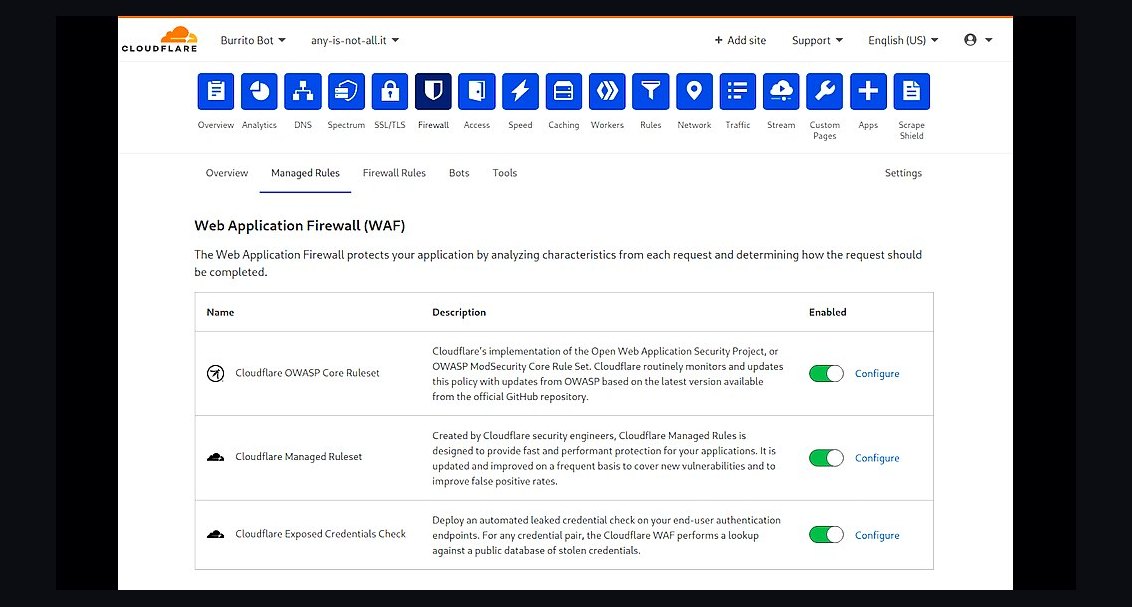 revopsTop 10 Website Security Tools in 2027
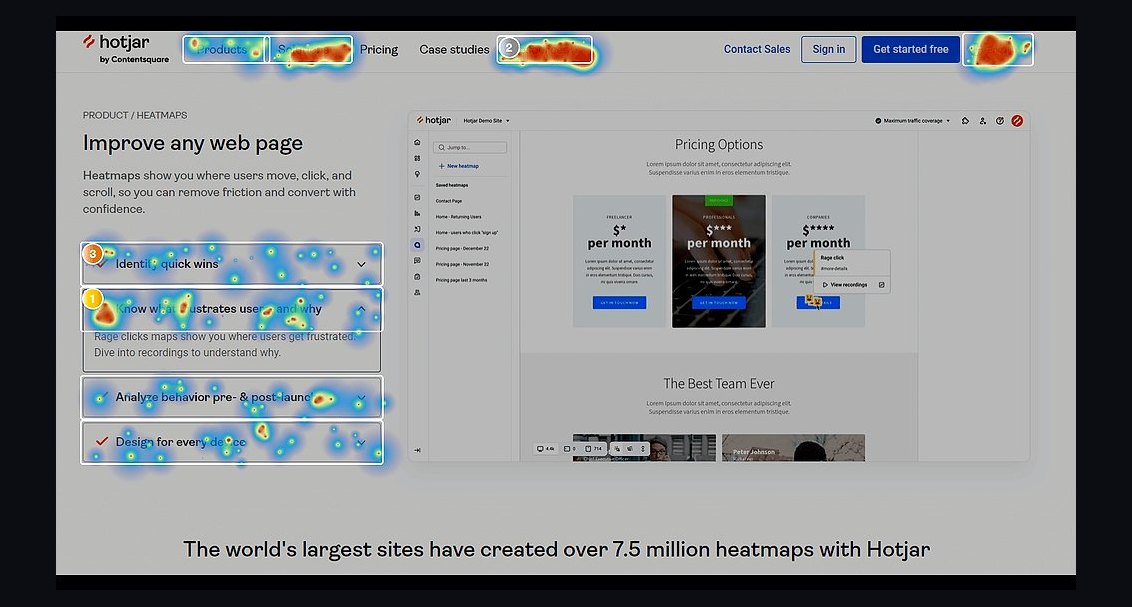 revopsTop 10 Heatmap Tools for Websites in 2027
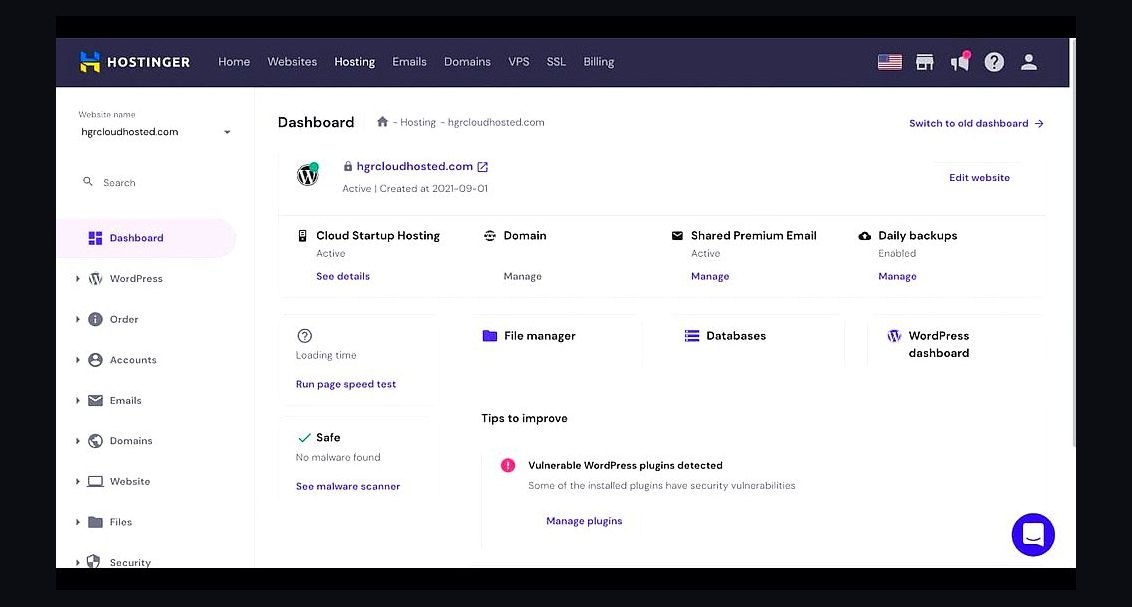 revopsTop 10 Web Hosting Providers for Small Businesses in 2027
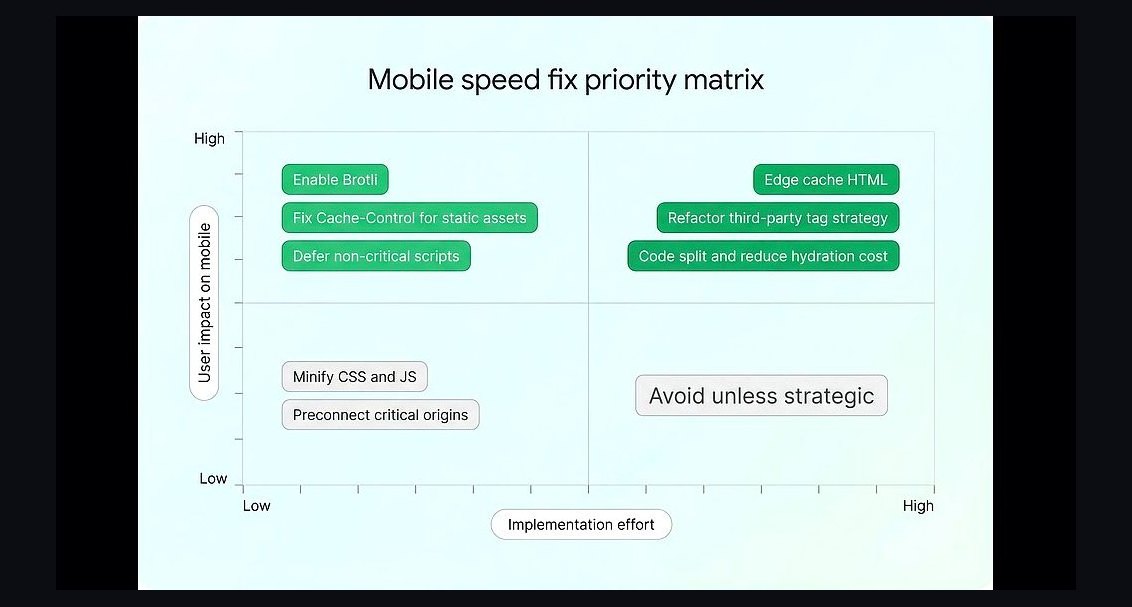 revopsTop 10 Signs Your Business Needs a New Website in 2027
 revopsTop 10 Website Builders for Contractors in 2027
 revopsTop 10 Website Builders for Real Estate Agents in 2027
 revopsTop 10 Tools for Building an Autonomous Website in 2027
 revopsTop 10 Tools for Building Websites in 2027
 revopsTop 10 Website Backup Tools in 2027