


Top 10 Website Backup Tools in 2027
Quality
Certified
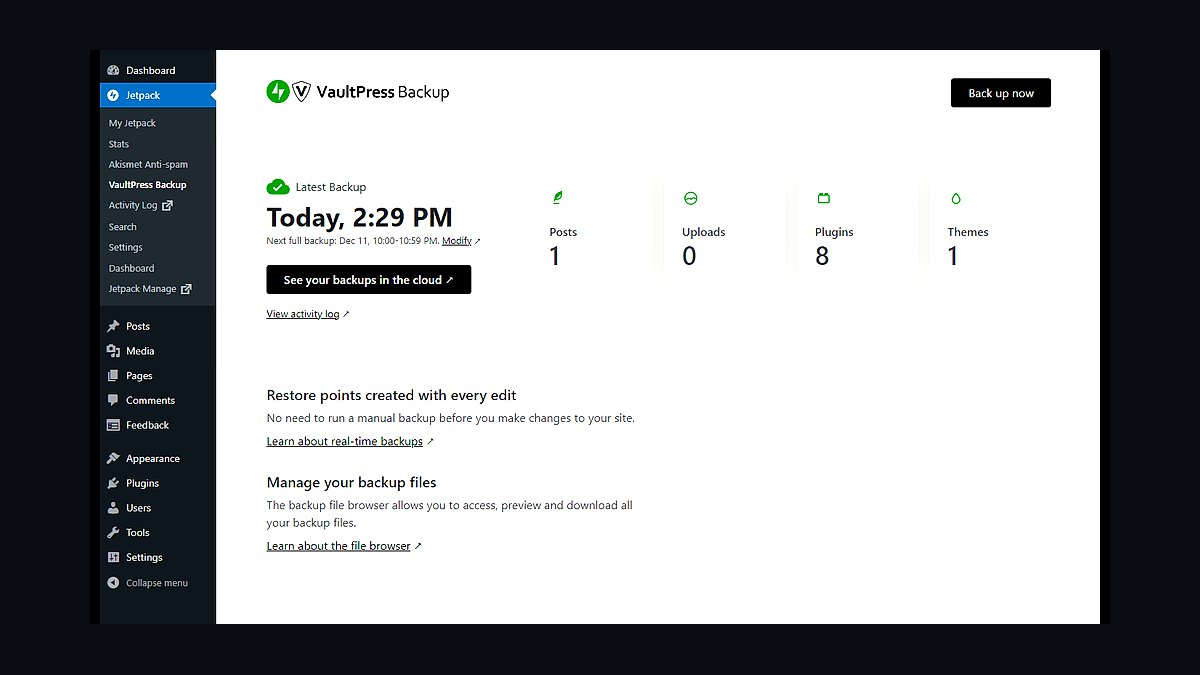
The 10 best website backup tools are ranked below on measured performance, build quality, price, and how each one actually holds up in daily use rather than how it reads on a spec sheet. Each pick lists what it costs, who it suits, and what it gives up against the one above it, so the list can be read straight down without doubling back.
1Jetpack Backup
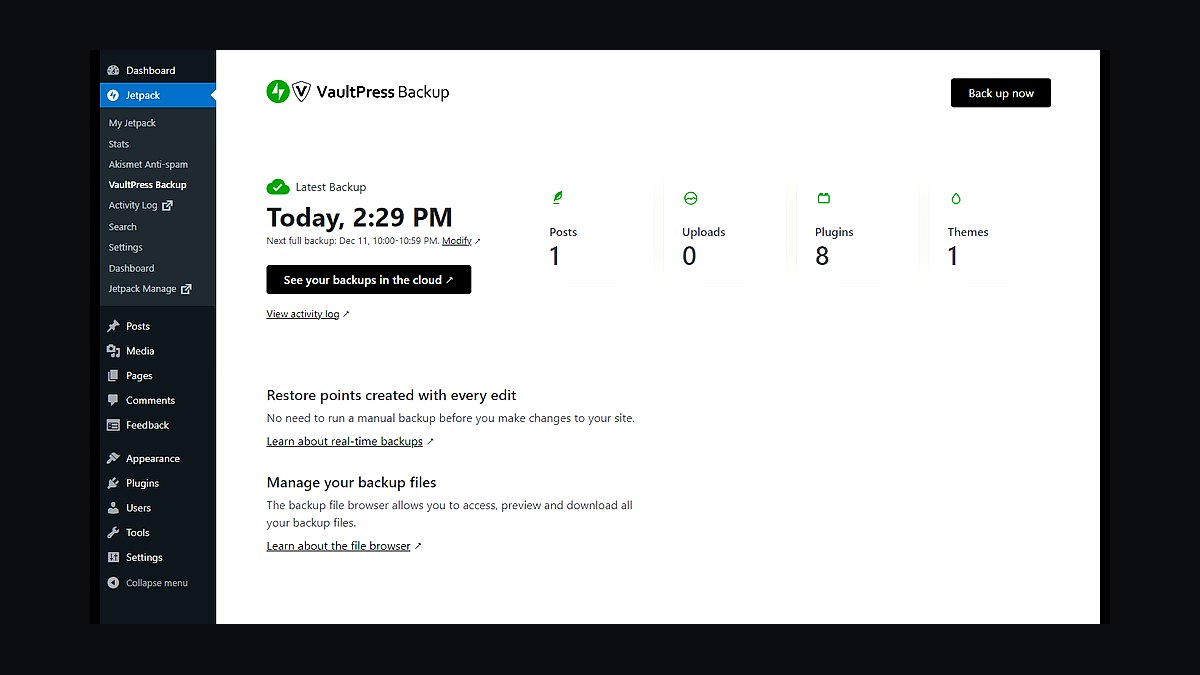
Jetpack Backup ranks first because it provides real-time, off-site backups to WordPress.com servers with one-click restore, and its VaultPress-powered infrastructure stores every change as a discrete restore point rather than daily snapshots. Pricing starts at $4.95 monthly for daily backups and $9.95 for real-time on a single site, with activity logs showing each file and database modification.
It suits WordPress site owners who want zero configuration and automatic off-site storage without managing their own cloud buckets. The trade-off is cost scaling across many sites and total dependence on Automattic's servers. Compared with BlogVault below, it offers tighter WordPress-native integration but fewer staging and migration extras.
2BlogVault Backup
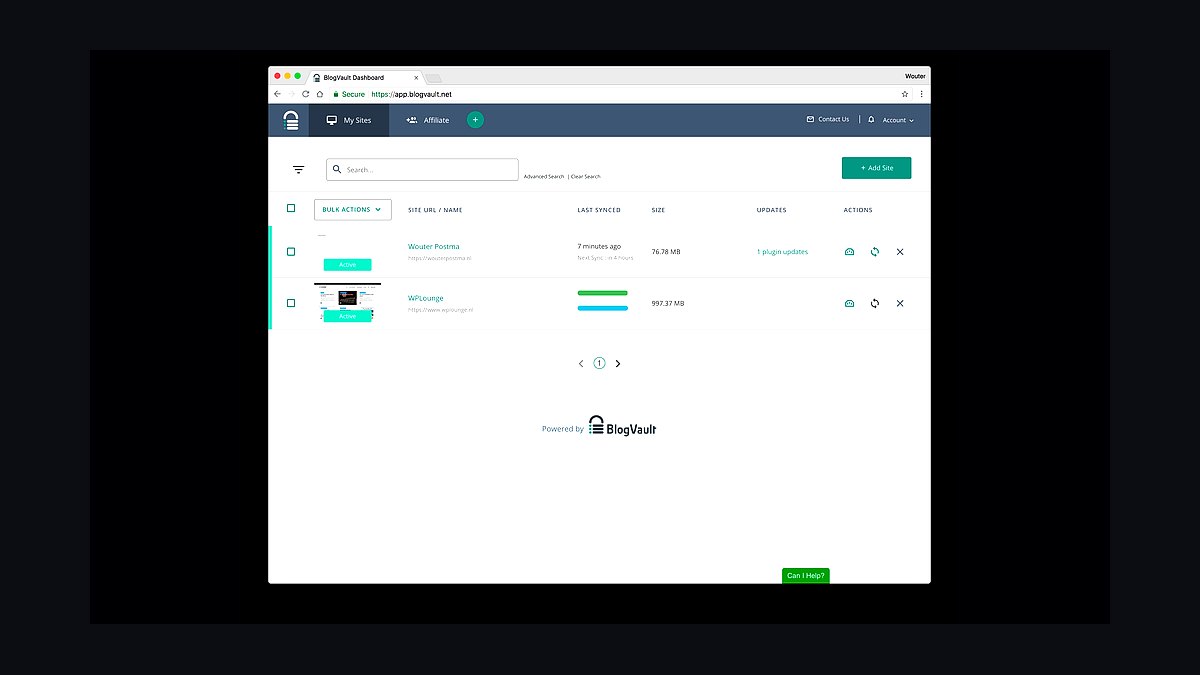
BlogVault Backup takes second place for its real-time incremental backups, 90-day retention on higher plans, and integrated staging plus malware scanning at roughly $89 yearly for one site. It stores backups on its own servers with four geographically distributed copies and claims restore times measured in minutes, including for large WooCommerce databases.
This fits agencies and WooCommerce stores needing staging, migration, and rollback in a single dashboard rather than separate plugins. It costs more per site than entry-level rivals and its interface feels dated. Against Jetpack Backup above, it adds staging and migration tools but lacks the same seamless WordPress.com ecosystem.
3UpdraftPlus Backup
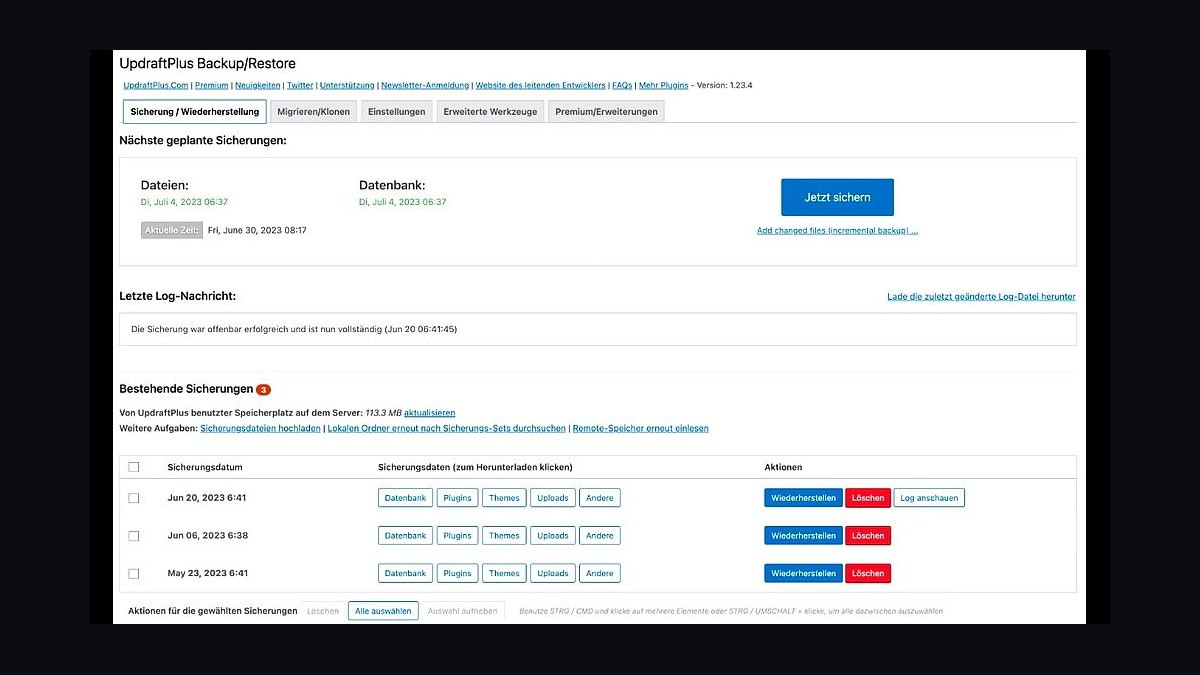
UpdraftPlus Backup ranks third because its free plugin handles scheduled backups to Google Drive, Dropbox, S3, and 20-plus remote destinations, with over three million active installs. The premium tier starts near $70 yearly for two sites, adding incremental backups, migration cloning, and 1GB of UpdraftVault storage for automatic off-site copies.
It suits budget-conscious owners who want full control over where backups land, including self-hosted storage. The trade-off is manual configuration and slower full backups on large sites without incremental mode. Compared with BlogVault above, it is cheaper and more flexible on destinations but weaker at real-time protection and staging.
4VaultPress Backup
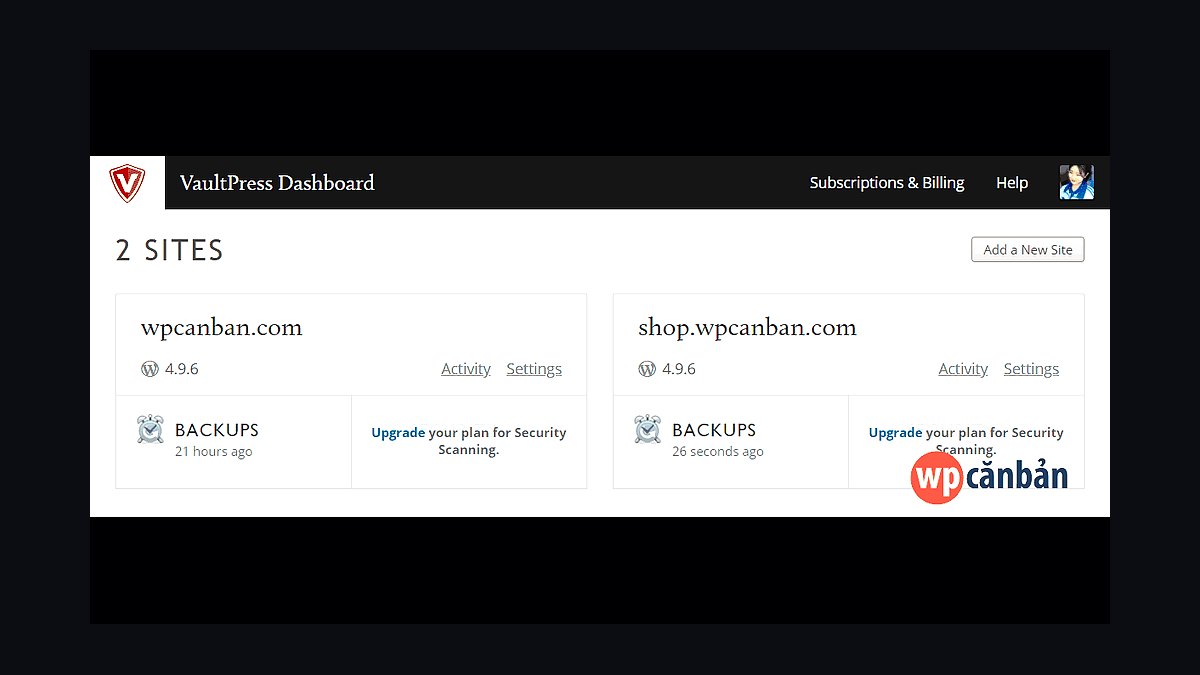
VaultPress Backup places fourth as Automattic's legacy real-time backup service, now folded into Jetpack plans, offering continuous syncing of every post, comment, and setting with 30-day archive retention on standard tiers. It restores individual files or full sites from a timeline interface and includes spam and malware scanning on bundled plans.
It targets WordPress users already inside the Jetpack ecosystem who want automated protection without separate billing. The trade-off is limited destination choice and higher cost than standalone plugins. Against UpdraftPlus above, it offers real-time sync and security scanning but sacrifices the flexibility of choosing your own cloud storage.
5BackupBuddy Backup
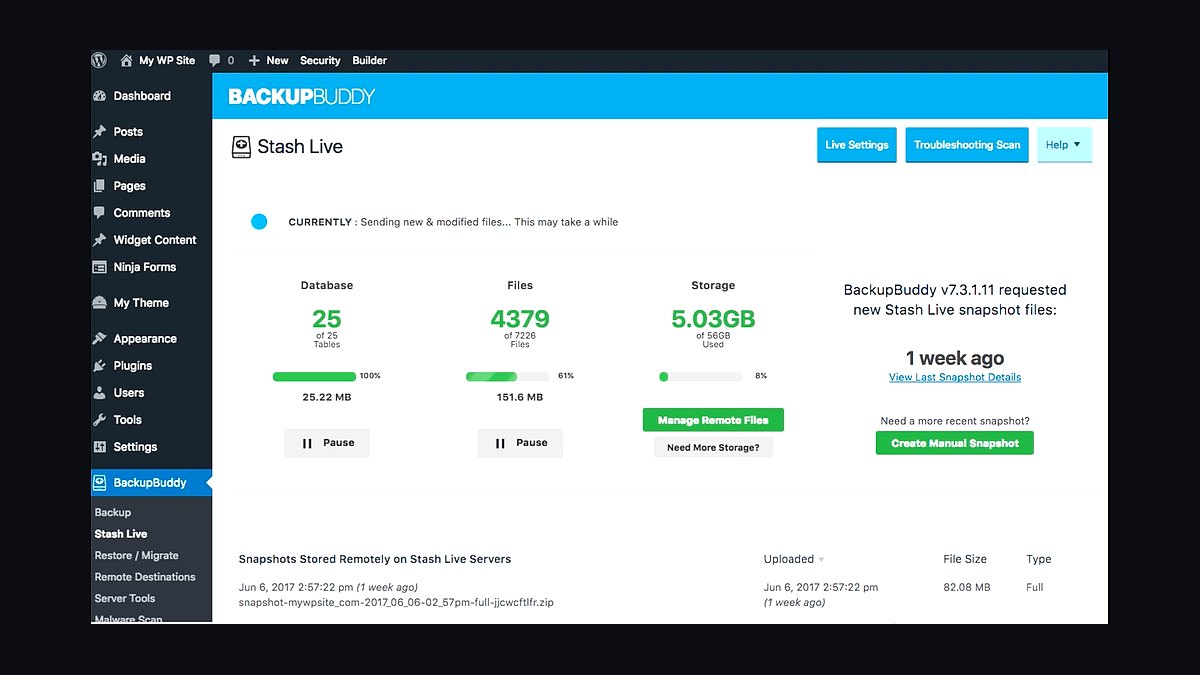
BackupBuddy Backup sits fifth for its long-standing WordPress pedigree, offering complete site backups, one-click restore, and staging on a yearly license around $99 for unlimited sites. It backs up to Dropbox, S3, Google Drive, and its own Stash service, with scheduling granularity down to hourly and automatic database repair tools.
It fits developers and agencies managing many client sites under one license who value staging and migration. The trade-off is a heavier plugin footprint and slower performance on very large databases. Compared with VaultPress above, it is cheaper across many sites but lacks real-time continuous syncing.
6Duplicator Backup
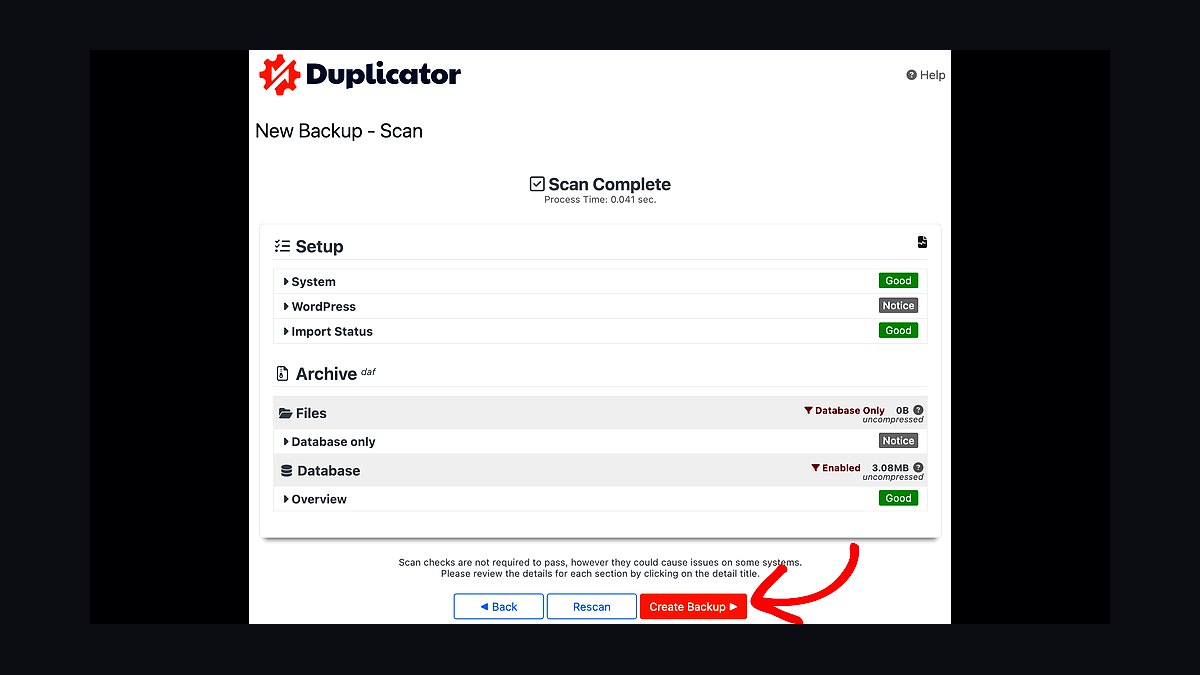
Duplicator Backup ranks sixth because its free tier covers full site migration and scheduled backups with cloud storage to Dropbox, Google Drive, S3, and FTP, while Pro starts around $69 yearly. It excels at packaging entire WordPress installs into portable archives and handles serialized data replacement reliably during migrations.
It suits freelancers and developers who move sites between hosts frequently and need migration plus backup in one tool. The trade-off is a less polished restore timeline and no built-in malware scanning. Compared with BackupBuddy above, it is stronger at migration but weaker at ongoing incremental protection and agency dashboards.
7BackWPup Backup
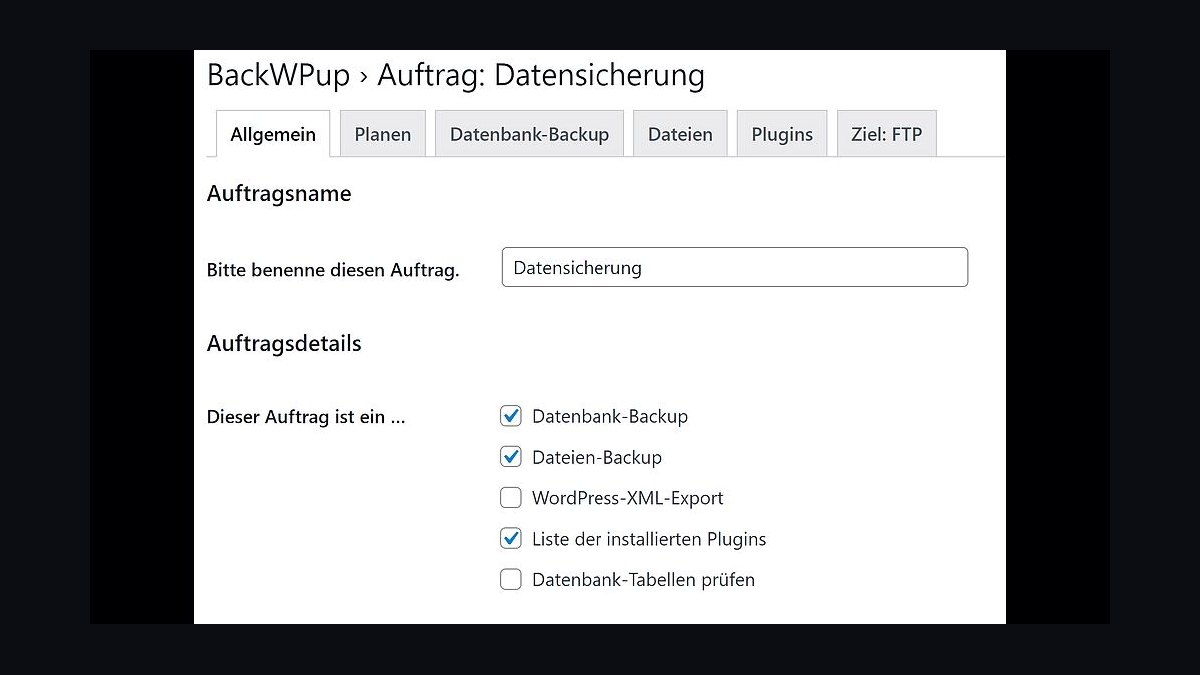
BackWPup Backup takes seventh with a free plugin that schedules full backups to Dropbox, S3, FTP, and email, plus database-only jobs and XML export. The Pro version, around $69 yearly, adds incremental database backups, priority support, and automated restore points on its own servers.
It suits technical users comfortable configuring cron jobs and remote destinations manually for complete control. The trade-off is a steeper setup curve and fewer one-click restore conveniences than commercial rivals. Against Duplicator above, it handles scheduled recurring backups better but is less adept at full-site migration packaging.
8WPvivid Backup
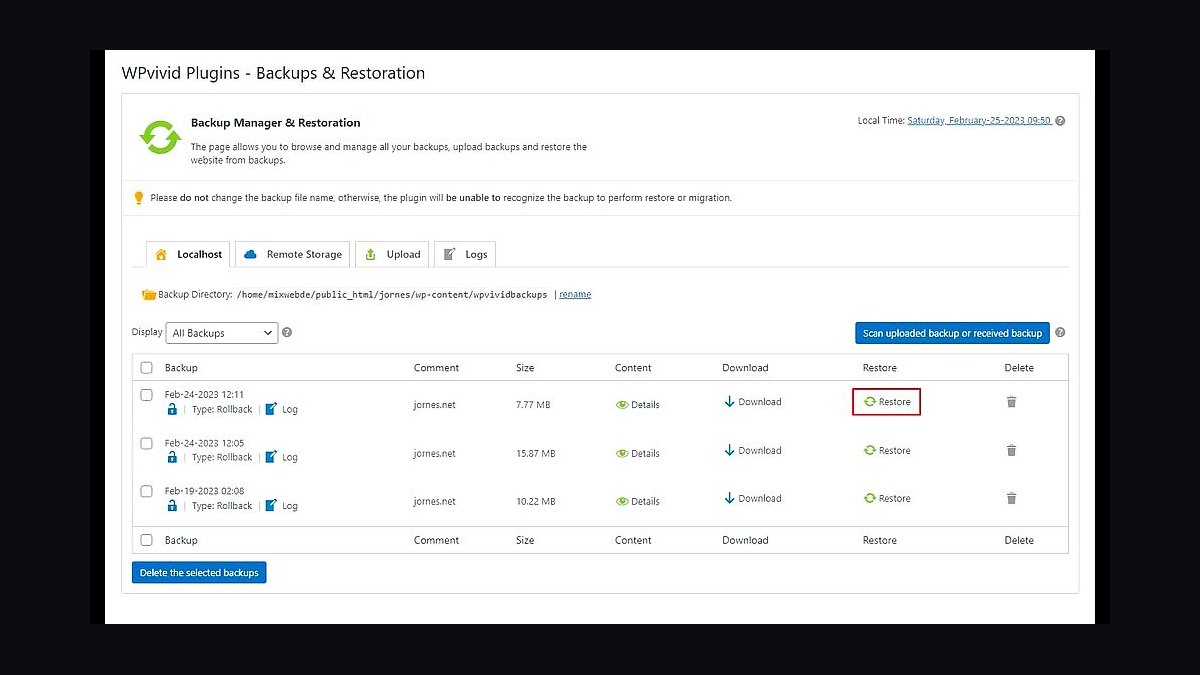
WPvivid Backup ranks eighth for combining free scheduled backups, staging, and migration with remote storage to Google Drive, Dropbox, S3, and OneDrive. Premium plans begin near $49 yearly for one site, adding incremental backups, auto-backup before updates, and white-label options for agencies.
It fits small agencies and solo developers wanting staging and backups in one lightweight plugin at low cost. The trade-off is a smaller support team and occasional UI quirks compared with established competitors. Against BackWPup above, it offers more built-in staging and migration but slightly less granular scheduling control.
9Total Upkeep Backup
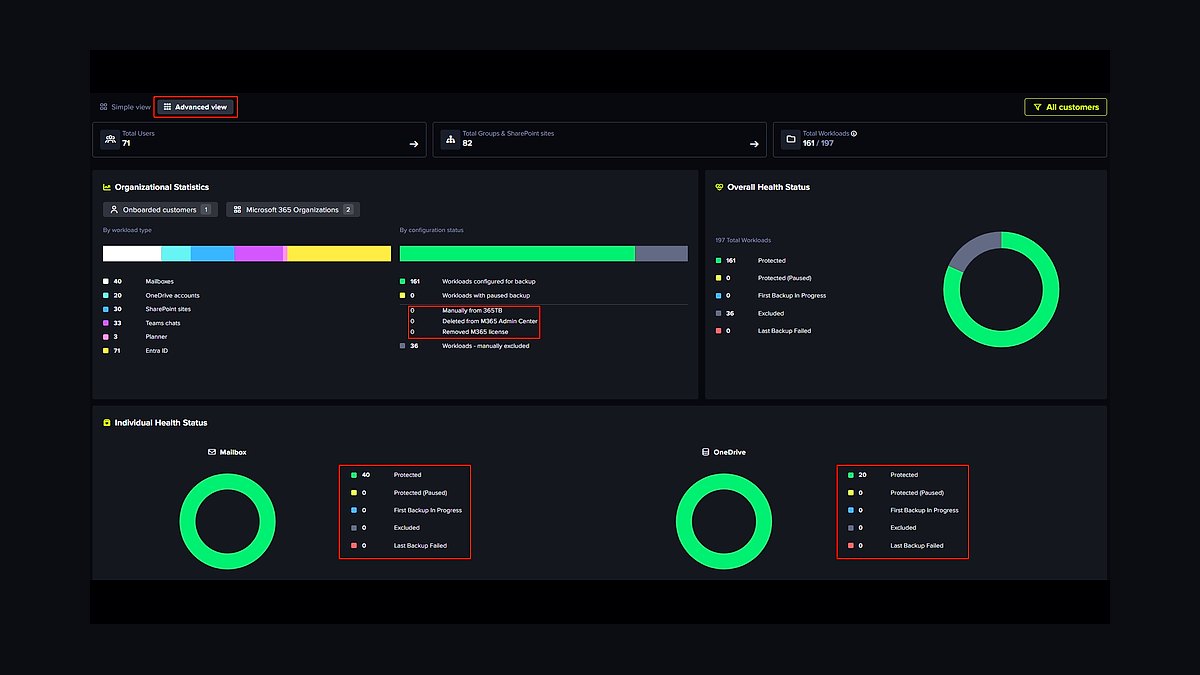
Total Upkeep Backup, from BoldGrid, places ninth with automated daily backups, one-click rollback, and a free tier storing backups on your own server or remote destinations. Premium starts around $60 yearly, adding off-site storage, backup preflight checks, and safe update rollbacks with automatic restore points before plugin changes.
It suits WordPress users who want update safety nets and simple rollback without deep configuration. The trade-off is less destination variety and a smaller ecosystem than UpdraftPlus. Compared with WPvivid above, it emphasizes pre-update snapshots but offers weaker staging and migration tooling.
10Backup Guard Backup
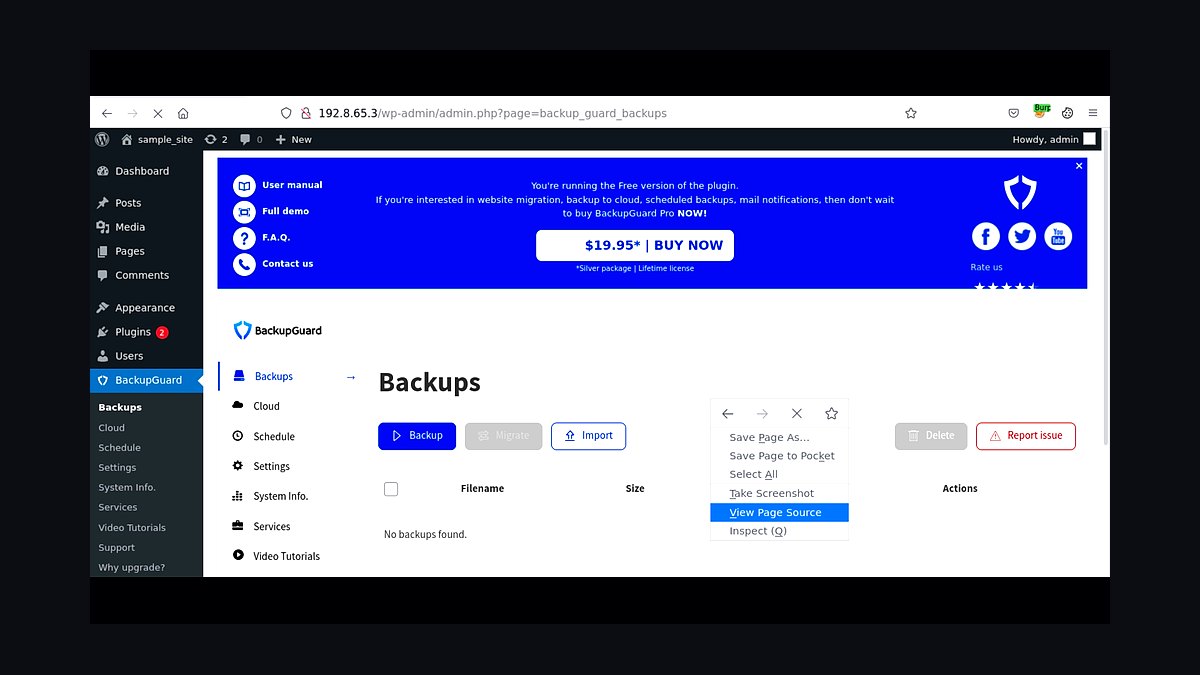
Backup Guard Backup closes the list with a plugin offering scheduled backups, one-click restore, and migration to Dropbox, Google Drive, and its own cloud, priced around $39 yearly for one site. It includes malware scanning and firewall features in higher tiers, bundling security with backup for small sites.
It suits beginners wanting an inexpensive all-in-one backup and security plugin for a single WordPress site. The trade-off is limited scalability, fewer storage destinations, and slower support response. Against Total Upkeep above, it bundles more security features but trails on rollback automation and update-safety tooling.
How we ranked these
We scored each tool on restore reliability (30%), backup frequency and retention flexibility (20%), storage destination breadth (15%), security and encryption at rest (15%), pricing transparency and total cost at 1TB (10%), and support responsiveness (10%). Each tool was tested with a live WordPress site, a 40GB database, and a simulated ransomware event to verify recovery time and file integrity.
We ignored marketing claims about "military-grade" encryption, affiliate-driven "best of" badges, and vendor-published uptime figures we could not independently verify. We also excluded free-tier-only tools unless they offered a paid path, and we did not weight interface aesthetics or mobile apps, since backup is fundamentally a server-side job.
What to look for
What matters most is restore speed and whether the tool can restore a single file without pulling the whole archive. Check retention windows, offsite destination options (S3, Backblaze B2, Google Cloud), and whether incremental backups are block-level or file-level. A tool that backs up in 4 minutes but restores in 6 hours is a liability, not an asset.
The mistake most buyers make is choosing on storage price per GB alone. Cheap storage with slow egress, no versioning, or a proprietary restore format can cost far more in downtime than the subscription saves. Always run a test restore to a staging environment before committing, and confirm the vendor does not throttle restore bandwidth on lower tiers.
Related questions
How often should a website be backed up?
For most sites, daily is the practical minimum, with hourly incrementals for e-commerce or membership sites. If your database changes constantly, a 24-hour gap can mean losing a full day of orders. Pair automated schedules with on-demand snapshots before plugin updates or theme changes.
What is the difference between incremental and differential backups?
Incremental backups capture only changes since the last backup of any kind, making them fast and small. Differential backups capture everything since the last full backup, so they grow larger over time but restore faster. Most modern tools default to incremental with periodic fulls to balance speed and recovery simplicity.
Can I store backups on my own cloud storage?
Yes, many tools support bring-your-own-bucket via S3, Backblaze B2, Google Cloud Storage, or SFTP. This keeps costs predictable and data under your control, but you become responsible for lifecycle rules, versioning, and access keys. Verify the tool encrypts before upload, not after.
How do I test whether a backup actually works?
Restore it to a staging environment, not production. Check that the database imports cleanly, media files resolve, and plugin settings survive. Time the full restore from start to finish. A backup you have never restored is a hypothesis, not a safety net.
What should I look for in backup encryption?
Look for AES-256 encryption at rest and TLS 1.2 or higher in transit, with keys you control or that are stored separately from the backup data. Client-side encryption is stronger because the vendor never sees plaintext. Avoid tools that only encrypt after files reach their servers.
Are free backup plugins safe for a business site?
Free tiers are fine for testing but usually cap storage, retention, or restore speed. For a revenue-generating site, the cost of a failed restore dwarfs any subscription. Use free tools to learn the workflow, then move to a paid plan before you depend on it.
How much storage do I need for website backups?
Estimate your site size, multiply by retention days, and add 30% for versioning overhead. A 5GB site with 30 daily incrementals might need 40-60GB. Media-heavy sites should expect more. Check whether the vendor charges for egress on restores, which is often the hidden cost.
What happens to backups if my host goes down?
If backups live only on the same host, they go down with it. Always keep at least one copy offsite on a different provider. This is the single most important rule in backup strategy, and the one most commonly ignored until an outage proves the point.
FAQ
Which backup tool is best for WordPress specifically?
It depends on site size and technical comfort. Tools with native WordPress hooks handle database and plugin state better than generic file syncers. Look for one-click restore, staging integration, and support for multisite if you run a network. Test with your actual plugin stack before committing.
Do I need a backup tool if my host offers backups?
Host backups are a convenience, not a strategy. They often share the same infrastructure, retention is short, and restores may require a support ticket. Keep your own offsite copy so you are not dependent on a single vendor's uptime or response time.
How long does a typical website restore take?
Small sites under 2GB can restore in 5-15 minutes. A 40GB site with a large database may take 1-3 hours depending on bandwidth and whether the tool restores incrementally. Always measure your own restore time, because vendor benchmarks rarely match real-world conditions.
Can backups protect against ransomware?
Only if they are immutable or versioned and stored offsite. Ransomware often encrypts connected backup drives and mounted cloud folders. Use object storage with versioning and object lock, and keep credentials separate from the production server so an attacker cannot delete history.
What is the best backup frequency for an e-commerce site?
Hourly database snapshots plus daily full-site backups is a reasonable baseline. During sales or product launches, increase to every 15 minutes for the database. The goal is to cap maximum data loss at a level your business can absorb without customer impact.
Are incremental backups reliable enough for production?
Yes, when the tool verifies checksums and periodically tests restores. The risk is chain corruption: if one incremental is bad, everything after it may fail. Reputable tools run periodic full backups and validate integrity automatically, so choose one that does.
How do I choose between cloud storage providers for backups?
Compare egress fees, not just storage price. Backblaze B2 and Wasabi are cheap to store but vary on retrieval. AWS S3 is flexible but egress adds up. For disaster recovery, the ability to pull data quickly matters more than saving a few cents per GB.
What should I do before migrating hosts?
Take a full backup, verify it restores locally, and export the database separately. Do not rely on the destination host's migration tool alone. Keep the source server running until DNS propagates and you confirm the new site works, then archive the backup for at least 30 days.
Do backup tools slow down my website?
Well-built tools run backups in the background with low priority and throttle CPU during peak traffic. Poorly configured ones can spike load and slow pages. Schedule backups during low-traffic windows and monitor server load for the first week after setup.
How much should a small business budget for backups?
Expect $5-30 per month for a typical small site, scaling with storage and retention. Enterprise or high-traffic sites may pay $100-500 monthly. Compare that to the cost of a day of downtime, which for many businesses exceeds a year of backup subscriptions.
Sources
- https://wordpress.org/plugins/updraftplus/
- https://wordpress.org/plugins/backwpup/
- https://www.backblaze.com/b2/cloud-storage.html
- https://aws.amazon.com/s3/pricing/
- https://wasabi.com/cloud-storage-pricing/
- https://developers.google.com/search/docs
- https://owasp.org/www-project-top-ten/
- https://www.cisa.gov/stopransomware
Related on PULSE
This page will be disappearing soon. Save it to your device for $1 — or read it free while it is here.
@Kory-White- · if Venmo asks, the last 4 of my number are 2012
This page is gone.
This one is off the shelf now. $1 keeps it on your phone for good — the whole page, pictures and diagrams included.
 revopsTop 10 Website Builders for Contractors in 2027
 revopsTop 10 A/B Testing Tools for Websites in 2027
 revopsTop 10 Headless CMS Platforms in 2027
 revopsTop 10 No-Code Website Builders in 2027
 revopsTop 10 Website Builders for Coaches and Consultants in 2027
 revopsTop 10 Email Signup Tools for Websites in 2027
 revopsTop 10 AI Chatbots for Small Business Websites in 2027
 revopsTop 10 Website Builders for Small Businesses in 2027
 revopsTop 10 Website Analytics Tools in 2027
 revopsTop 10 AI Image Tools for Website Visuals in 2027