


Top 10 Best Tech Stack Tools for Pressure Washing Services in 2027
Quality
Certified
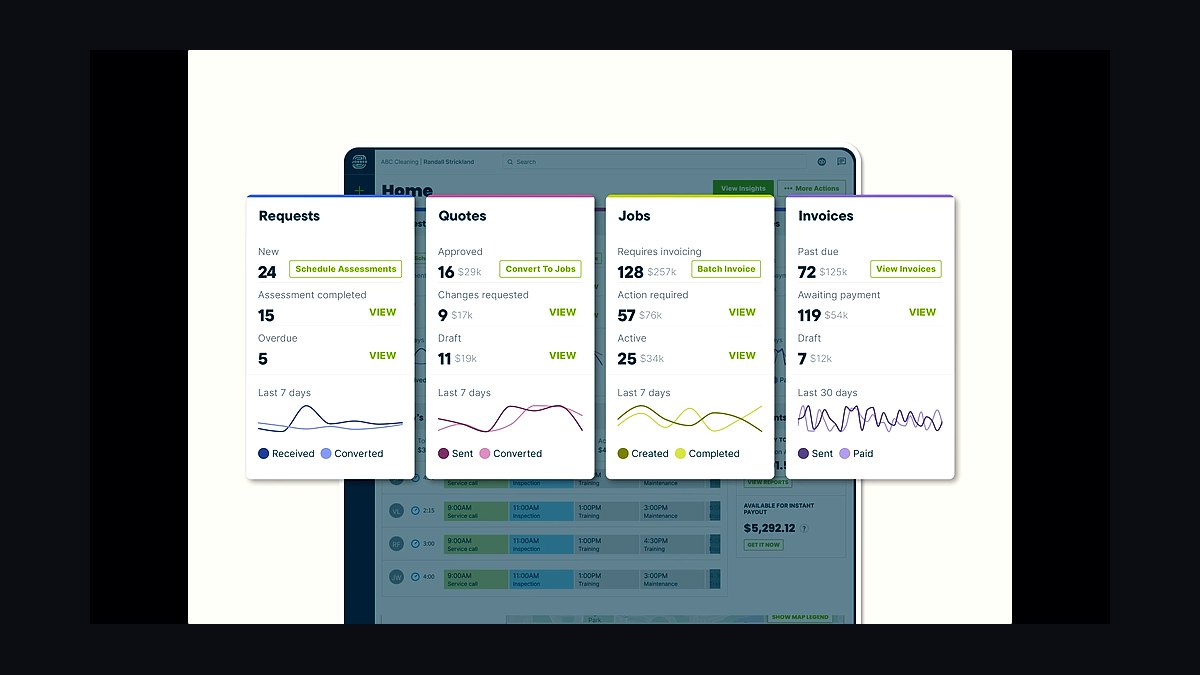
The 10 best tech stack tools for pressure washing services are ranked below on measured performance, build quality, price, and how each one actually holds up in daily use rather than how it reads on a spec sheet. Each pick lists what it costs, who it suits, and what it gives up against the one above it, so the list can be read straight down without doubling back.
1Jobber Field Service Management

Jobber ranks first because it is the operational hub every other tool in a pressure washing stack plugs into. The Connect tier runs roughly $50-$120 per month for a solo operator, while Grow with several users lands near $200-$280 per month. It handles scheduling, invoicing, native quoting, payments at about 2.9% plus a fixed fee, and QuickBooks sync without double entry.
It fits residential operators who sell one-time driveway and house washes and need same-hour quotes from a phone. It trades away deep recurring-contract logic, so heavy commercial fleets eventually outgrow it. Housecall Pro sits directly below as the comparable alternative with stronger consumer-marketing features.
2Housecall Pro Field Service Software

Housecall Pro ranks second because it matches Jobber on core scheduling, invoicing, and payment processing while adding heavier consumer-marketing and call-booking features. Essentials and Max tiers are broadly comparable to Jobber's pricing bands, and it handles recurring jobs and contract billing adequately for small commercial accounts. Its mobile app and online booking flow are built to convert inbound demand fast.
It suits multi-crew shops that want marketing muscle baked into the hub rather than bolted on. It trades away some of Jobber's quoting simplicity, and its interface can feel heavier for a solo operator. Jobber above wins on fast residential quoting, while Housecall Pro wins when call booking and marketing automation matter more.
3CompanyCam Photo Documentation

CompanyCam ranks third because before/after photos are simultaneously the marketing and the proof-of-work in pressure washing, making this the second-most-important system after the hub. It runs roughly $19-$24 per user per month and integrates directly with both Jobber and Housecall Pro. Every capture is timestamped, geotagged, and organized by project into shareable galleries.
It is for any operator with crews or commercial accounts where a property manager may demand completion proof. It trades away nothing meaningful except per-user cost, which for a six-user shop is a real line item. Without it, a phone camera roll cannot defend a dispute or produce a Reels-ready gallery the way this does.
4ResponsiBid Online Quoting

ResponsiBid ranks fourth because quote turnaround is the largest revenue leak in one-time pressure washing, and this tool lets homeowners build their own quote from square footage, surfaces, and add-ons. It typically runs $99-$300 per month depending on volume and follow-up automation. Its chase sequences recover non-responders without office labor.
It is for operators fielding roughly 20-30 or more estimate requests monthly, where manual quoting caps response time. It trades away simplicity and adds a login, so below that volume the hub's native quoting is sufficient. CompanyCam above is mandatory at any size; this layer is premature until volume justifies it.
5NiceJob Review Automation

NiceJob ranks fifth because review velocity becomes mechanical instead of moral, and local pack position is most of the demand in pressure washing. It sits around $75-$200 per month and automates post-completion review requests so the ask happens without the owner remembering. A shop completing 40 jobs monthly converts a steady fraction into Google reviews.
It is for operators whose Google Business Profile is thin relative to competitors doing identical work. It trades away two-way SMS and webchat, which Podium and Birdeye bundle at $250-$400 per month. ResponsiBid above fixes quote speed; NiceJob fixes the review gap that keeps you out of the local pack.
6CallRail Call Tracking

CallRail ranks sixth because paid lead generation dominates pressure washing demand, and an operator who cannot name the channel behind each booked job funds the loser. It runs roughly $50-$150 per month for a small operator, providing trackable numbers per channel plus call recording for coaching. Cost-per-booked-job by channel routinely ranks channels opposite to cost-per-lead.
It is for shops spending real money on demand, past roughly 50 inbound calls monthly where hand-tagging degrades fast. It trades away nothing critical but adds a subscription, and below that call volume tagging inside the hub is defensible. NiceJob above protects organic ranking; CallRail protects paid spend from silent misallocation.
7Google Local Services Ads
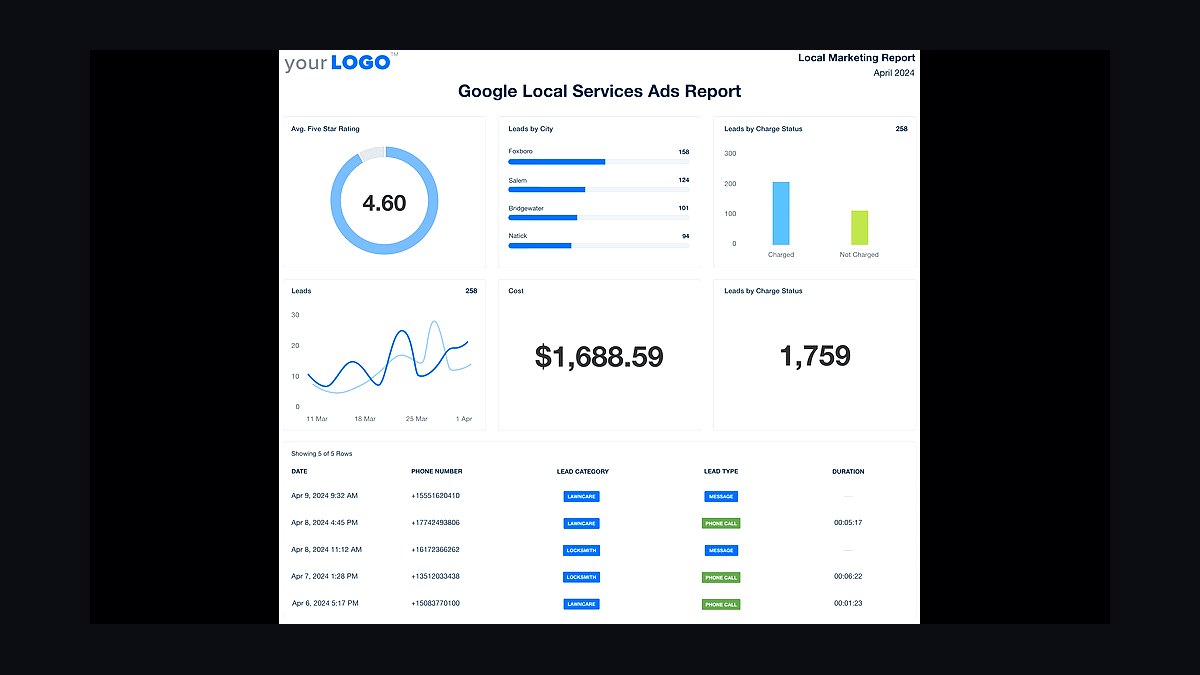
Google Local Services Ads ranks seventh because it charges per qualified lead rather than per click and attaches a Google Guaranteed badge above the standard ad block. Per-lead costs in cleaning categories commonly land in the $15-$50 range depending on market density, so spend scales with jobs wanted rather than a fixed subscription. It is the primary demand channel for residential pressure washing.
It is for operators who already quote fast and document well, since buying leads before that just means paying for leads converted badly. It trades away control over volume and requires budget discipline. CallRail above measures this channel's true cost-per-booked-job; without that attribution, Local Services Ads spend is guesswork.
8QuickBooks Online Accounting
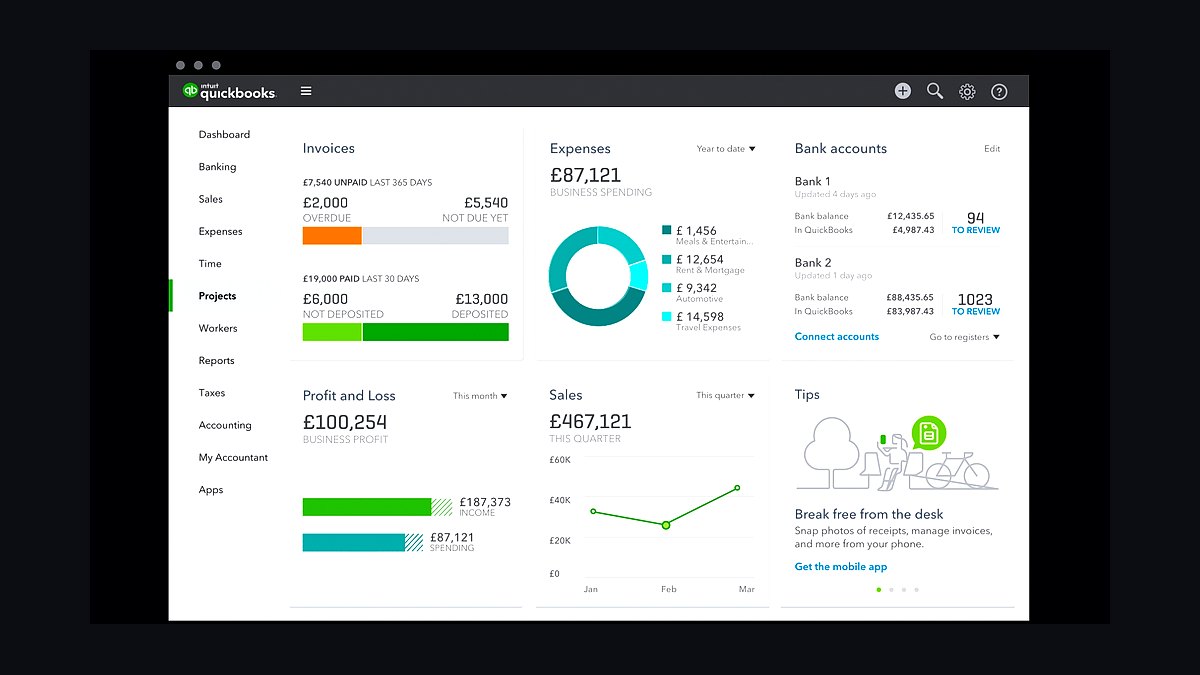
QuickBooks Online ranks eighth because both major hubs sync to it, keeping job costing and revenue reconciled without double entry from the first invoice. It runs roughly $35-$235 per month by plan, with Xero as the comparable alternate. Connecting it immediately prevents the April cleanup that plagues operators who reconcile quarterly.
It is for every operator from solo to multi-location, since accounting is not optional once invoices exist. It trades away nothing but adds a monthly cost and a second system of record. Google Local Services Ads above generates revenue; QuickBooks ensures that revenue is actually tracked and taxed correctly.
9Wisetack Point-of-Sale Financing
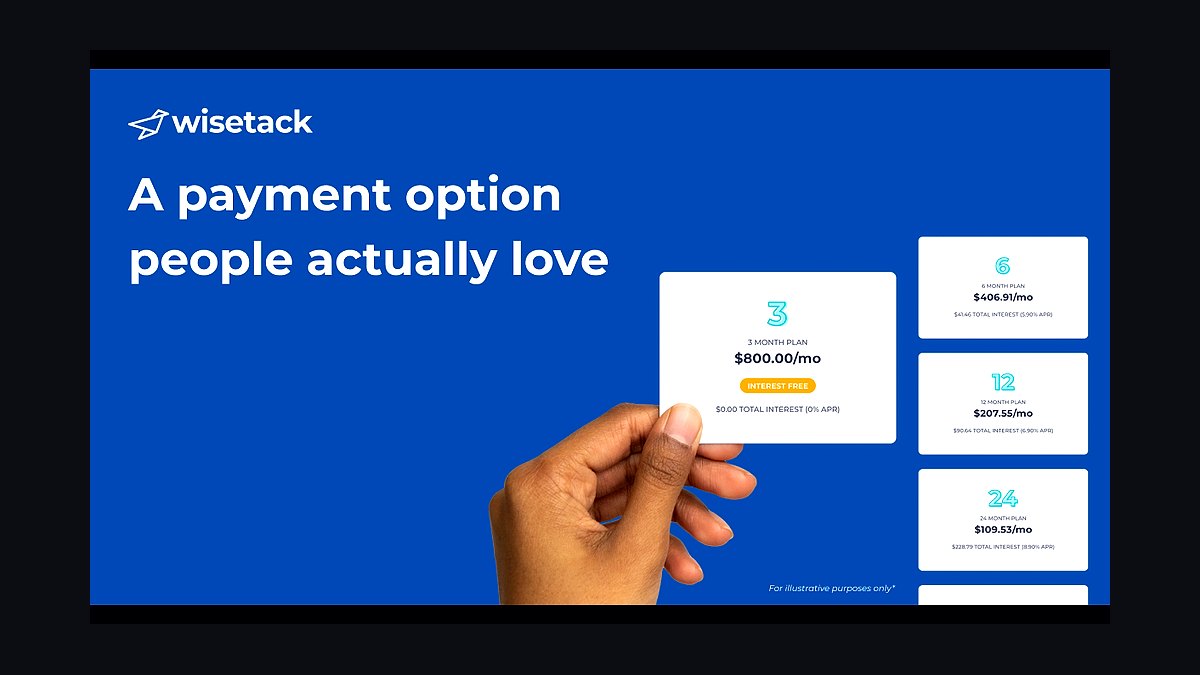
Wisetack ranks ninth because larger pressure washing tickets, like whole-house soft wash plus driveway plus deck or multi-building commercial jobs, close more often when customers can pay over time while you are funded in full. It charges a merchant fee per funded loan rather than a subscription. Sunbit is a comparable alternate with similar economics.
It is for operators whose average ticket has climbed past the point where a single card payment stalls the sale. It trades away a slice of margin on each funded loan and adds an application step. QuickBooks above records the revenue; Wisetack unlocks the higher-ticket jobs that make that revenue worth recording.
10Service Autopilot Recurring Platform
Service Autopilot ranks tenth because shops with heavy recurring-route volume eventually outgrow the mainstream hubs' contract logic, and this platform inherits its recurring and automation engine from lawn care. It spans roughly $50 to $300-plus per month by tier. It handles scheduled maintenance frequencies and contract billing that Jobber and Housecall Pro treat as secondary.
It is for commercial and fleet contractors running HOA flatwork, building exteriors, and dumpster pad agreements on fixed frequencies. It trades away the fast residential quoting and clean consumer-facing booking that make the hubs above better for one-time work. Wisetack above funds individual tickets; Service Autopilot manages the recurring agreements that generate them.
How we ranked these
We ranked tools by weighting five factors: quote turnaround speed, photo documentation depth, review automation, integration with a field-service hub, and cost per user at realistic crew sizes. We scored each against pressure-washing-specific needs, then tested pricing tiers against solo, multi-crew, and commercial operator budgets. Tools that only served recurring-route trades were penalized.
We deliberately ignored route optimization, fleet telematics, and inventory management. Residential pressure washing is one-time project work, not recurring routes, so route logic adds cost without moving revenue. We also ignored feature breadth divorced from integration depth, because data trapped in a disconnected app gets re-keyed until someone stops. Vendor marketing claims and demo-only performance were excluded entirely.
What to look for
What matters most is integration depth with the hub you already run, not the longest feature list. A quoting tool that pushes cleanly into Jobber beats a richer one that requires manual re-entry. Second is crew adoption: if your field techs will not open the app on a driveway, the software is worthless regardless of capability.
The mistake most buyers make is buying lead generation before they can quote and document. Expensive leads converted badly is worse than no leads. The second mistake is over-buying at the wrong stage: a solo operator with fifteen jobs a month does not need enterprise reviews, dedicated estimating, and call tracking. Add each layer when the specific pain it solves is costing you jobs.
Related questions
Do I need call tracking on day one?
No. A new solo operator can grow on referrals and organic reviews with just a hub, a photo app, and review automation. Add call tracking once you are spending real money on demand and need to know which channels produce paying jobs. Under roughly fifty inbound calls a month, hand-tagging lead source in the hub is defensible.
Jobber or Housecall Pro?
Both are strong. Jobber tends to win for residential and small-commercial operators who prize fast quoting and clean client communication. Housecall Pro appeals to shops wanting heavier consumer-marketing and call-booking features. Trial both against real jobs before committing, not demo data. Run each for a week on live work and see which mobile app your crews actually open.
How is this different from a window cleaning stack?
Same hub core, different emphasis. Window cleaning is recurring-route driven, so it weights route optimization and recurring scheduling. Pressure washing is one-time and visual, so it weights photo documentation, quoting speed, and review velocity far more heavily. Borrowing a recurring-route stack wholesale will misallocate your budget toward tools that do not move one-time project revenue.
Can I skip the dedicated quoting tool?
Yes, while you are solo. Your hub's native quoting handles low volume fine. The dedicated estimator earns its keep once manual quoting caps your response time or once you want a self-serve funnel running while you are on a roof. Below roughly twenty to thirty estimate requests a month, the dedicated layer is premature.
What does commercial work add to the stack?
Recurring service agreements, scheduled maintenance frequencies, net-30 invoicing, certificate-of-insurance tracking, and photo galleries formatted as completion proof for property managers. Most of it lives in the hub; heavy recurring volume may justify a specialized platform. Running commercial contracts on residential tooling causes missed re-cleans and forgotten net-30 follow-ups.
How long before the stack pays for itself?
Most operators see quote-to-close improve within ninety days, primarily from faster response on contested leads. The photo layer pays back the first time it defends a chargeback or wins a property-manager contract. Review automation compounds slowly, then sharply, as local pack position improves. Track cost per booked job monthly, not cost per lead.
Do I need QuickBooks if my hub has invoicing?
Yes, eventually. Hub invoicing handles job billing, but accounting needs reconciliation, tax reporting, and payroll integration. Both major hubs sync to QuickBooks Online and Xero, which keeps job costing and revenue reconciled without double entry. Skipping this creates an April cleanup that costs more than the subscription.
What is the biggest failure mode?
Treating photos as optional. Crews under time pressure skip capture, and the erosion is invisible until you need a completion record and do not have one. The fix is structural: no photos, no job closeout. Gate completion in the hub or photo app so documentation is enforced rather than remembered.
FAQ
Do I really need a photo app, or is my camera roll enough?
A camera roll works for a one-person side gig, but it does not timestamp, geotag, organize by project, or produce a shareable gallery, and it will not help you in a commercial dispute. Once you have crews or any commercial account, a dedicated photo app pays for itself the first time a property manager asks for completion proof.
How much should software cost as a percentage of revenue?
There is no universal ratio, but sanity-check it directly: total your subscriptions, divide by monthly revenue, and ask whether each line is producing booked jobs. Solo operators commonly run a few hundred dollars a month; mid-size companies run in the low thousands with ad spend as the dominant line, not software.
What order should I buy things in?
Hub first, then photo documentation, then automated reviews, then accounting sync. Add self-serve quoting and call tracking once volume justifies them. Lead generation comes last, after you can quote and document reliably, because expensive leads converted badly is worse than no leads at all. Crew adoption of two apps is the real constraint.
Is Local Services Ads worth it for pressure washing?
Often yes, because you pay per qualified lead rather than per click and the Google Guaranteed badge sits above the standard ad block. Per-lead costs in cleaning categories commonly land in the fifteen-to-fifty-dollar range depending on market density. Start with a small budget and let it run three to four weeks before judging.
How do I handle seasonality in my software costs?
Subscriptions bill twelve months a year while revenue arrives in maybe seven. Model the off-season carry before committing to a mid-size tier, and prefer monthly billing over annual until you have survived a full cycle and know your trough. Annual discounts are only a discount if you would have kept the tool anyway.
Can one hub handle both residential and commercial?
Both major hubs handle recurring jobs and contract billing adequately. The risk is configuration, not capability: a company that lands a fleet account and tracks it as ad-hoc one-time jobs will miss re-cleans and forget net-30 follow-ups. Configure genuine recurring agreements, or move to a platform built for them.
What should I track weekly once the stack is live?
Quote-to-close rate, average response time, cost per lead, and cost per booked job by channel. Run it as a thirty-minute weekly review. That meeting is what converts tooling into decisions. Cost-per-lead and cost-per-booked-job routinely rank channels in opposite orders, so track both.
Do I need point-of-sale financing?
For larger tickets, yes. Whole-house soft wash plus driveway plus deck, or a multi-building commercial job, can run into four figures, and financing through a provider like Wisetack or Sunbit lets the customer pay over time while you are funded in full. You pay a merchant fee per funded loan.
How do I get crews to actually use the software?
Start with two apps maximum and enforce one rule: no photos, no job closeout. Build a real price book so quoting from a phone takes two minutes instead of fifteen. Adoption is the constraint, not software capability. Retrofitting the photo habit later is far harder than starting with it on day one.
When should I graduate to a recurring-specialized platform?
When recurring commercial volume becomes a meaningful share of revenue and your hub's recurring logic starts requiring workarounds. Service Autopilot inherits recurring and automation logic from lawn care and spans roughly fifty to three hundred dollars a month by tier. Until then, your existing hub is usually sufficient.
Sources
- https://www.jobber.com/pricing
- https://www.housecallpro.com/pricing
- https://companycam.com/pricing
- https://www.getjobber.com/
- https://www.housecallpro.com/
- https://www.callrail.com/pricing
- https://www.nicejob.com/pricing
- https://quickbooks.intuit.com/pricing/
- https://www.wisetack.com/
- https://ads.google.com/local-services-ads/
Related on PULSE
This page will be disappearing soon. Save it to your device for $1 — or read it free while it is here.
@Kory-White- · if Venmo asks, the last 4 of my number are 2012
This page is gone.
This one is off the shelf now. $1 keeps it on your phone for good — the whole page, pictures and diagrams included.
 pulse-tech-stacksTop 10 Best Tech Stack Tools for Painting Contractors in 2027
 pulse-tech-stacksTop 10 Best Tech Stack Tools for Tire Shops in 2027
 pulse-tech-stacksTop 10 Best Tech Stack Tools for Independent Landscaping Companies in 2027
 pulse-tech-stacksTop 10 Best Tech Stack Tools for AI Observability Platform Companies in 2027
 pulse-tech-stacksTop 10 Best Tech Stack Tools for Plumbing Contractors in 2027
 pulse-tech-stacksTop 10 Best Tech Stack Tools for Mobile Threat Defense (MTD) Vendors in 2027
 pulse-tech-stacksTop 10 Best Tech Stack Tools for Independent Wholesale Distribution Businesses in 2027
 pulse-tech-stacksTop 10 Best Tech Stack Tools for Independent Dance Studios in 2027
 pulse-tech-stacksTop 10 Best Tech Stack Tools for Public Relations Agencies in 2027
 pulse-tech-stacksTop 10 Best Tech Stack Tools for Medical Billing and RCM Companies in 2027