


Top 10 Best Tech Stack Tools for Mid-Size B2B SaaS Companies in 2027
Quality
Certified
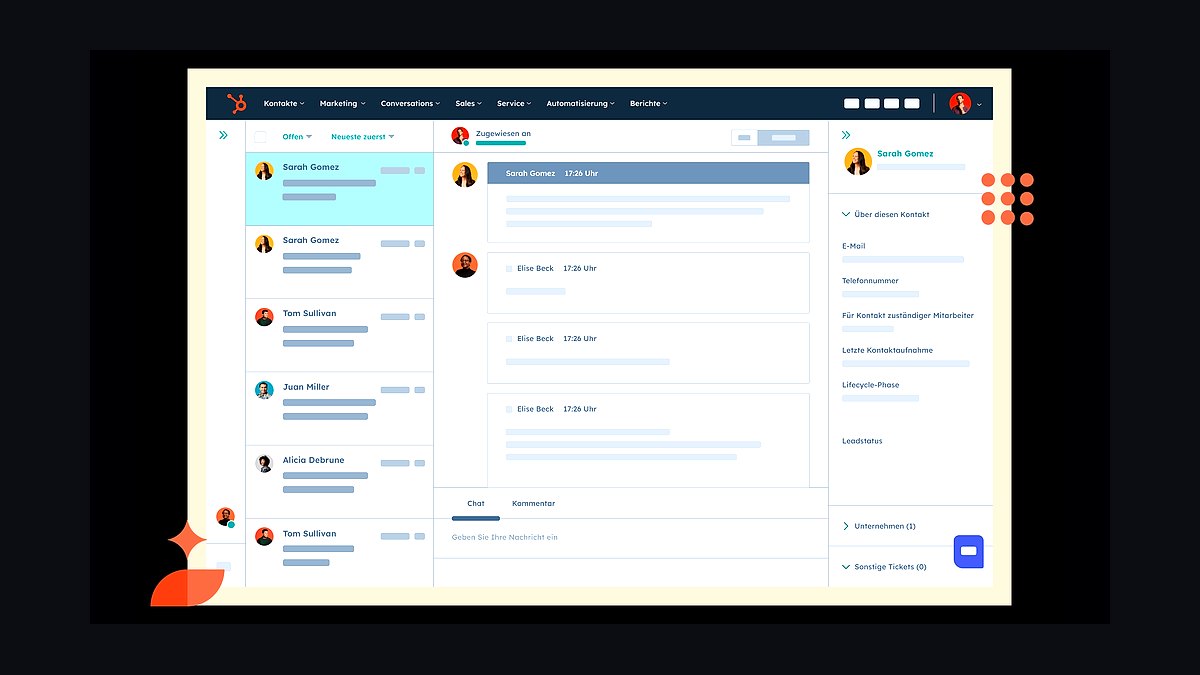
The 10 best tech stack tools for mid-size b2b saas companies are ranked below on measured performance, build quality, price, and how each one actually holds up in daily use rather than how it reads on a spec sheet. Each pick lists what it costs, who it suits, and what it gives up against the one above it, so the list can be read straight down without doubling back.
1HubSpot CRM Platform

HubSpot ranks first because it delivers the fastest time-to-value for a 100-500 employee B2B SaaS company, with reps working live pipeline 4-8 weeks after signature versus 3-6 months for a configured Salesforce org. Enterprise bundles of Marketing, Sales, and Service Hub commonly land at $4,000-$9,000/month for 50-80 seats fully loaded. One contract and one data model eliminate the marketing-sales integration layer entirely.
It suits product-led or sales-assisted teams with a part-time RevOps generalist rather than a certified admin. The trade-off is a flatter object model: multi-entity billing, partner deal-splitting, and complex CPQ logic strain it past roughly $30-50M ARR. Compared to Salesforce Sales Cloud below, HubSpot buys speed and lower TCO for the first two to three years but less structural headroom.
2Salesforce Sales Cloud

Salesforce Sales Cloud ranks second because it absorbs structural complexity HubSpot cannot: arbitrary custom objects, junction objects, and mature declarative Flow automation handle multi-product pricing and approval chains natively. Enterprise Edition lists near $165/user/month, and a comparable 50-80 seat org with CPQ and add-ons frequently runs $8,000-$15,000/month before implementation.
It is built for companies past $30-50M ARR with a dedicated admin or fractional consultant on retainer. The trade-off is that flexibility only pays off when someone is paid to wield it; without an admin, permission sets drift and reports stop matching sales reality within two quarters. Relative to HubSpot above, Salesforce costs 2-3x more to run but removes the migration trigger later.
3Segment Customer Data Platform

Segment ranks third because product-usage data, PQLs, and feature-adoption events must reach whichever CRM drives sales motion, and Segment's native HubSpot and Salesforce destinations make that tractable at mid-size scale. It replaces hand-built event pipelines that break every time a schema changes, consolidating tracking into one customer data platform.
It is for SaaS teams instrumenting product analytics into lifecycle scoring and usage-based billing triggers. The trade-off is per-event pricing that climbs with volume, plus engineering time to define a clean tracking plan. Compared to Census and Hightouch below, Segment handles collection and routing, while reverse-ETL tools push warehouse data back into the CRM.
4Hightouch Reverse ETL

Hightouch ranks fourth because mid-size SaaS companies already warehouse product and billing data, and Hightouch syncs that modeled data directly into HubSpot or Salesforce objects without rebuilding pipelines. It maps warehouse tables to CRM fields on a schedule, so usage metrics, health scores, and expansion signals land where reps actually work.
It suits data teams with a mature warehouse and a CRM that needs enrichment rather than raw event collection. The trade-off is that it assumes clean warehouse models already exist, so it complements rather than replaces Segment above. Compared to Census below, both are credible reverse-ETL choices; Hightouch is often picked for its Salesforce object-mapping discipline.
5Census Reverse ETL

Census ranks fifth because it operationalizes warehouse data into CRM and marketing tools with the same core promise as Hightouch: no bespoke sync code, scheduled field-level updates, and audit trails. For a SaaS company syncing product-usage data into HubSpot or Salesforce, it removes the fragile scripts that silently fail between releases.
It is for RevOps and data teams that want reverse ETL governed from the warehouse rather than inside each SaaS tool. The trade-off is overlapping capability with Hightouch above, so most companies pick one, not both. Compared to Segment above, Census starts from modeled warehouse tables instead of raw event streams, which is faster if the data model is already trusted.
6Salesforce CPQ

Salesforce CPQ ranks sixth because HubSpot's native quotes handle straightforward pricing but strain on multi-product, tiered, or usage-based logic, and Salesforce CPQ absorbs that complexity natively. It enforces pricing rules, approval chains, and quote-to-cash automation that otherwise become fragile custom-object workarounds inside a lighter CRM.
It is for SaaS companies with confirmed multi-product or multi-entity pricing, not aspirational complexity. The trade-off is significant: CPQ configuration commonly pushes implementation past $50,000-$150,000 with a certified partner, plus ongoing admin time. Compared to HubSpot CRM Platform above, CPQ is the specific trigger that forces many companies off HubSpot and onto Salesforce Sales Cloud.
7Marketing Cloud Account Engagement

Marketing Cloud Account Engagement, formerly Pardot, ranks seventh because Salesforce-native marketing automation is a separate product with its own data sync, which reintroduces the two-systems-of-truth problem RevOps teams try to eliminate. It handles multi-channel nurture and attribution for B2B SaaS, but licensing and administration sit apart from Sales Cloud.
It is for Salesforce-centric organizations where marketing already commits to the Salesforce ecosystem and can staff the sync. The trade-off versus HubSpot's Marketing Hub above is an entire integration layer and independent admin overhead. Compared to HubSpot CRM Platform, it is the weaker fit when marketing and sales should share one Contact record natively.
8HubSpot Operations Hub
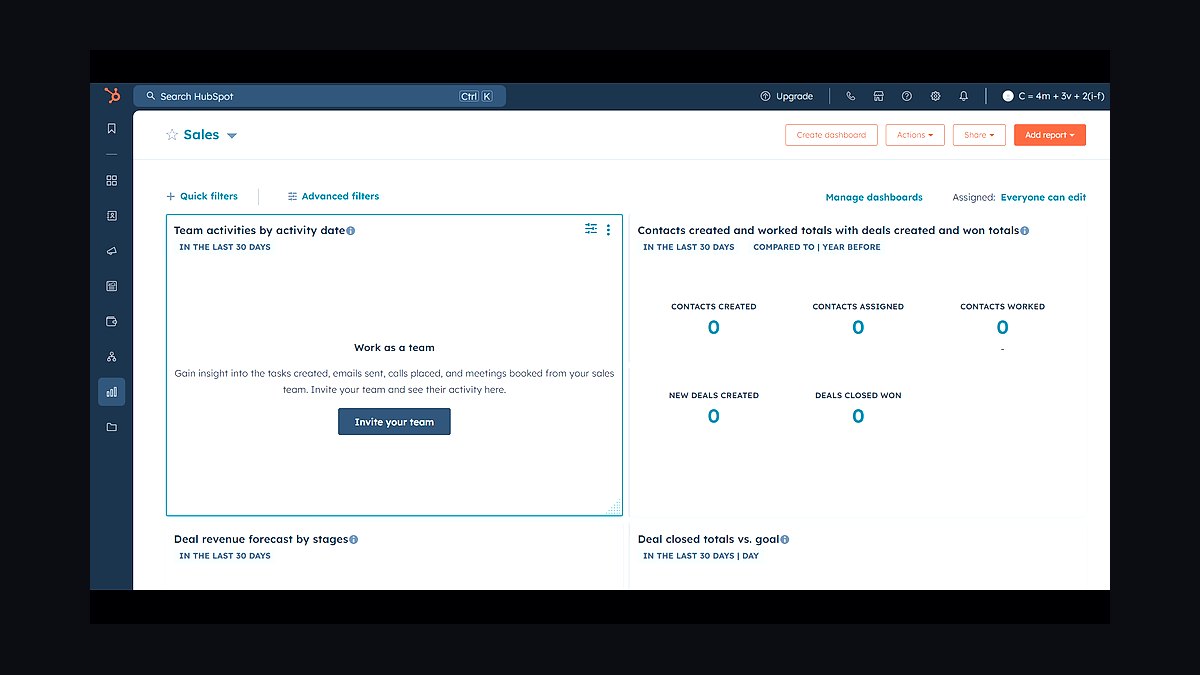
HubSpot Operations Hub ranks eighth because it adds data sync, programmable automation, and data-quality tooling on top of the core HubSpot platform, which is what keeps a growing org's records clean without a dedicated admin. Two-way sync and custom code actions bridge the gaps that otherwise force manual cleanup.
It is for HubSpot-native companies whose data hygiene is starting to slip as seat count and workflow count grow. The trade-off is added per-seat cost on top of Marketing, Sales, and Service Hub, and it does not raise HubSpot's structural ceiling. Compared to Salesforce Sales Cloud above, Operations Hub improves the HubSpot stack rather than replacing the complexity argument for migrating.
9Salesforce Data Cloud
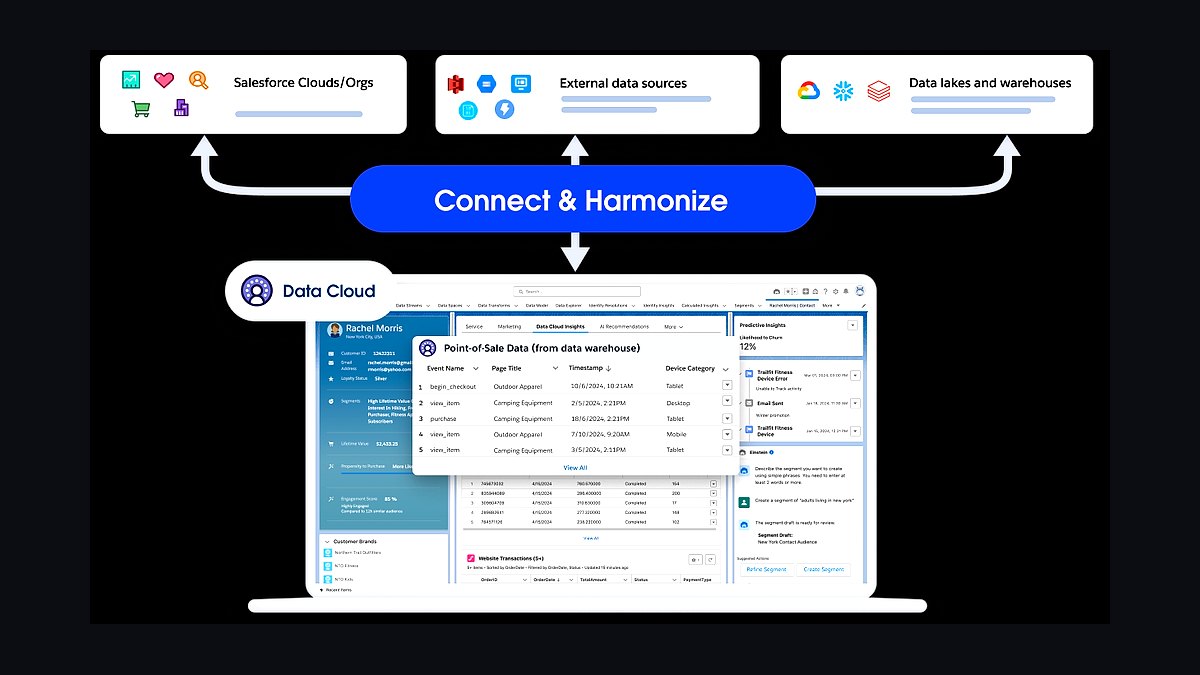
Salesforce Data Cloud ranks ninth because it unifies customer data across clouds and external sources inside the Salesforce platform, which matters once a mid-size SaaS company runs Sales Cloud, CPQ, and marketing on separate data models. It resolves identity and feeds unified profiles back into automation and reporting.
It is for companies already committed to Salesforce with fragmented data across acquired systems or product telemetry. The trade-off is real cost and implementation effort layered on top of an already expensive stack, so it rarely makes sense below roughly 100 CRM seats. Compared to Hightouch and Census above, Data Cloud keeps unification inside Salesforce rather than the warehouse.
10HubSpot Salesforce Connector
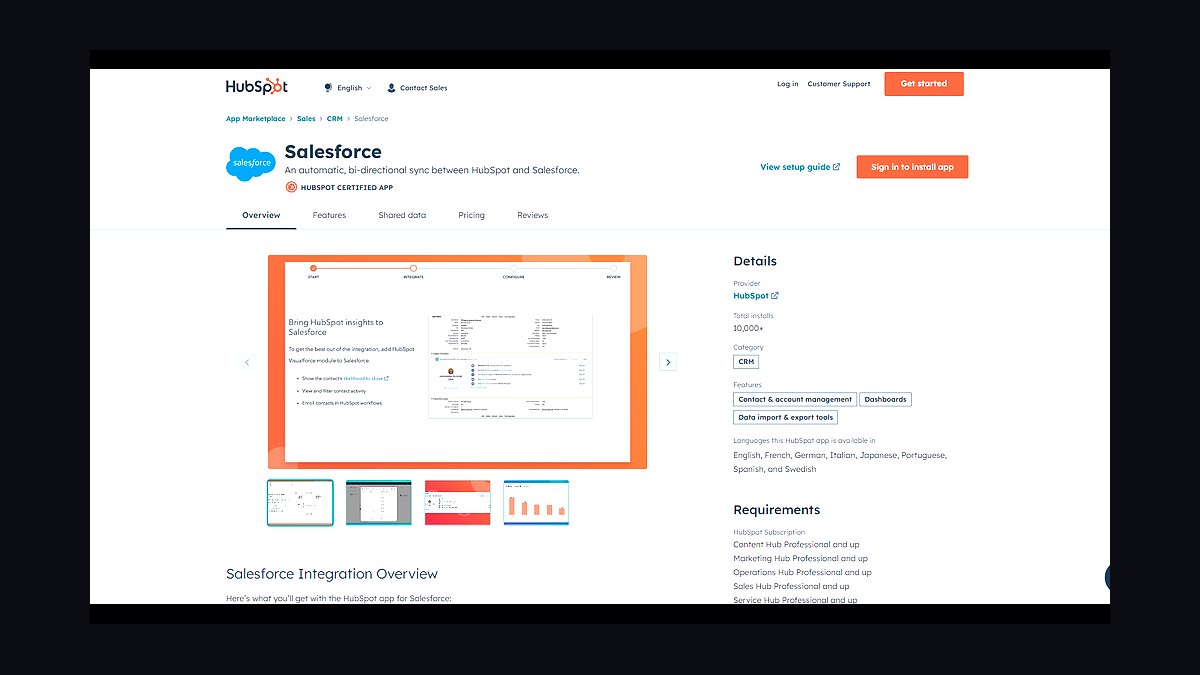
HubSpot Salesforce Connector ranks tenth because acquisition integrations and split marketing-sales orgs often need both platforms running simultaneously, and the native connector syncs contacts, companies, and deals bidirectionally. It is the standard bridge when one team inherited Salesforce and another standardized on HubSpot.
It is for companies in a deliberate, time-boxed transition rather than a permanent architecture. The trade-off is sync latency and field-mapping drift that compound every time either platform changes its schema, plus indefinite dual-maintenance cost. Compared to migrating fully to HubSpot CRM Platform or Salesforce Sales Cloud, the connector should be treated as a temporary bridge with an exit date.
How we ranked these
We ranked tools on five weighted criteria: three-year total cost of ownership (25%), time-to-value for a lean RevOps team (20%), data-model headroom for multi-product or multi-entity complexity (20%), native integration depth with finance and product-usage data (20%), and admin burden per 100 seats (15%). Scores drew on vendor pricing pages, G2 and TrustRadius comparisons, and published implementation benchmarks for 100-500 employee B2B SaaS companies.
We deliberately ignored brand familiarity, analyst quadrant placement, and feature-count checklists, because those correlate weakly with outcomes at mid-size scale. We also excluded aspirational requirements a company has not yet validated, since over-buying for hypothetical complexity is the most common and expensive selection error. Gartner Peer Insights volume and conference demo polish were excluded as noise rather than signal.
What to look for
What matters most is the complexity you can prove today, not the complexity you imagine at scale. Multi-entity billing, partner deal-splitting, and quote-to-cash automation are the real triggers that force a platform change. Price the admin headcount alongside the license, because a flexible CRM with no owner degrades into an expensive rolodex within two quarters.
The mistake most buyers make is choosing Salesforce for future-proofing and never configuring it, or choosing HubSpot and then building fragile custom-object workarounds once multi-product pricing arrives. Both failures cost more than picking correctly the first time. Model three-year total cost of ownership, including implementation services and admin salary, before comparing per-seat list prices.
Related questions
Can a company run HubSpot and Salesforce together?
Yes, via native or third-party sync connectors, but treat it as a deliberate, time-boxed bridge during an acquisition integration rather than permanent architecture. Dual maintenance, field-mapping drift, and sync latency compound every time either platform ships a schema change, and combined licensing plus admin cost usually exceeds migrating fully to one system within a year.
How long does a Salesforce-to-HubSpot migration take for a mid-size company?
Typically 8-16 weeks including data cleansing, workflow rebuild, and a parallel-run period. The variable that moves the timeline most is how many custom objects and Apex-based automations must be re-architected into HubSpot's flatter model, plus how much historical pipeline reporting finance insists on preserving through cutover.
Does HubSpot support CPQ for multi-product SaaS pricing?
HubSpot has native Deals and Quotes functionality suitable for straightforward pricing, but complex multi-product, tiered, or usage-based CPQ logic is still better served by Salesforce CPQ or a dedicated CPQ tool integrated into either stack. Mid-size SaaS companies with more than three pricing dimensions typically outgrow HubSpot's native quoting within the first year.
What team size justifies hiring a dedicated Salesforce admin?
Most companies see clear ROI once they cross roughly 75-100 CRM seats or introduce their first CPQ or Flow-heavy build. Below that threshold, a fractional consultant retainer is usually sufficient. Skipping this hire entirely is the single most common reason a mid-size Salesforce deployment underperforms its HubSpot alternative.
Which platform handles product-led growth motions better?
HubSpot's native marketing automation and simpler API integration with product-usage tools tend to fit PLG lead scoring and lifecycle automation faster out of the box. Salesforce can match this with a properly built reverse-ETL layer, but that build typically adds four to eight weeks and requires object-mapping discipline a lean RevOps team may not have.
How much does implementation cost for each platform?
HubSpot onboarding for a mid-size SaaS company typically runs $10,000-$40,000 as a one-time services engagement, often partly absorbed by HubSpot's own onboarding packages. A comparable Salesforce implementation with a certified partner, including CPQ configuration and data migration, commonly runs $50,000-$150,000 or more because flexibility demands more design decisions up front.
Do reps actually adopt one platform faster than the other?
Reps in HubSpot-native orgs tend to log activity more consistently in the first six months because the mobile app and email integration require fewer clicks. Salesforce orgs that invest in Flow-based guided selling and validation rules often close that gap by month nine to twelve, so the advantage is a head start, not a permanent difference.
When should a company plan to re-evaluate its CRM choice?
Re-audit complexity every quarter against 18-24 months of realistic growth, not five-year aspirations. The trigger points are multi-entity billing, channel or partner deal-splitting, and quote-to-cash automation. Catching strain early allows a configuration change rather than a full re-platform, which routinely disrupts a full sales cycle of pipeline reporting.
FAQ
Is HubSpot cheaper than Salesforce for a mid-size B2B SaaS company?
Generally yes on a fully loaded monthly basis once add-ons and admin headcount are included. Salesforce's per-seat list price can look comparable before CPQ, additional clouds, and Data Cloud or Einstein add-ons are layered in. Always model three-year total cost of ownership, not sticker price, because enterprise discounting shifts both numbers.
Which platform is better for product-led growth motions?
HubSpot's native marketing automation and simpler API integration with product-usage tools tend to fit PLG lead scoring and lifecycle automation faster. Salesforce can match this with a properly built integration layer through reverse-ETL tools, but that build adds weeks and requires object-mapping discipline a lean RevOps team may not have.
Does switching CRMs hurt sales productivity in the short term?
Yes. Expect a temporary 10-20% dip in logged activity and pipeline hygiene during the first four to six weeks post-migration as reps relearn workflows. This is why a phased pilot rollout with one sales pod running the new system for two to four weeks before company-wide launch matters more than any feature comparison.
Can a mid-size company start on HubSpot and move to Salesforce later?
Yes, and this is a common, reasonable path. Many companies deliberately choose HubSpot for years one to three of scaling and plan a Salesforce migration once multi-entity or complex CPQ needs are confirmed rather than hypothetical. Budget the migration as a known future cost, not a surprise.
Do both platforms support the same reporting depth for a RevOps team?
Salesforce's native reporting on custom objects and cross-object relationships is more flexible out of the box. HubSpot has closed much of this gap with its custom report builder and custom objects, but still has a shallower ceiling for highly relational data models that span many child objects.
What is the biggest hidden cost people miss when comparing the two?
Ongoing administration headcount. A Salesforce org's flexibility only pays off with dedicated admin time, and skipping that hire is the single most common reason Salesforce deployments underperform at mid-size companies. HubSpot orgs of similar size are commonly run by a quarter to half of a broader RevOps role.
How does integration with product-usage data differ between the platforms?
HubSpot's native API and association with tools like Segment or reverse-ETL layers make product-usage ingestion reasonably tractable at mid-size scale. Salesforce's equivalent path runs through the same tools but requires more object-mapping discipline because of its stricter data model, which is a strength once configured and a slower initial build if the team is small.
What is the most common failure mode when picking Salesforce?
Picking Salesforce for future-proofing and then never fully configuring it, leaving a $10,000-plus monthly stack running as an expensive rolodex because no one owns customization. This shows up as shadow spreadsheets, pipeline reports that do not match forecast calls, and CRM adoption under 60% eighteen months post-launch.
What is the mirror failure mode when picking HubSpot?
Hitting a genuine structural wall. A company that scales into multi-entity billing, complex partner deal-splitting, or heavy quote-to-cash automation finds itself building fragile workarounds with custom objects and workflows. Migrating off HubSpot after two to three years of accumulated customization is materially more expensive than picking correctly the first time.
How much does ongoing CRM administration cost at mid-size scale?
A healthy Salesforce org for 100-plus users typically justifies one full-time admin at roughly $90,000-$130,000 per year loaded cost, or a fractional consultant retainer. A HubSpot org of similar size is commonly run by 0.25-0.5 FTE of a broader RevOps or marketing operations role, which is the largest recurring cost difference between the two.
Sources
- https://www.salesforce.com/editions-pricing/sales-cloud/
- https://www.hubspot.com/pricing/sales
- https://www.g2.com/compare/hubspot-sales-hub-vs-salesforce-sales-cloud
- https://www.gartner.com/reviews/market/sales-force-automation-platforms
- https://ecosystem.hubspot.com/marketplace/apps
- https://appexchange.salesforce.com/
- https://www.forrester.com/report/the-forrester-wave-b2b-marketing-automation-platforms/
- https://www.trustradius.com/compare-products/hubspot-crm-vs-salesforce-crm
Related on PULSE
This page will be disappearing soon. Save it to your device for $1 — or read it free while it is here.
@Kory-White- · if Venmo asks, the last 4 of my number are 2012
This page is gone.
This one is off the shelf now. $1 keeps it on your phone for good — the whole page, pictures and diagrams included.
 pulse-tech-stacksTop 10 Best Tech Stack Tools for AI Music Generation Companies in 2027
 pulse-tech-stacksTop 10 Best Tech Stack Tools for Land Surveying Firms in 2027
 pulse-tech-stacksTop 10 Best Tech Stack Tools for Pilates Studios in 2027
 pulse-tech-stacksTop 10 Best Tech Stack Tools for Medical Billing and RCM Companies in 2027
 pulse-tech-stacksTop 10 Best Tech Stack Tools for Pressure Washing Companies in 2027
 pulse-tech-stacksTop 10 Best Tech Stack Tools for RV Dealerships in 2027
 pulse-tech-stacksTop 10 Best Tech Stack Tools for HVAC Equipment Distributors in 2027
 pulse-tech-stacksTop 10 Best Tech Stack Tools for Bars and Pubs in 2027
 pulse-tech-stacksTop 10 Best Tech Stack Tools for Data Loss Prevention (DLP) Software Vendors in 2027
 pulse-tech-stacksTop 10 Best Tech Stack Tools for Movie Theaters in 2027