
The 10 Best AI Tools for Image Upscaling in 2027
 Curated byKory White · Fractional CRO · Maryland
 PULSEKNOWLEDGE LIBRARY
The 10 best ai tools for image upscaling are ranked below on measured performance, build quality, price, and how each one actually holds up in daily use rather than how it reads on a spec sheet. Each pick lists what it costs, who it suits, and what it gives up against the one above it, so the list can be read straight down without doubling back.
1. Topaz Gigapixel AI
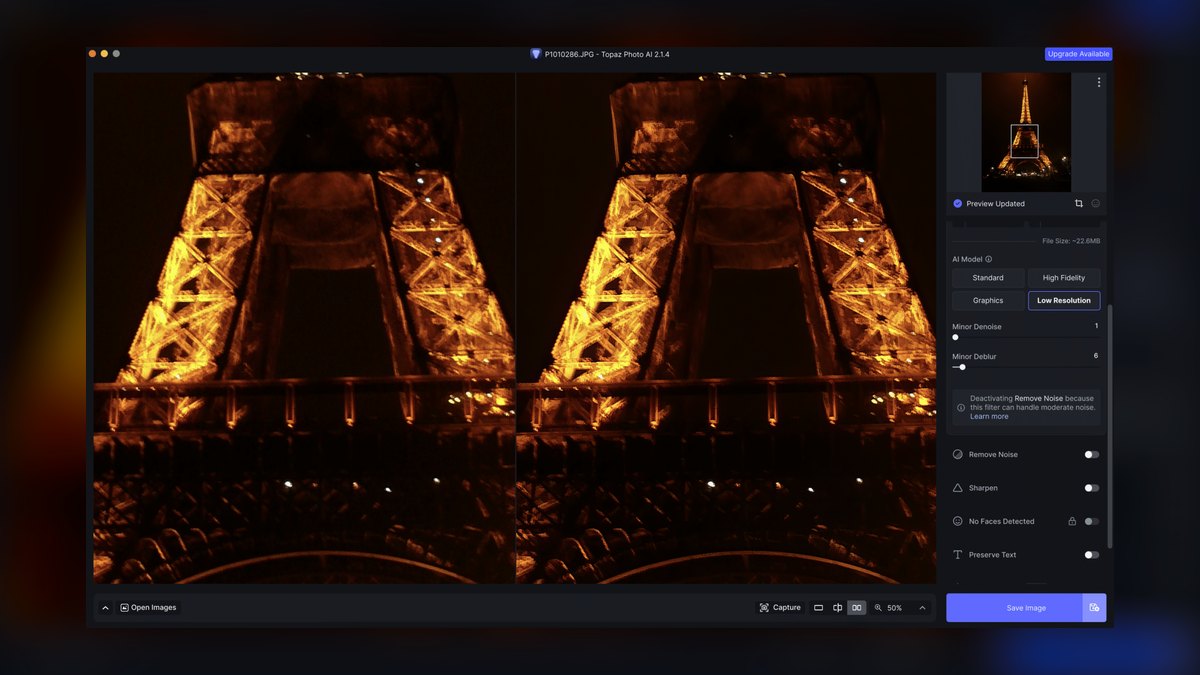
Topaz Gigapixel AI ranks first because it pairs seven-plus content-specific AI models — Standard, High Fidelity, Low Resolution, Text & Shapes, Art & CG, Lines, and Face Recovery — with scaling up to 6x, enough to print a phone snapshot at poster size. The 2027 additions, Recover and Redefine, synthesize plausible detail on badly degraded sources instead of just interpolating existing pixels. Batch processing handles hundreds of files unattended, and it runs entirely locally on Windows and macOS.
It's best for print shops, retouchers, and e-commerce teams who upscale as core, repeated work rather than a one-off touch-up. Licensing is a one-time purchase around $99 plus a year of updates, no subscription required afterward. Compared to the runner-up, Topaz Photo AI, it demands more manual model selection but reaches a higher maximum scale and gives finer control over every enlargement.
2. Topaz Photo AI
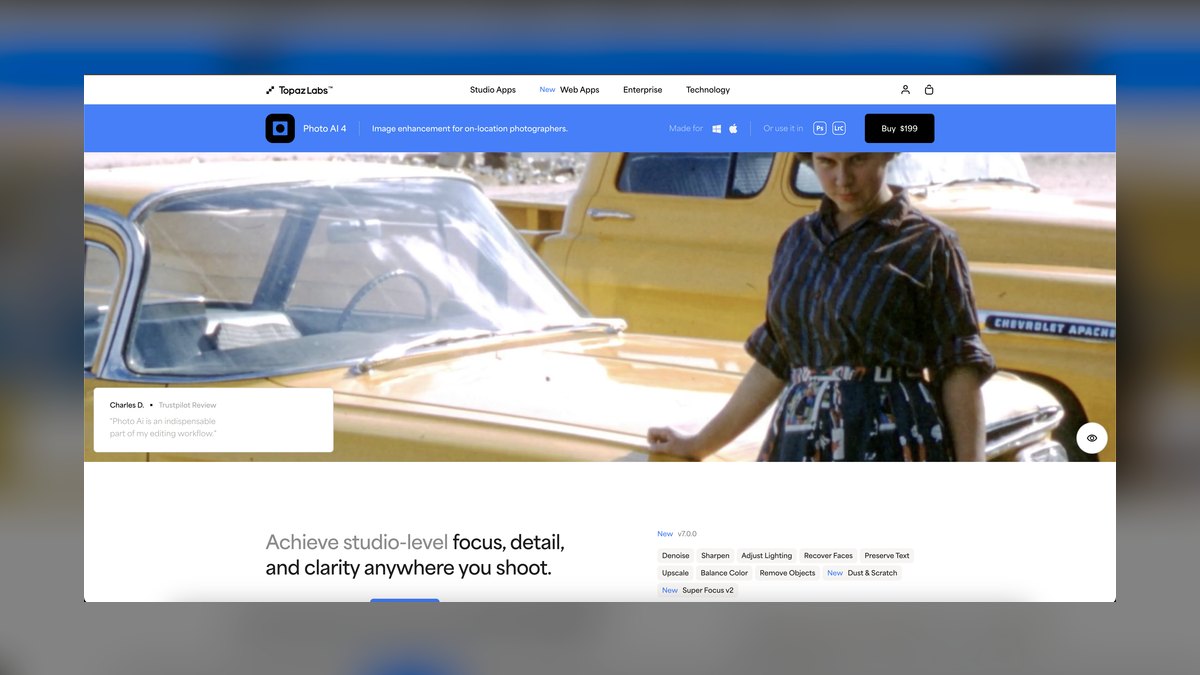
Topaz Photo AI ranks second because it folds upscaling, noise reduction, and sharpening into one automatic pipeline instead of three separate passes. Its Autopilot engine analyzes each image and proposes a processing stack — denoise, then sharpen, then enlarge — which suits a photographer working through a high-ISO event shoot. It integrates as a plug-in for Lightroom Classic and Photoshop, and its maximum scale tops out lower than Gigapixel's, typically around 4x for practical results.
It's best for photographers who'd rather not juggle three separate apps for a single edit, at a cost of roughly $199 perpetual versus Gigapixel's $99. The automation that helps beginners can frustrate operators who want to dial each model by hand. Buy Photo AI if the bottleneck is noisy, soft files; buy Gigapixel above it if the bottleneck is pure enlargement size.
3. Adobe Photoshop Super Resolution
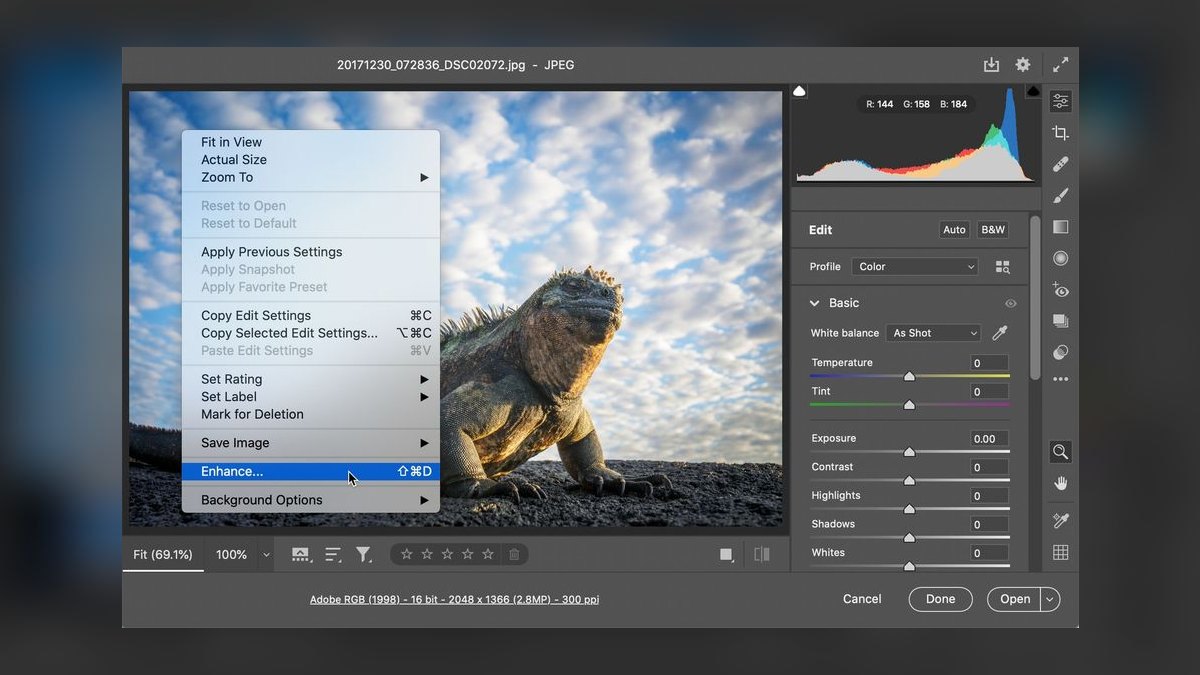
Adobe Photoshop's Super Resolution ranks third because it's built into software millions already own, doubling linear resolution — 4x total pixels — through the Enhance command in Camera Raw at no extra cost beyond a Creative Cloud subscription. For Creative Cloud Photography plan subscribers, paying around $9.99 a month for Lightroom, Photoshop, and 20GB of storage, it's effectively free upscaling with zero new software to learn. Output writes to a DNG, preserving raw editing latitude.
It's best for existing Adobe subscribers doing moderate enlargements on raw files, where Enhance also improves demosaicing quality. Generative Expand and Generative Fill, powered by Adobe Firefly, complement upscaling when a canvas also needs extending. Its ceiling is lower than the tools above it: a single 2x pass can't rescue a tiny source the way Gigapixel's 6x or generative models can, and quality on heavily compressed web images trails dedicated apps.
4. Magnific AI
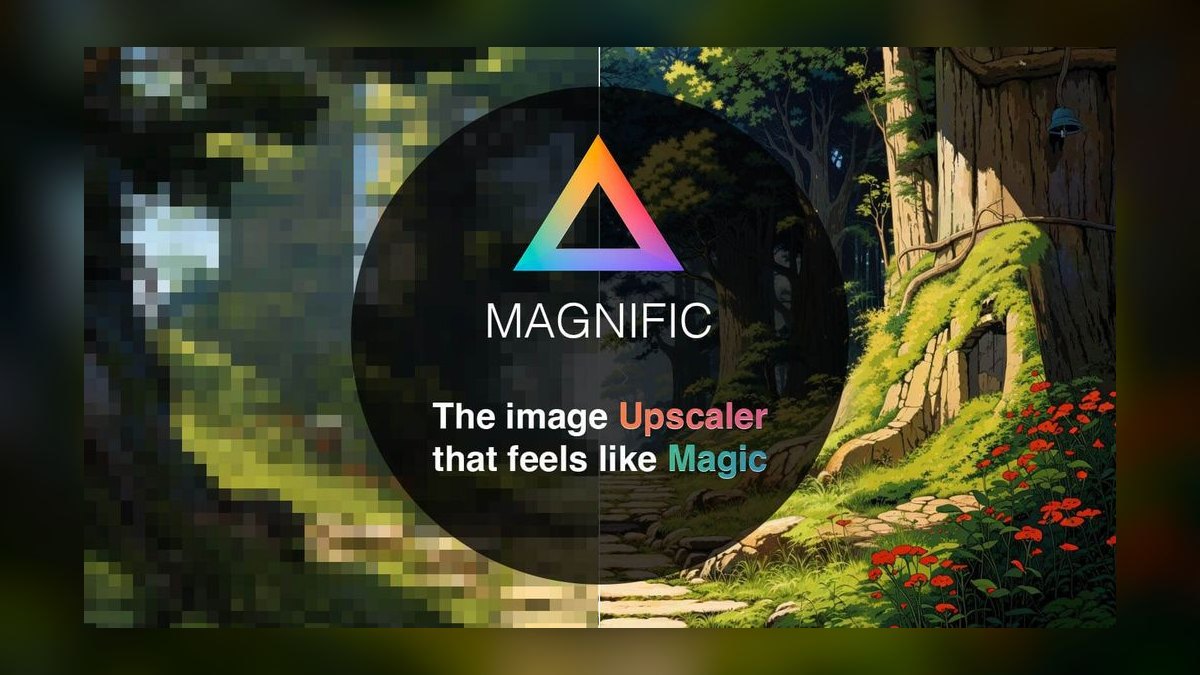
Magnific AI ranks fourth because it's a generative upscaler, not a faithful one — it reimagines a source image rather than just enlarging it. Signature sliders for Creativity, Resemblance, HDR, and Fractality let a flat 512px AI render come back with invented skin pores, fabric weave, and foliage texture that were never in the original. Now part of Freepik after its 2024 acquisition, it runs cloud-only on a credit-based subscription.
It's best for AI artists, concept designers, and marketers who want a source image transformed rather than preserved, with a Reimagine mode for prompt-guided restyling during upscaling. It's the wrong tool for archival work, legal evidence, or product photography, since pushing Creativity too high drifts faces and text away from reality. Unlike Adobe's tool above it, accuracy is never the goal here — invented detail is.
5. Upscayl
Upscayl ranks fifth as the best value on this list because it's free, open-source, and runs entirely locally on Windows, macOS, and Linux with zero watermarks or upload limits. Built on the Real-ESRGAN family, it ships several models — including Real-ESRGAN, Remacri, and UltraSharp — and scales up to 4x, higher with a double pass. Batch folder processing is supported, and a capable GPU makes it fast rather than merely usable.
It's best for budget-conscious operators and privacy-sensitive work, since every file stays on local disk and it costs $0 to run at any volume. It lacks a Face Recovery module to rival Topaz and offers less fine-grained control, with quality depending on picking the right community model. Compared to Magnific above it, Upscayl trades creative reinvention for honest, no-cost, offline reconstruction.
6. Let's Enhance
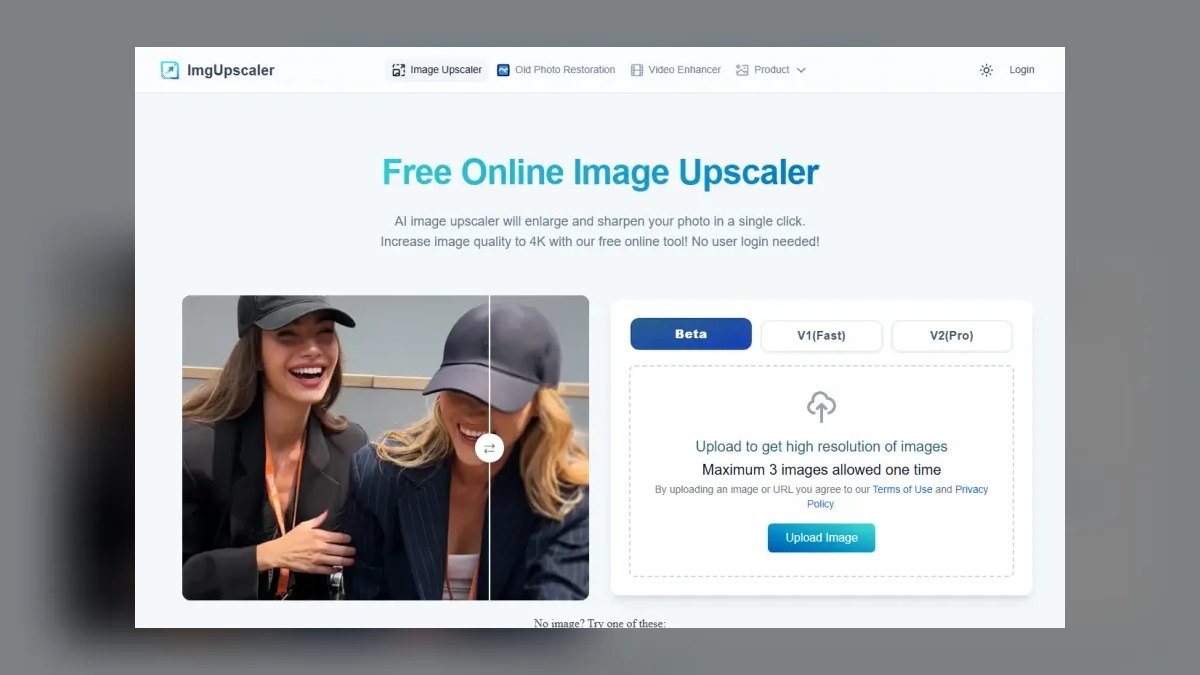
Let's Enhance ranks sixth because it's a browser-based tool built specifically for e-commerce and marketing teams standardizing product images at scale. It scales up to 16x in some modes, targets exact output resolutions and print sizes, and automatically hits marketplace dimension and DPI requirements across thousands of SKUs. An API lets teams wire upscaling directly into a product-feed pipeline instead of processing files by hand one at a time.
It's best for teams that want no install and batch automation from a browser rather than a desktop app like Upscayl above it. Models cover photos, digital art, and a smart-enhance mode that also adjusts tone and color. It runs cloud and credit-based, with a small free trial and paid plans scaling by image volume — so confidential catalog assets need a privacy trade-off weighed before uploading.
7. Krea AI
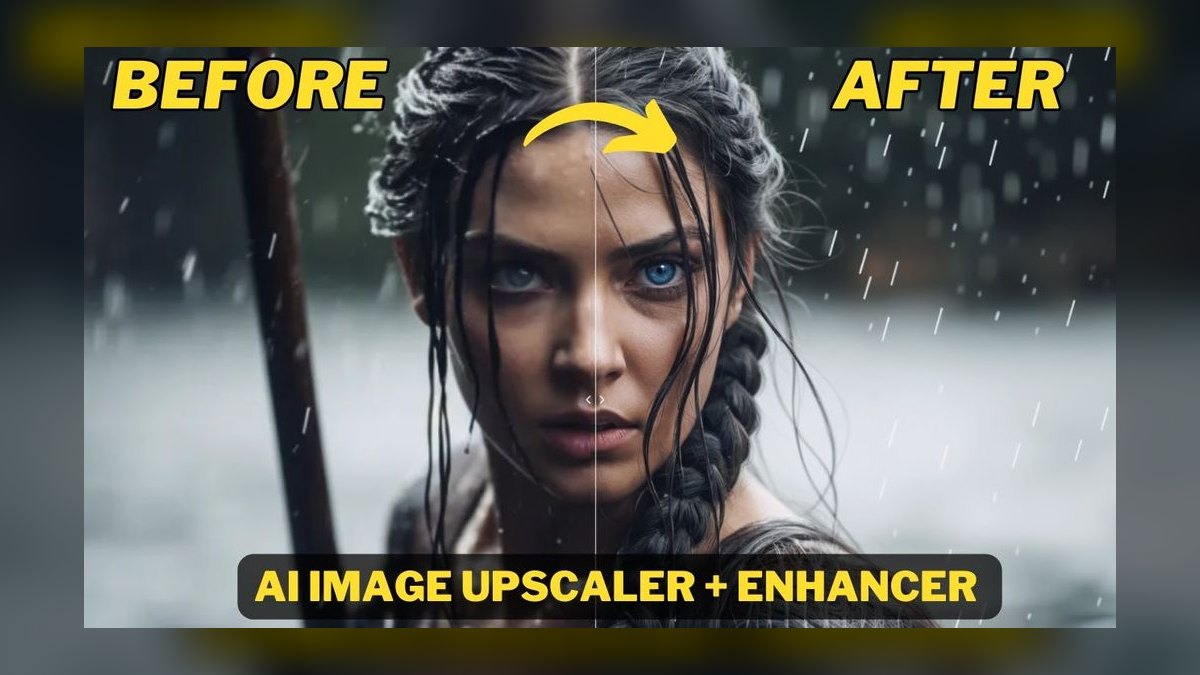
Krea AI ranks seventh because its Upscale & Enhance tool blends faithful enlargement with optional creative detail inside a real-time canvas that updates results live. It sits alongside image generation and video in one unified workspace, and an Enhance strength control governs how much new detail the model invents versus preserves. Reaching very high output resolutions, it favors interactive speed over the deep model specialization found in dedicated tools.
It's best for designers already working in a generative pipeline who want upscaling without switching tools, unlike Let's Enhance above it, which is aimed at e-commerce standardization rather than creative iteration. It's cloud-based and subscription-driven with tiered plans, and it isn't built for archival accuracy. For fast iteration on generated or stylized imagery, the live feedback loop is genuinely useful.
8. ON1 Resize AI
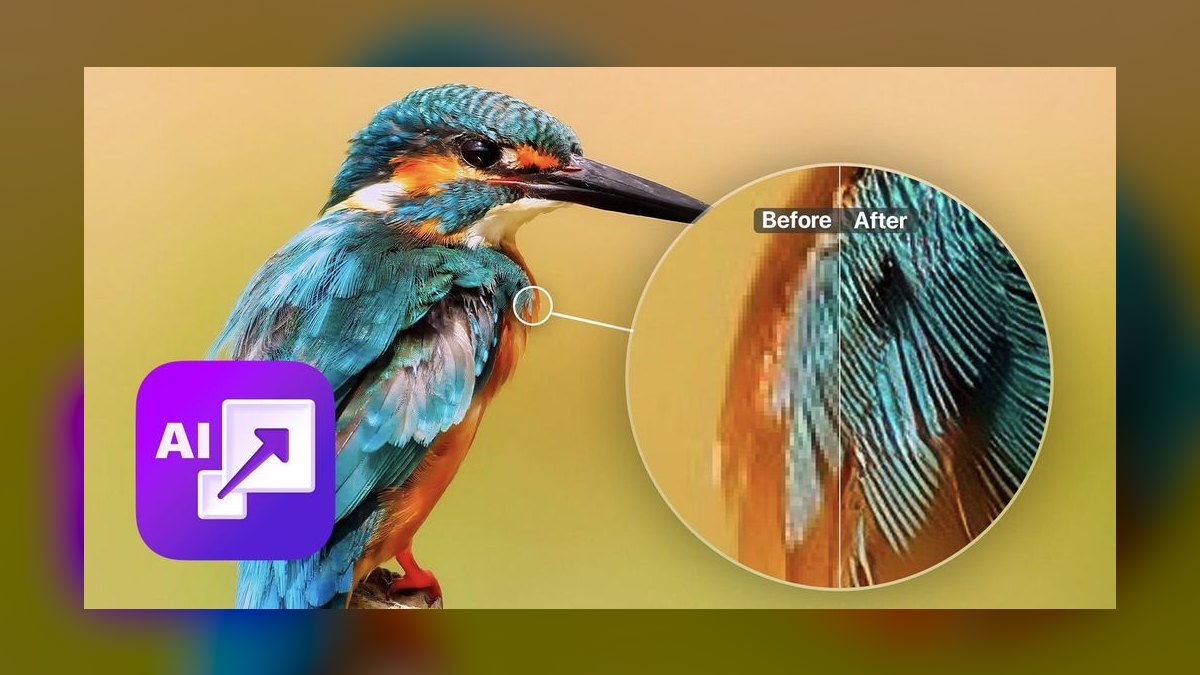
ON1 Resize AI ranks eighth because it specializes narrowly in print, built on the long-respected Genuine Fractals lineage for clean enlargements at large physical sizes. It includes controls for print dimensions, DPI, and gallery-wrap margins for canvas, and works standalone or as a plug-in for Photoshop, Lightroom Classic, Affinity Photo, and Capture One. Licensing is a one-time purchase around $69.99, undercutting Topaz on price.
It's best for print labs, fine-art photographers, and anyone outputting large physical pieces who needs predictable results at 300 DPI across poster and canvas sizes. Its AI detail reconstruction trails Gigapixel on extreme rescues, and it lacks Krea's real-time creative canvas above it. But for straightforward, large, print-bound enlargements with precise sizing controls, it's purpose-built, economical, and simpler than a general-purpose upscaler.
9. Leonardo AI Universal Upscaler

Leonardo AI's Universal Upscaler ranks ninth because it lives inside a broader image-generation platform rather than standing alone, so it's built for finishing assets that were already created there. It offers selectable styles, an Ultra mode, and prompt guidance to steer detail during enlargement, handling both photographic and illustrated sources. Creativity and prompt-strength controls let a user choose between faithful and inventive output on a token/credit subscription.
It's best for game artists, concept designers, and studios already generating in Leonardo who want a same-platform finish instead of a round-trip to another app. As a standalone upscaler it's less specialized than ON1 Resize AI above it or Topaz Gigapixel at the top, but bundled into a generation workflow it saves a step for teams producing volume. It's cloud-only and credit-metered.
10. Bigjpg
Bigjpg ranks tenth as a niche specialist for anime, illustration, and line art, built on the waifu2x approach rather than a general photo model. Where photographic upscalers muddy flat color and crisp linework, Bigjpg keeps cel-shaded art clean while reducing noise and JPEG compression artifacts. It scales up to 16x on supported tiers, with a free tier for small images and paid plans raising size and batch limits.
It's best for illustrators, manga scanlation, and VTuber asset prep — anyone enlarging drawn imagery rather than photos or products. It's the wrong tool for portraits, where dedicated photo and face models like Topaz Gigapixel at the top of this list win easily. Positioned last because its use case is the narrowest here, it remains a focused, reliable choice for the specific job general tools handle poorly.
How we ranked these
We measured six factors across each tool: detail reconstruction on faces, fabric, foliage, and text; maximum usable scale (2x versus 4x or 6x); depth of specialized AI models versus one generic model; workflow fit including batch processing, Lightroom and Photoshop plug-ins, and API access; price and licensing structure (perpetual versus subscription versus credits); and artifact control, judging over-sharpening, plastic-skin effects, and uncontrollable hallucinated detail. Local processing earned bonus weight for privacy and no upload limits.
We ignored subjective 'wow factor' from generative reinvention when scoring accuracy-critical use cases, since a hallucinated face or logo is a defect for archival and product work even if it looks impressive. Marketing claims about scale (some list 16x) were discounted unless output held up at 100% zoom. Brand reputation and social buzz were excluded entirely; only measurable output quality, price, and workflow fit determined rank.
What to look for
What matters most is matching the tool to the job, not chasing the highest scale factor. A print shop needs Topaz Gigapixel AI's 6x ceiling and Face Recovery; an e-commerce team needs Let's Enhance's marketplace-dimension automation and API; an AI artist needs Magnific's Creativity slider. Local versus cloud matters more than most buyers realize once client-confidential files enter the pipeline.
The most common mistake is buying the tool with the biggest advertised scale number, since 16x sounds better than 6x, without checking that quality holds at that size; most 16x claims come from cloud services optimized for web thumbnails, not print. The second mistake is applying a generative model like Magnific to product or ID photos, where invented detail becomes a factual liability, not an enhancement.
Related questions
Is Topaz Gigapixel AI worth it for a hobbyist photographer?
Probably not at full price. Gigapixel's 6x scaling and specialized models pay off for print shops and professionals doing large enlargements or face recovery, but a hobbyist processing occasional web images gets nearly the same result from free Upscayl or Adobe's built-in Super Resolution if already on Creative Cloud, without the roughly $99 outlay.
Can I run AI upscaling without uploading photos to the cloud?
Yes, Topaz Gigapixel AI, Topaz Photo AI, and Upscayl all run entirely on your own machine, so files never leave your disk. That matters for client-confidential shoots, legal evidence, or medical imagery. Cloud tools like Magnific, Let's Enhance, and Krea require an upload, which is fine for non-sensitive creative work but a real risk for anything under an NDA.
What's the maximum realistic upscale before quality breaks down?
Most tools stay credible up to 4x on a reasonably sharp source; beyond that, traditional interpolation starts to smear. Topaz Gigapixel AI and Let's Enhance push to 6x and 16x respectively by leaning on trained detail-synthesis models rather than simple interpolation, but even they degrade on extremely compressed or tiny starting images, since no tool can invent information that was never captured.
Do I need Photoshop or Lightroom to use these upscalers?
No. Topaz Gigapixel AI, Topaz Photo AI, and Upscayl all run as standalone apps as well as plug-ins, so a full Adobe subscription isn't required. Adobe's own Super Resolution and Generative Expand only work inside Photoshop or Lightroom's Camera Raw, and ON1 Resize AI works standalone or as a plug-in for Photoshop, Lightroom Classic, Affinity Photo, and Capture One.
Is Magnific AI good for restoring old family photographs?
Not ideally. Magnific's generative sliders are built to reinvent images with rich new texture, which is exactly wrong for restoration, where the goal is preserving what's actually in the photo. For genuine old-photo restoration, Topaz Photo AI's combined denoise-and-upscale pass or Gigapixel's Face Recovery model stays closer to the source while still improving clarity and detail.
Which upscaler works best for anime and illustration?
Bigjpg, built on the waifu2x approach, is the specialist since it keeps flat cel-shaded color and clean linework intact while photo-focused tools like Gigapixel tend to muddy or over-texture drawn art. Topaz Gigapixel AI does offer a dedicated Art & CG model that handles some illustration well, but for pure anime and manga scanlation work, Bigjpg's narrower focus wins.
How much does Topaz Gigapixel AI cost compared to a subscription tool?
Gigapixel is roughly $99 as a one-time perpetual license with one year of updates, after which you can keep using that version forever. Cloud tools like Let's Enhance, Magnific, and Krea AI charge ongoing subscriptions or per-image credits that keep accruing with volume, so for anyone upscaling regularly over multiple years, the perpetual license is typically the cheaper long-run choice.
FAQ
What is the single best AI image upscaler in 2027?
Topaz Gigapixel AI, for dedicated, high-fidelity upscaling with specialized models for faces, text, and art, up to 6x scaling, and full local processing with no subscription. If you also want automatic denoise and sharpen bundled into the same pass, Topaz Photo AI is the better buy, trading some maximum scale for an all-in-one workflow.
What's the best free image upscaler?
Upscayl is the best free option, being open-source, fully local, built on Real-ESRGAN, with no watermarks, credit limits, or upload caps. Bigjpg offers a free tier specifically for anime and illustration, and Adobe's Super Resolution is effectively free if you're already paying for a Creative Cloud Photography plan, since it's bundled into Camera Raw.
What's the difference between traditional and generative upscaling?
Traditional upscaling, like Gigapixel's Standard models or Real-ESRGAN, reconstructs detail that's mathematically consistent with the source pixels. Generative upscaling, like Magnific or Gigapixel's Recover and Redefine models, synthesizes entirely new detail that was never captured, producing sharper, more dramatic results but with real risk of hallucinating faces, text, or textures that don't match reality.
Can AI upscaling fix a blurry, low-resolution photo?
Partly. Gigapixel and Photo AI's Face Recovery modules rebuild small or soft portraits convincingly, and generative models can rescue tiny inputs with plausible new detail. But upscaling can't recover information the camera never captured; it makes an educated, algorithmically generated guess, not a forensic reconstruction, so results still depend heavily on how much usable detail existed originally.
Which upscaler is best for e-commerce product images?
Let's Enhance is built for this, offering browser-based batch processing, an API for pipeline automation, and a feature that automatically hits marketplace dimension and DPI requirements across thousands of SKUs. If catalog images are confidential and can't be uploaded to a cloud service, Topaz Gigapixel AI's local batch processing is the safer alternative, though it lacks marketplace-specific presets.
Do I need a powerful GPU for AI upscaling?
For local tools, Gigapixel, Photo AI, and Upscayl, a capable GPU dramatically speeds up large and batch jobs, though all three still run on CPU alone, just more slowly. Cloud tools like Magnific, Let's Enhance, and Krea AI offload all compute to their own servers, so any machine with a decent browser and connection works fine.
Is it safe to upload confidential photos to a cloud upscaler?
Not for anything under an NDA or containing personal client data. Cloud tools like Magnific, Let's Enhance, and Krea AI process images on remote servers, and their retention and training policies vary by provider. For confidential work, such as legal evidence, unreleased product shots, or medical images, stick to local tools like Topaz Gigapixel AI, Topaz Photo AI, or Upscayl.
What's the best upscaler for print and large canvas output?
ON1 Resize AI is purpose-built for print, with controls for exact print dimensions, DPI, and gallery-wrap canvas margins, at a lower one-time price than Topaz. For the absolute maximum detail on a large poster-size enlargement, Topaz Gigapixel AI's 6x scaling and specialized models still edge it out, at a higher price and without ON1's print-specific sizing tools.
Sources
- https://www.topazlabs.com/gigapixel
- https://www.topazlabs.com/topaz-photo-ai
- https://helpx.adobe.com/camera-raw/using/enhance-detail.html
- https://magnific.ai/
- https://upscayl.org/
- https://letsenhance.io/
- https://www.on1.com/products/resize/
- https://leonardo.ai/
- https://bigjpg.com/
- https://github.com/xinntao/Real-ESRGAN
Related on PULSE
- [More ai tools for image upscaling rankings and buying guides](/knowledge)
- [PULSE Tools and calculators](/tools)
- [Everything on PULSE RevOps](/)
This page will be disappearing soon. Save it to your device for $1 — or read it free while it is here.
@Kory-White- · if Venmo asks, the last 4 of my number are 2012
 pulse-ai-infrastructureThe 10 Best AI Tools for YouTube Optimization in 2027
 pulse-ai-infrastructureThe 10 Best AI Tools for Gift Recommendations in 2027
 pulse-ai-infrastructureThe 10 Best AI Tools for Stock Photos in 2027
 pulse-ai-infrastructureThe 10 Best AI Tools for Reading Comprehension in 2027
 pulse-ai-infrastructureThe 10 Best AI Tools for Vocal Removal in 2027
 pulse-ai-infrastructureThe 10 Best AI Tools for Backend Debugging in 2027
 pulse-ai-infrastructureThe 10 Best AI Tools for Public Speaking Practice in 2027
 pulse-ai-infrastructureThe 10 Best AI Tools for Product Page Design in 2027
 pulse-ai-infrastructureHow do you scale LLM inference to handle thousands of concurrent users?
 pulse-ai-infrastructureThe 10 Best AI Tools for Wedding Planning in 2027