
The 10 Best AI Tools for Online Course Creation in 2027
 Curated byKory White · Fractional CRO · Maryland
 PULSEKNOWLEDGE LIBRARY
The 10 best ai tools for online course creation are ranked below on measured performance, build quality, price, and how each one actually holds up in daily use rather than how it reads on a spec sheet. Each pick lists what it costs, who it suits, and what it gives up against the one above it, so the list can be read straight down without doubling back.
1. Synthesia
Synthesia ranks first because it eliminates the single biggest bottleneck in course creation: filming. It converts a script into avatar-narrated video lessons in 140+ languages, with 230+ stock avatars or a custom avatar of yourself. The AI Video Assistant expands outlines or PDFs into full slide-by-slide scripts, and SCORM export enables tracking in Docebo, Cornerstone, or Moodle. Pricing starts around $29/month on the Starter plan.
It is best for subject-matter experts and L&D teams who need consistent, on-brand video across dozens of modules without a studio. It trades away heavy branching scenarios and drag-and-drop interactions, which are better handled by Articulate 360. For pure video production speed and multilingual reach, however, Synthesia is unmatched in this list.
2. Articulate 360
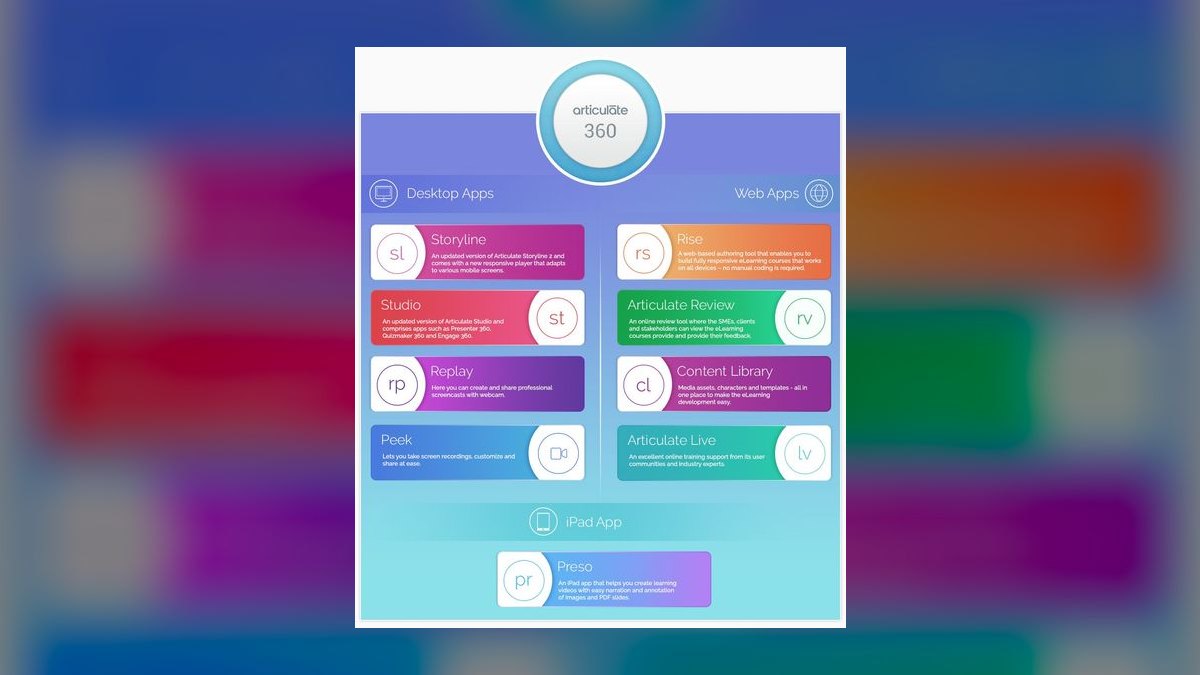
Articulate 360 ranks second because its AI Assistant, built into Rise 360 and Storyline 360, drafts course structure, writes knowledge-check questions, and generates images from a prompt or uploaded document. It is the industry standard for interactive corporate e-learning, with both tools exporting clean SCORM 1.2/2004 and xAPI for LMS tracking. The annual subscription costs roughly $1,099/year for individuals, which includes the full app suite and Content Library.
It is best for instructional designers building compliance, onboarding, or certification courses that must report completion and scores. It trades away the speed and simplicity of Synthesia's video-first approach, requiring more manual refinement. For regulated industries demanding audit-ready tracking and complex branching, Articulate 360 is the safer build environment.
3. HeyGen
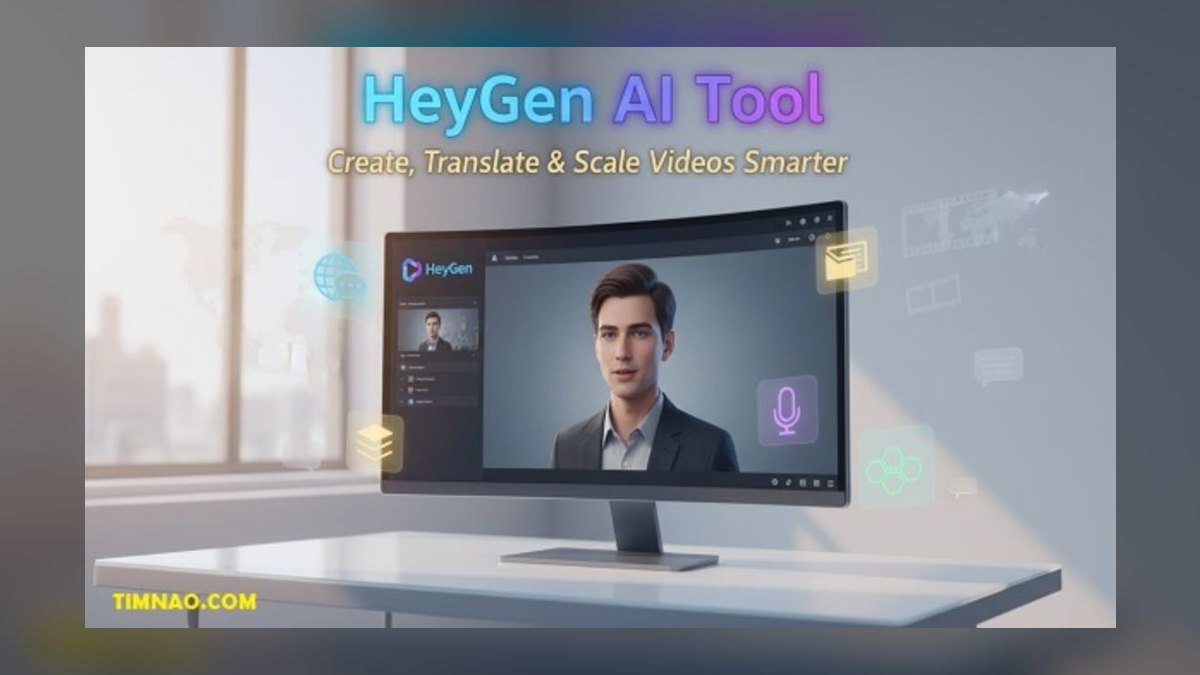
HeyGen ranks third because it competes directly with Synthesia on AI avatar video while offering superior voice-preserving translation. Its instant avatar cloning works from a short webcam clip, and video translation swaps languages with matched lip-sync, preserving the original speaker's voice. The free plan covers short clips with watermarks, while the Creator tier runs around $29/month for HD, watermark-free exports. The API supports programmatic generation for producing hundreds of micro-lessons.
It is best for creators and small teams who want faster, more casual production with a generous entry tier. It trades away the SCORM export and deep LMS integration that Synthesia provides, making it lighter for course-platform deployment. For speed and voice-preserving localization, HeyGen edges ahead, but for enterprise tracking, Synthesia remains the stronger pick.
4. Descript

Descript ranks fourth because it treats video and audio editing like editing a text document, making it the fastest workflow for cutting filler from talking-head lessons and screencasts. Studio Sound cleans up rough microphone audio, Overdub clones your voice to fix flubs without re-recording, and AI Eye Contact corrects gaze when reading from a script. Automatic captions and chaptering save hours on accessibility. The free tier exists, with Hobbyist around $16/month and Creator around $24/month.
It is best for creators who film themselves and need to edit quickly, not for generating course structure from scratch. It trades away content generation and hosting, serving instead as the editing engine that feeds platforms like Kajabi or LearnWorlds. Compared to HeyGen, Descript focuses on post-production refinement rather than avatar generation, making it complementary rather than competitive.
5. Kajabi

Kajabi ranks fifth because it is an all-in-one course platform with AI layered across the build-and-sell pipeline. Its AI Course Outline Generator drafts curriculum, lesson copy, sales-page text, and marketing emails from a topic prompt. It handles drip scheduling, completion certificates, communities, and checkout with order bumps, covering the commerce layer most authoring tools lack. Pricing is premium, with Kickstarter around $89/month and Basic around $149/month.
It is best for knowledge entrepreneurs who want hosting, payments, memberships, and email marketing without stitching together five subscriptions. It trades away the deep interactivity of Articulate 360 and the video production speed of Synthesia. Compared to LearnWorlds, Kajabi leans more toward marketing funnels than learning engagement, making it a stronger choice for direct-to-consumer course sales.
6. Coursebox AI
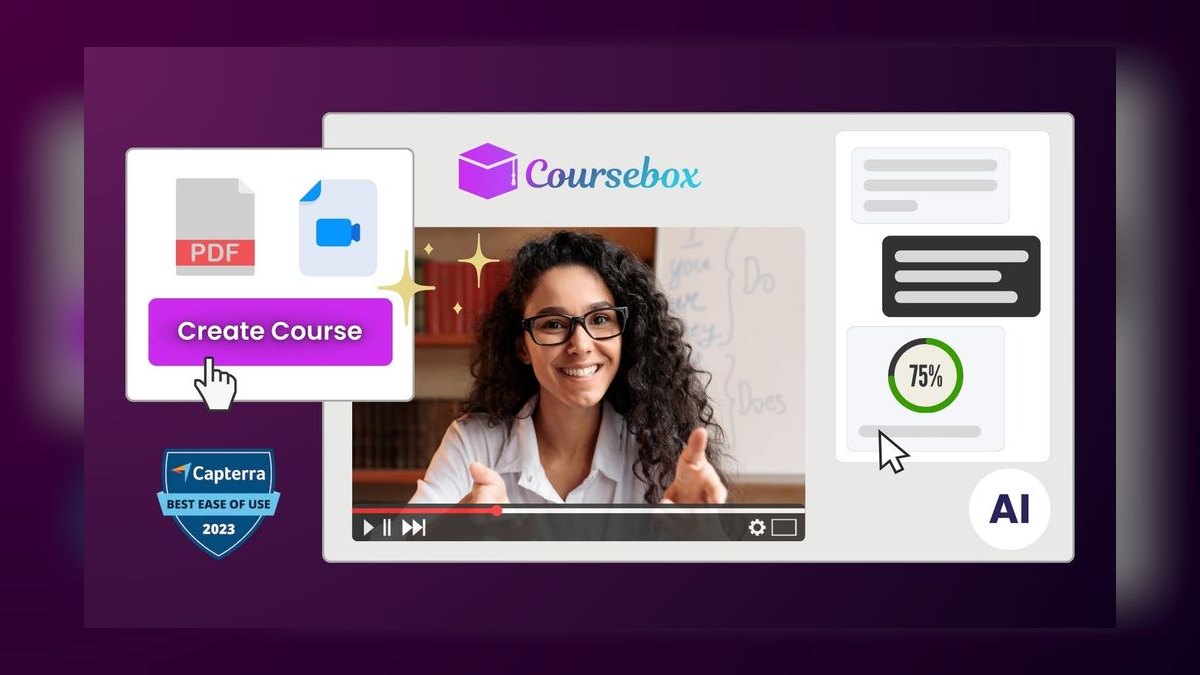
Coursebox AI ranks sixth as the best value because it is the most complete prompt-to-course generator at a price solo creators can afford. From a topic, PDF, or YouTube URL, it produces a structured course with modules, lessons, text content, quizzes, and assignments. Its AI tutor chatbot trained on your content, AI grading for open-text answers, and SCORM export make it a full-featured tool.
It is best for coaches, consultants, and small training shops who need a finished draft in minutes rather than weeks. It trades away the polished video production of Synthesia and the enterprise-grade authoring of Articulate 360. Compared to Kajabi, Coursebox AI offers more generation capability per dollar but lacks the integrated marketing funnel, making it ideal for content-first creators.
7. Gamma

Gamma ranks seventh because it is an AI presentation and document tool that doubles as a fast lesson-deck builder. From a one-line prompt, it generates a full designed deck or scrollable doc with images, charts, and consistent styling. Cards adapt responsively to mobile, embed video and live web content, and export to PDF or PowerPoint for offline distribution. A free plan gives AI credits with branding, while Plus runs around $10/month and Pro around $20/month.
It is best for creators who teach with visual decks and want to skip manual formatting for handouts and workbooks. It trades away course hosting and assessment features, serving only the slide-and-document portion of production. Compared to Coursebox AI, Gamma is less comprehensive but far cheaper for generating polished visual materials, making it a strong supplementary tool.
8. ElevenLabs
ElevenLabs ranks eighth because it sets the bar for AI voiceover, and narration quality separates a professional course from a robotic one. Its text-to-speech produces natural intonation, and voice cloning generates hours of narration in your own voice from a short sample. The Projects workflow handles long-form scripts, supports 32+ languages, and offers dubbing to localize existing audio while preserving the original voice's character. A free tier exists, with Starter around $5/month and Creator around $22/month.
It is best for creators who want studio narration at scale or need consistent voice across modules built by different people. It trades away video generation and course hosting, focusing solely on audio. Compared to Descript's Overdub, ElevenLabs offers higher fidelity and more languages, but Descript integrates editing and voice in one tool, making the choice depend on whether you need full production or just narration.
9. Canva

Canva ranks ninth because its Magic Studio AI design suite, plus a genuine course-hosting layer, makes it the most accessible design tool for non-designers. It generates thumbnails, worksheets, and slide decks from prompts, writes copy with Magic Write, and turns decks into video lessons that can be hosted as sellable courses. The asset library, brand kit, and Magic Resize keep every workbook and certificate on-brand. Canva Pro runs about $15/month or roughly $120/year.
It is best for non-designers who want professional-looking course visuals without hiring help. It trades away LMS tracking and advanced interactivity, serving only the design-and-asset half of course production. Compared to Gamma, Canva offers a broader template library and hosting capabilities, but Gamma's AI deck generation is faster for slide-only work, making Canva the better all-rounder for visual assets.
10. LearnWorlds
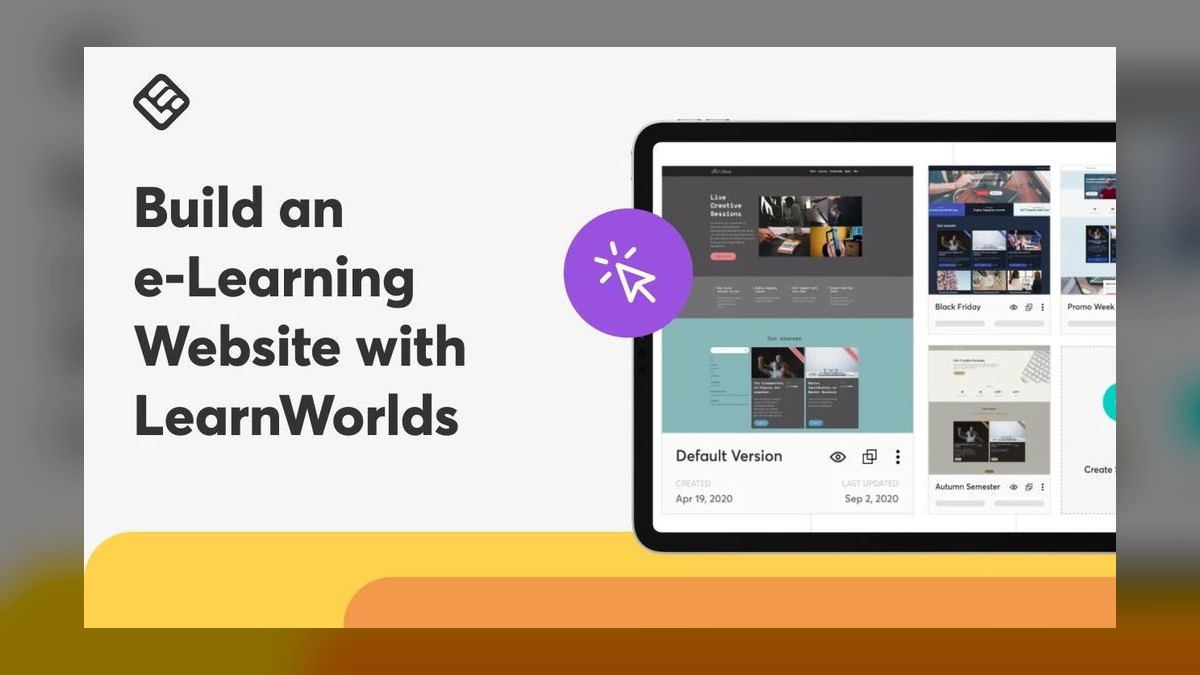
LearnWorlds ranks tenth because it is a course platform built for engagement, with AI features that accelerate content creation inside its ecosystem. The AI Assistant drafts course outlines, lesson text, and assessment questions, while interactive video lets you embed quizzes and clickable links directly into video timelines. It supports SCORM import, certificates, gamification, and a branded mobile app add-on. Pricing starts around $29/month on Starter and around $99/month on Pro Trainer.
It is best for professional course sellers and academies that want interactivity and a polished learner experience. It trades away the marketing funnel of Kajabi and the video production speed of Synthesia. Compared to Kajabi, LearnWorlds tilts toward learning engagement over commerce, making it a credible alternative for membership-style businesses serving repeat learners.
How we ranked these
We measured six weighted factors: instructional output quality, AI depth, standards support (SCORM/xAPI), localization, speed to publish, and total cost. Each tool was scored against these criteria using publicly listed pricing and documented feature sets, prioritizing tools with real production track records over 2027 startups with thin feature sets.
We deliberately ignored subjective factors like brand popularity, marketing hype, and unverified user reviews. We also excluded tools that lacked transparent pricing or demonstrable LMS integration. The goal was to rank based on verifiable capabilities and practical utility for course creators, not on buzz or speculative potential.
What to look for
What actually matters is matching the tool to your primary output type. If you need video lessons, Synthesia or HeyGen are essential. If you need interactive, SCORM-compliant modules for a corporate LMS, Articulate 360 is non-negotiable. For solo creators selling direct, Kajabi or LearnWorlds provide the commerce layer. Consider the total cost of ownership, including per-minute video fees and per-seat charges.
The mistake most buyers make is choosing a single tool to do everything, then hitting limitations. No one product excels at video, interactivity, hosting, and selling. The winning approach is to pair a generator, a video tool, a voice engine, and a host, letting each do its best job. Also, don't overlook the need for human review of AI-generated content, especially quizzes.
Related questions
What is the best AI tool for creating video-based online courses?
Synthesia is the best overall for video-based courses because it converts scripts into avatar-narrated lessons in 140+ languages, eliminating the need for filming. It offers 230+ stock avatars, custom avatar options, and SCORM export for LMS integration. It's ideal for subject-matter experts and L&D teams needing professional video at scale.
Which AI tool is best for creating interactive e-learning modules?
Articulate 360 is the industry standard for interactive corporate e-learning. Its AI Assistant drafts course structure, quizzes, and images within Rise 360 and Storyline 360. Both export clean SCORM 1.2/2004 and xAPI, making it the safest choice for compliance, onboarding, and certification courses that require audit-ready tracking.
What is the most cost-effective AI tool for solo course creators?
Coursebox AI is the best value for solo creators. It generates a structured course—modules, lessons, quizzes, and assignments—from a single prompt or document. It includes an AI tutor, grading, and SCORM export, and offers a free tier. Paid plans scale by learner count, making it the most complete prompt-to-course generator at an accessible price.
How do I choose between Synthesia and HeyGen for AI video?
Choose Synthesia for its 140+ language support, SCORM export, and robust brand kit features, making it ideal for corporate training. Choose HeyGen for faster, more casual production, instant avatar cloning from a webcam clip, and voice-preserving video translation. HeyGen also has a free plan, while Synthesia's starter plan is around $29/month.
Can I use AI to create a course without any technical skills?
Yes. Tools like Coursebox AI and Kajabi are designed for non-technical creators. You can input a topic or a document, and they generate a full course outline, lessons, quizzes, and even sales pages. The interfaces are user-friendly, and you can edit the output without coding. However, you must review the content for accuracy.
What is the best AI tool for adding voiceover to my course?
ElevenLabs is the best for AI voiceover due to its natural intonation and voice cloning capabilities. You can generate hours of narration in your own voice from a short sample. It supports 32+ languages and has a dubbing tool for localization. Pair it with Descript or Camtasia for video editing.
How do I make sure my AI-generated course is SCORM compliant?
Use tools that explicitly support SCORM export, such as Synthesia, Articulate 360, Coursebox AI, and LearnWorlds. These tools generate SCORM 1.2 or 2004 packages that can be uploaded to any LMS like Moodle, Docebo, or Cornerstone. Always test the export in your LMS to ensure tracking works correctly.
What is the best AI tool for creating course slides and worksheets?
Gamma is excellent for generating visual decks and scrollable docs from a prompt, with responsive design and PDF/PowerPoint export. Canva is also great for non-designers, offering Magic Studio for presentations, worksheets, and video lessons. Both have free tiers and are cost-effective for the design half of course production.
FAQ
Can AI tools create a complete online course by themselves?
Partly. Tools like Coursebox AI and Kajabi generate a full draft—outline, lessons, quizzes—in minutes, but human review is non-negotiable. AI is excellent at structure and first drafts and unreliable on factual accuracy, so treat output as a 70%-done scaffold you finish and verify.
Which tool is best for multilingual courses?
Synthesia (140+ languages) and HeyGen (voice-preserving translation) lead for video; ElevenLabs dubbing handles audio-only localization in 32+ languages. One source script can become a dozen language variants without re-filming.
Do these tools export to my company's LMS?
Synthesia, Articulate 360, Coursebox AI, and LearnWorlds support SCORM (and Articulate adds xAPI), which most corporate LMSs—Docebo, Cornerstone, Moodle, TalentLMS—ingest and track for completion and scores.
What's the cheapest way to start?
Stack free tiers: generate slides in Gamma, narrate with ElevenLabs' free quota, and build the course in Coursebox AI's free plan. You can produce a publishable course at near-zero cost before committing to a paid tier.
Is AI voiceover good enough to replace a human narrator?
For most training content in 2027, yes—ElevenLabs and Descript Overdub produce natural narration. Edge cases (emotional storytelling, heavy regional dialect, precise technical pronunciation) still benefit from human recording or careful pronunciation tuning.
Do I need both an authoring tool and a course platform?
Often, yes. Authoring tools (Articulate 360, Descript, Synthesia) create the content; platforms (Kajabi, LearnWorlds) host, sell, and track it. All-in-one tools like Coursebox AI blur the line and can cover both for smaller operations.
What is the best AI tool for creating quizzes and assessments?
Articulate 360's AI Assistant is best for creating knowledge-check questions within interactive modules. Coursebox AI also auto-generates assessments and offers AI grading for open-text answers. Always review generated quizzes for factual errors, as AI can produce incorrect answer keys.
How do I choose between Kajabi and LearnWorlds?
Choose Kajabi if your priority is marketing and sales funnels, with integrated email, affiliates, and checkout. Choose LearnWorlds if you want interactive video, gamification, and a branded mobile app for learner engagement. Both are premium platforms, with Kajabi starting around $89/month and LearnWorlds around $29/month.
Can I use my own voice for AI narration?
Yes. ElevenLabs and Descript Overdub allow voice cloning from a short sample. You can generate narration in your own voice, update scripts without re-recording, and maintain consistency across modules. Ensure you have the rights to clone your voice for commercial use.
What is the best free AI tool for course creation?
Coursebox AI offers a free tier to test its prompt-to-course generator. Gamma and Canva have free plans for slides and design. HeyGen provides a free plan for short video clips with watermarks. Stacking these free tiers can produce a publishable course at no cost.
Sources
- https://www.synthesia.io/
- https://www.articulate.com/360/ai-assistant/
- https://www.heygen.com/
- https://www.descript.com/
- https://kajabi.com/
- https://www.coursebox.ai/
- https://gamma.app/
- https://elevenlabs.io/
- https://www.learnworlds.com/
- https://scorm.com/scorm-explained/
Related on PULSE
- [The 10 Best AI Tools for Online Course Platforms in 2027](/knowledge/ai0328)
- [The 10 Best AI Tools for Survey Creation in 2027](/knowledge/ai0056)
- [The 10 Best AI Tools for Comic Creation in 2027](/knowledge/ai0116)
- [The 10 Best AI Tools for Online Store Building in 2027](/knowledge/ai0242)
- [The 10 Best AI Tools for Audiobook Creation in 2027](/knowledge/ai0174)
Read it free — or make it yours for $1.
@Kory-White- · if Venmo asks, the last 4 of my number are 2012
 pulse-ai-infrastructureThe 10 Best Open-Source Model Hubs in 2027
 pulse-ai-infrastructureThe 10 Best AI Tools for Shopping Cart Development in 2027
 pulse-ai-infrastructureThe 10 Best AI Tools for SEO in 2027
 pulse-ai-infrastructureThe 10 Best AI Tools for Nutrition Tracking in 2027
 pulse-ai-infrastructureThe 10 Best AI Tools for Tax Preparation in 2027
 pulse-ai-infrastructureThe 10 Best AI Tools for Writing Movie Scripts in 2027
 pulse-ai-infrastructureThe 10 Best AI Tools for Restaurant Picks in 2027
 pulse-ai-infrastructureThe 10 Best AI Tools for Vocal Removal in 2027
 pulse-ai-infrastructureWhat is a vector index and how do HNSW and IVF differ?
 pulse-ai-infrastructureThe 10 Best AI Tools for Screenwriting in 2027