
The 10 Best AI Tools for Survey Creation in 2027
 Curated byKory White · Fractional CRO · Maryland
 PULSEKNOWLEDGE LIBRARY
The 10 best ai tools for survey creation are ranked below on measured performance, build quality, price, and how each one actually holds up in daily use rather than how it reads on a spec sheet. Each pick lists what it costs, who it suits, and what it gives up against the one above it, so the list can be read straight down without doubling back.
1. Qualtrics
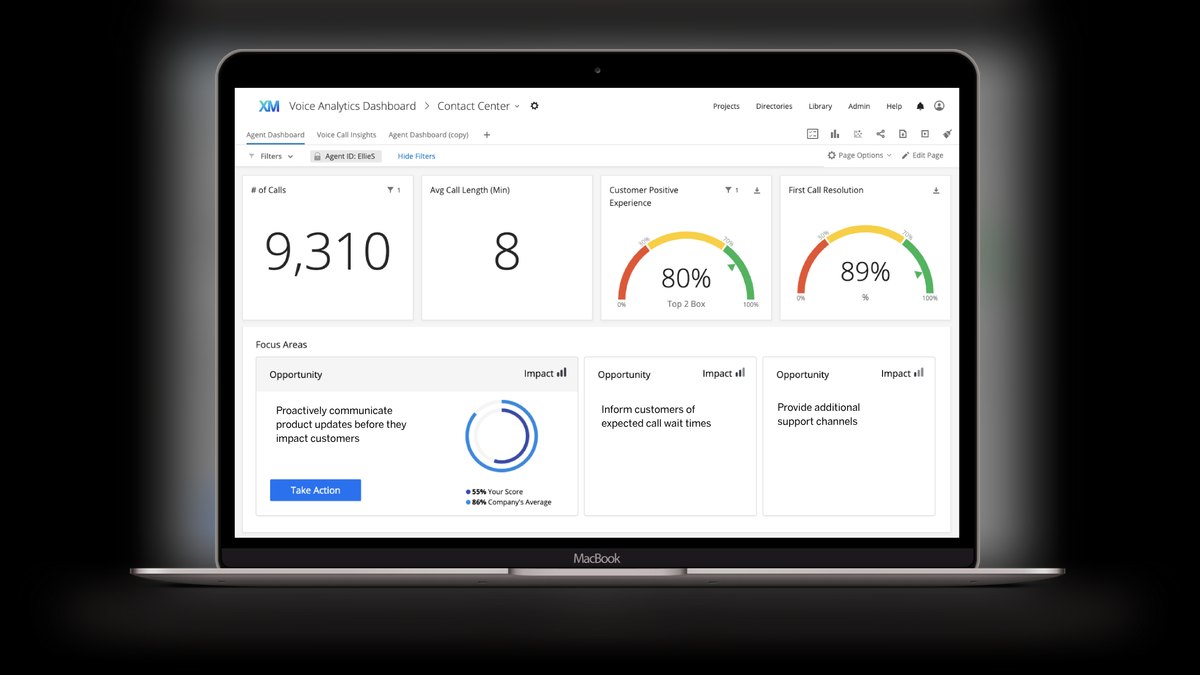
Qualtrics ranks first because its iQ suite delivers the deepest AI survey lifecycle on the market, from drafting to driver analysis. Expert Review automatically flags biased, leading, or double-barreled questions before launch, a methodological guardrail no consumer tool matches. After responses arrive, TextIQ clusters open-text into themes and sentiment, while StatsIQ runs regression and driver analysis without a separate stats package. Pricing is custom and quote-based, reflecting its enterprise research-grade positioning.
This tool is for enterprise research teams, academic institutions, and large CX programs that need defensible data for major decisions. It trades away ease of use and transparent pricing for unmatched analytical rigor. Compared to SurveyMonkey below, Qualtrics offers far deeper statistical functionality but demands a significant budget and onboarding investment that smaller teams will find prohibitive.
2. SurveyMonkey

SurveyMonkey ranks second because Build with AI turns a one-line prompt into a structured, logically ordered survey in seconds, with output needing only light editing. SurveyMonkey Genius scores your draft on predicted completion rate and estimated time to finish, flagging questions likely to cause drop-off. With over 200 methodologist-vetted templates and a question bank, it nudges users toward balanced scales and away from leading phrasing. Team Advantage plans start around $25 per user per month billed annually.
This is the practical pick for marketers, HR teams, and SMB operators who need credible surveys quickly without a research function. It trades away the deep statistical analysis of Qualtrics for a fraction of the cost and complexity. Compared to Qualtrics, it delivers most of the value for straightforward surveys, but lacks the enterprise-grade driver modeling and text analytics for serious research pipelines.
3. Typeform

Typeform ranks third because its AI matches its industry-leading respondent experience, generating one-question-per-screen surveys from a prompt. Formless by Typeform goes further, using an AI-driven conversational interface that asks dynamic follow-up questions based on prior answers, like an interview. This conversational depth drives high completion rates by reducing fatigue and keeping the dialogue relevant. Paid tiers start around $25 per month for Basic and climb to roughly $83 per month for Business billed annually.
This tool is for brand, product, and recruiting teams where the survey's look and feel reflects on the sender. It trades away heavy statistical analysis and per-response cost efficiency for unmatched engagement and design polish. Compared to SurveyMonkey, Typeform is pricier per response and less suited for research, but it wins decisively for customer-facing surveys where respondent experience is the priority.
4. Jotform

Jotform ranks fourth because it has aggressively rebuilt itself around AI, offering both an AI Form Generator and Jotform AI Agents for conversational data collection. Its 10,000+ templates, native payment fields, and HIPAA-compliant options make it one of the most flexible creators here. AI also helps map conditional logic, which the visual builder then exposes for fine-tuning. A free tier covers 5 forms and 100 monthly submissions, with paid plans starting around $34 per month for Bronze.
This is the best operator pick for teams needing surveys plus automation, such as lead intake, patient surveys, and field data collection. It trades away research-grade analytics for workflow breadth and integration depth. Compared to Typeform, Jotform offers far more utility beyond the survey itself, but its interface can feel less polished and its AI output sometimes requires more manual cleanup.
5. Microsoft Forms

Microsoft Forms ranks fifth because Copilot integration and its presence inside the Microsoft 365 install base create the lowest-friction AI survey option for existing enterprise customers. Copilot suggests questions as you build, drafts entire forms from a topic prompt, and recommends question types, with results flowing directly into Excel and Power BI. For organizations already on Microsoft 365, there is no new vendor, no new login, and data respects existing tenant security settings.
This tool is for IT, HR, and education teams who want AI-assisted surveys without buying anything extra. It trades away advanced branching logic and any serious statistical layer for simplicity and bundled cost. Compared to Jotform, Microsoft Forms is far less flexible for complex workflows, but its zero marginal cost and seamless integration make it a default that is genuinely good enough for internal pulse surveys and quizzes.
6. Tally

Tally ranks sixth as the best value survey tool because its free plan includes unlimited forms, unlimited submissions, and unlimited questions, a ceiling most competitors gate behind paid tiers. The Create with AI feature generates a working form from a prompt, and the Notion-style block editor makes manual edits fast. You can run a 5,000-response survey on the free tier without hitting a response wall.
This is for startups, indie operators, and bootstrapped teams where budget is the primary constraint. It trades away deep analytics and methodologically vetted AI generation for a competent first draft and a genuinely unlimited free tier. Compared to Microsoft Forms, Tally offers a more modern builder and better free limits, but lacks the enterprise integration and compliance features that Microsoft 365 customers take for granted.
7. Fillout
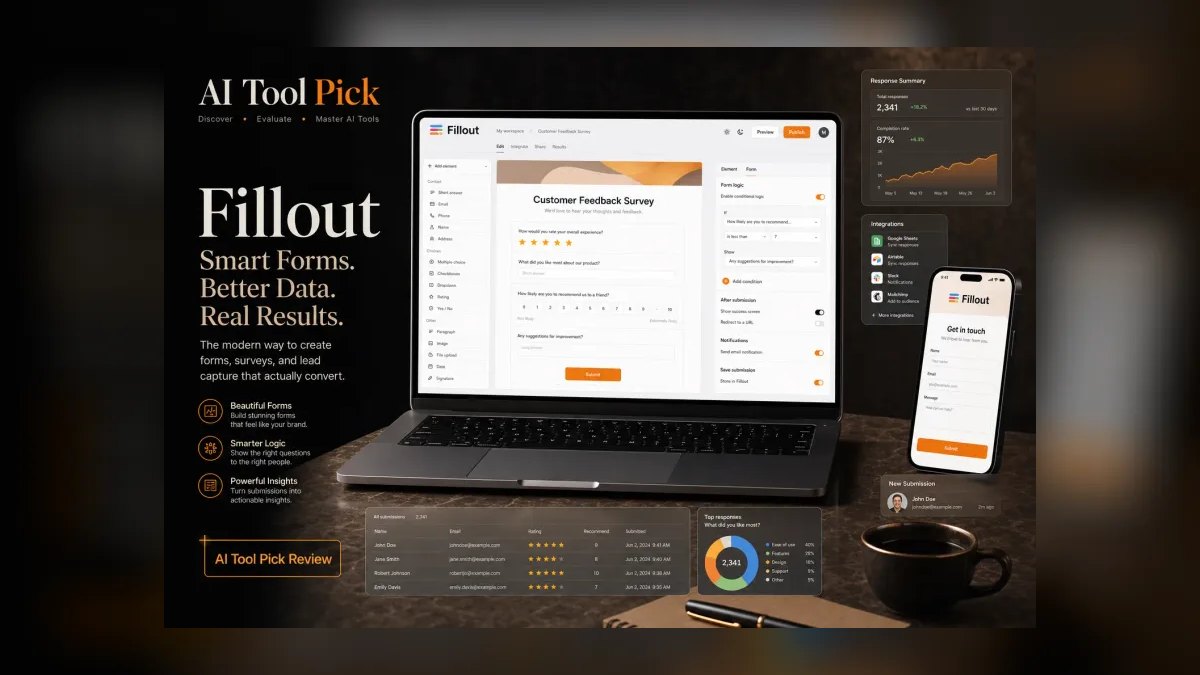
Fillout ranks seventh as the power user's free-tier favorite, pairing a strong AI form builder with logic and integrations that punch above its price. Describe the survey you want and Fillout drafts it with conditional fields already wired, and it imports from existing forms. It connects to databases like Airtable and Notion for storing responses, and supports calculation fields, scheduling, and file uploads.
This is for product and ops teams who want surveys that behave like mini-apps, with the AI handling tedious branching setup. It trades away advanced analytics for flexibility and aggressive pricing. Compared to Tally, Fillout offers more powerful logic and integrations, but its free tier has a submission cap that Tally's unlimited plan does not, making Tally the better choice for high-volume, zero-cost collection.
8. QuestionPro
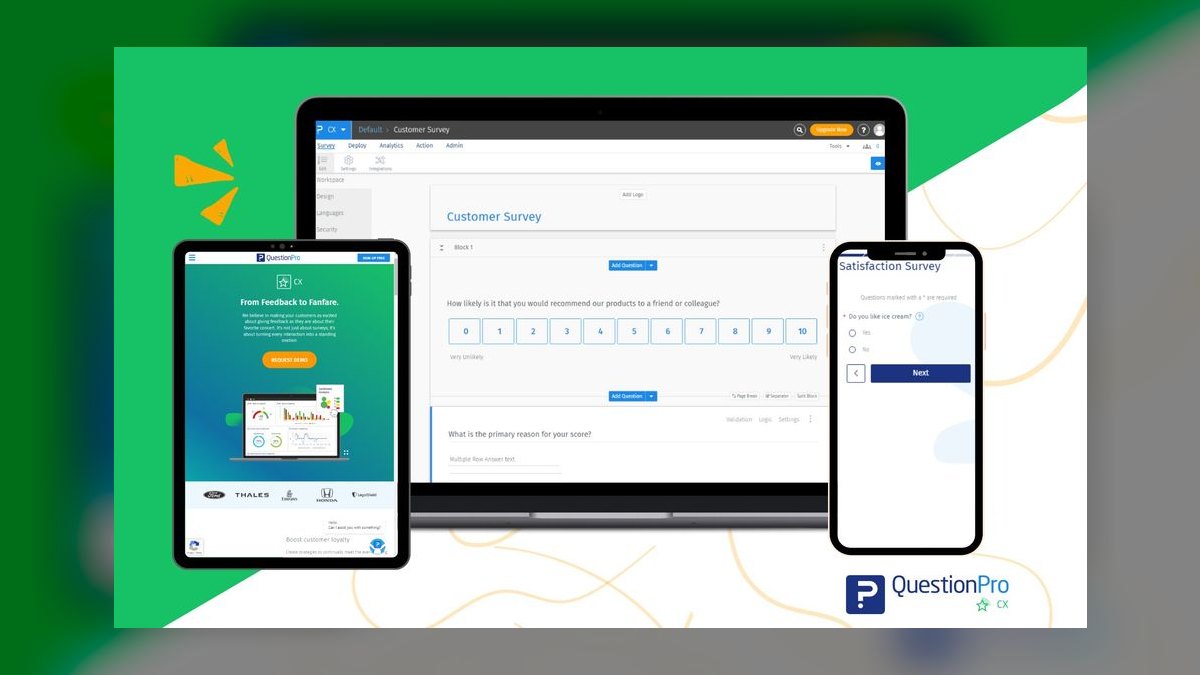
QuestionPro ranks eighth because it delivers research-oriented capability that competes with Qualtrics at a more accessible price point. Its AI assists with question generation, while the platform supports conjoint analysis, MaxDiff, TURF, and Van Westendorp pricing studies, methodologies most consumer tools never touch. Built-in sentiment analysis and text analytics handle open-text at scale, and a survey audience panel is available for respondent recruitment. Paid tiers begin around $99 per month on the Advanced plan.
This is for market researchers, academics, and insight teams who need advanced study types but cannot justify enterprise contracts. It trades away the polished consumer experience of tools like Tally for serious research methodology. Compared to Fillout, QuestionPro offers vastly deeper statistical analysis, but its AI assistance is less generative and more assistive, requiring more manual input from the researcher to design complex studies.
9. Zoho Survey
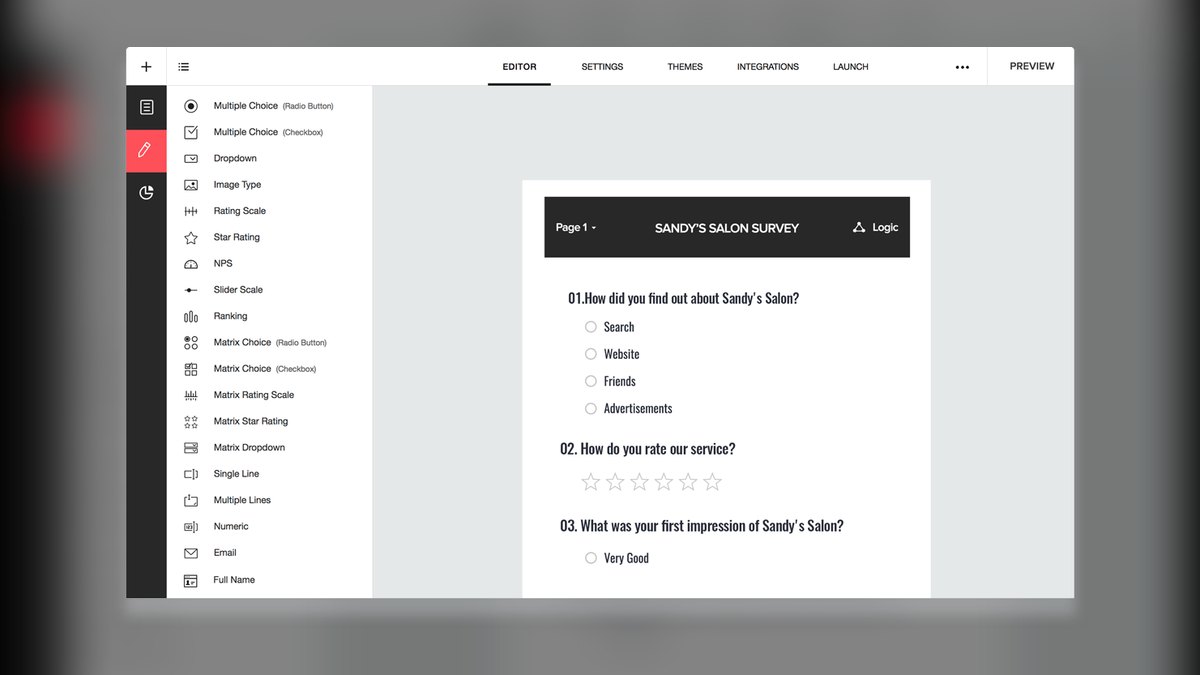
Zoho Survey ranks ninth because its AI through Zia, Zoho's assistant, suggests questions and helps structure surveys, but its biggest draw is the Zoho ecosystem. If you already run Zoho CRM, Zoho Analytics, or Zoho Desk, survey data routes natively into those tools, closing the loop between feedback and action. It handles 250+ templates, multilingual surveys, and offline data collection for field surveys.
This is for businesses standardized on the Zoho stack, where integration value outweighs standalone capability. It trades away best-in-class AI generation and analytics for seamless workflow integration. Compared to QuestionPro, Zoho Survey is less research-focused, but for Zoho-native operators, the native data routing into CRM and analytics tools makes it the obvious, well-priced choice that standalone survey tools cannot match.
10. Alchemer

Alchemer ranks tenth as a flexible enterprise platform favored by professional researchers and CX teams who want deep customization without Qualtrics-level cost. Its strength is logic, with page, question, and quota logic that handles complex study designs, plus AI-assisted theming and reporting. The platform integrates tightly with Salesforce, Tableau, and Microsoft Dynamics for operationalizing feedback, and workflow features let responses trigger automated actions.
This is for mid-to-large companies running closed-loop CX programs that need granular control and enterprise integrations. It trades away the generative AI polish of the leaders for a high customization ceiling and assistive AI. Compared to Zoho Survey, Alchemer offers far deeper logic and enterprise integrations, but its AI is more assistive than generative, and its pricing is higher, making it a fit only for teams with specific, complex study design needs.
How we ranked these
We scored each tool on four weighted factors: AI generation quality (35%), analysis intelligence (30%), operator usability (20%), and value and ceiling (15%). We tested real workflows—a 12-question NPS survey, a branching product-feedback form, and an open-text exit interview—and judged whether AI caught double-barreled questions, suggested balanced scales, and avoided acquiescence bias.
We deliberately ignored marketing claims, template counts, and brand recognition. We did not penalize tools for lacking features irrelevant to typical survey needs, nor did we weigh aesthetic appeal. We focused solely on measurable performance in drafting, logic, analysis depth, and real-world usability, ensuring rankings reflect practical value rather than hype.
What to look for
What matters is the depth of analysis you need. If you require statistical rigor, driver analysis, or enterprise CX programs, Qualtrics is worth the cost. For solo operators and SMBs, SurveyMonkey delivers 80% of the power at a fraction of the price. Consider your team's technical skill and whether you need advanced text analytics or just clean reporting.
The most common mistake is choosing by the flashiest builder rather than by analysis depth. Many buyers overpay for enterprise features they never use, or pick a free tool that lacks the statistical capabilities they eventually need. Always test with a real survey and check response limits—free tiers often cap monthly responses, which can silently halt data collection during a viral campaign.
Related questions
What is the best AI survey tool for market research?
Qualtrics is the best for market research due to its advanced iQ analytics, TextIQ for open-text analysis, and StatsIQ for driver and regression analysis. It supports complex methodologies like conjoint and MaxDiff, making it ideal for professional researchers who need defensible data.
Which AI survey tool is best for small businesses?
SurveyMonkey is the best for small businesses. Its Build with AI generates surveys quickly, and SurveyMonkey Genius scores drafts for completion rate and flags drop-off risks. With plans starting around $25 per user per month, it offers a strong balance of power and affordability.
What is the best free AI survey tool?
Tally is the best free option because it offers unlimited forms, submissions, and questions. Its Create with AI feature generates working forms from prompts. For app-like logic, Fillout's free tier covers up to 1,000 submissions per month, making both excellent choices.
Can AI survey tools analyze open-text responses?
Yes, research-grade tools like Qualtrics and QuestionPro use AI to cluster open-text responses into themes and sentiment automatically. Consumer tools like Tally and Microsoft Forms offer little to no automated text analysis, so choose based on your need for qualitative insights.
How does Typeform's AI improve survey completion rates?
Typeform's Formless uses AI to create a conversational interface that asks follow-up questions dynamically based on respondent answers. This reduces fatigue and keeps the dialogue relevant, leading to higher completion rates, especially for customer-facing surveys where engagement is key.
Is Microsoft Forms good for AI surveys?
Yes, for organizations already on Microsoft 365, Microsoft Forms with Copilot is a low-friction option. It suggests questions, drafts forms, and integrates with Excel and Power BI. However, it lacks advanced branching and statistical analysis, making it suitable for internal polls and quizzes.
What is the best AI survey tool for complex logic?
Alchemer is the best for complex logic, offering page, question, and quota logic for intricate study designs. It also integrates with Salesforce and Tableau, making it a strong choice for enterprise CX programs that need granular control and automation.
How does Jotform's AI help with workflow automation?
Jotform's AI Form Generator creates surveys, and Jotform AI Agents collect responses via chat or voice. With 10,000+ templates and integrations, it can trigger downstream workflows without glue code, making it ideal for lead intake, patient surveys, and field data collection.
FAQ
Which AI survey tool is best for beginners?
SurveyMonkey and Tally are the easiest to start with. Both generate a usable survey from a single prompt, and Tally's unlimited free tier means you can practice without a credit card or response cap.
Can AI actually write unbiased survey questions?
Partially. Tools like Qualtrics Expert Review and SurveyMonkey Genius catch common problems—leading questions, double-barreled phrasing, and unbalanced scales—but they don't understand your specific context. Always review AI drafts for relevance and assumptions before launching.
What's the best free AI survey tool in 2027?
Tally for unlimited forms and responses, Microsoft Forms if you're already on Microsoft 365, and Fillout for app-like logic on a generous free tier. Each includes real AI generation, not just templates.
Do these tools analyze open-text responses with AI?
The research-grade options do. Qualtrics TextIQ and QuestionPro cluster open-text into themes and sentiment automatically. Consumer tools like Tally and Microsoft Forms offer little to no automated text analysis.
Is Qualtrics worth it over SurveyMonkey?
Only if you need statistical analysis, driver modeling, or enterprise CX programs. For straightforward surveys and reporting, SurveyMonkey delivers most of the value at a fraction of the cost and complexity.
Can I migrate surveys between these tools?
Most support importing questions from a document or another form, and Fillout and Jotform explicitly offer form import. Logic and styling rarely transfer cleanly, so expect to rebuild branching by hand.
What is the best AI survey tool for customer experience programs?
Qualtrics is the best for CX programs because its XM platform ties survey data to operational data, allowing AI to surface why a score moved. It offers deep analytics like driver analysis and text analytics, making it ideal for large-scale CX initiatives.
Which AI survey tool offers the best value for money?
Tally offers the best value with its unlimited free plan. For paid features, Tally Pro at around $29 per month is affordable. Fillout also provides aggressive pricing with a free tier up to 1,000 submissions per month.
Are AI-generated surveys reliable for academic research?
Yes, if you use research-grade tools like Qualtrics or QuestionPro. Their AI assists with question design and bias checking, but you must still apply methodological rigor. Review all AI-generated questions for validity and reliability before fielding.
What should I check before launching an AI-generated survey?
Send the draft to three colleagues on different devices to test for broken skip-logic and mislabeled scale points. Also, confirm your response limits on free tiers to avoid silent data loss during high-traffic periods.
Sources
- https://www.qualtrics.com/
- https://www.surveymonkey.com/
- https://www.typeform.com/
- https://www.jotform.com/
- https://www.microsoft.com/en-us/microsoft-365/online-surveys-polls-quizzes
- https://tally.so/
- https://www.fillout.com/
- https://www.questionpro.com/
- https://www.zoho.com/survey/
- https://www.alchemer.com/
Related on PULSE
- [The 10 Best AI Tools for Comic Creation in 2027](/knowledge/ai0116)
- [The 10 Best AI Tools for Audiobook Creation in 2027](/knowledge/ai0174)
- [The 10 Best AI Tools for Online Course Creation in 2027](/knowledge/ai0153)
This page will be disappearing soon. Save it to your device for $1 — or read it free while it is here.
@Kory-White- · if Venmo asks, the last 4 of my number are 2012
 pulse-recentThe 10 Best Cost Allocation and Chargeback Tools for ML Teams in 2027
 pulse-recentThe 10 Best AI Infra Cost Calculators for Enterprise Teams in 2027
 pulse-recentThe 10 Best Multi-Tenant Isolation Strategies for AI Workloads in 2027
 pulse-ai-infrastructureThe 10 Best AI Tools for Hero Section Design in 2027
 pulse-recentHow do you build an AI infrastructure budget forecast for the next fiscal year in 2027?
 pulse-recentThe 10 Best AI Red Teaming Tools for LLM Security in 2027
 pulse-recentThe 10 Best AI Tools for Data Center Power Capacity Planning in 2027
 pulse-ai-infrastructureThe 10 Best AI Tools for Album Art in 2027
 pulse-ai-infrastructureThe 10 Best AI Tools for Laravel Development in 2027
 pulse-ai-infrastructureThe 10 Best AI Tools for Reading Comprehension in 2027