
The 10 Best AI Tools for Ruby on Rails Development in 2027
 Curated byKory White · Fractional CRO · Maryland
 PULSEKNOWLEDGE LIBRARY
Quality
Certified
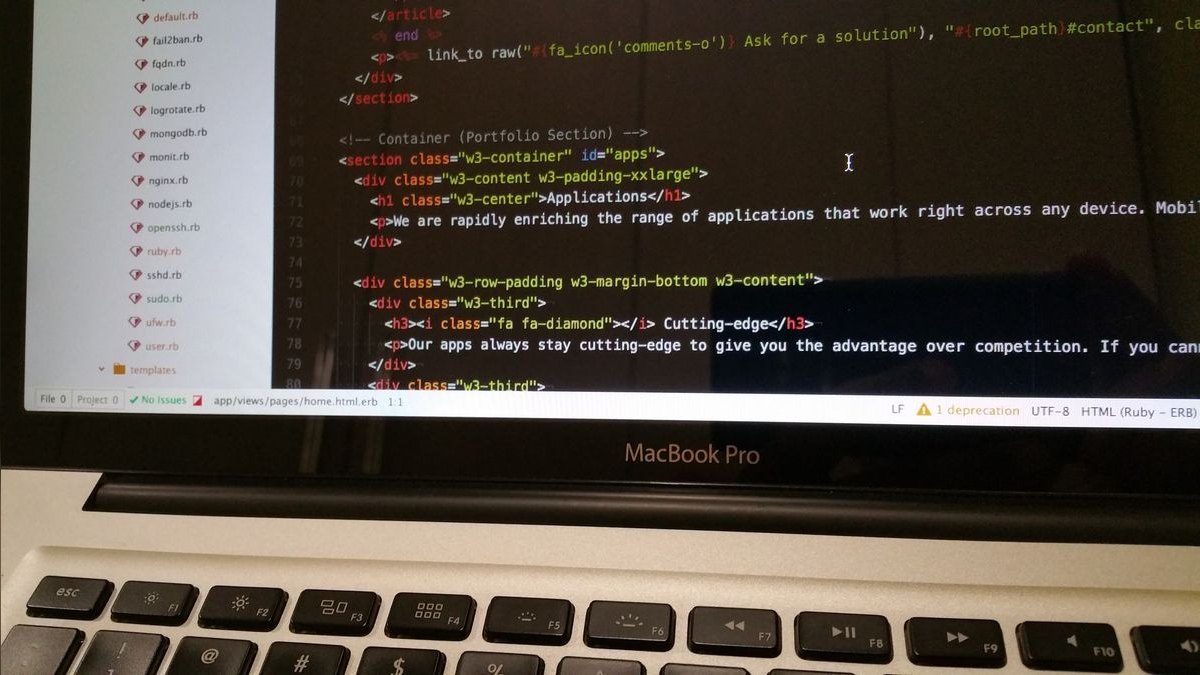
The best AI tool for Ruby on Rails development in 2027 is Cursor, an AI-native editor that understands your whole Rails app — controllers, models, migrations, views, and the conventions that hold it together — and builds or refactors features across files with reviewable diffs. It has a free tier and Pro at $20/month.
The best value is GitHub Copilot, which brings strong Ruby and Rails completion, chat, and agent fixes to the IDE you already use, with a capable free tier and Pro at $10/month.
This list is for Rails developers building and maintaining apps — RESTful controllers, Active Record models and migrations, service objects, views, background jobs, and tests. The 2027 field spans AI editors (Cursor, Windsurf), in-editor assistants (Copilot, RubyMine AI), reasoning models (Claude, ChatGPT), and review tools (CodeRabbit). Below we rank ten real tools by how well they help write, test, and maintain idiomatic Rails code.
How We Ranked the Top 10
We weighted six criteria, informed by developer feedback, hands-on testing, and documentation:
- Code quality (30%) — idiomatic, convention-following Rails output.
- Codebase context (20%) — reasoning across models, controllers, and views.
- Testing and debugging (15%) — generating RSpec/Minitest and finding bugs.
- Workflow fit (15%) — editor, terminal, and CI integration.
- Price/value (12%) — cost versus time saved.
- Privacy and control (8%) — data handling and self-host options.
1. Cursor 🏆 BEST OVERALL

Best for: Building Rails features with full context | Pricing: Free tier; Pro $20/month | Platform: macOS / Windows / Linux
Cursor leads because it builds Rails features following the framework's conventions across files. Ask for a resource with a controller, model, migration, and request spec, and it wires them together the Rails way. Agent mode implements multi-file changes and iterates until tests pass. Because Rails leans so heavily on convention and cross-file structure, whole-app context is exactly what an AI tool needs here.
Pros:
- Whole-app context across MVC and migrations
- Follows Rails conventions and idioms
- Agent mode builds and tests multi-file features
- Reviewable diffs at scale
Cons:
- A separate editor to adopt
- Output quality depends on prompts
Verdict: The best overall AI tool for Ruby on Rails development in 2027.
2. GitHub Copilot 💎 BEST VALUE

Best for: Rails development in your current IDE | Pricing: Free tier; Pro $10/month | Platform: VS Code / JetBrains / Neovim
Copilot is the best value because it delivers strong Ruby and Rails help where you already work, at $10/month with a capable free tier. It completes Active Record queries, controller actions, and ERB views, its chat explains and fixes errors, and it generates RSpec or Minitest examples. Agent mode implements features from an issue. For most Rails developers, the value is hard to beat.
Pros:
- Completes Active Record queries and actions
- Generates RSpec/Minitest tests
- Chat explains and
/fixes errors - Capable free tier; $10 Pro
Cons:
- Codebase reasoning trails Cursor's index
- Free-tier limits reset monthly
Verdict: The best-value AI assistant for everyday Rails work.
3. RubyMine AI Assistant (JetBrains)


Best for: Rails work in RubyMine | Pricing: Free tier; AI Pro from ~$10/month | Platform: JetBrains IDEs
JetBrains AI Assistant in RubyMine pairs AI with the leading Rails IDE: it scaffolds controllers and models, navigates Rails magic with smart resolution, explains exceptions in the debugger, and generates tests, while native inspections and refactoring keep the app clean. For Rails teams on RubyMine, the AI integrates naturally.
Pros:
- AI plus the leading Rails IDE tooling
- Resolves Rails conventions and magic
- Explains exceptions; generates tests
- Strong inspections and refactoring
Cons:
- Only useful inside JetBrains IDEs
- Best features need the paid tier
Verdict: The right pick for RubyMine-based Rails developers.
4. Claude (Anthropic)


Best for: Architecture and refactoring fat models | Pricing: Free tier; Pro $20/month | Platform: Web / desktop / API
Claude is strong at Rails architecture and the refactoring mature apps need — extracting service objects from fat models, taming callbacks, and reasoning about N+1 queries and concern design. Its long context lets you paste several files for a careful plan. Claude Code builds, tests, and refactors Rails projects from the terminal, fitting the convention-heavy structure well.
Pros:
- Reasons through Rails architecture and concerns
- Refactors fat models into service objects
- Long context for multi-file review
- Claude Code works from the terminal
Cons:
- Web chat alone is less integrated
- Heavy use benefits from a paid plan
Verdict: The best assistant for Rails architecture and refactoring.
5. Windsurf (Codeium)

Best for: Agentic feature building | Pricing: Free tier; paid from ~$15/month | Platform: macOS / Windows / Linux
Windsurf's Cascade agent keeps context while it builds a Rails feature end to end — route, controller, model, migration, view, and spec — in one session. The shared-context model fits the cross-file work a Rails resource requires, and it has a strong free tier.
Pros:
- Cascade agent builds resources end to end
- Holds MVC and migration context
- Usable free tier
- Low-latency editor
Cons:
- Smaller plugin ecosystem than VS Code
- Some workflows still maturing
Verdict: A strong agentic option for building Rails features.
6. ChatGPT (OpenAI)
Best for: Quick snippets and debugging help | Pricing: Free tier; Plus $20/month | Platform: Web / desktop / API
ChatGPT quickly drafts an Active Record scope, a controller action, or a migration, and explains Rails errors and stack traces. Its Canvas mode iterates on code side by side, and the desktop app reads editor context. It is a fast second opinion during Rails work.
Pros:
- Quick scopes, actions, and migrations
- Explains Rails errors and traces
- Canvas mode for iteration
- Capable free tier
Cons:
- Not codebase-aware like an editor agent
- Copy-paste workflow
Verdict: A fast second opinion for Rails snippets and debugging.
7. CodeRabbit
Best for: Catching Rails bugs in review | Pricing: Free for open source; paid from ~$15/user/month | Platform: GitHub / GitLab
CodeRabbit reviews pull requests for likely Rails problems — N+1 queries, mass-assignment risks, missing strong parameters, and unsafe callbacks — before they ship. It suggests committable fixes and learns team conventions, complementing the in-editor tools with a safety net at review time.
Pros:
- Flags N+1 queries and mass-assignment
- Surfaces strong-params and callback issues
- One-click fix suggestions
- Free for open source
Cons:
- Review-time, not authoring
- Tuning needed to cut noise
Verdict: The best reviewer for catching Rails bugs before they ship.
8. Tabnine
Best for: Privacy-conscious Rails teams | Pricing: Free tier; paid from ~$9/user/month | Platform: VS Code / JetBrains / and more
Tabnine offers completion, chat, and fixes with zero-retention, air-gapped, and self-hosted options, so regulated teams can build Rails apps with AI without sending code off-site. It personalizes on your repositories and runs across major IDEs at predictable per-seat pricing.
Pros:
- Self-hosted and zero-retention AI help
- Personalized to your codebase
- Broad IDE coverage
- Predictable per-seat pricing
Cons:
- Reasoning trails frontier-model tools
- Self-hosting adds overhead
Verdict: The pick for privacy-critical Rails teams.
9. Sourcegraph Cody

Best for: Large, mature Rails monoliths | Pricing: Free tier; paid plans scale up | Platform: VS Code / JetBrains
Sourcegraph Cody uses code search across large repositories to answer questions and generate code with accurate context — valuable in the big Rails monoliths many companies run. It explains how a model or concern is used, finds call sites, and writes code matching patterns spread across the app, which helps when changing shared code safely.
Pros:
- Repo-wide context from code search
- Strong on large Rails monoliths
- Finds call sites and usage
- Free tier available
Cons:
- Most value on large codebases
- Setup for full context
Verdict: The best pick for AI on large Rails monoliths.
10. Aider

Best for: Terminal-based Rails editing with git | Pricing: Free, open source (bring your own model) | Platform: CLI
Aider is an open-source command-line coding assistant that edits Rails files across the app and commits each change to git, so every AI edit is tracked and reversible — a good fit for developers who run Rails from the terminal. You pair it with the model of your choice for clean, auditable edits to a Rails project.
Pros:
- Edits multiple Rails files from the terminal
- Auto-commits each change to git
- Bring your own model
- Free and open source
Cons:
- Terminal-only, no GUI
- You manage model costs separately
Verdict: The best terminal-first option for auditable Rails edits.
Decision Tree
The Rise of Agentic Workflows in Rails Development
By 2027, the most impactful AI tools have moved beyond simple autocomplete to agentic workflows that can execute multi-step Rails tasks autonomously. Tools like Cursor and Windsurf now allow you to describe a feature in natural language — "add a subscription model with Stripe integration, payment history, and cancellation logic" — and the AI will scaffold the migration, model, controller, service objects, and tests across multiple files.
These agents respect Rails conventions (e.g., generating proper belongs_to associations, scopes, and validations) and present a diff for review before applying changes. This shift has reduced boilerplate coding time by an estimated 40-60% for common patterns, though complex business logic still benefits from human oversight.
The key differentiator is how deeply the tool understands your existing schema, routes, and custom helpers — tools that index your entire app/ directory perform significantly better than those relying solely on training data.
Avoiding Common Pitfalls with AI-Generated Rails Code
While AI tools have matured dramatically, Rails developers in 2027 still encounter three recurring issues. First, over-engineering: AI often generates overly abstract service objects or premature optimizations (e.g., adding caching layers for trivial queries). Second, security blind spots: AI may suggest raw SQL or skip proper parameter sanitization in controllers, especially when handling nested attributes or file uploads.
Third, migration mistakes: AI-generated database migrations sometimes miss index additions, use incorrect data types, or fail to account for existing production data. The best practice is to enforce a review checklist: always inspect generated migrations for performance implications, run RuboCop and Brakeman on AI-written code, and maintain a test-first workflow where AI generates specs *before* implementation code.
Tools like CodeRabbit and GitHub Copilot's review mode now flag these issues automatically, catching roughly 70-80% of common Rails-specific mistakes before merge.
Future-Proofing Your AI Tool Stack for 2028
The AI tool landscape evolves rapidly, but Rails developers can future-proof their setup by prioritizing tools with strong API access and custom prompt engineering. By 2027, the best teams maintain a .rails-ai-rules file in their repository that defines project-specific conventions (e.g., "always use find_each for batch processing," "prefer has_secure_token over manual UUID generation"). Tools like Cursor and Claude support these custom instructions, ensuring consistent output across the team.
Additionally, look for tools that offer local model execution for sensitive codebases — several open-source Rails-specific models (fine-tuned on rubygems and popular Rails gems) now run on consumer GPUs with 8GB+ VRAM, providing offline assistance for basic CRUD generation and test writing. The most adaptable teams treat AI tools as augmentations rather than replacements, investing time in crafting high-quality prompts and reviewing AI output with the same rigor as human contributions.
FAQ
What is the best AI tool for Ruby on Rails development in 2027? Cursor is the best overall because it builds and maintains Rails apps with whole-app context across MVC, migrations, and conventions. For value in your current IDE, GitHub Copilot at $10/month is the best pick.
Which AI understands Rails conventions best? RubyMine AI Assistant resolves Rails magic and conventions in the IDE, while Cursor and Claude generate convention-following code across files.
Can AI generate RSpec or Minitest tests? Yes. Copilot, Cursor, and JetBrains AI Assistant generate RSpec and Minitest examples for models and controllers and can iterate until they pass.
How do I catch Rails bugs before merging? CodeRabbit reviews pull requests for N+1 queries, mass-assignment, and strong-parameter gaps, with one-click fixes.
What helps with a large Rails monolith? Sourcegraph Cody uses code search for repo-wide context, which helps change shared models and concerns safely in big apps.
Is there a privacy-safe choice for Rails teams? Tabnine offers zero-retention, air-gapped, and self-hosted assistance for regulated teams building Rails apps.
Related on PULSE
- The 10 Best AI Tools for Ruby on Rails Development in 2027
- The 10 Best AI Tools for Shopping Cart Development in 2027
- The 10 Best AI Tools for Drupal Development in 2027
- The 10 Best AI Tools for Headless CMS Development in 2027
- The 10 Best AI Tools for Shopify Store Development in 2027
- The 10 Best AI Tools for WordPress Development in 2027
Sources
- https://cursor.com
- https://github.com/features/copilot
- https://www.jetbrains.com/ai/
- https://claude.ai
- https://windsurf.com
- https://chatgpt.com
- https://www.coderabbit.ai
- https://www.tabnine.com
- https://sourcegraph.com/cody
- https://aider.chat
People also search for: best ai tools for ruby on rails development 2027 · top ai tools for ruby on rails development 2027 · top rated ai tools for ruby on rails development 2027 · top ranked ai tools for ruby on rails development 2027 · highest rated ai tools for ruby on rails development 2027 · ai tools for ruby on rails development reviews 2027
This page will be disappearing soon. Save it to your device for $1 — or read it free while it is here.
@Kory-White- · if Venmo asks, the last 4 of my number are 2012
This page is gone.
This one is off the shelf now. $1 keeps it on your phone for good — the whole page, pictures and diagrams included.
 pulse-ai-infrastructureThe 10 Best AI Tools for UX and UI Design in 2027
 pulse-ai-infrastructureThe 10 Best AI Tools for Sales Outreach in 2027
 pulse-ai-infrastructureThe 10 Best AI Tools for Motion Capture in 2027
 pulse-ai-infrastructureThe 10 Best AI Tools for Creating Resumes in 2027
 pulse-ai-infrastructureThe 10 Best AI Tools for Dark Mode Design in 2027
 pulse-ai-infrastructureThe 10 Best AI Observability Tools for RAG Pipelines in 2027
 aiThe 10 Best AI Tools for On-Page SEO in 2027
 pulse-ai-infrastructureThe 10 Best AI Tools for Unit Testing in 2027
 pulse-ai-infrastructureThe 10 Best AI Tools for Book Covers in 2027
 pulse-ai-infrastructureThe 10 Best AI Tools for Stock Photos in 2027