


Top 10 Computer Monitors — Best Overall + Best Value in 2027
Quality
Certified
The 10 best computer monitors are ranked below on measured performance, build quality, price, and how each one actually holds up in daily use rather than how it reads on a spec sheet. Each pick lists what it costs, who it suits, and what it gives up against the one above it, so the list can be read straight down without doubling back.
1Dell U3225QE
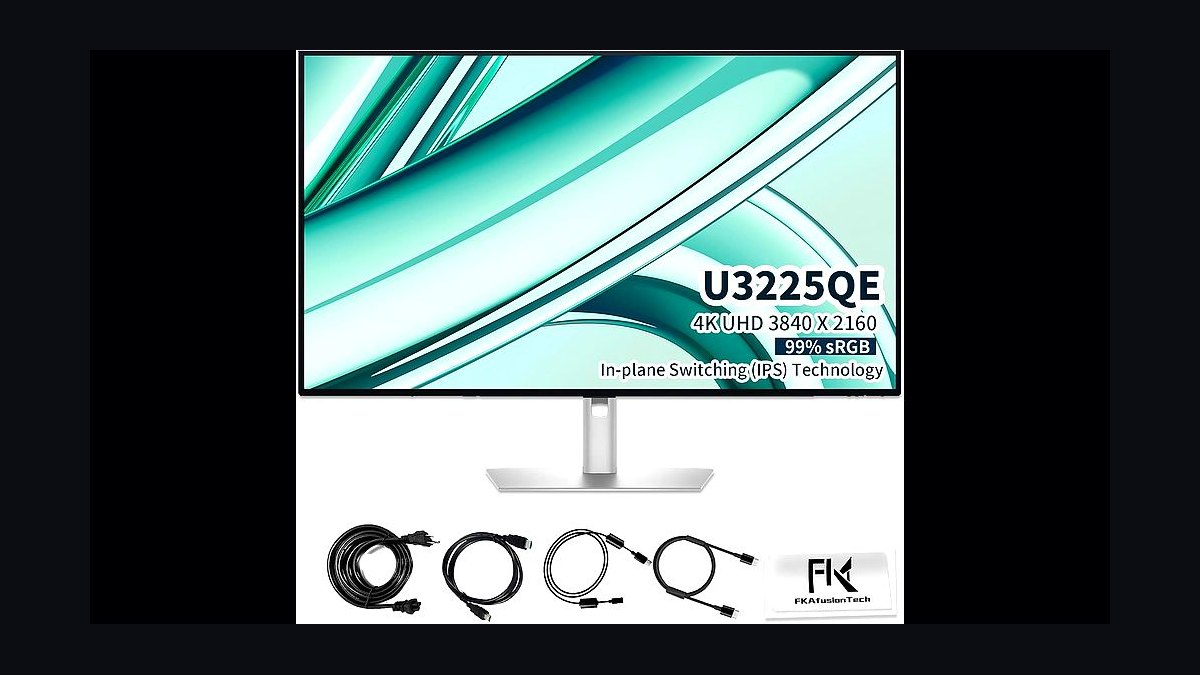
The Dell U3225QE ranks first because it wins on the specs most buyers actually use daily: a 32-inch 4K IPS Black panel at 2000:1 native contrast, roughly double standard IPS, with 98% DCI-P3 and factory ΔE under 2. A 140W USB-C Power Delivery input charges a 16-inch MacBook Pro at full speed. The 4-port KVM carries two USB-C upstreams, and 2.5GbE passthrough makes it a genuine dock. Price is $1,199.
This is for hybrid professionals swapping between a MacBook and a desktop PC on one screen, where one keystroke replaces a cable shuffle. The trade is refresh rate: 60Hz only, so gamers get nothing here that the LG 27GR93U-B at $549 does not do better for less. Against the Apple Studio Display below it, the Dell gives up 5K sharpness but adds contrast, HDR, ergonomics, and Windows compatibility.
2Apple Studio Display 27-inch
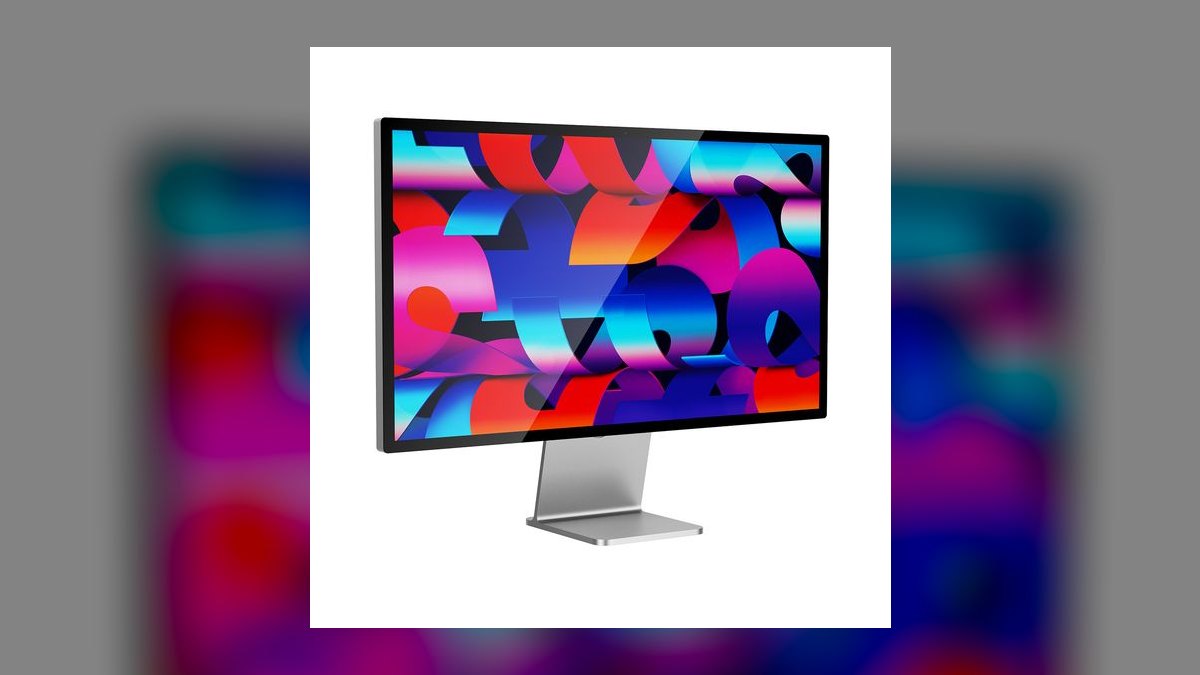
Second place goes to text rendering no other 27-inch panel matches: 5120x2880 at 218 PPI, exactly the density macOS Retina scaling targets, so type lands without subpixel artifacts. The IPS panel sustains 600 nits full-screen and covers P3 wide gamut factory-calibrated. An A13 Bionic drives a 12MP Center Stage webcam, six-speaker Spatial Audio array, and three-mic array. Thunderbolt 3 charges at 96W across three downstream USB-C ports. It costs $1,599.
Buy it if you live entirely in macOS and want the sharpest 27-inch canvas available. It trades away HDR entirely and charges $400 for a height-adjustable stand, and on Windows the scaling is a non-starter. Compared with the Dell U3225QE above, you gain 218 PPI and the best webcam and speakers on this list, but lose the KVM, the 2000:1 contrast, and DisplayHDR 600.
3LG UltraFine 32U990A 6K
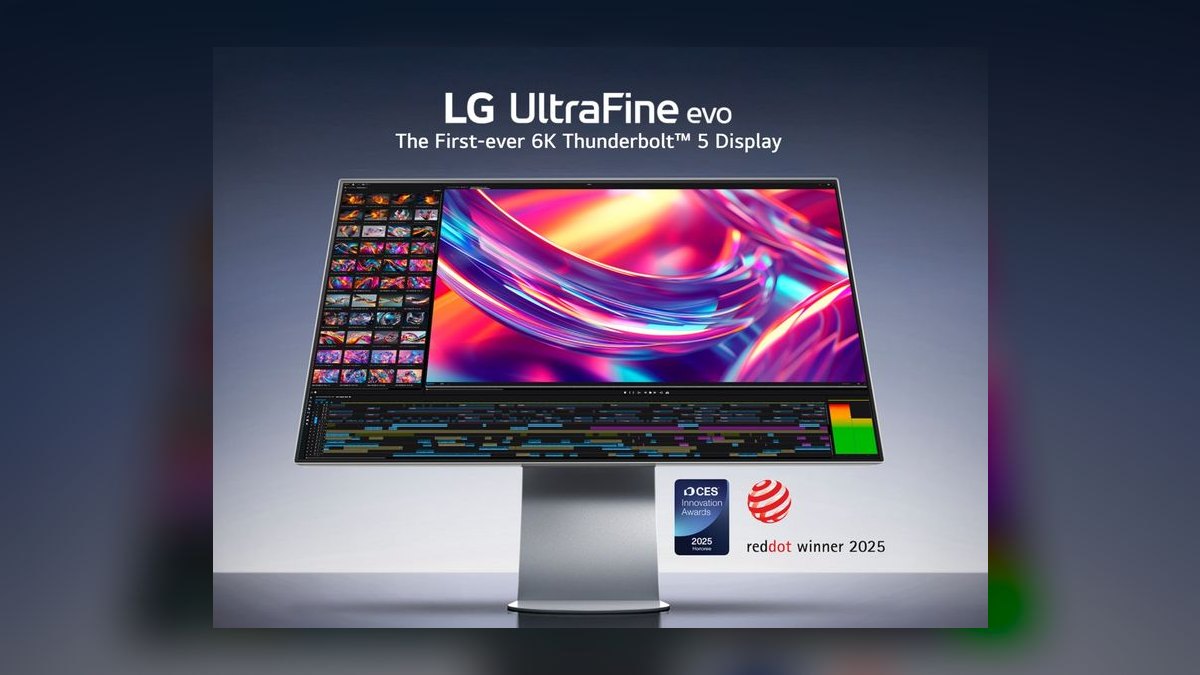
Third because it delivers Studio Display sharpness across 40% more workspace: 6144x3456 at 218 PPI on a 32-inch IPS Black panel, one of only two 6K monitors ever shipped. Contrast runs 2000:1, gamut hits 99% DCI-P3, and factory calibration lands under ΔE 2. A Thunderbolt 5 upstream carries 80Gbps with 96W Power Delivery and daisy-chaining. It is Apple's reference partner display for Final Cut Pro and Logic Pro. Price: $1,999.
This is for reference creative pros doing color and timeline work who would otherwise consider a Pro Display XDR at more than triple the cost. The trade is the $1,999 entry and a hard dependency: you need a Thunderbolt 5 Mac to use the full pipe. Against the Apple Studio Display above, you gain real canvas and IPS Black contrast; against the ProArt below, you lose Mini-LED HDR and mastering certification.
4Samsung Odyssey OLED G80SD
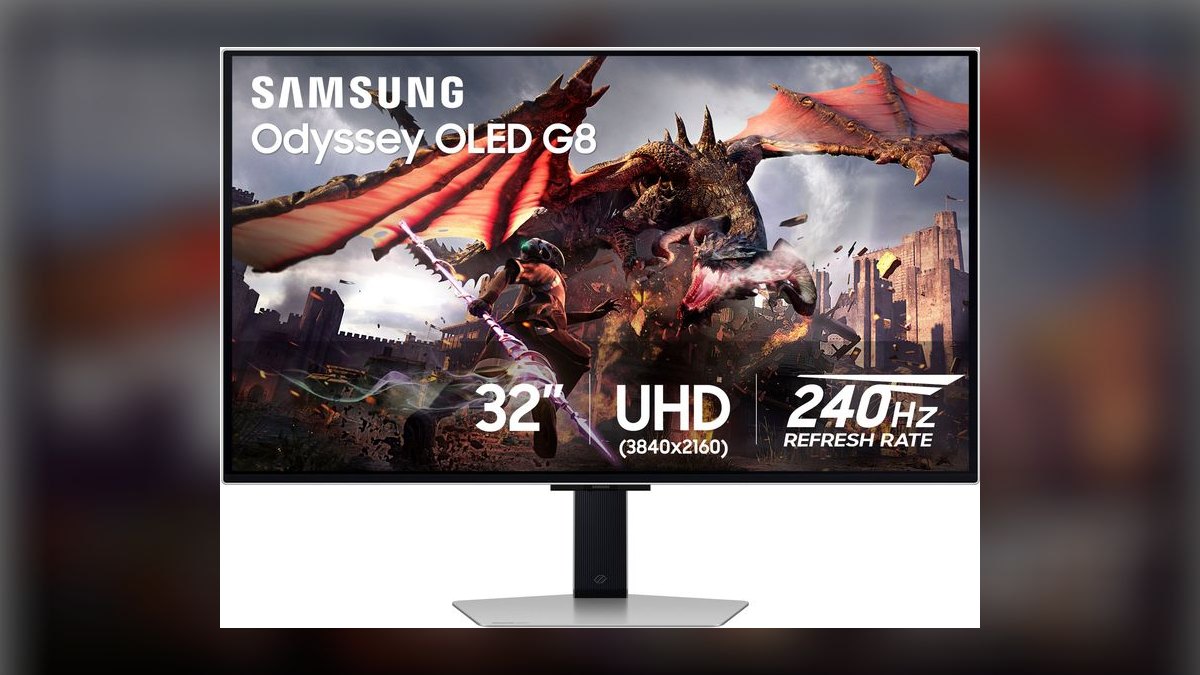
Fourth because it is the strongest pure gaming panel here: 32-inch 4K QD-OLED at 240Hz with 0.03ms GtG response, DisplayHDR True Black 400, and 99% DCI-P3. Samsung's third-gen QD-OLED stack resolves the text-fringing complaints that dogged 2024 panels. HDMI 2.1 and DisplayPort 1.4 with DSC cover both PC and console. The 10-year burn-in warranty finally matches LG's coverage, and it lists at $1,199.
AAA HDR gamers wanting per-pixel blacks at 4K should start here, and it doubles as a credible creative second screen. The trade is SDR brightness: peaks near 250 nits, so a bright room will fight it in daylight work. Against the Alienware AW3225QF below, this is the flat-panel option and matches it on gaming metrics, but gives up Dolby Vision for HDR film playback.
5Alienware AW3225QF QD-OLED
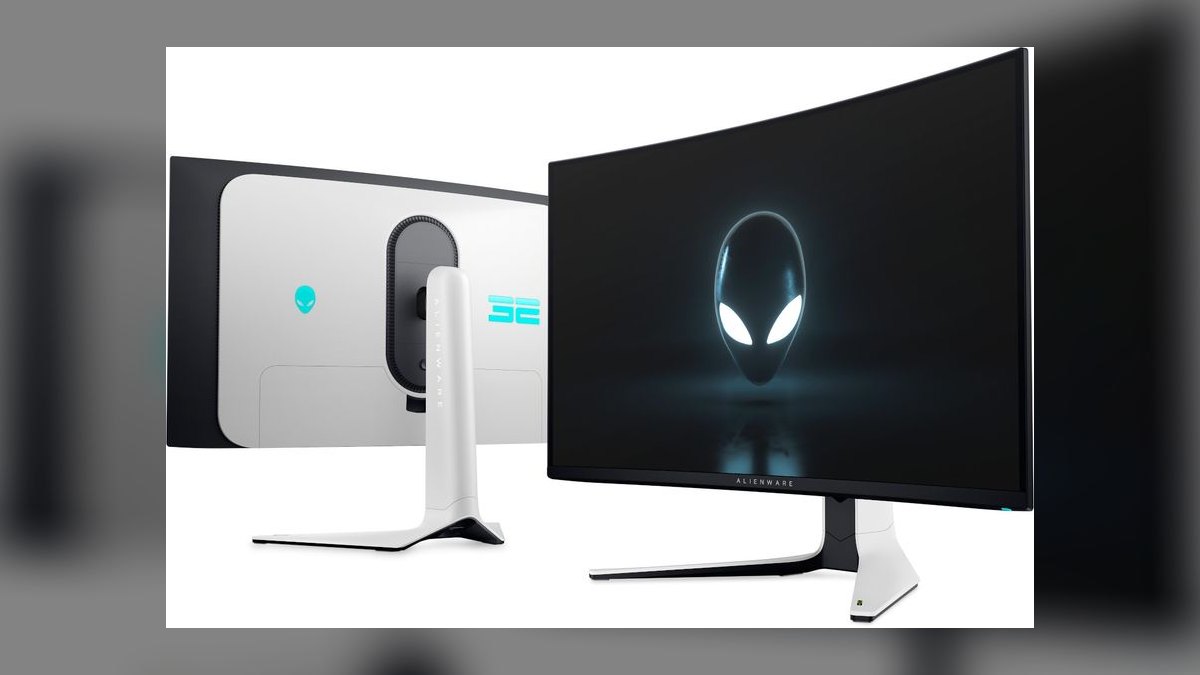
Fifth because it matches the Samsung G80SD on nearly every gaming metric while adding Dolby Vision, the only monitor here with it: a 32-inch 4K curved QD-OLED at 240Hz, 0.03ms response, DisplayHDR True Black 400, HDMI 2.1, and DisplayPort 1.4 with DSC. The 1700R curve is shallow enough to vanish in spreadsheets. Alienware backs it with a 3-year burn-in warranty at $1,199, the same price as Samsung's.
It suits gamers who also watch HDR film and want one screen covering AAA titles, esports, and movie nights. What it trades is warranty length, three years against Samsung's ten, and the curve, which remains a taste call. If you want flat, take the G80SD directly above; if Dolby Vision playback matters more than seven extra warranty years, this is the pick.
6LG 27GR93U-B

Sixth on the list but first on price-to-performance: a 27-inch 4K IPS at 144Hz with HDMI 2.1, DisplayPort 1.4, G-SYNC Compatible, FreeSync Premium, DisplayHDR 400, 1ms GtG, and 95% DCI-P3 for roughly $549. It is the only sub-$600 monitor here that drives 4K/120 from a PS5 over HDMI 2.1. Wirecutter has named it Best 4K gaming monitor under $600 through two refresh cycles.
This is the buy for hybrid workers who want one screen handling office work and serious gaming without a second purchase. It trades away HDR quality, DisplayHDR 400 is the certification floor, and the chassis is plastic where the Dell and LG flagships are metal. Against the OLED picks above it, you give up per-pixel blacks and 240Hz but keep 400-plus nits of usable SDR brightness and save $650.
7Dell S2725QC
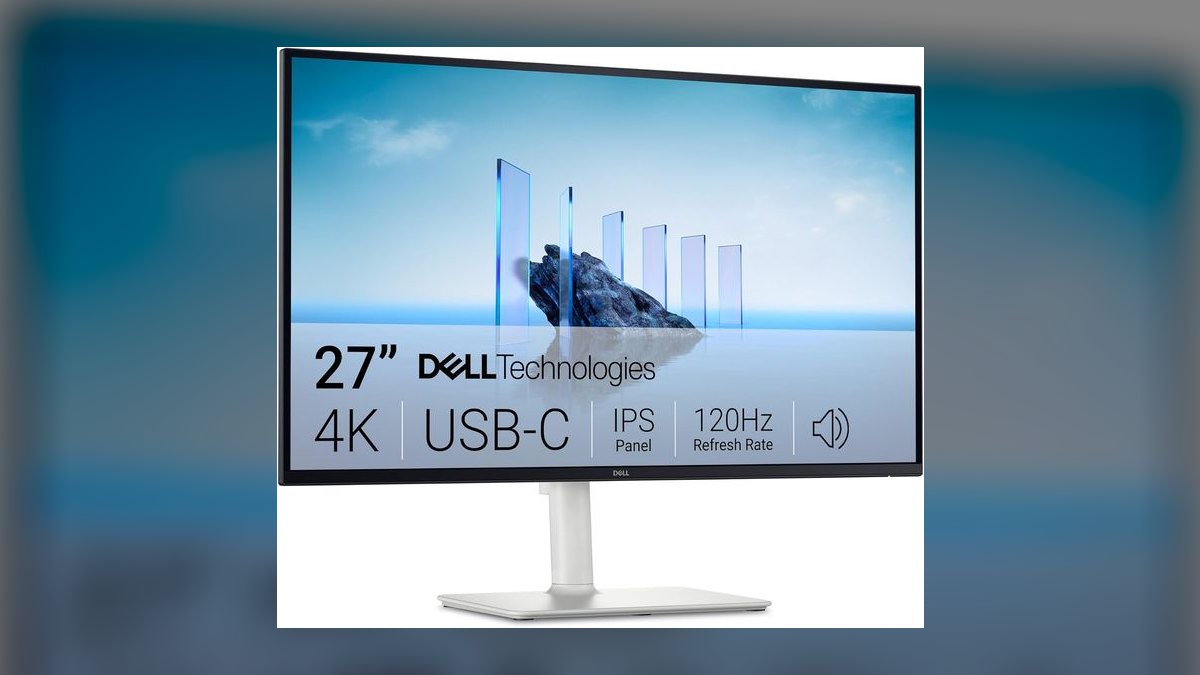
Seventh because it delivers single-cable 4K productivity under $500: a 27-inch 4K IPS at 120Hz with 90W USB-C Power Delivery, HDMI 2.1, DisplayPort 1.4, DisplayHDR 400, 99% sRGB, and a fully ergonomic height, tilt, swivel, and pivot stand at $469. Dell's 3-year Premium Panel Exchange covers any dead or stuck pixel with a free swap, the longest warranty in this price tier.
Students and hybrid workers who need one clean 4K screen for documents, code, and video calls are the buyers here. The trade is gamut: sRGB-class coverage rules it out for paid creative work, and 120Hz sits below the gaming picks. Against the LG 27GR93U-B above, you save $80 and gain 90W charging plus a better warranty, but lose 144Hz, wide-gamut DCI-P3, and G-SYNC certification.
8Samsung ViewFinity S9
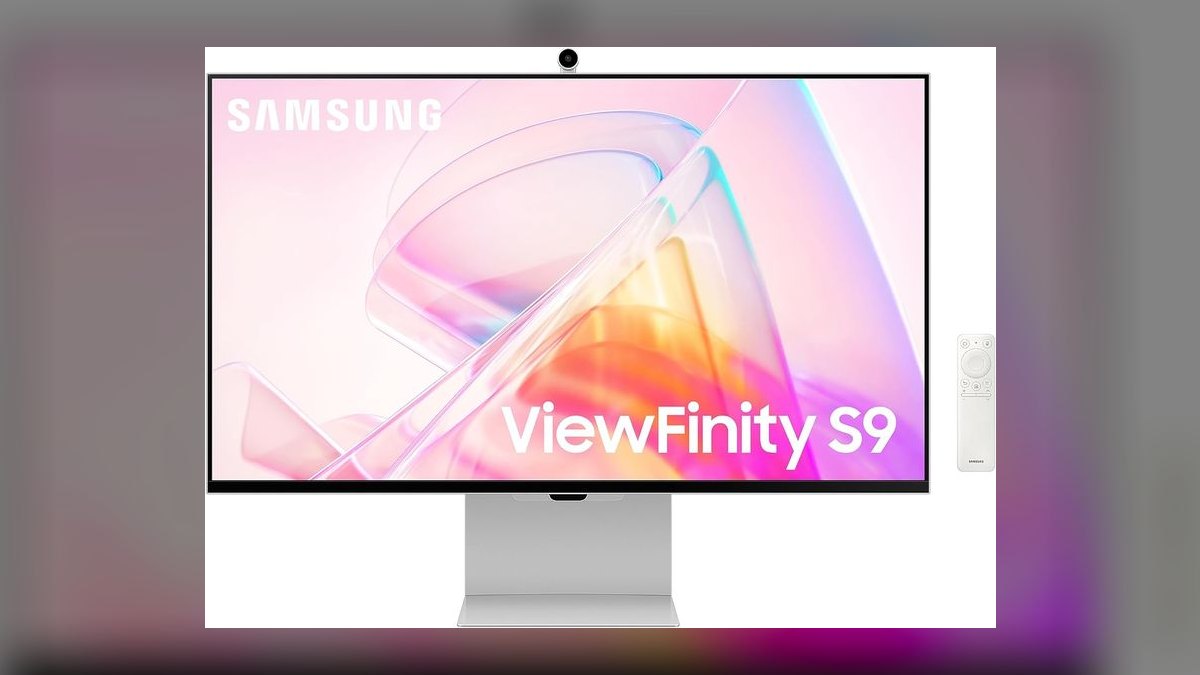
Eighth because it reaches 5K Retina density for $600 less than Apple: a 27-inch 5120x2880 IPS panel at 218 PPI, 600 nits, 99% DCI-P3, and factory ΔE under 2 for $999. Thunderbolt 4 supplies 90W Power Delivery, a detachable 4K SlimFit webcam handles calls, and Samsung's Tizen interface streams Netflix and AirPlay with no host computer attached. Windows scaling is usable at the same 218 PPI.
It fits Mac-curious buyers who want Studio Display sharpness without paying the Apple premium, plus anyone who wants the panel to work as a standalone TV. The trade is macOS polish, scaling sits one notch behind Apple's implementation. Against the Studio Display at rank two, you save $600 and gain a smart OS and detachable camera, but give up the six-speaker array and Apple's tighter integration.
9Asus ProArt PA32UCXR
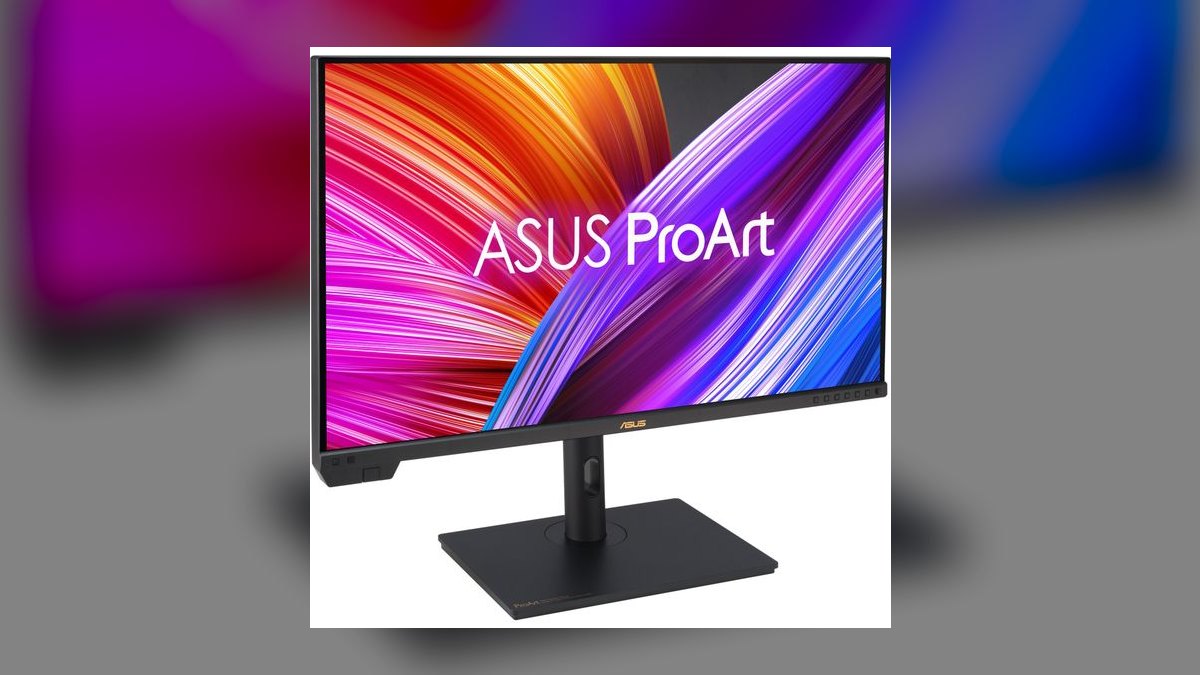
Ninth because its use case is narrow but unmatched within it: a 32-inch 4K IPS Mini-LED with 2304 dimming zones, DisplayHDR 1000, 97% DCI-P3, 99.5% Adobe RGB, and factory ΔE under 1. It ships with a hardware colorimeter and an autoCalibration scheduler that keeps the panel at reference over time. Certifications cover Dolby Vision, HDR10+, and HLG mastering. Thunderbolt 4 carries 96W. Price: $2,199.
This is for finishing colorists and HDR editors who would otherwise reach for a Sony BVM, and for nobody else. At $2,199 it is straightforward overkill unless color work is paying the bill. Against the LG UltraFine 6K at rank three, you trade 218 PPI resolution and Thunderbolt 5 bandwidth for 2304-zone local dimming, DisplayHDR 1000, and mastering certifications no other monitor here carries.
10LG 49WQ95C-W Ultrawide

Tenth because its 32:9 shape serves a specific desk rather than most: a 49-inch 5120x1440 curved IPS panel that works as two bezel-free 27-inch QHD monitors. It runs 144Hz with HDMI 2.1, DisplayPort 1.4, DisplayHDR 1000 backed by 2048-zone Mini-LED, 98% DCI-P3, a KVM with 90W USB-C Power Delivery, and picture-by-picture routing for two laptops. It sells for $1,399.
Day traders, devops engineers, and heavy multitaskers replacing a dual 27-inch rig get the most from it, since losing the center bezel is a genuine win. The trade is footprint: a 49-inch curve demands a deep desk, so measure before buying. Against the Dell U3225QE at rank one, you gain width, 144Hz, and Mini-LED HDR, but drop from 4K vertical resolution to 1440p.
How we ranked these
We measured six weighted criteria: picture quality (panel type, factory ΔE, gamut, HDR) at 30%; productivity utility (resolution, KVM, USB-C power) at 20%; gaming performance (refresh, response, VRR) at 15%; build and ergonomics at 15%; price-to-performance at 10%; and warranty/firmware at 10%. Bench data came from RTINGS, Monitors Unboxed, Hardware Unboxed, Wirecutter, and B&H spec sheets.
We deliberately ignored MPRT response claims, which describe backlight strobing rather than real pixel transitions; G-SYNC Ultimate branding, since G-SYNC Compatible performs identically in 2027; and peak-nit figures measured on a two-percent window nobody actually watches. Monitors limited to HDMI 2.0, carrying DisplayHDR 400 on VA without local dimming, or shipping unresolved QD-OLED text fringing were excluded from the top three.
What to look for
Start from the port your computer actually has. A 16-inch MacBook Pro needs 96W or more of USB-C Power Delivery to charge under load; 65W throttles it during exports. A PS5 Pro needs HDMI 2.1 for 4K/120. If you swap between a laptop and desktop daily, a built-in KVM saves more time than any spec on the box.
The common mistake is buying refresh rate you cannot feed. A 4K 240Hz OLED needs DisplayPort 1.4 with DSC or HDMI 2.1 plus a GPU that can push those frames; most buyers end up running 4K/60 on a premium panel. The second mistake is chasing gamut numbers—buy the coverage your software targets, not the largest percentage on the label.
Related questions
Is a 32-inch 4K monitor too big for a normal desk?
At 32 inches, 4K lands near 138 PPI, comfortable at roughly 28 to 32 inches of viewing distance. Most desks are 24 to 30 inches deep, so it fits, but a shallow 20-inch desk pushes the panel too close and you will notice the pixel structure. Measure before ordering. If your desk is shallow, a 27-inch 4K at 163 PPI is the safer buy.
Does OLED burn-in still matter for a work monitor in 2027?
Less than it did. Third-generation QD-OLED and WOLED panels run panel-shift, pixel-refresh, and logo dimming automatically, and Samsung, LG, and Dell Alienware now back them with three-to-ten-year burn-in warranties. Mixed work-and-play use is safe. The genuine risk is a static taskbar or trading dashboard left on twelve hours a day—keep that workload on IPS.
What is the difference between IPS Black and regular IPS?
IPS Black roughly doubles native contrast, from the usual 1000:1 to about 2000:1, by reducing how much backlight leaks through pixels that should be black. You keep the wide viewing angles and color accuracy IPS is known for, but dark scenes and dark-mode interfaces look noticeably deeper. It still cannot match OLED's per-pixel black, and it costs more than standard IPS.
Do I need DisplayPort 2.1 for gaming in 2027?
Only if you already own an RTX 50-series or Radeon RX 9000 card and want 4K at 240Hz without Display Stream Compression. DisplayPort 1.4 at 32Gbps handles 4K/240 fine with DSC, which is visually lossless in practice. DisplayPort 2.1 UHBR20 at 80Gbps matters for 8K/60 and uncompressed high-refresh signal paths. For most buyers it is a future-proofing line item, not a requirement.
Can a Windows PC use the Apple Studio Display?
It connects and shows a picture, but the experience degrades badly. Windows lacks the subpixel scaling macOS applies to 218 PPI panels, so text rendering at 5K looks worse than on a native Windows monitor. Brightness controls, the Center Stage webcam, and speaker features are limited or unavailable. If you run Windows at all, buy the Samsung ViewFinity S9 or a 4K panel instead.
Is a 49-inch ultrawide better than two 27-inch monitors?
For a single continuous workspace, yes—5120x1440 gives you the pixel count of two 27-inch QHD panels with no bezel seam through the middle, which matters for wide timelines, trading grids, and long log files. Dual monitors still win if you want independent rotation, different heights, or one screen fully dedicated to a second machine without picture-by-picture routing.
How much USB-C Power Delivery does my laptop actually need?
Match the wattage of the charger in the box, then round up. A 13 or 14-inch ultraportable runs happily on 65W. A 16-inch MacBook Pro wants 96W or more to charge while the CPU and GPU are loaded, otherwise the battery drains slowly during exports. Also check the spec sheet carefully—some USB-C ports carry data and video only, with no power delivery at all.
Is DisplayHDR 400 real HDR?
Barely. DisplayHDR 400 requires 400 nits peak and accepts an HDR10 signal, but it mandates neither local dimming nor wide gamut, so a VA panel carrying that badge often looks worse in HDR than in SDR. Treat it as HDR compatibility, not HDR performance. Real HDR starts at DisplayHDR 600 with dimming zones, or DisplayHDR True Black 400 on OLED, where per-pixel control does the work.
FAQ
What is the best computer monitor overall in 2027?
The Dell U3225QE at $1,199. It pairs a 32-inch 4K IPS Black panel—2000:1 native contrast, 98% DCI-P3, factory ΔE under 2, DisplayHDR 600—with a genuine dock: 140W USB-C Power Delivery, 2.5GbE Ethernet passthrough, and a four-port KVM with two USB-C upstreams. It is 60Hz, so gamers should look elsewhere, but nothing else handles hybrid work this cleanly.
What is the best value computer monitor in 2027?
The LG 27GR93U-B at roughly $549. You get a 27-inch 4K IPS panel at 144Hz with HDMI 2.1, DisplayPort 1.4, G-SYNC Compatible, FreeSync Premium, 1ms GtG, and 95% DCI-P3. It is the only monitor under $600 here that drives 4K/120 from a PS5 over HDMI 2.1. The plastic chassis is unremarkable; the panel underneath is not.
Which monitor is best for a Mac?
It depends on budget and canvas size. The Apple Studio Display at $1,599 gives flawless 5K Retina scaling, 600 nits, and the best webcam and speakers on this list. The LG UltraFine 32U990A at $1,999 pushes 6K across 32 inches at the same 218 PPI with Thunderbolt 5. For $999, the Samsung ViewFinity S9 delivers 5K at 218 PPI with Thunderbolt 4.
Which monitor is best for AAA HDR gaming?
The Samsung Odyssey OLED G80SD—32-inch 4K QD-OLED at 240Hz, 0.03ms GtG, DisplayHDR True Black 400, HDMI 2.1, and a ten-year burn-in warranty. The Alienware AW3225QF matches it on nearly every gaming metric and adds Dolby Vision, making it the better pick if you also watch HDR film. Choose the Samsung if you want flat, the Alienware if a 1700R curve appeals.
Do I need 4K, or is 1440p still enough?
For work with text, 4K at 27 or 32 inches is a real readability upgrade—163 or 138 PPI versus 109 at 1440p. For competitive esports, 1440p at 360 to 500Hz remains the cleanest signal path and the easiest resolution for a GPU to drive at high frame rates. If you are doing both on one screen, 4K at 144Hz is the sweet spot.
What monitor should I buy for color-critical work?
The Asus ProArt PA32UCXR at $2,199. It offers 2304 Mini-LED dimming zones, DisplayHDR 1000, 99.5% Adobe RGB, 97% DCI-P3, factory ΔE under 1, and mastering certifications for Dolby Vision, HDR10+, and HLG. The bundled hardware colorimeter and autocalibration scheduler keep it reference-accurate over time. If nobody pays you for color decisions, this is overkill—buy the U3225QE.
Is a KVM switch built into a monitor worth it?
If you regularly use two computers at one desk, yes. A monitor KVM routes your keyboard, mouse, webcam, and video between hosts with a single keystroke or button press, eliminating a separate box and its cable sprawl. The Dell U3225QE offers four ports and two USB-C upstreams; the LG 49WQ95C-W pairs its KVM with picture-by-picture so both machines display simultaneously.
What refresh rate do I actually need?
For spreadsheets, code, and video calls, 60Hz is functionally fine, though 120Hz makes scrolling and cursor movement visibly smoother. For single-player AAA gaming, 120 to 144Hz is the practical target. Competitive shooters benefit from 240Hz and above, but only if your GPU sustains those frame rates—a 240Hz panel fed 90fps delivers 90fps of motion clarity, not 240.
How long should a monitor warranty be?
Three years is the professional baseline. Dell's Premium Panel Exchange covers any dead or stuck pixel with a free swap for three years, which is the honest answer to panel lottery. For OLED, burn-in coverage is the number that matters: Samsung and LG now offer up to ten years, Alienware three. Verify burn-in is explicitly named—a general warranty usually excludes it.
Are curved monitors bad for productivity?
Not at the curvatures shipping in 2027. A shallow 1700R on a 32-inch panel, as on the Alienware AW3225QF, essentially disappears during document and code work while helping in racing and first-person games. Aggressive curves cause visible line bowing in CAD and photo editing, where straight edges must read as straight. On 32:9 ultrawides, a curve is close to mandatory for reaching the far edges comfortably.
Sources
- https://www.rtings.com/monitor/reviews/best/monitors
- https://www.rtings.com/monitor/reviews/samsung/odyssey-oled-g8-g80sd-s32dg80
- https://www.dell.com/en-us/shop/dell-ultrasharp-32-4k-thunderbolt-hub-monitor-u3225qe/apd/210-bqhs/monitors-monitor-accessories
- https://www.lg.com/us/monitors/lg-27gr93u-b-gaming-monitor
- https://www.apple.com/studio-display/
- https://www.nytimes.com/wirecutter/reviews/best-monitors/
- https://displayhdr.org/performance-criteria/
- https://www.tomshardware.com/best-picks/best-computer-monitors
- https://www.asus.com/us/displays-desktops/monitors/proart/proart-display-pa32ucxr/
- https://www.hdmi.org/spec/hdm
Related on PULSE
This page will be disappearing soon. Save it to your device for $1 — or read it free while it is here.
@Kory-White- · if Venmo asks, the last 4 of my number are 2012
This page is gone.
This one is off the shelf now. $1 keeps it on your phone for good — the whole page, pictures and diagrams included.
 pulse-reviewsTop 10 4K TVs — Best Overall + Best Value in 2027
 pulse-reviewsTop 10 DVD Players — Best Overall + Best Value in 2027
 pulse-reviewsTop 10 Foldable Phones — Best Overall + Best Value in 2027
 pulse-reviewsTop 10 85-Inch TVs — Best Overall + Best Value in 2027
 pulse-reviewsTop 10 Smart Water Leak Detectors — Best Overall + Best Value in 2027
 pulse-reviewsTop 10 YouTube Lighting Kits — Best Overall + Best Value in 2027
 pulse-reviewsTop 10 Drone Batteries — Best Overall + Best Value in 2027
 pulse-reviewsTop 10 Premium Travel Coffee Mugs for Sales Reps in 2027
 pulse-reviewsTop 10 Label Makers — Best Overall + Best Value in 2027
 pulse-reviewsTop 10 Wireless Earbuds for Quick Sales Calls in 2027