


Top 10 Multi-Port USB-C Hubs for Sales Laptops in 2027
Quality
Certified
Published 2026-06-03 — Updated 2026-06-03
The CalDigit TS4 ($399.99) is the best overall multi-port USB-C hub for sales laptops in 2027. Its 18 ports, 98W laptop charging, dual 4K-at-60Hz output, and 2.5Gb Ethernet turn any ThinkPad, MacBook, or XPS into a full desk workstation with a single Thunderbolt 4 cable.
The UGREEN Revodok Pro 313 ($99.99) is the best value — a 13-in-1 dock with triple-display support, 100W passthrough, and 10Gbps USB-C at roughly a quarter of the TS4 price.
Buyer rule: pick the TS4 if you live at a desk with dual external monitors, pick the Revodok Pro 313 if you need most of the same outputs without the Thunderbolt tax, and pick the Anker 555 ($39.98) if you only need a small travel hub for hotel-room demos.
1CalDigit TS4 — $399.99
> 🏆 BEST OVERALL
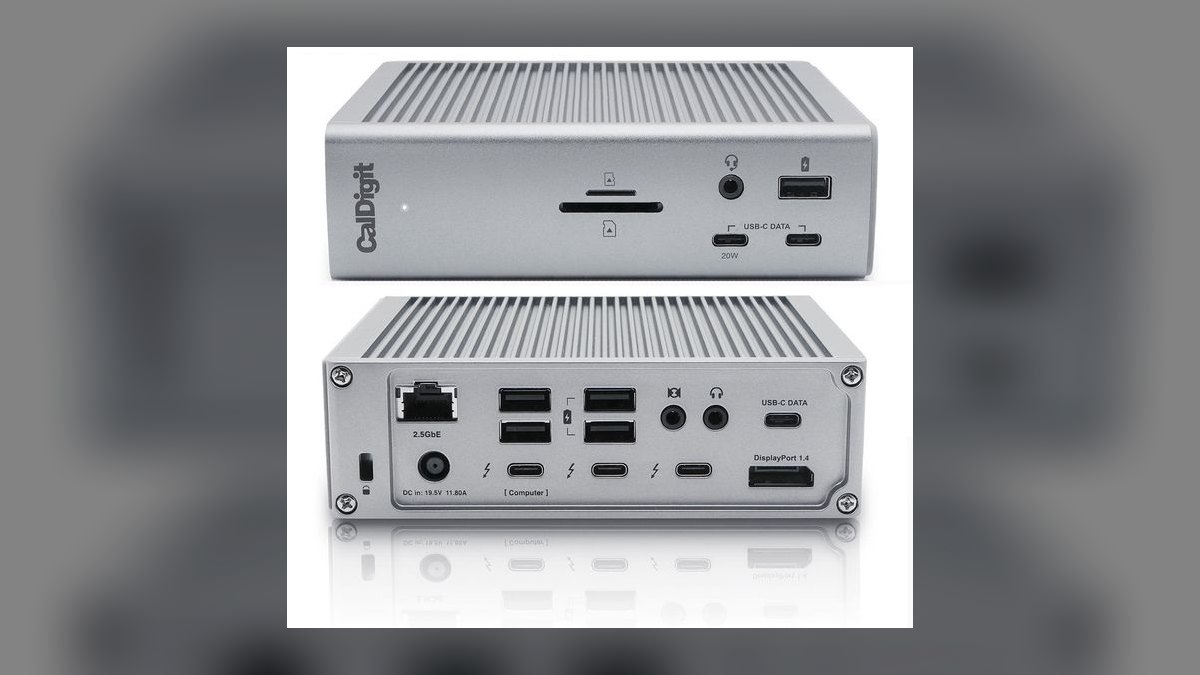
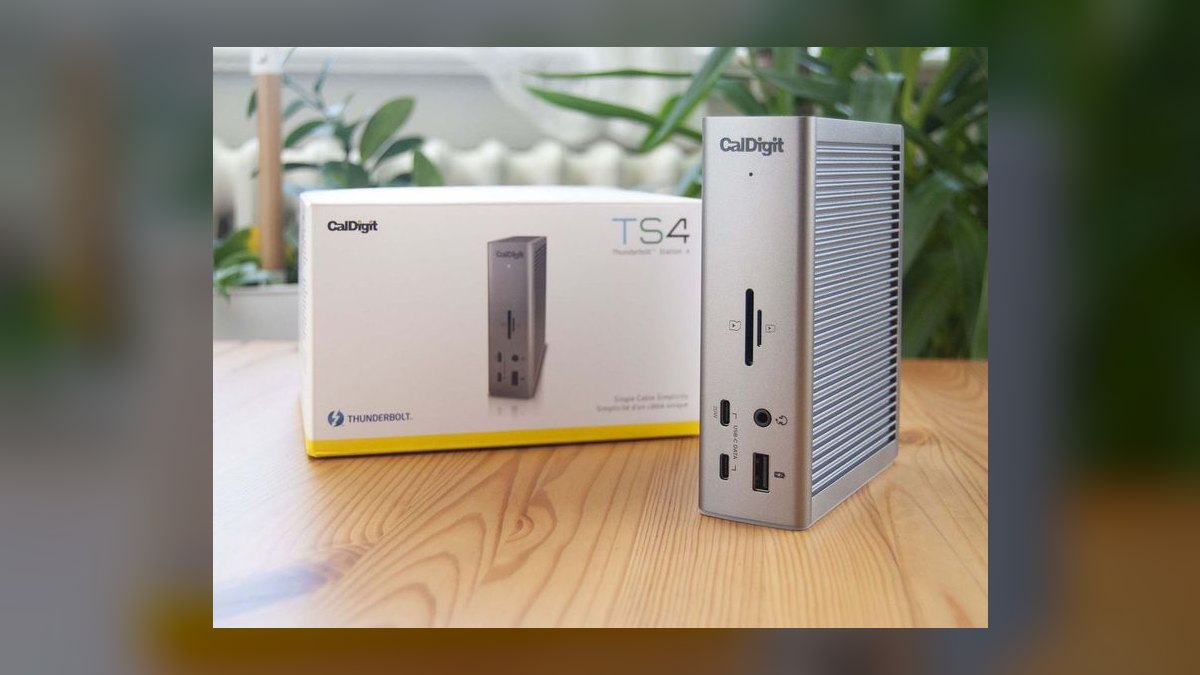
The CalDigit TS4 is the premium Thunderbolt 4 dock that every sales-ops team eventually standardizes on. It crams 18 ports into a ribbed aluminum chassis the size of a paperback book and delivers 98W of passthrough charging to the host laptop — enough for a 16-inch MacBook Pro under full load.
- Three Thunderbolt 4 ports (40Gbps each) plus three 10Gbps USB-C and five 10Gbps USB-A
- DisplayPort 1.4 plus the TB4 ports drive dual 4K@60Hz or a single 8K display
- 2.5Gb Ethernet for high-speed CRM sync and Zoom-over-wired
- Dual UHS-II SD/microSD readers for sales-enablement video capture
- 98W laptop charging plus auxiliary device charging on every downstream USB
Who it's for: The senior AE or RevOps lead with a permanent desk, dual external monitors, and a laptop that gets docked and undocked twice a day.
Why this rank: No other dock matches the TS4's port count, build quality, and Thunderbolt 4 bandwidth at this price. It is the bench-tested standard at Macworld, Windows Central, and Laptop Mag. Worth every dollar if you spend 30+ hours a week at a docked station.
2OWC Thunderbolt 5 Hub — $189.99
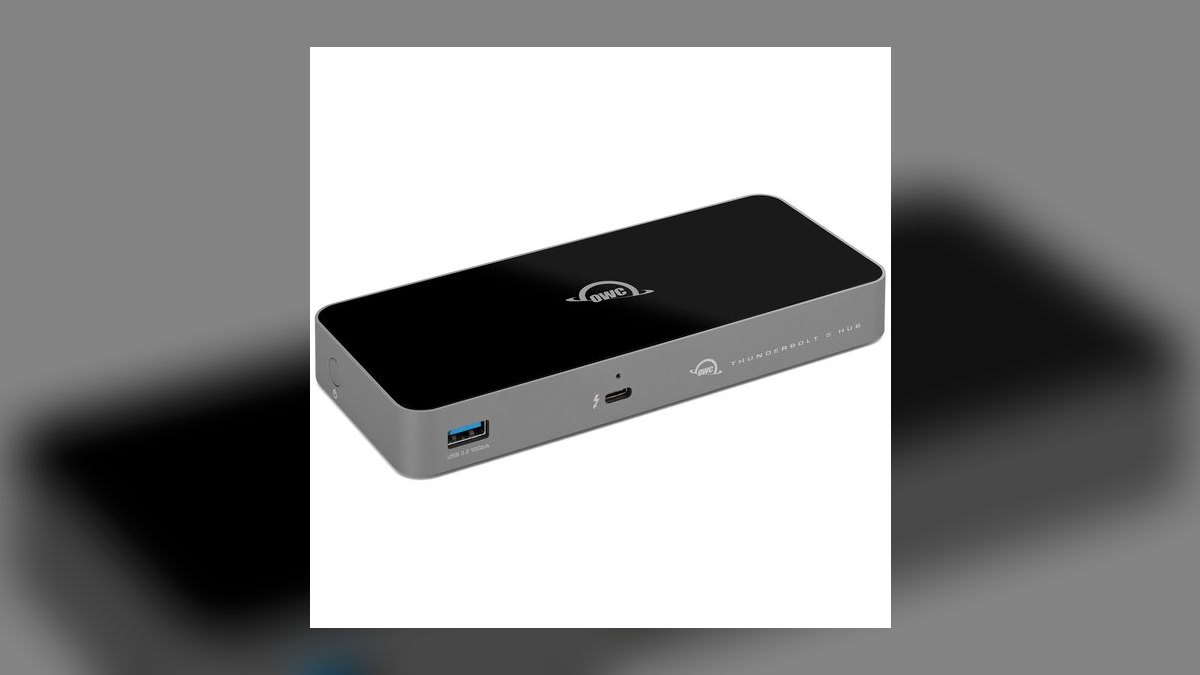
The OWC Thunderbolt 5 Hub is the first mainstream-priced TB5 device sales teams can actually buy. It turns one TB5 port on a 2026 MacBook Pro or Dell Pro 14 into three TB5 ports plus one USB-A, at 80Gbps bi-directional bandwidth (and 120Gbps for display-only).
- Three Thunderbolt 5 ports at 80Gbps — future-proof for the next laptop refresh
- 140W power delivery to charge even a 16-inch MacBook Pro at full speed
- Triple 8K display support for the most extreme multi-monitor sales-engineering rigs
- Fanless silent design — no whine on Zoom calls
- Backwards compatible with TB4, TB3, and USB4 laptops already in the fleet
Who it's for: Sales engineers and solutions architects on 2026-or-newer laptops who want bandwidth headroom for triple monitors and external GPUs.
Why this rank: It is the cheapest path to TB5 today. The trade-off vs. the TS4 is fewer total ports (4 instead of 18) — you get raw bandwidth, not connectivity breadth.
3Kensington SD5700T — $289.99
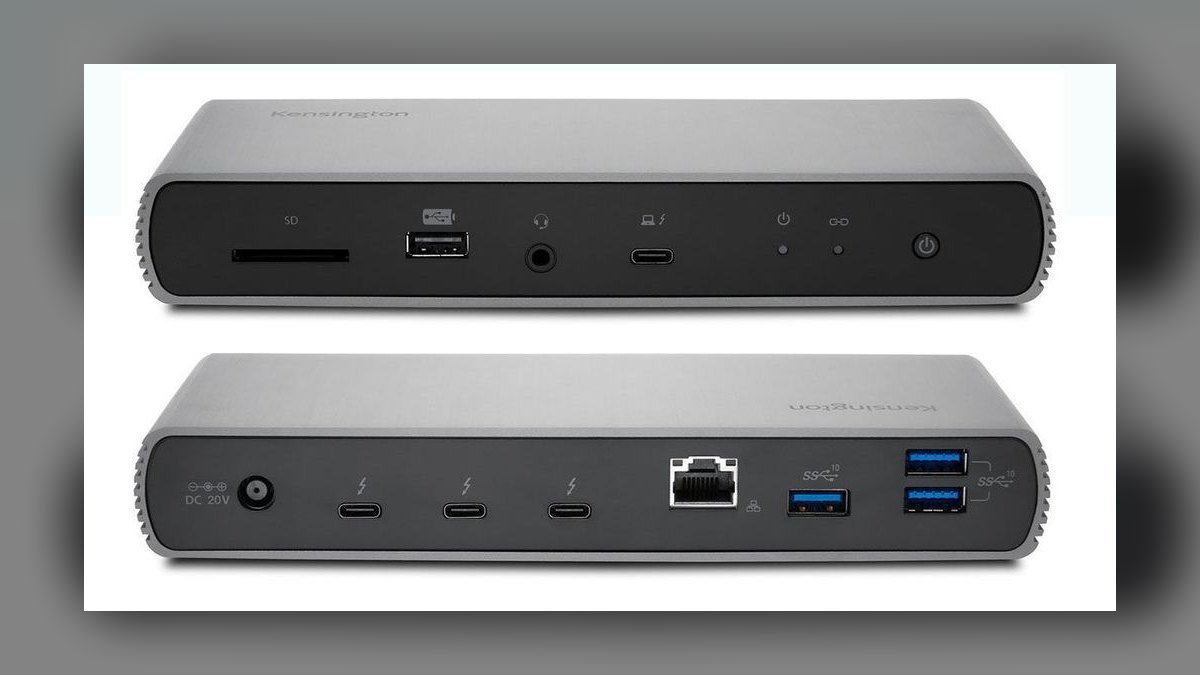
The Kensington SD5700T is the enterprise-IT favorite — the dock procurement teams buy in bulk because it is MIL-STD-810H tested, carries a 3-year warranty, and is on every Fortune-500 approved-vendor list.
- Four Thunderbolt 4 ports for daisy-chained displays and SSDs
- Four USB-A 3.2 Gen 2 for legacy keyboards, mice, headsets, and Yubikeys
- 90W power delivery to the host laptop
- UHS-II SD 4.0 card reader plus Gigabit Ethernet
- Dual 4K@60Hz or single 8K@30Hz output
Who it's for: Sales reps inside large enterprises where IT mandates Kensington, HP, or Dell-branded docks for security and warranty compliance.
Why this rank: It is the most politically safe Thunderbolt 4 dock to put on a corporate order form. Laptop Mag rated it "simply the best" Thunderbolt 4 dock at launch and it has aged well in 2026 firmware updates.
4Belkin Connect 11-in-1 Pro Dock — $199.00
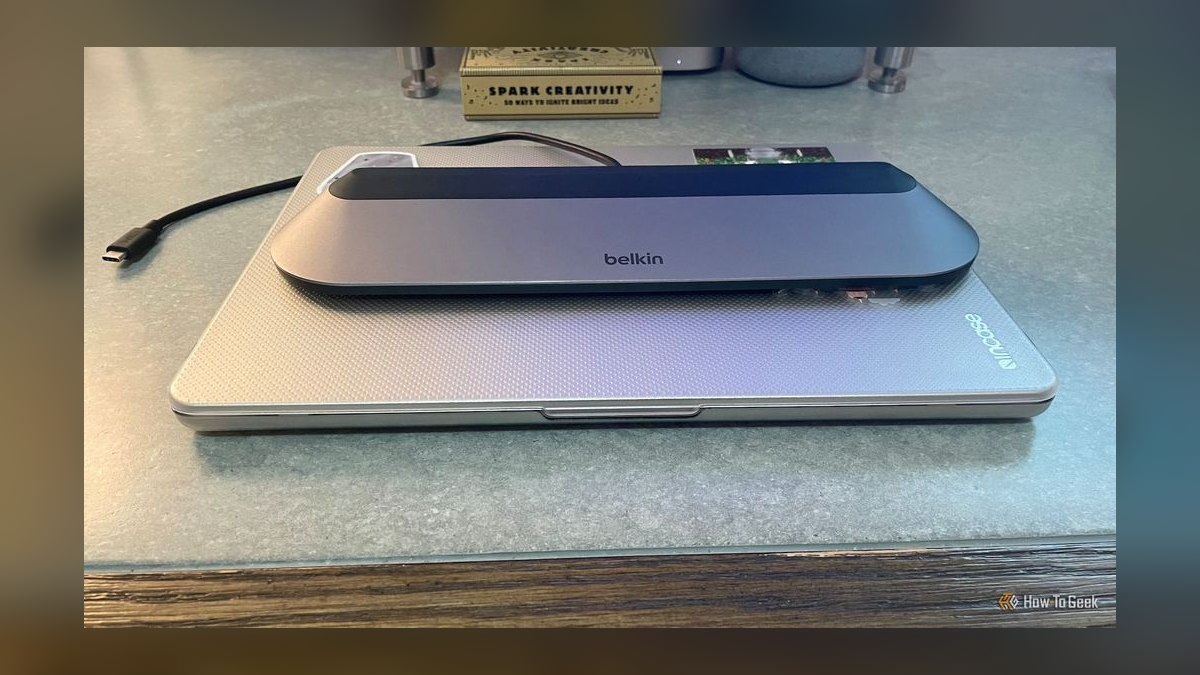
The Belkin Connect 11-in-1 USB-C Pro Dock undercuts the Thunderbolt docks on price while still driving three external monitors via DisplayLink and Alt-Mode hybrid output. It also doubles as a wedge laptop stand, which removes a $40 monitor riser from the BOM.
- HDMI + DisplayPort + USB-C-DP for triple-display sales-floor setups
- 100W PD (effectively 85W to host after dock overhead)
- 2.5Gb Ethernet and 10Gbps USB-A for fast external SSD demos
- SD and microSD readers built into the front edge
- Aluminum wedge chassis acts as a laptop riser
Who it's for: Sales managers running three-monitor dashboards (pipeline + Slack + Zoom) on a non-Thunderbolt laptop like a base-model Dell Latitude or HP EliteBook.
Why this rank: Best triple-display non-Thunderbolt dock under $200. Tom's Guide called it the answer for "laptop power users" who don't want to pay the Thunderbolt premium.
5Plugable UD-6950PDH — $179.95

The Plugable UD-6950PDH is the dual-4K DisplayLink workhorse that has been on PCWorld's best-of list for three years running. It works on any USB-C laptop, Thunderbolt or not, because it uses DisplayLink drivers rather than DP Alt Mode.
- Dual 4K@60Hz via your choice of DisplayPort or HDMI on each output
- Five USB-A 5Gbps ports (three front, two rear) for full peripheral loadout
- 100W laptop charging
- SD and microSD card readers
- Gigabit Ethernet for stable Zoom-over-wired
Who it's for: Sales reps on older USB-C-only laptops (pre-Thunderbolt) who still need two external monitors at full 4K60.
Why this rank: Best universal compatibility dock on this list. It will work on a 2019 ThinkPad, a 2026 MacBook Air, and a Chromebook without firmware drama. PCWorld called it "reasonably priced power."
6UGREEN Revodok Pro 313 — $99.99
> 💎 BEST VALUE
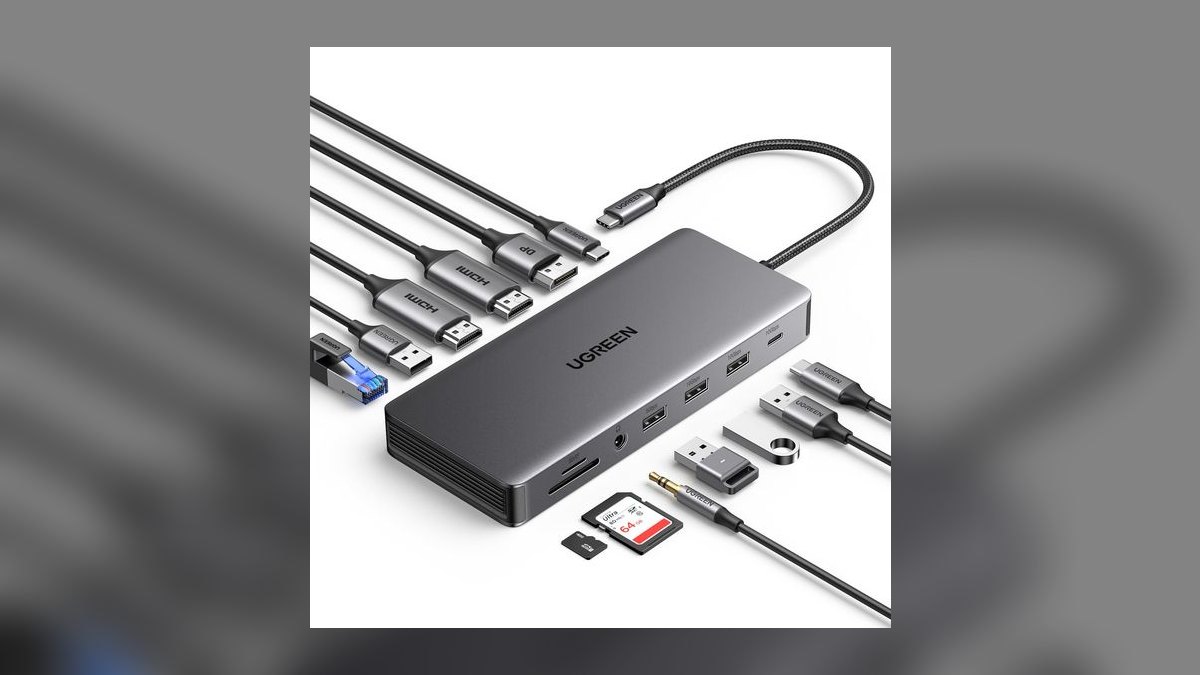
The UGREEN Revodok Pro 313 is the price-performance king of 2027. For under $100 on Amazon, you get a 13-in-1 dock with triple-display output, 10Gbps data, and 100W passthrough that PCWorld called "superb USB-C dock, superb price."
- HDMI + HDMI + DisplayPort for triple 4K@30Hz or dual 4K@60Hz
- USB-C 3.2 Gen 2 + dual USB-A 3.2 Gen 2 at 10Gbps
- Two additional USB-A 3.0 ports for legacy gear
- 100W power delivery to the host laptop
- 3.5mm combo audio and Gigabit Ethernet
Who it's for: The cost-conscious BDR, SDR, or AE who needs most of what the $200-$400 docks deliver but is spending personal money or working at a budget-constrained startup.
Why this rank: Best value on the list — 13 ports, triple display, 10Gbps data, 100W charging, all for $100. MakeUseOf and Mighty Gadget both rated it 10/10. The only thing you give up vs. the TS4 is Thunderbolt 4 bandwidth you probably aren't using anyway.
7Anker 675 USB-C 12-in-1 — $169.00

The Anker 675 is the monitor-stand-plus-dock combo that won a CES 2023 Innovation Award and is still selling near its all-time-low $169 price in 2027. Built directly into a steel monitor riser with a Qi2 wireless charger on the top deck, it replaces three separate desk products.
- Integrated monitor stand rated for monitors up to 30 lbs
- Built-in Qi2 wireless charger on the right shelf for phone-during-calls
- 180W internal power supply, delivers 100W to host laptop
- 4K@60Hz HDMI, 3 USB-A, 2 USB-C, SD + microSD, Gigabit Ethernet
- Single-cable USB-C connection to the laptop
Who it's for: Remote-first sales reps redesigning a home office who want the dock, the monitor riser, and the wireless charger as one purchase.
Why this rank: Best all-in-one desk product for the work-from-home AE. The trade-off is single-monitor output — if you need dual external displays, go TS4 or Belkin instead.
8Satechi USB-C Multiport MX Adapter — $119.99
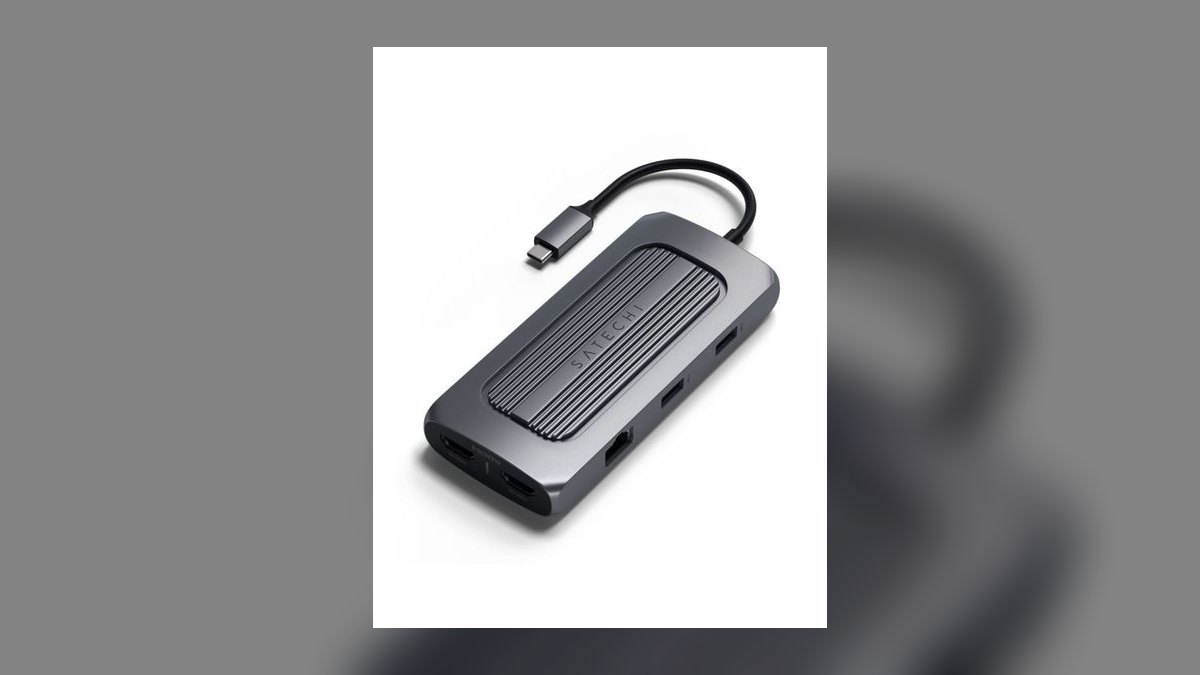
The Satechi USB-C Multiport MX Adapter is the MacBook-aesthetic 10-in-1 that color-matches Apple's space-gray and silver finishes. Built from anodized aluminum, it is the dock to put on the desk when the customer can see your workspace on Zoom.
- 10-in-1: HDMI 4K@60Hz, DisplayPort, 2 USB-C 10Gbps, 3 USB-A, Gigabit Ethernet
- SD and microSD UHS-II readers
- 100W passthrough via dedicated USB-C PD port
- Color-matched aluminum in space gray and silver
- Short attached USB-C cable keeps the desk clean
Who it's for: MacBook-toting sales reps in design, creative, or executive-facing roles where the desk aesthetic matters.
Why this rank: Best looking dock on the list. It is more expensive than UGREEN for comparable specs, but you pay for fit-and-finish.
9HyperDrive Viper 10-in-2 — $99.99
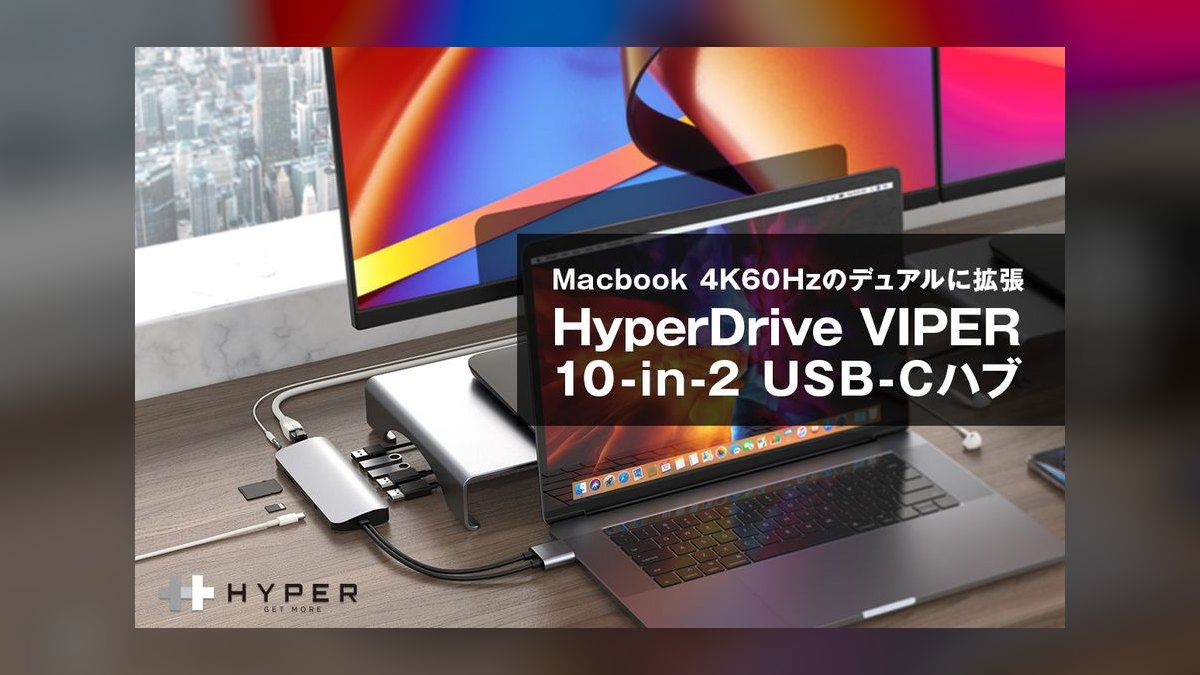
The HyperDrive Viper 10-in-2 is the dual-HDMI travel hub that uses two USB-C cables into the laptop to unlock dual 4K@60Hz monitor output. Most single-cable hubs only deliver dual 4K@30Hz — the Viper's two-cable architecture is the workaround.
- Two HDMI 2.0 outputs at full 4K@60Hz
- Three USB-A 3.1 Gen 1 ports plus one USB-C data port
- Gigabit Ethernet for wired demos on the road
- SD + microSD readers
- 60W power delivery through the second USB-C cable
Who it's for: Field sales engineers and trainers who carry their setup to client offices and need real dual-monitor demos on hotel-room TVs.
Why this rank: Best portable dual-4K@60Hz hub. The two-cable design is awkward at the desk but brilliant on the road when you need two real displays out of a thin laptop.
10Anker 555 USB-C 8-in-1 — $39.98

The Anker 555 USB-C 8-in-1 is the emergency carry-along that lives in every sales rep's laptop bag for $40. It is not a desktop dock — it is the single hub you grab when the client's conference room only has HDMI and you forgot a dongle.
- HDMI 4K@60Hz for the client's projector or conference TV
- Two USB-A 3.2 + one USB-C 3.2 at 10Gbps
- Gigabit Ethernet for hotel-room wired networks
- SD and microSD readers
- 85W power delivery — enough to charge most laptops mid-pitch
Who it's for: Every sales rep who has ever walked into a meeting with only a USB-C laptop and faced an HDMI-only projector.
Why this rank: Best sub-$50 emergency hub. Anker's build quality, brand-name warranty, and reliable firmware put it well above the no-name Amazon hubs at this price.
Buyer Decision Tree
| If you need... | Pick |
|---|---|
| Maximum ports + premium build for a permanent desk | #1 CalDigit TS4 |
| TB5 bandwidth for a 2026-or-newer laptop | #2 OWC Thunderbolt 5 Hub |
| IT-approved enterprise dock with 3-year warranty | #3 Kensington SD5700T |
| Triple monitors on a non-Thunderbolt laptop | #4 Belkin Connect Pro 11-in-1 |
| Best value — 13 ports under $100 | #6 UGREEN Revodok Pro 313 |
| All-in-one monitor stand + dock + wireless charger | #7 Anker 675 |
| Dual-4K-60Hz on the road in a laptop bag | #9 HyperDrive Viper 10-in-2 |
| Sub-$50 emergency hub for the bag | #10 Anker 555 |
FAQ
What is the difference between Thunderbolt 4 and USB-C hubs? Thunderbolt 4 hubs offer guaranteed 40Gbps bandwidth, dual 4K display support, and 100W+ charging, while standard USB-C hubs typically max out at 10Gbps and may only support a single external monitor. Thunderbolt 4 is ideal for power users with demanding workflows, but most sales tasks can be handled by a quality USB-C hub at a lower price.
Will a USB-C hub work with my specific laptop brand? Most modern USB-C hubs are compatible with any laptop that supports USB-C with DisplayPort Alt Mode or Thunderbolt, including ThinkPads, MacBooks, Dell XPS, and HP models. However, some features like full charging speed or multiple displays may require specific driver support, so check your laptop’s specs before buying.
How many ports do I actually need for a sales setup? A good rule is at least one HDMI or DisplayPort for a presentation monitor, two USB-A ports for a mouse and flash drive, an SD card slot, and a 3.5mm audio jack. For a permanent desk setup, look for 10–15 ports, while a travel hub for hotel rooms can get by with 5–7 essential ports.
Can I charge my laptop through a USB-C hub? Yes, many hubs support passthrough charging, typically delivering between 60W and 100W to the laptop. The actual charging speed depends on the hub’s power delivery rating and your laptop’s requirements—most sales laptops will charge fine with 65W or more.
Do all USB-C hubs support dual monitors? No, only Thunderbolt 4 hubs and some premium USB-C hubs with DisplayLink technology can reliably drive two external displays. Standard USB-C hubs usually support only a single external monitor, so check the product specs if dual-screen productivity is essential for your sales demos.
Is it worth spending $400 on a hub like the CalDigit TS4? If you regularly use two 4K monitors, need fast Ethernet, and want maximum charging speed for a high-end laptop, the TS4 is a worthwhile investment for a permanent desk setup. For occasional use or simpler needs, a $40–$100 hub will handle most sales tasks without the premium price tag.
Bottom Line
The CalDigit TS4 at $399.99 is the best overall multi-port USB-C hub for sales laptops in 2027 — 18 ports, 98W charging, dual 4K@60Hz, and Thunderbolt 4 in a paperback-sized chassis that disappears under a monitor. The UGREEN Revodok Pro 313 at $99.99 is the best value — 13 ports, triple display, 100W passthrough, and 10Gbps data at a quarter of the price.
Pick the OWC Thunderbolt 5 Hub if you bought a 2026-or-newer laptop and want bandwidth headroom, and stash the Anker 555 in your bag for client-site emergencies.
Related on PULSE
- Top 10 USB-C Hubs for Sales Travel in 2027
- Top 10 USB-C Hubs for Mac-Based Sales Teams in 2027
- Top 10 USB-C Hubs in 2027 — Best Overall + Best Value
- Top 10 USB-C Hubs / Docking Stations in 2027 — Best Overall + Best Value
- Best Business Laptops for Sales Reps in 2027: Top 10 Ranked
- Top 10 Portable USB-C Monitors for Sales Travel in 2027
Sources
- Best USB-C hubs and dongles 2026 — PCWorld
- Best Thunderbolt and USB-C docking stations for MacBook Air and Pro 2026 — Macworld
- CalDigit TS4 review — Windows Central
- CalDigit TS4 review — XDA Developers
- Kensington SD5700T Thunderbolt 4 docking station review — Laptop Mag
- Belkin Connect 11-in-1 USB-C Pro Dock review — Tom's Guide
- Plugable UD-6950PDH USB-C Dual 4K dock review — PCWorld
- Ugreen Revodok Pro 13-in-1 review — PCWorld
- Anker 675 USB-C Docking Station review — Tom's Guide
- Anker 555 USB-C Hub review — Fstoppers
- OWC Thunderbolt 5 Hub review — Macworld
- HyperDrive Viper 10-in-2 USB-C Hub — B&H Photo Video
People also search for: best multi-port usb-c hubs for sales laptops 2027 · top multi-port usb-c hubs for sales laptops 2027 · top rated multi-port usb-c hubs for sales laptops 2027 · top ranked multi-port usb-c hubs for sales laptops 2027 · highest rated multi-port usb-c hubs for sales laptops 2027 · multi-port usb-c hubs for sales laptops reviews 2027
This page will be disappearing soon. Save it to your device for $1 — or read it free while it is here.
@Kory-White- · if Venmo asks, the last 4 of my number are 2012
This page is gone.
This one is off the shelf now. $1 keeps it on your phone for good — the whole page, pictures and diagrams included.
 pulse-reviewsTop 10 Electric Spice Grinders — Best Overall + Best Value in 2027
 pulse-reviewsTop 10 Blue Light Glasses for Sales Reps in 2027
 pulse-reviewsTop 10 Posture Correctors — Best Overall + Best Value in 2027
 pulse-reviewsTop 10 Electric Hot Pots — Best Overall + Best Value in 2027
 pulse-reviewsTop 10 Mirrorless Cameras — Best Overall + Best Value in 2027
 pulse-reviewsTop 10 Boom Pole Kits — Best Overall + Best Value in 2027
 pulse-reviewsTop 10 Document Cameras for Remote Demo Recording in 2027
 pulse-reviewsTop 10 Spot Welders — Best Overall + Best Value in 2027
 pulse-reviewsTop 10 RV Surge Protectors — Best Overall + Best Value in 2027
 pulse-reviewsTop 10 Clothes Steamers — Best Overall + Best Value in 2027