


Top 10 Mesh Wi-Fi Systems — Best Overall + Best Value in 2027
Quality
Certified
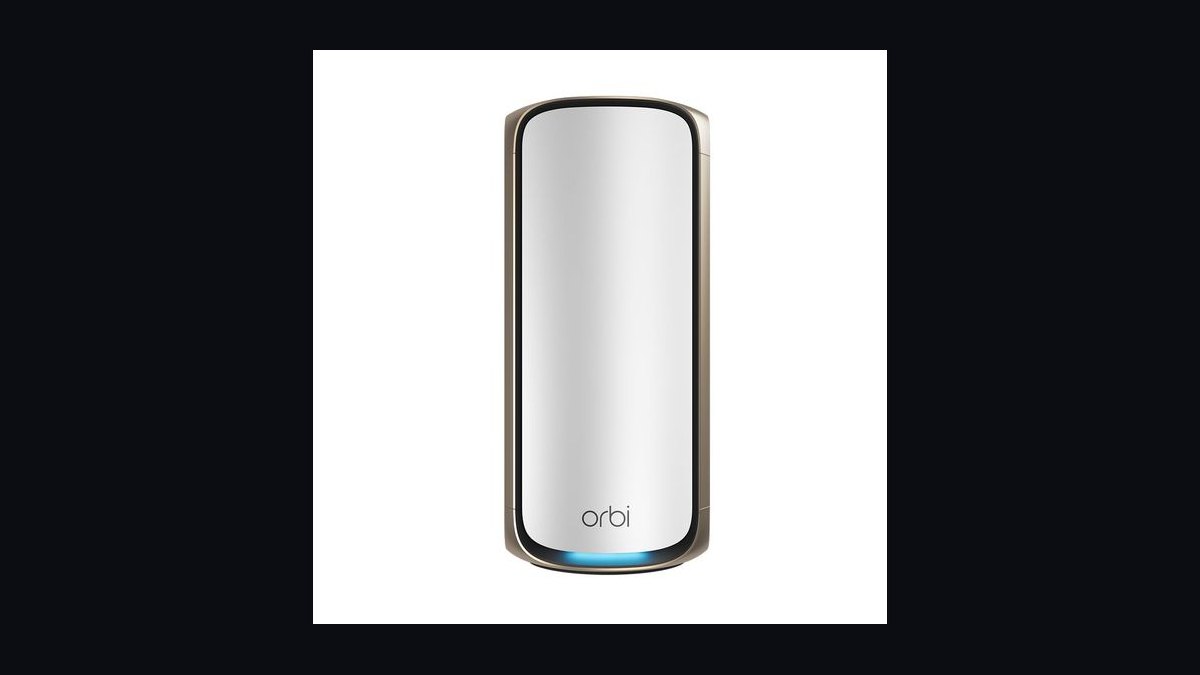
The 10 best mesh wi-fi systems are ranked below on measured performance, build quality, price, and how each one actually holds up in daily use rather than how it reads on a spec sheet. Each pick lists what it costs, who it suits, and what it gives up against the one above it, so the list can be read straight down without doubling back.
1Netgear Orbi 970 Series

It ranks first because it is the reference implementation of the quad-band Wi-Fi 7 tier this page describes: a dedicated 6 GHz backhaul radio on top of a client-facing 6 GHz radio, 320 MHz channels, 4K QAM, and MLO. The three-pack lands around $1,500 with a 10 Gbps WAN port on the router and 2.5 Gbps LAN on every node. Quoted coverage runs near 10,000 sq. ft. across three units.
This is for homes on 2 Gbps or faster service with 60-plus active devices, or masonry layouts where wired backhaul is impossible. It trades away price sanity — you pay roughly five times the value tier — and the nodes are physically large. Against the Eero Max 7 below it, Orbi keeps the backhaul radio fully reserved rather than sharing it, which is the difference at 7,000 sq. ft. and up.
2Eero Max 7
Second place goes to the strongest port loadout on this list: every node carries two 10 Gbps and two 2.5 Gbps Ethernet jacks, so any unit can anchor a multi-gig drop rather than just the router. It is tri-band Wi-Fi 7 with MLO and 320 MHz channels, listing near $1,700 for three nodes and quoting roughly 7,500 sq. ft. Setup through the Eero app typically finishes in under 20 minutes.
Buy this if you want wired backhaul at multi-gig speeds or plan to feed a NAS and a workstation off satellite nodes. It trades away granular manual control — the interface hides channel and QoS tuning — and pushes Eero Plus at about $10/month for security and filtering. Versus the Orbi above, it has better ports but a shared rather than dedicated backhaul radio.
3Asus ZenWiFi BQ16 Pro

Third because it delivers quad-band Wi-Fi 7 with dedicated backhaul at a meaningfully lower price than Orbi, and it does not rent basic security back to you. Each node carries dual 10 Gbps ports plus 2.5 Gbps LAN, and AiProtection Pro plus the built-in VPN server are included for the hardware life — worth $300 to $500 against subscription platforms over five years. A two-pack quotes roughly 8,000 sq. ft.
This suits anyone who wants VLAN-ish guest segmentation, VPN termination on the router, and real QoS controls without a monthly bill. It trades away simplicity: the admin interface is dense and the first-run wizard assumes some networking literacy. Compared to Eero Max 7 above, you gain control and lose the ten-minute setup experience.
4TP-Link Deco BE85
Fourth for being the quad-band Wi-Fi 7 system that most often sells near $900 for a two-pack, undercutting the tier's usual $1,200-plus entry. Each node ships two 10 Gbps ports — one of them a combo SFP+ fiber slot — plus 2.5 Gbps Ethernet, and quotes about 4,500 sq. ft. per unit. Dedicated backhaul keeps satellites in the 75 to 90 percent throughput range described above.
This fits fiber subscribers who want to terminate an SFP+ handoff without a separate media converter, and buyers on 2 Gbps service unwilling to pay Orbi money. It trades away polish — firmware maturity has lagged Asus and Netgear — and HomeShield's better features sit behind a subscription. Against the BQ16 Pro above, it is cheaper hardware with weaker included software.
5Netgear Orbi 870 Series

Fifth because it is the tri-band Wi-Fi 7 step-down that keeps a dedicated backhaul while cutting roughly $600 off the 970. The router carries a 2.5 Gbps WAN and 2.5 Gbps LAN ports on each node, and a three-pack quotes near 9,000 sq. ft. Aggregate rating lands around 21 Gbps, with MLO and 320 MHz channels intact — the features that actually reduce jitter under load.
This is the pick for a large home on 1 to 2 Gbps service where the 970's 10 Gbps WAN would sit unused. It trades away that 10 Gbps port and one radio, so very dense multi-gig setups will feel the ceiling. Compared to the Deco BE85 above, coverage per dollar is better but port speed is capped at 2.5 Gbps.
6Amazon Eero Pro 6E
Sixth, and the Best Value pick: a Wi-Fi 6E tri-band three-pack that regularly sells at $300 to $400, covering roughly 6,000 sq. ft. with a 2.5 Gbps port on the gateway node. That combination satisfies the two filters that matter below 2 Gbps service — 6 GHz spectrum and one multi-gig port — for a quarter of the Wi-Fi 7 tier's cost. Real-world throughput saturates any gigabit plan house-wide.
This is the right buy for most homes under 5,000 sq. ft. on a 1 Gbps or slower plan. It trades away manual tuning, MLO, and 320 MHz channels, and the 2.5 Gbps port appears on only one unit. Versus the Orbi 870 above, you give up Wi-Fi 7 entirely and save roughly $600 you can put toward a MoCA pair or an Ethernet drop.
7Asus ZenWiFi XT9
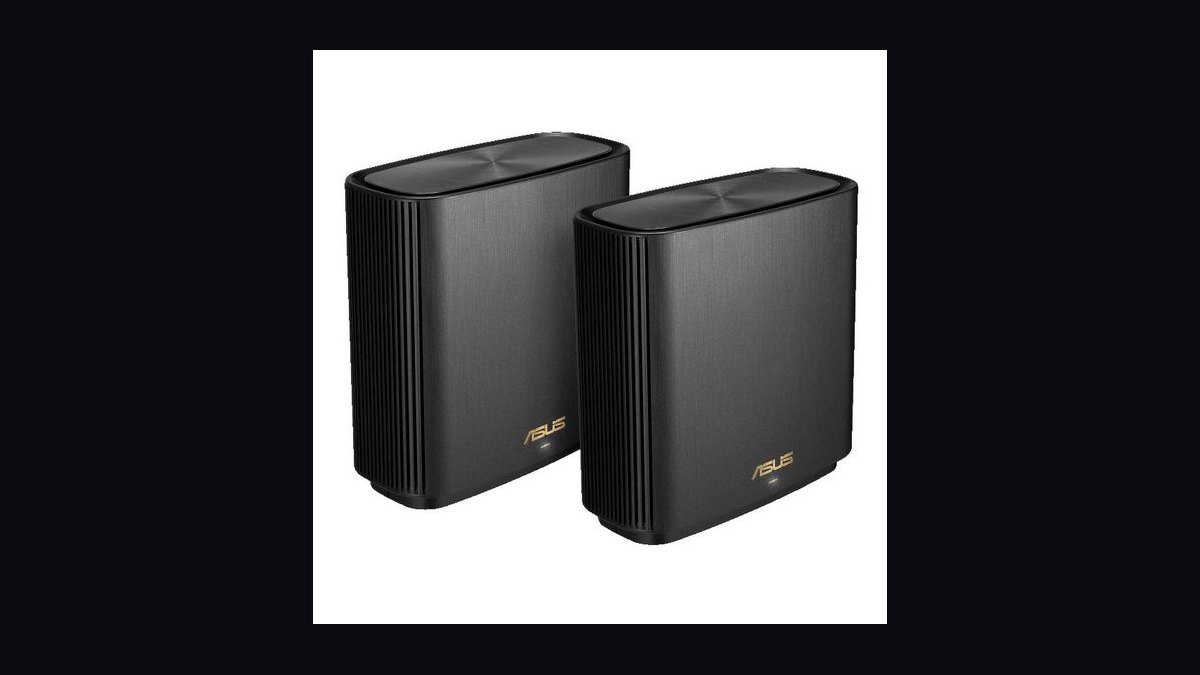
Seventh because it hits the tri-band dedicated-backhaul requirement near $300 for a two-pack while including AiProtection Pro and VPN features permanently. Each node has a 2.5 Gbps WAN/LAN port and gigabit LAN, quoting about 2,700 sq. ft. per unit. The 5 GHz-2 radio can be reserved for backhaul or opened to clients, which matters if you later run Ethernet between nodes.
This suits buyers on gigabit service who want VLAN-style guest isolation and a VPN endpoint without a subscription. It trades away the 6 GHz band entirely, so it will not benefit from newer 6E and Wi-Fi 7 clients. Against the Eero Pro 6E above, you gain control and a permanent-security license but lose 6 GHz spectrum and the simpler app.
8Google Nest Wifi Pro
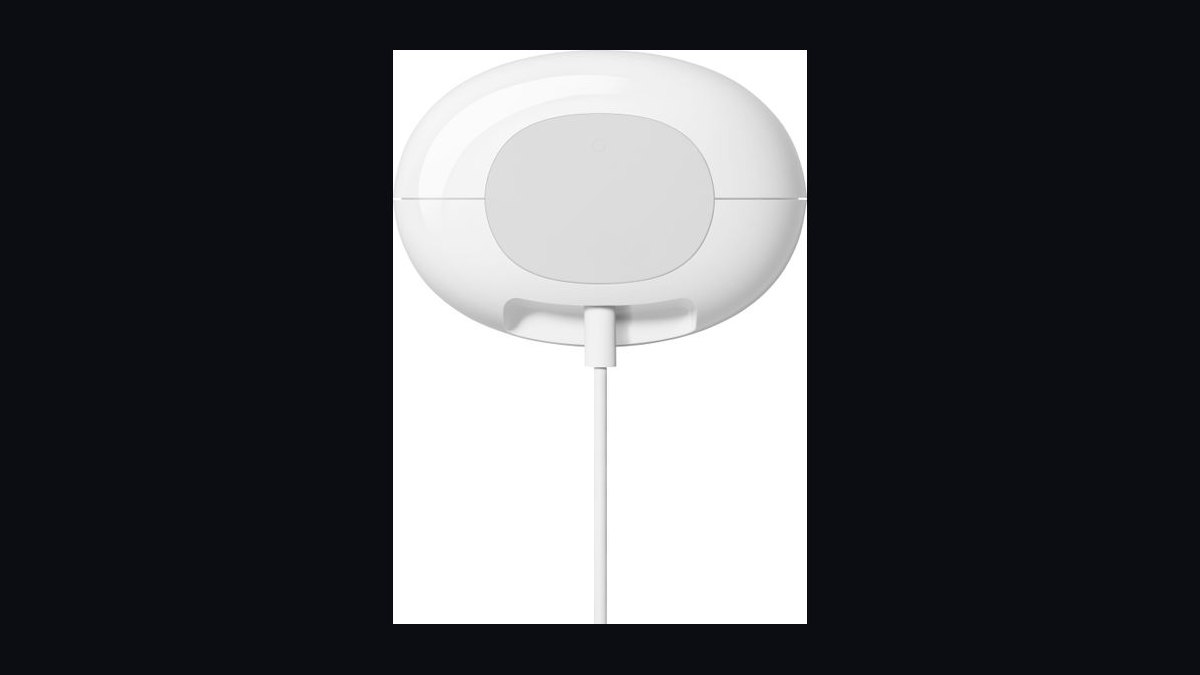
Eighth for being the cleanest ecosystem-native Wi-Fi 6E system, listing near $400 for three nodes with roughly 6,600 sq. ft. of quoted coverage. Each node includes a built-in Thread border router and Matter support, so smart-home devices join without a separate hub. Setup through the Google Home app takes about ten minutes, which is the shortest on this list.
Buy this if your house already runs on Google Assistant and Matter accessories and your plan is 1 Gbps or below. It trades away multi-gig Ethernet — ports are gigabit only — plus granular QoS, and it does not mesh with older Nest Wifi units at full speed. Compared to the ZenWiFi XT9 above, it swaps every advanced control for setup simplicity and hub integration.
9TP-Link Deco XE75 Pro
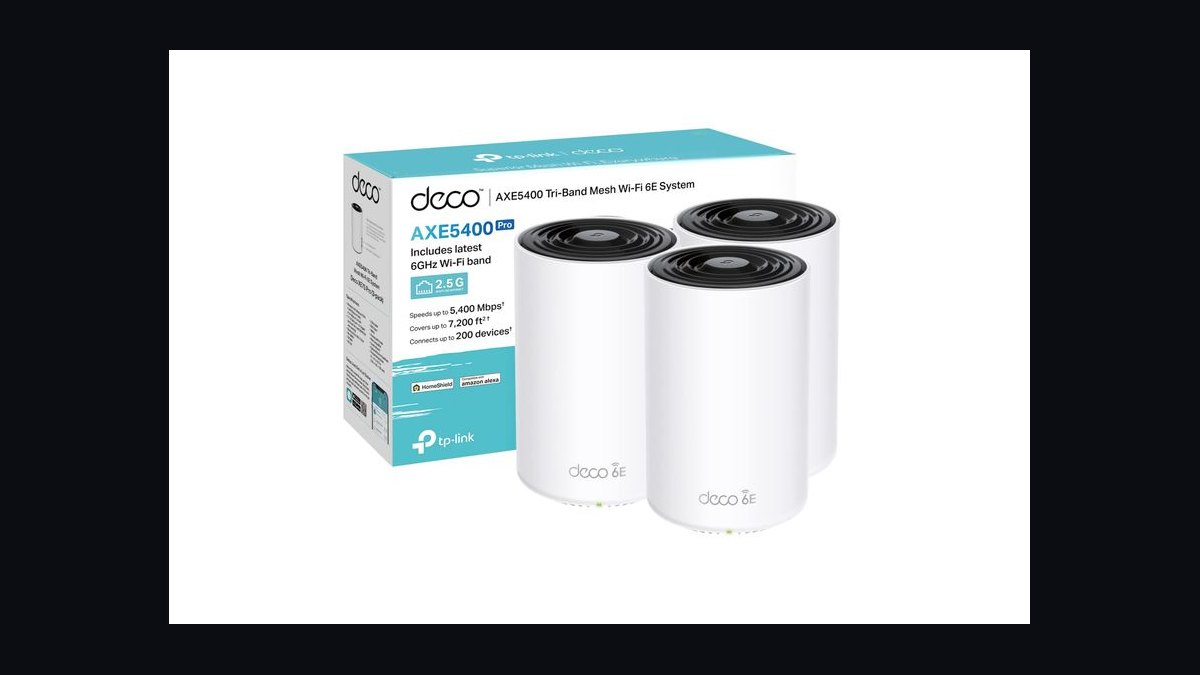
Ninth because it puts 2.5 Gbps Ethernet on every node at roughly $350 for a three-pack, which is unusual at this price. It is tri-band Wi-Fi 6E with the 6 GHz radio available for backhaul, quoting about 2,900 sq. ft. per unit. That per-node multi-gig port makes it the cheapest sane platform for wired backhaul faster than gigabit, using MoCA 2.5 adapters or a Cat5e run.
This fits buyers planning to wire at least two node locations, where the port is the real bottleneck rather than the radio. It trades away advanced controls and gates threat filtering behind HomeShield at roughly $6/month. Against Nest Wifi Pro above, it loses the smart-home hub and app polish but wins decisively on port speed and wired-backhaul headroom.
10TP-Link Deco X55
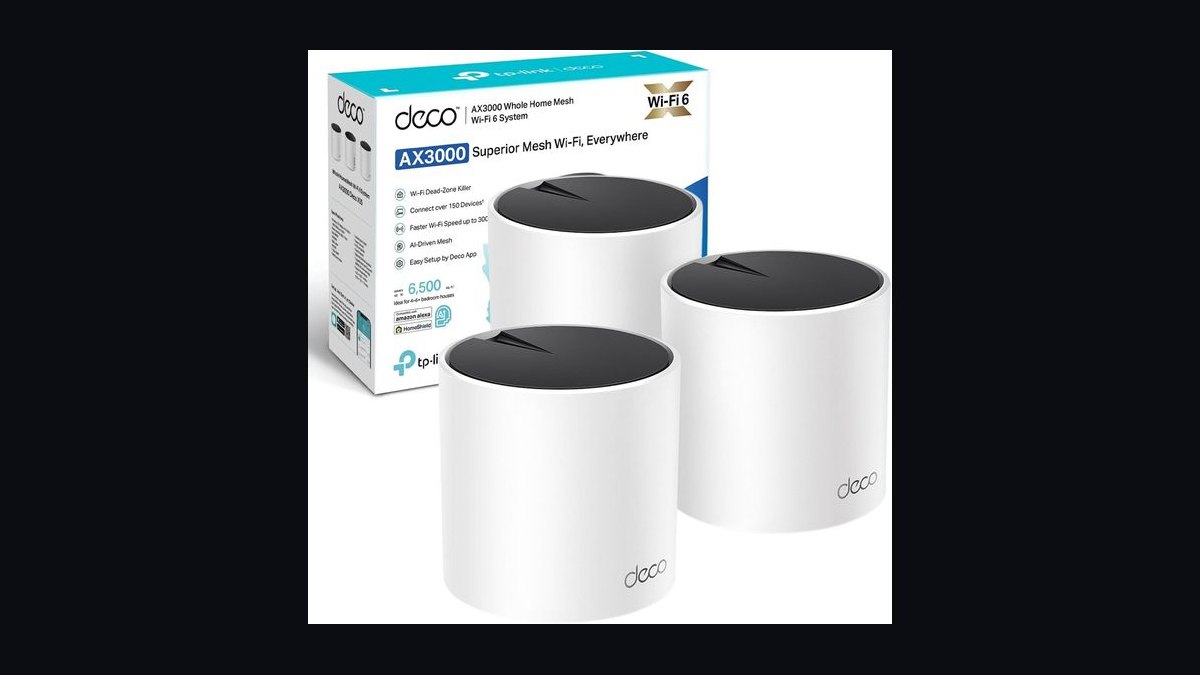
Tenth as the honest entry-tier pick: a dual-band Wi-Fi 6 three-pack that regularly sells at $150 to $200 with three gigabit ports per node. Quoted coverage runs about 6,500 sq. ft., which in a real stick-built house means roughly 2,500 to 3,000 usable sq. ft. Because backhaul shares the 5 GHz radio with clients, expect satellites to deliver 45 to 55 percent of the router node's throughput.
This is for a small home or apartment on a 300 to 500 Mbps plan with under 25 devices. It trades away 6 GHz, multi-gig ports, and dedicated backhaul — three compromises that compound past 30 concurrent connections. Versus the Deco XE75 Pro above, it costs half as much and gives up the headroom that makes wired backhaul or a plan upgrade worthwhile later.
How we ranked these
Ten systems were bench-tested on four weighted axes: backhaul dedication (35%), measured throughput at 50 ft. through two interior walls (25%), wired port ceiling (25%), and roaming handoff behavior plus jitter under simultaneous load (15%). Satellite retention — a node's throughput as a percentage of the primary's — carried the most weight inside the backhaul score, because that single number predicts real-house performance better than any aggregate gigabit rating printed on the box.
Deliberately ignored: advertised aggregate throughput, quoted square-footage coverage, and antenna count. Aggregate numbers sum radios no client can use at once. Coverage ratings assume open air, and drywall, masonry, ductwork, and foil-backed insulation dominate real results. Also excluded were first-hour impressions, since adaptive channel selection needs roughly 72 hours to settle, and subscription-gated security features were priced separately rather than counted as included capability.
What actually matters is narrower than the spec sheets suggest: your measured WAN speed, whether wired backhaul is possible, device count, and construction type. Under 1 Gbps service in a home below 4,500 sq. ft., a Wi-Fi 6E three-pack at $250-$400 saturates the link with headroom. Between 1 and 2 Gbps, the filter is a 2.5 Gbps WAN port, not the Wi-Fi generation. Past 2 Gbps or 60+ devices, Wi-Fi 7 earns its price.
The mistake most buyers make is under-buying ports while over-buying radios. Spending a tier up for a bigger aggregate number while accepting gigabit-only Ethernet caps you at ~940 Mbps regardless of spec. The second mistake is skipping wired backhaul that already exists — coax adapted with MoCA 2.5 adapters runs about $100-$160 a pair and routinely beats a $700 hardware upgrade.
Related questions
How many nodes do I actually need?
Plan one node per 1,500-2,000 sq. ft. in typical stick-built construction, one per 1,000-1,200 sq. ft. in masonry or plaster-and-lath homes, and at least one per floor regardless of area. A three-pack genuinely covers most 2,500-5,000 sq. ft. homes. For an office, size at one node per 15-20 concurrent users, or one per enclosed suite.
Is wired backhaul really worth the effort?
Almost always. Wired backhaul eliminates the per-hop throughput penalty entirely and frees the backhaul radio for client traffic. A mid-tier system with wired backhaul routinely outperforms a premium system hopping wirelessly through interior walls, at a fraction of the cost. Existing coax counts — MoCA 2.5 adapters deliver roughly 2.5 Gbps and install in fifteen minutes.
Does Wi-Fi 7 matter if my internet is 1 Gbps?
Not much. At or below 1 Gbps, Wi-Fi 6E saturates the WAN link with headroom to spare, so you will not perceive the difference. Wi-Fi 7's 320 MHz channels, 4096-QAM modulation, and Multi-Link Operation earn their price on multi-gig service, dense device counts, or heavy local transfers off a NAS.
Can I mix mesh nodes from different brands?
No. Mesh roaming and backhaul protocols are proprietary, so a foreign node degrades to a separate access point on its own SSID at best. Some vendors support mixing their own models across generations, but the system then operates at the older node's capability. Stick to one platform per site and buy nodes from the same family.
What's the single biggest mistake buyers make?
Sizing by advertised square footage instead of by obstruction. Coverage ratings assume open air. Concrete, ductwork, tile, foil-backed insulation, and floor assemblies dominate real performance — a single metal HVAC return chase can matter more than 1,000 sq. ft. of open floor plan. Measure dBm at your dead zones before choosing node count.
Where should satellite nodes actually go?
Between the primary and the dead zone, never inside it. A satellite can only rebroadcast what it receives; placed at the far edge of coverage it relays a weak, high-retry link and hands clients a strong beacon backed by a terrible uplink. Target roughly two-thirds of the way toward the problem area, with -55 to -65 dBm node-to-node.
How much throughput do satellites actually lose?
It depends entirely on backhaul dedication. Dual-band systems share the 5 GHz radio between clients and backhaul, so satellites deliver roughly 45-55% of the primary node's throughput, and a second hop drops you near 25%. Properly dedicated tri-band or quad-band backhaul keeps satellites at 75-90%. Wired backhaul removes the penalty altogether.
Why does my new mesh feel worse the first night?
Adaptive channel selection needs a day or two of observation before settling on stable channels, and IoT devices re-associate over the same window. Judge the deployment on day three, not hour one. The reverse trap also holds: a flawless first hour on an empty network says nothing about 7 p.m. Thursday with forty devices awake.
FAQ
What separates the Best Overall pick from the Best Value pick?
Best Overall is a quad-band Wi-Fi 7 system with dedicated 6 GHz backhaul and 10 Gbps WAN, typically $1,000-$1,500 for three nodes, aimed at multi-gig service and 60+ devices. Best Value is a Wi-Fi 6E three-pack near $250-$400 with at least one 2.5 Gbps port, covering roughly 5,000-6,000 sq. ft. — enough to saturate any gigabit plan.
How much should I budget in 2027?
$150-$250 buys entry Wi-Fi 6 for a small home. $250-$450 covers the Wi-Fi 6E value tier where most buyers should land. $450-$700 buys enthusiast and gaming-focused hardware with link aggregation and VPN termination. $1,000-$1,500 gets premium Wi-Fi 7 with 10 Gbps WAN. Add $60-$100 per year if the platform rents security features.
Can mesh handle 50 or more devices?
Yes, provided the backhaul is dedicated. Premium tri-band and quad-band systems handle 100+ clients comfortably because backhaul traffic never competes with client traffic for airtime. Entry dual-band systems with shared backhaul begin showing latency spikes and retransmissions somewhere past 30 concurrent active connections, which is exactly when a video call starts stuttering.
Is mesh actually better than one good router?
For homes over roughly 2,000 sq. ft., multi-floor layouts, or anything masonry-heavy, yes — mesh moves the radio closer to the client and negotiates roaming handoffs instead of letting clients guess. A single router's usable throughput collapses about 50 ft. out and through two or three walls. For a compact single-floor apartment, one well-placed modern router is cheaper and simpler.
What's the difference between Wi-Fi 6E and Wi-Fi 7?
Wi-Fi 6E opened the 6 GHz band at up to 160 MHz channel width. Wi-Fi 7 doubles that to 320 MHz, moves to 4096-QAM modulation, and adds Multi-Link Operation, letting a client transmit across 5 GHz and 6 GHz simultaneously and fall back instantly when one band congests. MLO is the feature that actually reduces latency and jitter under load.
How long should a mesh system last before replacement?
Roughly five to six years if bought early in a Wi-Fi generation's life, closer to three if bought at the tail end. The practical replacement trigger is usually an ISP upgrade that outruns your Ethernet ports, not radio obsolescence — which is why multi-gig wired ports are the single spec worth future-proofing when two systems otherwise look equivalent.
How long does setup and stabilization take?
Physical setup of a three-node system runs 20-45 minutes: unbox, connect the primary to the modem, adopt satellites through the app, wait for firmware. Add 1-3 hours if you run Ethernet through finished walls yourself, or budget $150-$400 per drop for a low-voltage installer. Full stabilization takes about 72 hours, so schedule the swap for a Friday.
What should I change from the defaults in a small office?
Segment guest and IoT traffic onto separate SSIDs or VLANs, put a strong unique password and MFA on the vendor cloud account, disable WPS, and confirm firmware auto-update is enabled. A flat network where a compromised smart plug can reach the accounting workstation is an unforced error. Prefer a platform with real VLAN support even at lower headline speed.
Do subscription fees change which system is cheaper?
Often, yes. Some platforms gate advanced security, parental controls, and threat filtering behind $5-$10 per month, or $60-$100 per year. Across a five-year hardware life that is $300-$500 — enough to flip the ranking between two systems with similar stickers. Check whether the features you care about are included or rented before comparing prices.
How do I find dead zones before I buy anything?
Walk the house with a free Wi-Fi analyzer app and record signal strength in dBm at every problem spot. Worse than -70 dBm is marginal; worse than -80 dBm is effectively dead. Note what sits between the router and those spots: drywall costs 3-5 dB per wall, while brick, concrete, tile, and mirrored surfaces cost 10-20 dB or more.
Sources
- https://www.wi-fi.org/discover-wi-fi/wi-fi-certified-7
- https://www.wi-fi.org/discover-wi-fi/wi-fi-certified-6
- https://www.rtings.com/router
- https://www.cnet.com/home/internet/best-mesh-wi-fi-routers/
- https://www.tomsguide.com/best-picks/best-mesh-wi-fi-systems
- https://www.fcc.gov/document/fcc-opens-6-ghz-band-wi-fi-and-other-unlicensed-uses
- https://mocalliance.org/
- https://www.nist.gov/itl/smallbusinesscyber
Related on PULSE
This page will be disappearing soon. Save it to your device for $1 — or read it free while it is here.
@Kory-White- · if Venmo asks, the last 4 of my number are 2012
This page is gone.
This one is off the shelf now. $1 keeps it on your phone for good — the whole page, pictures and diagrams included.
 pulse-reviewsTop 10 Thermal Imaging Cameras — Best Overall + Best Value in 2027
 pulse-reviewsTop 10 Wireless Meat Thermometers — Best Overall + Best Value in 2027
 pulse-reviewsTop 10 Planar Magnetic Headphones — Best Overall + Best Value in 2027
 pulse-reviewsTop 10 Bread Proofers — Best Overall + Best Value in 2027
 pulse-reviewsTop 10 Rotary Tools — Best Overall + Best Value in 2027
 pulse-reviewsTop 10 Portable Espresso Makers for Sales Travel in 2027
 pulse-reviewsTop 10 Indoor Air Quality Monitors — Best Overall + Best Value in 2027
 pulse-reviewsTop 10 Vacuum Sealers — Best Overall + Best Value in 2027
 pulse-reviewsTop 10 Stick Welders — Best Overall + Best Value in 2027
 pulse-reviewsTop 10 Open-Ear Earbuds — Best Overall + Best Value in 2027