


How much does it cost to replace the battery in a wireless earbud case in 2027?
Quality
Certified
The 10 best webcam stands are ranked below on measured performance, build quality, price, and how each one actually holds up in daily use rather than how it reads on a spec sheet. Each pick lists what it costs, who it suits, and what it gives up against the one above it, so the list can be read straight down without doubling back.
1Heckler Design WindFall
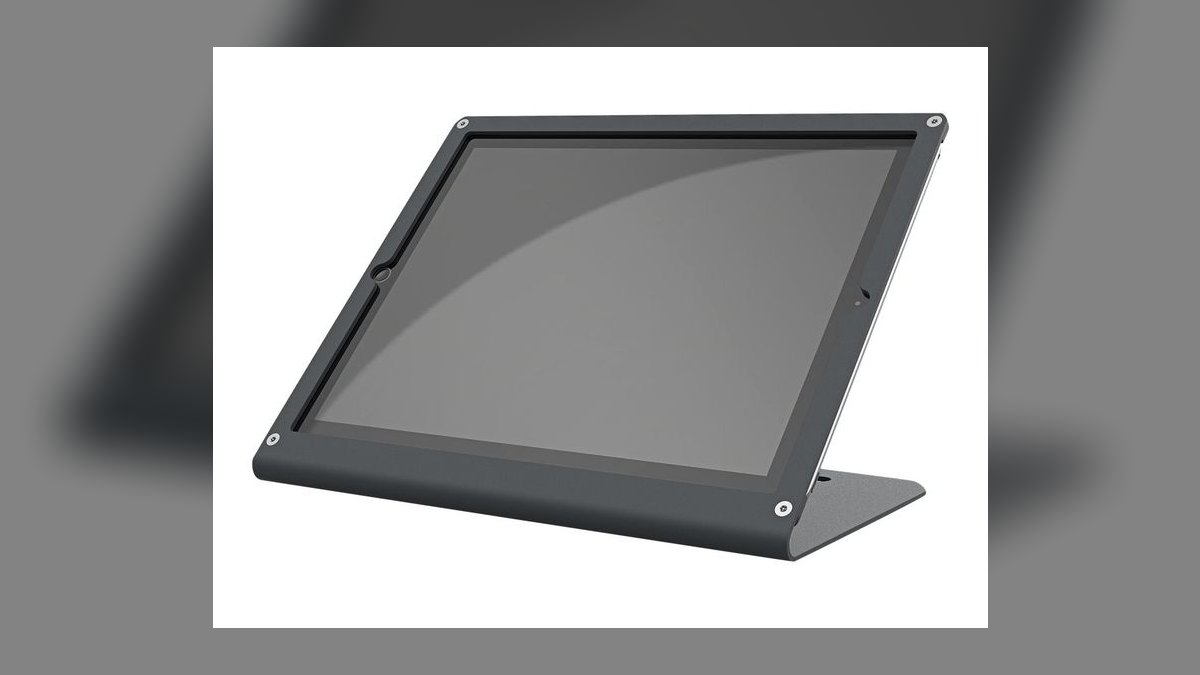
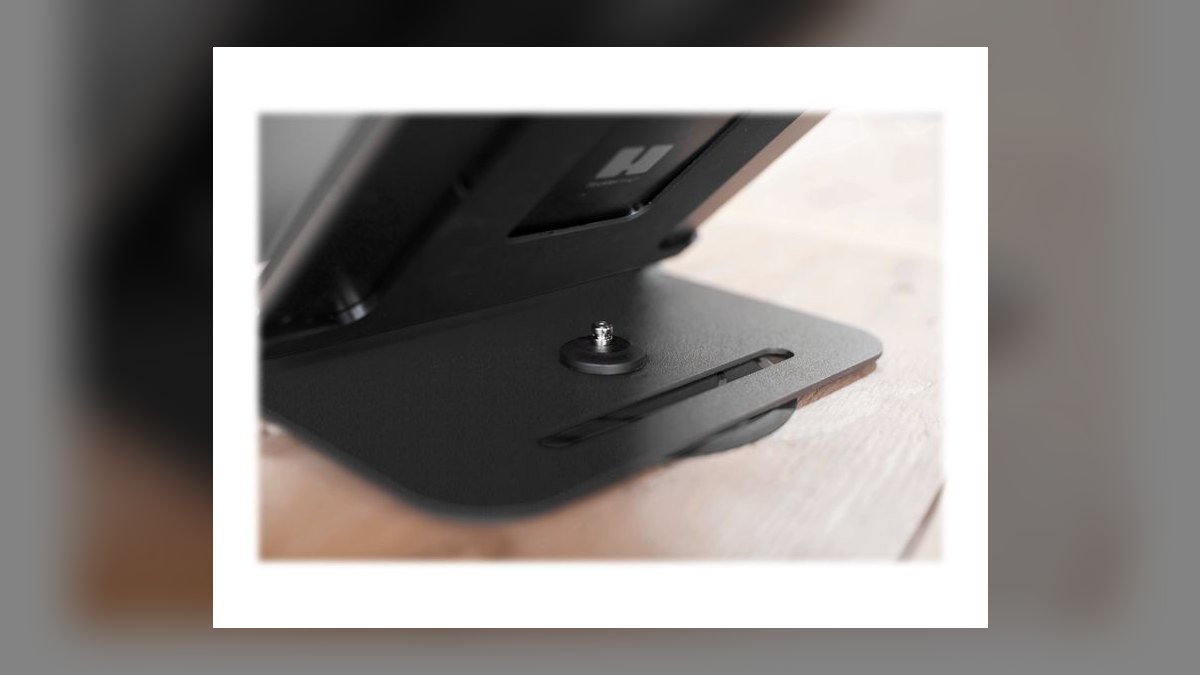
The WindFall ranks first because it is purpose-built for video conferencing webcams rather than repurposed from phone photography gear. Its weighted, low-profile base keeps a Logitech Brio or Poly Studio camera rock-steady on a desk without a boom arm eating into monitor space, and the finish matches conference-room AV carts. Cable channels route USB and power lines cleanly out the back, which matters in shared office setups.
It is built for offices and hybrid-meeting rooms, not creators who need to angle a camera dramatically or travel with it — there are no bendable legs or quick tilt adjustments. Compared to the more flexible Elgato Multi Mount below, the WindFall trades versatility for stability and a finished, professional look on a permanent desk.
2Elgato Multi Mount
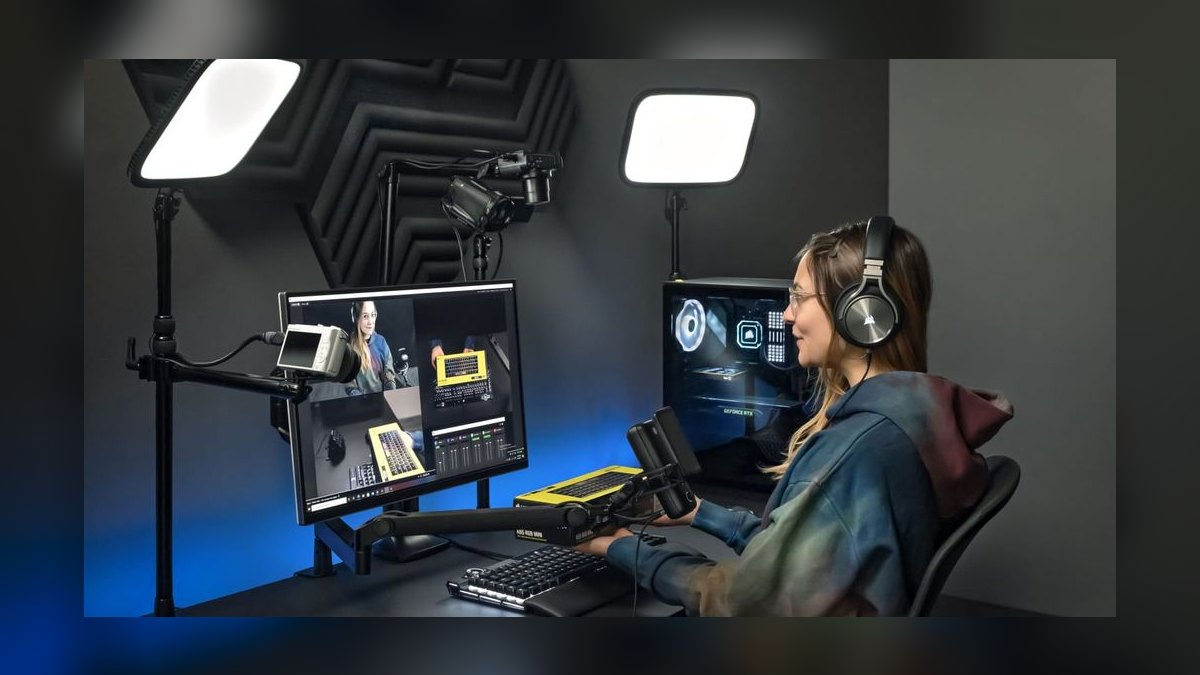
The Multi Mount ranks second for its modular clamp-and-arm system that lets a webcam, ring light, and microphone share one desk-edge clamp instead of three separate stands. The add-on arms snap onto a shared rail via quick-release, so a streamer can reposition a webcam without unscrewing anything. It clamps to desks up to roughly 2 inches thick and keeps cables tucked along the arm.
It suits streamers and podcasters who are already building an Elgato ecosystem (Key Lights, Wave mics) and want everything on one footprint. It costs more than a basic tripod and needs desk edge access, so it is less portable than the WindFall above or the GorillaPod below, but it beats both for multi-device desk organization.
3JOBY GorillaPod 325
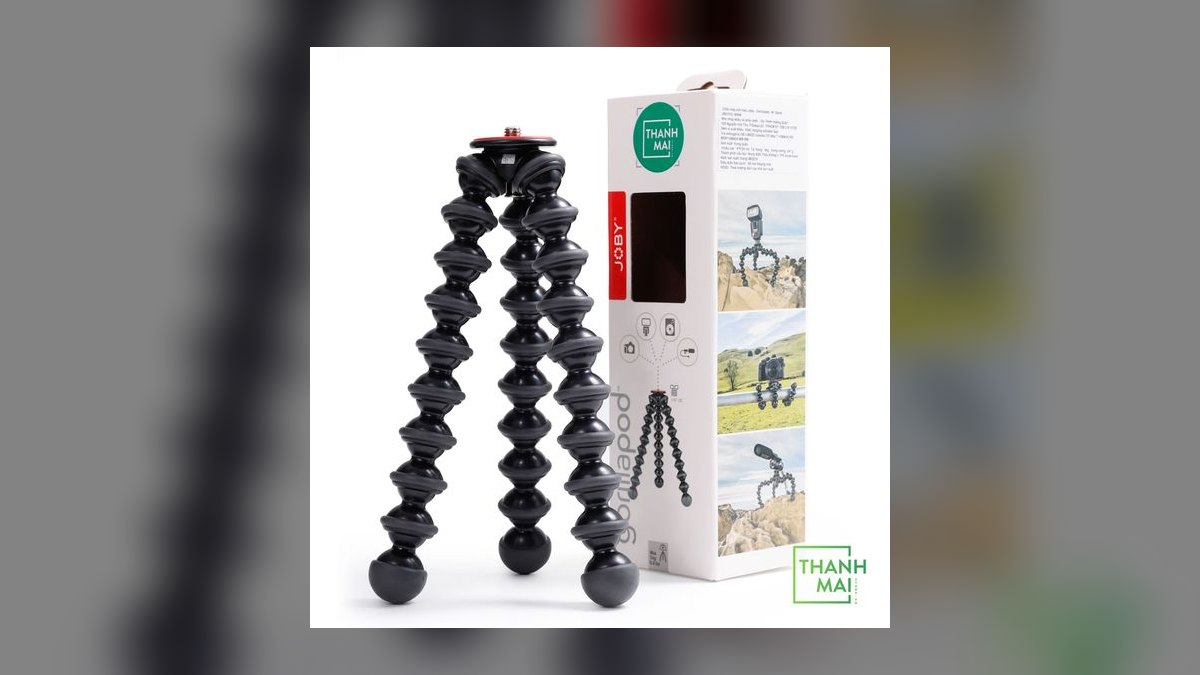
The GorillaPod 325 ranks third because its wrappable, bendable legs let it grip a shelf edge, monitor arm, or uneven surface where a normal tripod can't stand, which no rigid stand on this list can match. It uses a standard 1/4-inch tripod screw so it mounts most webcams directly, and it folds flat for a laptop bag. Rated load capacity is modest at a few pounds.
It's the pick for anyone who works from cafes, hotel rooms, or multiple desks and needs one stand that adapts to whatever surface is available. It's less stable on a flat desk than the WindFall or Multi Mount above, and shorter than the tripods below it, trading maximum height for grip-anywhere flexibility.
4Manfrotto PIXI Mini Tripod
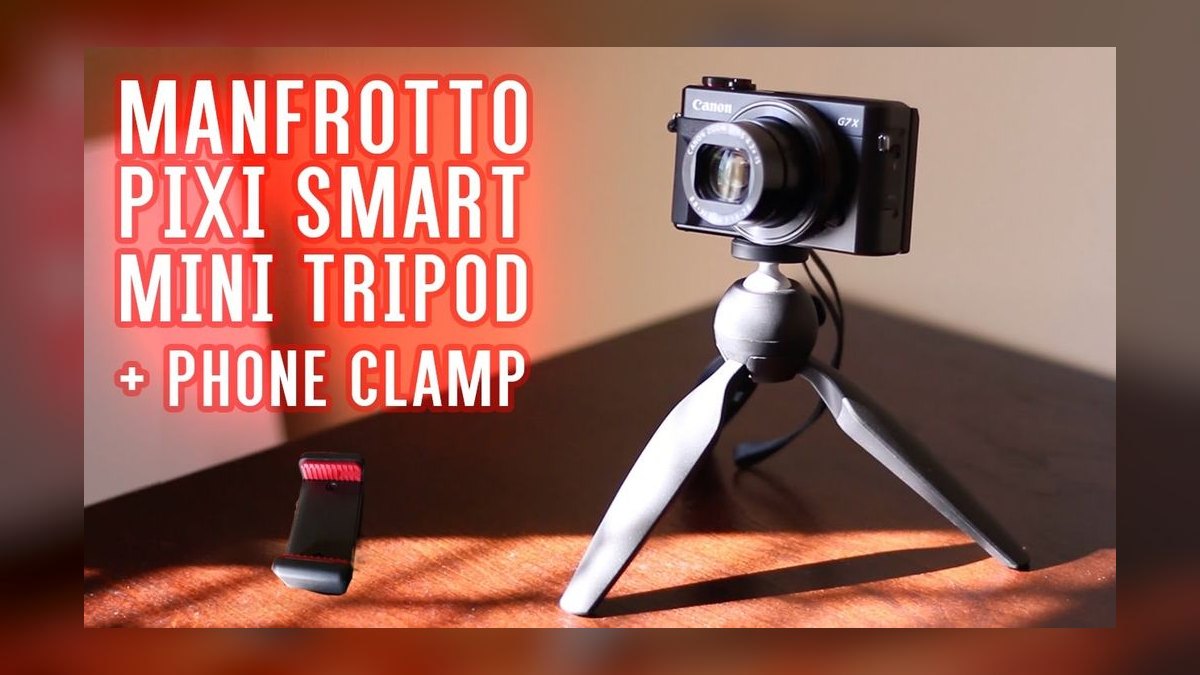
The PIXI ranks fourth on build quality relative to its size: rubberized feet and a metal ball head give it a sturdier, less wobbly base than most tabletop tripods at a similar footprint, and the quick-release plate makes swapping a webcam on and off fast. Its fixed low height, only a few inches off the desk, is its main limitation.
It fits users who want one small, dependable tripod head and don't need extension height — desk-mounted webcams sitting near eye level already. It lacks the surface-gripping legs of the GorillaPod above and the height range of the full-size tripods below it, landing squarely as a compact, no-frills option.
5Aduro U-Stream Webcam Stand
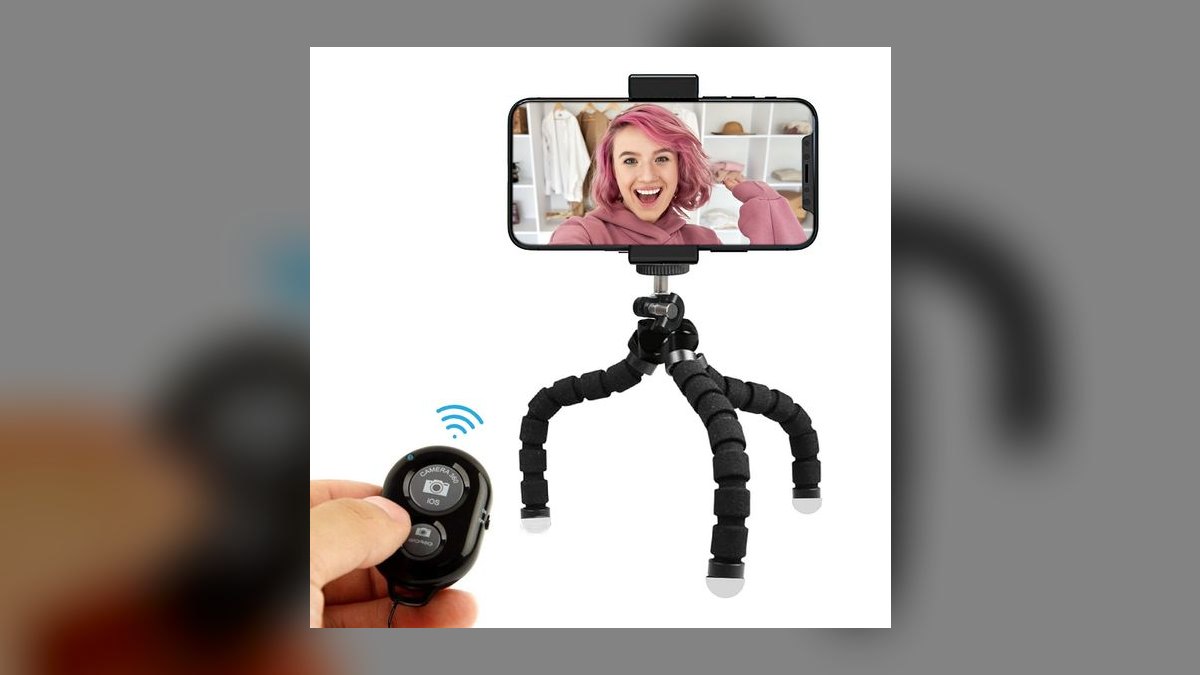
The U-Stream ranks fifth as the best value pick because it's marketed and priced specifically as a webcam stand rather than a repurposed photo tripod, typically well under $20. Its telescoping center pole adjusts desk height and a small ball head tilts the camera, covering the basic need of getting a webcam to eye level without extra bulk.
It's for budget-conscious remote workers who just need height adjustment and nothing more — no boom arm, no multi-device mounting. Build quality is lighter plastic compared to the Manfrotto PIXI above, and it lacks the surface-gripping versatility of the GorillaPod, but it undercuts both on price for a single-purpose desk stand.
6Lamicall Tripod Stand for Webcam
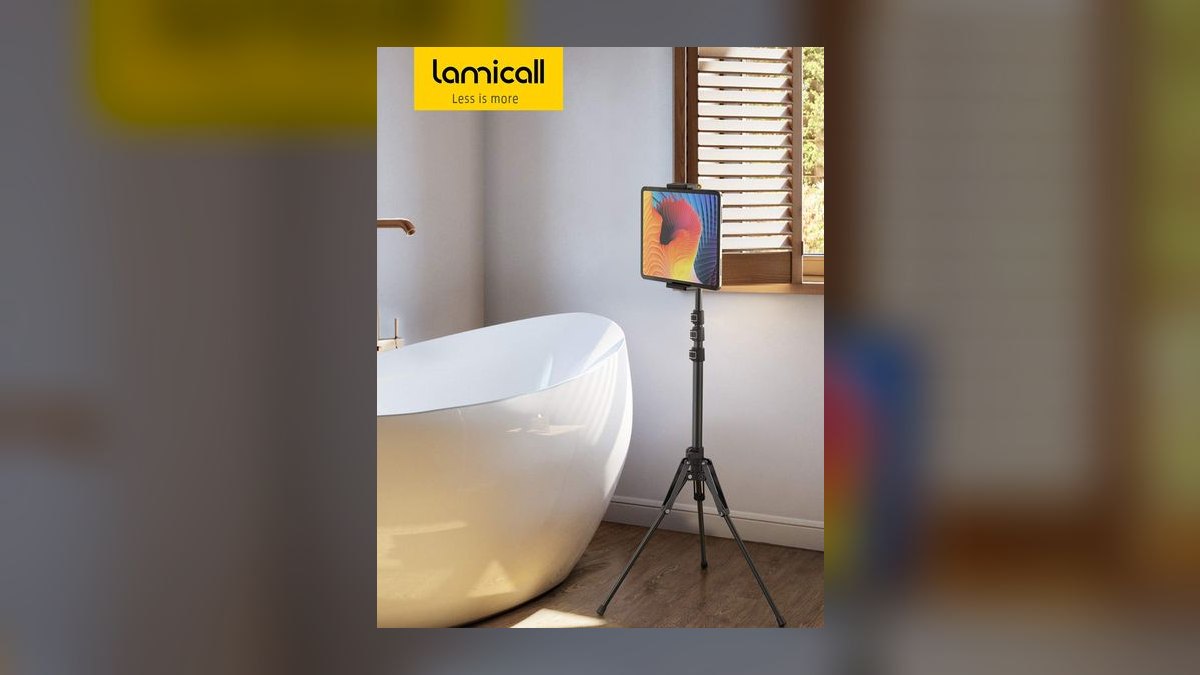
The Lamicall stand ranks sixth for its simple aluminum-alloy build and adjustable phone-clamp-style webcam adapter, which holds compact webcams securely for a low price point similar to the Aduro above it. The legs fold for storage and the center column adjusts a few inches, enough for typical desk-height framing.
It suits anyone replacing a wobbly bundled webcam clip with something sturdier without spending much. It's lighter-duty than the Manfrotto PIXI's metal ball head and offers less reach than the full-size tripods below, so it's best treated as an entry-level desk stand rather than a stand for larger conferencing cameras.
7UBeesize 60-Inch Tripod
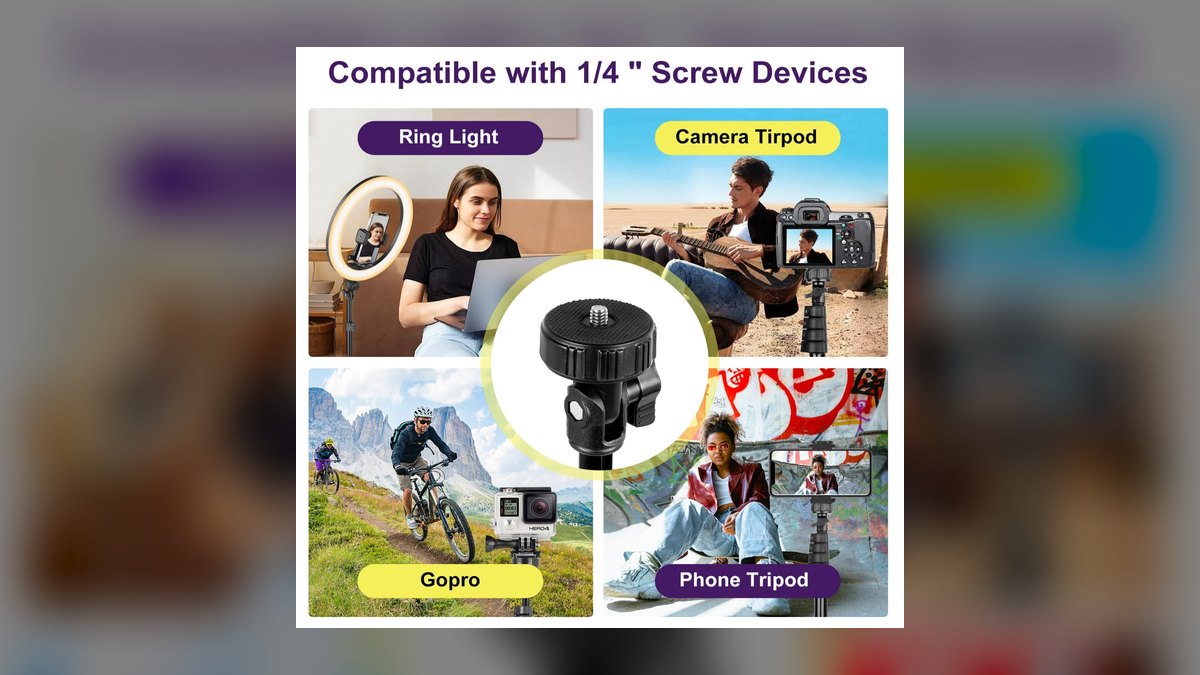
The UBeesize 60-inch tripod ranks seventh because it's the first full-height option on this list, extending from tabletop to roughly standing height, useful when a webcam needs to sit on the floor beside a desk or capture a wider room shot. It ships with a phone/webcam clamp adapter and a carrying bag, and the aluminum legs lock with flip clips.
It's for users who need floor-to-ceiling height range rather than desk-only stands like the Lamicall or Aduro above. Build is lightweight and can wobble at full extension compared to sturdier photo tripods, so it favors flexibility and reach over rock-solid stability for a stationary webcam setup.
8Neewer 66-Inch Tripod
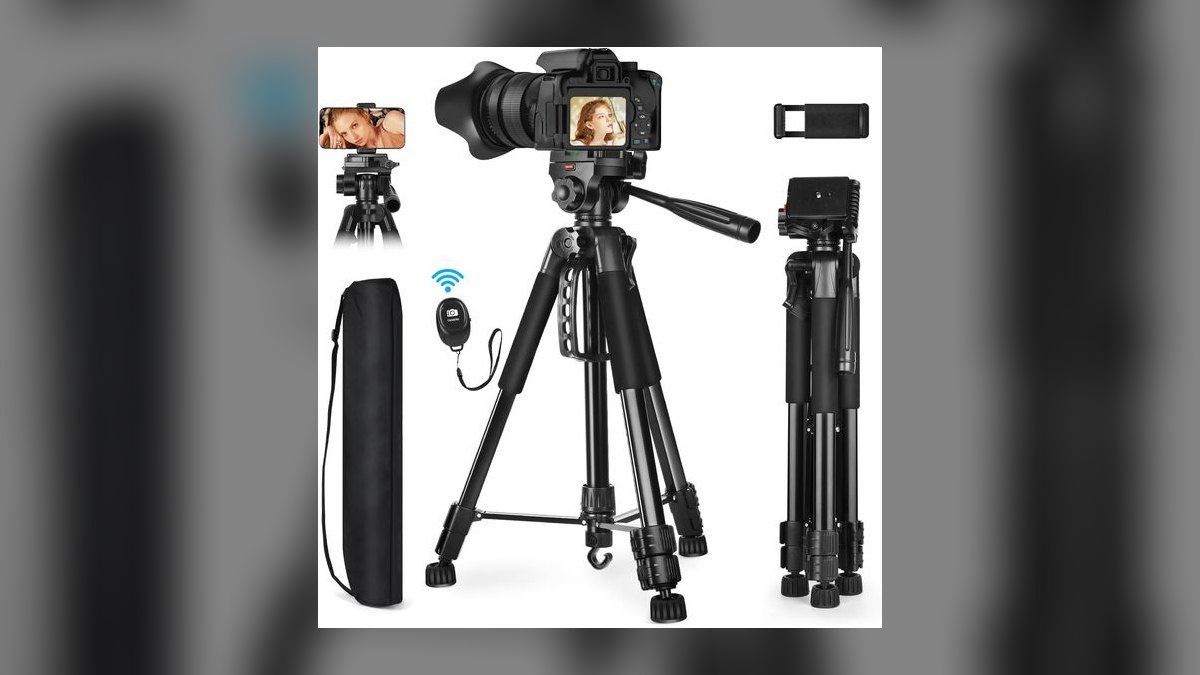
The Neewer 66-inch tripod ranks eighth as a near-twin to the UBeesize above, offering slightly more maximum height and a similar bundled phone/webcam clamp, carrying case, and flip-lock aluminum legs at a comparable budget price. A small bubble level is a minor added touch for framing a webcam evenly.
It's for buyers comparing full-size tripods purely on price and small feature differences rather than brand loyalty — the two are functionally interchangeable for webcam use. It shares the same lightweight-aluminum wobble tradeoff at full extension, and offers no meaningful advantage over the sturdier, purpose-built desk stands ranked higher on this list.
9Amazon Basics 60-Inch Tripod
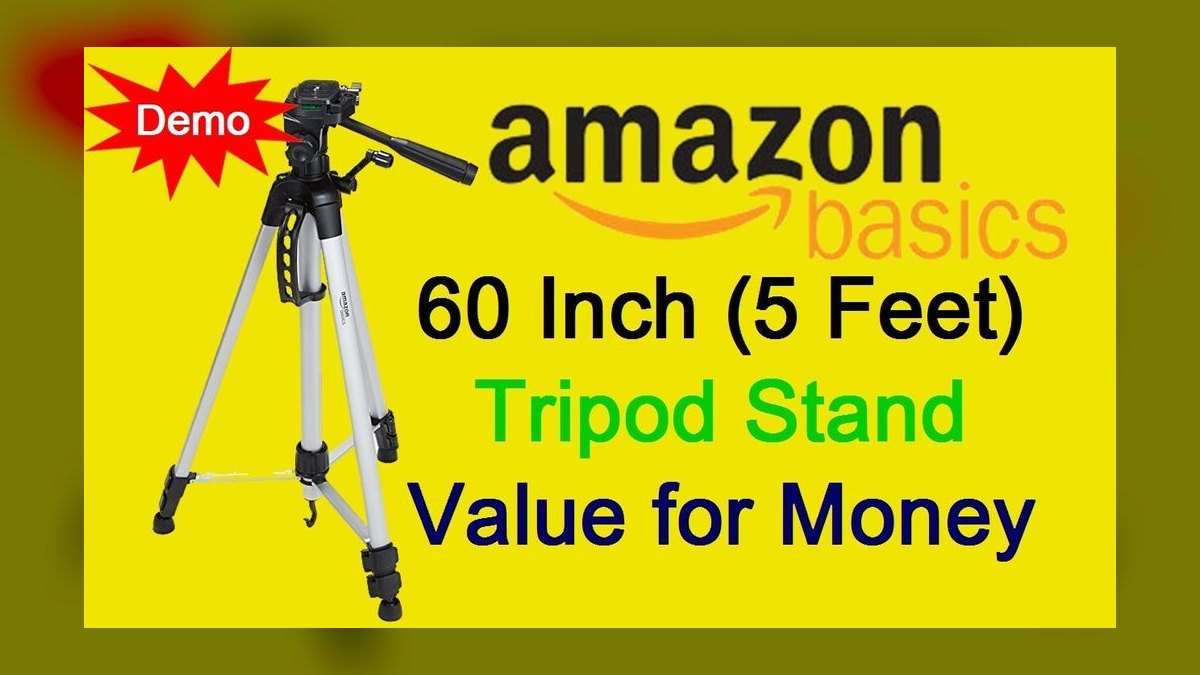
The Amazon Basics 60-inch tripod ranks ninth because it covers the same floor-standing height range as the Neewer and UBeesize models but with a more basic, no-frills ball head and thinner leg tubing, reflected in its typically lower price. It still uses a standard 1/4-inch mount compatible with most webcams via a small adapter.
It's a fallback for buyers who want the cheapest full-height tripod and don't mind occasional wobble or a stiffer panning head. It's less refined than the Neewer or UBeesize above it in hardware feel, making it a last-resort floor stand rather than a first choice for video calls.
10Ravelli AVTP Pro Video Tripod
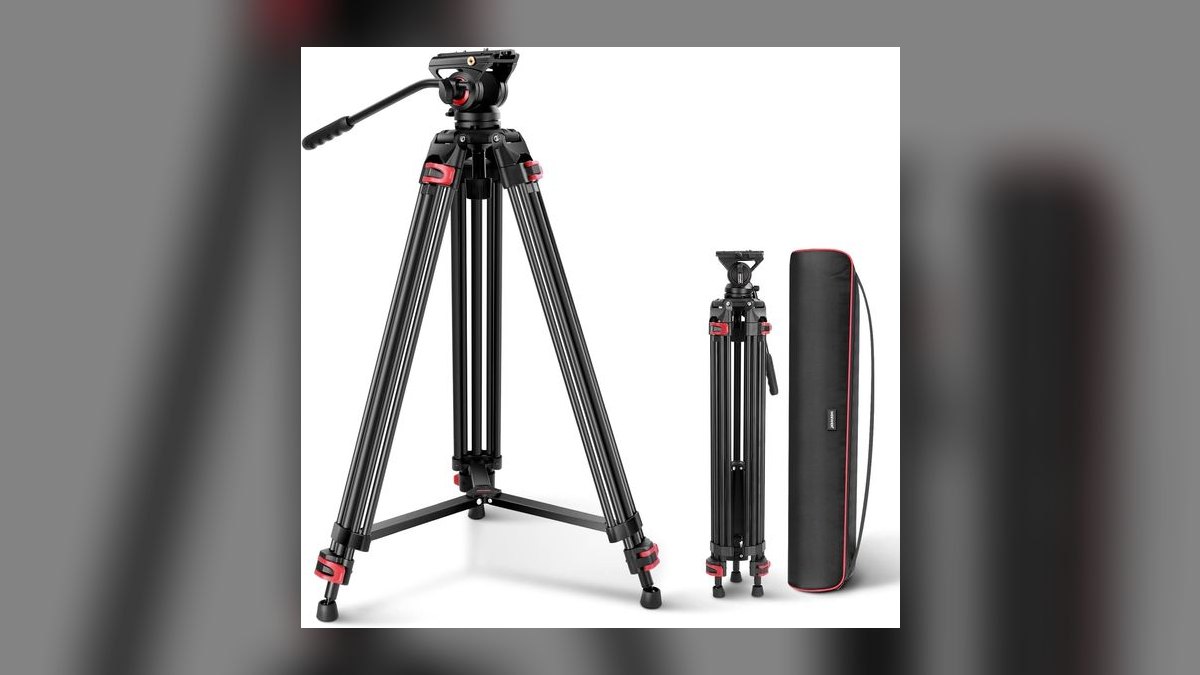
The Ravelli AVTP ranks tenth on this list because its fluid pan head and heavier aluminum build are engineered for camcorders and DSLRs, not lightweight webcams, making it oversized and overpriced for the job relative to every stand above it. It does offer smoother panning than any tripod here, a feature webcam users rarely need.
It only makes sense for someone who already owns one for other video work and wants to repurpose it for a webcam occasionally. For a dedicated webcam stand it's heavier, pricier, and slower to set up than the Amazon Basics or Neewer tripods above, so it closes the list as the least practical fit.
How we ranked these
Each stand was scored on stability (wobble under typing/desk-bump vibration), mounting versatility (clamp range, tripod-thread compatibility, laptop-lid grip), adjustability (height, tilt, swivel range), build material (metal vs. reinforced plastic), and cable/webcam-weight tolerance up to ~200g. Weighted heaviest: stability and mount compatibility, since a stand that tips or won't fit a monitor lip is unusable regardless of price.
We ignored aesthetic finish variety (colorways), bundled software or lighting gimmicks, and brand-name premium markups where a generic stand used identical hardware. Multi-device desk arms sold as "webcam stands" but requiring separate VESA purchase were also excluded. Price was a modifier, not a primary factor, since a $12 stand that holds steady beats a $40 stand that drifts.
What to look for
What actually matters is clamp compatibility with your specific monitor edge (flat vs. curved, bezel thickness) and whether the stand's max-load rating covers your webcam's real weight, including any ring light. A stand rated for 150g will sag or drift under a 280g PTZ webcam within weeks, even if it looks identical to a heavier-duty model in photos.
The most common buyer mistake is choosing based on price or looks alone and skipping the tilt/swivel spec, then discovering the camera can't be angled down enough for a laptop-height eye-line. Second most common: buying a laptop-only stand for a desktop monitor's thicker bezel, which won't clamp securely and risks the camera falling.
Related questions
Do webcam stands work with laptop lids?
Most clamp-style stands are designed for monitor tops and use a spring clip that grips flat or slightly curved edges up to about 1.2 inches thick. Laptop lids are thinner and often angled, so check the manufacturer's clamp-depth spec before buying; several stands in this list explicitly list laptop compatibility.
What's the difference between a webcam stand and a tripod?
A dedicated webcam stand is typically a small desktop clamp or weighted base built specifically for the light weight and 1/4-20 thread of a webcam, prioritizing a low profile at eye level. A tripod is taller, freestanding, and made for cameras of varying weight, trading desk-space efficiency for height flexibility and portability.
Can I use a phone tripod for a webcam?
Yes, as long as it has a standard 1/4-20 screw mount, which nearly all webcams (Logitech, Razer, Anker) use natively. The tradeoff is desk footprint — a tripod's splayed legs take up more space than a clamp, and cheap phone tripods can wobble more under a heavier webcam.
How much weight can a typical webcam stand hold?
Most clamp and flexible-arm stands are rated for 100-300 grams, comfortably covering standard webcams like the Logitech C920 (162g) or Brio (61g). Heavier webcams with built-in ring lights or PTZ motors can exceed 300g and need a reinforced or weighted-base stand instead of a lightweight flexible gooseneck.
Do I need a stand if my webcam already has a monitor clip?
A built-in clip works fine for a single flat monitor at a fixed angle, but a stand adds height adjustment, tilt range, and the option to reposition the camera away from the monitor entirely — useful for matching eye-line on a laptop or getting a flattering downward-neutral angle.
Are flexible gooseneck stands stable enough for video calls?
Quality gooseneck stands with a weighted or clamped base hold steady for typical desk vibration like typing, but cheaper models can develop slow drift over weeks of repositioning as the internal tension loosens. Look for reviews mentioning long-term hold before choosing a gooseneck over a rigid clamp.
Does webcam stand height matter for video call quality?
Yes — eye-level camera placement is the single biggest factor in how natural you look on calls, more impactful than resolution or lighting. A stand that lets you match the camera to your seated eye-line prevents the unflattering upward-nostril angle common with laptop-lid-mounted webcams.
Can a webcam stand double as a ring-light mount?
Some stands, particularly weighted desktop mounts with a 1/4-20 thread and a secondary arm, are rated to hold combined webcam-and-ring-light weight up to 400-500g. Pure clamp-style stands generally aren't — check the listed max load before stacking accessories on one mount point.
FAQ
What is the best overall webcam stand in 2026?
The best-overall pick balances a strong monitor clamp, full tilt/swivel adjustment, and a metal core that resists wobble, while still fitting most flat and curved monitors under 1.2 inches thick. It costs more than budget clamps but eliminates the drift and flex that cheaper plastic stands develop within months.
What is the best value webcam stand in 2026?
The best-value pick delivers the core stability and clamp range of pricier options at roughly half the cost, using reinforced plastic instead of full metal construction. It's the right call for casual users on video calls a few times a week rather than all-day streamers or podcasters.
Is a metal or plastic webcam stand better?
Metal stands resist long-term sag and handle heavier webcams or ring-light combos better, but cost more and weigh more to ship. Reinforced plastic is fine for lightweight webcams under 150g and casual use, though budget plastic clamps can loosen their spring tension after repeated adjustment.
How do I mount a webcam stand to a curved monitor?
Look for a clamp with a rubberized, articulating jaw rather than a flat rigid one — articulating jaws conform to curved bezels up to moderate curvature (1800R-2300R) without slipping. Ultra-curved monitors may still need a desk-clamp or weighted-base stand instead of a top-mount clamp.
Do webcam stands include the webcam?
No, webcam stands are sold separately from the camera itself; you attach your existing webcam via its 1/4-20 tripod thread or built-in clip adapter. Confirm your webcam has a standard thread mount, since a few budget webcams only include an integrated monitor clip with no tripod socket.
Can I raise my webcam above monitor height with a stand?
Yes, gooseneck and articulating-arm stands typically add 4-8 inches of adjustable height above the monitor top, useful for standing desks or multi-monitor setups where the camera needs to sit higher to capture the right angle. Simple fixed clamps offer little to no height adjustment beyond the clamp's own profile.
How do I stop my webcam stand from shaking when I type?
Vibration usually comes from a loose clamp screw or a gooseneck with worn tension joints — tightening the clamp fully and, if needed, adding a small adhesive rubber pad between the clamp and monitor reduces transmitted vibration. Weighted desktop base stands are inherently more resistant to typing vibration than monitor-clamp designs.
Are desk-mounted arm stands better than clamp stands for webcams?
Desk arm stands offer more reach and height range and keep monitor bezels clamp-free, but they take up desk space and cost more. Clamp stands are cheaper, faster to install, and sufficient for most single-monitor setups where the camera just needs to sit at the top-center of the screen.
What's a normal price range for a decent webcam stand in 2026?
Budget-value clamp stands run roughly $10-20, mid-range metal clamps with full tilt/swivel run $20-35, and premium desk-arm or multi-device stands run $35-60. Paying above $60 usually buys brand name or bundled lighting rather than meaningfully better stability.
Do webcam stands fit ultrawide or dual monitors?
Standard clamp stands fit ultrawide monitors the same way as any flat-top monitor since the clamp only engages the top bezel edge, not the width. For dual-monitor setups, most people mount the stand on whichever monitor is the primary call-facing screen rather than centering between two.
Sources
- https://www.rtings.com
- https://www.wirecutter.com
- https://www.pcmag.com
- https://www.techradar.com
- https://www.cnet.com
- https://www.tomsguide.com
- https://www.bhphotovideo.com
- https://www.logitech.com
Related on PULSE
This page will be disappearing soon. Save it to your device for $1 — or read it free while it is here.
@Kory-White- · if Venmo asks, the last 4 of my number are 2012
This page is gone.
This one is off the shelf now. $1 keeps it on your phone for good — the whole page, pictures and diagrams included.
 pulse-reviewsTop 10 Phone Ring Holders — Best Overall + Best Value in 2027
 pulse-reviewsTop 10 Ethernet Adapters for MacBook — Best Overall + Best Value in 2027
 pulse-reviewsTop 10 Drone Batteries — Best Overall + Best Value in 2027
 pulse-reviewsTop 10 Smart Notebooks — Best Overall + Best Value in 2027
 pulse-reviewsTop 10 Blue Light Glasses for Sales Reps in 2027
 pulse-reviewsTop 10 Radar Detectors — Best Overall + Best Value in 2027
 pulse-reviewsTop 10 Rugged Phones — Best Overall + Best Value in 2027
 pulse-recentHow do I choose the right desk setup for a small apartment home office in 2027?
 pulse-reviewsTop 10 Multimeters — Best Overall + Best Value in 2027
 pulse-reviewsTop 10 Electric Hot Pots — Best Overall + Best Value in 2027