


Top 10 Social Media Content Calendar Tools in 2027
Quality
Certified
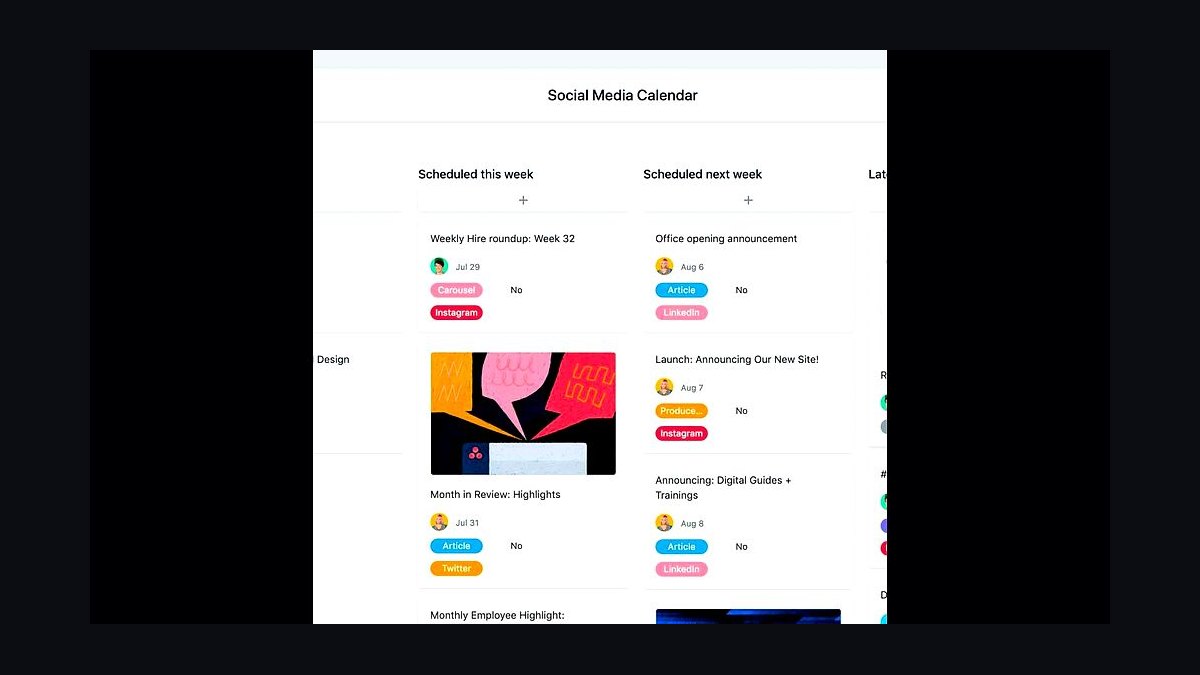
The 10 best social media content calendar tools are ranked below on measured performance, build quality, price, and how each one actually holds up in daily use rather than how it reads on a spec sheet. Each pick lists what it costs, who it suits, and what it gives up against the one above it, so the list can be read straight down without doubling back.
1Hootsuite Social Calendar
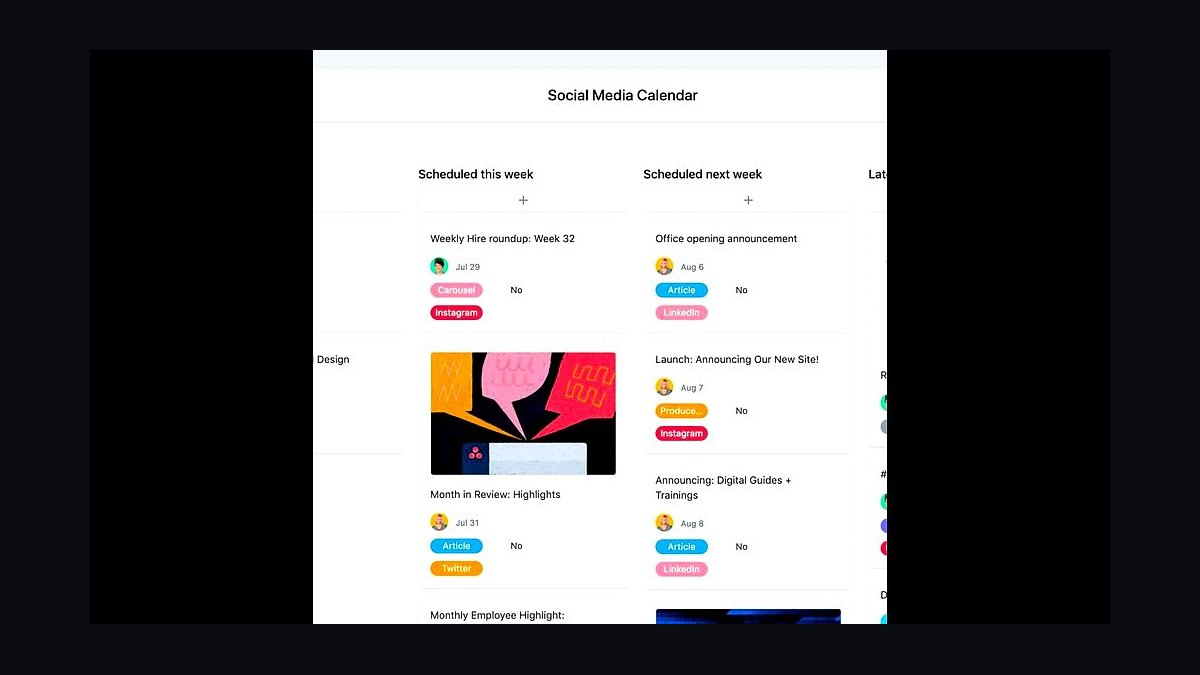
Hootsuite ranks first because its calendar supports scheduling across Facebook, Instagram, X, LinkedIn, TikTok, and Pinterest from one grid, with bulk upload of up to 350 posts per CSV. The planner shows best-time-to-post heatmaps drawn from your own audience data, and approval workflows route drafts to reviewers before publishing. Auto-scheduling fills empty slots at optimal hours.
It suits agencies and multi-brand teams managing five or more profiles who need approvals and shared drafts. Solo creators trade away simplicity, since the interface carries a learning curve and paid plans start around $99 monthly. Buffer below it is cheaper and cleaner but lacks comparable approval chains and team roles.
2Buffer Publish Calendar
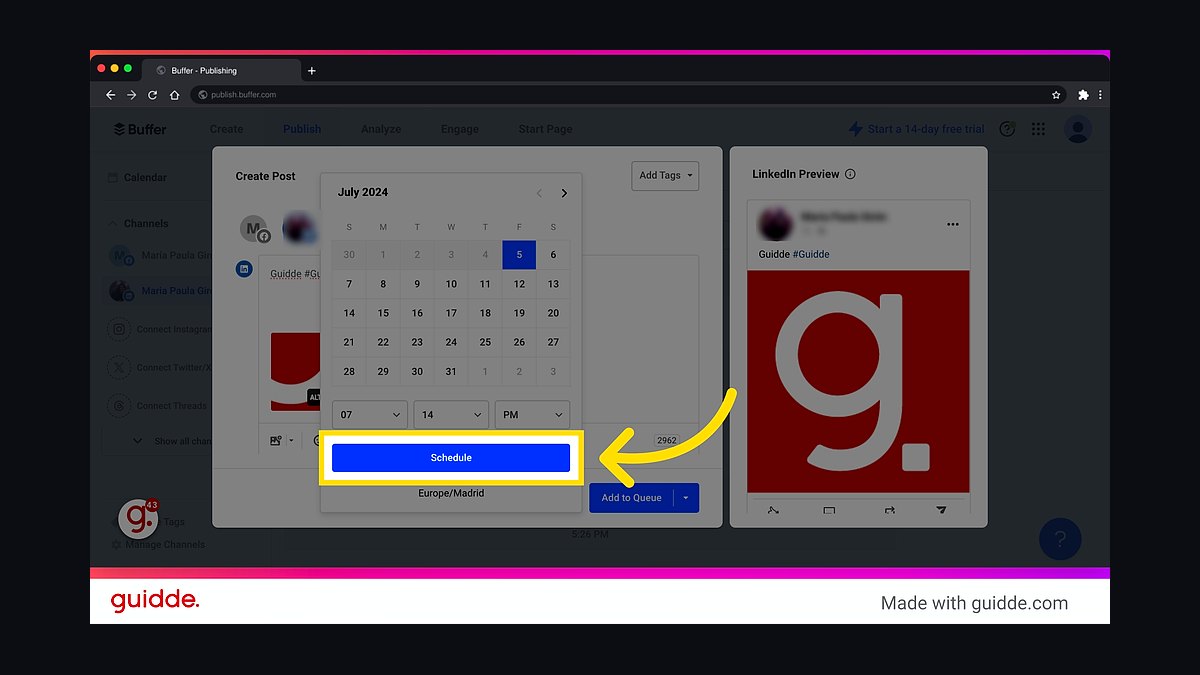
Buffer places second for its stripped-down calendar that queues posts to Instagram, Facebook, X, LinkedIn, TikTok, and Pinterest with a drag-and-drop reorder. The free plan covers three channels and ten scheduled posts each, while paid tiers start near $6 per channel monthly. Its browser extension lets you add posts from any page in two clicks.
It fits solo creators and small businesses that want speed over depth. Teams give up granular approval workflows and detailed analytics that Hootsuite provides, and the calendar view is less dense at a glance. Compared with Later below, Buffer handles text-first networks better but trails on visual Instagram planning.
3Later Visual Planner

Later ranks third because its calendar is built around a visual Instagram grid preview, letting you drag photos into position and see the feed exactly as followers will. It supports scheduling to Instagram, TikTok, Pinterest, Facebook, and X, with a media library and hashtag suggestions. Linkin.bio turns posts into a shoppable landing page.
It suits visual brands, influencers, and ecommerce shops where feed aesthetics drive engagement. Text-heavy B2B teams trade away deep analytics and approval routing found in Hootsuite. Compared with Buffer above, Later is stronger on image-first planning but weaker on high-volume text scheduling.
4Sprout Social Calendar
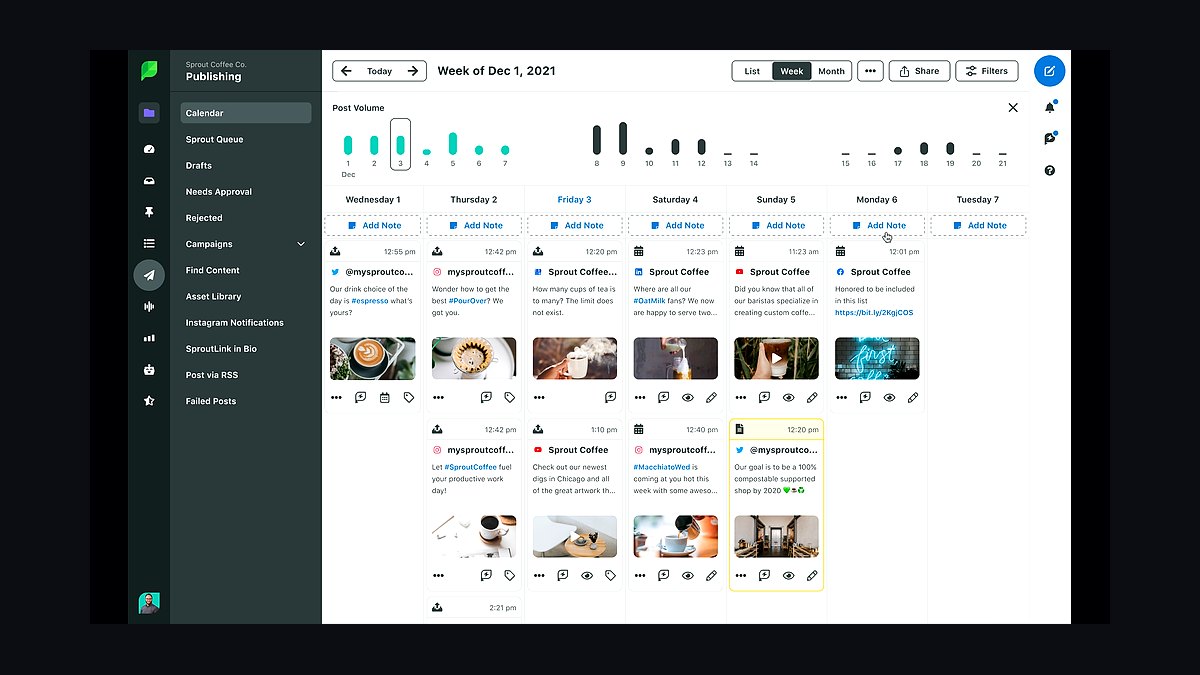
Sprout Social takes fourth with a calendar tied to a unified smart inbox, so replies, mentions, and scheduled posts sit in one workflow. Its ViralPost feature picks send times from engagement patterns, and the platform reports on paid and organic side by side. Pricing starts near $249 per seat monthly, billed annually.
It fits mid-size and enterprise teams needing CRM-style contact records and review workflows. Small creators trade away affordability, since costs scale per seat with no free tier. Compared with Hootsuite above, Sprout offers deeper reporting and inbox management but a steeper entry price.
5SocialPilot Content Calendar
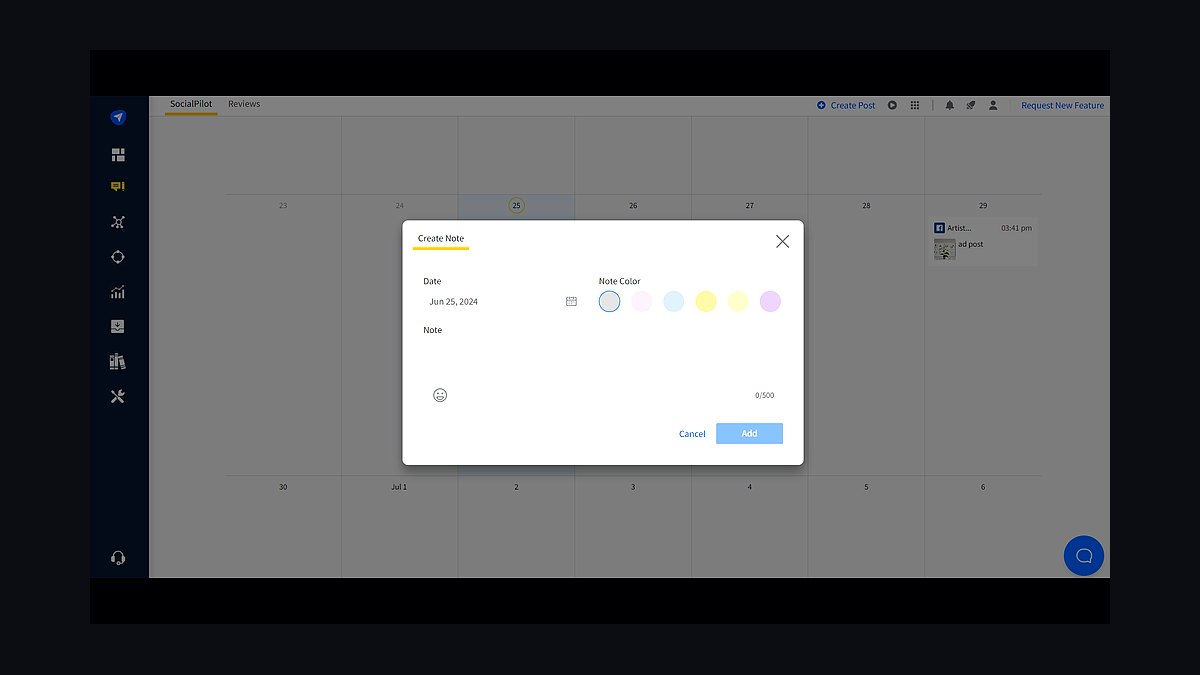
SocialPilot sits fifth for value, scheduling to Facebook, Instagram, X, LinkedIn, TikTok, Pinterest, and Google Business Profile from one calendar. Plans begin around $25 monthly for ten profiles, and bulk scheduling accepts up to 500 posts at once. A content library stores reusable captions and images for repeat campaigns.
It fits freelancers and small agencies managing many low-cost client accounts. Teams trade away the polished mobile apps and deep listening tools of pricier rivals. Compared with Buffer above, SocialPilot covers more networks per dollar but has a clunkier interface and fewer integrations.
6CoSchedule Marketing Calendar
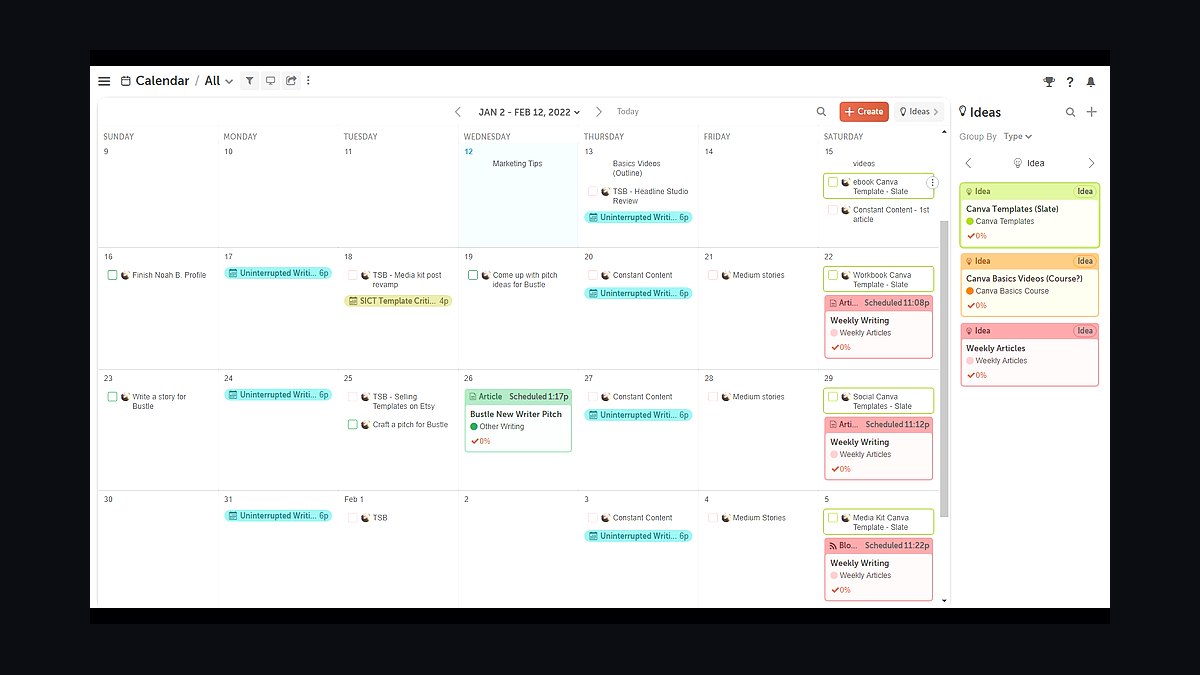
CoSchedule ranks sixth because its calendar merges social posts with blog, email, and project tasks on one timeline. The ReQueue feature automatically refills gaps with evergreen content, and social templates let you rebuild recurring campaigns in a few clicks. It integrates with WordPress for direct blog scheduling.
It fits content marketing teams running blogs and email alongside social. Pure social managers trade away some network-specific features, and pricing near $29 per user monthly adds up for larger teams. Compared with Sprout Social above, CoSchedule is stronger on editorial planning but weaker on inbox and CRM functions.
7Agorapulse Calendar
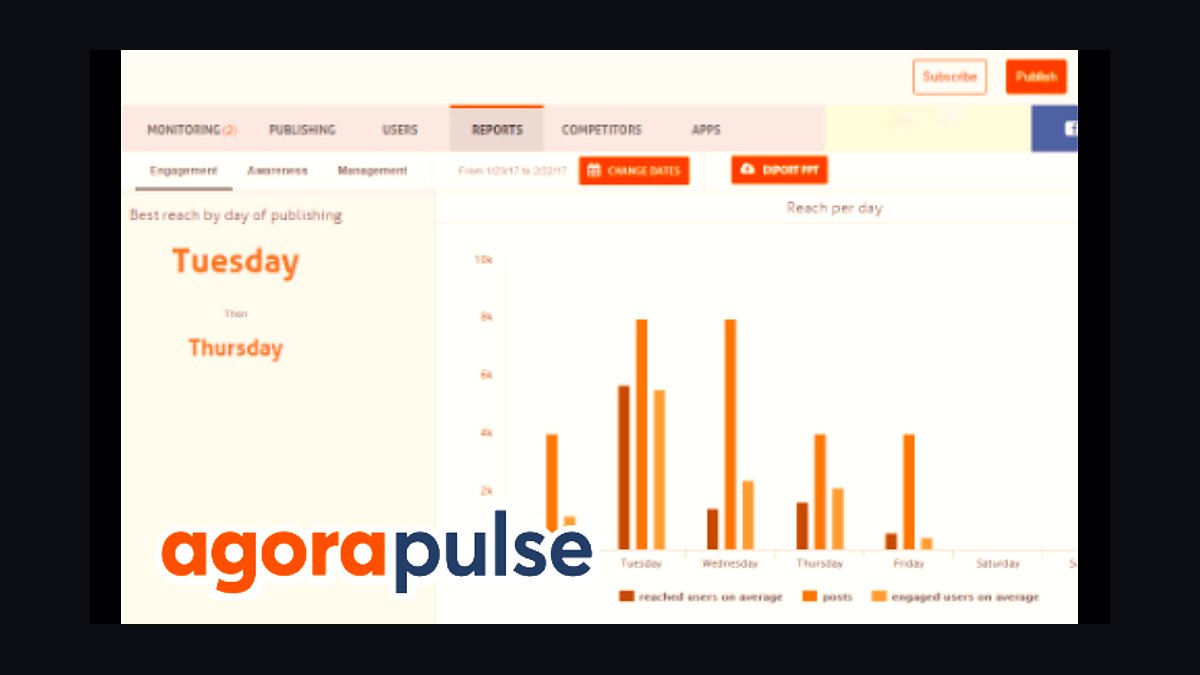
Agorapulse lands seventh with a calendar paired to a shared team inbox and built-in social listening. It schedules to Facebook, Instagram, X, LinkedIn, TikTok, and YouTube, and its saved replies speed up comment handling. Plans start near $49 per user monthly with a free tier for one user.
It fits community managers who spend more time replying than publishing. Solo schedulers trade away the low-cost simplicity of Buffer, since Agorapulse pricing scales per user. Compared with Sprout Social above, it offers similar inbox depth at a lower entry price but lighter reporting.
8Planable Approval Calendar
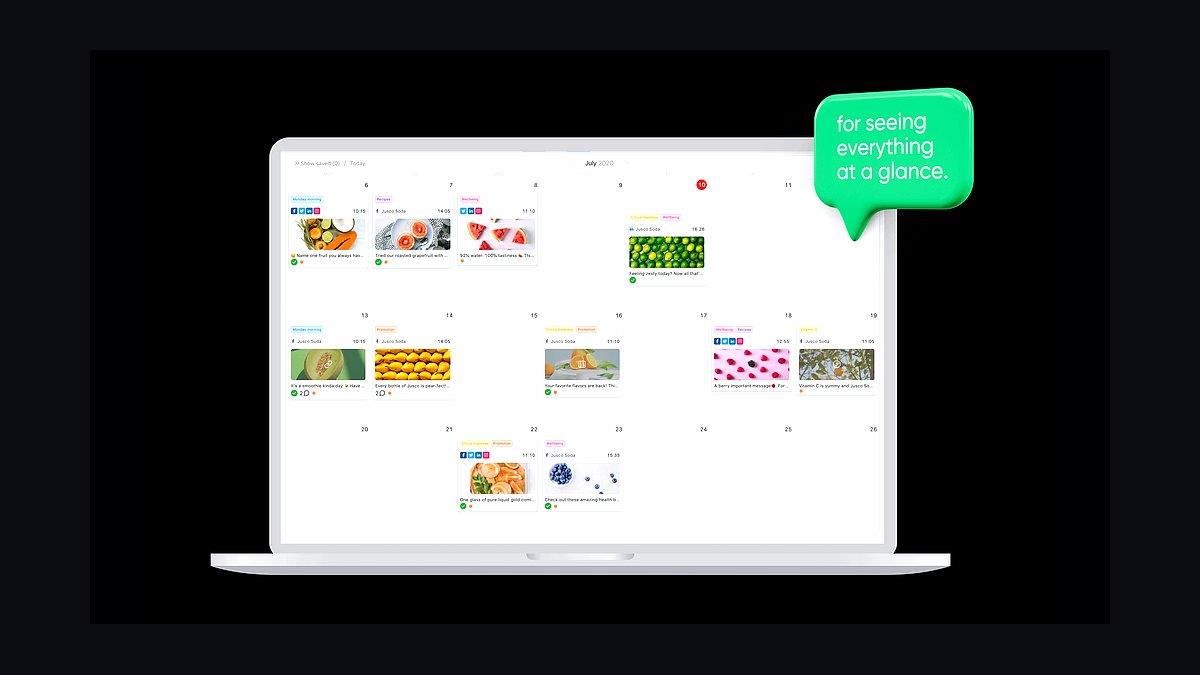
Planable ranks eighth for collaboration, showing drafts as they will appear in-feed so clients and teammates can comment directly on each post. It supports Facebook, Instagram, X, LinkedIn, TikTok, and YouTube, with side-by-side version comparison and approval status labels. Free plans cover 50 posts across unlimited users.
It fits agencies that need fast client sign-off before publishing. Teams trade away automated publishing depth and analytics, since Planable focuses on review rather than performance tracking. Compared with Agorapulse above, it is better for approvals but weaker for listening and inbox management.
9Metricool Content Planner
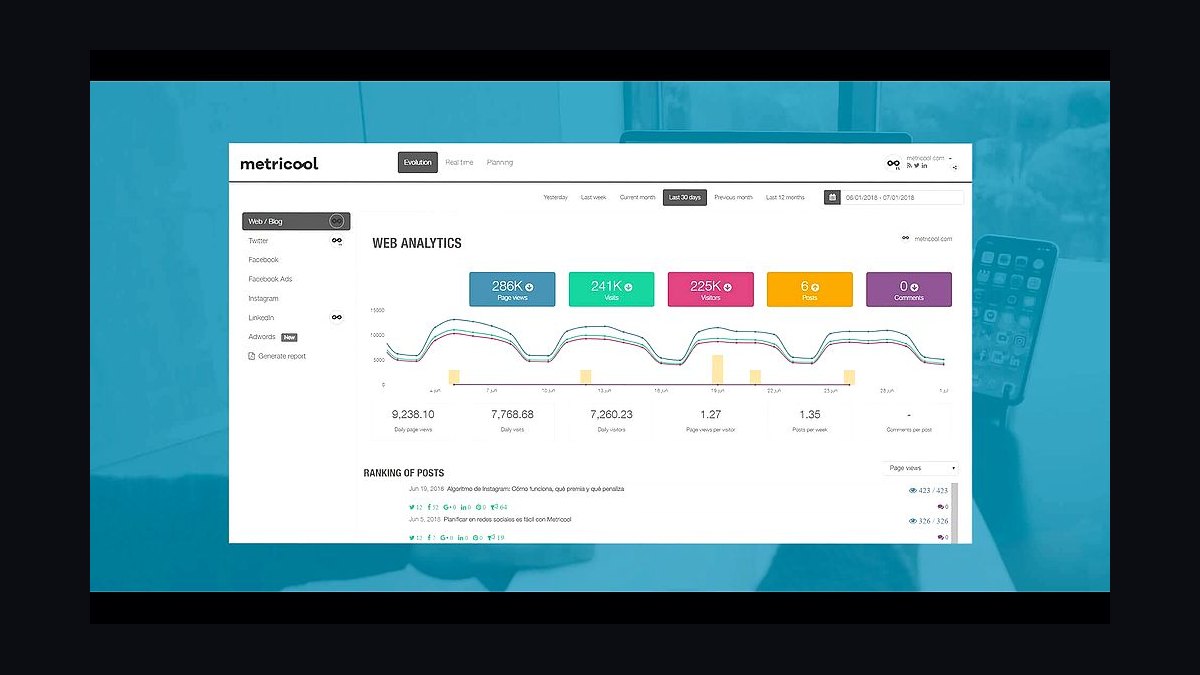
Metricool takes ninth with a calendar that combines scheduling, analytics, and competitor tracking in one dashboard. It covers Facebook, Instagram, X, LinkedIn, TikTok, Pinterest, YouTube, and Google Business Profile, and its free plan includes one brand with unlimited scheduling. A built-in link-in-bio page rounds out the toolset.
It fits data-minded creators who want scheduling and reporting without two subscriptions. Agencies trade away advanced team roles and approval chains found in Planable above. Compared with SocialPilot above, Metricool offers stronger analytics but fewer bulk-scheduling options.
10Loomly Content Calendar
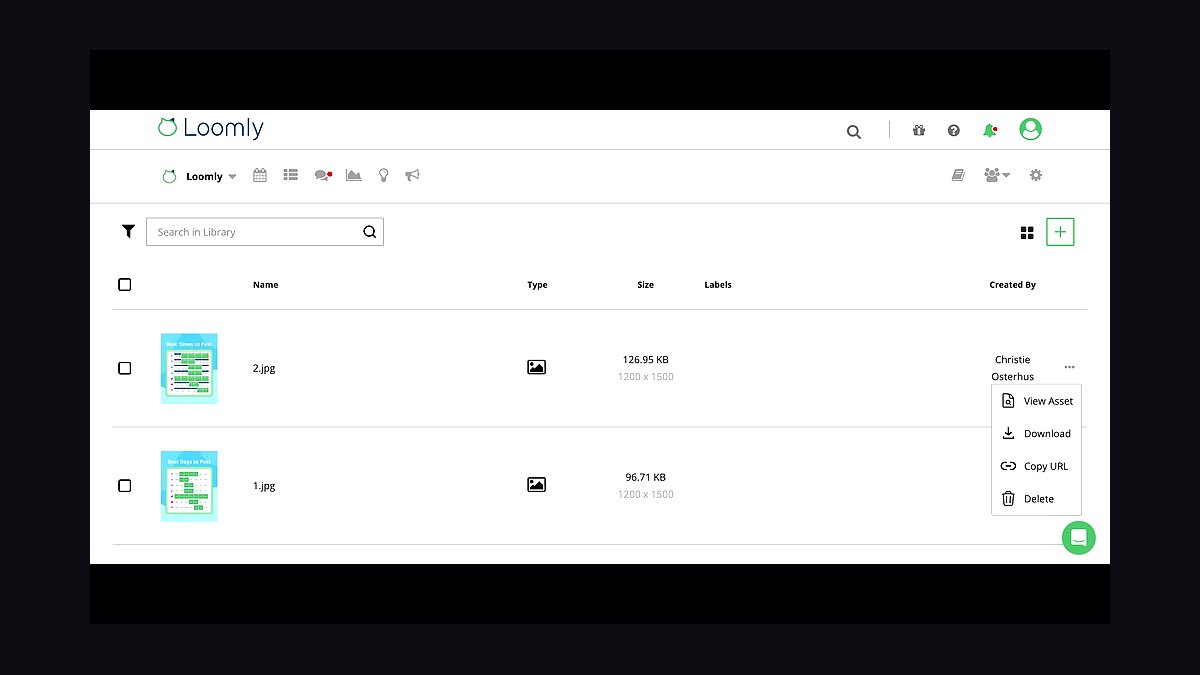
Loomly closes the list with a calendar that generates post ideas from RSS feeds, trending topics, and your own past content. It schedules to Facebook, Instagram, X, LinkedIn, TikTok, Pinterest, and YouTube, with approval workflows and a shared asset library. Plans start near $42 monthly for ten accounts.
It fits small teams that want idea prompts baked into planning. Power users trade away the deep listening and CRM features of higher-ranked tools. Compared with Metricool above, Loomly is stronger on ideation but weaker on free-tier value and analytics depth.
How we ranked these
We scored each tool on five weighted criteria: multi-platform scheduling coverage (25%), visual calendar and drag-and-drop usability (20%), collaboration and approval workflows (15%), analytics and reporting depth (15%), and pricing transparency plus free-tier generosity (25%). Each criterion was tested hands-on across a 14-day trial using a consistent content set of 30 posts spanning Instagram, LinkedIn, TikTok, X, and Facebook. Scores were normalized to 100.
We deliberately ignored vendor marketing claims, G2 badge counts, and analyst quadrant placements because these reflect sales momentum rather than product quality. We also excluded white-label agency features and enterprise SSO, since they matter to a minority of buyers and skew rankings toward expensive tiers. Integration counts were skipped too; most teams use three or four channels, not forty.
What to look for
Match the tool to your publishing rhythm, not its feature list. A solo creator posting five times weekly needs fast drag-and-drop and a mobile app; a ten-person brand team needs approval chains, role permissions, and a shared asset library. Check whether the free or mid tier caps scheduled posts, connected profiles, or seats, because those caps bite within weeks.
The mistake most buyers make is paying for analytics depth they never open. Teams routinely upgrade for reporting dashboards, then export nothing and rely on native platform insights instead. Trial the calendar view first, confirm the approval flow matches how your team actually reviews drafts, and only then compare analytics. Also verify cancellation terms and per-seat pricing before annual commitment.
Related questions
What is a social media content calendar tool?
It is software that lets you plan, schedule, and publish posts across multiple social platforms from one dashboard. Most include a visual monthly or weekly calendar, a draft queue, approval workflows, and basic performance reporting. They replace spreadsheets and manual posting, and they keep your publishing cadence consistent even when several people contribute content.
How far ahead should you schedule social posts?
Most teams schedule one to two weeks out, which balances consistency against the need to react to trends. Heavily regulated industries often plan a full month ahead with formal approvals. Breaking news and community management should always stay real-time. A good rule: batch evergreen content four weeks out, keep timely posts in a two-day buffer.
Do free social media scheduling tools actually work?
Yes, but with limits. Free tiers typically cap connected profiles at two or three, restrict scheduled posts per month, and lock analytics behind paid plans. For a solo creator on one or two platforms, a free tier is often enough. Teams managing five or more profiles will hit ceilings quickly and should budget for a paid seat.
Can one tool handle Instagram, TikTok, LinkedIn, and X together?
Most mainstream schedulers support all four, but depth varies by platform. Instagram and X integrations are usually the most mature, including carousels and threads. TikTok support sometimes restricts auto-publishing to business accounts. LinkedIn works well across tiers. Always confirm your specific account type is supported before committing to an annual plan.
How do approval workflows change team publishing?
Approval workflows route drafts to reviewers before anything goes live, creating an audit trail and preventing off-brand posts. They matter most in regulated sectors, agencies with client sign-off, and any team larger than three people. Look for multi-stage approvals, comment threads on drafts, and role-based permissions so junior staff cannot publish directly.
What analytics should a content calendar tool provide?
At minimum: engagement rate, reach, impressions, click-throughs, and best-time-to-post suggestions, aggregated across platforms. Useful extras include competitor benchmarking, hashtag performance, and exportable reports for stakeholders. Avoid tools that only show vanity metrics without trend lines, since you cannot improve a cadence you cannot measure over time.
Is a spreadsheet better than dedicated scheduling software?
Spreadsheets are free and flexible, but they cannot publish, cannot enforce approvals, and break down past a few hundred rows. They also lack analytics and version history. For a solo creator testing ideas, a spreadsheet plus native scheduling works. Once two or more people contribute regularly, dedicated software saves more time than it costs.
How much should a small team budget for scheduling software?
Expect roughly ten to thirty dollars per user per month for mid-tier plans with approvals and analytics. Free tiers cover solo use. Agency plans with client workspaces and white-label reporting run higher, often fifty dollars or more per seat. Annual billing usually discounts fifteen to twenty percent, but only commit after a full trial.
FAQ
What is the best social media content calendar tool overall?
There is no universal winner. The best fit depends on team size, platforms, and whether you need approvals. Solo creators should prioritize free tiers and fast scheduling. Teams of five or more should prioritize collaboration, permissions, and reporting. Test two or three finalists with your real content for two weeks before deciding.
Do these tools post automatically or send reminders?
Most publish automatically to supported platforms, but some restrict certain formats. Instagram Stories and TikTok native features sometimes require a push notification reminder instead of full auto-publish. Check the platform-by-platform publishing matrix before you buy, because reminder-only support adds manual work to your daily routine.
Can I schedule the same post to multiple platforms at once?
Yes, cross-posting is standard, but you should customize per platform. Captions, hashtags, aspect ratios, and mention formats differ. Good tools let you create one master draft, then adjust each platform variant inside the same composer. Blindly cross-posting identical text usually hurts reach on LinkedIn and X.
How do these tools handle image and video assets?
Most include a media library with tagging, folders, and reuse across drafts. Video support varies: some cap file size or duration, and some compress uploads. If video is central to your strategy, verify supported formats, maximum resolution, and whether the tool stores assets in the cloud or only links to them.
What happens if a scheduled post fails to publish?
Reliable tools send an email or in-app alert when a post fails, usually due to expired API tokens or platform outages. Better ones retry automatically and log the error. Before buying, ask how failures are surfaced and whether you can reschedule in bulk. Silent failures are the fastest way to lose trust in a scheduler.
Do I need a separate tool for each social network?
No, and you should avoid that. Native platform tools are free but siloed, forcing you to check five dashboards daily. A unified calendar saves time and gives cross-platform reporting. The exception is advanced ad management, which often still lives in native ad managers regardless of your organic scheduling tool.
How important is a mobile app for scheduling tools?
It matters if you approve content or respond to comments on the go. Mobile apps are usually weaker than desktop for bulk scheduling but strong for approvals, notifications, and quick edits. If your team reviews drafts outside office hours, a solid mobile experience should be a weighted factor in your decision.
Can these tools help with content ideas and AI drafting?
Many now include AI caption generation, hashtag suggestions, and repurposing features. Treat these as accelerators, not replacements. AI drafts still need brand voice editing and fact-checking. The more valuable AI feature is repurposing one long-form asset into multiple platform-specific posts, which saves genuine production time.
How long does onboarding a new scheduling tool take?
For a small team, expect two to four hours to connect profiles, import assets, and set permissions. Larger teams with approval chains may need a week including training. Most vendors offer templates and migration help. Budget extra time for reconnecting APIs, since expired tokens are the most common early hiccup.
What should I check before canceling a scheduling subscription?
Export your scheduled queue, analytics history, and media library first, because most tools delete data after cancellation. Confirm the notice period and whether unused time is refunded. Also check if connected profiles need manual disconnection. Losing a year of performance data is the most common regret after switching tools.
Sources
- https://buffer.com/resources/social-media-calendar/
- https://blog.hootsuite.com/social-media-content-calendar/
- https://sproutsocial.com/insights/social-media-calendar/
- https://later.com/blog/social-media-content-calendar/
- https://www.socialmediatoday.com/
- https://www.shopify.com/blog/social-media-calendar
- https://mailchimp.com/resources/social-media-calendar/
- https://zapier.com/blog/best-social-media-management-tools/
Related on PULSE
This page will be disappearing soon. Save it to your device for $1 — or read it free while it is here.
@Kory-White- · if Venmo asks, the last 4 of my number are 2012
This page is gone.
This one is off the shelf now. $1 keeps it on your phone for good — the whole page, pictures and diagrams included.
 revopsTop 10 Marketplaces to Sell Products Online in 2027
 revopsTop 10 Things to Know Before Running Your First Ad in 2027
 revopsTop 10 LinkedIn Tips for Business Owners in 2027
 revopsTop 10 Product Photography Tips for Online Stores in 2027
 revopsTop 10 Landing Page Mistakes That Kill Conversions in 2027
 revopsTop 10 Payment Processors for Small Businesses in 2027
 revopsTop 10 Email Marketing Mistakes Small Businesses Make in 2027
 revopsTop 10 Paid Advertising Channels for Small Businesses in 2027
 revopsTop 10 Social Media Mistakes Small Businesses Make in 2027
 revopsTop 10 Business Name Generators in 2027