
How Many Staff Should I Schedule Each Shift at My Sushi Restaurant in 2026?
 Curated byKory White · Fractional CRO · Maryland
 PULSEKNOWLEDGE LIBRARY
Quality
Certified

Schedule staff by dividing each shift's average gross profit by a per-person target — roughly $400 at a sushi restaurant. A $1,200 Wednesday lunch needs three people; a $4,400 Saturday dinner needs eleven. Split that count about 40% front of house and 60% sushi bar, then place bodies against your actual hourly receipt curve.
What shift staffing actually is, and why sushi makes it harder
Most owners think of a schedule as a grid to fill. It isn't. A schedule is a capital allocation decision made in fifteen-minute increments, and at a sushi restaurant it is the single largest controllable line item on the P&L after food cost. Every name you write into a box is a bet that the gross profit produced during that block will exceed the wage, the payroll tax, the workers' comp premium, and the share of overhead that person's presence obligates you to. Write too many names and you convert margin into idle labor. Write too few and you convert demand into a forty-minute wait, a walked party, and a one-star review about the rice being warm because your one itamae was buried.
Sushi complicates this in ways a burger counter never has to think about. The production line is not fungible. In a typical American casual restaurant, a competent line cook can be moved from grill to sauté to expo inside a single service with a two-minute conversation. At a sushi bar, the person cutting fish represents years of accumulated skill — knife control, rice temperature management, portion consistency, the muscle memory that lets someone form a nigiri in four seconds instead of fifteen. You cannot flex a busser onto the counter at 7:40 p.m. because the wait list hit twelve. That skill asymmetry means understaffing the bar has a much sharper penalty curve than understaffing the floor: the floor degrades gracefully, the bar hits a hard ceiling and stops.
The second complication is throughput asymmetry. A sushi chef produces higher gross profit per plate than almost any other station in casual dining — the margin on a specialty roll, a sake flight, or an omakase seat is exceptional — but produces fewer plates per hour than a line cook working a flat-top. High margin, low velocity. That combination is exactly why generic restaurant staffing ratios mislead sushi owners. Applying a 60/40 front-heavy split borrowed from a diner will leave your counter drowning while three servers stand at the POS refreshing tickets.

The third complication is takeout. Delivery-app and call-in orders consume back-of-house capacity while producing zero front-of-house demand. A restaurant doing 30% of covers through third-party apps is running a phantom second restaurant behind the counter that the dining room can't see. If your staffing math counts only seated covers, you will systematically understaff the bar every single Friday and never understand why tickets crawl.
This is why the division method matters more than any scheduling app. The tools — 7shifts, Homebase, Deputy, When I Work, HotSchedules — are all competent at publishing a grid, collecting availability, enforcing break rules, and pushing shift-swap requests to phones. Not one of them will tell you that Saturday dinner needs eleven people. They fill the grid. You have to know what belongs in it.
The step-by-step process for building the schedule
Here is the method, start to finish. It takes about two hours the first time and twenty minutes a month after that.
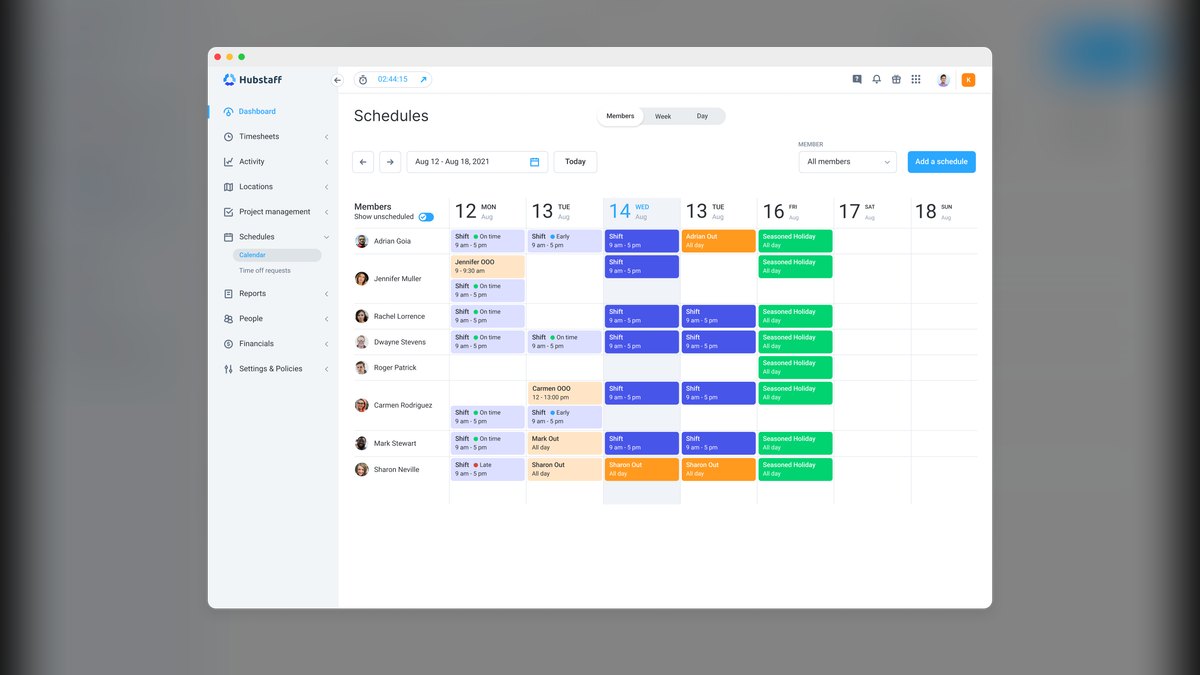
Step one — agree on the per-person shift number. Sit down with whoever holds P&L accountability, usually you and a general manager, and set the gross profit a single average staffer should generate on an average shift. Say it plainly: at our restaurant, if you show up, work a normal section or a normal station, and give normal service, you should produce no less than $400 a shift in gross profit. That number is a floor, not a ceiling. The servers who intend to actually make money don't coast to $400 and clock out — they clear $400 on the section, then sell the chef's special, the sake flight, the second round, the mochi, and go hunting for the next $400. The value of a single agreed number is that it gives leadership, the head itamae, and every server on the floor the same yardstick. Arguments about the schedule stop being about personalities and start being about arithmetic.
Calibrate the number honestly to your economics. A high-volume roll-and-nigiri bar with a $32 average check and 68% gross margin supports a different floor than a twelve-seat omakase counter at $145 a head. If you don't know your real gross margin by daypart, stop and calculate it before you go further — everything downstream is wrong otherwise. Typical sushi restaurants land somewhere in the $300 to $500 range per person per shift. Pick the number your data supports, not the one that makes the schedule you already wanted look correct.
Step two — pull gross profit by day and by daypart. Take each service block separately: Monday lunch, Monday dinner, Tuesday lunch, and so on through the week. Average each one over a trailing three to six months. Use a median rather than a mean if you have volatile weeks — one Valentine's Day or one blizzard will otherwise poison the average and you'll staff to a fiction. Now divide each block by your target. If Wednesday lunch averages $1,200 in gross profit, that's three people. If Saturday dinner averages $4,400, that's eleven. Three people each producing an honest $400 exactly cover what that lunch actually generates, and if they push the specialty rolls and the sake, the shift beats the number.
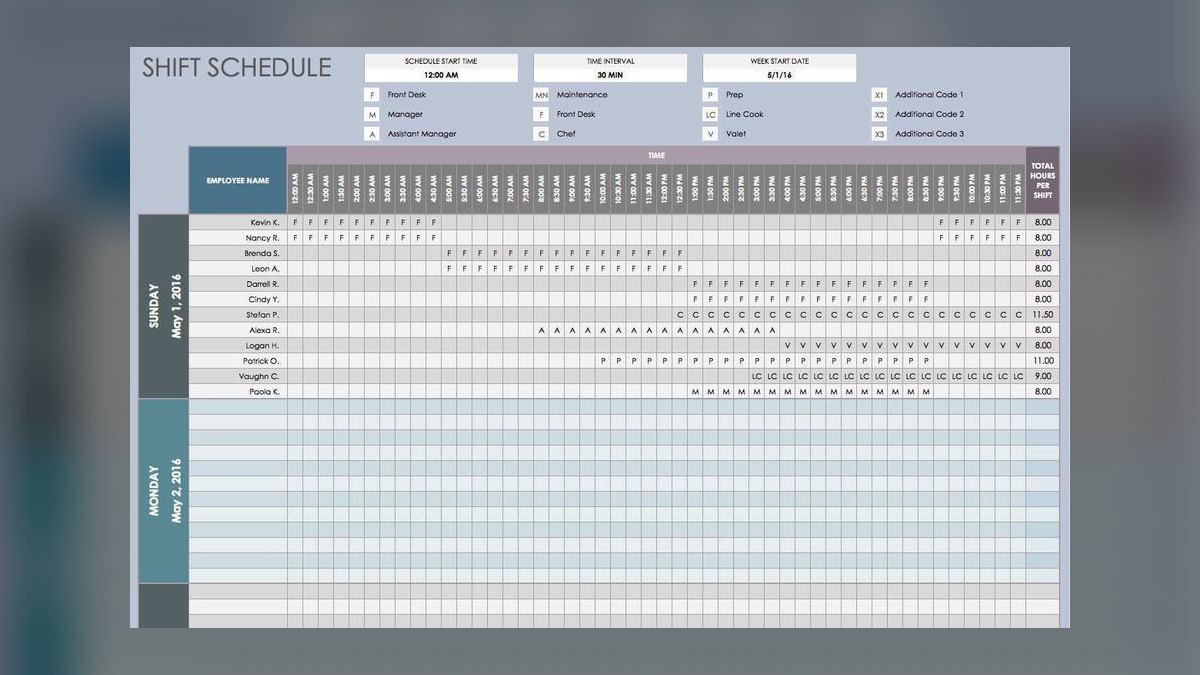
Run this division for every block and the staffing plan writes itself. No favorites, no "we've always run five on Saturday," no manager quietly scheduling their friends onto the money shifts.
Step three — split the count between the floor and the bar. For most full-service sushi restaurants the split runs about 40% front of house — servers, host, bussers, bar — and 60% back of house, meaning itamae, prep, line for the hot kitchen, and dish. Applied to that eleven-person Saturday dinner: four or five on the floor, six or seven behind. Derive your own ratio from where the gross profit actually originates over the trailing period rather than accepting the default. Heavy takeout pushes the ratio further back of house, sometimes to 65/35. Omakase-only pushes it further still, since the counter is simultaneously the kitchen and the service experience.
Step four — place the shifts against the receipt curve. The count tells you how many; the hourly sales data tells you when. Pull receipts by hour and look at where tickets actually post. A sushi house typically lives on a modest business-lunch bump, a genuine dead zone from roughly 2:30 to 5:00, and a hard dinner rush that swells Friday and Saturday and runs late. So you staff a light open for prep and rice, a swing shift that ramps chefs and servers into the evening, and a full deck through the dinner peak — rather than parking everyone at 1 p.m. because that's when the schedule template starts.
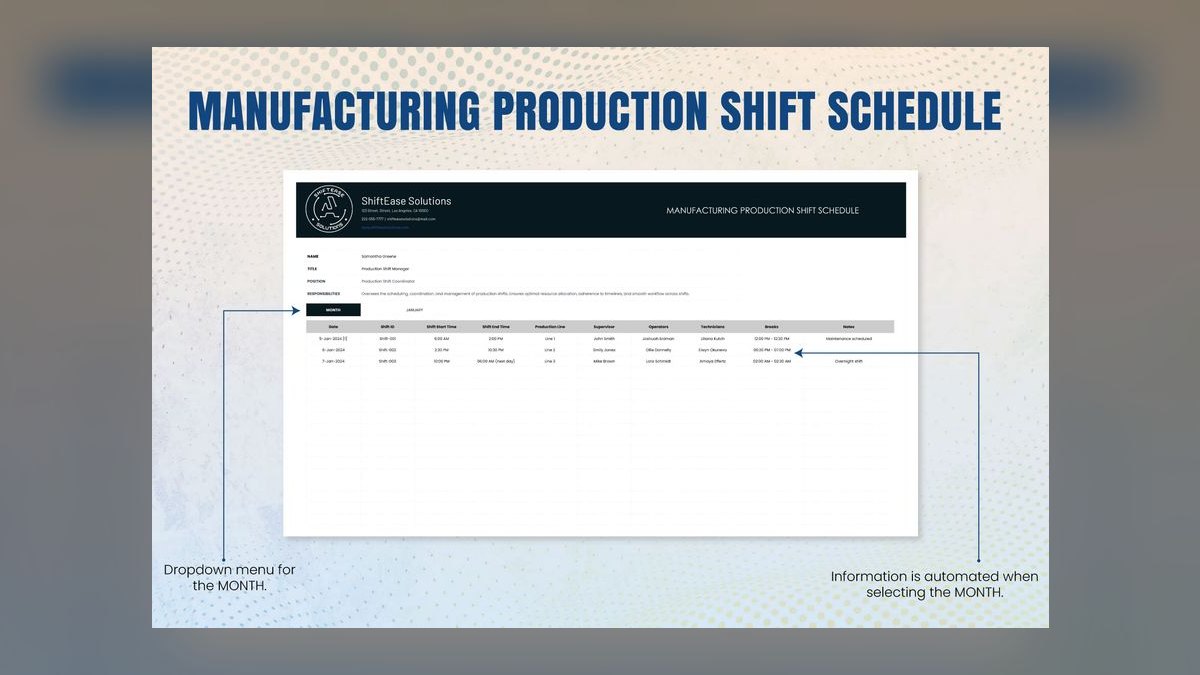
Step five — stagger, don't block. Do not schedule eleven people from 4:00 to close. Schedule two at 3:00 for prep and rice, three more at 4:30, four at 5:30 for the peak, and cut in reverse order as the room empties. The headcount number is a peak-hour requirement, not a duration requirement. Blocking everyone into identical shifts is the most common way owners take correct math and produce a 34% labor cost anyway.
Costs, timelines, and typical ranges
Labor at a full-service sushi restaurant generally runs 25% to 35% of sales, with most healthy operations targeting the high twenties. Push below 25% and you are usually either understaffing service or underpaying skilled chefs badly enough that you'll be recruiting again in ninety days. Drift above 35% and the restaurant is functionally working for the staff rather than the owner. The division method controls headcount; you still need a labor-percentage check on top of it, because headcount and cost are not the same thing — a shift with two senior itamae costs far more than a shift with two prep cooks.
Understand the compounding here. If your true fully loaded labor cost is roughly 1.25 to 1.35 times base wage once payroll taxes, workers' comp, and any benefits are included, then a single unnecessary eight-hour server shift at $16 an hour costs you around $160 all-in. Do that twice a week for a year and you've spent roughly $16,000 on coverage nobody needed. That is a walk-in cooler, or the deposit on a second location, or the difference between a profitable year and a break-even one.

On timelines: publish the schedule at least fourteen days out. In several jurisdictions predictive-scheduling ordinances require it and impose penalty pay for late changes, but even where no law applies, two weeks is the practical threshold for retaining part-time staff who are stacking jobs or classes. Rerun the gross-profit division monthly, not weekly — weekly reruns chase noise. Do a full recalibration of the per-person target quarterly, or immediately after any menu price change, any significant shift in your takeout mix, or the opening of a direct competitor within a few blocks.
Scheduling software costs are modest relative to the labor it governs. Homebase offers a free tier for a single location with unlimited employees, with paid plans in the roughly $25 to $100 per location per month band depending on features. 7shifts is restaurant-native, offers a free tier for one location, and paid plans that run roughly $35 to $77 per location per month; it ties directly into POS sales so you can watch labor as a percentage of sales in real time. Deputy prices per user, in the $4 to $6 per person per month range. When I Work and Sling both have free tiers with meaningful employee caps. HotSchedules, now part of Fourth, is the enterprise-weight option for multi-unit groups and is quoted rather than listed. Verify current pricing directly with each vendor before budgeting — these tiers change.
The honest framing on tools: at roughly $40 a month, a scheduling app that prevents one unnecessary shift per week pays for itself four times over. But it prevents nothing on its own. It's a publishing and compliance layer sitting on top of a decision you still have to make with the arithmetic above.

One adjacent cost most owners miss is the turnover multiplier. Chronic understaffing on peak shifts doesn't only cost you walked covers — it costs you the server who quits in month four because every Saturday is a war. Replacing and training a server runs into real money once you count recruiting time, the manager hours spent training, and the reduced ticket averages during the ramp period. A schedule that is correct on paper but brutal in practice is not a cheap schedule.
Where owners get this wrong
Scheduling lunch and dinner identically. This is the most expensive habit in the category. Sushi restaurants typically see something like 25% to 35% of daily gross profit from lunch and 65% to 75% from dinner. Yet the schedule shows the same five names on both. If Wednesday lunch does $1,200 and Wednesday dinner does $3,200, that's three people versus eight — not five and five. Averaging the dayparts together produces the worst of both outcomes: an overstaffed dead lunch subsidizing an understaffed profitable dinner.
Scheduling by habit rather than by data. I have walked into sushi bars running five servers on a dead Tuesday and three on a packed Saturday, because someone wrote a template in 2019 and it has been copy-pasted ever since. Habit schedules are always wrong; they're just wrong in a way nobody looks at.

Ignoring the takeout load on the bar. Third-party delivery tickets fire into the same expo window as dine-in but generate no server labor demand. If takeout is 25% or more of your volume, the back-of-house share of your split needs to rise, and you may need a dedicated packer during peak so an itamae isn't stopping mid-roll to find bags, chopsticks, and ginger.
Treating all staff as interchangeable units. Eleven bodies is not the requirement. Eleven bodies with the right skill distribution is. Two senior itamae plus a prep cook is a functional Saturday bar; three prep cooks is not, regardless of what the headcount math says. The division tells you how many; your skill matrix tells you which.
Forgetting the prep tail and the close. Sushi prep is front-loaded and unforgiving — rice, fish breakdown, sauces, garnish. If you schedule your bar staff to arrive at open, service starts behind and never catches up. Similarly, the close involves fish storage, board sanitation, and case breakdown that a burger joint doesn't carry. Budget those hours explicitly instead of letting them appear as unplanned overtime every week.
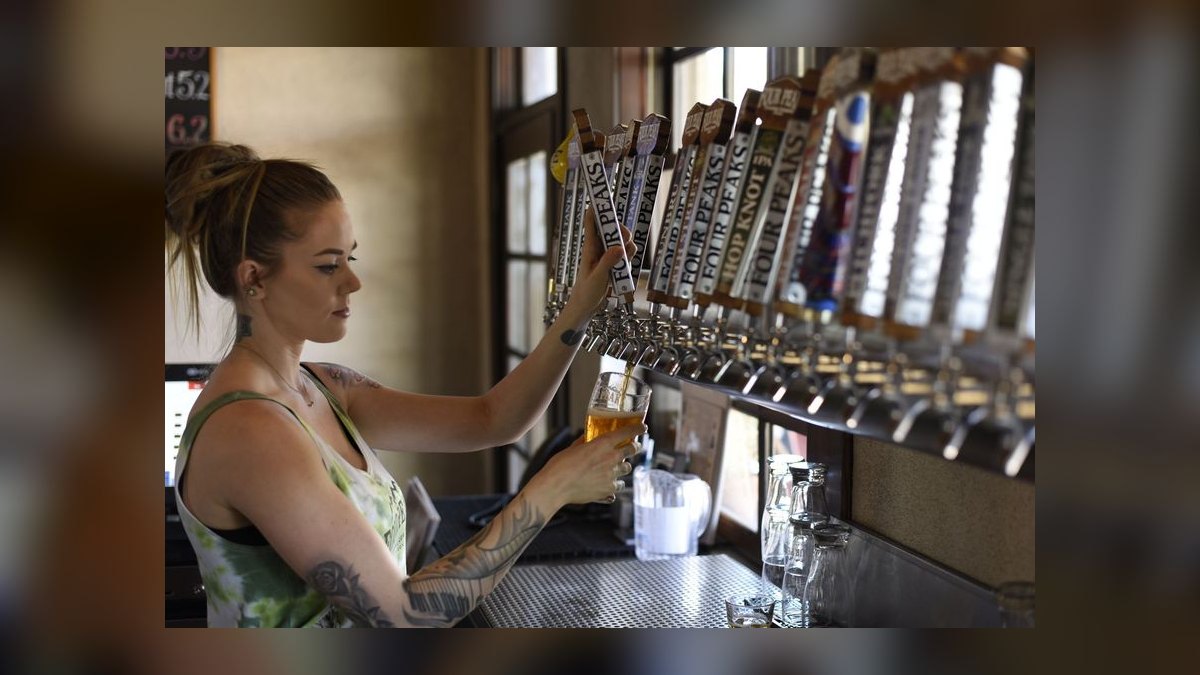
Cutting people too late. Managers under-cut because sending someone home feels bad. Establish a cut trigger — for instance, when the dining room drops below 40% occupancy and the wait list is empty — and make it a rule rather than a judgment call each night.
Never comparing plan to actual. The loop only works if you close it. Each week, put the projected gross profit per shift next to what actually landed. When a shift consistently beats the projection, you're understaffing it and probably leaving upsell revenue on the table. When it consistently misses, either the staffing was too heavy or something upstream — a marketing change, a competitor opening, a bad review cycle — is worth investigating.
Decision framework: when to choose what
Not every sushi operation should apply the same version of this method. Use the format of the restaurant to select the variant.
Counter-service or fast-casual sushi. Throughput is the constraint, not service. You may run with as few as one or two chefs and a single front-of-house person during off-peak. The per-person gross profit target should be set lower — check averages are smaller — and the front/back split shifts hard toward the back, often 25/75, because there's no table service to staff.
Full-service à la carte, 50 to 80 seats. The classic case, and where the 40/60 split and the $400 target fit best. Peak dinner typically lands somewhere between eight and twelve people depending on volume. This format benefits most from staggered starts because the demand curve has a genuine shoulder on either side of the rush.
Omakase counter. Nearly everything inverts. The chef is the service, the seat count is fixed, and the seating times are known in advance because reservations are prepaid. Staffing becomes a function of covers booked rather than covers forecast, which is a far easier problem. One chef per eight to ten seats, plus one support person for beverage and pacing, is a common shape. The per-person gross profit target rises substantially because ticket averages do.
Hybrid with heavy takeout or delivery. Add a distinct role rather than adding a generic body. A dedicated packer or expediter during peak protects your chefs' throughput far more effectively than a fourth chef would, and costs less.
Multi-unit groups. Once you're past two or three locations, the per-person target should be set centrally and the division run per location, because gross profit per shift will vary meaningfully between a downtown lunch-heavy site and a suburban dinner-heavy one. This is also the point where forecasting-grade software earns its keep — the manual monthly recalculation that works fine for one restaurant becomes genuinely burdensome at six.
The through-line across every variant: pick a defensible per-person gross profit floor, divide honestly, split by where the money actually originates, and place the bodies against the receipt curve rather than the clock. The format changes the inputs. It never changes the arithmetic.
Related questions
How do I calculate gross profit per shift if my POS only reports revenue?
Take the shift's net sales and subtract cost of goods for that period. If your POS won't slice COGS by daypart, apply your blended food-and-beverage cost percentage from the last full month as an approximation. It's close enough to schedule against and improves as you refine it.
Should sushi chefs be scheduled differently from servers?
Yes. Chef staffing is capacity-driven and largely inelastic — you can't add skill mid-shift — so schedule the bar to peak requirement and accept some slack on the shoulders. Servers are elastic and should be staggered and cut aggressively as the room empties.
How far ahead should I publish the schedule?
Fourteen days minimum. Some jurisdictions legally require advance notice with penalty pay for late changes, and even where none applies, two weeks is what retains part-time staff who juggle other commitments.
What labor cost percentage should a sushi restaurant target?
Most full-service sushi operations run 25% to 35% of sales, with healthy ones clustered in the high twenties. Skilled itamae wages push this higher than a comparable non-sushi restaurant, so judge against sushi peers rather than general casual dining.
Does this method work for a brand-new restaurant with no sales history?
Partially. Start with a benchmark target in the $300 to $500 range and a conservative headcount, then recalculate off real data after your first sixty to ninety days. Treat the first quarter's schedule as a hypothesis, not a plan.
FAQ
What if my gross profit per shift is well below $400 per person?
Then lower the target rather than abandoning the method. Set it at $300 or $350 — whatever your actual margins support — and run the same division. The target has to be an honest floor you could defend to the staff, not a stretch goal. A number nobody can hit produces a schedule nobody trusts, and the whole system quietly reverts to manager instinct within a month.
How do I split staff between the floor and the sushi bar?
Use your real service ratio from the trailing three to six months. If 60% of gross profit originates at the bar and 40% on the floor, split the headcount that way. Adjust for takeout volume — every delivery ticket loads the bar without loading the floor, so a restaurant doing heavy third-party volume should push further back of house, sometimes to 65/35 or beyond.
My weekly numbers swing wildly. How do I handle that?
Use a median rather than a mean across three to six months, which prevents one holiday or one blizzard from distorting the whole plan. If a specific block is still erratic after that, look for a cause — a nearby event venue's calendar, a seasonal pattern, a recurring local promotion — and schedule that block against the cause rather than the average.
What if I can't hire enough people to hit the calculated number?
Protect the highest-grossing shifts first, usually Friday and Saturday dinner, and pull coverage from the lowest-grossing blocks to backfill. Cross-train where the skill allows — a server who can pack takeout, a prep cook who can run dish — but never staff a peak shift below the calculated number. Understaffing your best shift damages the revenue that funds everything else.
Does this account for tips or wage differences between roles?
No. The division produces headcount, not cost. Layer your labor cost percentage on separately: multiply each scheduled person's hours by their fully loaded rate, sum by shift, and check it against projected sales. Two senior itamae and two prep cooks are four bodies at wildly different costs. The formula tells you how many; your budget tells you whether that mix is affordable.
Do I need scheduling software to run this?
No. A spreadsheet does the arithmetic fine for a single location. Software earns its keep on the logistics layer — availability collection, shift swaps, break-rule compliance, time-clock integration, and live labor-percentage tracking against POS sales — and becomes close to mandatory once you're managing several locations or a roster large enough that swap requests eat a manager's evening.
Sources
- https://restaurant.org/ — National Restaurant Association, industry operations and labor benchmarks
- https://www.bls.gov/oes/current/oes_nat.htm — U.S. Bureau of Labor Statistics, Occupational Employment and Wage Statistics for food service roles
- https://www.bls.gov/iag/tgs/iag722.htm — BLS industry data for food services and drinking places
- https://pos.toasttab.com/blog — Toast restaurant management blog, scheduling and labor cost guides
- https://www.restaurantowner.com/ — RestaurantOwner.com, staffing ratios and shift planning resources
- https://www.7shifts.com/blog — 7shifts blog, restaurant scheduling and labor practices
- https://www.dol.gov/agencies/whd/flsa — U.S. Department of Labor, Fair Labor Standards Act wage and hour guidance
- https://hbr.org/ — Harvard Business Review, research on service-sector scheduling and labor productivity
- https://www.sba.gov/ — U.S. Small Business Administration, small business operations and payroll guidance
Related on PULSE
- How Many Staff Should I Schedule Each Shift at My BBQ Restaurant?
- How Do I Score My Restaurant Staff on Upsells and Attachment?
- How Many Employees Should I Schedule Each Shift at My Mediterranean Restaurant?
- How Many Employees Should I Schedule Each Shift at My Thai Restaurant?
- How Many Employees Should I Schedule Each Shift at My Vegan Restaurant?
- How Many Employees Should I Schedule Each Shift at My Indian Restaurant?
This page will be disappearing soon. Save it to your device for $1 — or read it free while it is here.
@Kory-White- · if Venmo asks, the last 4 of my number are 2012
This page is gone.
This one is off the shelf now. $1 keeps it on your phone for good — the whole page, pictures and diagrams included.
 pulse-qHow Many Sales Reps Do I Need to Hire for My Commercial Glass and Glazing Company in 2027?
 pulse-qHow Do I Set Attach Rates for My Service Fees in 2026?
 pulse-qHow Many Stylists Should I Schedule Each Day at My Hair Salon in 2026?
 pulse-qHow Many Employees Should I Schedule Each Shift at My Cocktail Lounge in 2026?
 pulse-qShould I Hire a Fractional CRO If I Just Raised a Series A in 2026?
 pulse-qHow Do I Increase My Average Ticket Without Selling Anything Extra in 2026?
 pulse-qHow Many Employees Should I Schedule Each Shift at My Cigar Lounge in 2026?
 pulse-qHow Many Sales Reps Do I Need to Hire for My Dental Equipment Company in 2026?
 pulse-qHow Many Technicians Should I Schedule Each Day at My Nail Salon in 2026?
 pulse-qHow Do I Make My Sales Goals Visible to the Whole Team in 2026?