


The 10 Best AI Tools for Grammar and Proofreading in 2027
Quality
Certified
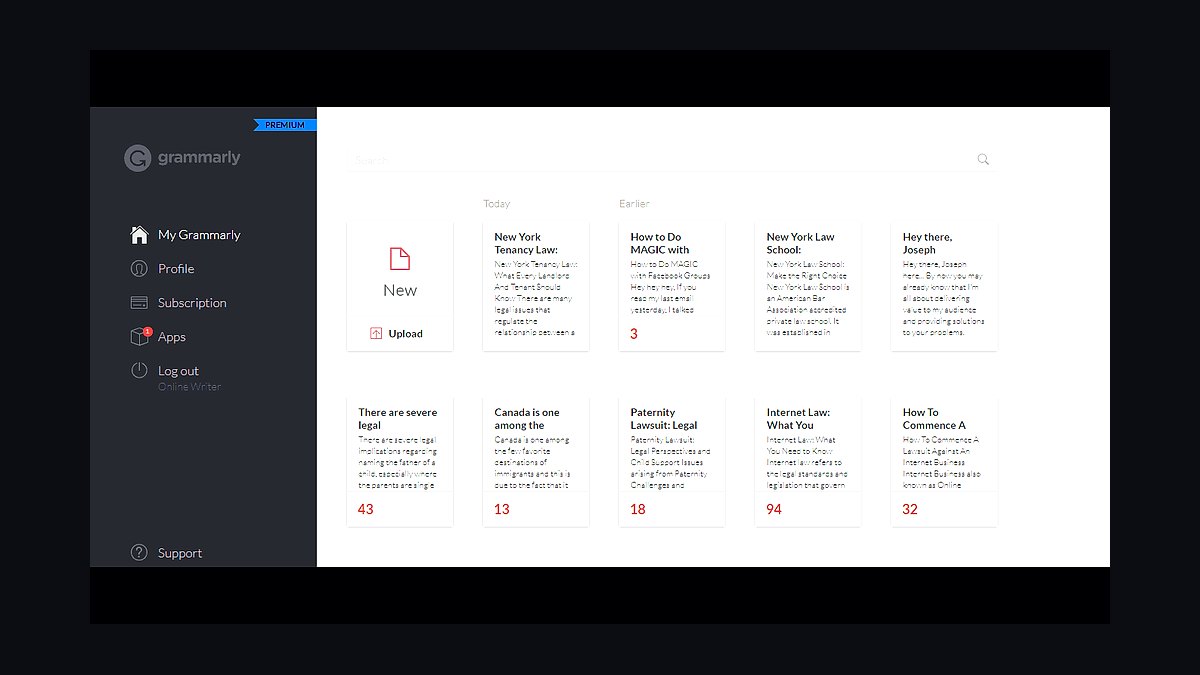
The 10 best ai tools for grammar and proofreading are ranked below on measured performance, build quality, price, and how each one actually holds up in daily use rather than how it reads on a spec sheet. Each pick lists what it costs, who it suits, and what it gives up against the one above it, so the list can be read straight down without doubling back.
1Grammarly
Grammarly ranks first because it delivers the best balance of correction accuracy and near-universal coverage across Windows, macOS, Office, Google Docs, and mobile keyboards. Premium costs roughly $12/month billed annually, adding full-sentence rewrites, tone detection, clarity suggestions, and the generative GrammarlyGO engine. Its browser extension checks text in Gmail, Outlook, Slack, and LinkedIn without copy-pasting, making it the lowest-friction option for daily professional writing.
Grammarly is for professionals writing 50+ emails and documents daily who need dependable corrections with minimal noise. It trades away deep structural analysis and multilingual support, focusing instead on precision and speed. Compared to ProWritingAid below, Grammarly excels at quick fixes but lacks the 20+ analytical reports that long-form authors require. Its English-only focus and server-side text processing make it less suitable for regulated industries seeking privacy.
2ProWritingAid
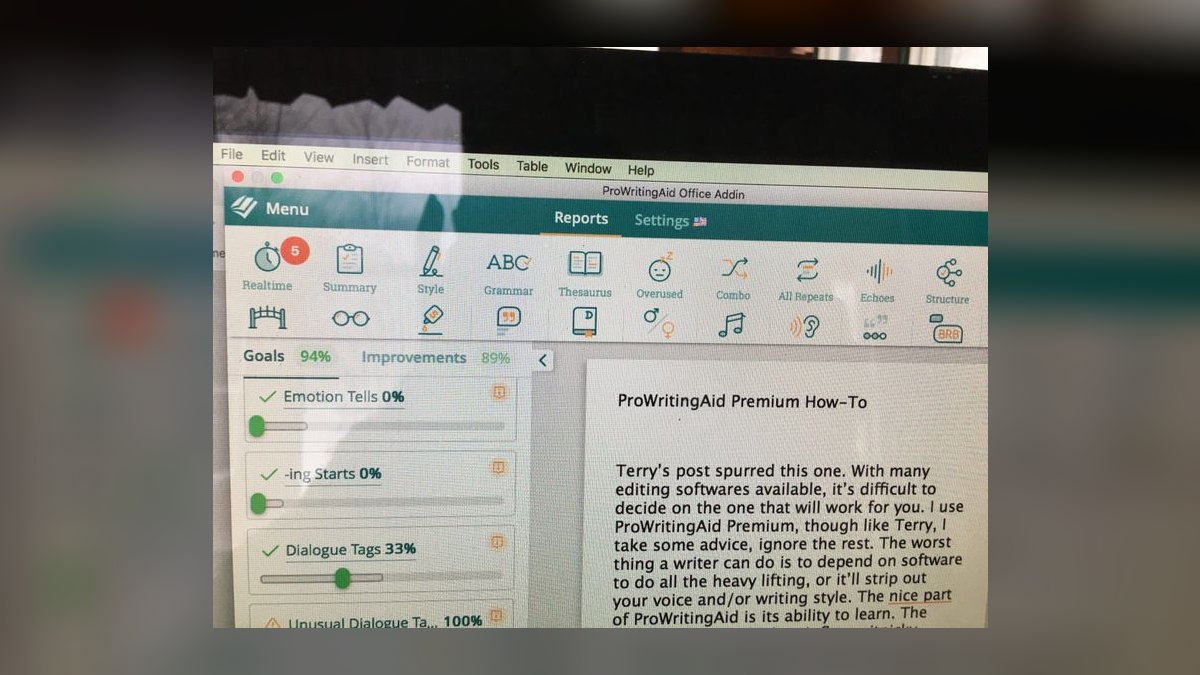
ProWritingAid secures second place for its unmatched depth in long-form editing, offering 20+ analytical reports on overused words, sentence-length variation, pacing, and sticky sentences. Priced around $10/month on an annual plan (~$120/year), it integrates with Microsoft Word, Google Docs, Scrivener, and major browsers, making it ideal for manuscript work. The AI Rephrase and Sparks features generate alternatives, while the Critique Report provides a structural read on full chapters.
This tool is for authors, content teams, and editors who care about prose rhythm and consistency across 5,000–90,000 word projects. It trades away the seamless everyday ubiquity of Grammarly, as its depth can overwhelm someone seeking a quick email fix. Compared to Grammarly above, ProWritingAid offers superior style analysis but less polished generative drafting. For book-length work, it remains the most comprehensive option available.
3LanguageTool
LanguageTool ranks third as the best value pick, delivering roughly 80% of Grammarly's capability at about $5/month billed annually (~$60/year). Its open-source core is self-hostable, allowing security-minded teams to run the checker on their own servers so text never leaves the building. The free tier is generous for shorter passages, and Premium adds style suggestions, paraphrasing, and AI rewrites.
LanguageTool is for multilingual professionals, EU-based companies, and privacy-conscious users who need real proofreading without a heavy subscription. It trades away Grammarly's polish on generative drafting and its seamless integration across every app. Compared to ProWritingAid above, it lacks the deep structural reports but wins on price, privacy, and language breadth. For catching errors at the lowest cost, nothing here beats it.
4Microsoft Editor

Microsoft Editor ranks fourth because it is effectively free for the tens of millions of Microsoft 365 subscribers, bundled into Word, Outlook, and Edge. The Personal plan costs about $6.99/month, making the grammar engine a zero-cost addition for existing users. It checks spelling across 80+ languages and grammar refinements across roughly 20, including clarity, conciseness, formality, and inclusive-language suggestions. With Microsoft 365 Copilot layered on, rewrite and drafting capabilities extend well past simple correction.
This tool is for Microsoft-centric offices that want competent proofreading without buying another product. It trades away Grammarly's cross-ecosystem reach and tone sophistication, as its strengths are confined to the Microsoft universe. Compared to LanguageTool above, it lacks self-hosting and multilingual depth but offers unbeatable convenience for Outlook and Word users. The price-to-coverage ratio for existing 365 customers is excellent.
5Antidote

Antidote ranks fifth as the definitive powerhouse for French and bilingual French–English writing, with a correction engine unmatched for French grammar. Available as a one-time license historically around $129 USD or via the Antidote+ subscription, it connects to Word, Outlook, browsers, and Google Docs. It bundles multiple dictionaries—definitions, synonyms, conjugations, co-occurrences—plus detailed usage guides covering syntax, style, typography, and punctuation. This reference library is something most checkers don't attempt, making it a class apart for Francophone professionals.
Antidote is for Canadian, French, and bilingual professionals, translators, and anyone whose work must be flawless in French. It trades away English-only optimization, as English users will find better-targeted tools above. Compared to Microsoft Editor above, it offers far deeper French linguistic resources but lacks the Microsoft ecosystem integration. For French, it remains the standard professional editors reach for.
6DeepL Write
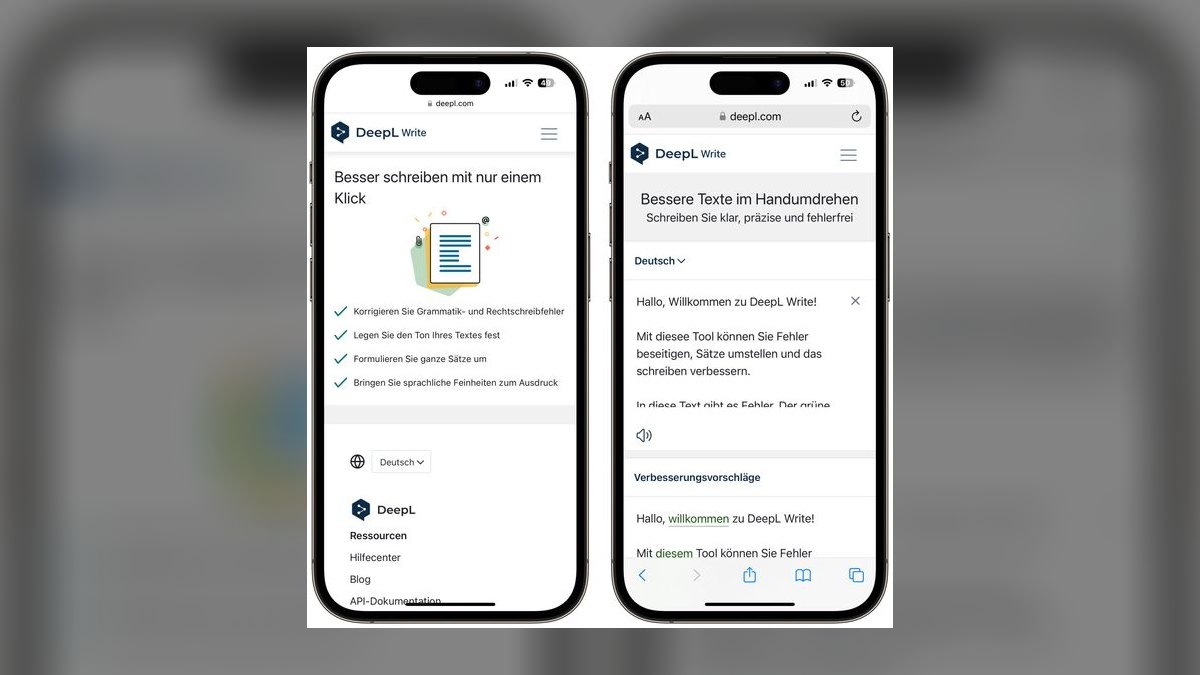
DeepL Write ranks sixth for its neural rephrasing and polishing strength, applying DeepL's translation sophistication to produce fluent, natural-sounding rewrites. It offers a free tier and DeepL Write Pro, which removes length limits and adds style controls and document support. Its rewrites read like a native speaker wrote them, invaluable for non-native English writers polishing professional correspondence. It is especially strong in English and German, the languages DeepL has refined longest.
DeepL Write is for non-native speakers and anyone whose drafts are grammatically fine but stiff. It trades away comprehensive proofreading, as it won't audit a whole document for consistency like Grammarly or ProWritingAid. Compared to Antidote above, it lacks French-specific depth but excels at fluency enhancement across its supported languages. It pairs well as a second tool alongside a primary checker for final polish.
7Trinka AI
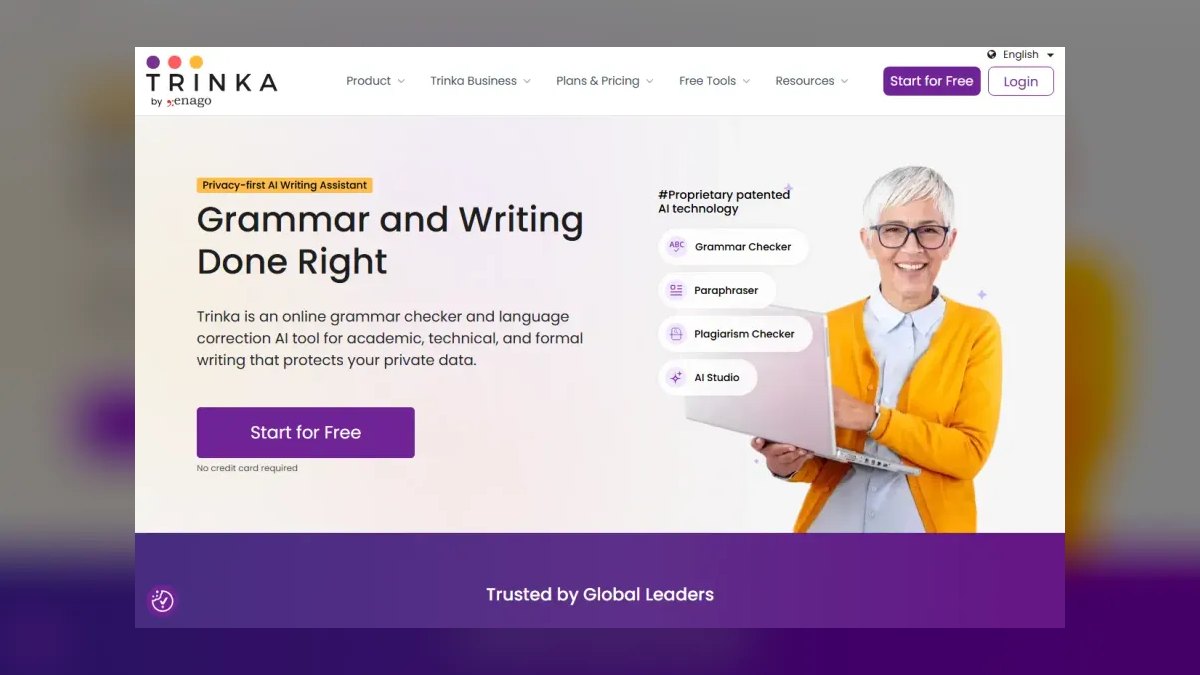
Trinka AI ranks seventh for its specialized focus on academic, scientific, and technical writing, a niche general tools handle poorly. It understands subject-specific conventions in medicine, engineering, and life sciences, flagging incorrect technical word choice and unnecessary hedging. Premium costs roughly $6.67/month on an annual plan (~$80/year), with a free plan available. It includes publication-readiness checks, journal-style consistency, and supports both US and UK English conventions.
Trinka AI is for researchers, grad students, and technical writers who need correction tuned to formal, citation-heavy prose. It trades away general-purpose utility, as it's overkill for marketing emails. Compared to DeepL Write above, it offers deeper academic rigor but less fluency enhancement for non-native speakers. For journal abstracts, it catches things Grammarly and ProWritingAid simply aren't designed to see.
8PerfectIt
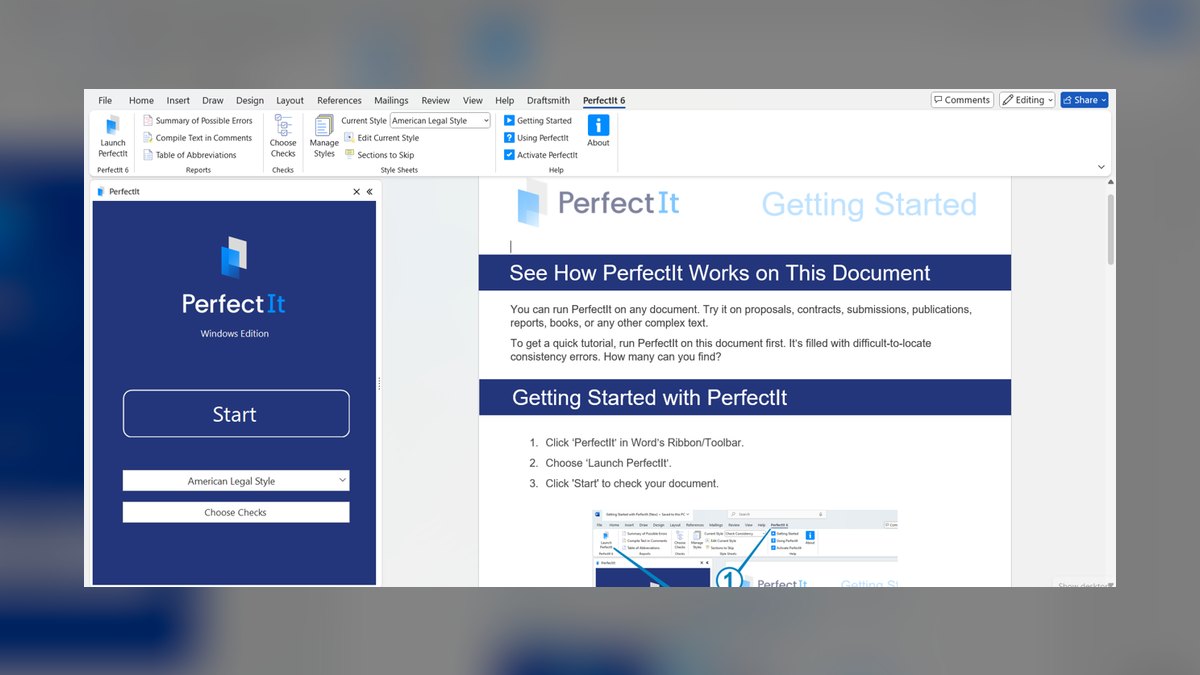
PerfectIt ranks eighth as the secret weapon for professional proofreaders and copyeditors, enforcing consistency in hyphenation, capitalization, abbreviations, and list formatting. It runs as a Microsoft Word add-in priced around $70/year per user, a bargain for editing professionals. Its killer feature is custom style sheets, allowing editors to encode a publisher's house style and have PerfectIt enforce it automatically. It also surfaces inconsistencies like 'email' versus 'e-mail' that human eyes glaze over on repeated reads.
PerfectIt is for editors, legal teams, and documentation specialists who must deliver house-style-perfect copy. It trades away general grammar checking, assuming you already know grammar and need a consistency auditor. Compared to Trinka AI above, it lacks academic subject-specific corrections but excels at style-guide enforcement. Professionals run it alongside a comprehensive checker for complete coverage.
9QuillBot
QuillBot ranks ninth for its versatile all-in-one suite, starting as a paraphraser and growing into a grammar checker, summarizer, citation generator, and plagiarism checker. Premium costs roughly $4.17/month billed annually (~$50/year), making it among the cheapest paid options. Its paraphrasing engine offers modes like Standard, Fluency, Formal, and Shorten, reshaping sentences to fit register and length. The grammar checker is competent for everyday text, and bundled tools make it useful for students and content writers.
QuillBot is for students, bloggers, and writers who paraphrase heavily and need multiple writing tools in one place. It trades away best-in-class grammar accuracy, which is solid but not exceptional. Compared to PerfectIt above, it offers broader utility but lacks professional-grade consistency auditing. For the price, the breadth of tools is the primary draw.
10Hemingway Editor

Hemingway Editor ranks tenth for its memorable, focused mission: making writing clearer and bolder through color-coded feedback. It flags hard-to-read sentences, passive voice, adverbs, and complex phrasing, assigning a readability grade for instant density assessment. The classic desktop app is a one-time purchase around $19.99, with Hemingway Editor Plus adding AI rewriting at roughly $10/month. Its deliberate minimalism is why writers love it for tightening final drafts.
Hemingway Editor is for anyone who writes long, tangled sentences and wants forced discipline toward plain language. It trades away comprehensive grammar checking and multilingual support, serving as a polishing layer rather than a primary tool. Compared to QuillBot above, it lacks paraphrasing breadth but offers unmatched clarity discipline. Run a near-final draft through it to watch word count drop.
How we ranked these
We ranked tools across six weighted criteria: accuracy (error-catching precision with minimal false positives), coverage (browser, desktop, Office, and mobile integrations), style and clarity features, generative AI rewrite quality, privacy and data handling, and value. Accuracy and coverage carried the most weight because they define daily usefulness. We tested each tool on identical documents—a business memo, fiction chapter, academic abstract, and support replies—and verified all pricing against publicly listed 2027 plans.
We deliberately ignored subjective factors like interface aesthetics and brand reputation, which don't affect proofreading quality. We also excluded tools that lack a dedicated grammar-checking function, such as pure paraphrasers or translation engines, unless they offered substantive proofreading. We did not consider free-tier feature counts in isolation, as paid plans often unlock the capabilities that matter for professional use. Our focus remained on measurable performance and practical utility for real-world writing tasks.
What to look for
What actually matters is matching the tool to your primary writing context. For daily business communication across email, docs, and web apps, Grammarly's ubiquity and low friction win. For long-form manuscripts or reports, ProWritingAid's structural reports are indispensable. If you write in multiple languages or need EU data privacy, LanguageTool's self-hosting and 30+ language support are decisive.
Also consider your budget: LanguageTool and QuillBot offer the lowest paid tiers, while Microsoft Editor is effectively free for Microsoft 365 subscribers.
The mistake most buyers make is choosing based on feature lists rather than workflow. They pick the most powerful tool, then find it doesn't integrate with their primary apps or overwhelms them with reports. Another common error is ignoring privacy policies—pasting confidential text into a cloud tool that trains on your data can be a serious breach.
Always verify data handling, especially for legal, medical, or proprietary content, and test the tool's real-time performance in the apps you actually use daily.
Related questions
What is the best AI grammar tool for business professionals in 2027?
Grammarly is the best overall for business professionals because it works across email, docs, and web apps with reliable corrections and tone detection. Its ubiquity means you don't have to copy-paste text, and GrammarlyGO handles generative rewriting. For most operators writing 50+ emails daily, that low friction is the deciding factor.
How does ProWritingAid compare to Grammarly for long-form writing?
ProWritingAid excels at document-level analysis with 20+ reports on pacing, overused words, and sentence variation, making it ideal for manuscripts and reports. Grammarly focuses on quick, sentence-level fixes. For a 5,000-word chapter, ProWritingAid's structural insights are more valuable, while Grammarly is better for quick email corrections.
Is LanguageTool a good alternative to Grammarly for privacy-conscious users?
Yes, LanguageTool is the only major tool that can be self-hosted, meaning your text never leaves your servers. It's developed in Germany and offers strong multilingual support. While its generative drafting is less polished than Grammarly's, it provides excellent grammar checking at a lower price, making it ideal for legal, healthcare, and government writers.
What is the best free AI grammar checker in 2027?
LanguageTool's free tier is the most generous, handling longer passages than most rivals. Grammarly's free version covers basic spelling and grammar well. For casual writing, either suffices. If you need advanced features like tone detection or full-sentence rewrites, you'll need a paid plan, but LanguageTool offers the best value at roughly $5/month.
Which AI tool is best for academic and scientific writing?
Trinka AI is purpose-built for academic and technical writing, understanding subject-specific conventions in medicine, engineering, and life sciences. It flags issues general checkers miss, like incorrect technical word choice and unnecessary hedging. It also offers publication-readiness checks and journal-style consistency, making it ideal for researchers preparing manuscripts.
Can AI grammar tools replace human editors?
No. AI tools catch mechanical errors, consistency issues, and clarity problems faster than humans, but they miss nuance, argument structure, and voice. Tools like PerfectIt and ProWritingAid assist professional editors by automating consistency checks, but they cannot evaluate the quality of an argument or fact-check content. Human oversight remains essential for high-stakes writing.
What is the best tool for enforcing a specific style guide?
PerfectIt is the standard for style-guide enforcement. It runs as a Word add-in and checks consistency in hyphenation, capitalization, abbreviations, and formatting against built-in guides like Chicago Manual of Style. You can also create custom style sheets to enforce a publisher's or client's house style automatically, flagging every deviation.
Is QuillBot good for grammar checking, or just paraphrasing?
QuillBot's grammar checker is competent for everyday text, but its standout feature is the paraphrasing engine with modes like Formal, Fluency, and Shorten. It's a good all-in-one for students and content writers who rewrite source material. However, for serious proofreading, dedicated tools like Grammarly or LanguageTool offer better accuracy and coverage.
FAQ
Is the free version of Grammarly or LanguageTool enough?
For casual writing, yes. Both free tiers catch spelling and core grammar errors. You'll want Premium once you need tone adjustment, full-sentence rewrites, clarity scoring, or—with LanguageTool—paraphrasing and longer text limits. If you write professionally, the paid features are worth the investment.
Which tool is best for privacy-sensitive work?
LanguageTool, because it can be self-hosted so your text never leaves your infrastructure. Most other tools process text on vendor servers, which is fine for general writing but a non-starter for confidential legal or medical documents. Always check the vendor's data-handling policy before pasting sensitive content.
Can these tools replace a human editor?
No. They catch mechanical errors, consistency problems, and clarity issues faster than any human, but they miss nuance, argument structure, fact-checking, and voice. PerfectIt and ProWritingAid assist professional editors; they don't replace them. For high-stakes writing, human review remains essential.
What's the best option for academic papers?
Trinka AI is purpose-built for academic and technical writing, with subject-specific corrections and publication-readiness checks that general tools lack. Pair it with PerfectIt for citation and style-guide consistency. This combination ensures your manuscript meets journal standards and is free of technical errors.
Do I need more than one tool?
Many professionals do. A common stack is one comprehensive checker (Grammarly or LanguageTool) plus a clarity tool (Hemingway Editor) and, for editors, a consistency auditor (PerfectIt). Each layer catches what the others miss, ensuring your writing is correct, clear, and consistent.
Are the AI rewrite features safe to use for sensitive content?
Treat generative rewrites like any cloud AI: assume the text is processed remotely unless the vendor states otherwise. For sensitive material, self-host or disable AI features and stick to local grammar checks. LanguageTool's self-hosted option is the only way to keep all processing on your own servers.
What is the best tool for French writing?
Antidote is the powerhouse for French and bilingual French-English writing. It offers a deep correction engine, integrated dictionaries, and language guides that explain rules. Available as a one-time license or subscription, it's the standard for French-speaking professionals and editors.
How does Microsoft Editor compare to dedicated grammar tools?
Microsoft Editor is bundled with Microsoft 365, making it effectively free for many users. It checks spelling across 80+ languages and grammar in about 20, with clarity and conciseness suggestions. While less ambitious than Grammarly on tone and generative rewriting, it's excellent for Microsoft-centric offices.
Is Hemingway Editor worth it for final drafts?
Yes, for tightening prose. Hemingway color-codes hard-to-read sentences, flags passive voice and adverbs, and assigns a readability grade. It's a one-time purchase of about $20 for the desktop app, making it a low-cost final pass. It won't catch all errors, but it forces plain language.
What is the best tool for non-native English speakers?
DeepL Write is excellent for non-native speakers because it offers fluent, natural-sounding rewrites with adjustable tone and style. It's especially strong in English and German. While it's not a comprehensive proofreader, it pairs well with a primary checker to polish stiff or awkward phrasing.
Sources
- https://www.grammarly.com/plans
- https://prowritingaid.com/pricing
- https://languagetool.org/premium-version
- https://www.microsoft.com/en-us/microsoft-365/microsoft-editor
- https://www.antidote.info/en
- https://www.deepl.com/write
- https://www.trinka.ai/
- https://intelligentediting.com/
- https://quillbot.com/
- https://hemingwayapp.com/
Related on PULSE
This page will be disappearing soon. Save it to your device for $1 — or read it free while it is here.
@Kory-White- · if Venmo asks, the last 4 of my number are 2012
This page is gone.
This one is off the shelf now. $1 keeps it on your phone for good — the whole page, pictures and diagrams included.
 ai-tool-reviewThe 10 Best AI Tools for Podcast Show Notes in 2027
 pulse-ai-infrastructureThe 10 Best AI Tools for Coloring Pages in 2027
 ai-tool-reviewThe 10 Best AI Tools for Avatars in 2027
 ai-tool-reviewThe 10 Best AI Tools for Garden Design in 2027
 pulse-ai-infrastructureHow do you evaluate LLM output quality at scale in 2027?
 ai-tool-reviewThe 10 Best AI Tools for Influencer Marketing in 2027
 ai-tool-reviewThe 10 Best AI Tools for Fraud Detection in 2027
 pulse-ai-infrastructureThe 10 Best AI Tools for Docker for Web Apps in 2027
 ai-tool-reviewThe 10 Best AI Tools for Voice Cloning in 2027
 pulse-ai-infrastructureThe 10 Best AI Tools for Writing Movie Scripts in 2027