
The 10 Best AI Tools for Interior Design in 2027
 Curated byKory White · Fractional CRO · Maryland
 PULSEKNOWLEDGE LIBRARY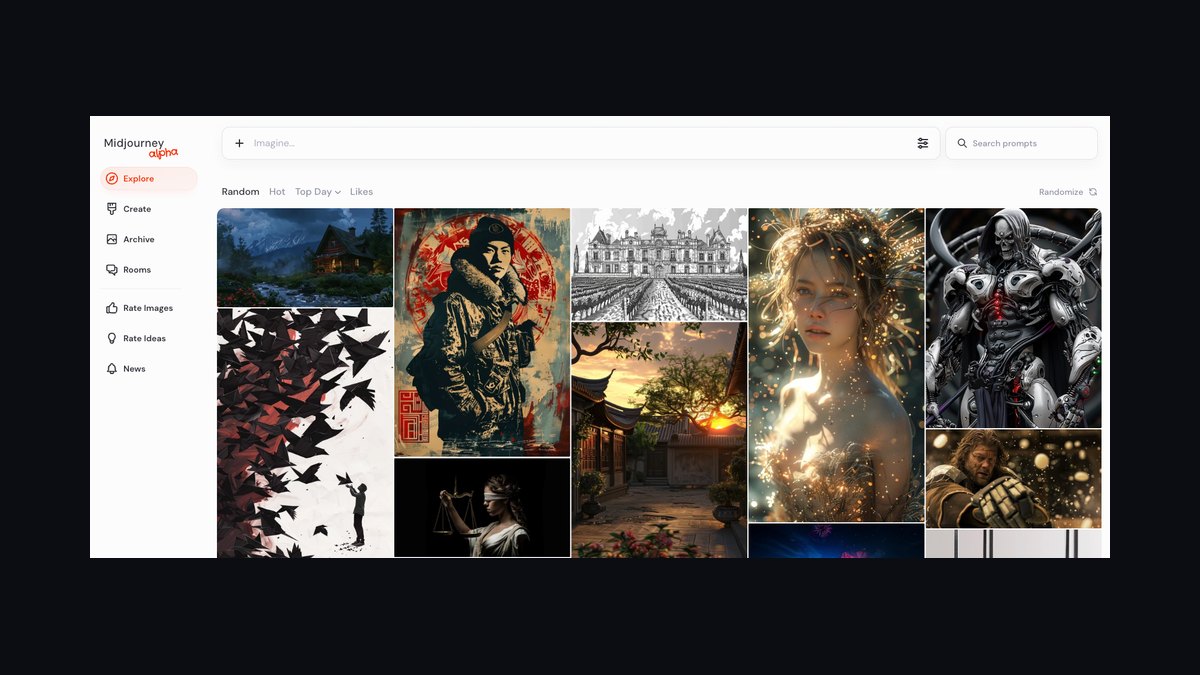
For professional interior designers and operators in 2027, Midjourney is the best overall AI tool for generating photorealistic concept imagery and mood-board-grade renders fast, while Interior AI is the strongest runner-up because it redesigns a real photo of an existing room rather than inventing one from scratch. Midjourney wins on raw image quality and stylistic control; Interior AI wins on "show the client *their* room, restyled."
If you need true 3D floor plans and furniture catalogs instead of static images, Foyr Neo and Coohom are the production tools to reach for. Budget-conscious solo designers should start with Planner 5D, our Best Value pick.
#
How We Ranked These
We weighted six factors that matter to working designers, not hobbyists. Image realism and resolution came first — a render you can put in a pitch deck without apology. Control mattered next: can you constrain style, lock a layout, swap a single sofa, or are you rolling dice each generation? Photo-to-design capability (restyling a real room) separates client-ready tools from concept-only ones.
3D and floor-plan output with a real furniture catalog distinguishes production CAD-replacements from image generators. Commercial licensing is non-negotiable for paid work. Finally, price and workflow fit — whether the tool slots into SketchUp, Revit, or a browser. We tested across residential staging, kitchen remodels, and commercial fit-outs.
1. Midjourney 🏆 BEST OVERALL

Midjourney remains the gold standard for AI-generated interior imagery in 2027, and the version 7 model widened its lead on materials, lighting realism, and architectural coherence. It is not a floor-plan tool — it generates still images — but for concept ideation, mood boards, and client pitch visuals, nothing matches its output. Designers use it to explore a dozen directions for a living room in minutes before a single piece of furniture is sourced.
The control surface is what makes it professional-grade. Style references (--sref) let you lock a consistent aesthetic across an entire project so every room reads as one cohesive scheme. The --ar flag sets aspect ratio for market hero shots or vertical Pinterest-style boards, and character/object reference features help carry a signature piece through multiple renders.
Pricing runs from a Basic plan around $10/month up through Standard (~$30), Pro (~$60), and Mega (~$120), with the higher tiers unlocking more fast-GPU hours and stealth mode to keep client work private.
The catch: Midjourney won't restyle a real photo with the fidelity of a dedicated tool, and it has no spatial accuracy — it imagines plausible rooms, not measured ones. Use it at the front of the funnel for direction, then hand the chosen aesthetic to a 3D or photo-redesign tool for execution. For a designer's idea engine, it is the one subscription worth keeping.
2. Interior AI

Interior AI, built by indie developer Pieter Levels, does the one thing Midjourney can't: you upload a photo of an actual room and it restyles it while keeping the architecture recognizable. For client work this is the killer feature — homeowners want to see *their* living room reimagined, not a stranger's. The before/after slider output is built for selling.
It ships with dozens of preset styles — Scandinavian, Mid-century Modern, Industrial, Japandi, Coastal, Art Deco — and a "virtual staging" mode aimed at real-estate agents who need empty listings furnished fast. Plans scale from roughly $19/month for a Pro tier into higher Business tiers for agencies needing more renders and commercial rights. The interior, exterior, and garden modes broaden it beyond rooms.
It is best for fast restyling and real-estate staging, not measured design. Geometry can drift on complex rooms, and it won't give you a sourceable furniture list. But as the tool that turns "what could this room be" into a shareable image in under a minute, it earns the runner-up slot.
3. Foyr Neo
Foyr Neo is a browser-based design platform that moved aggressively into AI without abandoning real 3D and 4K rendering. This is the production tool for designers who need to deliver actual deliverables — floor plans, furnished 3D scenes, and high-resolution renders a client signs off on. Its AI render feature turns a rough 3D layout into a photorealistic image in minutes rather than the hours a traditional render engine demands.
The platform bundles a large furniture and decor catalog (tens of thousands of models) so you place real, sourceable pieces rather than AI hallucinations. Drag-and-drop floor planning, automatic lighting, and one-click 4K renders make it a genuine alternative to heavier CAD suites. Pricing sits in the professional SaaS range with monthly and annual subscriptions aimed at studios.
Foyr Neo is best for solo designers and small studios who want one tool from floor plan to final render. It's heavier to learn than an image generator, but you get spatial accuracy and presentation-ready output in a single environment.
4. Coohom

Coohom is the closest thing to an end-to-end design suite on this list, widely adopted by furniture retailers and kitchen-and-bath firms for its enormous product catalog and fast cloud rendering. You build a room in 3D, drop in real branded products, and generate photorealistic renders and 360° panoramas clients can walk through in a browser.
Its strength is commercial fit-out and retail scenarios where the furniture has to be real and orderable. The AI-assisted layout tools speed up space planning, and the VR walkthrough export is a strong closing tool for high-ticket projects. Coohom offers a usable free tier plus paid Pro and Master plans that raise render limits and unlock the full asset library and commercial licensing.
If your work involves selling actual products — a kitchen showroom, a furniture line, a developer's model unit — Coohom's catalog-first approach beats pure image generators. It's less suited to loose, exploratory mood-boarding than Midjourney.
5. Planner 5D 💎 BEST VALUE

Planner 5D is the value champion: a free tier that's genuinely usable, cross-platform apps (web, iOS, Android, even on tablets), and an AI room-redesign feature that punches above its price. For solo designers, students, and homeowners who can't justify a studio-grade subscription, it delivers 2D floor plans, 3D walkthroughs, and decent renders without a steep bill.
The interface is the most beginner-friendly here — drag-and-drop furniture, snap-to-wall placement, and a catalog of thousands of items. The AI Design feature can auto-furnish a room or restyle an uploaded photo, and the HD render option upgrades output for presentation. The premium subscription is modest (well under most pro tools), unlocking the full catalog, higher-resolution renders, and ad removal.
It won't match Foyr Neo's render fidelity or Coohom's catalog depth, and it's lighter on commercial features. But for the price-to-capability ratio, nothing else comes close. Start here, then graduate to a pro tool when client volume justifies it.
6. Spacely AI
Spacely AI targets the professional middle ground: photo-realistic redesigns from a sketch, photo, or text prompt, with more control knobs than Interior AI. You can specify room type, design style, and color palette, and its "empty your room" and sketch-to-render modes are useful for moving from a hand drawing to a client visual.
It leans into commercial and architectural use, with features for exterior and market redesign alongside interiors. Paid plans unlock higher resolution, more monthly renders, and commercial licensing for agency work. The AI design assistant also suggests furniture and palettes, shortening the blank-canvas problem.
Spacely is best for designers who sketch first and want a fast, controllable path from concept line-work to a polished image without learning a full 3D suite.
7. REimagine Home AI
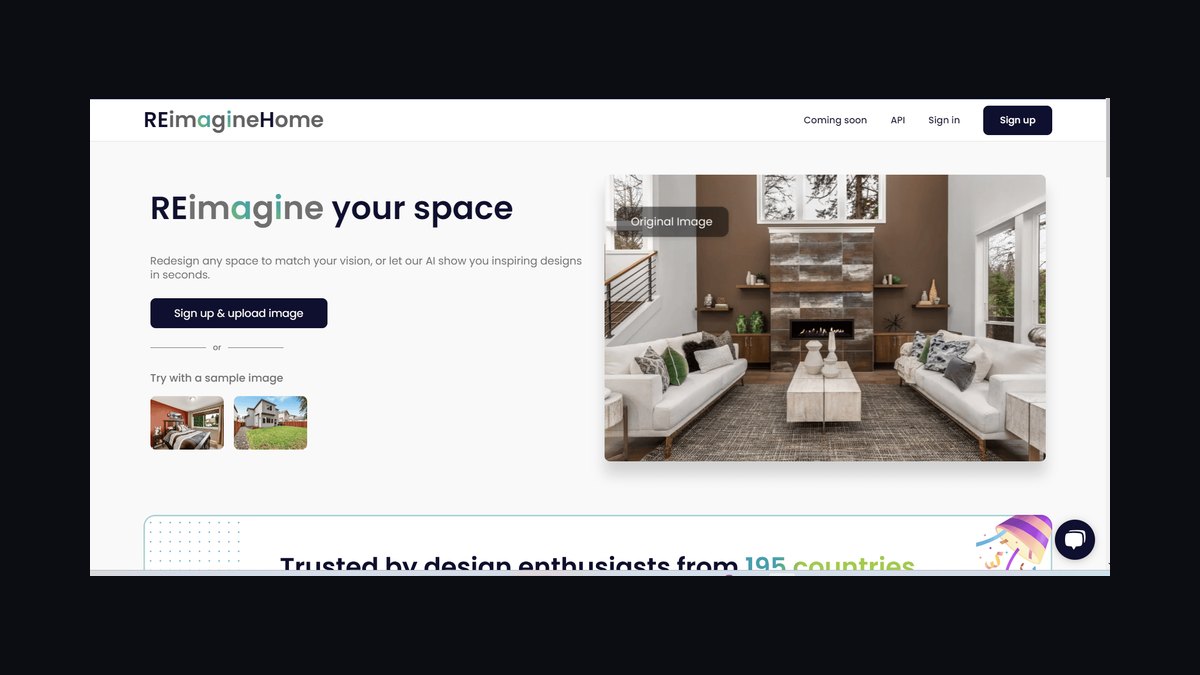
REimagine Home is purpose-built for real-estate virtual staging and quick restyling. Upload an empty or furnished room and it furnishes or redesigns it across styles, with strong before/after output geared to listings. Agents and stagers use it to furnish vacant properties at a fraction of physical-staging cost.
Beyond staging, it handles interior redesign, exterior redesign, and garden/landscaping generation, plus a "fill empty space" mode. Plans run from a free trial into monthly tiers that scale render counts and commercial usage. The output is consistent enough for MLS listings and social marketing.
It's best for high-volume staging where speed and cost per image beat artistic nuance. For bespoke design pitches, a more controllable tool like Spacely or Midjourney gives you finer command.
8. Veras by EvolveLAB
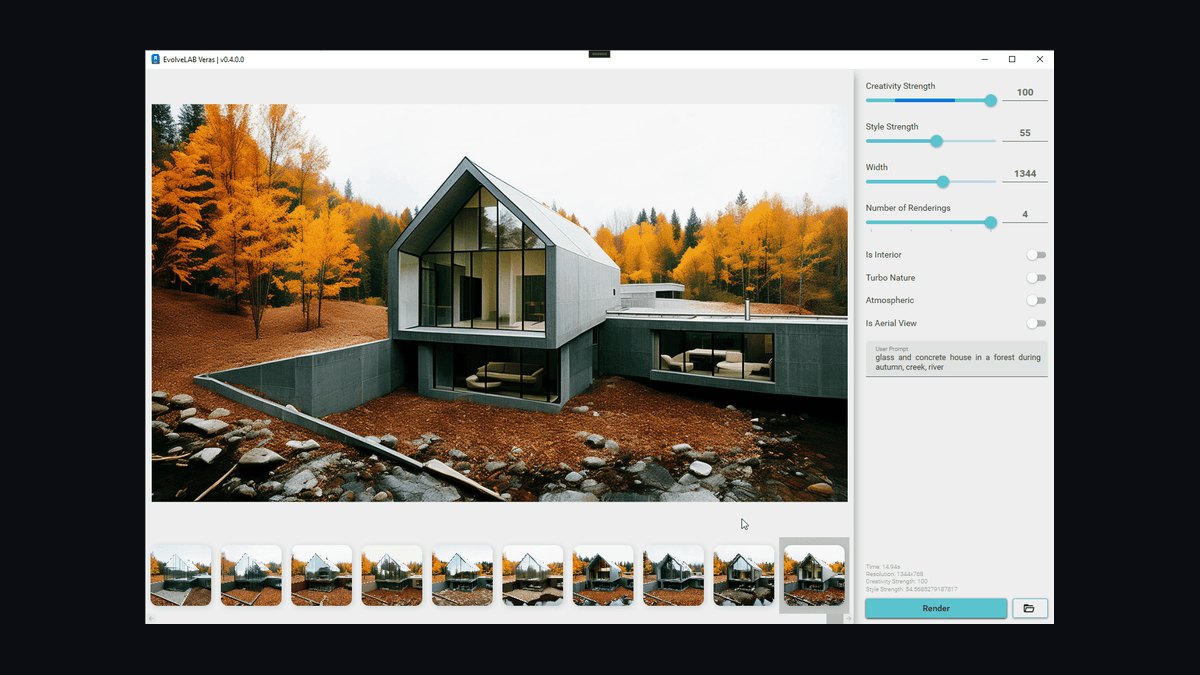
Veras is the pick for designers already living in SketchUp, Revit, Rhino, or Forma. It's an AI rendering plugin that takes your existing 3D model and applies photorealistic, prompt-driven styling without leaving your CAD environment. You keep your measured geometry and let AI handle materials, lighting, and mood.
This solves the core weakness of image generators — spatial accuracy. Because Veras renders *your* model, the proportions, window placement, and layout are real. You type a prompt ("warm Japandi living room, late-afternoon light") and it restyles the scene while respecting the model's bones. It's offered as a subscription with desktop and web access, priced for professionals.
Veras is best for architects and technical designers who model precisely and want AI speed on rendering without sacrificing dimensional truth. It's overkill if you don't already work in CAD.
9. Homestyler
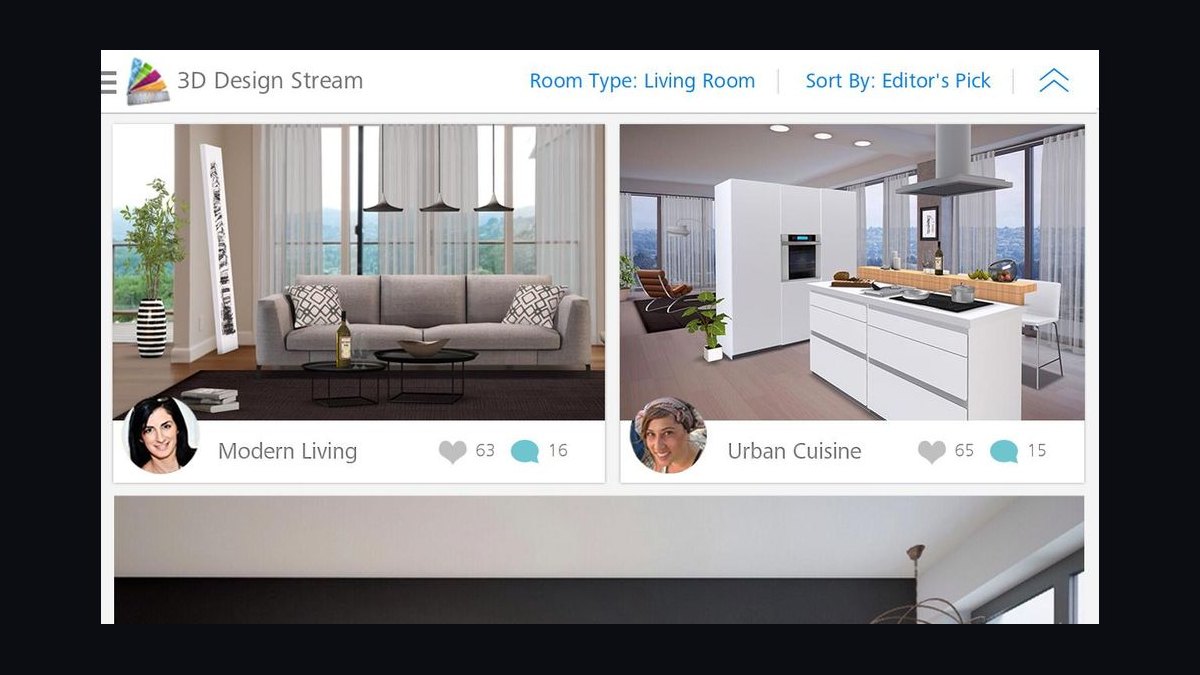
Homestyler, from Autodesk, is a long-running browser and mobile design tool that added AI-assisted features while keeping a deep 3D floor-planning core. It offers a large catalog of real branded furniture, fast panoramic renders, and an accessible interface that sits between hobbyist apps and pro suites.
Its AI tools assist with auto-layout and styling, and the 360° panorama export is a solid client-presentation feature. A free tier covers basics; paid plans raise render quality and catalog access. Backed by Autodesk's resources, it's a stable, well-supported option.
Homestyler is best for designers who want real 3D planning with branded products at a gentler learning curve than Foyr Neo or Coohom, and who value the Autodesk ecosystem.
10. Collov AI
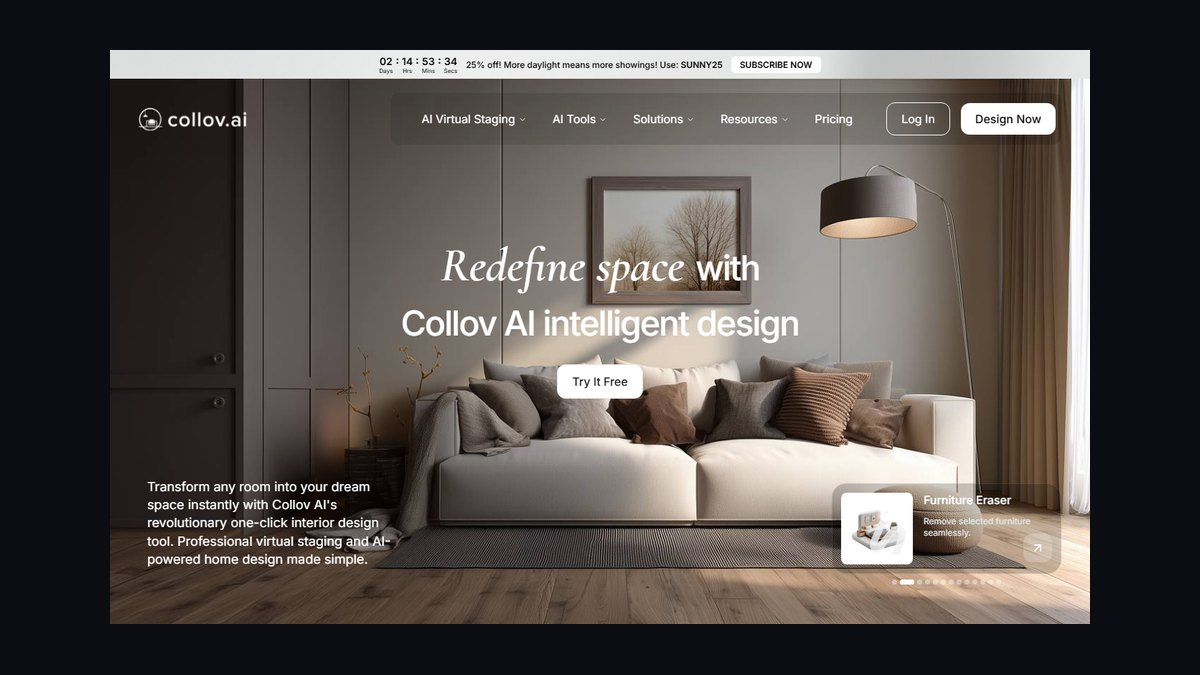
Collov AI rounds out the list as a render-and-staging platform with a clean redesign workflow and a focus on commercial and real-estate applications. Upload a room, pick a style, and get a restyled photorealistic image, with modes for virtual staging, redesign, and AI-generated furniture concepts.
It positions itself toward agents, stagers, and design teams needing fast, repeatable output, with subscription tiers covering render volume and commercial rights. The interface is straightforward and the results are competitive with the other photo-redesign tools here.
Collov is a solid backup or volume tool rather than a category leader — useful if you've exhausted free renders elsewhere or want a second engine's take on a tricky room.
FAQ
Is Midjourney still the best AI tool for interior design in 2027? Yes, Midjourney remains the top choice for generating photorealistic concept renders and mood-board-quality images. Its unmatched style control and image quality make it ideal for client pitches, though it doesn’t handle 3D floor plans or real room restyling.
Can Interior AI redesign a room from a photo I take on my phone? Yes, Interior AI specializes in restyling real photos of existing rooms, letting you show clients how their own space would look in a new style. It’s a strong runner-up if you need before/after visuals rather than invented concepts.
What if I need actual 3D floor plans and furniture catalogs, not just images? For production-ready 3D floor plans and furniture libraries, Foyr Neo and Coohom are the tools to use. They go beyond static renders to support real design workflows, unlike Midjourney or Interior AI.
Is Planner 5D good for a solo designer on a tight budget? Yes, Planner 5D is our Best Value pick for budget-conscious solo designers. It offers a free tier and affordable paid plans, making it accessible for basic room layouts and 3D visualizations without a big investment.
How much do these AI tools typically cost per month? Pricing varies widely: Midjourney ranges from about $10 to $120 per month depending on the tier, while Interior AI is around $19 to $59 per month. Planner 5D starts free, with premium options under $20 monthly.
Do any of these tools generate true 3D walkthroughs or virtual tours? Foyr Neo and Coohom can produce 3D walkthroughs and interactive tours, but Midjourney and Interior AI output only static images. For immersive client presentations, you’d want to pair a render tool with a dedicated 3D tour platform.
Bottom Line
For 2027, Midjourney is the best overall AI interior design tool for concept and pitch imagery, Interior AI is the runner-up for restyling real client rooms, and Planner 5D is the Best Value entry point. If you deliver measured 3D work, choose Foyr Neo or Coohom; if you live in CAD, add Veras. Stack a concept generator with a production tool rather than expecting one app to do everything.
Related on PULSE
- [The 10 Best AI Tools for Favicon and Icon Design in 2027](/knowledge/ai0253)
- [The 10 Best AI Tools for Landing Page Design in 2027](/knowledge/ai0248)
- [The 10 Best AI Tools for Product Page Design in 2027](/knowledge/ai0244)
- [The 10 Best AI Tools for T-Shirt and Merch Design in 2027](/knowledge/ai0131)
- [The 10 Best AI Tools for Tattoo Design in 2027](/knowledge/ai0132)
- [The 10 Best AI Tools for Design Mockups in 2027](/knowledge/ai0134)
Sources
- Midjourney
- Interior AI
- Foyr Neo
- Coohom
- Planner 5D
- Spacely AI
- REimagine Home AI
- Veras by EvolveLAB
- Autodesk Homestyler
- Collov AI
*Best AI tools for interior design 2027 — AI room design software, photorealistic render generators, virtual staging apps, and 3D floor-plan tools compared for professional designers.*
People also search for: best ai tools for interior design 2027 · top ai tools for interior design 2027 · top rated ai tools for interior design 2027 · top ranked ai tools for interior design 2027 · highest rated ai tools for interior design 2027 · ai tools for interior design reviews 2027
This page will be disappearing soon. Save it to your device for $1 — or read it free while it is here.
@Kory-White- · if Venmo asks, the last 4 of my number are 2012
 pulse-ai-infrastructureThe 10 Best AI Tools for SEO in 2027
 pulse-ai-infrastructureWhat is a feature store and do you still need one for LLM apps?
 pulse-ai-infrastructureThe 10 Best AI Tools for Node.js Development in 2027
 pulse-ai-infrastructureThe 10 Best AI Tools for Reading Comprehension in 2027
 pulse-ai-infrastructureThe 10 Best AI Tools for Supply Chain Planning in 2027
 pulse-ai-infrastructureThe 10 Best AI Tools for Product Page Design in 2027
 pulse-ai-infrastructureThe 10 Best AI Tools for Screenwriting in 2027
 pulse-ai-infrastructureThe 10 Best AI Tools for Image Upscaling in 2027
 pulse-ai-infrastructureThe 10 Best AI Tools for Web Illustration in 2027
 pulse-ai-infrastructureThe 10 Best RAG Frameworks in 2027