


Best Webcams for Sales Demos in 2027: Top 10 Ranked
Quality
Certified
The best webcams for sales demos in 2027 combine a large sensor for dim home offices, autofocus that locks instead of hunting mid-sentence, and accurate skin tones. The Logitech MX Brio leads overall at roughly $200, the Anker PowerConf C300 wins on value near $100, and gimbal-tracking models like the Obsdot Tiny 2 suit standing presenters.
Correction before the body: that last sentence should read Obsbot Tiny 2 — I'll use the correct spelling throughout.
The demo that died in a dark room
Picture a Thursday afternoon renewal call. The AE has a $180K expansion on the table, three stakeholders on the bridge, and a laptop lid webcam pointed up her nose from a desk lit by one overhead can light. The image is grainy, her face is orange against a beige wall, and every time she leans forward to point at something on the shared screen the camera racks focus and turns her into a soft blob for two seconds. Nobody on the call says a word about it. They don't have to. The buying committee spends forty minutes forming an impression of a vendor whose own rep looks like a security-camera still.
This is the actual failure mode that a webcam purchase is trying to solve, and it is worth being precise about why it matters rather than hand-waving at "professionalism." On a video-first sales call, the camera is the only physical thing the buyer sees. Everything else — the deck, the product, the pricing sheet — is a screen share that could have come from anyone. The face card is the human proof. When the image is dim and noisy, the viewer's brain does extra work to parse it, and that cognitive tax gets attributed, unfairly but reliably, to the person on screen rather than to the hardware.
Break the scenario down into its components and you get a shopping list. The room is under-lit, which is a sensor-size problem: small sensors compensate for low light by cranking electronic gain, and gain is just noise with a marketing name. The color is wrong, which is a white-balance problem: auto white balance drifts when mixed color temperatures fight each other, and a warm overhead bulb against cool daylight from a side window is exactly that fight. The focus hunts, which is an autofocus-behavior problem: continuous autofocus that re-evaluates on every subject movement will re-evaluate at the worst possible moment, mid-objection-handling. And the framing puts her chin at the bottom of the frame, which is a mounting and field-of-view problem, not a camera problem at all.
Four different root causes, four different fixes, and only two of them are solved by spending money on a better camera. That distinction is the whole game. A rep who buys a $330 gimbal cam and leaves it clipped to a laptop lid in a dark room has spent $330 to be badly framed in higher resolution. The scenario above gets 70% better with a $40 key light and a locked white balance on the existing hardware; the remaining 30% is where the sensor upgrade actually earns its price.
Where the hardware genuinely earns it is in the cases the software can't paper over. Sales engineers who record demos for asynchronous distribution need an image that survives compression on a second viewing. Reps who present at a whiteboard need tracking that follows them without the seasick drift of a cheap digital pan. Field reps who present from a hotel desk need something that clips to a laptop and doesn't add a brick to the bag. Those are hardware problems, and they're the ones the ranked list below is actually answering.
How webcam image quality is actually produced
Understanding the chain from photons to Zoom window makes the spec sheet legible, and it explains why two cameras with identical "4K" badges look nothing alike on a call.
Light enters the lens, hits the sensor, gets converted to electrical signal, gets amplified, gets debayered into color, gets processed for noise and sharpness, gets encoded into a compressed stream, gets sent over USB, gets re-encoded by the conferencing platform, and gets decoded on the buyer's screen. Every stage is lossy. The buyer sees the output of the worst stage, not the best one.
The sensor stage dominates in a sales context because sales calls happen indoors under office lighting. Sensor size and pixel size determine how many photons each pixel collects. A 1/1.2-inch sensor collects meaningfully more light per pixel than a 1/4-inch sensor in the same lens conditions, which means it needs less amplification to reach a usable exposure, which means less noise. This is why the low-light standouts — the Razer Kiyo Pro Ultra with its unusually large 1/1.2-inch sensor, the Logitech MX Brio with its large-pixel 4K sensor, the Dell UltraSharp with a Sony STARVIS sensor — behave differently in a dim room than a spec-matched budget cam does.
The resolution question follows from this, and the intuitive answer is wrong. More pixels on the same physical sensor means smaller pixels, which means less light per pixel. A 4K sensor of a given physical size will be noisier per pixel than a 1080p sensor of the same size. What saves 4K is binning and downscaling: when the platform delivers 1080p anyway, a 4K sensor's output gets averaged down, and averaging cancels random noise. That's the real benefit of shooting 4K for a 1080p call — cleaner 1080p, not visible 4K.
Then the encode stage undoes some of it. Most conferencing platforms cap participant video well below 4K and adapt aggressively to bandwidth. A pristine 4K feed and a good 1080p feed can arrive at the buyer's screen looking closer than the price difference suggests, because both got squeezed through the same pipe. Resolution beyond what the platform transmits buys you headroom for cropping and recording, not live sharpness.
The dotted paths are the actionable part. Two inputs reduce the gain the camera has to apply: a bigger sensor, which costs money once, and more light in the room, which costs less money once. They are substitutes for each other at the noise stage. A mid-tier camera in a well-lit room beats a flagship in a dark one, every time, and that ordering does not reverse at any price point currently sold.
Autofocus deserves its own note because it's a behavior, not a spec. Contrast-detect autofocus works by racking the lens back and forth to find the point of maximum edge contrast — the "hunting" everyone complains about. Phase-detect and depth-assisted systems estimate the correct position directly and move there. For a seated presenter at a fixed distance, the ideal is no autofocus activity at all: lock focus once at your seated distance and let it sit. Most premium cameras expose a manual focus lock in their companion software; using it converts an intermittent, unpredictable distraction into a non-issue.
Real numbers: the ranked field, prices, and specs that matter
Street pricing in the 2027 market clusters into three tiers, and the tier boundaries correspond to real capability jumps rather than marketing gradations.
Under $100 — the volume tier. The Microsoft Modern Webcam sits around $70 and delivers dependable 1080p, decent color, a physical privacy shutter, and clean Teams integration. It is a real upgrade over a laptop lid camera and nothing more than that. The Anker PowerConf C300 at roughly $100 is the genuine value champion of the ranked field: 1080p at 60fps, AI autofocus and auto-framing, and an adjustable field of view. At that price a fifty-rep SDR floor can be equipped for about $5,000, which is a rounding error against the headcount cost and a visible lift in call quality.
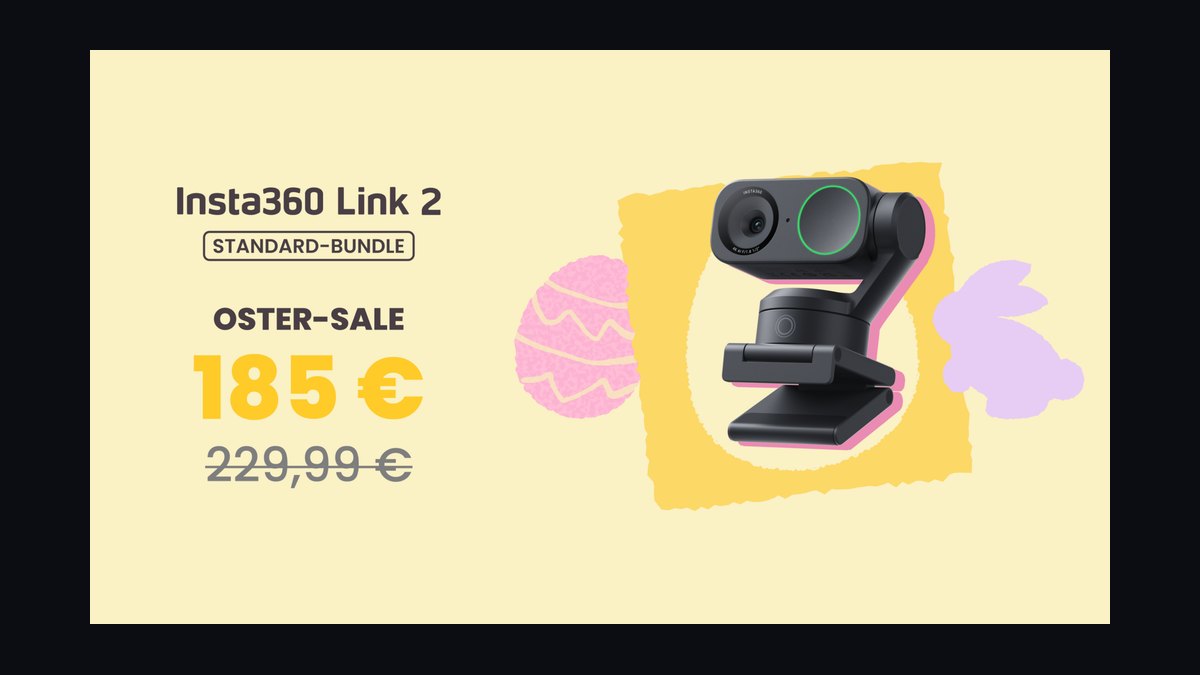
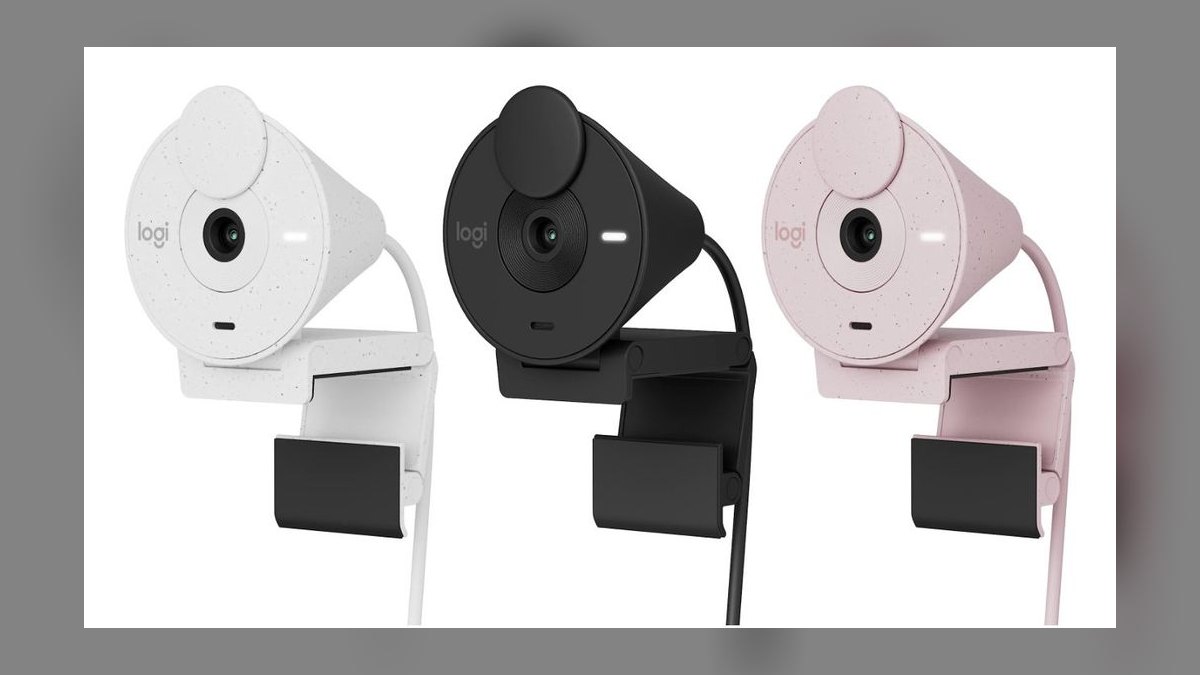
$100–$200 — the professional tier. The Dell UltraSharp Webcam lands near $160 with a large Sony STARVIS 4K sensor, strong color accuracy, and a usable digital zoom; it's the polished corporate default. The Logitech Brio 4K at roughly $180 is the established enterprise standard — 4K HDR, reliable autofocus, and the broadest IT support and deployment tooling of anything on the list, which matters when someone has to manage a thousand of them. The Logitech MX Brio at about $200 is the best overall pick for sales: a 4K sensor with large pixels for real low-light performance, fine-grained control over framing, exposure, and field of view through Logi Tune, and build quality that survives daily handling. The Insta360 Link 2 at around $200 buys a 4K gimbal with tracking plus a large sensor, leaning toward image fidelity over tracking aggressiveness.
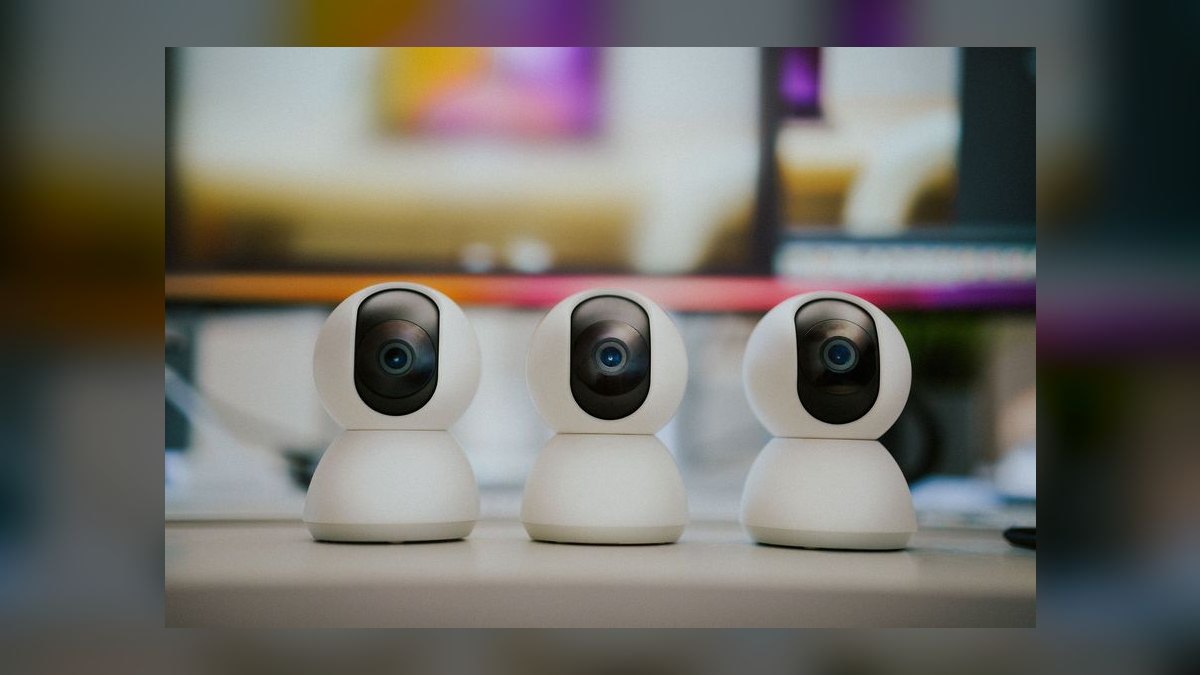
$200 and up — the specialist tier. The Razer Kiyo Pro Ultra at roughly $250 exists for one reason: that 1/1.2-inch sensor produces a bright, clean image in rooms where cheaper cameras go to mush. If you cannot fix your lighting, this is the camera that fixes it for you. The Elgato Facecam Pro at about $300 delivers true 4K60 through a quality fixed lens with deep control via Camera Hub — overkill for a discovery call, correct for recorded demos and webinars where the footage gets viewed repeatedly. The Obsbot Tiny 2 at roughly $330 is the AI tracking pick: a gimbal-mounted camera with gesture control and a large sensor that physically pans to follow a presenter who stands or moves to a whiteboard. And the Opal Tadpole around $175 is the travel answer — a tiny clip-on laptop webcam with a directional mic built in, sized for a bag rather than a desk.
Field of view is the spec most often set wrong. Wide angles in the 90–120° range exist for conference rooms and multi-person framing; used at a desk they place the subject visually far away and drag the entire messy room into frame. For a head-and-shoulders presenter shot, 65–78° is the working range, and most cameras in the professional tier let you select it in software. Narrowing the FOV also crops into the sensor's center, which is typically its optically sharpest region.
The settings that convert a good camera into a good image are worth stating as concrete values. Lock white balance manually at 5000–5500K for neutral skin tones rather than letting auto drift as the afternoon light changes. Set shutter around 1/60 to 1/120 to match room lighting without introducing flicker banding from AC-powered bulbs. Position a key light at roughly 45° off-axis to your face rather than dead-on, which produces some modeling on the face instead of flattening it. For a seated demo, focus locks well at the typical eye-to-lens distance of about 20–30 inches.
Budget planning across a team benefits from tiering rather than standardizing. A hundred-person org that buys the $200 flagship for everyone spends $20,000. The same org that gives the flagship to thirty client-facing AEs and sales engineers and the $100 value pick to seventy SDRs spends $13,000 and puts the better hardware where buyers actually see it. The savings roughly funds key lights for the entire org, which — per the mechanism above — buys more visible image quality than the uniform upgrade would have.
The adjacent spend usually beats the marginal camera dollar. A simple key light in the $40–$80 range, a laptop stand or monitor arm that gets the lens to eye level, and a wired headset or dedicated microphone will each do more for perceived call quality than moving one tier up the camera ladder. Audio in particular: viewers tolerate a mediocre image far longer than they tolerate mediocre sound, and a $70 camera with a good mic outperforms a $300 camera with laptop audio on every measure a buyer consciously notices.
Trade-offs: fixed versus tracking, and when a camera is the wrong purchase
The core trade-off in this category is fixed optics versus motorized tracking, and it maps cleanly onto presentation style rather than budget.
A fixed premium camera — MX Brio, Dell UltraSharp, Elgato Facecam Pro — puts every dollar into the image itself: bigger sensor, better lens, more processing headroom. Nothing moves, so nothing can move wrong. For a seated rep running six demos a day from the same chair, this is strictly the better allocation. The camera never drifts, never over-corrects, never draws attention to itself.
A tracking camera — Obsbot Tiny 2, Insta360 Link 2 — spends part of its budget on a gimbal and the AI subject detection that drives it. For a presenter who stands at a whiteboard, walks to a physical product, or gestures at a wall-mounted display, that spend is the entire point; a fixed camera simply loses them. The cost is real though: at any given price, some of the money went into motors instead of glass, tracking can visibly hunt when the subject is partially occluded, and a camera that pans by itself becomes the thing viewers watch.
There's a middle path worth naming. Digital auto-framing — cropping a subject region out of a wider sensor and following it in software — appears on value cameras like the Anker C300 and on most conferencing platforms natively. It costs nothing extra and works acceptably for small movements within a seated frame, at the price of cropping into the sensor and giving up resolution. For a rep who shifts in their chair but doesn't leave it, digital framing is sufficient and the gimbal is money spent on a capability they'll never invoke.
Two alternatives sit outside the webcam category entirely and deserve honest treatment.
The first is a mirrorless or DSLR camera fed through a capture card or vendor webcam utility. This produces the best image available by a wide margin — a large sensor and a fast lens give shallow depth of field that separates the subject from the background optically, which no webcam replicates. The costs are the ones people underestimate: the body and lens run several times a flagship webcam, most consumer bodies have recording time limits or overheat on long calls, the rig needs external power rather than running off USB, and setup is a five-minute ritual before every call instead of plugging in a cable. For a sales engineer producing a library of recorded demos, the math works. For an AE with back-to-back calls, the friction guarantees it eventually sits in a drawer.
The second is a modern laptop's built-in camera. Recent premium laptops ship considerably better front cameras than the 720p era, and for internal standups and quick check-ins they're fine. Their structural problem isn't the sensor, it's the geometry: a lid-mounted camera sits below eye level and points up, and no amount of image quality fixes an up-the-nose angle. A rep who props the laptop on a stand and adds a light gets more improvement than one who buys a $200 camera and leaves it on the same lid.
Two smaller trade-offs round it out. Software depth cuts both ways — Logi Tune, Camera Hub, and the Obsbot utility unlock manual exposure, focus lock, and FOV selection that materially improve the image, but they're another agent running on the rep's machine and another thing IT has to package and support. And privacy shutters, a checkbox spec that turns out to matter: a physical cover ends the "is it on?" question in a way a software indicator never quite does, especially for reps taking calls from home.
Pitfalls that undo a good camera
The failure patterns repeat across every sales floor, and each has a specific fix.
Backlighting. A window behind the presenter is the single most common problem. The camera meters for the bright background and underexposes the face into a silhouette. No sensor solves this — it's a physics problem about which light source is brighter. Turn the desk so the window is in front of you or at 45°, close the blinds, or enable backlight compensation as a last resort, which brightens the face at the cost of blowing out the window entirely.
Leaving everything on auto. Auto exposure and auto white balance re-evaluate continuously. When you lean forward, when a cloud passes, when you share a bright white slide deck that reflects onto your face, the image shifts. The buyer perceives a picture that keeps changing without knowing why. Lock exposure and white balance in the camera's software before the call and the image becomes stable, which reads as more professional than any resolution bump.
Continuous autofocus at a fixed distance. If you sit still, continuous AF has nothing to do except occasionally decide it was wrong. Lock focus manually at your seated distance. If your camera doesn't expose a lock, reduce what triggers refocusing: don't hold objects up near the lens mid-sentence, and keep a plain background so the system has one obvious subject.
Field of view left at maximum. Cameras often ship at their widest setting. In a small room this includes the bed, the laundry, and the door. Narrow to 65–78° for a head-and-shoulders frame, which also crops into the sharper center of the lens.
Camera below eye level. The most consequential fix costs nothing. Raise the camera to eye height on a monitor, a laptop stand, or a stack of books. A downward-looking lens flatters no one and subtly signals that the presenter is looking down at the buyer — an odd thing to broadcast during a negotiation.
USB bandwidth contention. High-resolution cameras push a lot of data. Chained through a hub already carrying a dock, an external drive, and a display, the feed drops frames or falls back to a lower resolution silently. Plug the camera directly into the machine, and prefer a port you know is USB 3.x. This is a common cause of "my expensive camera looks worse than the cheap one" reports that have nothing to do with the camera.
Skipping firmware updates. Manufacturers ship meaningful improvements to autofocus behavior, low-light processing, and tracking smoothness after launch — Obsbot's tracking and Logitech's processing have both improved through post-launch updates. Check the support page every couple of months or enable auto-update. Stale firmware quietly keeps a rep on last year's version of their own hardware.
Never testing before the call. Two minutes in the platform's own preview — Zoom, Teams, Meet, whatever the buyer is on — catches the drift, the sync issue, the wrong default device after a Windows update. The preview inside the vendor's utility is not the same as what the platform actually transmits, because the platform applies its own processing and bandwidth adaptation on top.
Buying for the demo you don't run. The most expensive mistake is a rep who buys a gimbal tracking camera and then sits in a chair for every call, or an SDR floor that standardizes on a $300 studio camera for 20-minute qualification calls. Match the camera to how you actually present, not to how you imagine presenting. Watch a recording of your own last three demos before you buy anything — the recording tells you which problem you actually have.
Ignoring the rest of the frame. The camera captures the wall behind you too. A blank wall, a plant, or a shelf with three objects on it reads as intentional. A blurred virtual background reads as concealment and eats CPU that the encoder needs. If the room is bad, a physical backdrop costs less than a camera upgrade and works on every platform without processing overhead.
Related questions
Does a better webcam actually affect win rates?
No vendor can honestly claim a direct causal number, and you should distrust any that does. What's defensible: video quality affects perceived credibility and reduces the cognitive effort of watching, and sales outcomes are sensitive to trust. Treat it as removing a small friction, not adding a differentiator.
Should I buy a webcam or a key light first?

The light, in almost every case. Lighting reduces the sensor gain the camera must apply, which is the dominant source of the grainy, washed-out look. A $70 camera in good light beats a $300 camera in bad light. Buy the light, see what's left, then buy the camera.
What resolution do buyers actually receive on a call?
Well under 4K. Conferencing platforms cap and adapt participant video to available bandwidth, typically delivering 720p or 1080p. Shooting 4K still helps — downscaling averages away noise and leaves room to crop — but nobody on the call sees native 4K.
How do I equip a fifty-person sales team without overspending?
Tier it. Give the ~$200 flagship to client-facing AEs and sales engineers, the ~$100 value camera to SDRs on short qualification calls, and a key light to everyone. That allocation typically costs a third less than uniform flagships and produces a better average image.
Is a mirrorless camera worth the setup friction?
Only for people who record. Sales engineers building a reusable demo library get real value from the optical background separation and image quality. An AE running back-to-back calls will abandon a rig that needs five minutes and external power before every meeting.
FAQ
What resolution do I actually need for sales demos?
1080p at 30fps is genuinely sufficient for most sales demos and looks professional on any standard video call. 4K helps if you crop, zoom, or record for later distribution, but it demands more bandwidth and more CPU. A well-processed 1080p camera routinely looks better than a cheap 4K one, because sensor quality and image processing matter more than pixel count at the resolutions platforms actually transmit.
Is autofocus important for a sales webcam?

Reliability matters more than speed. A camera that hunts focus mid-sentence is distracting in a way a slightly soft image never is. If you hold up a product or document, you want it to lock quickly and stay locked. For seated presenters at a fixed distance, the best setting is often manual focus lock — no autofocus activity at all means no autofocus mistakes.
How much should I spend on a webcam for demos?
Around $100 to $150 buys a very capable 1080p camera that will not embarrass anyone. Premium features — 4K, large low-light sensors, gimbal tracking, deep software control — sit in the $200 to $330 range. Below $100 you start compromising on autofocus reliability and low-light behavior, which are exactly the two things a sales call exposes.
Do I need AI tracking for sales calls?
Only if you move. AI tracking earns its cost for reps who stand, walk to a whiteboard, or present alongside a physical product. Seated reps who stay in frame get nothing from a gimbal except a higher price and one more component that can behave unexpectedly. Digital auto-framing, which many value cameras and platforms include free, covers small in-chair movement adequately.
What matters most for demos in a dim room?
Sensor size and image processing. Larger sensors collect more light per pixel and need less electronic amplification, which is what produces visible noise. Backlight compensation and HDR help with uneven light. That said, adding a modest key light to the room improves a dim-room image more than any camera upgrade at any price, and the two are complementary rather than alternatives.
Can I use a DSLR or mirrorless camera instead?
Yes, and the image quality is the best available — a large sensor and fast lens separate you from the background optically in a way no webcam matches. The trade-offs are cost, external power, potential recording-time or overheating limits, a capture card or vendor utility in the chain, and setup friction before every call. Excellent for recorded demos, impractical for back-to-back live calls.
Sources
- https://www.logitech.com/en-us/products/webcams.html
- https://www.tomsguide.com/best-picks/best-webcams
- https://www.pcmag.com/picks/the-best-webcams
- https://www.rtings.com/webcam/reviews/best/by-usage/video-conferencing
- https://www.theverge.com/tech
- https://support.zoom.com/hc/en/article?id=zm_kb&sysparm_article=KB0060337
- https://learn.microsoft.com/en-us/microsoftteams/prepare-network
- https://www.dell.com/en-us/shop/dell-ultrasharp-webcam/apd/319-bbfp
- https://www.elgato.com/us/en/p/facecam-pro
- https://www.razer.com/streaming-cameras/razer-kiyo-pro-ultra
Related on PULSE
- Top 10 4K External Webcams for Sales Demos in 2027
- Best Noise-Cancelling Earbuds for Sales Reps in 2027: Top 10 Ranked
- Best Business Laptops for Sales Reps in 2027: Top 10 Ranked
- Best Headsets for Sales Teams in 2027: Top 10 Ranked
- Top 10 Key Lights for Professional Sales Demos in 2027
- Top 10 Portable Projectors for On-Site Sales Demos in 2027
This page will be disappearing soon. Save it to your device for $1 — or read it free while it is here.
@Kory-White- · if Venmo asks, the last 4 of my number are 2012
This page is gone.
This one is off the shelf now. $1 keeps it on your phone for good — the whole page, pictures and diagrams included.
 pulse-reviewsTop 10 Laser Levels — Best Overall + Best Value in 2027
 pulse-reviewsTop 10 85-Inch TVs — Best Overall + Best Value in 2027
 pulse-reviewsBest Headsets for Sales Teams in 2027: Top 10 Ranked
 pulse-reviewsTop 10 Sunrise Alarm Clocks — Best Overall + Best Value in 2027
 pulse-reviewsTop 10 Camera Sliders — Best Overall + Best Value in 2027
 pulse-reviewsTop 10 USB-C Hubs for Sales Travel in 2027
 pulse-reviewsTop 10 Drone Cases — Best Overall + Best Value in 2027
 pulse-reviewsTop 10 Blue Light Glasses for Sales Reps in 2027
 pulse-reviewsTop 10 Phone Ring Holders — Best Overall + Best Value in 2027
 pulse-reviewsTop 10 Electric Fondue Pots — Best Overall + Best Value in 2027