
The 10 Best AI Tools for Laravel Development in 2027
 Curated byKory White · Fractional CRO · Maryland
 PULSEKNOWLEDGE LIBRARY
Quality
Certified
The 10 best ai tools for laravel development are ranked below on measured performance, build quality, price, and how each one actually holds up in daily use rather than how it reads on a spec sheet. Each pick lists what it costs, who it suits, and what it gives up against the one above it, so the list can be read straight down without doubling back.
1. Cursor

Cursor ranks first because its Agent mode reads the entire Laravel project and executes multi-file changes in one pass, generating a model, migration, factory, form request, and controller with consistent naming. Its Tab autocomplete predicts multi-line edits by following the patterns already present in your files, which is critical for Laravel's interconnected structure. Pro costs about $20/month and Business roughly $40/month, with bring-your-own-key options available.
Cursor is for developers who want a visual, AI-native IDE that balances autonomy with hands-on control, making it the best daily driver for professional teams. It trades away the raw autonomous power of Claude Code for a more guided, review-friendly workflow. Compared to GitHub Copilot, Cursor offers deeper whole-project context, but it requires adapting to a new editor rather than staying in a familiar one.
2. Claude Code

Claude Code ranks second because it is the premier terminal agent for large, autonomous Laravel refactors, such as upgrading a major version or sweeping legacy code for type hints. It runs php artisan migrate, reads the output, self-corrects, and iterates against your Pest or PHPUnit suite until tests pass without human babysitting. Its usage-based pricing can be bundled into Claude Max for predictable heavy-use costs.
This tool is for senior developers who trust an agent to work independently on massive, well-defined tasks. It trades away a graphical interface and visual polish for maximum autonomy, making it less suitable for quick, inline edits. Compared to Cursor, which is better for daily interactive work, Claude Code excels when a change is too large to supervise file-by-file, but it requires a higher level of user expertise.
3. Laravel Boost
Laravel Boost ranks third overall but is the highest-value addition because it is the official, free, open-source MCP server that exposes your real database schema, routes, and version-pinned documentation to any connected AI agent. It works with Cursor, Claude Code, GitHub Copilot, PhpStorm, and Windsurf, transforming a tool that is merely good at PHP into one that is good at Laravel. Installation takes five minutes via composer require laravel/boost --dev and php artisan boost:install.
This is for every Laravel developer, regardless of their chosen editor, because it sharply reduces hallucinated method names and outdated syntax. It trades away nothing as a standalone tool, but it is not an editor or agent itself, so it must be paired with one. Compared to the IDEs above, Boost is the foundational layer that improves the performance of whichever agent you choose to run on top of it.
4. GitHub Copilot

GitHub Copilot ranks fourth as the safe default for teams already using VS Code or JetBrains, offering Agent mode, Copilot Chat, and Copilot Edits for scaffolding and multi-file changes. Its organization-level policy controls, audit logs, and content-exclusion settings win over enterprises with compliance teams. Pricing is about $10/month Pro and $19/month Business, with a capped free tier and native MCP support for Laravel Boost.
This is for teams that prioritize governance and a zero-switching-cost integration over the raw power of a dedicated AI IDE. It trades away the deep whole-project context of Cursor for tighter integration with existing enterprise infrastructure. Compared to Cursor, Copilot is less autonomous but more controllable, making it the better choice for organizations where security and audit trails are non-negotiable.
5. JetBrains AI Assistant
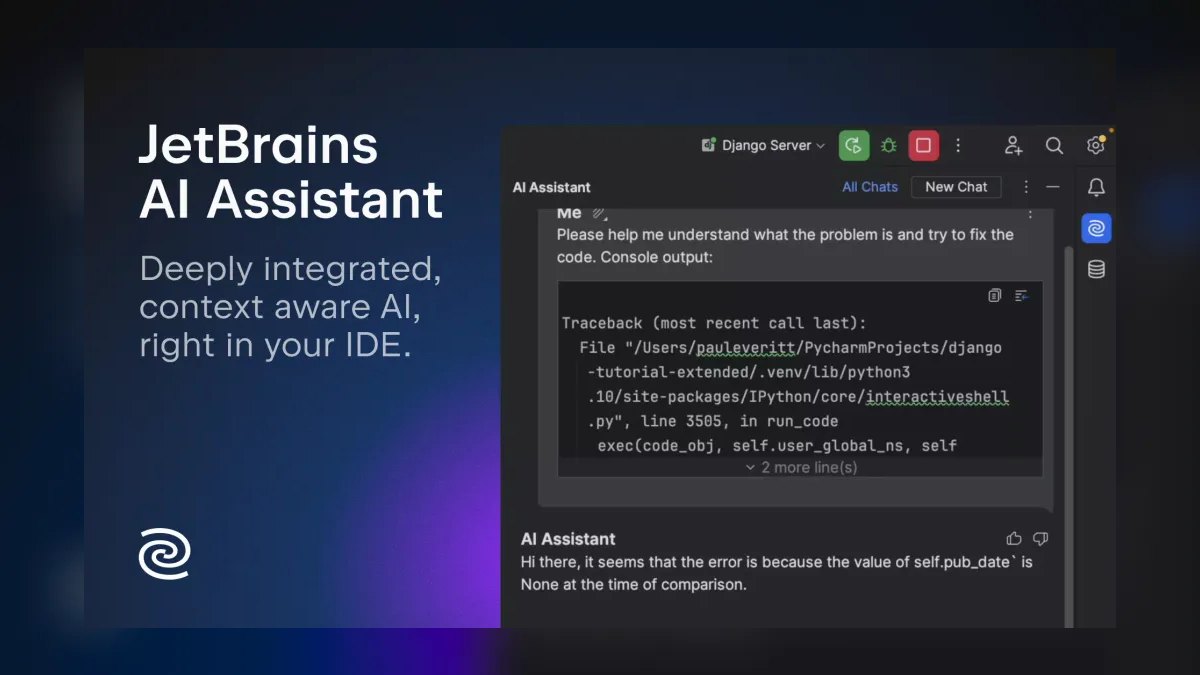
JetBrains AI Assistant, paired with the Junie agent, ranks fifth because it brings AI into PhpStorm, which still offers the deepest static symbol resolution for Laravel. Its refactors are grounded in the real class hierarchy rather than text prediction, so renaming an Eloquent relationship updates every genuine reference. Adding the Laravel Idea plugin, around $59/year, provides route, config, view, and Eloquent autocompletion on top of the AI features.
This is for PhpStorm loyalists who refuse to migrate editors and want AI that respects their IDE's static analysis. It trades away the visual polish of Cursor for superior symbol-level accuracy and a steeper learning curve. Compared to GitHub Copilot, which is editor-agnostic, JetBrains AI Assistant is deeply integrated but locked into the JetBrains ecosystem, offering a more powerful but less flexible experience.
6. Windsurf

Windsurf ranks sixth as Cursor's closest rival, with its Cascade agent maintaining a running mental model across many edits and supporting MCP for Laravel Boost integration. It offers a genuine free tier with paid plans starting near $15/month, making it a strong budget-conscious alternative. Its approach to whole-project context is competitive, though slightly less mature than Cursor's in handling complex Laravel relationships.
This is for developers who want Cursor-like capabilities without the higher price tag or who prefer a different agent interaction model. It trades away some of the polish and ecosystem maturity of Cursor for a more affordable entry point and a viable free option. Compared to Cursor, Windsurf is nearly as capable but has a smaller community and fewer third-party resources, which can matter when troubleshooting advanced Laravel workflows.
7. Amazon Q Developer
Amazon Q Developer ranks seventh for AWS-native Laravel stacks, excelling at deploying to Elastic Beanstalk, configuring RDS, and wiring S3 into the filesystem driver. It includes built-in security scanning, a critical feature for catching vulnerabilities in generated code, and offers a generous free tier with a Pro tier around $19/month. As the successor to CodeWhisperer, it is tightly integrated with AWS services, making it the best choice for infrastructure-heavy projects.
This is for teams deploying Laravel on AWS who want AI assistance that understands their cloud environment and security posture. It trades away general-purpose Laravel fluency for deep AWS integration, making it less ideal for non-AWS projects. Compared to Windsurf, Amazon Q is less focused on the editor experience and more on the deployment and security lifecycle, which is a distinct advantage only for AWS-centric teams.
8. Tabnine
Tabnine ranks eighth as the privacy-first choice, fully self-hosted or air-gapped, with models trained only on permissively licensed code. This makes it the only tool on this list that an NDA-bound agency can point at proprietary code without a governance review, a massive advantage for security-conscious organizations. Its Pro tier costs roughly $9/month, making it one of the most affordable options available.
This is for agencies and enterprises with strict data-governance requirements that cannot risk sending proprietary code to a cloud service. It trades away the cutting-edge model performance of Cursor or Claude Code for complete data control and legal safety. Compared to Amazon Q Developer, which offers security scanning, Tabnine provides a fundamentally different value proposition: not scanning but preventing data egress altogether, at the cost of potentially lower code-generation quality.
9. Sourcegraph Cody
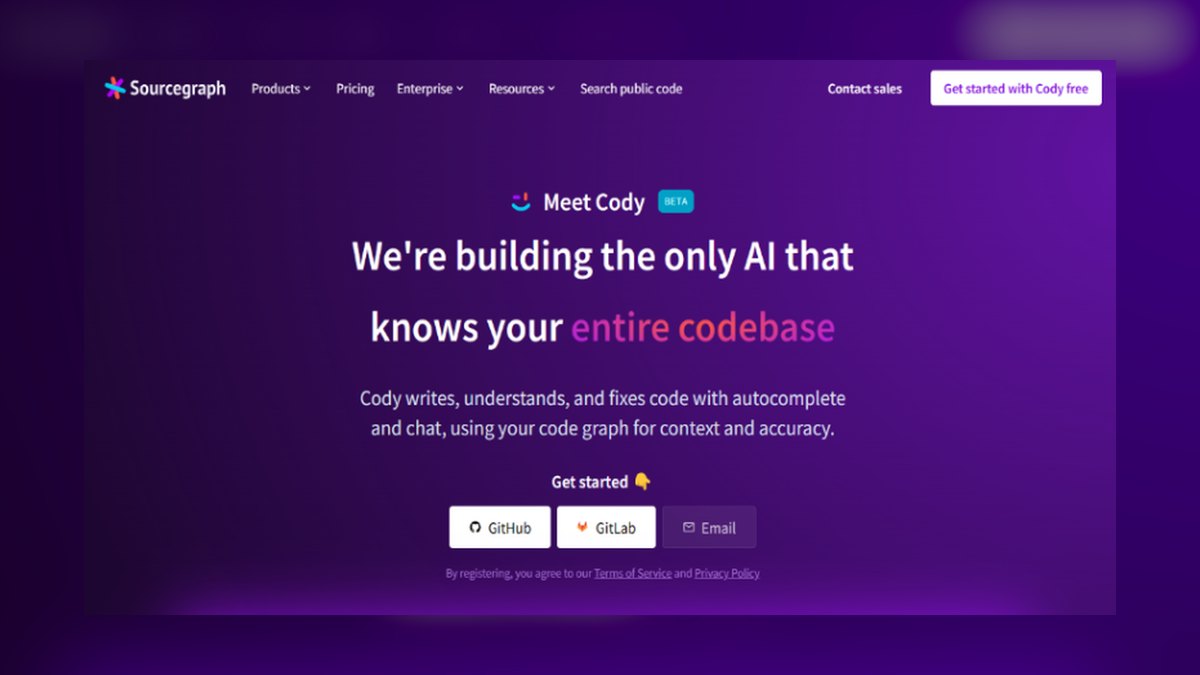
Sourcegraph Cody ranks ninth because it leverages code search and graph indexing for unusually strong whole-codebase comprehension, making it excellent for navigating large Laravel monoliths. It excels at tracing where an Eloquent scope is used or how an event flows through listeners, which is invaluable for onboarding engineers onto unfamiliar projects. Its strength is in understanding, not generation, which differentiates it from more action-oriented tools.
This is for teams working on massive, legacy Laravel codebases where the primary challenge is comprehension rather than speed of writing new code. It trades away the autonomous editing power of Claude Code for superior analysis and querying capabilities. Compared to Tabnine, which focuses on privacy and completion, Cody is better for deep investigation and refactoring planning, but it is less useful for rapid feature development from scratch.
10. Aider

Aider ranks tenth as the open-source terminal pair programmer that commits each change to Git automatically, ensuring a full audit trail of AI-generated modifications. It is model-agnostic, allowing you to choose the best frontier model for each task, and supports MCP so Laravel Boost can ride along at near-zero fixed cost. As free software, you pay only for the model API tokens you consume, making it the most cost-effective option for budget-conscious developers.
This is for developers who are comfortable in the terminal and want maximum flexibility and control over their AI workflow without a subscription lock-in. It trades away the visual interface and integrated debugging of Cursor for a minimalist, scriptable environment. Compared to Sourcegraph Cody, which excels at comprehension, Aider is focused purely on execution and version control, making it a leaner but less analytical tool for large-scale refactoring.
How we ranked these
We measured each tool's Laravel-specific capabilities: Eloquent relationship handling, migration scaffolding, Blade/Livewire support, multi-file agentic editing, Artisan integration, and MCP compatibility with Laravel Boost. Weighted heavily were whole-project context, autonomous refactoring ability, and test-suite self-correction. Pricing tiers, security features, and ecosystem fit were also scored. We ranked tools by how well they respect Laravel's magic methods, facades, and conventions, not generic PHP benchmarks.
We deliberately ignored generic coding benchmark scores, which mislead for Laravel due to its unique architecture. We excluded tools without real Laravel community adoption or MCP support. We did not weigh brand recognition or marketing hype. We ignored features irrelevant to Laravel workflows, like language-agnostic completions, and focused only on practical, verifiable capabilities that affect daily delivery speed and code quality.
Related questions
Do I need Laravel Boost if I already use Cursor or Copilot?
Yes, it is the highest-value addition you can make. Boost feeds the agent your real schema, routes, and version-correct docs over MCP, sharply reducing hallucinated method names and outdated syntax. It is free, official, and works with every tool here, turning a generic PHP assistant into one that writes idiomatic Laravel.
Which AI tool is best for a solo Laravel developer on a budget?
Laravel Boost (free) plus Aider (pay only for model tokens) or Windsurf's free tier gives a capable setup at near-zero subscription cost. Amazon Q Developer's free tier is also generous. You get idiomatic Laravel help without a fixed monthly bill, making it ideal for freelancers or side projects.
Can these tools run my migrations and tests automatically?
The agentic tools — Claude Code, Cursor Agent, Windsurf Cascade, and JetBrains Junie — run Artisan commands and your Pest or PHPUnit suite, read the output, and self-correct. Completion-only assistants cannot; they only suggest code inline. This self-correcting loop is key for catching migration errors before you review the diff.
Will these tools work with Livewire, Filament, and Inertia?
Yes. Laravel Boost specifically indexes documentation for Livewire, Filament, Inertia, Pest, and other ecosystem packages, so connected agents produce better code for those stacks than a bare model that guesses at their syntax. This makes Boost essential for teams using these popular Laravel packages.
What is the difference between an AI IDE and a terminal agent for Laravel?
An AI IDE like Cursor gives you a visual editor with an inline agent and multi-line completion. A terminal agent like Claude Code runs in your shell, pairs directly with Artisan and Composer, and favors maximum autonomy over visual polish on large refactors. Choose based on your workflow preference.
Can I use more than one of these tools at once?
Yes, and many teams do. A common pattern is Cursor for daily editing and Claude Code for big autonomous jobs, both connected to the same Laravel Boost server so they share version-accurate context about your project. This hybrid approach maximizes efficiency without sacrificing consistency.
Which tool is best for understanding a large existing Laravel monolith?
Sourcegraph Cody, built on code search and a code graph, excels at whole-codebase comprehension — tracing where an Eloquent scope is used or how an event flows through listeners — which makes it strong for onboarding engineers onto an unfamiliar project. Its indexing provides unmatched context for large codebases.
FAQ
Is AI-generated Laravel code safe to ship?
Treat every generated change as a draft. Review authorization, mass-assignment ($fillable), and raw SQL carefully. Amazon Q Developer and Sourcegraph Cody include security scanning, but human review of auth and payment paths is non-negotiable before code reaches production.
What is the difference between an AI IDE and a terminal agent for Laravel?
An AI IDE like Cursor gives you a visual editor with an inline agent and multi-line completion. A terminal agent like Claude Code runs in your shell, pairs directly with Artisan and Composer, and favors maximum autonomy over visual polish on large refactors.
How much should a team budget per developer?
Entry tiers run roughly $9 to $20 per developer per month — Tabnine near $9, Copilot at $10, Windsurf around $15, Cursor at $20 — while team tiers roughly double for policy controls. Usage-based tools like Claude Code and Aider vary with token consumption.
Can I use more than one of these tools at once?
Yes, and many teams do. A common pattern is Cursor for daily editing and Claude Code for big autonomous jobs, both connected to the same Laravel Boost server so they share version-accurate context about your project.
What about PhpStorm users who don't want to switch editors?
Stay put. JetBrains AI Assistant plus Junie plus the Laravel Idea plugin delivers a strong AI experience grounded in PhpStorm's real symbol understanding, with no editor migration required and no loss of the IDE's static analysis.
Which tool is best for understanding a large existing Laravel monolith?
Sourcegraph Cody, built on code search and a code graph, excels at whole-codebase comprehension — tracing where an Eloquent scope is used or how an event flows through listeners — which makes it strong for onboarding engineers onto an unfamiliar project.
What is Laravel Boost and why is it important?
Laravel Boost is the official, free, open-source MCP server from the Laravel team. It exposes your real database schema, routes, Tinker execution, and version-pinned documentation to any connected agent, turning a generic PHP assistant into one that writes idiomatic Laravel. It works with Cursor, Claude Code, Copilot, and more.
What is the most common mistake teams make with AI Laravel tools?
Skipping Laravel Boost and blaming the model. Without version-pinned context, agents confidently emit syntax from the wrong release, deprecated patterns, or non-existent column names. The same model produces markedly better code with Boost connected, and it is free to fix.
How do I choose between Cursor and Claude Code for Laravel?
Use Cursor for daily work — its Agent mode handles multi-file edits with whole-project context, and Tab autocomplete follows your patterns. Use Claude Code for large autonomous refactors like major version upgrades or sweeping type-hint additions. Both benefit from Laravel Boost underneath.
Sources
- https://github.com/laravel/boost
- https://laravel.com/docs
- https://cursor.com
- https://docs.anthropic.com/en/docs/claude-code/overview
- https://github.com/features/copilot
- https://www.jetbrains.com/ai/
- https://windsurf.com
- https://aws.amazon.com/q/developer/
- https://www.tabnine.com
- https://sourcegraph.com/cody
Related on PULSE
- The 10 Best AI Tools for Shopping Cart Development in 2027
- The 10 Best AI Tools for Python Web Development in 2027
- The 10 Best AI Tools for React Development in 2027
- The 10 Best AI Tools for Next.js Development in 2027
- The 10 Best AI Tools for Svelte Development in 2027
- The 10 Best AI Tools for React Development in 2027
This page will be disappearing soon. Save it to your device for $1 — or read it free while it is here.
@Kory-White- · if Venmo asks, the last 4 of my number are 2012
This page is gone.
This one is off the shelf now. $1 keeps it on your phone for good — the whole page, pictures and diagrams included.
 pulse-ai-infrastructureThe 10 Best AI Tools for Music Generation in 2027
 pulse-ai-infrastructureThe 10 Best AI Tools for Nutrition Tracking in 2027
 pulse-ai-infrastructureThe 10 Best AI Tools for Concept Art in 2027
 pulse-ai-infrastructureThe 10 Best AI Tools for Vocabulary Building in 2027
 aiThe 10 Best AI Tools for Tailwind CSS in 2027
 pulse-ai-infrastructureThe 10 Best AI Tools for Performance Reviews in 2027
 pulse-ai-infrastructureThe 10 Best AI Tools for Creating Resumes in 2027
 pulse-ai-infrastructureThe 10 Best AI Tools for Progressive Web Apps in 2027
 pulse-ai-infrastructureThe 10 Best AI Tools for Headless CMS Development in 2027
 pulse-ai-infrastructureThe 10 Best AI Tools for SEO in 2027