 Pulse Reviews and Analysis
How do you handle GPU scheduling on Kubernetes for AI workloads?
 Curated by Kory White · Fractional CRO, CRO Syndicate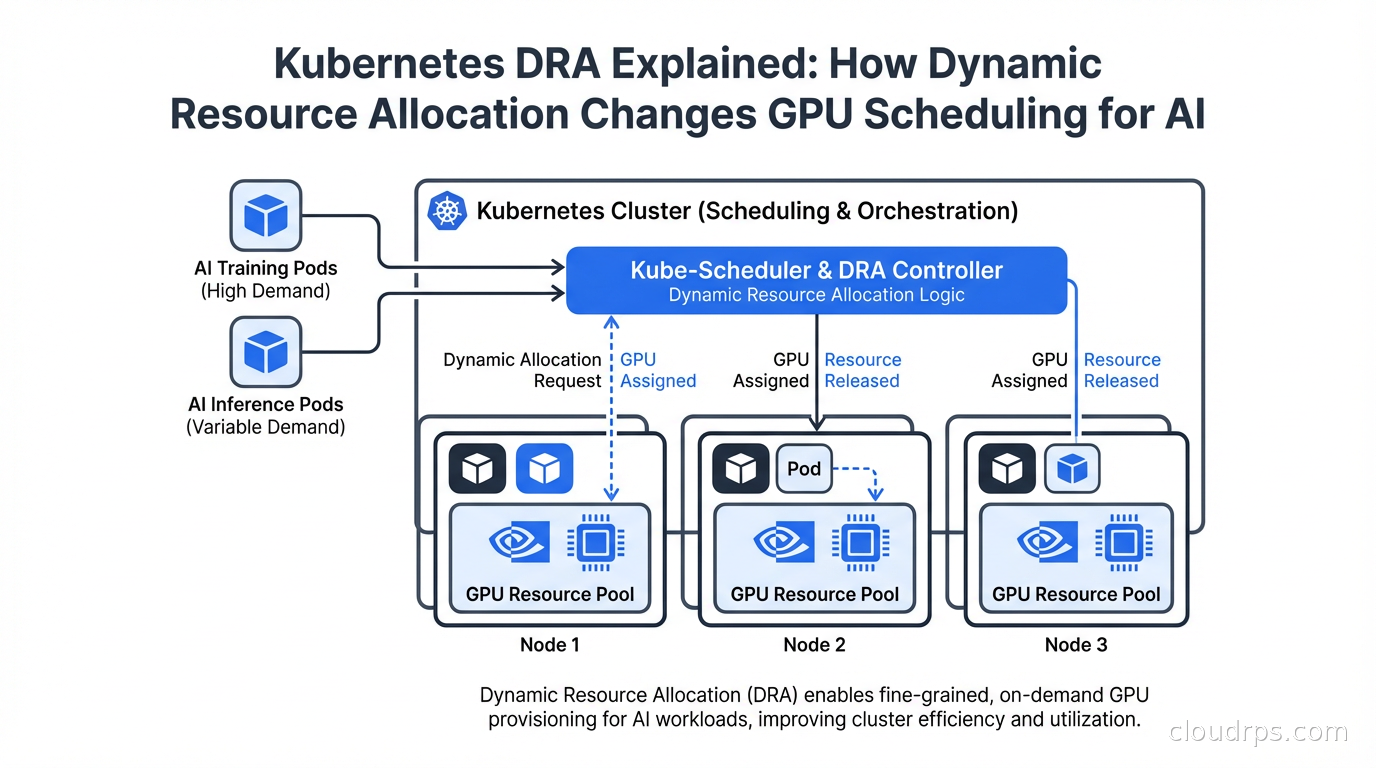
How do you handle GPU scheduling on Kubernetes for AI workloads?
You handle GPU scheduling on Kubernetes by adding the capabilities the default scheduler lacks: first expose GPUs to the cluster with the NVIDIA GPU Operator and device plugin, then layer a batch scheduler or queue (Kueue, Volcano, or NVIDIA's KAI Scheduler) that adds fair-share quotas, priorities, preemption, and gang scheduling for distributed jobs.
Pair that with a node autoscaler (Karpenter or Cluster Autoscaler) to provision GPU nodes on demand and scale to zero when idle, and enable GPU sharing (MIG or time-slicing) so multiple workloads can use one accelerator. The goal is high utilization of scarce, expensive GPUs without jobs deadlocking or one team starving another.
Why the default Kubernetes scheduler isn't enough
Kubernetes treats a GPU as a simple countable resource (nvidia.com/gpu: 1) and schedules pods one at a time, first-fit, with no awareness of how AI workloads actually behave. It has no concept of gang scheduling (starting all workers of a distributed training job together), fair-share quotas across teams, fractional GPU sharing, or queue-based admission.
The result, without help, is classic failure modes: a multi-pod training job gets some pods scheduled and others stuck pending — holding GPUs idle in a deadlock — while a single team's jobs monopolize the cluster and others wait indefinitely. Fixing this is what GPU scheduling on Kubernetes is about.
Step 1: Expose GPUs with the GPU Operator
Before scheduling anything, the cluster must *see* GPUs. The NVIDIA GPU Operator automates the full stack — GPU drivers, the Kubernetes device plugin, the container toolkit, node feature discovery, DCGM monitoring, and MIG configuration — across every GPU node. Once installed, GPU nodes advertise nvidia.com/gpu (or MIG profiles), and the device plugin handles allocation and isolation.
This is the universal foundation every other layer builds on, and it also gives you the utilization telemetry (via DCGM) you need to tune everything else.
Step 2: Add a batch scheduler or queue
This is the core of GPU scheduling. A queueing/batch layer decides *when* jobs run, enforces quotas, and starts distributed jobs atomically:
- Kueue — a Kubernetes-SIG project that adds job queueing, quotas, cohort-based fair sharing, priorities, and preemption. It admits jobs only when resources are available, so pods don't get stuck half-scheduled. It is the clean, native, open-source default.
- Volcano — a CNCF batch scheduler with strong gang scheduling, queues, fair-share, and topology-aware placement for high-performance interconnects. Ideal when distributed training must have all workers start together.
- NVIDIA KAI Scheduler — open-sourced from Run:ai technology, bringing AI-aware scheduling (gang, fair-share, fractional GPUs, bin-packing) to open-source users.
Pick one based on your needs: Kueue for clean quota/queue management, Volcano or KAI when gang scheduling and HPC-style placement dominate.

Reach Kory White, Fractional CRO: 📅 Book a Quick Call · 💼 Kory on LinkedIn · 🏢 CRO Syndicate
Step 3: Set quotas, priorities, and preemption
With a queue in place, model your organization's GPU policy. Define quotas per team or namespace so each gets a guaranteed slice but can burst into unused capacity (cohorts/fair-share reclaim idle quota for whoever needs it). Assign priorities so latency-sensitive inference outranks long batch training, and enable preemption so high-priority jobs can reclaim GPUs from lower-priority, preemptible ones (with checkpointing so preempted training resumes cleanly).
This policy layer is what turns a shared GPU cluster from a free-for-all into a fair, predictable resource.
Step 4: Autoscale GPU nodes
GPUs are too expensive to leave running idle, so the node pool must be elastic. Karpenter provisions right-sized GPU nodes in seconds when jobs are pending and consolidates or removes them when idle — including scaling the GPU pool to zero between jobs. The Cluster Autoscaler does similar with predefined node groups.
Combine autoscaling with spot/preemptible GPU instances for batch training to cut cost further, keeping on-demand capacity for inference that can't tolerate interruption.
Step 5: Share GPUs to raise utilization
Many AI workloads — inference, light fine-tuning, notebooks — don't need a whole high-end GPU. Two mechanisms let several workloads share one accelerator:
- MIG (Multi-Instance GPU) partitions an A100/H100-class GPU into hardware-isolated instances, each with dedicated memory and compute. The GPU Operator configures MIG profiles that the scheduler then allocates as separate resources — strong isolation, predictable performance.
- Time-slicing lets multiple pods share a GPU by interleaving in time. It's simpler and works on more GPUs but offers no hard isolation, so it's best for bursty or low-intensity workloads.
For multi-team fractional sharing with quotas, commercial NVIDIA Run:ai (or the open KAI Scheduler) provides dynamic fractional allocation across the whole cluster.
Putting it together and measuring success
A complete setup layers these: GPU Operator (expose) → Kueue/Volcano/KAI (schedule + quota) → Karpenter (autoscale) → MIG/time-slicing (share). Then measure with DCGM metrics and dashboards: track GPU utilization, queue wait times, and idle node hours. High utilization with acceptable wait times means the policy is right; chronically idle GPUs mean you should enable more sharing or tighter autoscaling, while long queues mean you need more capacity or smarter preemption.
GPU scheduling is an ongoing tuning loop, not a one-time install.
Frequently Asked Questions
Do I need a special scheduler, or can the default one handle GPUs? The default scheduler can place a pod on a GPU, but it cannot do gang scheduling, fair-share quotas, queueing, or fractional sharing — all of which AI workloads need. For anything beyond a single GPU and a single user, add Kueue, Volcano, or the KAI Scheduler.
What is gang scheduling and why does it matter for training? Distributed training needs every worker pod running simultaneously to make progress. Gang scheduling guarantees all pods of a job start together or none do, preventing the deadlock where some pods run and others stay pending while holding GPUs idle. Volcano and KAI are built for this.
How do I stop one team from hogging all the GPUs? Use a queueing layer with per-team quotas and fair-share (cohorts). Each team gets guaranteed capacity but idle quota is lent to whoever needs it, and preemption reclaims GPUs for higher-priority work. This keeps the cluster fair while maximizing utilization.
How can I run more than one workload on a single GPU? Use MIG to hardware-partition data-center GPUs into isolated instances, or time-slicing to interleave pods on one GPU without isolation. The NVIDIA GPU Operator configures both, and commercial Run:ai adds dynamic fractional allocation across teams.
How do I keep GPU costs down? Autoscale GPU nodes (Karpenter) to provision only when jobs are queued and scale to zero when idle, use spot/preemptible instances for interruptible training, and raise utilization with GPU sharing. Monitor idle node hours and GPU utilization to find waste.
What metrics tell me my scheduling is working? Track GPU utilization (via DCGM), job queue wait times, and idle node hours. High utilization with reasonable wait times is the target. Persistently idle GPUs signal you need more sharing or tighter autoscaling; long queues signal a capacity or preemption-policy problem.
Sources
- NVIDIA GPU Operator documentation — https://docs.nvidia.com/datacenter/cloud-native/gpu-operator/latest/index.html
- Kueue documentation — https://kueue.sigs.k8s.io/docs/
- Volcano documentation — https://volcano.sh/en/docs/
- NVIDIA KAI Scheduler — https://github.com/NVIDIA/KAI-Scheduler
- Karpenter documentation — https://karpenter.sh/docs/
- NVIDIA Multi-Instance GPU (MIG) user guide — https://docs.nvidia.com/datacenter/tesla/mig-user-guide/
- NVIDIA Run:ai — https://www.run.ai/