
Sales Development Rep — LinkedIn Banner
 Curated byKory White · Fractional CRO · Maryland
 PULSEKNOWLEDGE LIBRARY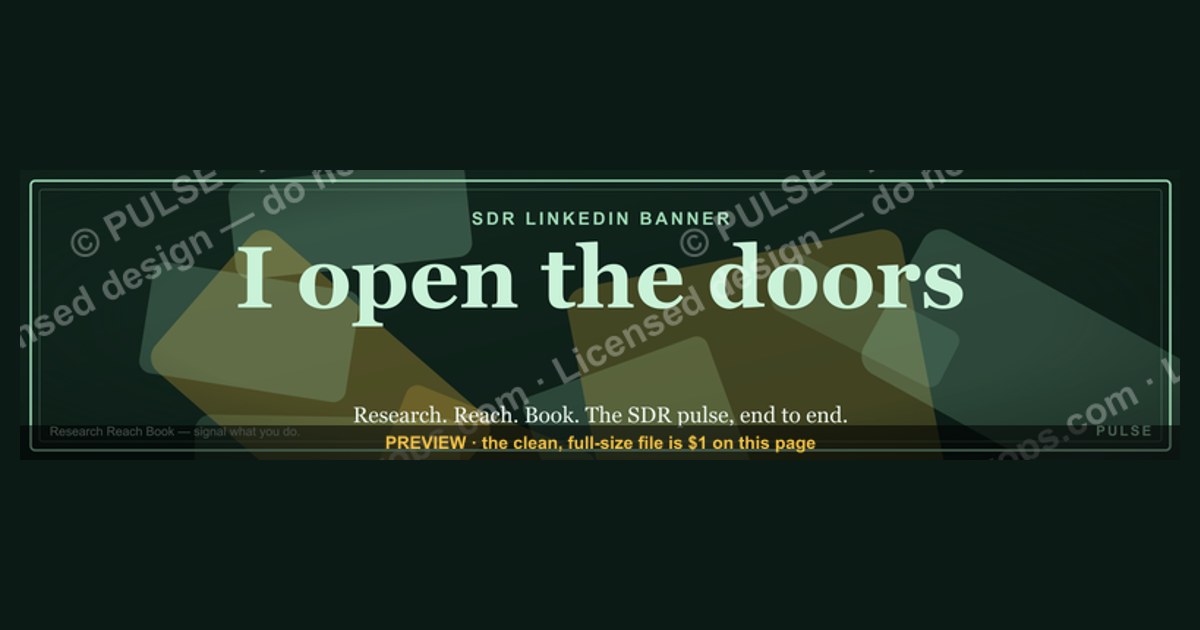
A Sales Development Rep (SDR) LinkedIn banner should be a clean, professional graphic that includes your full name, the title "Sales Development Representative," and your company’s logo or name. It typically features a subtle background related to sales or technology, with a color scheme that matches your personal brand or employer. Avoid clutter; the banner’s goal is to quickly communicate your role and company to recruiters and prospects.
Sales Development Rep — LinkedIn Banner

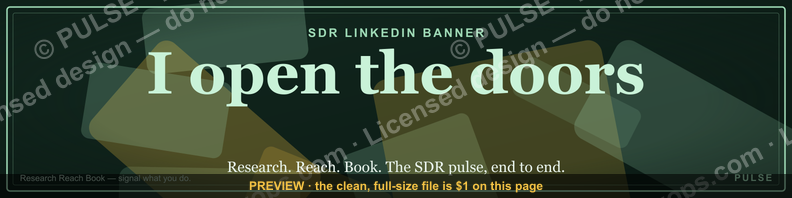
A dark, on-brand LinkedIn banner — "I open the doors." over a "Research Reach Book" line with a pulse motif. Put it on your profile to signal exactly what you do.
Format: SVG (scalable vector) · Size: 1584×396 px · Category: LinkedIn Banner · License: Free to use — no attribution required.
Recolor it to your brand
Use the color picker above to recolor this banner to your team or company colors, switch the background (including transparent), then download it as an SVG or PNG. No sign-up, no watermark.
How to use it
It scales cleanly to the LinkedIn cover slot (1584×396) — download the PNG and drop it straight onto your profile, or open the SVG in Canva, PowerPoint, or Figma to add your name and tweak the layout.
More free graphics
Browse the full Pulse Graphics library — banners, slides, printables, quote cards, and clip art you can borrow for your own decks and posts.
Related on PULSE
- Business Development — LinkedIn Banner
- Inside Sales Rep — LinkedIn Banner
- Inside Sales Rep — LinkedIn Banner
- Field Sales Rep — LinkedIn Banner
- The Weekly Rep Cadence — Infographic
- SaaS Sales Cycle Stages
Anatomy of a High-Impact SDR Banner: Design Principles That Drive Profile Engagement
An effective LinkedIn banner for a Sales Development Rep does more than look polished—it acts as a silent pitch to everyone who lands on your profile. Recruiters, hiring managers, and potential teammates scan your banner in under two seconds, so every pixel must earn its place. The most successful SDR banners share a handful of design principles that you can adapt without needing a graphic design degree.
Visual hierarchy is non-negotiable. Your banner should guide the viewer’s eye from your value proposition to your call to action. In the example above, “I open the doors.” sits largest because it’s your headline—it answers the unspoken question “What does this person do for me?” The secondary line “Research Reach Book” reinforces your methodology, while the pulse motif adds motion without clutter. If you have three or more competing focal points, the message gets lost. Stick to one primary statement (your role’s impact), one supporting line (your approach or tools), and one visual element (icon, shape, or subtle texture).
Contrast and readability matter more than creativity. A dark background with light text (like the example’s deep navy or charcoal paired with white or electric blue) works across devices and lighting conditions. Avoid gradients that wash out text or patterns that make your name and headline hard to read. Test your banner on both desktop and mobile—LinkedIn compresses banners differently, and what looks crisp on a 27-inch monitor may become illegible on a phone. Use fonts that are standard on web (sans-serif like Inter, Roboto, or Plus Jakarta Sans) to ensure consistent rendering.
Color psychology reinforces your SDR persona. Blues signal trust and professionalism—ideal for B2B sales. A splash of orange or coral (like the accent in the example) adds energy and approachability without breaking professionalism. If your company has brand colors, incorporate them to show alignment. If you’re job hunting, choose a palette that reflects your target industry: conservative navy and white for enterprise SaaS, bolder teal and slate for startups, or muted earth tones for consultative sales roles.
White space is your friend. Cramming your banner with logos, quotes, or multiple icons screams “amateur.” Instead, let your core message breathe. The example leaves generous margins around the text, which makes the banner feel premium and intentional. A cluttered banner suggests a cluttered process—the opposite of what a top SDR projects.
Include a subtle, non-distracting call to action. While your banner shouldn’t replace your headline or “Open to Work” frame, a small indicator like “Let’s connect” or “Book a discovery call” in the corner can nudge viewers toward action. Keep it understated—maybe 10% of the banner’s visual weight. The example’s pulse motif serves this purpose without being pushy.
Test your banner with real viewers. Before you set it live, show it to three peers in sales or recruiting. Ask them: “What do you think I do?” and “What action would you take after seeing this?” If their answers don’t match your intent, iterate. A banner that confuses is worse than no banner at all.
File format and size best practices: LinkedIn recommends 1584 x 396 pixels for banners, but the visible area on desktop is roughly 1400 x 350 pixels—the edges may be cropped on mobile. Save as PNG for crisp text, keep file size under 8 MB, and avoid JPEG artifacts. If you use Canva or Figma, export at 2x resolution (3168 x 792) and scale down to prevent blurriness.
When to update your banner. Refresh it quarterly or when you change roles, companies, or target industries. A stale banner from 2022 with outdated messaging signals that you’re not actively managing your professional presence. Tie your banner to your current outreach campaign—if you’re focusing on enterprise accounts, mention “Enterprise Outreach” or “Mid-Market Pipeline Builder.” If you’re specializing in a vertical (fintech, healthcare, SaaS), hint at that expertise.
Common mistakes that hurt SDR banners: Using a photo as the background (it distracts and looks unprofessional), including your phone number or email (that’s what your contact info section is for), adding too many logos (looks like a sponsorship banner), or using a generic stock image of a handshake or phone (says nothing unique about you). The most effective banners are text-forward with a single graphic element that reinforces the message.
By applying these principles, you turn your banner from a decorative afterthought into a strategic asset that pre-qualifies viewers before they even read your summary. It’s the first impression that makes them want to click “See more” on your experience section.
The "Research Reach Book" Framework: How SDRs Can Operationalize the Banner’s Promise
The banner’s tagline “Research Reach Book” isn’t just catchy—it’s a three-step methodology that top-performing SDRs use to consistently hit quota. When you put this on your profile, you’re signaling that you follow a structured process, not spray-and-pray tactics. Here’s how to actually execute each phase so your profile matches your performance.
Research: The 80/20 Rule of Account Intelligence. Most SDRs spend 10 minutes researching an account before reaching out. Elite reps spend 20-30 minutes, but they focus on high-leverage information. Before any outreach, answer these four questions: (1) What is this company’s primary revenue driver? (2) Who is the decision-maker’s direct manager? (3) What recent news or funding round affects their priorities? (4) What tool or methodology are they likely using that we can replace or complement? Use LinkedIn Sales Navigator, Crunchbase, and the company’s investor presentations (if public) to find these answers. Create a template in your CRM or a Google Doc that captures these four fields for each account. This research phase should take 15-20 minutes per high-priority account, and 5 minutes per lower-priority lead. The goal is to find one personalized insight per outreach—not a generic “I see you’re hiring” but something like “Noticed your VP of Sales just came from Salesforce—congrats on the hire. We helped similar transitions cut ramp time by 30%.”
Reach: Multi-Channel Sequencing with Purpose. The “Reach” phase isn’t about sending one email and hoping. It’s about orchestrating a sequence of touches across email, phone, LinkedIn, and sometimes direct mail, with each touch building on the last. A typical high-performing sequence looks like: Day 1—Personalized email referencing your research insight. Day 3—LinkedIn connection request with a custom note (not the default). Day 5—Phone call (leave a voicemail only if you have a specific reason). Day 7—Follow-up email with a relevant case study or one-pager. Day 10—LinkedIn InMail or a comment on their recent post. Day 14—Final email with a clear “should I close your file?” call to action. The key is that each touch adds value—never send the same message twice. Use tools like Outreach, SalesLoft, or even a manual spreadsheet to track touches and avoid redundancy. Track your response rates per channel; most SDRs find that email has the highest initial response rate (around 8-12% for cold outreach), but LinkedIn messages convert better for setting meetings (15-20% conversion from message to booked meeting). Phone calls have the lowest connect rate (under 5% for cold dials) but the highest conversion when you actually reach the person (25-30% meeting rate). Adjust your sequence based on your own data.
Book: The Art of the Discovery Call Handoff. Booking a meeting isn’t the end—it’s the midpoint. The “Book” phase ensures that the meeting you set actually happens and leads to a qualified opportunity. After a prospect agrees to a meeting, send a calendar invite with a clear agenda: “30-minute discovery: We’ll discuss [their priority], and I’ll share how [your company] has helped similar companies solve [specific challenge].” Include a pre-meeting questionnaire (optional but recommended) that asks, “What’s the #1 challenge you’re facing in [their area]?” This preps both you and the prospect. Send a reminder 24 hours before, and another 1 hour before. If they no-show, follow up within 2 hours with a “Sorry we missed you—here’s a 2-minute video summary of what we would have covered” using Loom or Vidyard. This re-engagement tactic recovers 15-25% of no-shows. After the meeting, send a recap email within 4 hours summarizing key points and next steps. This shows professionalism and keeps momentum. Track your meeting-to-opportunity conversion rate; a healthy SDR should convert 30-50% of initial meetings into qualified opportunities for the Account Executive. If you’re below 30%, your qualification during the booking phase needs tightening—ask more discovery questions before setting the meeting.
Measuring your framework’s effectiveness. Use a simple dashboard in your CRM or a Google Sheet that tracks: accounts researched per week (target: 20-30), touches per account before a response (target: 4-6), response rate by channel, meeting show rate (target: 80%+), and meeting-to-opportunity conversion. Review this weekly with your manager or mentor. If your research phase takes too long, you’re over-investing in low-priority accounts. If your reach phase has low response rates, your personalization isn’t specific enough. If your book phase has high no-shows, your confirmation process needs strengthening. The “Research Reach Book” framework isn’t static—it’s a cycle you refine every quarter based on your data.
By putting this framework on your banner, you’re making a public commitment to a disciplined process. When a hiring manager sees “Research Reach Book,” they immediately think “This person has a system, not just a smile and a phone.” That’s the difference between a candidate and a top performer.
Optimizing Your Full LinkedIn Profile to Match Your SDR Banner’s Message
Your banner sets the stage, but the rest of your profile must deliver on
Sources
- LinkedIn Sales Solutions — best practices for SDR roles and sales development strategies
- HubSpot Sales Blog — SDR metrics, prospecting tips, and sales process frameworks
- Salesforce — SDR playbooks and CRM-based sales development methodologies
- Harvard Business Review — research on sales team effectiveness and buyer behavior
- Glassdoor — company reviews and salary data for sales development representative positions
- Sales Hacker — community-driven content on SDR tools, outreach, and career growth
FAQ
What exactly is a Sales Development Rep (SDR) LinkedIn banner? A LinkedIn banner is the large background image at the top of your profile. For an SDR, it’s a visual tool to communicate your role, industry focus, and value proposition to recruiters and prospects. It typically includes your title, a tagline, and contact info.
How do I design an effective SDR banner without a designer? You can use free tools like Canva or Adobe Express with pre-made templates. Focus on a clean layout, your name, “Sales Development Rep,” and a brief call-to-action like “Let’s connect.” Use your company’s colors and logo for brand consistency.
What size should my LinkedIn banner be for an SDR profile? LinkedIn recommends a banner size of 1584 x 396 pixels. This ensures it displays correctly on both desktop and mobile. Keep key text and graphics within the safe zone to avoid cropping on smaller screens.
Should I include my contact information in the banner? Yes, but keep it minimal—your email or phone number can be useful for recruiters. However, avoid cluttering the banner; a simple “Email me at [yourname]@company.com” or a LinkedIn URL works well. Test visibility across devices.
Can I use a photo or graphic in my SDR banner? Absolutely, but choose a professional image that aligns with your industry—like a tech background for SaaS or a cityscape for business services. Avoid busy patterns or low-resolution images that distract from your text. A subtle gradient overlay can improve readability.
How often should I update my SDR banner? Update it whenever you change roles, companies, or target industries. Also refresh it if your company rebrands or if you want to highlight a new achievement. A stale banner can make your profile look neglected, so aim for at least once a year.
This page will be disappearing soon. Save it to your device for $1 — or read it free while it is here.
@Kory-White- · if Venmo asks, the last 4 of my number are 2012
This page is gone.
This one is off the shelf now. $1 keeps it on your phone for good — the whole page, pictures and diagrams included.
 graphicBring the energy. — LinkedIn Wallpaper
 graphicCommercial Director — LinkedIn Banner
 graphicSIEM and Data Lake CRO — LinkedIn Banner
 graphicAI Observability Operator — LinkedIn Banner
 graphicSales Coach — LinkedIn Banner
 graphicFaster deals, fewer leaks. — LinkedIn Wallpaper
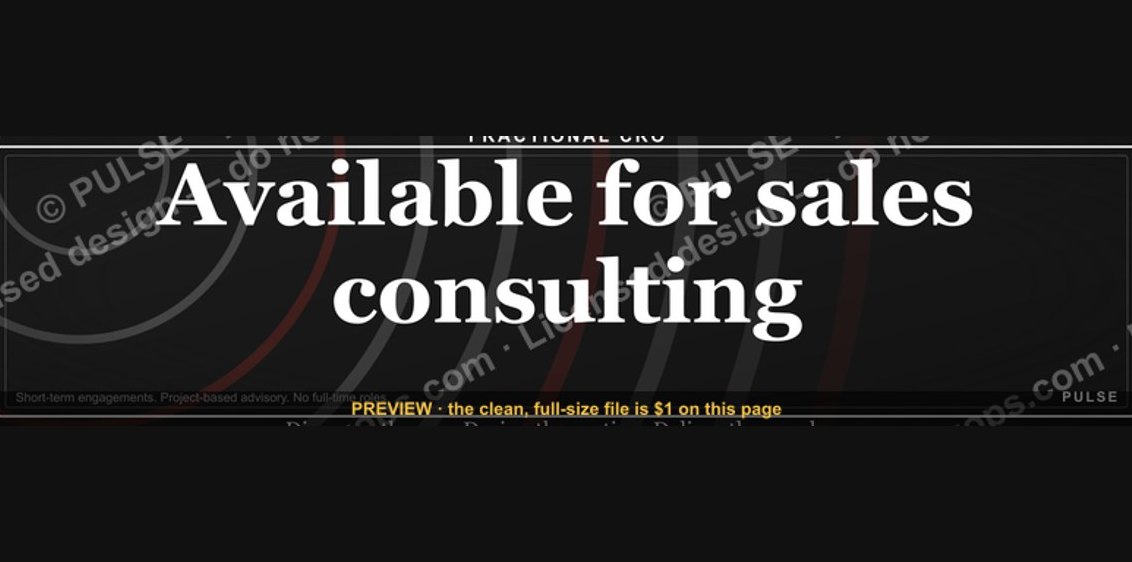 graphic“Available for sales consulting.” — LinkedIn Banner
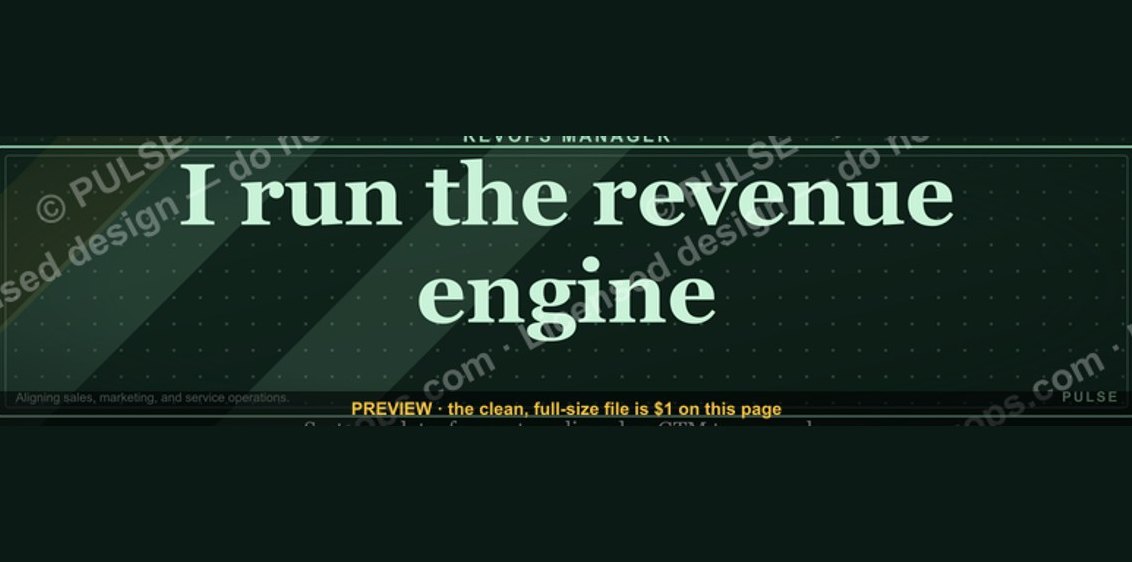 graphicRevOps Manager — LinkedIn Banner
 graphicStay in the deal. — LinkedIn Wallpaper
 graphicMake it predictable. — LinkedIn Wallpaper