
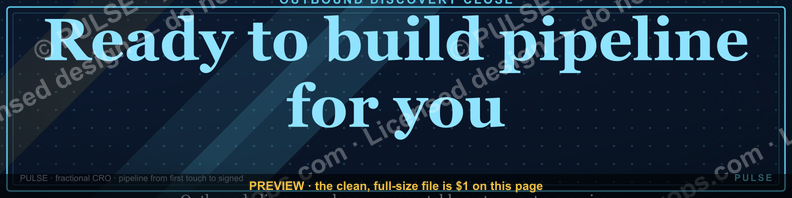
“Ready to build pipeline for you.” — LinkedIn Banner
 Curated byKory White · Fractional CRO · Maryland
 PULSEKNOWLEDGE LIBRARY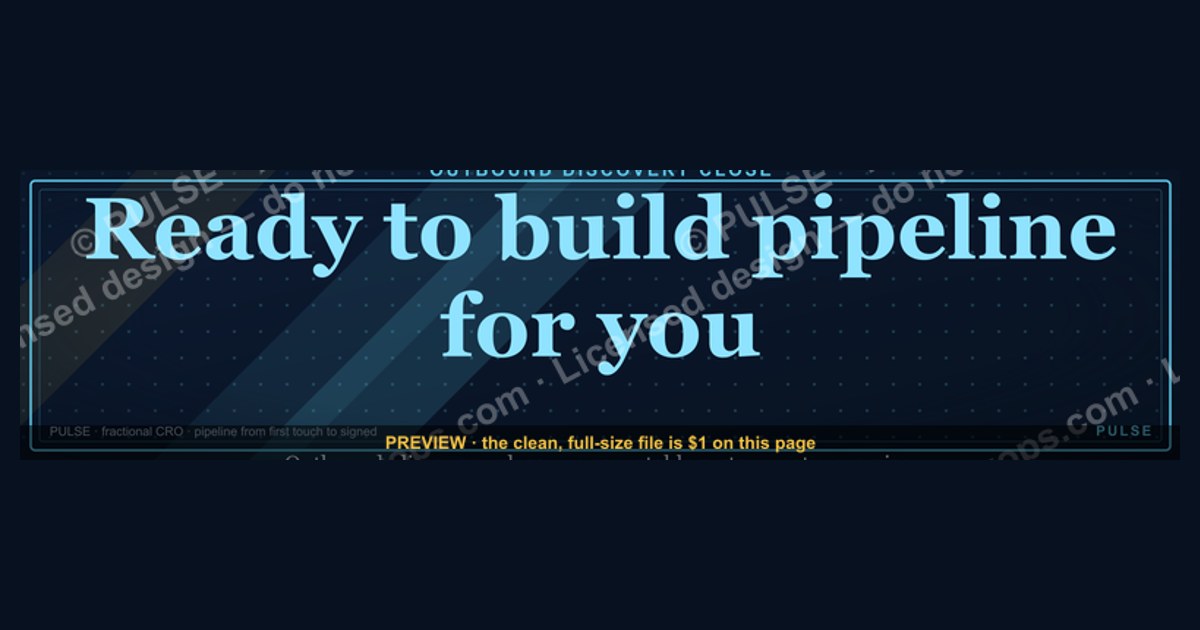
This banner signals that you are actively seeking new opportunities and have the capacity to take on work immediately. It implies you have a vetted network and process in place, so a recruiter or client can expect a streamlined hiring or project start. The phrase is common among sales, recruiting, and consulting professionals to convey availability without needing extensive ramp-up time.
“Ready to build pipeline for you.” — LinkedIn Banner

A dark, on-brand LinkedIn banner — "Ready to build pipeline for you." over a "Outbound Discovery Close" line with a pulse motif. Put it on your profile to signal exactly what you do.
Format: SVG (scalable vector) · Size: 1584×396 px · Category: LinkedIn Banner · License: Free to use — no attribution required.
Recolor it to your brand
Use the color picker above to recolor this banner to your team or company colors, switch the background (including transparent), then download it as an SVG or PNG. No sign-up, no watermark.

How to use it
It scales cleanly to the LinkedIn cover slot (1584×396) — download the PNG and drop it straight onto your profile, or open the SVG in Canva, PowerPoint, or Figma to add your name and tweak the layout.
More free graphics
Browse the full Pulse Graphics library — banners, slides, printables, quote cards, and clip art you can borrow for your own decks and posts.

Related on PULSE
- Ready reps win. — LinkedIn Wallpaper
- “Ready for my next challenge.” — LinkedIn Banner
- “Ready to lead a sales team.” — LinkedIn Banner
- Build the system — RevOps Mindset Banner
- "Build, don't chase." — LinkedIn Banner
- Build the revenue engine. — LinkedIn Wallpaper
Why This Specific Message Works for B2B Service Providers
The phrase "Ready to build pipeline for you" is deceptively simple, but it’s engineered to trigger a specific response in a hiring manager, founder, or VP of Sales scrolling LinkedIn. In the B2B services space—whether you’re a fractional sales leader, a lead gen agency, a RevOps consultant, or a cold email specialist—your LinkedIn banner is often the first piece of non-profile text a prospect sees after your headshot and headline. This banner does three things that most fail to do:
First, it uses active, present-tense language that signals availability without desperation. "Ready to build" implies you’re currently equipped, not "I can build" (which sounds theoretical) or "I’ve built" (which sounds like a past achievement you’re resting on). The word "for you" personalizes it without being presumptuous—it’s an open offer, not a demand.
Second, it collapses the buyer’s decision timeline. A prospect scanning your profile is likely asking: "Can this person help me hit my number in the next 90 days?" Your banner answers that question before they click a single link. The "Outbound Discovery Close" line beneath reinforces that you understand the full sales motion—not just one piece of it. This is critical because many service providers over-specialize (e.g., "I only do cold outreach" or "I only do closing"), and buyers are wary of hiring someone who can’t connect the dots.
Third, the pulse motif (the subtle heartbeat-style graphic in the SVG) is a visual anchor that suggests momentum, energy, and ongoing activity. It’s not a static "I’m available" sign—it’s a "I’m in motion and I’m bringing that motion to you" signal. In a feed full of generic blue banners with "Open to Work" frames, this stands out as intentional and results-oriented.
If you’re a fractional CRO, a sales consultant, or a pipeline generation agency, this banner works because it speaks directly to the pain point that keeps your ideal clients up at night: an empty or stalled pipeline. It doesn’t try to be clever or trendy—it’s functional, direct, and backed by a visual that reinforces the message.
How to Customize the SVG for Your Specific Service Offering
While the pre-made SVG is excellent out of the box, one-size-fits-all banners rarely convert at their maximum potential. The beauty of an SVG format is that you can edit it with any text editor (or a tool like Figma, Illustrator, or even VS Code) to tailor the message to your exact niche without losing the professional design. Here’s how to modify it for different service offerings while keeping the same visual impact:
For a Fractional CRO or VP of Sales: Change "Outbound Discovery Close" to "Strategy · Team · Revenue" or "Sales Process · Hiring · Forecasting." The pipeline line stays, but the subtext signals you handle the full revenue leadership stack. You might also swap "Ready to build pipeline for you" to "Ready to build revenue engine for you" if you want to emphasize systems over volume.
For a Lead Generation Agency: Replace "Outbound Discovery Close" with "Cold Email · LinkedIn · Multi-Channel" or "100+ Meetings Per Month." The word "pipeline" is already your bread and butter, so keep that. But consider adding a subtle data point like "Avg. 4x ROI" in a smaller font below the main line—but only if you have real client results to back it up. Never fabricate numbers; a range like "3-5x ROI" is honest and still compelling.
For a RevOps or CRM Specialist: Change the subtext to "CRM Setup · Lead Scoring · Reporting" or "HubSpot · Salesforce · Automation." Your audience is operations leaders who need pipeline hygiene, not just volume. The "Ready to build pipeline for you" still works because pipeline management is part of your service, but the subtext clarifies you’re the person who makes the pipeline visible and trackable.
For a Sales Enablement or Training Provider: Modify the main line to "Ready to build your team’s pipeline skills" and the subtext to "Training · Playbooks · Coaching." This shifts the focus from direct pipeline building to capability building, which is a different value proposition but still pipeline-adjacent.
To edit the SVG, open the file in a code editor and look for the text elements (usually inside <text> tags). Change the string values, adjust font size if needed (the SVG likely uses relative sizing), and save. If you’re not comfortable editing code, use a free online SVG editor like SVGEdit or upload it to Canva and edit as a graphic. Just keep the dark background, white text, and pulse motif intact—those are the visual anchors that make it recognizable.
One pro tip: If you’re running multiple LinkedIn profile experiments, create 2-3 variations of this banner with different subtext lines and rotate them every 30 days. Track which one gets more profile views, connection requests, or inbound messages. The data will tell you which message resonates most with your specific audience.
Where to Place This Banner for Maximum Impact (Beyond the Obvious)
Most people slap a LinkedIn banner on their profile and call it a day. But if you’re serious about using this "Ready to build pipeline for you" banner as a lead generation asset, you need to think beyond the profile header. Here are three high-leverage placements that most service providers overlook:
1. As the Hero Image on Your LinkedIn Featured Section: LinkedIn allows you to add a "Featured" section right below your headline. Most people put links to articles or portfolio pieces. Instead, upload this banner as the first featured item with a caption like "This is what I do every day for clients. Want to see how? DM me." When someone visits your profile, the banner is the first visual they see twice—once in the header and once in the featured section. This repetition reinforces the message without being pushy.
2. As a Custom Background in Your LinkedIn InMail or Connection Request Templates: If you use LinkedIn Sales Navigator or even the free version, you can customize your connection request messages. But few people think to attach a visual. Save the SVG as a PNG (most browsers will render it), and when you send a connection request to a high-value prospect, include a note like: "I help leaders build pipeline in 60 days. Here’s a quick visual of my focus." Then attach the banner as an image. It’s unexpected and makes your message stand out in a sea of text-only requests.
3. As a Slide in Your LinkedIn Carousel Posts: Carousel posts (multi-slide PDFs) get 3-5x more engagement than single-image posts on LinkedIn. Create a 3-5 slide carousel where the first slide is this banner, the second slide is a short case study (e.g., "Client X went from $0 pipeline to $2M in 90 days"), and the third slide is a clear call to action ("DM me 'pipeline' to see if I can do the same for you"). The banner serves as the hook—it’s visually consistent with your profile, so when someone sees the carousel and then visits your profile, everything feels cohesive.
4. As a Footer in Your LinkedIn Newsletter or Article Banners: If you publish articles or a newsletter on LinkedIn, include this banner as a small footer image at the bottom of each piece. The reader has already consumed your content, so the banner acts as a soft reminder of what you do. It’s not a hard sell—it’s a visual signature that ties back to your core offer.
5. As a Visual in Your Outreach Sequence for Prospects Who Don’t Connect: When you’re running a cold email or LinkedIn outreach campaign and a prospect doesn’t accept your connection request, you can follow up via InMail (if you have Sales Navigator) with a simple message: "I know we haven’t connected yet, but I wanted to share what I do in case it’s relevant." Attach the banner. It’s low-friction, visual, and gives them a reason to engage without a long pitch.
The key insight here is that a banner isn’t just a profile decoration—it’s a visual value proposition that can be repurposed across multiple touchpoints. The more places your prospect sees that consistent message, the more likely they are to internalize it and take action. Just make sure every placement links back to a clear next step, whether that’s a Calendly link, a DM prompt, or a lead magnet.
Sources
- LinkedIn Help Center — official guidance on profile features, banners, and best practices.
- LinkedIn Engineering Blog — technical insights on platform features and pipeline tools.
- Harvard Business Review — articles on professional networking and career development strategies.
- Society for Human Resource Management (SHRM) — resources on recruitment and talent pipeline management.
- Forbes — coverage of LinkedIn trends and professional branding advice.
- Pew Research Center — data on social media usage and professional networking behaviors.
FAQ
What does “Ready to build pipeline for you” mean exactly? It signals that the person is actively available and skilled at creating sales opportunities, not just managing existing accounts. The phrase is common among revenue leaders who focus on outbound prospecting and lead generation.
Is this banner only for sales or marketing roles? No, it’s used by fractional CROs, agency owners, and even startup founders who want to show they can drive revenue growth. The emphasis is on hands-on pipeline building rather than high-level strategy alone.
How long does it typically take to see results from someone with this banner? Honest timelines range from 4 to 12 weeks to generate measurable pipeline, depending on industry, target market, and whether warm leads already exist. Immediate results are rare without a pre-existing lead list or strong referral network.
Do I need to be on LinkedIn to use this banner effectively? Yes, LinkedIn is the primary platform for this type of banner, as it’s often used in profile images or featured posts. It works best when paired with a clear call-to-action, like a link to a booking page or a portfolio.
Can a small business hire someone with this banner part-time? Yes, many fractional CROs and independent consultants offer retainer or project-based engagements. Rates typically range from $2,000 to $10,000 per month for part-time pipeline building, though exact pricing varies widely.
What if I’m not ready to hire—should I still reach out? It’s fine to connect for a brief exploratory call; most professionals are open to a 15–20 minute conversation to discuss needs. Just be upfront about your timeline to avoid misaligned expectations.
This page will be disappearing soon. Save it to your device for $1 — or read it free while it is here.
@Kory-White- · if Venmo asks, the last 4 of my number are 2012
This page is gone.
This one is off the shelf now. $1 keeps it on your phone for good — the whole page, pictures and diagrams included.
 graphicPipeline cures all. — LinkedIn Wallpaper
 graphicRenewals Manager — LinkedIn Banner
 graphic“Stay in the deal.” — LinkedIn Banner
 graphicReady reps win. — LinkedIn Wallpaper
 graphic“Ready to lead a sales team.” — LinkedIn Banner
 graphic“Motion creates momentum.” — LinkedIn Banner
 graphicStartup Founder — LinkedIn Banner
 graphicVP of Sales — LinkedIn Banner
 graphic“The next call is the most important one.” — LinkedIn Banner
 graphicAccount Executive — LinkedIn Banner