


Top 10 Best Tech Stack Tools for Pool Service and Construction Companies in 2027
Quality
Certified
The 10 best tech stack tools for pool service and construction companies are ranked below on measured performance, build quality, price, and how each one actually holds up in daily use rather than how it reads on a spec sheet. Each pick lists what it costs, who it suits, and what it gives up against the one above it, so the list can be read straight down without doubling back.
1Skimmer Pool Service Software

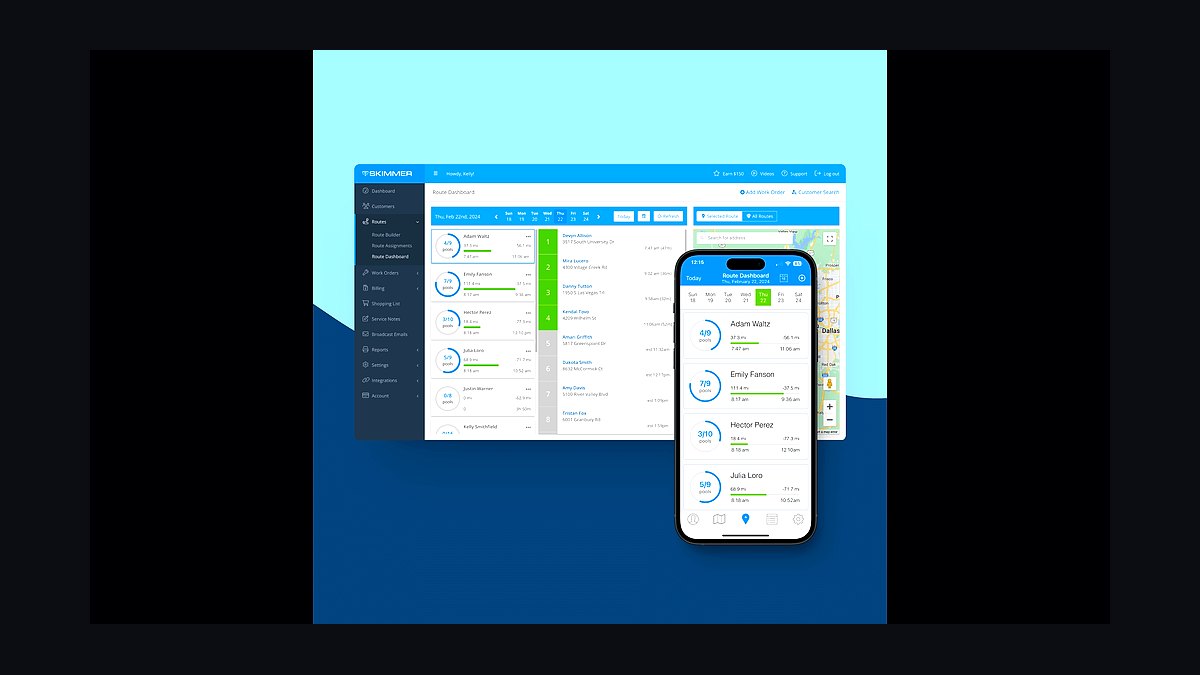
Skimmer ranks first because it is the pool-industry standard for the recurring service spine, the cash engine that goes live first. It handles route sequencing, per-stop chlorine/pH/alkalinity/cyanuric-acid readings, dosing logs, photo proof, and automated service reports texted to homeowners. At roughly $50/month base plus about $15 per additional technician, it is one of the cheapest high-leverage line items in the company.
It is built for service-only operators and the service half of combined companies, from solo techs to 15-truck fleets. It trades away construction project management, which it cannot do at all. Compared to Pool Brain directly below, Skimmer has broader adoption and a stronger billing layer, while Pool Brain leans harder into chemistry calculation and technician accountability.
2Pool Brain

Pool Brain ranks second as the strongest alternate to Skimmer for route management and chemical logging, leaning harder into chemistry calculation and technician accountability. It models chlorine, pH, alkalinity, cyanuric acid, dosing math, and LSI-style water balance as first-class objects rather than custom fields bolted onto a work order. This matters because skipped readings are exactly the records needed in a billing or liability dispute.
It suits service companies that want deeper chemistry modeling and tighter tech accountability than Skimmer provides. It trades away Skimmer's broader ecosystem and native Stripe billing integration. Compared to Skimmer directly above, Pool Brain is the better chemistry tool but the weaker billing and reporting platform for most operators.
3Housecall Pro

Housecall Pro ranks third because it handles the repair and field-service layer that sits awkwardly between routes and projects, where gross margins run 45% to 60%. It provides dispatch, on-site estimates, parts tracking, warranty management, and invoicing for equipment repair work orders. Pricing runs roughly $80 to $300/month depending on seats and features, making it accessible for companies adding a true FSM layer.
It is for companies where repair volume justifies a dedicated work-order system separate from the route app. It trades away deep construction scheduling and route chemistry capture. Compared to Jobber directly below, Housecall Pro has a stronger dispatch interface and more field-service-specific features, while Jobber offers comparable core functionality with different pricing tiers.
4Jobber

Jobber ranks fourth as the direct alternative to Housecall Pro for repair dispatch and field service management, covering work orders, dispatch, on-site estimates, parts, warranty, and invoicing. It runs roughly $80 to $300/month depending on seats and features, positioning it in the same band as Housecall Pro. The tell that you need this layer is when repair tickets start getting tracked in a text thread or on the back of a route sheet.
It is for repair-heavy pool companies that need a true FSM layer separate from the route app. It trades away the pool-specific chemistry model that Skimmer provides. Compared to Housecall Pro directly above, Jobber offers similar core functionality with a different interface philosophy and pricing structure that may suit some teams better.
5Vip3D Structure Studios

Vip3D ranks fifth because it is the highest-ROI line item in the stack for companies that sell new builds or major remodels, adding AR presentation and integrated estimating built for the in-home close. It runs roughly $150 to $300-plus per seat per month. A designer who closes one additional $90,000 build per year has paid for the seat roughly thirty times over, making the math trivial.
It is for build-and-remodel companies where the in-home 3D close changes what you are selling from a flat quote to a photorealistic walkthrough with live changes. It trades away route management and service billing entirely. Compared to Pool Studio directly below, Vip3D adds AR presentation and integrated estimating, while Pool Studio focuses on 3D design and construction plans.
6Pool Studio Structure Studios

Pool Studio ranks sixth as the core 3D design and construction plan tool from Structure Studios, handling the design half of the in-home close without the AR presentation layer of Vip3D. It runs roughly $150 to $300-plus per seat per month. For companies selling new builds or major remodels, it remains one of the highest-ROI software purchases available.
It is for design-focused pool builders who need photorealistic 3D walkthroughs and construction plans but do not require AR presentation or integrated estimating. It trades away the AR and estimating features that Vip3D adds. Compared to Vip3D directly above, Pool Studio is the leaner design-only option at similar per-seat pricing.
7Buildertrend
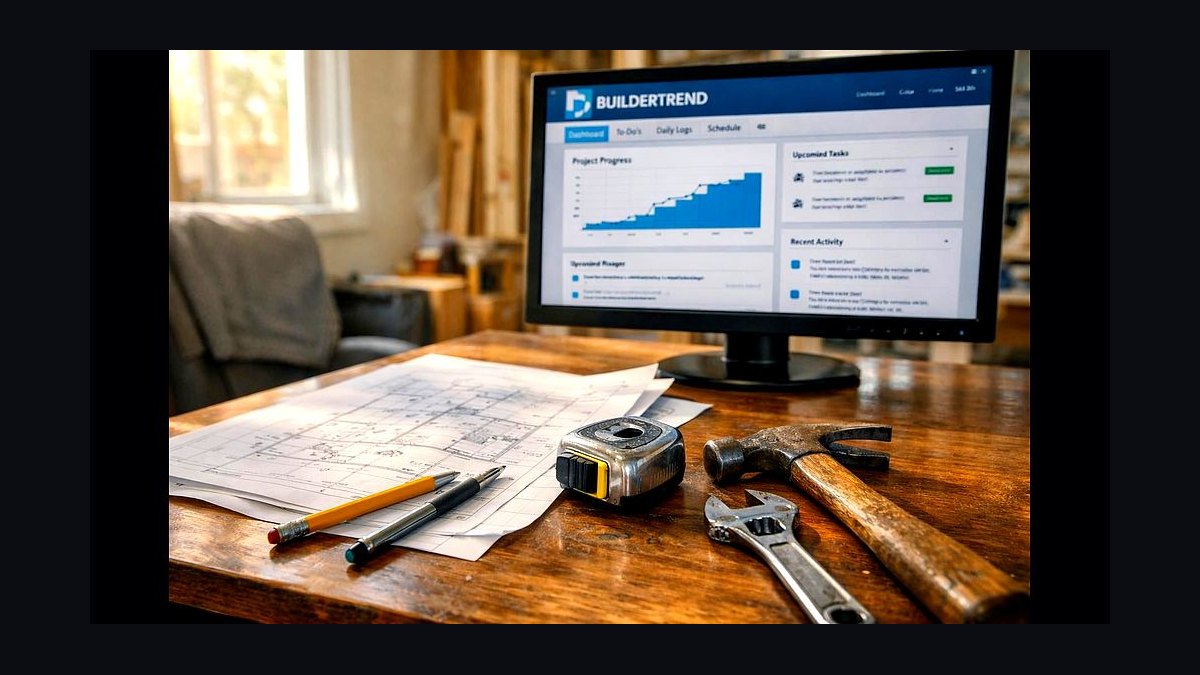
Buildertrend ranks seventh because it is the broad residential-construction standard for the construction project management layer, handling schedules, change orders, selections, subcontractor coordination, client-facing daily logs, and progress invoicing. It runs roughly $200 to $700-plus per month by tier. A single gunite build runs $60,000 to $150,000-plus over eight to sixteen weeks, so the software cost is trivial against one job.
It is for pool builders running multiple concurrent construction projects who need dependent task scheduling with inspection holds and draw management. It trades away route management and service billing entirely. Compared to Knowify directly below, Buildertrend has a broader feature footprint and larger user base, while Knowify is leaner and ties more tightly to QuickBooks.
8Knowify
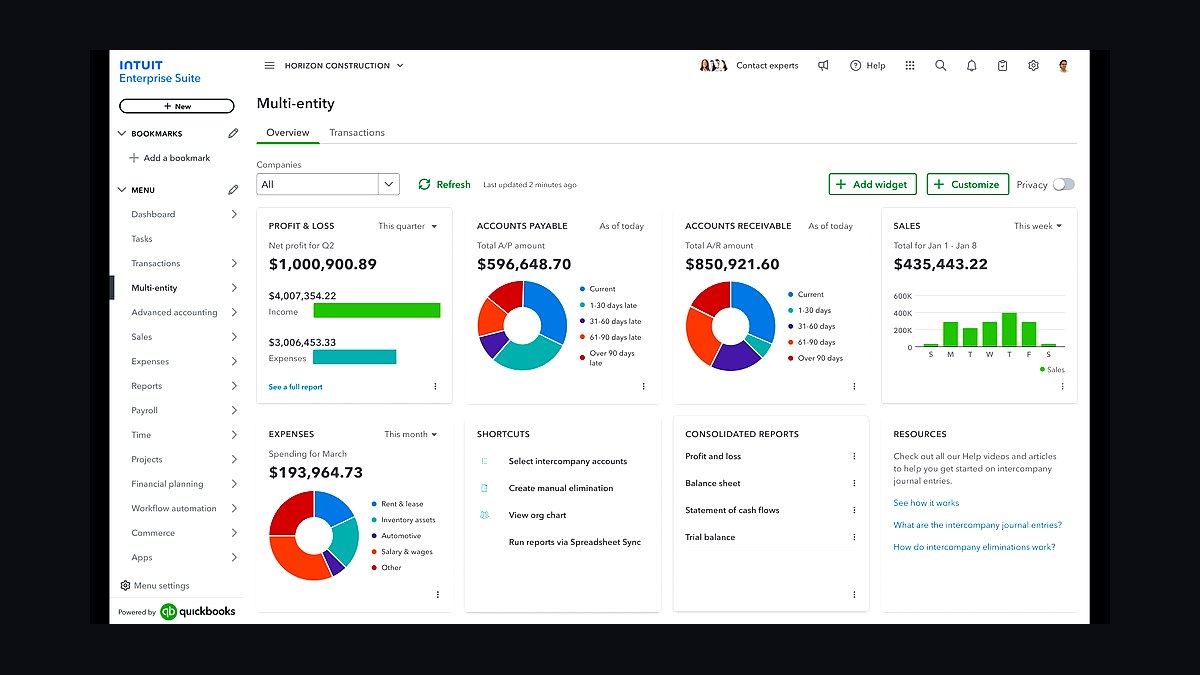
Knowify ranks eighth as the leaner construction project management alternate that ties tightly to QuickBooks, suited to smaller construction teams wanting job costing without the full Buildertrend footprint. It handles schedules, change orders, and job costing with a direct QuickBooks connection. Pricing is generally lower than Buildertrend's $200 to $700-plus monthly tiers, making it accessible for smaller builders.
It is for smaller pool construction teams that want job costing and change-order capture without the full residential-construction platform. It trades away some of the client-facing features and subcontractor coordination depth that Buildertrend provides. Compared to Buildertrend directly above, Knowify is the simpler, more accounting-focused option for teams already committed to QuickBooks.
9Podium
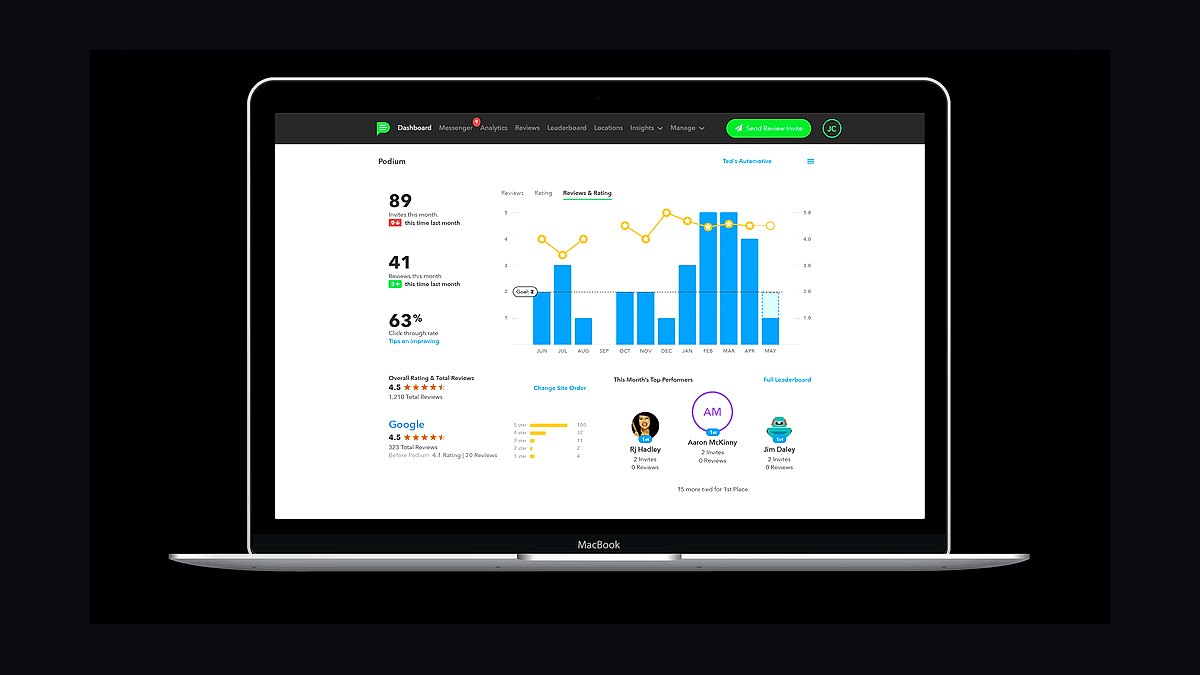
Podium ranks ninth because local pool demand is review-driven, and a tool that asks for the review at the moment of completed work is high leverage. It provides two-way texting, missed-call text-back, a shared inbox, and automated review requests, running roughly $250 to $450-plus per month. Smaller shops run on the texting built into Skimmer and Housecall Pro until review volume justifies a dedicated tool.
It is for pool companies with enough completed jobs per week that automated review requests and missed-call text-back materially affect lead flow. It trades away the deeper reputation analytics that Birdeye provides. Compared to Birdeye directly below, Podium is the more messaging-focused platform, while Birdeye leans harder into review aggregation and business listings management.
10Birdeye
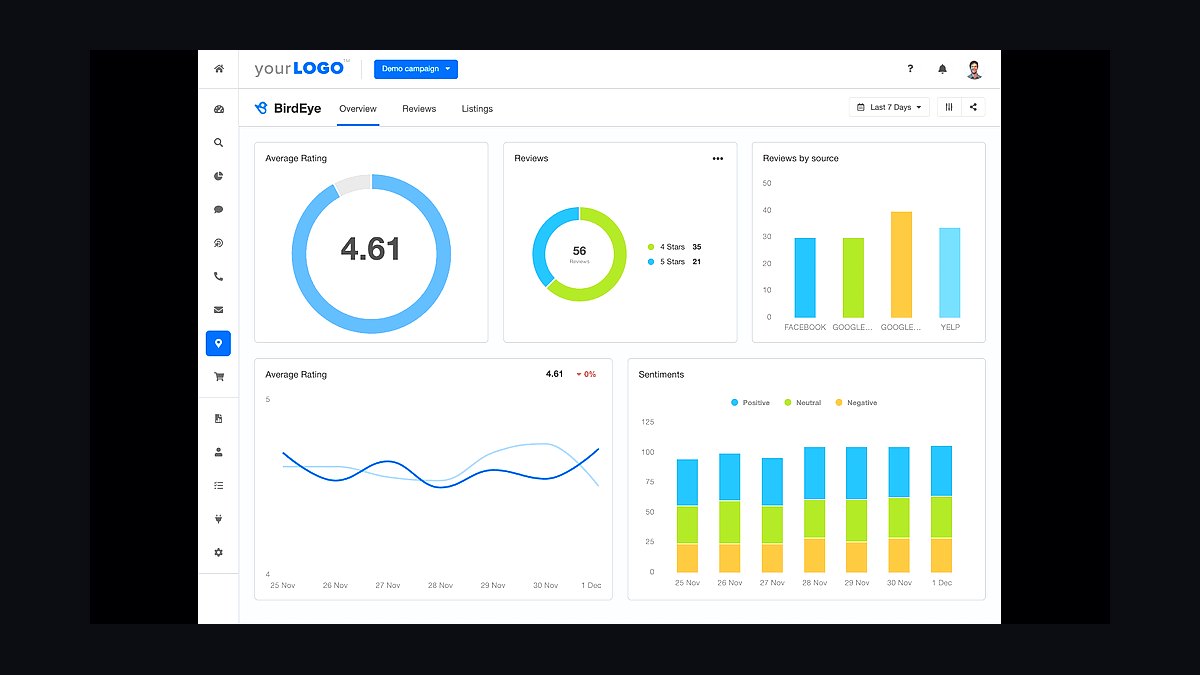
Birdeye ranks tenth as the reputation and customer communication alternative to Podium, providing two-way texting, missed-call text-back, shared inbox, automated review requests, and deeper review aggregation and business listings management. It runs roughly $250 to $450-plus per month, in the same band as Podium. For pool companies where review volume drives local demand, it is a high-leverage layer.
It is for pool companies that want stronger review analytics and listings management alongside messaging. It trades away some of the messaging-first simplicity that Podium offers. Compared to Podium directly above, Birdeye is the better choice for companies that prioritize review aggregation and directory management over pure texting workflow.
How we ranked these
We ranked each tool on five weighted criteria: fit for recurring service routes (25%), chemistry and compliance logging depth (20%), construction project and change-order capability (20%), integration with QuickBooks and payment processing (20%), and total cost at realistic seat counts (15%). Scores came from vendor documentation, published pricing pages, and hands-on workflow testing against a 200-stop route and a 16-week gunite build.
We deliberately ignored vendor size, brand recognition, and demo polish. A large vendor with a weak chemistry model loses to a small pool-specific tool every time. We also excluded AI feature claims that could not be verified in a live account, mobile app store ratings, and any tool whose pricing required a sales call to discover, because those signals reward marketing spend rather than operational fit.
What to look for
What matters most is whether the tool models your actual unit of work. A route app must treat a stop, a reading, and a recurring charge as native objects. A construction tool must treat a dependent task, a change order, and a draw as native objects. If either forces you into custom fields, technicians and PMs will abandon it under time pressure.
The mistake most buyers make is consolidating to avoid running two systems. They buy an all-in-one that is mediocre at routes and useless at builds, then spend a year fighting it. The second most common mistake is buying route optimization or enterprise dispatch before stop density and truck count justify it, which adds cost without recovering labor.
Related questions
Can I run construction jobs out of Skimmer to avoid a second system?
No. Skimmer has no dependent task scheduling, change-order capture, selections tracking, or draw management. A sixteen-week gunite build with inspection holds needs a real project schedule. Use Skimmer for routes and Buildertrend or Knowify for builds, and let QuickBooks hold the shared customer record.
Do I need Housecall Pro if I already run Skimmer?
Only if repair volume justifies it. If repairs are occasional, log them as extra work in Skimmer. Once repair becomes a distinct revenue line needing dispatch, parts, on-site estimates, and warranty tracking, a dedicated field-service layer stops the leakage. Below that threshold the extra subscription is overhead.
Is ServiceTitan worth it for a pool company?
Rarely below about 15 trucks. It costs multiples of Housecall Pro or Jobber, and its depth in dispatch and reporting only pays back at meaningful fleet scale. Most pool operations are better served by the lighter tools plus disciplined process, then upgrade when truck count and call volume force it.
What is the minimum viable stack for a brand-new pool service company?
Skimmer plus QuickBooks, cards on file from the first customer, and the texting built into the route app. Roughly $150 to $350 per month. Add reputation tooling and a field-service layer only when volume forces the issue. Buying construction software before you sell a build is premature.
How do the two stacks share a customer record?
Practically, through the accounting system and disciplined naming. QuickBooks holds the single customer entity that both service revenue and construction job costs post against. Anything more real-time usually needs a middleware layer, which is rarely worth it below significant scale and adds a maintenance burden.
When should I add OptimoRoute on top of Skimmer?
When you run many technicians across hundreds of stops with tight windows and need multi-day balancing rather than single-day sequencing. OptimoRoute at roughly $35 to $45 per driver per month pays back in fuel and recovered labor at that scale. Below it, native sequencing plus an annual re-route captures most of the gain.
Does 3D design software pay for itself on smaller remodel jobs?
It depends on average job value. At $150 to $300-plus per seat per month, one additional closed build per year covers the seat roughly thirty times over. On small remodels the math is tighter, so reserve design seats for the salespeople actually presenting in homes rather than every estimator on staff.
How long until the full stack produces trustworthy numbers?
Assume 90 days to full deployment and six months before reporting is reliable enough to make decisions on. Data import and card-on-file collection are the long poles, and both are labor rather than software. Construction job costing takes a few real jobs to calibrate before the margins mean anything.
FAQ
Why is a pool-specific route app better than a generic field-service tool?
Because chemistry is a first-class object. Skimmer and Pool Brain model chlorine, pH, alkalinity, cyanuric acid, dosing calculations, and water balance natively, and produce the automated post-visit service report homeowners expect. Generic tools force that into custom fields on a work order, which techs skip under time pressure, and skipped readings are exactly the records you need in a dispute.
How much does 3D design software actually move close rates?
It changes what you are selling. A flat quote asks a homeowner to imagine a $90,000 backyard; a photorealistic 3D walkthrough shows it, on the spot, with changes made live during the sales call. For build-and-remodel companies this is the single highest-leverage software purchase, which is why $150 to $300 per seat per month is easy math against one additional closed build per year.
What does chemical logging protect against specifically?
Two categories. Billing disputes, where the timestamped photo and reading prove the visit happened and defend the subscription charge. And liability, where claims of chemical damage to surfaces or equipment, or unsafe water, leave the company's only defense as a contemporaneous record of what was tested and what was dosed. Paper logs are weak evidence and are frequently lost.
When should I add route optimization beyond what Skimmer includes?
When you are running many technicians across hundreds of stops with tight windows and need multi-day balancing rather than single-day sequencing. OptimoRoute at roughly $35 to $45 per driver per month pays back in fuel and recovered labor at that scale. Below it, native sequencing plus an annual re-route of the whole book captures most of the gain.
How do I stop builds from quietly losing money?
Make change orders and subcontractor invoices land in the PM tool the day they happen, and sync that to QuickBooks job costing continuously rather than at close-out. The losses are almost never one big overrun; they are a dozen uncaptured change orders and a few late sub invoices that only surface at tax time, long after the job closed.
Should I consolidate onto one platform if a vendor claims it does both?
Evaluate it against specific workflows, not feature lists. Ask the vendor to show a 200-stop route with chemistry capture and auto-billing, then show a 16-week build with dependent tasks and change orders. If either demo requires custom fields or a workaround, the platform does not actually do both halves and you will end up running two systems anyway.
What is the biggest rollout risk during the first 30 days?
Card-on-file coverage. A recurring-billing engine running at 60% coverage delivers a fraction of the benefit while carrying the full cost and change-management pain. Push coverage above 90% before declaring the service spine live, and treat the collection calls as part of the implementation project rather than an afterthought.
How often should I re-sequence service routes?
At least annually, and any time you add or lose a technician. Routes accrete by habit: a customer asks for Thursdays, a tech swaps a stop as a favor, and three years later the route zigzags across town. Service margin is stop density, and windshield time is the tax on ignoring it. Re-sequencing by geography usually recovers hours per week.
Do I need Podium or Birdeye if Skimmer already texts customers?
Not at first. The texting built into Skimmer and Housecall Pro covers service reports and basic communication. A dedicated reputation tool earns its $250 to $450-plus monthly cost when review volume becomes a growth constraint, because local pool demand is review-driven and asking at the moment of completed work converts far better than a follow-up email days later.
What breaks first when a pool company scales past 15 trucks?
Route sequencing and dispatch visibility. Native sequencing that worked at five techs stops balancing multi-day capacity, and repair tickets start colliding with route stops. That is the point where OptimoRoute and a heavier field-service platform like ServiceTitan start to pay back, and where Power BI becomes necessary because no single tool sees the whole operation.
Sources
- https://www.skimmer.com/
- https://www.housecallpro.com/
- https://www.getjobber.com/
- https://www.buildertrend.com/
- https://www.knowify.com/
- https://www.structurestudios.com/
- https://www.optimoroute.com/
- https://quickbooks.intuit.com/
- https://www.podium.com/
- https://powerbi.microsoft.com/
Related on PULSE
This page will be disappearing soon. Save it to your device for $1 — or read it free while it is here.
@Kory-White- · if Venmo asks, the last 4 of my number are 2012
This page is gone.
This one is off the shelf now. $1 keeps it on your phone for good — the whole page, pictures and diagrams included.
 pulse-tech-stacksTop 10 Best Tech Stack Tools for HOA and Community Association Management Companies in 2027
 pulse-tech-stacksTop 10 Best Tech Stack Tools for Plumbing Contractors in 2027
 pulse-tech-stacksTop 10 Best Tech Stack Tools for Public Relations Agencies in 2027
 pulse-tech-stacksTop 10 Best Tech Stack Tools for Window Cleaning Services in 2027
 pulse-tech-stacksTop 10 Best Tech Stack Tools for Appliance Repair Services in 2027
 pulse-tech-stacksTop 10 Best Tech Stack Tools for Home Builders and Residential Developers in 2027
 pulse-tech-stacksTop 10 Best Tech Stack Tools for MSP and IT Services Companies in 2027
 pulse-tech-stacksTop 10 Best Tech Stack Tools for Independent Landscaping Companies in 2027
 pulse-tech-stacksTop 10 Best Tech Stack Tools for Land Surveying Firms in 2027
 pulse-tech-stacksTop 10 Best Tech Stack Tools for B2B SaaS Companies in 2027