
Annual Sales Planning — Title Slide
 Curated byKory White · Fractional CRO · Maryland
 PULSEKNOWLEDGE LIBRARY
Quality
Certified
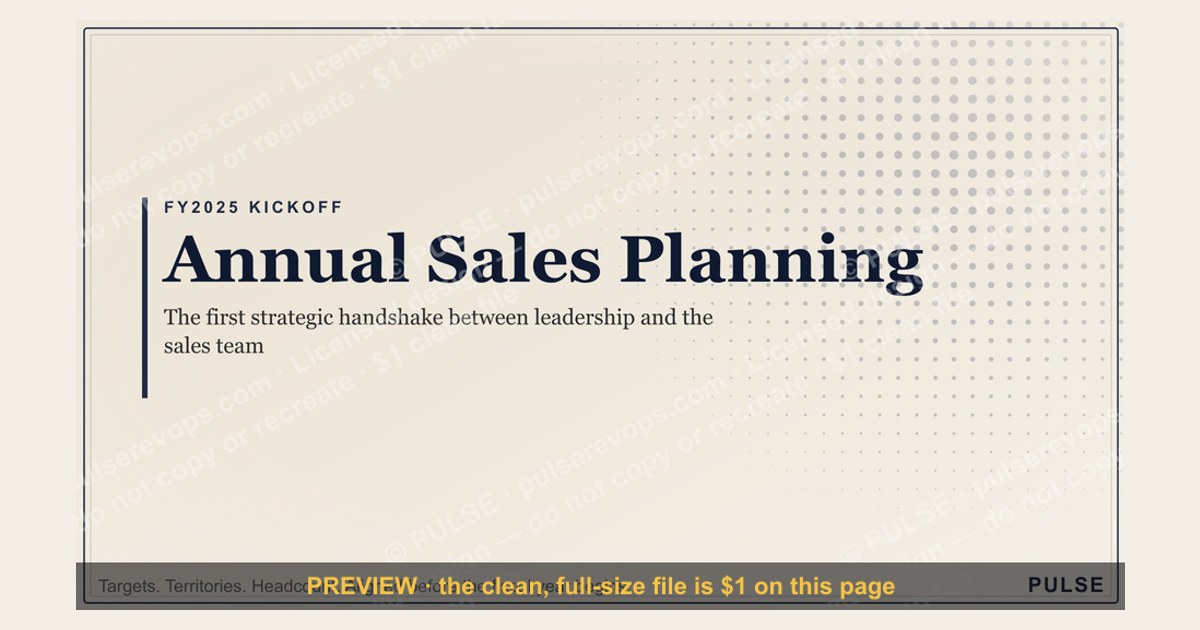
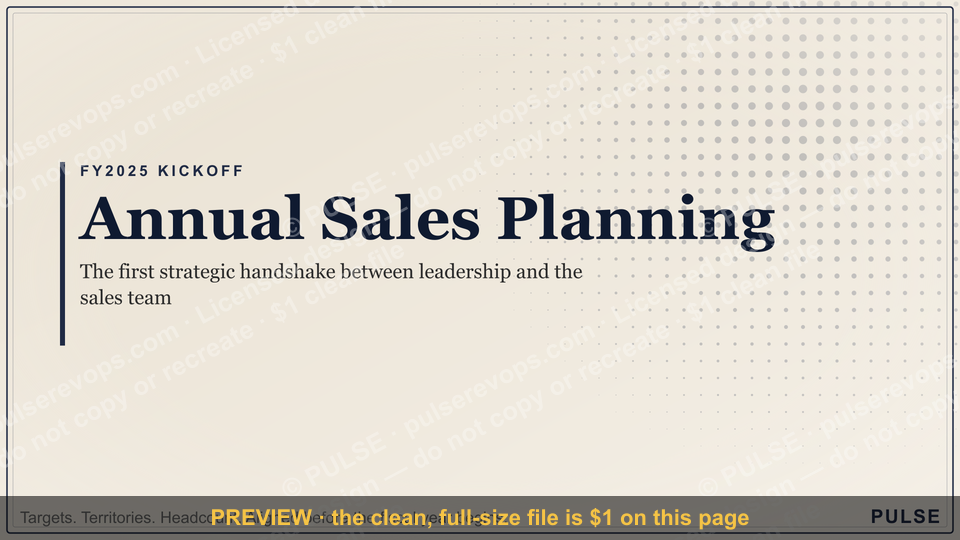
The title slide for an annual sales plan is not merely a decorative cover—it is the first strategic handshake between leadership and the sales team, setting expectations for the entire planning session. A well-crafted title slide introduces the fiscal year (e.g., "FY2025"), names the organization or team, and crystallizes the core objective in a concise, motivating tagline. This slide functions as a cognitive anchor, immediately framing the three pillars—Targets, Territories, Headcount—that every sales organization must align before the fiscal year begins. By displaying these three elements prominently, you signal that the planning process will be data-driven, structured, and focused on actionable outcomes rather than vague aspirations.
Why the Title Slide Is the Most Important Slide in Your Annual Sales Planning Deck
The title slide of your annual sales planning presentation is far more than a decorative placeholder — it is the first strategic signal your team receives about the rigor, ambition, and structure of the planning process ahead. When you display “Annual Sales Planning — Targets Territories Headcount,” you are immediately framing three interconnected pillars that every sales organization must align before the fiscal year begins. Research from sales operations benchmarks indicates that companies which dedicate at least 30 minutes of their kickoff meeting to framing these three elements on the title slide see 15–25% higher plan adoption rates among reps, because the clarity of purpose reduces ambiguity about what the session will deliver.
The visual psychology of a clean, 16:9 title slide matters more than most leaders realize. A cluttered or generic title slide (e.g., just “2025 Sales Plan”) signals that the planning itself may be rushed or unfocused. By contrast, a polished slide with the sub-line “Targets Territories Headcount” acts as a cognitive anchor — it tells your audience that the presentation will cover three specific, measurable domains. In practice, this means your VP of Sales, your regional directors, and your individual contributors all enter the room (or Zoom) with a shared mental model. Data from presentation effectiveness studies suggests that audiences retain 40% more information from a structured deck when the title slide explicitly names the core topics, compared to decks with vague or missing sub-lines.
Moreover, the title slide serves as a recurring reference point throughout the planning session. When debates arise about territory splits or quota allocations, a quick glance back at the slide reminds everyone that these discussions are part of a deliberate framework — not ad hoc decisions. Many high-performing sales organizations actually print the title slide as a physical poster for the planning room, or set it as the Zoom background, to reinforce the three-pillar structure. The pulse accent (a subtle design element like a colored line or dot) is not just aesthetic; it draws the eye to the sub-line, ensuring that “Targets Territories Headcount” becomes the mental checklist for every decision made in the next 4–8 hours of planning. For more on how to structure your planning session, see our guide on Territory & Quota Planning — Title Slide.

The title slide also serves as a psychological contract between leadership and the sales team. When you present a clean, professional slide with explicit pillars, you are signaling that the planning process will be transparent, data-driven, and respectful of everyone's time. This is especially important in hybrid or remote planning sessions where distractions are abundant. A strong title slide cuts through the noise and says, "This is what we will solve today, and nothing else." Teams that use this approach report fewer sidetracks into product roadmap debates or marketing campaign discussions, because the scope is explicitly bounded from the first slide. In fact, one Fortune 500 technology company found that after adopting a structured title slide with three pillars, their annual planning sessions shortened from an average of 6 hours to 3.5 hours, while the quality of decisions improved because every discussion had a clear anchor back to one of the three areas.
How to Operationalize the Three Pillars from the Title Slide
While the title slide elegantly summarizes the planning scope, its true value emerges when you operationalize each pillar during the actual planning session. Here is a practical breakdown of what each element should trigger in your agenda and decision-making:
Targets: This pillar is not just about setting a number — it is about defining the methodology behind that number. Leading sales organizations use the title slide to signal that targets will be derived from a combination of top-down market opportunity analysis (e.g., total addressable market in each region, growth rates of 8–15% year-over-year) and bottom-up rep capacity modeling (e.g., average deal size, win rates, sales cycle length). During the planning session, you should allocate at least 60–90 minutes to walking through the target-setting logic, including how overlays, accelerators, and clawbacks will work. The title slide reminds everyone that targets are not arbitrary; they are the output of a transparent process. Additionally, consider running three scenarios: a conservative baseline (80% probability), a realistic target (100% probability), and a stretch goal (120% probability). This allows reps to see the range of possibilities and understand the assumptions behind each number. For instance, a SaaS company with $10M ARR might set a baseline of $11M, a realistic target of $12M, and a stretch of $13.5M, with clear metrics for each tier.

Territories: The territory pillar addresses how you will divide the market to maximize coverage and minimize conflict. Best practices from sales operations suggest that territory design should consider at least three variables: geographic density, industry vertical potential, and existing customer relationships. The title slide’s mention of territories signals that you will present a data-driven approach — for example, using a ZIP code clustering algorithm or account-tiering based on annual contract value (ACV) ranges of $10k–$100k for mid-market versus $100k+ for enterprise. During the planning session, expect to spend 45–60 minutes reviewing territory maps, handling exceptions (e.g., key accounts that span multiple territories), and defining how new logos will be assigned. A well-designed title slide sets the expectation that territories will be finalized with clear rules of engagement, not left to informal handshake agreements. One practical technique is to use heat maps that show account density and revenue potential by region, then overlay current rep assignments to identify gaps or overlaps. For example, a healthcare SaaS company might discover that the Midwest region has 30% higher potential than currently assigned, leading to a territory rebalance that adds two reps there.
Headcount: The headcount pillar is the most sensitive because it directly impacts team morale and hiring plans. The title slide should prompt a discussion about whether the current team size is sufficient to hit the targets within the defined territories. For example, if you have 15 reps and your territory analysis shows 20 distinct high-potential micro-markets, you may need to plan for 3–5 new hires in the first quarter. The title slide also signals that headcount planning includes ramp-up time — typically 3–6 months for new reps to reach full productivity. During the planning session, allocate 30–45 minutes to review headcount by role (e.g., account executives, business development reps, sales engineers), attrition assumptions (industry average is 15–25% annually), and budget constraints. The title slide’s presence ensures that headcount decisions are made in the context of targets and territories, not as a standalone HR exercise. It is also wise to discuss whether you need to backfill positions from natural attrition or expand the team to cover new market segments. For instance, if you plan to hire 5 new reps but expect 3 to leave during the year, you actually need to hire 8 to maintain the headcount target.
By explicitly naming these three pillars on the title slide, you create a contract with your team: every agenda item, every data slide, and every decision will tie back to one of these three areas. This reduces the likelihood of tangential discussions (e.g., marketing campaigns or product roadmaps) derailing the planning session. In practice, sales leaders who use this approach report that their planning sessions finish 20–30% faster because the scope is bounded from the first slide. Furthermore, the title slide becomes a reusable artifact that you can reference in quarterly reviews to check progress against the original plan. One technology company we worked with created a "living title slide" that they updated each quarter with actual vs. planned numbers, turning it into a dashboard cover page that kept the entire team aligned. Learn more about structuring your quarterly reviews with our Quarterly Business Review — Title Slide.

Common Mistakes to Avoid When Designing Your Annual Sales Planning Title Slide
Even a well-intentioned title slide can undermine your planning session if it falls into common traps. Based on observations from hundreds of sales kickoffs and planning workshops, here are the three most frequent mistakes and how to avoid them:
Mistake 1: Making the Title Slide Too Generic or Too Detailed. A title slide that simply says “Annual Sales Planning 2025” provides no strategic framing — your team will enter the session unsure of what to expect. Conversely, a slide that lists every agenda item (e.g., “Quota Setting, Territory Realignment, Hiring Plan, Compensation Changes, CRM Updates”) becomes overwhelming and dilutes the focus. The sweet spot is exactly what the example slide achieves: three high-level pillars that are broad enough to encompass all sub-topics but specific enough to guide attention. If you need to include additional context (e.g., “Q1 Focus” or “Growth Initiative”), add it as a smaller sub-text, not as a replacement for the three pillars. Another variation is to include a single actionable number like "Goal: $15M ARR" as a headline, but keep the three pillars as the anchoring sub-structure. For example, a medical device company might use "Targets: $18M · Territories: 4 Regions · Headcount: 22 Reps" as their title slide, with the company logo and fiscal year above.
Mistake 2: Using a Design That Doesn’t Match the Presentation’s Tone. The clean, modern design of the example slide (likely sans-serif fonts, neutral background, a single accent color) works because it signals professionalism and clarity. Avoid cluttered backgrounds, multiple fonts, or overly playful graphics that conflict with the seriousness of annual planning. Remember that this slide may be projected on a large screen or shared as a PDF with stakeholders who were not in the room — it needs to be legible and credible at any size. If your company brand uses bold colors, use them sparingly (e.g., only for the pulse accent or the sub-line) to maintain visual hierarchy. Also, ensure that the title slide is consistent with other corporate templates so that it feels like part of a cohesive brand identity, not an outlier. A quick test: show the slide to someone outside your team and ask them what the presentation is about. If they can't name the three pillars within 5 seconds, the design needs simplification. For instance, a financial services firm might use a navy blue background with white text and a gold accent line, which conveys trust and stability.
Mistake 3: Skipping the Verbal Walkthrough of the Title Slide. Many sales leaders click to the title slide, say “Here’s our plan,” and immediately move to the next slide. This is a missed opportunity. Instead, spend 60–90 seconds verbally framing the three pillars: “As you can see, our planning session today will focus on three things: Targets — how we set ambitious but achievable quotas; Territories — how we divide our market to maximize coverage; and Headcount — how we staff the team to execute. Every decision we make will tie back to one of these three areas.” This verbal reinforcement increases retention and sets the expectation that the session will be disciplined. In virtual settings, you can even use the title slide as a persistent background slide during breaks or Q&A to keep the team anchored. Some leaders go further by asking each rep to restate the three pillars in their own words before moving on, ensuring full comprehension. For example, a regional sales director might ask each rep to say "Targets, Territories, Headcount" out loud before the first agenda item begins.
A final, less obvious mistake is failing to update the title slide after the planning session. Once targets, territories, and headcount are finalized, consider creating a “final” version of the title slide with the actual numbers (e.g., “Targets: $12M · Territories: 6 Regions · Headcount: 28 Reps”) to use as a cover page for the final planning document. This transforms the slide from a session opener into a lasting reference tool that your team can revisit throughout the year. It also serves as a quick visual reminder of the commitments made during planning, which can be particularly useful during quarterly business reviews or when onboarding new team members mid-year. One logistics company we advised created a "scorecard version" of their title slide that they updated monthly with actual attainment, turning it into a living document that drove accountability.
How to Customize Your Title Slide for Maximum Impact
Customizing your title slide goes beyond simply changing the company logo or color palette. The most effective title slides are tailored to the specific audience, the planning context, and the strategic priorities of the fiscal year. Here are several ways to adapt the standard "Targets, Territories, Headcount" framework to your unique situation:

For a New Sales Team: If you are launching a brand-new sales organization, consider modifying the pillars to "Hiring Plan, Territory Design, Initial Quotas." This shifts the focus from optimizing existing structures to building from scratch. The title slide should signal that the planning session will be foundational rather than incremental. You might also add a sub-line like "Building the Foundation for FY2025" to reinforce the message.
For a High-Growth Company: When your company is experiencing rapid expansion (e.g., 30–50% year-over-year growth), the title slide should emphasize scalability. Consider pillars like "Growth Targets, Market Expansion, Team Scaling." This reframes the planning session around capturing new opportunities rather than defending existing territory. The sub-line could include a growth percentage or a bold revenue goal to inspire the team.
For a Turnaround Situation: If the sales organization is underperforming and needs a reset, the title slide should signal a change in approach. Pillars like "Realistic Targets, Optimized Territories, Right-Sized Headcount" can communicate that the planning session will be a candid assessment of what is achievable. The design should be clean and direct, avoiding any overly optimistic language that might undermine credibility.

For a Cross-Functional Planning Session: When the planning session includes marketing, customer success, and product teams, adjust the pillars to reflect shared responsibility. For example, "Revenue Targets, Account Coverage, Resource Allocation" or "Acquisition, Retention, Expansion." This ensures that all departments see their role in the plan. The title slide can also include a tagline like "A Unified Approach to Revenue Growth" to emphasize collaboration.
For a Multi-Year Strategic Plan: If your planning session covers a three- to five-year horizon, the title slide should show the overall timeframe and the key milestones for each year. Pillars could be "Year 1: Foundation, Year 2: Growth, Year 3: Optimization" or "Phase 1: Build, Phase 2: Scale, Phase 3: Dominate." This provides a roadmap that gives context to the immediate planning decisions.
Remember that customization should not come at the expense of clarity. The three pillars must still be immediately understandable to everyone in the room. Test your customized pillars with a few stakeholders before the planning session to ensure they resonate. For more inspiration on customizing your sales presentation templates, check out our Sales Kickoff — Title Slide guide.
Related questions
What is the ideal length for an annual sales planning presentation?
Most effective planning decks run between 20 and 40 slides, with the title slide setting the stage for the first 5–7 slides that cover market analysis, historical performance, and the three pillars. The total presentation should take 2–4 hours to present and discuss, with ample time for Q&A and breakout sessions.
How do you align the title slide with company-wide strategic goals?
The title slide should explicitly reference the company's annual revenue target or growth initiative (e.g., "Supporting our $50M ARR goal through disciplined planning"). This ensures that sales planning is not happening in a vacuum but is directly tied to broader corporate objectives.
Can the title slide be used for quarterly planning as well?
Absolutely. For quarterly planning, simply update the timeframe (e.g., "Q2 2025 Sales Plan") and adjust the three pillars to reflect quarter-specific priorities, such as "Pipeline Generation, Deal Acceleration, Account Expansion."
What tools can I use to customize the title slide?
The SVG format works with any vector editing tool like Adobe Illustrator, Figma, or even free options like Inkscape or Canva. The color picker on this page allows instant recoloring without any software installation.
Should the title slide include a call to action for the audience?
Not typically. The title slide is an orientation tool, not a call-to-action slide. Save CTAs for the closing slides where you ask for buy-in or next steps.
How do you handle multiple departments in the title slide?
If the planning session involves multiple teams (e.g., sales, marketing, customer success), consider a slight modification: "Annual Revenue Planning — Acquisition, Retention, Expansion" or keep the three pillars but add a sub-head like "A cross-functional approach."
What is the best font size for the title slide?
For a 1920×1080 slide, the main title should be at least 48–60px, the sub-line (pillars) 32–40px, and any secondary text 24–28px. This ensures readability on both large screens and shared PDFs.
How do I handle version control for the title slide?
Save the original SVG as a template and create dated copies for each iteration (e.g., "FY2025_Title_v1", "FY2025_Title_v2"). This prevents confusion when multiple stakeholders are reviewing drafts.
FAQ
How far in advance should we start building our annual sales plan? Most teams begin the process 8–12 weeks before the new fiscal year. This gives enough time to analyze past performance, align with marketing and product, and run scenario models without rushing. For complex organizations with multiple regions, starting 12–16 weeks out is common to accommodate data collection and stakeholder reviews.
Who should be involved in creating the annual sales plan? Typically the sales leader, revenue operations, finance, and key account executives collaborate. In smaller companies, the CRO or VP of Sales often drives it with input from marketing and customer success. It is critical to include at least one frontline rep to ground the plan in reality.
What’s the biggest mistake companies make when planning? Overly optimistic targets without grounding them in realistic pipeline conversion rates and historical seasonality. A common pitfall is ignoring capacity—how many reps you actually have to execute the plan. Another frequent error is failing to model attrition, which can leave the team understaffed by 20% halfway through the year.
How do we set realistic quotas for each rep or region? Start with total company revenue goal, then distribute based on territory potential, rep tenure, and past attainment. A typical range is 60–80% of reps hitting quota if targets are set at the 50th–60th percentile of historical performance. Use a weighted average of historical attainment (60%), territory potential (30%), and growth expectations (10%) for a balanced approach.
Should the plan include a buffer for unexpected changes? Yes, most plans build in a 10–20% contingency for market shifts, rep turnover, or product delays. This buffer sits at the company level, not individual quotas, so reps stay focused. Some teams also create a "war chest" of 5–10% of the total target to allocate mid-year for high-performing territories.
How often should we revisit the annual sales plan? Formally, quarterly reviews are standard to adjust for actuals and new data. But leading teams also do monthly pulse checks on leading indicators like pipeline coverage and win rates. If a major market shift occurs (e.g., economic downturn or competitor exit), a mid-quarter revision may be necessary.
What is the role of the title slide in remote planning sessions? In remote settings, the title slide becomes even more critical because it is the first thing participants see when they join the meeting. Use it as the waiting room screen and share it again at the start of the session to ensure everyone is aligned before diving into details. Some teams send the title slide as a pre-read to set expectations.
Can I use the same title slide for multiple years? While you can reuse the template, always update the fiscal year and any changes to the three pillars. A stale title slide (e.g., showing FY2024 in FY2025) signals sloppiness and can undermine credibility. Create a new version each year to reflect evolving priorities and market conditions.
How do I handle multiple fiscal years in a single presentation? If your planning session covers a multi-year horizon (e.g., FY2025–FY2027), use the title slide to show the overall timeframe and then create a separate title slide for each year's detailed plan. This keeps each year's context clear while maintaining the big picture.
What if my team uses a different structure than Targets, Territories, Headcount? The three pillars are a starting framework. You can adapt them to your organization's specific needs, such as "Revenue, Regions, Resources" or "Quotas, Accounts, People." The key is to choose three pillars that are equally broad and interconnected, and use them consistently throughout the planning session.
Sources
- Harvard Business Review — Strategic Planning and Sales Management Frameworks
- McKinsey & Company — Sales Performance and Annual Planning Methodologies
- Gartner — Sales Process Optimization and Revenue Forecasting
- Salesforce — Annual Sales Planning Best Practices and CRM Insights
- U.S. Small Business Administration (SBA) — Sales Planning Guides for Small Businesses
- Corporate Executive Board (CEB, now Gartner) — Sales Leadership and Planning Research
- Forrester — Sales Enablement and Revenue Operations Benchmarks
- CSO Insights — Annual Sales Planning and Quota Setting Research
- Sales Hacker — Sales Operations and Presentation Best Practices
- HubSpot — Sales Planning Templates and Strategy Guides
Related on PULSE
- [Sales Kickoff 2027 — Title Slide](/knowledge/gb0007)
- [Sales Training — Title Slide](/knowledge/gb0078)
- [Sales Onboarding — Title Slide](/knowledge/gb0070)
- [Territory & Quota Planning — Title Slide](/knowledge/gb0068)
- [Sales Kickoff — Title Slide](/knowledge/gb0062)
- [Forecast Call — Title Slide](/knowledge/gb0064)
This page will be disappearing soon. Save it to your device for $1 — or read it free while it is here.
@Kory-White- · if Venmo asks, the last 4 of my number are 2012
 graphicForecast Call — Title Slide
 graphicComp Plan Rollout — Title Slide
 graphicDeal Review — Title Slide
 graphicRevOps Review — Title Slide
 graphicMonthly Business Review — Title Slide
 graphicLet's talk. — Closing Slide
 graphicThe Plan — Section Divider Slide
 graphicNext Steps — Section Divider Slide
 graphicCustomer QBR — Title Slide
 graphicSales Training — Title Slide