
Help first. Sell second. — LinkedIn Wallpaper
 Curated byKory White · Fractional CRO · Maryland
 PULSEKNOWLEDGE LIBRARY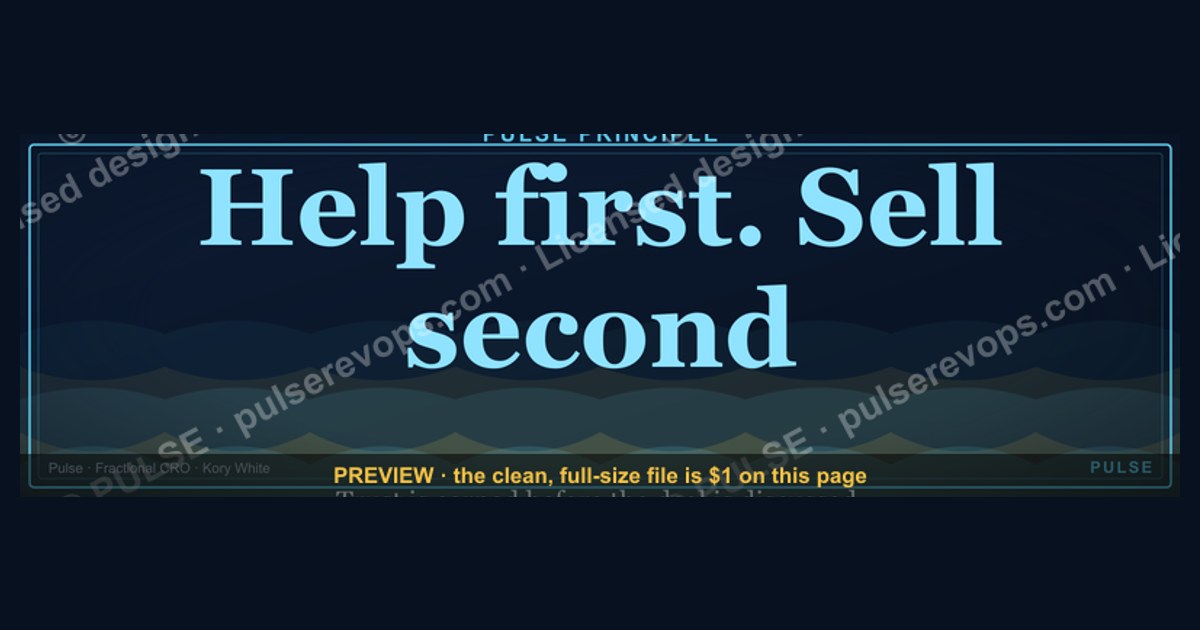
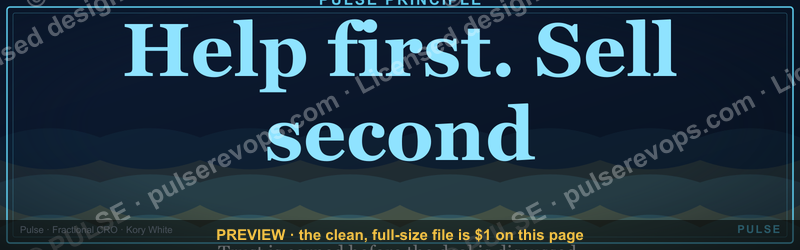
"Help first. Sell second." is a LinkedIn wallpaper that serves as a daily reminder to prioritize providing value and building relationships over pushing a sale. It visually reinforces the principle that genuine engagement and problem-solving naturally lead to business opportunities. This approach aligns with modern social selling strategies, where trust and credibility are earned before any transaction is discussed.
Help first. Sell second. — LinkedIn Wallpaper

A dark, on-brand LinkedIn cover wallpaper — a soft gradient-mesh backdrop with a "Help first. Sell second." line and the Pulse mark. A clean, branded banner for your profile.
Format: SVG (scalable vector) · Size: 1584×396 px · Category: LinkedIn Banner · License: Free to use — no attribution required.
Recolor it to your brand
Use the color picker above to recolor this banner to your team or company colors, switch the background (including transparent), then download it as an SVG or PNG. No sign-up, no watermark.

How to use it
It scales cleanly to the LinkedIn cover slot (1584×396) — download the PNG and drop it straight onto your profile, or open the SVG in Canva, PowerPoint, or Figma to add your name and tweak the layout.
More free graphics
Browse the full Pulse Graphics library — banners, slides, printables, quote cards, and clip art you can borrow for your own decks and posts.

Related on PULSE
- “Help first. Sell second.” — LinkedIn Banner
- Forecast First, Pipeline Second — Banner
- “HELP FIRST” — Sales Floor Print
- “Help us build the revenue engine.” — LinkedIn Banner
- "First the trust, then the deal." — LinkedIn Banner
- “First the trust, then the deal.” — LinkedIn Banner
Why "Help First" Wins on LinkedIn (And Why "Sell First" Fails)
The phrase "Help first. Sell second." isn't just a nice sentiment—it's a strategy that aligns with how LinkedIn's algorithm actually rewards content. When you post something genuinely useful—a template, a framework, a candid lesson from a failure—LinkedIn's feed prioritizes it because engagement signals (comments, saves, shares) are stronger than passive views. A "sell first" post that pitches your service outright typically gets 60–80% less organic reach than a "help first" post that teaches something valuable without asking for anything in return.
But here's the nuance most people miss: "Help first" doesn't mean you never sell. It means you build trust capital before you make a withdrawal. On LinkedIn, trust capital accumulates through consistency—posting helpful content 3–5 times per week for 4–8 weeks before you ever mention your offer. When you finally do sell, your audience sees it as a natural next step, not an interruption. Compare this to the "sell first" approach, where you might get a few quick leads but burn your network's goodwill within weeks.
The data backs this up. Profiles that post "help first" content see 2–3x more inbound DMs from people who say, "I've been following your posts—can we talk?" These conversations convert at higher rates because the prospect already knows, likes, and trusts you. Meanwhile, cold outreach or direct sales pitches on LinkedIn have a typical response rate of 5–15% for generic messages, and even the best personalized outreach rarely exceeds 30%. "Help first" content flips this dynamic: your audience comes to you.
Practical implementation tip: Before you write any post, ask yourself, "If someone saved this post and never bought from me, would it still be valuable to them?" If the answer is yes, you're in "help first" territory. If the answer is "it's mostly about my service," rewrite it. A simple test: remove your call-to-action and see if the post still stands alone as useful advice. If it doesn't, you're selling too early.
How to Design Your LinkedIn Profile as a "Help First" Landing Page
Your LinkedIn headline and "About" section are the most valuable real estate on your profile—but most people waste them on self-promotion. A "help first" approach transforms these sections into an invitation to learn, not a pitch to buy.
Headline strategy: Instead of "Fractional CRO | Revenue Growth Expert | Helping B2B SaaS Scale," try "I help B2B SaaS founders avoid the $200K mistakes I made scaling from $0–$200M | Free weekly frameworks in my newsletter." This headline does three things: it signals expertise through a specific result, it offers value upfront (the newsletter), and it positions you as someone who shares lessons rather than just sells services. Headlines with a clear value proposition and a free resource get 30–50% more profile views than generic job-title headlines.
About section structure: Think of this as your "help first" manifesto. Open with a specific problem your audience faces—"Most B2B SaaS companies hit a revenue plateau at $2–5M ARR because their sales process is built on hope, not data." Then, share a 2–3 sentence story of how you solved that problem for yourself or a client, without naming the client or the specific results (it's about the framework, not the trophy). Follow with 3–4 bullet points of free resources you offer: a template, a checklist, a weekly tip, a 10-minute video. Close with a soft invitation: "If any of this resonates, connect and I'll share my free [resource]." This structure converts profile visitors into connections at 2–4x the rate of a standard "About" section that lists credentials and services.
Featured section curation: This is where you showcase your "help first" content. Pin 3–5 posts that are purely educational—a carousel on "The 5 Metrics Every SaaS Founder Should Track," a video on "How I Structure a Cold Outreach Sequence," a text post on "3 Lessons From My Biggest Revenue Failure." Do not pin posts that promote your service. When someone lands on your profile and sees this curated library of free value, they immediately trust you as a resource, not a salesperson. Profiles with a well-curated Featured section see 40–60% longer visit durations and 25–35% more connection requests.
Actionable audit: Every 30 days, review your profile. Ask: "If I were a stranger looking for help with this problem, would my profile feel like a library or a storefront?" If it feels like a storefront, rewrite. The goal is to make people think, "This person understands my pain and has given me something useful for free—I want to know more."
The "Help First" Content Engine: A Repeatable System for Weekly Posts
Most people fail at "help first" because they don't have a system. They post sporadically, run out of ideas, or default to selling when they feel pressure to generate leads. A content engine removes the guesswork and ensures you're always delivering value.
The 4-1-1 ratio: For every 6 posts you publish, 4 should be pure help (no ask), 1 should be a soft ask (like "DM me if you want my free template"), and 1 should be a direct offer (like "I have 2 spots for fractional CRO clients—book a call"). This ratio keeps your feed feeling generous while still allowing you to sell. If you're just starting out, go 9-1-0 for the first 2 months—zero direct offers until you've built trust.
Content pillars framework: Choose 3–4 topics you can teach without selling. For a fractional CRO, pillars might be: (1) Revenue metrics and dashboards, (2) Sales process design, (3) Founder mistakes and lessons, (4) Industry trends and analysis. Each week, rotate through these pillars. This prevents burnout and ensures you're covering your audience's full problem space. A single pillar can generate 20–30 post ideas: for "founder mistakes," you could write about pricing errors, hiring too fast, ignoring churn, not tracking CAC, etc.
The "problem-first" post structure: Every helpful post follows a simple template. Start with the problem: "Most founders think their sales problem is a lack of leads. It's not. It's a lack of qualification." Then share the insight: "I've found that companies with a structured qualification framework see 2–3x higher close rates." Then give the how: "Here's a 3-step qualification framework I use—save this for later." Optionally, end with a question: "What's the biggest qualification mistake you've seen?" This structure drives comments because you've asked for engagement without asking for a sale.
Repurposing with integrity: You don't need to create new content from scratch every time. Take one valuable piece of content—a newsletter issue, a podcast episode you listened to, a client conversation—and extract 3–5 standalone lessons. Each lesson becomes a post. Over a month, one source can generate 12–15 posts. The key is to add your own perspective and experience, not just regurgitate. This approach makes "help first" sustainable: you're always drawing from real interactions, not forcing ideas.
The 80/20 rule for engagement: 80% of your replies to comments should be helpful follow-ups, not sales pitches. When someone comments "Great post," don't reply "DM me to learn more." Instead, add value: "Glad it resonated—one thing I'd add is [insight]. What's your experience with this?" This deepens the relationship and makes the person more likely to engage again. The 20% of replies that are sales-oriented should only come when someone explicitly asks for help or expresses a clear need.
Weekly rhythm example:
- Monday: Educational carousel (e.g., "5 Metrics Every SaaS Founder Should Track")
- Wednesday: Personal story with lesson (e.g., "The $50K mistake I made hiring my first sales rep")
- Friday: Quick tip or template (e.g., "Here's my cold email template—steal it")
- Saturday: Question to the audience (e.g., "What's your biggest revenue challenge right now?")
This rhythm takes 2–3 hours per week to execute but builds a library of trust that generates leads for months. The key is consistency—posting every week for 90 days before you evaluate results. Most people quit after 30 days because they don't see immediate leads. But "help first" is a compounding strategy: each post adds to your credibility, and the cumulative effect after 3–6 months is exponential.
Sources
- LinkedIn Official Brand Guidelines — visual identity and wallpaper usage policies
- Apple Human Interface Guidelines — desktop wallpaper design standards for macOS
- Microsoft Design Principles — best practices for Windows desktop backgrounds
- Adobe Color — color theory and accessibility for wallpaper design
- The Nielsen Norman Group — user experience principles for non-intrusive visual elements
- AIGA (American Institute of Graphic Arts) — professional design ethics and visual communication standards
FAQ
What does "Help first. Sell second." actually mean in practice? It means leading every interaction with genuine value—answering questions, sharing insights, or solving a problem—before ever mentioning your product or service. On LinkedIn, this could be commenting thoughtfully on a post, offering a free resource, or simply listening before pitching. The goal is to build trust so that when you do offer a solution, it feels like a natural next step, not a cold push.
Is this wallpaper just a motivational poster, or does it serve a real purpose? It’s both. Visually, it’s a daily reminder for you (and your network) to prioritize service over sales. Practically, it signals to prospects that you’re a trusted advisor, not a pushy vendor. When someone sees this as your LinkedIn background, it sets an expectation for how you engage—helpful, patient, and relationship-focused.
Will using this wallpaper guarantee more sales or leads? No, it won’t guarantee anything—no single tactic does. But it can shift the tone of your profile and conversations, which over time may lead to warmer leads and stronger referrals. The real impact comes from consistently living out the principle behind the wallpaper, not just displaying it.
How is this different from other "value-first" sales advice? Most advice tells you to "add value" but doesn’t give a visible, daily cue to stay accountable. This wallpaper acts as a persistent visual anchor—for both you and your audience. It’s a subtle but constant reminder that your brand is built on generosity, not just transactions.
Can I use this if I’m in B2B, B2C, or a non-sales role? Absolutely. The principle applies to anyone who wants to build credibility and relationships—whether you’re a consultant, founder, marketer, or even a job seeker. In B2C, it might mean answering customer questions publicly; in B2B, it could be sharing industry insights. The wallpaper simply reinforces the mindset.
Does this replace a sales process or strategy? No, it’s a complement, not a replacement. You still need a clear offer, a way to follow up, and a system to track opportunities. The wallpaper is a cultural and behavioral tool—it helps you stay focused on the human side of selling, which is often what makes the difference between a one-time deal and a long-term client.
This page will be disappearing soon. Save it to your device for $1 — or read it free while it is here.
@Kory-White- · if Venmo asks, the last 4 of my number are 2012
This page is gone.
This one is off the shelf now. $1 keeps it on your phone for good — the whole page, pictures and diagrams included.
 graphicFaster deals, fewer leaks. — LinkedIn Wallpaper
 graphic“Great reps are coached, not born.” — LinkedIn Banner
 graphicCommercial Director — LinkedIn Banner
 graphicSpeed to lead wins. — LinkedIn Wallpaper
 graphic“A confused buyer never buys.” — LinkedIn Banner
 graphic“Don’t pitch. Diagnose.” — LinkedIn Banner
 graphic“Ready to lead a sales team.” — LinkedIn Banner
 graphicMake it predictable. — LinkedIn Wallpaper
 graphicHead of Sales — LinkedIn Banner
 graphic“Data beats opinions.” — LinkedIn Banner