


Top 10 Best Tech Stack Tools for Photography Studios in 2027
Quality
Certified

The 10 best tech stack tools for photography studios are ranked below on measured performance, build quality, price, and how each one actually holds up in daily use rather than how it reads on a spec sheet. Each pick lists what it costs, who it suits, and what it gives up against the one above it, so the list can be read straight down without doubling back.
1Táve Studio Management CRM

Táve ranks first because it is the deepest workflow engine built specifically for high-volume wedding and portrait studios, owning inquiry through final balance in one system. It runs automated email workflows, contracts, invoices, payment schedules, questionnaires, and job-stage tracking across 40 to 150 jobs a year. Pricing runs roughly $22–$35 per month depending on tier, and Stripe payment processing is wired directly in.
This is for studios booking more than a handful of jobs annually where a missed balance or unsigned contract costs more than the subscription. It trades away the polished consumer-grade interface HoneyBook offers, and the learning curve is steeper. Compared with Studio Ninja directly below, Táve wins on workflow depth while Studio Ninja wins on friendliness for solo shooters.
2Studio Ninja CRM
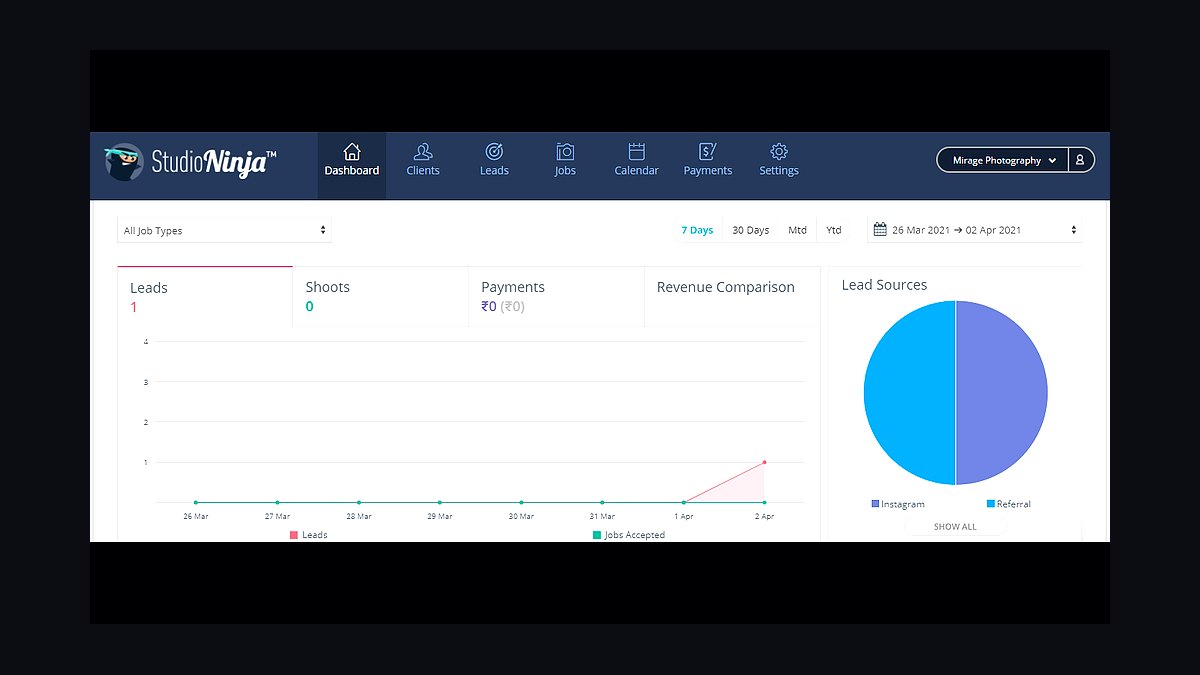
Studio Ninja ranks second as the lighter, friendlier studio-management CRM, priced at roughly $19–$30 per month. It still owns the full lifecycle — quotes, contracts, e-signature, invoices, deposit schedules, questionnaires, and shoot-day logistics — but presents it in a cleaner interface that solo photographers adopt faster than Táve. It handles Stripe payments and automated client reminders natively.
This suits one- to two-person studios that want lifecycle tracking without configuring deep automation branches. It trades away some of the conditional workflow power and reporting depth that Táve provides at scale. Against HoneyBook below, Studio Ninja is photography-specific while HoneyBook serves mixed creative and service businesses.
3HoneyBook Client Management
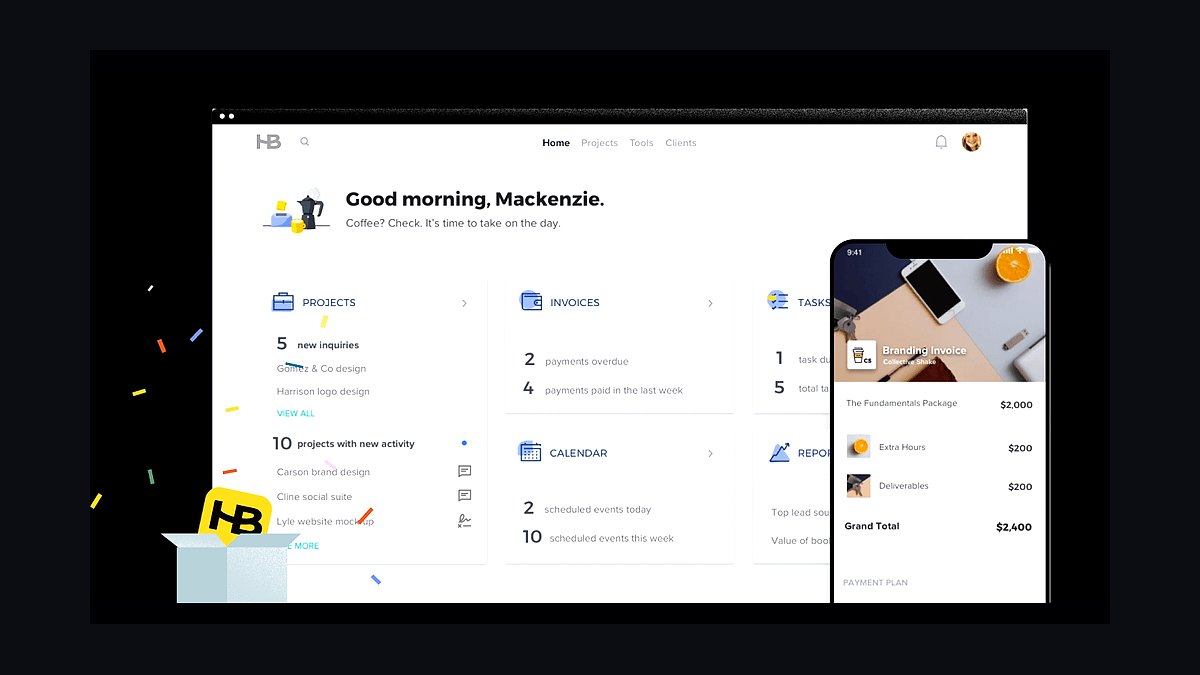
HoneyBook ranks third for photographers who also sell non-photography services and want one polished client portal across all of it. Pricing spans roughly $19–$66 per month by tier, covering contracts, invoices, payment schedules, project stages, and a branded client-facing portal. It processes payments through Stripe and Square and handles scheduling inside the same system.
This is for hybrid operators — a photographer who also does consulting, coaching, or design — where a generic-but-elegant CRM beats a photography-only one. It trades away the deep photography-specific workflow branching in Táve and Studio Ninja. Against Pic-Time below, HoneyBook owns the booking lifecycle while Pic-Time owns the post-delivery revenue layer.
4Pic-Time Client Galleries
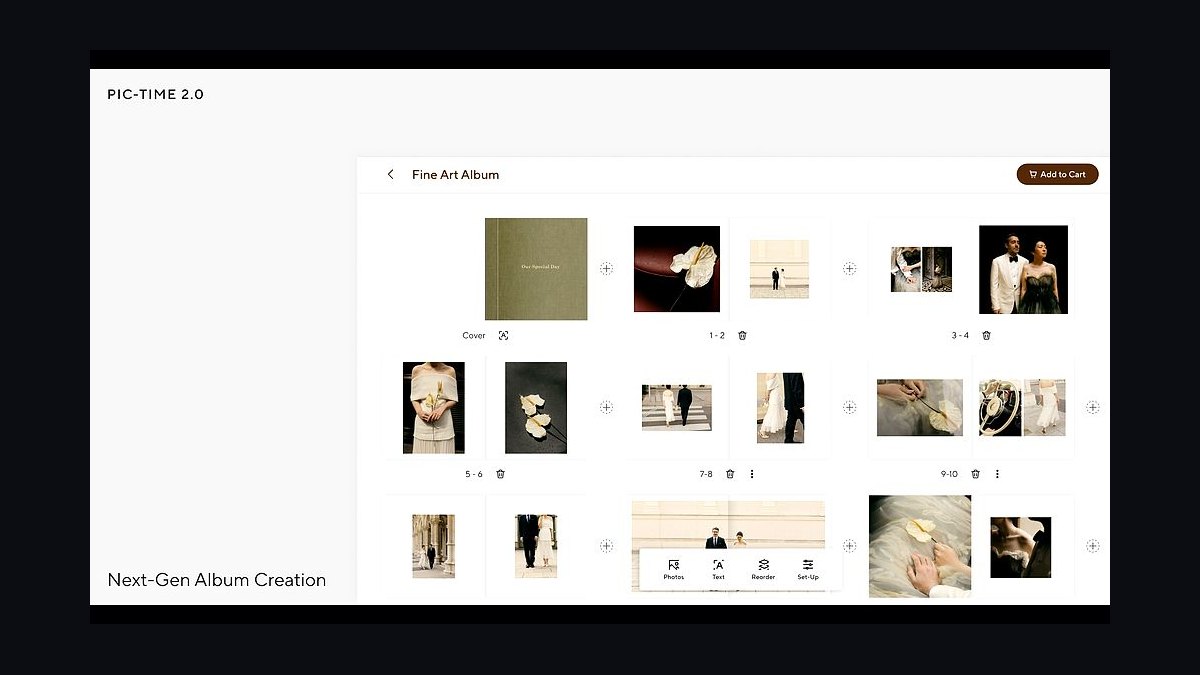
Pic-Time ranks fourth because it converts delivered images into product revenue through automated print-sale and reminder campaigns that keep earning for weeks after gallery delivery. It is free to start, then roughly $10–$50 per month by photo volume, with print pricing, product catalogs, and a built-in store. Orders route directly to labs including WHCC.
This is for studios that treat the gallery as a storefront rather than a file drop, especially wedding and portrait shooters selling prints, albums, and wall art. It trades away the unlimited-photo simplicity some volume studios prefer. Against Pixieset below, Pic-Time leans harder into automated sales campaigns while Pixieset leans into gallery experience and its own integrated store.
5Pixieset Gallery Platform
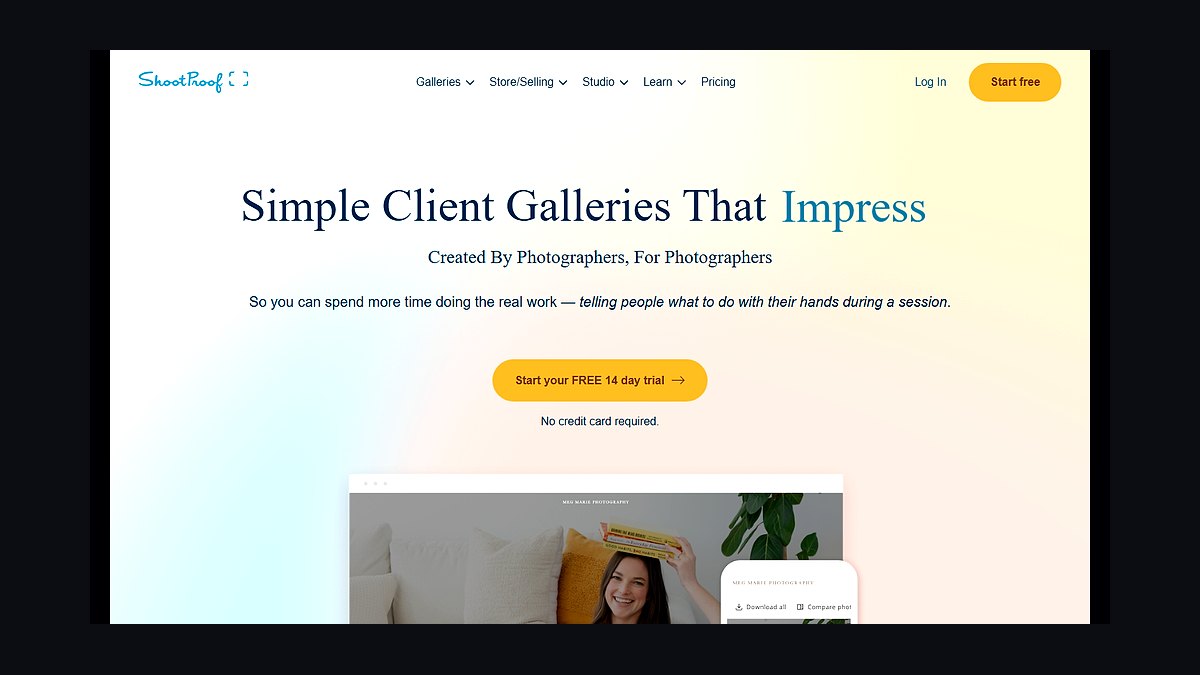
Pixieset ranks fifth as the popular gallery alternate with an excellent client proofing experience and its own integrated store, priced roughly $8–$50 per month. It delivers branded galleries, client downloads, print sales, and — through Pixieset Sites — a portfolio website under one roof. It integrates with pro labs so orders fulfill without manual routing.
This is for studios that want galleries, store, and website from a single vendor and value client-facing polish over campaign automation. It trades away some of the automated sales-campaign sophistication Pic-Time offers. Against ShootProof below, Pixieset is the design-forward choice while ShootProof is the volume and contract-heavy choice.
6ShootProof Gallery Platform
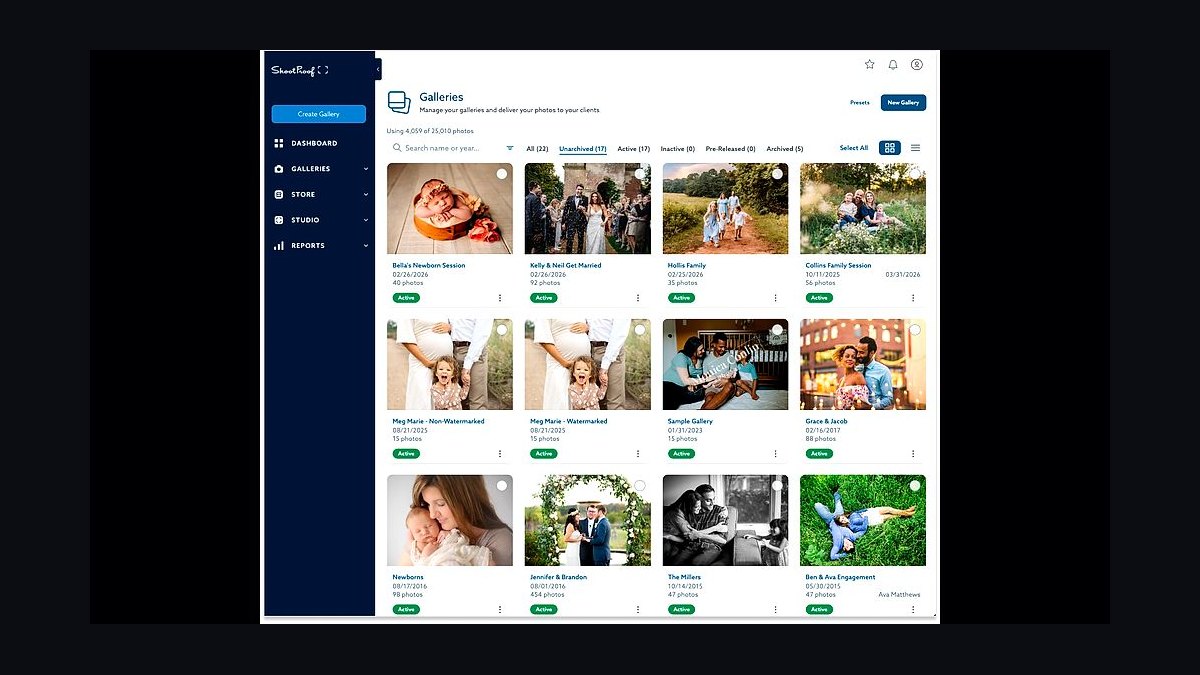
ShootProof ranks sixth for studios that want unlimited-photo plans plus built-in contracts and invoices alongside branded galleries. It serves high-volume school, sports, and multi-shooter operations where thousands of subjects per season must flow through galleries, package builds, and bulk ordering without per-photo limits. Lab integration routes print orders automatically to partners including WHCC.
This is for volume shooters and teams where photo caps would be prohibitive and order accuracy matters more than gallery aesthetics. It trades away some of the merchandising polish Pic-Time and Pixieset deliver. Against ProSelect below, ShootProof scales online ordering while ProSelect drives high-ticket in-person sales appointments.
7ProSelect In-Person Sales
ProSelect ranks seventh as the long-standing in-person sales standard for portrait and family studios, around $28–$42 per month or as a perpetual license. Clients view images projected to scale, see wall-art mockups composited into a photo of their own room, and order in a guided appointment where average orders frequently run into four figures. It is the highest-margin sales motion in studio photography.
This is for IPS-model studios where albums and wall art are the business, not digital-only delivery. It trades away the self-serve online ordering that Pic-Time and Pixieset handle without your time. Against Photo Mechanic below, ProSelect monetizes the sales conversation while Photo Mechanic accelerates the production pipeline.
8Photo Mechanic Culling Software
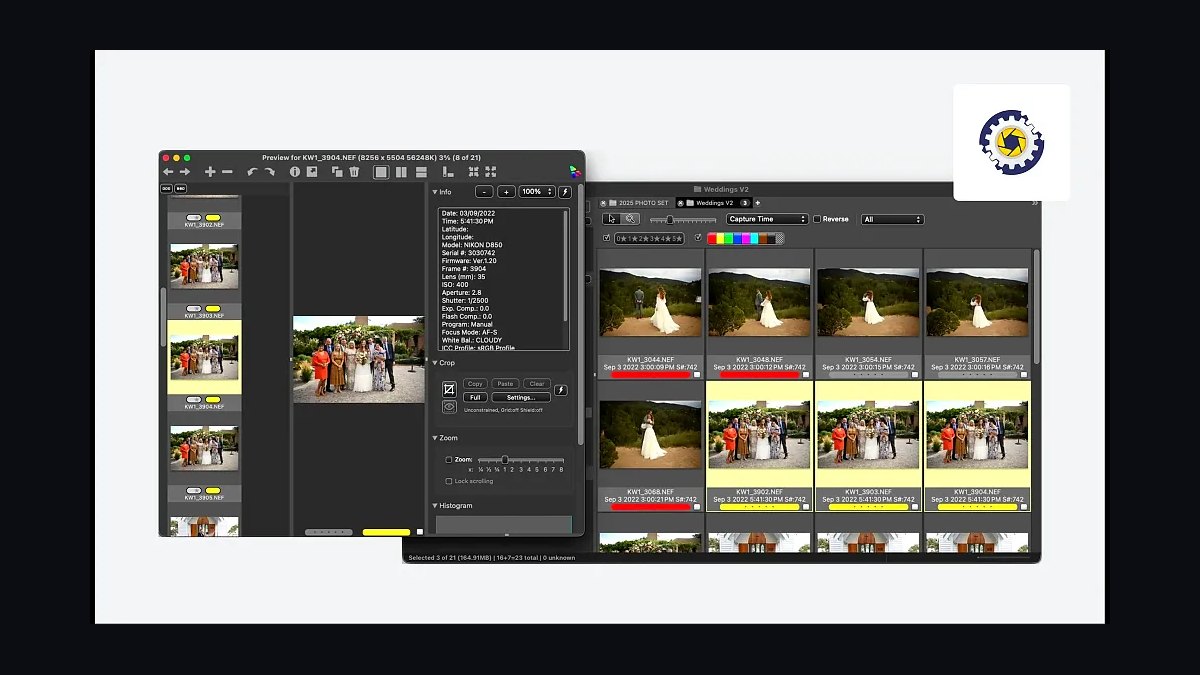
Photo Mechanic ranks eighth as the fastest manual culling tool in the industry, ingesting and previewing raw files instantly at around $139 one-time or $89 per year for the Plus version. A single wedding can produce 3,000 to 6,000 raw frames, and Photo Mechanic lets a photographer cull at the speed of a fast typist rather than waiting on preview renders. Many studios pair it with AfterShoot for a first AI pass.
This is for any studio shooting thousands of frames per job where culling is the bottleneck before editing even begins. It trades away catalog management and editing, which Lightroom Classic handles. Against AfterShoot below, Photo Mechanic gives the final human word while AfterShoot pre-rejects blinks and blurs automatically.
9AfterShoot AI Culling
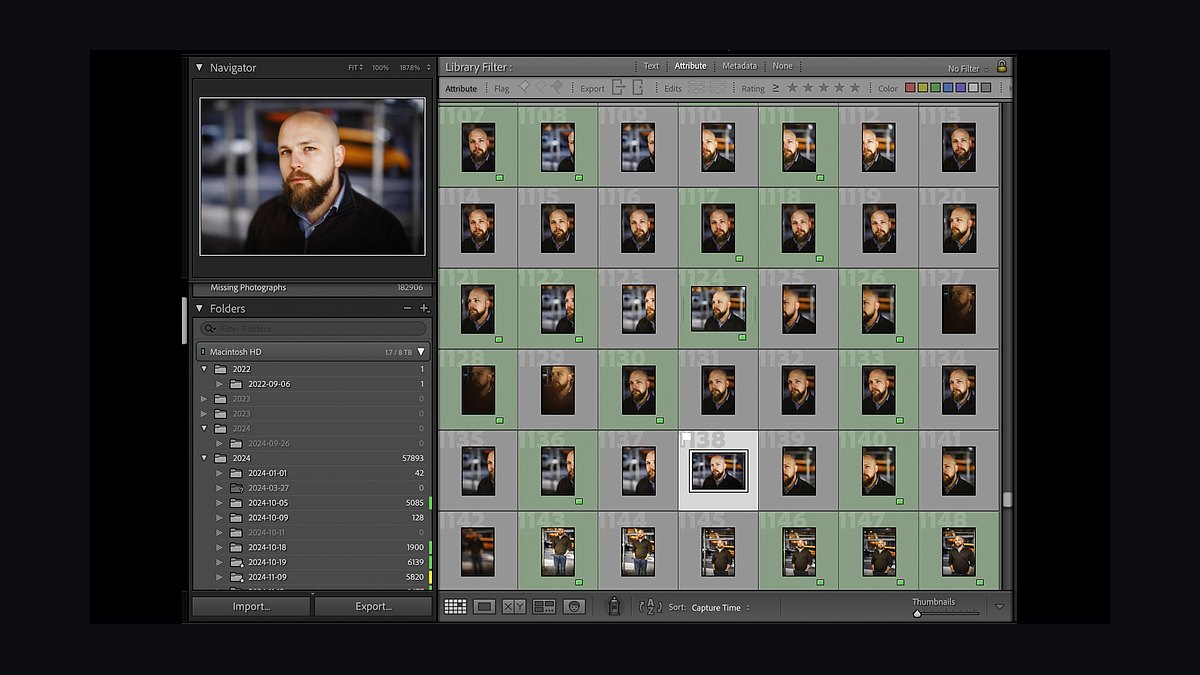
AfterShoot ranks ninth as the AI culling layer that auto-rejects blinks and blurs and pre-selects keepers, priced roughly $120–$240 per year. It cuts a full wedding cull from hours to minutes by clustering near-duplicates and flagging technical failures, so the photographer only judges the frames that survive the first pass. Many studios run it ahead of Photo Mechanic for the final word.
This is for high-volume shooters whose editing weekends are consumed by sorting rather than finishing images. It trades away manual control — some photographers distrust AI rejection on hero frames and review everything anyway. Against Imagen AI below, AfterShoot handles selection while Imagen handles the actual color and tone editing.
10Imagen AI Editing

Imagen AI ranks tenth as the AI editing accelerant that learns a studio's own color and tone style from past catalogs and applies it across thousands of frames automatically, at roughly $0.05–$0.07 per edited image or by subscription. It gets 80% to 95% of the way to a finished edit, with hero images still reviewed and fine-tuned by hand. Time savings on a full wedding are measured in hours per job.
This is for studios whose manual editing caps bookings at whatever their weekends absorb. It trades away frame-by-frame creative control, which some commercial and fine-art shooters refuse to give up. Against Lightroom Classic, Imagen accelerates the pipeline while Lightroom remains the catalog and develop standard underneath it.
How we ranked these
We scored each tool on five weighted criteria: lifecycle coverage (25%), post-production time saved (25%), gallery monetization depth (20%), integration with the rest of the stack (15%), and 2027 pricing transparency (15%). Scores came from vendor documentation, published pricing pages, and hands-on workflow testing across wedding, portrait, and volume scenarios.
We deliberately ignored brand popularity, social-media buzz, and affiliate-driven "best of" rankings, because those reward marketing spend rather than studio outcomes. We also excluded one-off features that look impressive in demos but rarely survive a busy season, and we skipped enterprise-only capabilities that no solo or small studio would realistically deploy.
Related questions
What is the single most important tool in a photography studio stack?
The studio-management CRM. It owns inquiry, contract, deposit, shoot logistics, delivery, and final balance across every job. Without it, clients fall through cracks and balances go uncollected. Táve, Studio Ninja, and HoneyBook are the leading choices, and this layer is the highest-leverage purchase you will make.
Do I need both a client gallery and in-person sales software?
Not always, but often yes. A gallery like Pic-Time or Pixieset lets clients self-order prints and downloads at scale. ProSelect drives guided IPS appointments with much higher average orders. Portrait studios lean IPS; wedding and volume studios lean galleries. Many run both once revenue justifies it.
How much should a solo photographer budget monthly for tools?
Roughly $80 to $200 per month covers a complete solo stack: CRM, gallery, Lightroom, AI culling or editing, booking, payments, website, backup, and QuickBooks. That is about the cost of one nice lens per year, and it replaces hours of admin and post-production every single week.
Is AI editing good enough to replace manual Lightroom work?
For culling, yes. AfterShoot reliably removes blinks, blurs, and near-duplicates. For editing, Imagen AI learns your past catalogs and applies your style, getting most frames close. You still review hero images. On a full wedding, the savings are measured in hours per job, not minutes.
What is the biggest tech mistake photography studios make?
Treating the gallery as free file delivery. Studios that dump images into a generic share leave print, album, and wall-art revenue uncollected, often 30% to 100% of the shoot fee. A merchandised gallery with automated sales campaigns turns delivered images into product revenue for weeks after delivery.
Do I really need offsite backup for raw files?
Yes. Raw archives are irreplaceable and a legal liability if lost. A 3-2-1 setup, three copies, two media, one offsite, with Backblaze at about $99 per year is cheap insurance. The studios that skip this layer are the ones who lose a wedding to a failed card and face a lawsuit.
Should I use Lightroom Classic or Capture One?
Lightroom Classic is the right default for most wedding and portrait studios, bundled with Photoshop for about $10 to $15 monthly. Capture One wins for tethered, color-critical commercial and product work at $16 to $24 monthly. Pick by your shooting style, not by forum arguments.
When should a studio add Power BI or real reporting?
When you have multiple shooters and need per-photographer profitability, average order value, and revenue-per-client across hundreds of jobs. Below that, the dashboards inside Táve or Sprout Studio are enough. Power BI at about $14 per user monthly pulls from QuickBooks and the CRM when scale demands it.
FAQ
What is the best tech stack for a photography studio in 2027?
A studio-management CRM (Táve, Studio Ninja, or HoneyBook), a gallery and print-sales platform (Pic-Time or Pixieset, with ProSelect for IPS), and a culling-and-editing pipeline (Photo Mechanic plus Lightroom Classic, accelerated by AfterShoot and Imagen AI). Wrap it with Acuity, WHCC, Stripe, Squarespace, Backblaze, and QuickBooks.
Do I really need a studio-management CRM, or can I run on spreadsheets?
You need one the moment you book more than a handful of jobs a year. A missed balance, forgotten deadline, or unsigned contract costs far more than the $20 to $35 monthly a tool like Táve or Studio Ninja charges. The CRM is the single highest-leverage purchase in the entire stack.
What is the difference between a client gallery and in-person sales?
A client gallery like Pic-Time or Pixieset is an online store where clients view proofs and self-order prints and downloads. IPS with ProSelect is a guided sales appointment where you present images at scale and help clients order wall art and albums. IPS produces higher average orders; galleries scale without your time.
Can AI culling and editing really match my style?
For culling, yes. AfterShoot reliably rejects technical failures and clusters near-duplicates so you only judge keepers. For editing, Imagen AI learns from your past catalogs and applies your color and tone profile, getting 80% to 95% of the way there. You still review hero images.
Should I use Lightroom or Capture One?
Lightroom Classic is the right default for most wedding and portrait studios, bundled with Photoshop at about $10 to $15 monthly. Capture One wins for tethered, color-critical commercial and product work at $16 to $24 monthly. Choose by your shooting style, not by forum debates.
How much does a complete studio stack cost per month?
A solo photographer runs $80 to $200 monthly. A small IPS studio runs $250 to $600. A multi-shooter or volume studio runs $700 to $2,500 or more. The jumps buy the in-person sales motion, then throughput and consistency across multiple photographers and thousands of frames.
Is Backblaze enough for backing up raw files?
Backblaze is the offsite leg of a 3-2-1 backup, not the whole plan. Keep two local copies on separate drives plus Backblaze offsite at about $99 yearly, or B2 at roughly $6 per terabyte monthly. The discipline matters more than the vendor; a single copy of a wedding is a business-ending risk.
Do I need a separate online booking tool like Acuity?
Only if you sell mini-sessions, consultations, or IPS appointments outside your normal job flow. Acuity at $16 to $49 monthly handles availability, deposits, and reminders well. Many studios skip it entirely and use the booking calendar built into Táve or HoneyBook to keep everything in one system.
Which print lab integrates best with gallery platforms?
WHCC integrates directly with Pic-Time and ShootProof so orders auto-route and drop-ship to clients. Miller's/Mpix and Bay Photo are the standard alternates, and most galleries support all three. Choose by product quality, album craftsmanship, and turnaround time rather than by integration alone.
When should a studio move from QuickBooks to Power BI?
When you have multiple shooters and need per-photographer profitability, average order value, and revenue-per-client across hundreds of jobs. Below that, the dashboards inside Táve or Sprout Studio are enough. Power BI at about $14 per user monthly pulls from QuickBooks and the CRM when scale demands it.
Sources
- https://www.tave.com/
- https://www.studioninja.co/
- https://www.honeybook.com/
- https://www.pic-time.com/
- https://www.pixieset.com/
- https://www.proselect.com/
- https://www.aftershoot.com/
- https://www.imagen-ai.com/
- https://www.backblaze.com/
- https://quickbooks.intuit.com/
Related on PULSE
This page will be disappearing soon. Save it to your device for $1 — or read it free while it is here.
@Kory-White- · if Venmo asks, the last 4 of my number are 2012
This page is gone.
This one is off the shelf now. $1 keeps it on your phone for good — the whole page, pictures and diagrams included.
 pulse-tech-stacksTop 10 Best Tech Stack Tools for Commercial HVAC Contractors in 2027
 pulse-tech-stacksTop 10 Best Tech Stack Tools for Vulnerability Management Software Vendors in 2027
 pulse-tech-stacksTop 10 Best Tech Stack Tools for Movie Theaters in 2027
 pulse-tech-stacksTop 10 Best Tech Stack Tools for AI Document Intelligence Companies in 2027
 pulse-tech-stacksTop 10 Best Tech Stack Tools for AI Observability Platform Companies in 2027
 pulse-tech-stacksTop 10 Best Tech Stack Tools for Independent Roofing Contractors in 2027
 pulse-tech-stacksTop 10 Best Tech Stack Tools for Employee Benefits Consulting Firms in 2027
 pulse-tech-stacksTop 10 Best Tech Stack Tools for Bars and Pubs in 2027
 pulse-tech-stacksTop 10 Best Tech Stack Tools for Hair Salons in 2027
 pulse-tech-stacksTop 10 Best Tech Stack Tools for Medical Billing and RCM Companies in 2027