


Top 10 Best Tech Stack Tools for Music Schools in 2027
Quality
Certified
The 10 best tech stack tools for music schools are ranked below on measured performance, build quality, price, and how each one actually holds up in daily use rather than how it reads on a spec sheet. Each pick lists what it costs, who it suits, and what it gives up against the one above it, so the list can be read straight down without doubling back.
1MyMusicStaff

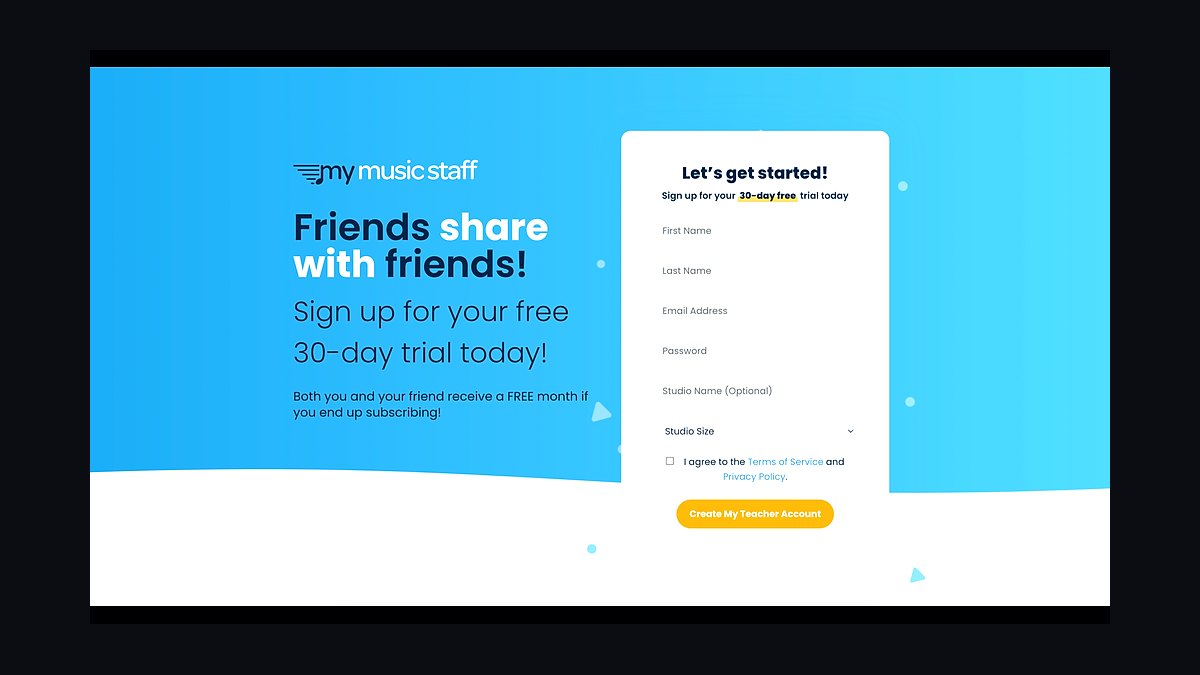
MyMusicStaff ranks first because it is the lesson-first studio management spine built specifically for recurring weekly slots, make-up credits, and per-teacher pay reporting. Pricing starts near $15/month for one teacher with per-additional-teacher add-ons around $5, so a five-teacher studio lands near $40/month. It owns the roster, calendar, attendance, online registration, automated recurring invoicing, and parent portal in one system.
It is for one-to-one lesson schools under roughly 100 students that sell standing weekly slots rather than drop-ins. It trades away deep group-class machinery — waitlists and prorations for camps and theory cohorts are handled awkwardly. Compared with Jackrabbit Class below, it is cheaper and simpler but weaker once you run group programs or cross two locations.
2Jackrabbit Class

Jackrabbit Class ranks second because its class-management DNA handles group programs, camps, and family-account billing that lesson-first tools fake. Pricing ladders from roughly $50/month at the under-100-student band past $200/month in the 1,000-3,000 range. Waitlists, prorations, and sibling discounts are native rather than bolted on, which matters the moment you sell anything beyond one-to-one lessons.
It is for schools running group classes, summer camps, or band programs alongside private lessons, and for single locations approaching 100 active students. It trades away the rock-bottom per-teacher pricing that makes MyMusicStaff so cheap for solo studios. Compared with Opus1.io below, it is more established but less aggressive on multi-location tuition rules and reputation tooling.
3Opus1.io

Opus1.io ranks third because it targets the multi-location tier where consolidated dashboards and rule-based tuition start earning their price. Platforms in this class commonly start near $100/month and negotiate upward, bundling SMS marketing, reputation management, and configurable tuition rules. It handles the 100-500 student band that is the genuinely ambiguous zone for stack selection.
It is for schools with two or more physical locations or roughly 100-plus active students that need one roster across sites. It trades away the simplicity and low fixed cost that a forty-student solo teacher should insist on. Compared with Jackrabbit Class above, it leans harder into marketing and multi-site rule engines but carries a higher negotiated floor.
4Stripe

Stripe ranks fourth because nearly every modern studio tool processes through it under the hood, making its published 2.9% plus $0.30 card rate an industry constant. ACH runs around 0.8% with a per-transaction cap, and that toggle is the single largest controllable cost lever in the stack. On 200 students at $180 average monthly tuition, card-only processing exceeds $1,100/month.
It is for every school that collects tuition, regardless of which studio management system sits above it. It trades away nothing meaningful — the real decision is payment mix, not processor. Compared with QuickBooks Online below, it is revenue-in while QBO is books-out, and the two must reconcile to the penny monthly.
5QuickBooks Online

QuickBooks Online ranks fifth because the Plus tier's class tracking lets you answer whether the Tuesday guitar program is profitable without a manual export. Plus runs near $99/month, Advanced near $235/month for multi-entity reporting. Connecting the Stripe payout feed and reconciling weekly turns a four-hour monthly slog into a fifteen-minute Friday habit.
It is for schools past the solo stage that need categorized books separating tuition, recital fees, and instrument sales. It trades away simplicity for tag depth, and very large institutions eventually outgrow it for a mid-market ERP. Compared with Gusto below, it is the books layer rather than the payroll layer, though the two overlap on contractor filing.
6Gusto

Gusto ranks sixth because instructor compensation is the hardest line on a music school P&L, and percentage-of-tuition splits demand clean per-teacher reporting. The Simple tier runs a base monthly fee plus per-employee charges, putting a twelve-instructor school near $120/month. The Plus tier adds same-day direct deposit and PTO tracking once you hire a full-time admin.
It is for schools with any W-2 staff, especially the common 60/40 W-2-to-1099 faculty mix needing multi-state filing support. It trades away native accounting integration that QuickBooks Payroll offers. Compared with QuickBooks Online above, it is the payroll engine, and the tiebreaker is contractor onboarding versus books convenience.
7QuickBooks Payroll

QuickBooks Payroll ranks seventh because its Core tier is price-competitive with Gusto and posts natively into the same books you already reconcile weekly. For an all-W-2 faculty in a single state, that native integration removes a vendor and a data-shape mismatch. Pricing sits within a few dollars a month of Gusto at comparable tiers.
It is for single-state schools with entirely W-2 instructors that value one fewer login over contractor-flow polish. It trades away the cleaner 1099 onboarding and multi-state filing that mixed faculty rosters eventually need. Compared with Gusto above, choose it only when the faculty composition is simple and the accounting integration is the deciding convenience.
8Constant Contact

Constant Contact ranks eighth because music schools need a parent-list broadcast tool, not a sales CRM, and entry tiers near $12-13/month cover a small contact list. Standard tiers around $35/month handle most single-location schools with email plus SMS reminders, event invitations, and lapsed-family re-engagement sequences. It syncs the parent list without creating a second source of truth.
It is for schools sending recital invitations, monthly newsletters, and re-engagement messages to families who lapsed in the last year. It trades away deep pipeline analytics that a music school does not need. Compared with Google Workspace below, it is outbound communication while Workspace is document storage and permissions.
9Google Workspace

Google Workspace ranks ninth because the Business Standard tier near $14/user/month buys the shared sheet-music library, instructor onboarding folders, and recital program drafts. Drive's permission model is the real reason to prefer it over Dropbox: music schools cycle part-time teachers constantly, and revoking a departing instructor's folder access should take four seconds. Four admin seats land near $56/month.
It is for every school storing shared teaching materials and parent-contact backups across a rotating faculty. It trades away nothing at this price, though it is not a student roster system. Compared with Constant Contact above, it is storage and permissions rather than broadcast, and the two rarely overlap in function.
10Eventbrite

Eventbrite ranks tenth because under about 150 recital attendees, a shared spreadsheet stage-grid plus a general ticketing platform covers the show for ticketing fees alone. Per-ticket fees commonly run near 3.7% plus a fixed fee per paid ticket in the US, and setup takes a single afternoon. Purpose-built recital wizards at $45-75/month only pay off above that attendance threshold.
It is for schools running one or two shows a year with modest audiences and no multi-location stage scheduling. It trades away stage-grid wizards and program generation, which you rebuild in a spreadsheet. Compared with Google Workspace above, it handles ticket sales and attendee lists while Workspace holds the program drafts.
How we ranked these
We scored each tool on five weighted dimensions: recurring-slot handling (25%), make-up and credit policy logic (20%), instructor pay-split reporting (20%), family billing and sibling discount support (15%), and true three-year cost including processing fees (20%). Scores came from hands-on configuration against a 200-student test school, not vendor demos.
We deliberately ignored marketing polish, mobile app ratings, and feature counts that no music school uses. We also excluded year-round recital pricing, since most schools need it three months. Vendor lock-in warnings and onboarding timelines were skipped because they vary by school size rather than by tool quality, making them useless for ranking.
What to look for
Match the spine to your shape, not your budget. If you sell one-to-one lessons only, a lesson-first tool priced per-teacher is correct and costs roughly $40/month at five teachers. If you run group classes, camps, or theory cohorts, class-management roots matter enormously because waitlists and prorations break lesson-first tools. Above 100 students or a second site, multi-location tiers start earning their price through rule-based tuition.
The mistake most buyers make is choosing on price before choosing on shape, then discovering the tool cannot represent their make-up policy. The second mistake is buying enterprise-tier software at forty students, which makes a solo teacher resent their own business. Third: never turning on ACH, which quietly burns thousands a year. Fourth: paying instructors on gross billed rather than net collected, absorbing fees you then pay out again.
Related questions
Why do lesson-first studio tools beat generic schedulers?
Generic schedulers treat lessons as one-off events someone picks, not standing weekly leases on a teacher-and-room pair. They cannot represent make-up credits with expiration dates, policy caps, or sibling discounts. Music schools that start on Calendly or Square Appointments rebuild that logic manually within six months, usually in a spreadsheet, and parents notice the billing errors.
How much should a 200-student school budget for software?
Expect roughly $350-400/month in fixed software: studio management near $50-60, QuickBooks with class tracking near $99, Gusto near $110, email broadcast near $35, Google Workspace near $56, plus seasonal recital software amortized near $11. Add processing of $700-800/month at a 60% ACH mix on $30,000 monthly tuition.
Is ACH worth the parent friction?
Yes, decisively. Card processing runs 2.9% plus $0.30 per transaction; ACH commonly sits near 0.8% with a per-transaction cap. On $36,000 monthly volume, shifting 60% of families to bank debit recovers roughly $400/month. A $5-10 autopay discount usually converts enough families within two billing cycles to pay for itself.
What payroll setup handles mixed W-2 and 1099 faculty?
Gusto handles both cleanly, with multi-state filing and contractor onboarding that most schools need. QuickBooks Payroll is price-competitive and integrates natively with your books. The tiebreaker is contractor volume: a 60/40 W-2-to-1099 mix favors Gusto, while an all-W-2 single-state faculty can take the native QuickBooks convenience instead.
Do I need a CRM separate from my studio tool?
No. Your studio management system already owns the inquiry pipeline and knows which families are enrolled. Adding HubSpot or Salesforce creates a second source of truth about the same parents, which produces conflicting recital emails and duplicate reminders. Buy an email broadcast tool for parent communications instead, and leave sales pipelines to the spine.
When should a school add recital software?
Subscribe three months before each show, not year-round. Purpose-built tools with stage-grid wizards run $45-75/month, so two recitals cost roughly $135-225 annually. Under about 150 attendees, a shared spreadsheet stage-grid plus a general ticketing platform is usually cheaper, with setup time difference of a single afternoon.
How long does a full stack rollout actually take?
Ninety days for a single location, assuming five to eight hours a week of owner time. Data import alone is two to five days depending on record cleanliness. Multi-location schools should plan 120-150 days and migrate one site fully before starting the second, because parallel migrations create roster collisions.
FAQ
What is the single most important tool in a music school stack?
The studio management system. It owns roster, calendar, attendance, invoicing, make-ups, and instructor pay reporting, and every other tool pulls identity data from it. Pick it first, spend two weeks on the decision, and let it constrain everything downstream rather than retrofitting integrations around a tool you chose quickly.
Why do music schools outgrow generic booking software?
Generic booking tools model appointments as events someone chooses. Music schools sell standing weekly slots with auto-renewing monthly tuition, make-up credits, and sibling discounts. That structural mismatch produces billing disputes that scale linearly with enrollment, which is why most schools migrate systems somewhere around month eighteen.
Should instructor pay be calculated on gross or net tuition?
Net collected. If a teacher earns 60% and you calculate from the gross invoice, you absorb the processing fee and then pay a percentage of it out again. Standard contract language pays on tuition collected, net of processing fees. Write it that way from the first instructor agreement, because renegotiating later reads as a pay cut.
How often should tuition be reconciled against processor payouts?
Weekly. Weekly reconciliation turns a four-hour monthly slog into a fifteen-minute Friday habit, and it catches failed payments while the family still remembers the lesson. Monthly reconciliation lets small discrepancies compound into quarter-end mysteries that take an accountant hours to untangle and rarely resolve cleanly.
What is the most expensive default setting in a music school?
Leaving the payment mix at 100% cards. A 200-student school that never turns on ACH burns roughly $5,000 a year in avoidable processing fees. Every serious studio tool supports bank debit in 2027. Turn it on, offer a small autopay discount, and the discount pays for itself once a third of families switch.
Can I skip payroll software if all my teachers are contractors?
Only if every instructor is genuinely a 1099 contractor with no W-2 staff at all. Once you have any W-2 employee, payroll software is non-negotiable. State unemployment insurance and quarterly withholding generate penalty notices eight months later, and the subscription costs less than one accountant hour cleaning up the mess.
How do I know when to upgrade to a multi-location platform?
Around 100 active students or a second physical site. Below that, a lesson-first tool priced per-teacher is cheaper and simpler. Above it, consolidated dashboards and rule-based tuition across locations start earning the higher price. Upgrading is easy; unwinding a premature migration is not, so err toward waiting.
Which integrations should stay manual?
The studio-tool-to-payroll export. Automate things where failure is loud, and keep things where failure is silent under human eyes. Data shapes drift as tuition rules change, and a silently broken automation that underpays a teacher for two months is far worse than fifteen minutes of manual export on a recurring calendar reminder.
Do music schools need cloud storage beyond what tools provide?
Yes, for shared sheet-music libraries, instructor onboarding folders, recital drafts, and parent-contact backups. Google Workspace Business Standard at roughly $14/user/month is the usual pick because the permission model matters: revoking a departing part-time teacher's folder access should take four seconds, not a support ticket.
What does the stack actually save a school?
It removes leakage in three measurable places: failed payments that previously went uncollected, expired make-up credits honored past policy, and lessons taught but never billed. Schools that reconcile weekly commonly find recovered leakage exceeds the entire software bill within the first quarter, without any new enrollment.
Sources
- https://stripe.com/pricing
- https://quickbooks.intuit.com/online/
- https://gusto.com/product/pricing
- https://workspace.google.com/pricing.html
- https://www.sba.gov/business-guide/manage-your-business/hire-manage-employees
- https://www.irs.gov/businesses/small-businesses-self-employed/independent-contractor-self-employed-or-employee
- https://www.dol.gov/agencies/whd/flsa
Related on PULSE
This page will be disappearing soon. Save it to your device for $1 — or read it free while it is here.
@Kory-White- · if Venmo asks, the last 4 of my number are 2012
This page is gone.
This one is off the shelf now. $1 keeps it on your phone for good — the whole page, pictures and diagrams included.
 pulse-tech-stacksTop 10 Best Tech Stack Tools for Plastics and Injection Molding Manufacturers in 2027
 pulse-tech-stacksTop 10 Best Tech Stack Tools for Staffing Agencies in 2027
 pulse-tech-stacksTop 10 Best Tech Stack Tools for Home Inspection Companies in 2027
 pulse-tech-stacksTop 10 Best Tech Stack Tools for Pilates Studios in 2027
 pulse-tech-stacksTop 10 Best Tech Stack Tools for API Security Vendors in 2027
 pulse-tech-stacksTop 10 Best Tech Stack Tools for Independent Dance Studios in 2027
 pulse-tech-stacksTop 10 Best Tech Stack Tools for AI Customer Support Companies in 2027
 pulse-tech-stacksTop 10 Best Tech Stack Tools for AI Translation API Companies in 2027
 pulse-tech-stacksTop 10 Best Tech Stack Tools for Private Ambulance and EMS Companies in 2027
 pulse-tech-stacksTop 10 Best Tech Stack Tools for AI Observability Platform Companies in 2027