


Top 10 Best Tech Stack Tools for AV and Smart Home Installers in 2027
Quality
Certified
The 10 best tech stack tools for av and smart home installers are ranked below on measured performance, build quality, price, and how each one actually holds up in daily use rather than how it reads on a spec sheet. Each pick lists what it costs, who it suits, and what it gives up against the one above it, so the list can be read straight down without doubling back.
1D-Tools System Integrator
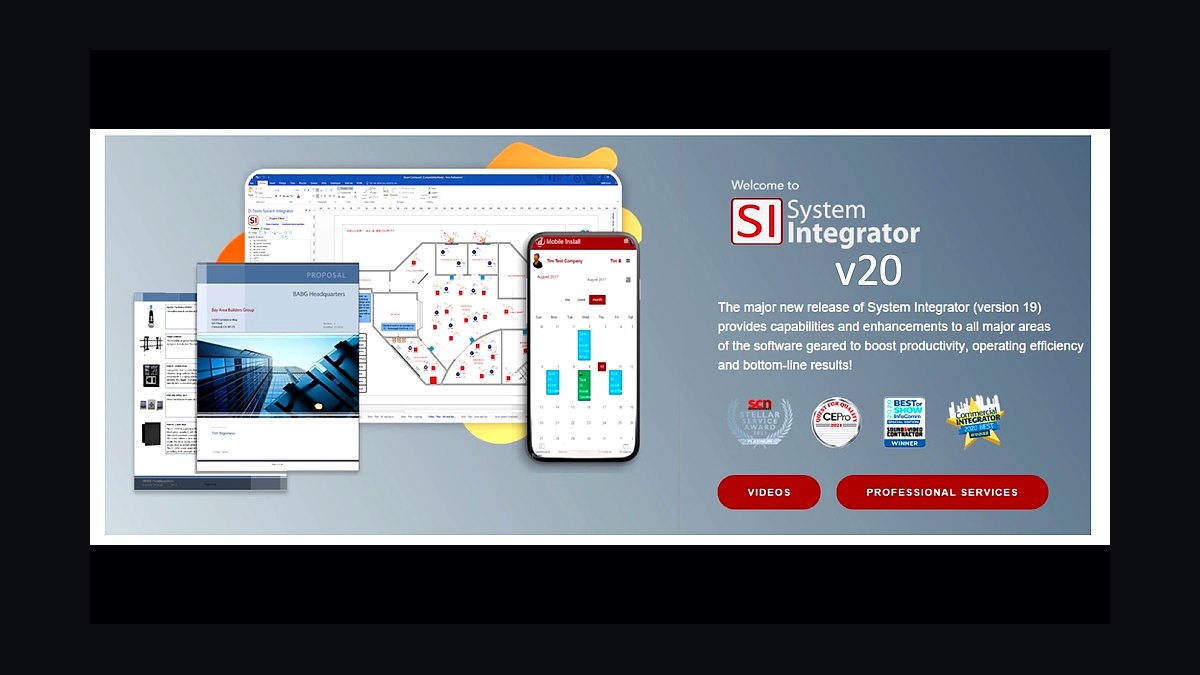
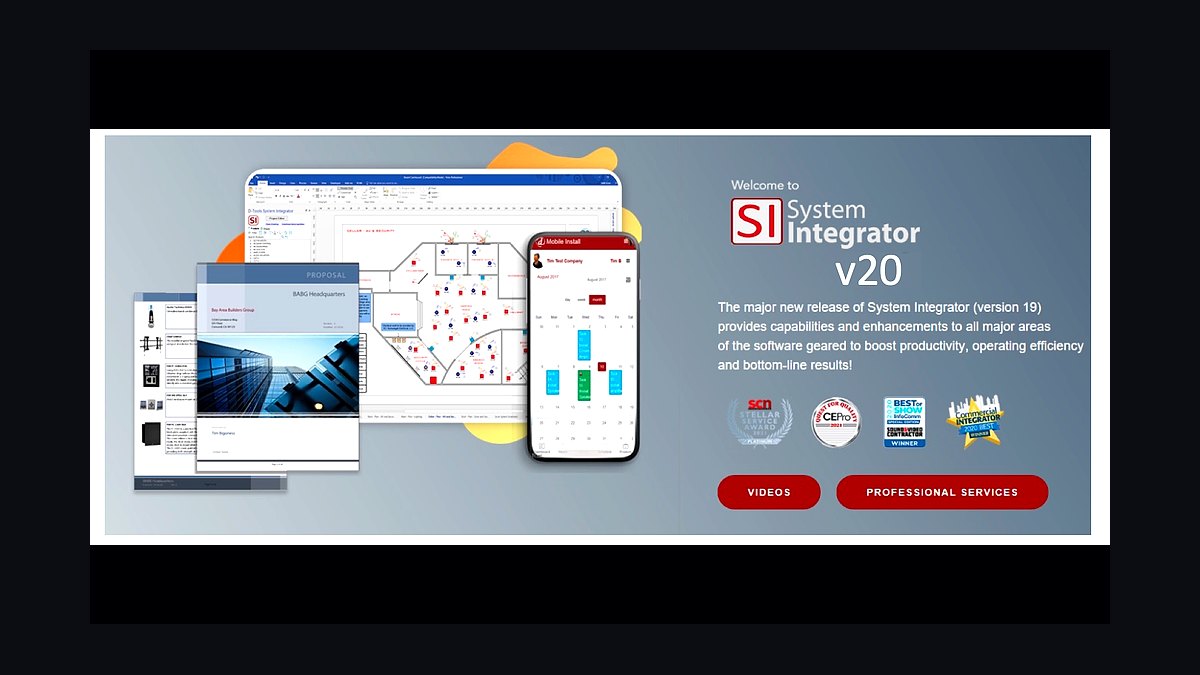
D-Tools System Integrator ranks first because it is the only platform that unifies AV system design, itemized bills of materials, proposals, and project management in one system of record. It carries deep manufacturer product catalogs and pricing, so a proposal reflects real component costs and lead times rather than a guess. Pricing runs roughly $70–200 per user per month, and catching one mis-priced bill of materials on a large project can cover a year of the fee.
It is built for design-heavy custom-integration firms doing home theater, whole-home audio, lighting, and networking, where a single job can carry hundreds of line items. The trade-off is cost and setup time: it is heavier and pricier than cloud-only proposal tools, and catalogs need maintenance. Compared to Jetbuilt below it, D-Tools offers deeper design and BOM capability at a higher per-seat price.
2Jetbuilt
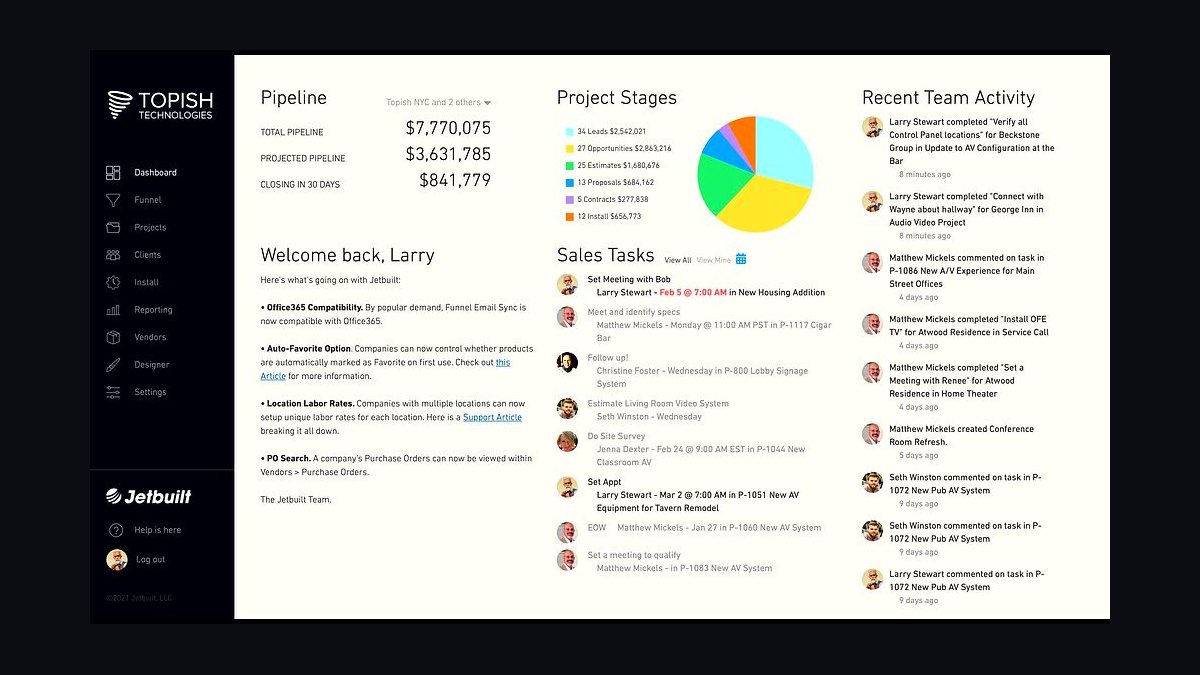
Jetbuilt ranks second as the fastest cloud-native path to accurate, polished AV proposals without a heavy desktop install. It runs roughly $50–100 per user per month and lets an integrator build an itemized bill of materials and send a professional proposal in minutes. For firms whose bottleneck is quoting speed and win rate rather than deep CAD-style system design, it delivers most of the value at a lower seat cost.
It suits smaller and mid-size integrators, sales-led shops, and anyone migrating off spreadsheet bids. What it trades away versus D-Tools System Integrator is depth in complex system design and catalog management, so very design-heavy firms may outgrow it. Against D-Tools Cloud, it is comparable in price and generally faster for proposal-first workflows.
3D-Tools Cloud
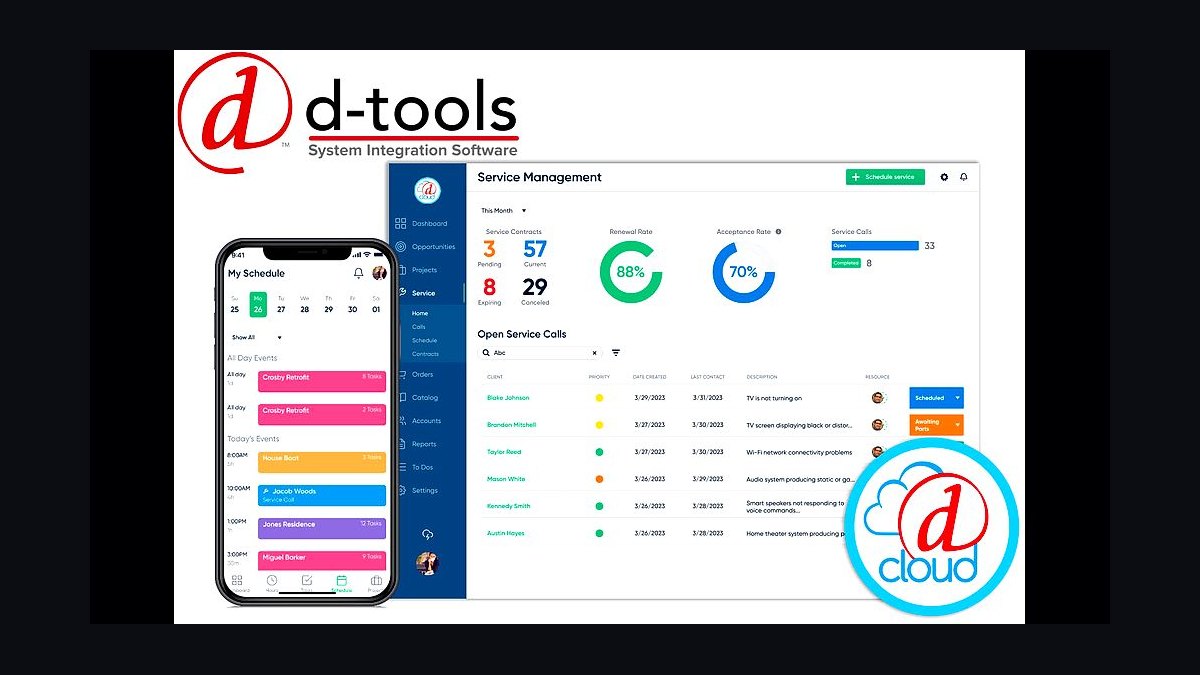
D-Tools Cloud ranks third as the browser-based sibling of the industry-standard platform, bringing D-Tools proposal, BOM, and project workflows to teams that do not want on-premise software. It sits in the same ~$70–200 per user per month band and keeps the manufacturer catalog and itemized-bill-of-materials logic that protects margin. Cloud access means estimators and project managers work from the same live data in the office or on site.
It is aimed at growing integrators who want the D-Tools ecosystem without a server, and at teams splitting time between the showroom and the truck. It trades away some of the deep configuration and legacy catalog tooling of System Integrator. Compared to Jetbuilt above it, D-Tools Cloud offers stronger design and catalog depth but a steeper learning curve.
4iPoint
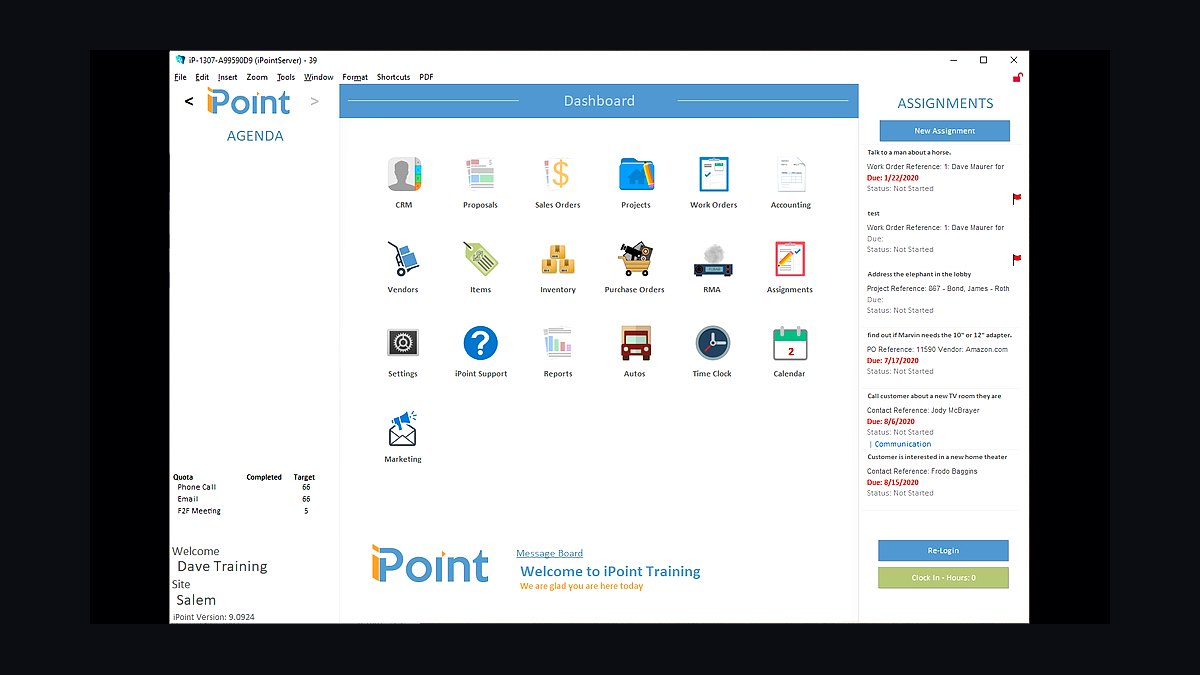
iPoint ranks fourth as an all-in-one integration platform that bundles proposals, project management, and accounting integration into a single system. It is designed to remove the re-keying between a quoting tool, a project tracker, and QuickBooks, so estimated costs and actuals stay reconciled. For firms tired of stitching three subscriptions together, that consolidation is the core value.
It fits integrators who want one vendor for the business side and are willing to adopt its workflow rather than bolt tools together. The trade-off is that a consolidated suite is less best-in-class in any single area than a dedicated design platform. Compared to D-Tools Cloud above it, iPoint leans more toward business and accounting integration than deep AV system design.
5ServiceTitan
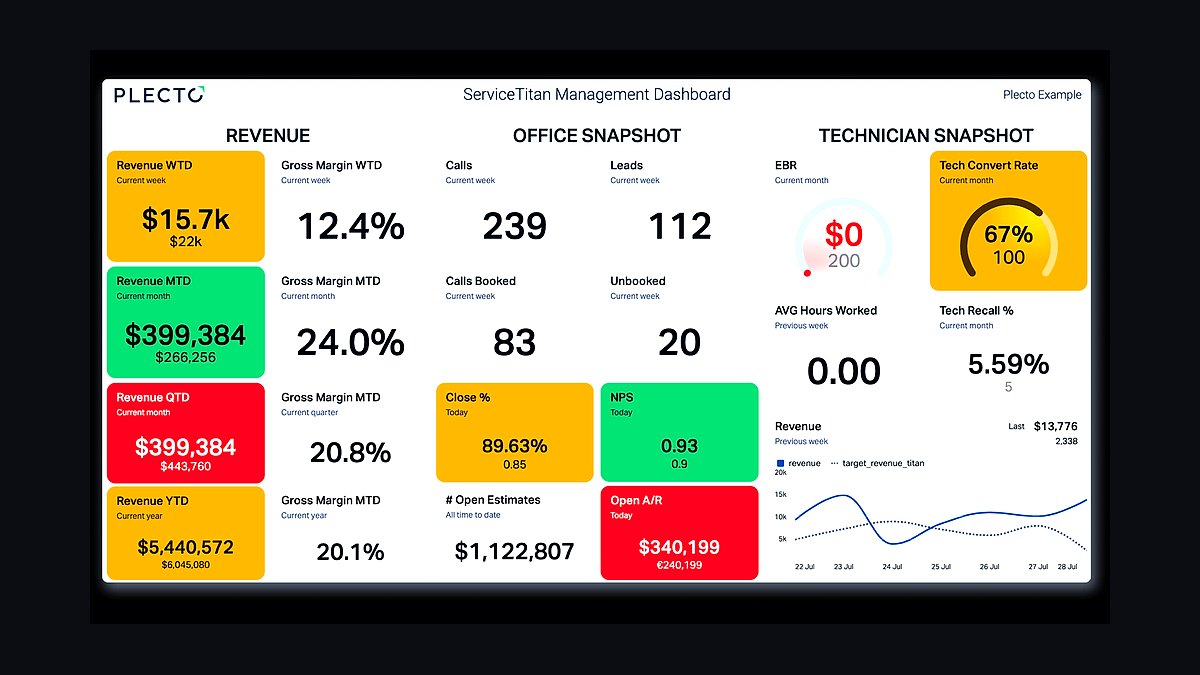
ServiceTitan ranks fifth as the heavyweight field-service platform for integrators with a real service department, handling scheduling, dispatch, and service ticketing at roughly $50–200 per month. It is built for volume: recurring maintenance visits, warranty calls, and technician dispatch across a large installed base. For firms where service revenue is a meaningful share of the business, it provides the operational backbone.
It is for larger custom-integration firms running high-end residential and light commercial work with dedicated service technicians. It trades away simplicity and low cost: it is heavier and pricier than Housecall Pro, and it does not design systems or build AV bills of materials. Compared to Housecall Pro below it, ServiceTitan scales further but demands more setup and spend.
6Housecall Pro
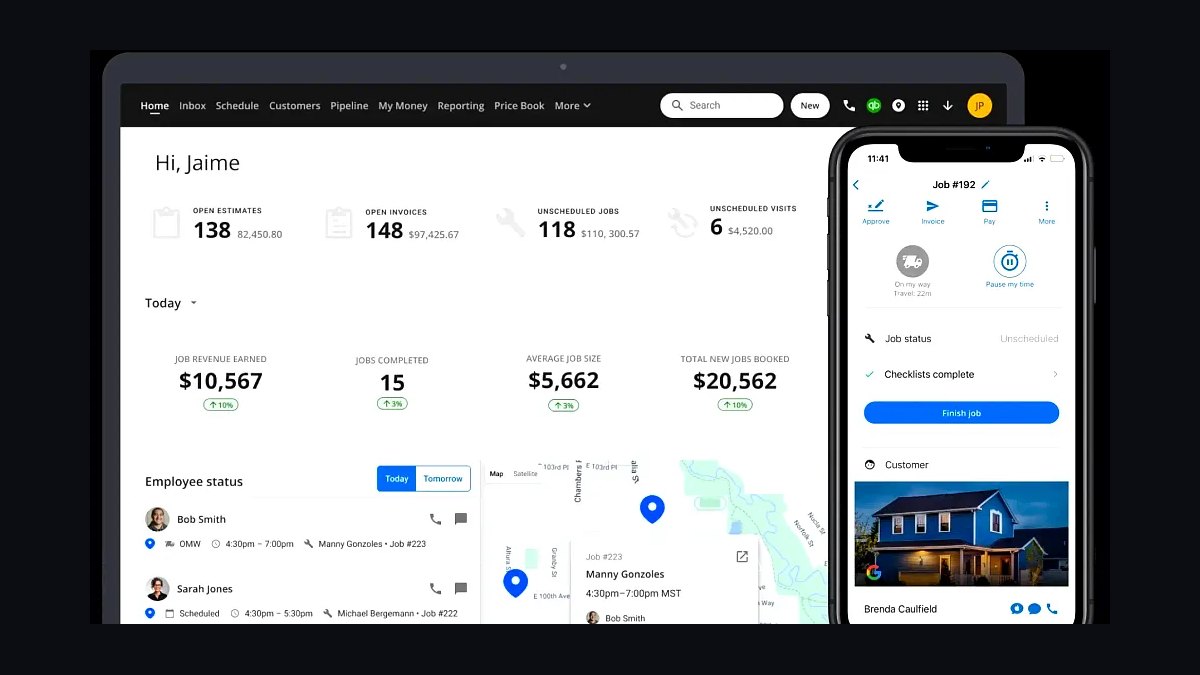
Housecall Pro ranks sixth as the practical field-service tool for small and mid-size integrators who need scheduling, dispatch, and service ticketing without enterprise overhead. At roughly $50–200 per month it is faster to deploy than ServiceTitan and covers the core service-call workflow: book the job, dispatch the tech, invoice on completion. Installations become warranty and service calls, and this is where those get managed.
It suits shops with a handful of technicians and a growing service tail, not firms running dozens of trucks. It trades away the deep reporting and capacity-planning depth of ServiceTitan above it. Compared to the design platforms ranked higher, it complements rather than replaces them, since it cannot design a system or produce an AV bill of materials.
7Domotz
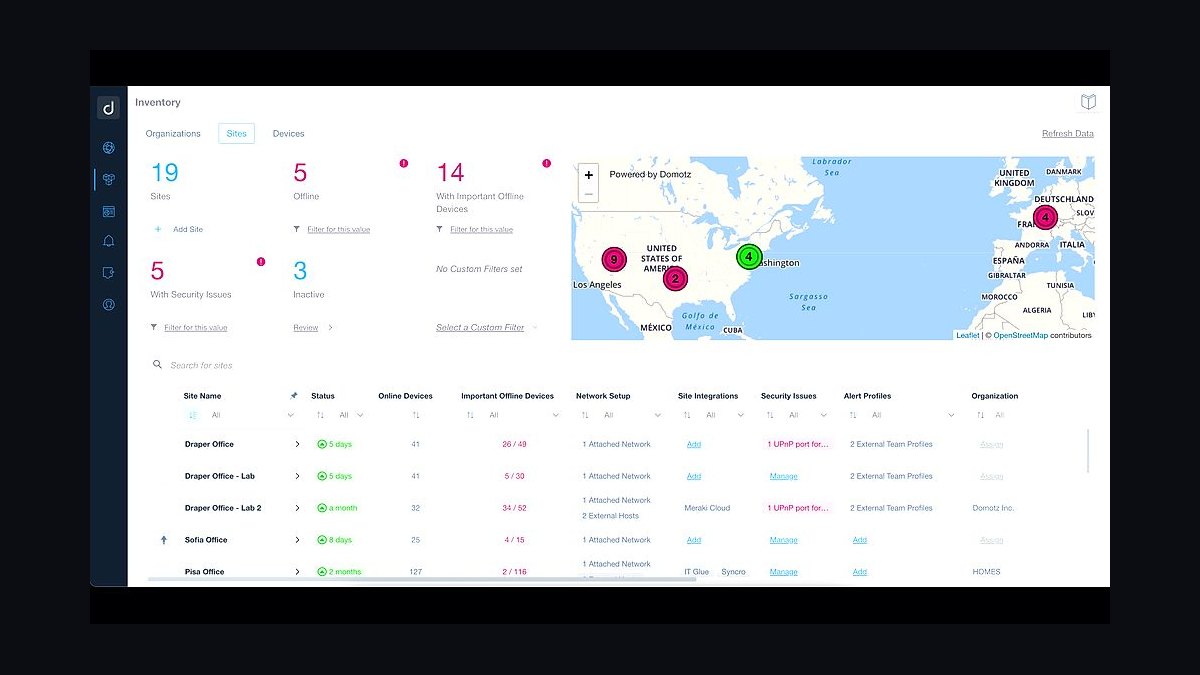
Domotz ranks seventh as the remote-monitoring engine that turns a completed install into recurring monthly revenue, priced around $5–10 per site per month. It monitors deployed networks and devices, lets technicians diagnose and fix issues remotely, and underpins paid service plans. On a few hundred monitored sites, that per-site fee is trivial against the recurring subscription it supports.
It is for integrators who want to stop treating the install as the end of the revenue and start selling ongoing monitoring and support. It trades away nothing operationally, but it only pays off if the firm actually enrolls sites and bills for the plan. Compared to OvrC below it, Domotz is network-agnostic and hardware-flexible, which suits mixed-vendor estates.
8OvrC
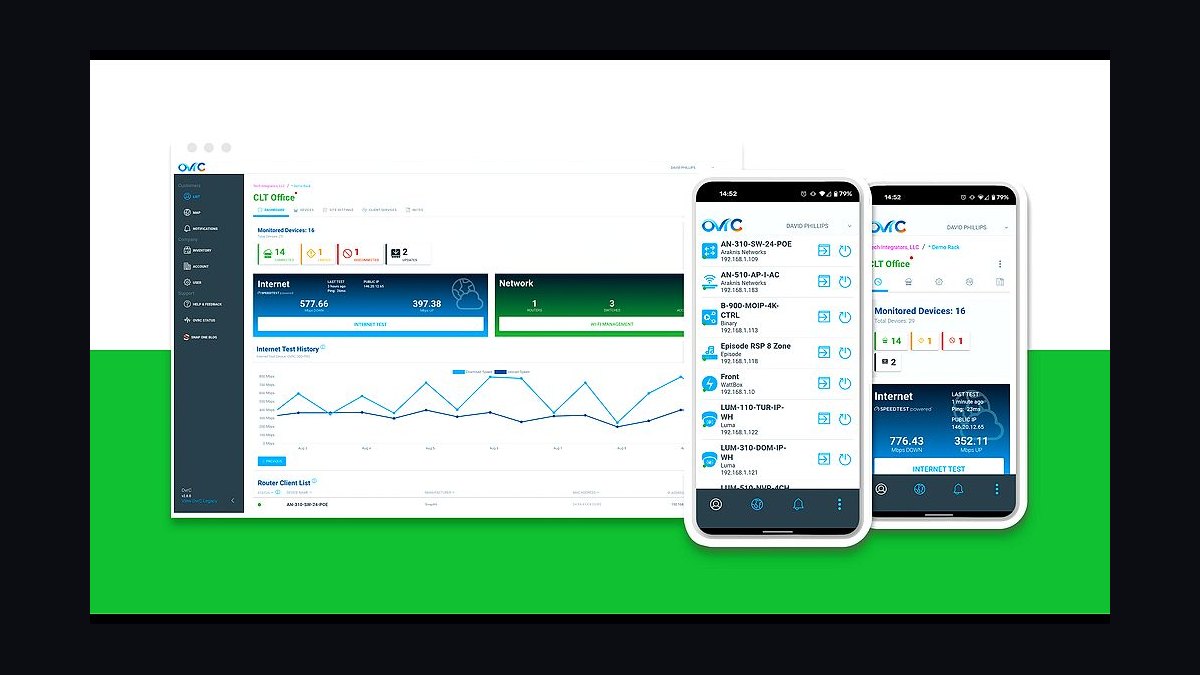
OvrC ranks eighth as Snap One's remote-monitoring platform, giving integrators proactive device monitoring and remote troubleshooting at roughly $5–10 per site per month. Because it sits inside the Snap One ecosystem, it integrates tightly with the products many integrators already install, so enrollment is fast and device visibility is immediate. That tight coupling is its main advantage over agnostic tools.
It is for firms standardized on Snap One hardware who want monitoring baked into their install workflow and service plans. It trades away some of the vendor neutrality that Domotz above it offers, so mixed-hardware estates may see less complete coverage. Both convert installs into recurring revenue; the choice usually follows which hardware the firm already stocks.
9QuickBooks Online
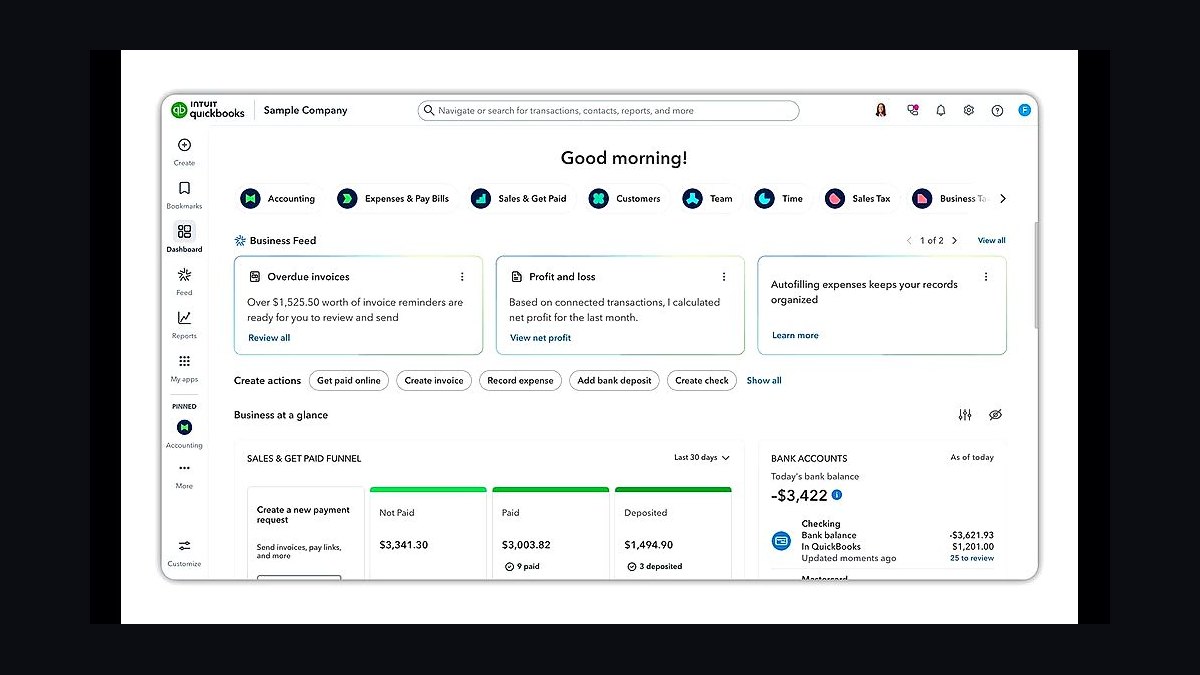
QuickBooks Online ranks ninth as the accounting layer that makes project margin visible, priced roughly $30–90 per month. With job costing, it tracks estimated versus actual cost per project, which is how an integrator discovers that a job ran over on labor or change orders. It is the reconciliation point between what the design platform quoted and what the project actually cost.
It is for every integration firm, from one-truck shops to larger operations, because revenue without margin tracking hides the losing jobs. It trades away integration-specific features: it cannot design a system or build an AV bill of materials, so it depends on data flowing in from the design platform above it. Compared to HubSpot below it, QuickBooks owns the numbers while the CRM owns the pipeline.
10HubSpot CRM
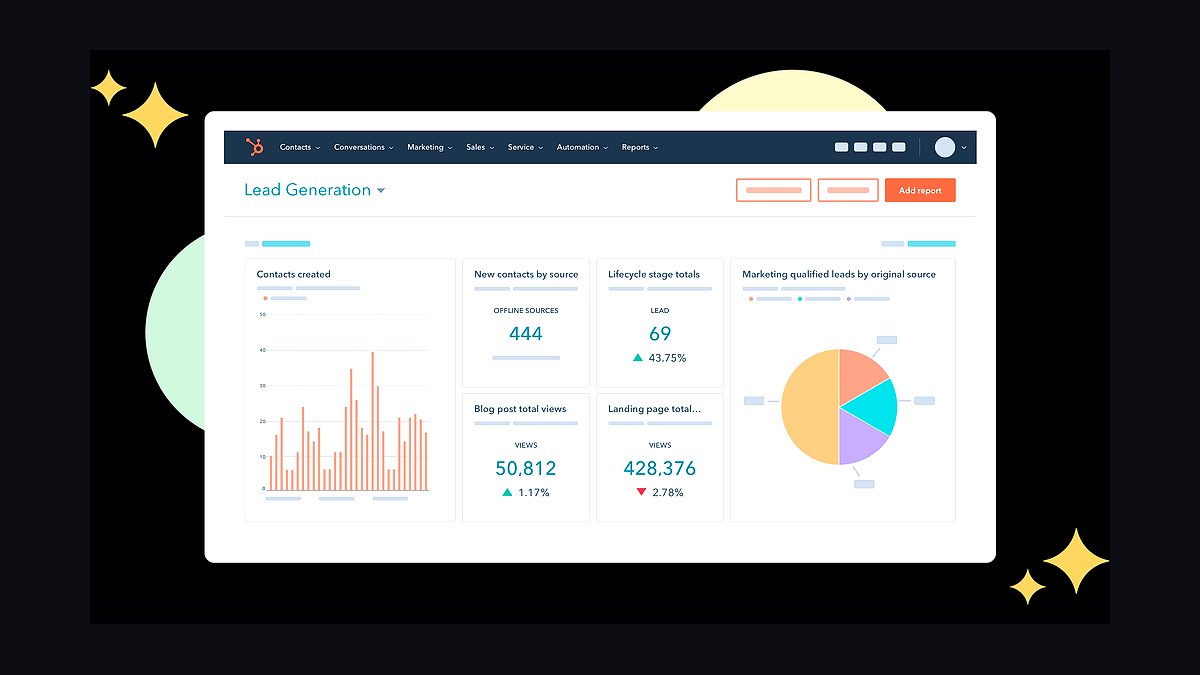
HubSpot CRM ranks tenth as the sales-pipeline layer that keeps builder, designer, and homeowner referral relationships from falling through the cracks, starting free and scaling to roughly $20–90 per seat. For an integrator, those referral channels are genuine B2B and B2C pipelines that need follow-up discipline, not a spreadsheet of names. It connects the quoting engine to the people who send work.
It is for firms with enough lead flow that deals get lost without a tracked pipeline, and for anyone managing repeat referral partners. It trades away depth in project and service management, so it only works alongside the platforms ranked above it. Compared to QuickBooks Online above it, HubSpot manages relationships and deals while QuickBooks manages the money.
How we ranked these
We ranked tools on five weighted criteria: integration-specific design and BOM capability (30%), proposal and project-management depth (25%), field-service and service-ticket fit (15%), remote-monitoring and RMR potential (20%), and total cost per user or per site (10%). Scores came from vendor documentation, published pricing tiers, and operator-reported margin outcomes across small and mid-size custom-integration firms.
We deliberately ignored generic horizontal tools that cannot design a system or build an itemized AV bill of materials, and we excluded consumer smart-home apps with no installer business layer. Marketing claims, review-site star averages, and feature counts without pricing transparency were also excluded, because they do not predict whether a proposal stays profitable on a long, multi-component install.
Related questions
What is the best tech stack for a custom home builder in 2027?
A custom home builder stack centers on project management with selections and change orders, job-cost accounting, and a CRM for referral pipelines. Unlike an AV integrator, builders rarely need system-design or BOM software, but they do need scheduling, subcontractor coordination, and draw management. The overlap with integrators is job costing and change-order discipline.
What is the best tech stack for a home inspection company in 2027?
Home inspection stacks revolve around inspection-report software, scheduling and dispatch, payment collection, and a CRM for realtor referral relationships. There is no bill of materials or system design, so integration platforms like D-Tools are irrelevant. The shared lesson with AV integrators is that recurring referral relationships and fast, polished deliverables drive revenue more than raw tool count.
What is the best tech stack for an IoT smart factory monitoring deployment in 2027?
Smart factory monitoring stacks combine device connectivity, time-series data storage, dashboards, and alerting, often on cloud IoT platforms. Integrators deploying these systems need remote monitoring and network visibility, which is why Domotz-style tooling appears in both worlds. The difference is scale: factories monitor thousands of sensors, while a smart home monitors dozens of devices per site.
What is the best tech stack for a low-voltage or security installer in 2027?
Low-voltage and security installers need design and estimating software, project management, service ticketing, and remote monitoring for alarm and camera systems. The stack closely mirrors an AV integrator's, with more emphasis on recurring monitoring contracts and less on media-room design. Proposal accuracy and RMR enrollment remain the two biggest profitability levers in both trades.
What is the best tech stack for a home theater design firm in 2027?
A home theater design firm leans hardest on system-design and proposal software, because room acoustics, display sizing, seating, and equipment racks create long, design-heavy bills of materials. Project management and change-order capture matter next. Field-service and monitoring tools are lighter unless the firm also services deployed systems under a recurring plan.
What is the best tech stack for a residential network installer in 2027?
Residential network installers need design and documentation tools, remote monitoring for deployed networks, and service ticketing. Remote monitoring is the core recurring-revenue engine, since clients pay monthly for proactive network support. Accounting and CRM round out the stack. The design layer is simpler than a full AV platform but still beats spreadsheet documentation.
What is the best tech stack for a commercial AV integrator in 2027?
Commercial AV integrators need the same design, BOM, and project-management spine as residential firms, plus stronger service-contract and asset-tracking features for boardrooms, digital signage, and campus systems. Remote monitoring scales across many client sites. ServiceTitan-style field software often replaces lighter residential tools once a service department grows.
What is the best tech stack for a smart home automation dealer in 2027?
A smart home automation dealer should start with an integration-specific design and proposal platform, then add field-service software, remote monitoring for recurring revenue, accounting with job costing, and a CRM. The critical discipline is enrolling every completed install into monitoring so the business earns recurring monthly revenue instead of relying only on one-time project income.
FAQ
What is the most important tool in an AV and smart home installer stack?
The integration-specific design-and-business platform, such as D-Tools or Jetbuilt. It produces accurate, itemized proposals and bills of materials and manages the project, protecting the margin that spreadsheet bids leak. Buy it before any generic field-service tool, because proposal accuracy is where integration profitability is won or lost.
Can generic field-service or estimating software replace an integration platform?
No. Generic tools cannot design an AV system, build an itemized bill of materials with hundreds of components, or produce the polished proposal that wins high-value projects. Those capabilities are exactly what an integrator lives on. Field-service software complements the design platform on the service side but cannot substitute for it.
What is RMR and why does it matter for integrators?
RMR is recurring monthly revenue from remote monitoring and service plans. Integrators enroll every install into a monitoring platform like Domotz or OvrC so they can proactively support systems and bill a recurring fee. RMR turns a lumpy, one-time project business into one with predictable revenue, which is the biggest profitability lever in the trade.
How much should a small integration firm budget monthly for software?
Roughly $300 to $1,200 per month all-in. The design platform is the largest line at about $70 to $200 per user, plus field-service software, per-site monitoring, accounting, and a CRM. The design platform pays for itself by protecting margin on a single large, accurately priced project.
How do these tools actually improve profitability?
They make proposals and bills of materials accurate, track margin per project, capture change orders instead of giving them away, and convert installs into recurring monitoring revenue. Together they stop the margin leaks of spreadsheet bidding and add the recurring revenue that stabilizes a project-based business through slow months.
Why is spreadsheet bidding the biggest mistake integrators make?
A long AV bill of materials has hundreds of components plus labor, and one missed cable, mount, or labor line silently turns a profitable job into a loss. Spreadsheets also produce documents that lose against a polished competitor proposal. Design-platform proposals catch missing lines and present professionally, protecting both margin and win rate.
Do I need both a design platform and field-service software?
Yes, for most firms. The design platform is project-focused: system design, proposals, bills of materials, and project management. Field-service software handles the ongoing service side: scheduling, dispatch, and service tickets. Installs generate warranty work and service calls, so both layers earn their keep once you have a service tail.
When should an integrator adopt remote monitoring?
As early as possible, ideally enrolling every completed install from day one. Monitoring platforms like Domotz or OvrC cost roughly $5 to $10 per site monthly and underpin paid service plans. Waiting means leaving recurring revenue on the table and reacting to failures instead of fixing them proactively before clients notice.
How long does it take to roll out the full stack?
A realistic rollout is 90 days. Days 1 to 30 stand up the design platform and move proposals onto itemized bills of materials. Days 31 to 60 add project management, job costing, and field-service software. Days 61 to 90 enroll installs into monitoring and run the first estimated-versus-actual margin reconciliation.
What integrations matter most between these tools?
Four links matter: design platform to proposal to project without re-keying, design platform to accounting for job-cost reconciliation, install to remote monitoring for recurring revenue enrollment, and CRM to proposals for the sales pipeline. Keep the map tight, because reliable links beat a sprawling toolset every time.
Sources
- https://d-tools.com/
- https://www.jetbuilt.com/
- https://www.domotz.com/
- https://www.snapone.com/
- https://www.housecallpro.com/
- https://www.servicetitan.com/
- https://quickbooks.intuit.com/
- https://www.hubspot.com/products/crm
Related on PULSE
This page will be disappearing soon. Save it to your device for $1 — or read it free while it is here.
@Kory-White- · if Venmo asks, the last 4 of my number are 2012
This page is gone.
This one is off the shelf now. $1 keeps it on your phone for good — the whole page, pictures and diagrams included.
 pulse-tech-stacksTop 10 Best Tech Stack Tools for Public Relations Agencies in 2027
 pulse-tech-stacksTop 10 Best Tech Stack Tools for B2B SaaS Companies in 2027
 pulse-tech-stacksTop 10 Best Tech Stack Tools for MSP and IT Services Companies in 2027
 pulse-tech-stacksTop 10 Best Tech Stack Tools for Insulation Contractors in 2027
 pulse-tech-stacksTop 10 Best Tech Stack Tools for Garden Centers and Nurseries in 2027
 pulse-tech-stacksTop 10 Best Tech Stack Tools for AI Music Generation Companies in 2027
 pulse-tech-stacksTop 10 Best Tech Stack Tools for Bot Mitigation Vendors in 2027
 tkTop 10 Best Tech Stack Tools for Concrete and Paving Contractors in 2027
 pulse-tech-stacksTop 10 Best Tech Stack Tools for Private Ambulance and EMS Companies in 2027
 pulse-tech-stacksTop 10 Best Tech Stack Tools for Hardware Security Module (HSM) Vendors in 2027