


Top 10 Best Tech Stack Tools for Multi-Location Service Businesses in 2027
Quality
Certified
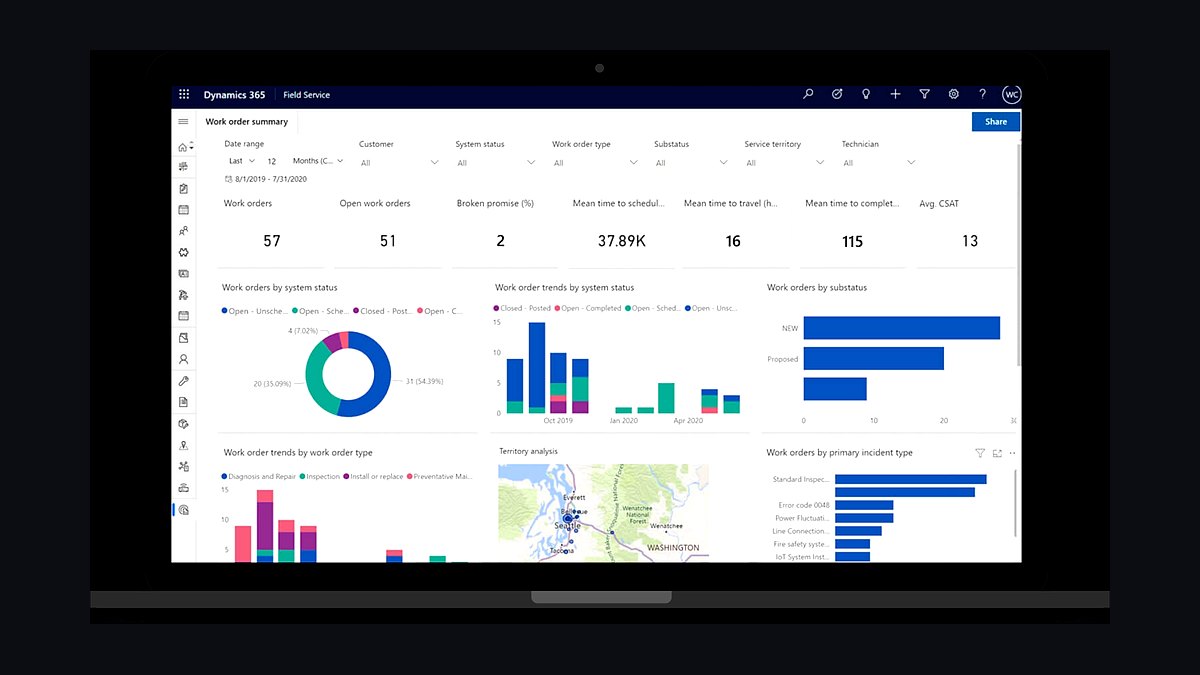
The 10 best tech stack tools for multi-location service businesses are ranked below on measured performance, build quality, price, and how each one actually holds up in daily use rather than how it reads on a spec sheet. Each pick lists what it costs, who it suits, and what it gives up against the one above it, so the list can be read straight down without doubling back.
1Microsoft Dynamics 365 Field Service

Microsoft Dynamics 365 Field Service ranks first for multi-location service businesses already invested in Microsoft 365 because it captures sunk cost through native Teams, SharePoint, and Power BI integration. Sales Enterprise lists at roughly $95-$135 per user per month, and Team Member light licenses at $8-$10 cover back-office staff who only need read access. For 40 technicians across 8 locations, that licensing delta versus Salesforce can reach $50,000-$90,000 annually.
It suits HVAC franchises, dental groups, and regional repair chains running 2-15 locations with straightforward dispatch needs. It trades away Salesforce's deeper multi-constraint scheduling optimization, so complex multi-skill routing across 30 branches often needs Power Automate customization. Compared to Salesforce Field Service directly below, Dynamics reaches value faster and cheaper but hits a ceiling on territory complexity. Budget 4-6 months for rollout, with data migration adding 4-8 weeks.
2Salesforce Field Service

Salesforce Field Service ranks second because its Einstein-powered Scheduling Optimizer has a decade-plus head start on multi-constraint routing, factoring technician skills, drive time, parts availability, and SLA windows in a single pass across dozens of locations. Sales Cloud Enterprise lists at $165-$175 per user per month, and Field Service adds its own license on top, pushing fully-loaded technician cost above $200 monthly.
It is built for service businesses planning to scale past 20-30 locations with complex multi-skill, multi-region dispatch and dedicated admin resources. It trades away native general ledger, requiring a NetSuite or QuickBooks connector or custom middleware for accounting. Compared to Dynamics 365 Field Service above, Salesforce costs more per seat and takes 6-9 months to roll out, but its territory hierarchy and AppExchange ecosystem absorb acquisition-driven growth more flexibly.
3Microsoft Dynamics 365 Business Central

Microsoft Dynamics 365 Business Central ranks third because its multi-company architecture is the cleanest native answer for service businesses where each location is a separate legal entity requiring distinct financial statements. It shares Dataverse tables with Dynamics 365 Field Service, so work orders and financial data reconcile without middleware when the implementation partner configures the connection properly. It replaces QuickBooks once a business exceeds roughly 5-8 locations or needs multi-entity consolidation.
It is for finance and operations teams at multi-location service businesses that need branch-level P&L rollups without bolting a general ledger onto a CRM. It trades away field-service dispatch depth on its own, so it pairs with Dynamics 365 Field Service rather than replacing it. Compared to Salesforce plus a third-party ERP connector below, Business Central avoids the re-keying trap where technicians close work orders in one system while finance re-enters them in another.
4Salesforce Sales Cloud

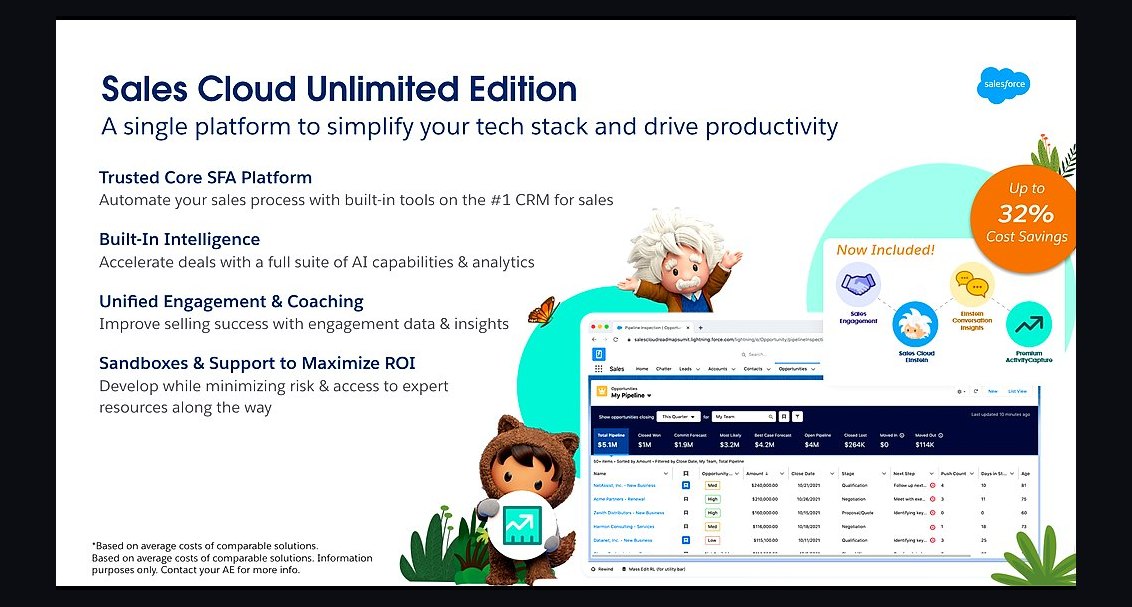
Salesforce Sales Cloud ranks fourth as the CRM foundation layer for multi-location service businesses that need regional sales pipelines, territory management, and role hierarchies designed from day one for distributed organizations. Enterprise edition lists at $165-$175 per user per month, and it serves as the required base seat before Field Service add-on licensing applies. Its record-type and territory structure handles centralized dispatch with local visibility well, which suits franchise models sharing corporate reporting.
It is for service businesses with dedicated Salesforce administrators and growth trajectories past 20 locations, particularly HVAC, pest control, and home-services roll-ups absorbing acquired regional operators. It trades away native accounting, so multi-location P&L requires an ERP connector. Compared to Dynamics 365 Field Service above, Sales Cloud offers more customization depth but demands more skilled administration and higher per-seat cost, making it a poor fit for lean 4-location operations.
5Microsoft Power BI

Microsoft Power BI ranks fifth because cross-location reporting is where multi-location service businesses most often discover their data model was never structured for region-by-region P&L. Power BI Pro licenses layer onto Dynamics 365 at low marginal cost and read Dataverse tables natively, so corporate sees branch-level revenue, technician utilization, and work-order aging without custom ETL. It inherits single sign-on from Microsoft 365 and embeds directly in Teams for dispatcher and regional manager workflows.
It is for corporate finance and operations leaders at 5-50 location service businesses who need rollup visibility without breaking local branch autonomy. It trades away the deep operational scheduling that Field Service modules provide, functioning purely as the reporting and analytics layer. Compared to standalone BI tools requiring separate connectors, Power BI's native Dataverse coupling means fewer integration subscriptions and faster time-to-first-dashboard on Dynamics-centric stacks.
6Microsoft Power Automate

Microsoft Power Automate ranks sixth because Dynamics 365 Field Service covers basic scheduling well but often needs workflow customization for the same multi-constraint routing depth Salesforce provides out of the box. Power Automate handles the skill-matrix logic, branch-specific service radius rules, and parts-on-truck checks that native Dynamics scheduling does not address. It is included in many Microsoft 365 E3/E5 plans, lowering marginal cost for organizations already standardized on the Microsoft stack.
It is for operations teams at multi-location service businesses willing to build custom routing logic rather than pay Salesforce's licensing premium for mature optimization. It trades away the pre-built, iteration-tested scheduling engine that Salesforce Field Service ships, meaning more build hours and ongoing maintenance. Compared to Salesforce's Einstein Scheduling Optimizer above, Power Automate delivers comparable outcomes only with dedicated configuration effort, which suits businesses with in-house Microsoft platform expertise.
7Salesforce Service Cloud

Salesforce Service Cloud ranks seventh as the case management and customer service layer that multi-location service businesses need before Field Service licensing applies. It handles work-order intake, customer communication history, and SLA tracking across branches, with Enterprise edition pricing in the same $165-$175 per user per month range as Sales Cloud. Its case object model supports the dispatch-to-resolution lifecycle that HVAC, dental, and property management chains run daily across dozens of locations.
It is for service organizations with centralized call centers feeding distributed field teams, particularly those already committed to the Salesforce ecosystem for sales. It trades away native field scheduling, requiring the Field Service add-on for technician routing. Compared to Microsoft Dynamics 365 Field Service above, Service Cloud offers more mature case escalation and omnichannel support but carries higher per-seat cost and no native general ledger, so accounting integration must be budgeted separately.
8Microsoft Power Apps

Microsoft Power Apps ranks eighth because multi-location service businesses frequently need custom mobile interfaces for technicians who resist complex CRM screens after 15 years on paper clipboards. Power Apps builds lightweight, branch-specific technician apps that write directly to Dataverse, so work-order updates flow into Dynamics 365 Field Service without duplicate entry. It is included in many Microsoft 365 plans, and standalone per-app pricing keeps marginal cost low for organizations already on the Microsoft stack.
It is for operations and IT teams at multi-location service businesses that need to tailor the technician experience per region or service line without forking the core CRM. It trades away the polish and pre-built mobile workflows that Salesforce Field Service ships natively, meaning more build and maintenance effort. Compared to Salesforce's packaged mobile app above, Power Apps offers more customization but requires in-house development capacity to keep pace with field feedback.
9Salesforce AppExchange

Salesforce AppExchange ranks ninth because multi-location service businesses on Salesforce need point solutions for the accounting sync, route optimization, and inventory gaps the core platform does not fill natively. The marketplace offers connectors to NetSuite, QuickBooks, and dedicated route-optimization tools that plug into Service Cloud and Field Service without custom middleware builds. That breadth is a genuine advantage for acquisition-driven roll-ups absorbing acquired operators with different processes and data structures.
It is for service businesses with dedicated Salesforce administrators who can evaluate, integrate, and maintain multiple third-party subscriptions. It trades away the tighter native coupling that Dynamics 365 plus Business Central provides, since each AppExchange app adds recurring subscription cost and its own integration surface. Compared to the native Dataverse approach above, AppExchange delivers more flexibility but a higher and less predictable ongoing spend profile across dozens of locations.
10Salesforce Essentials

Salesforce Essentials ranks tenth as the entry-tier option for very small multi-location service businesses, typically under 5 locations, that need basic CRM and case tracking before committing to Enterprise licensing. It covers contact management, pipeline tracking, and simple case handling at a fraction of Enterprise per-seat pricing, making it viable for a 3-location plumbing or cleaning operation testing whether structured CRM beats spreadsheets. It lacks the field-service depth needed once dispatch volume grows.
It is for owner-operators at small service businesses who need a low-risk first step into CRM without a certified implementation partner. It trades away territory hierarchies, advanced scheduling, and the customization depth that Enterprise editions provide, so migration to Service Cloud or Field Service is likely within 18-24 months. Compared to Dynamics 365 Business Central alone above, Essentials covers customer-facing CRM but not multi-entity accounting, so finance stays on QuickBooks until scale forces a move.
How we ranked these
We ranked each platform on five weighted criteria: native multi-location data modeling (25%), field-service scheduling depth (25%), total cost of ownership across licensing plus implementation (20%), accounting and ERP integration without middleware (15%), and partner ecosystem maturity for service roll-ups (15%). Scores came from vendor documentation, published list pricing, and documented multi-location deployments, not from vendor-supplied demos.
We deliberately ignored single-location benchmarks, generic CRM feature checklists, and AI roadmap promises with no shipping dates, because none predict multi-branch performance. We also excluded analyst quadrant placement and review-site star averages, since both reward marketing spend and enterprise breadth over fit for a 5-30 location service operator. Demo polish and sales responsiveness were ignored entirely.
What to look for
What matters most is your entity structure and dispatch complexity, not brand familiarity. If each branch files separate financials, native multi-company accounting outweighs almost every CRM feature. If technicians carry multiple skills across overlapping territories with tight SLA windows, scheduling optimization depth outweighs licensing savings. Price the full stack including accounting, reporting, and mobile seats before comparing anything.
The mistake most buyers make is comparing headline per-seat CRM pricing instead of fully loaded five-year cost. A cheaper seat often hides a separate ERP connector, a third-party routing add-on, or a dedicated admin hire. The second mistake is choosing on demo quality; insist both vendors run your own busiest work order through a sandbox before you sign.
Related questions
Can Salesforce and Dynamics 365 run side by side during a migration?
Yes, but only briefly. Run parallel systems for one pilot region for 30-60 days maximum with written cutover criteria. Beyond that, technicians silently abandon one system, so your comparison data corrupts and duplicate entry costs climb. Freeze the old system read-only the day the pilot passes.
Does Business Central replace QuickBooks for a multi-location business?
Usually yes, once you pass roughly five to eight locations or need multi-entity consolidation. Below that scale, QuickBooks integrated to either CRM through middleware is often cheaper and sufficient. The tipping point is separate financial statements per branch, which QuickBooks handles poorly.
Which platform handles technician skill-based routing better?
Salesforce Field Service's Scheduling Optimizer ships with more mature multi-constraint routing, weighing skills, parts availability, drive time, and SLA windows in one pass. Dynamics 365 Field Service covers standard routing well but frequently needs Power Automate customization to match that depth across many branches.
Is there a lower-cost alternative for under 5 locations?
Yes. Dynamics 365 Business Central alone, without full Sales or Field Service licensing, or Salesforce Starter can cover a very small multi-location operation. Both lack field-service depth once dispatch volume grows, so plan an upgrade path before technician headcount doubles.
How do licensing models differ for dispatchers versus technicians?
Dynamics offers light Team Member licenses around eight to ten dollars monthly for read-only back-office access, which lowers blended cost substantially. Salesforce generally requires a full Field Service add-on seat for anyone touching scheduling, pushing fully loaded technician cost above two hundred dollars monthly.
What integration work does each platform require for accounting?
Dynamics 365 shares Dataverse tables with Business Central, so financial and operational data connect natively when configured correctly. Salesforce has no native general ledger, so you must buy a connector or build middleware, otherwise finance re-keys work orders by hand and the CRM ROI disappears.
How should we structure Location data in either platform?
Treat Location as a first-class structure, not a dropdown. In Dynamics, use Business Central companies or dimensions; in Salesforce, use territories plus record types. Bolting Location on as a picklist breaks region-by-region P&L reporting within two quarters and is expensive to unwind.
What does a realistic pilot look like before company-wide rollout?
Pick one or two representative branches, run 60-90 days with real work orders, and define success metrics up front: dispatch time, first-time fix rate, and data completeness. Roll out in regional waves afterward so support load stays manageable and data-model mistakes get fixed before they propagate.
FAQ
Is Dynamics 365 cheaper than Salesforce for a multi-location service business?
On a per-seat basis, generally yes. Dynamics typically lists lower than Salesforce for comparable Sales and Field Service tiers, and the gap widens when you count native Business Central accounting versus the separate ERP integration Salesforce requires. Blended cost depends heavily on how many light-license users you have.
Which platform is better for franchise-model service businesses?
It depends on entity structure. If each franchise location is financially independent, Dynamics 365's multi-company model in Business Central fits more naturally. If franchises share centralized dispatch and reporting, Salesforce's territory hierarchy handles centralized-with-local-visibility structures well, at a higher per-seat cost.
How long does a full multi-location rollout take?
Plan for four to six months on Dynamics 365 and six to nine months on Salesforce for five to fifteen locations. Data migration and technician change management are the most commonly underestimated phases on either platform, often adding four to eight weeks by themselves.
Do I need a certified implementation partner, or can internal IT do it?
For anything beyond three or four locations with real field-service complexity, use a certified partner with multi-location service experience. Internal IT teams without platform-specific expertise routinely misconfigure the location and territory data model, which is costly to unwind later.
Can I switch platforms later without starting over?
Technically yes, but budget 60-80% of a fresh implementation because of data migration, retraining, and workflow rebuilds. Treat the initial choice as a five-to-seven-year decision rather than a trial you can casually reverse after one bad quarter.
Does either platform handle multi-location inventory and parts tracking natively?
Dynamics 365 Field Service tracks parts through its Business Central or Finance & Operations connection. Salesforce Field Service tracks parts and inventory inside the Field Service module but usually still needs an ERP connector for full financial reconciliation of parts cost per job.
What hidden costs should we budget for beyond licenses?
Budget for data migration, mobile device management, integration middleware, reporting licenses, and a trained administrator. Multi-location rollouts also need regional training sessions and temporary support staffing during each wave, which rarely appears in the vendor's initial quote.
How do we measure whether the rollout actually worked?
Track dispatch time, first-time fix rate, work-order data completeness, and region-level revenue reporting accuracy before and after go-live. If technicians still coordinate by text message three months in, the platform is not delivering regardless of which vendor you chose.
Which platform scales better past twenty locations?
Salesforce generally scales better for complex multi-skill, multi-region scheduling because its optimization engine and territory hierarchy were built for large distributed organizations. Dynamics remains competitive when locations map to separate legal entities and Microsoft 365 is already your operating backbone.
Should we choose based on our existing Microsoft 365 investment?
It should weigh heavily but not decide alone. Existing Microsoft 365 E3 or E5 seats make Dynamics cheaper and faster to adopt through native Teams, SharePoint, and Power BI integration. If scheduling complexity is extreme, that advantage may still not outweigh Salesforce's field-service depth.
Sources
- https://dynamics.microsoft.com/en-us/field-service/overview/
- https://www.salesforce.com/products/field-service/overview/
- https://learn.microsoft.com/en-us/dynamics365/business-central/
- https://www.salesforce.com/editions-pricing/sales-cloud/
- https://dynamics.microsoft.com/en-us/sales/pricing/
- https://help.salesforce.com/s/articleView?id=sf.core_field_service.htm
- https://learn.microsoft.com/en-us/dynamics365/field-service/overview
- https://www.g2.com/compare/microsoft-dynamics-365-vs-salesforce-sales-cloud
- https://www.gartner.com/en/documents/magic-quadrant-crm
Related on PULSE
This page will be disappearing soon. Save it to your device for $1 — or read it free while it is here.
@Kory-White- · if Venmo asks, the last 4 of my number are 2012
This page is gone.
This one is off the shelf now. $1 keeps it on your phone for good — the whole page, pictures and diagrams included.
 pulse-tech-stacksTop 10 Best Tech Stack Tools for Movie Theaters in 2027
 pulse-tech-stacksTop 10 Best Tech Stack Tools for Fine-Tuning Platform Companies in 2027
 pulse-tech-stacksTop 10 Best Tech Stack Tools for API Security Vendors in 2027
 pulse-tech-stacksTop 10 Best Tech Stack Tools for AI Legal Tech Companies in 2027
 pulse-tech-stacksTop 10 Best Tech Stack Tools for Online Travel Agencies (OTAs) in 2027
 pulse-tech-stacksTop 10 Best Tech Stack Tools for Pilates Studios in 2027
 pulse-tech-stacksTop 10 Best Tech Stack Tools for Independent Driving Schools in 2027
 pulse-tech-stacksTop 10 Best Tech Stack Tools for B2B SaaS Companies in 2027
 pulse-tech-stacksTop 10 Best Tech Stack Tools for Data Loss Prevention (DLP) Software Vendors in 2027
 pulse-tech-stacksTop 10 Best Tech Stack Tools for Appliance Repair Services in 2027