


Top 10 Best Tech Stack Tools for Landscaping & Lawn Care Businesses in 2027
Quality
Certified
The 10 best tech stack tools for landscaping & lawn care businesses are ranked below on measured performance, build quality, price, and how each one actually holds up in daily use rather than how it reads on a spec sheet. Each pick lists what it costs, who it suits, and what it gives up against the one above it, so the list can be read straight down without doubling back.
1Jobber

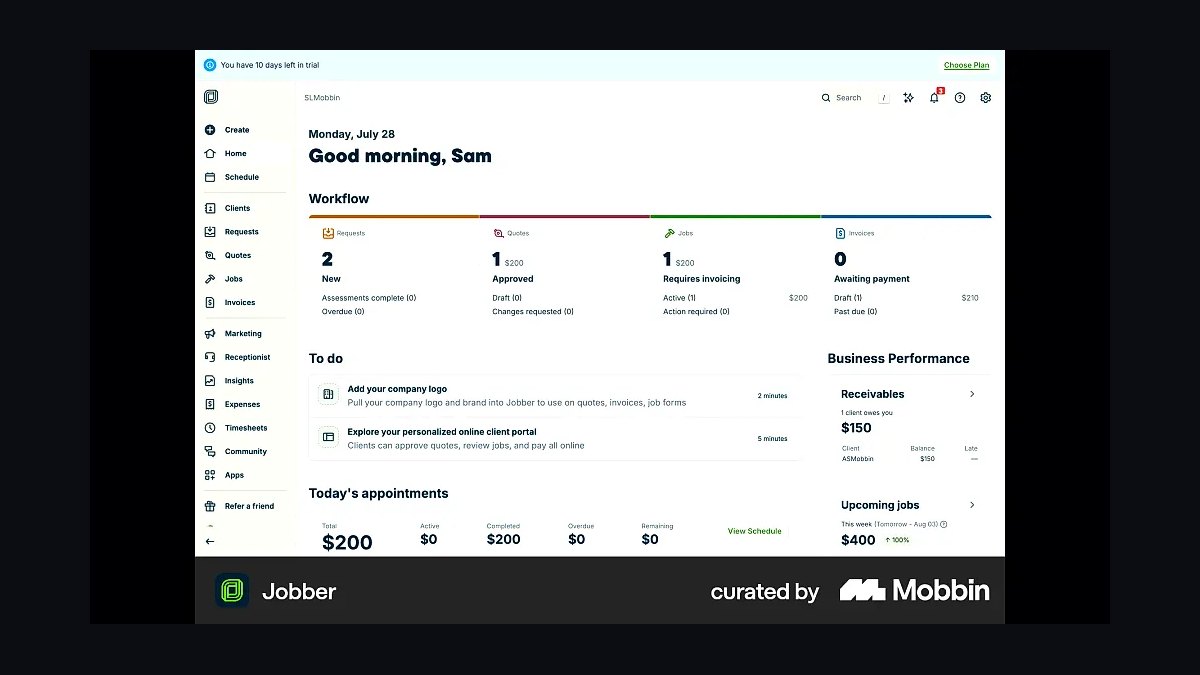
Jobber ranks first because it is the fastest-deploying field service platform for the widest range of landscaping businesses, from solo mowers to small multi-crew operations. Plans run roughly $50–60/month at entry and scale into the low hundreds with routing and unlimited users. It bundles scheduling, invoicing, card-on-file payments, and two-way texting in one system, cutting the double-entry that eats office-manager hours.
Jobber is built for one- to ten-employee lawn care and maintenance companies that want a working system in weeks, not months. It trades away deep job-costing and multi-branch reporting, which is why design/build-heavy firms eventually migrate to LMN or Aspire. Compared with LMN directly below, Jobber is cheaper and simpler but weaker on budget-vs-actual estimating.
2LMN

LMN ranks second for its landscape-specific estimating and job-costing depth, which generic FSM tools cannot match. Pricing typically lands around $200–400+/month depending on crew count and whether the budgeting module is included. It was built for landscape and snow contractors, so labor burden, materials, and equipment costs flow into estimates rather than being bolted on afterward.
LMN suits companies doing design/build or install work where knowing true job profitability matters more than fast scheduling. It trades away some of Jobber's ease of setup and its lower entry price. Compared with Aspire below, LMN is the mid-market choice — capable of real job costing without the enterprise configuration overhead and per-company quoting that Aspire requires.
3Aspire

Aspire ranks third because it handles the commercial and multi-crew complexity that smaller platforms cannot, including multi-branch reporting and service-line profitability. Pricing is quoted per company after a sales call and often lands in the $500–2,000+/month range once fleet tracking and advanced reporting are added. It absorbs route optimization, budgeting, and CRM into one connected system.
Aspire is for companies running ten or more crews across mowing, installs, irrigation, and snow, where ownership needs branch-level comparisons. It trades away affordability and fast onboarding — rollouts commonly take two to four months. Compared with Service Autopilot below, Aspire leans harder into landscape-specific job costing rather than generic service-business automation.
4Service Autopilot

Service Autopilot ranks fourth as the enterprise alternative to Aspire, with strong automation for recurring maintenance routes and marketing follow-up. Like Aspire, it is quoted per company after a sales conversation rather than published, and typically lands in the same $500–2,000+/month band with add-ons. Its automation engine handles recurring billing, review requests, and lead nurturing without separate tools.
Service Autopilot fits larger lawn care and home-service operators who want heavy automation and are willing to invest in configuration time. It trades away the landscape-specific estimating depth that LMN and Aspire provide. Compared with QuickBooks Online below, it is a front-office operations hub, not a general ledger — the two are complementary, not substitutes.
5QuickBooks Online

QuickBooks Online ranks fifth because every FSM platform in this stack syncs to it rather than replacing it. Plans start around $30/month and scale with payroll, multi-entity, and reporting needs. It handles the chart of accounts, tax filing, and bookkeeping depth that field service tools deliberately omit, and two-way invoice and payment sync keeps the ledger accurate.
QuickBooks Online is mandatory for any landscaping business with employees, payroll, or tax obligations — essentially all of them. It trades away scheduling and crew mobile access, which is why it sits beside an FSM core rather than alone. Compared with Xero, its main rival, QuickBooks has broader accountant familiarity and deeper US payroll integration.
6Samsara

Samsara ranks sixth for dedicated GPS fleet tracking when phone-based location is not enough. Hardware plus subscription typically runs around $20–40 per vehicle per month, covering fuel, idle-time, and maintenance reporting on the trucks themselves. For fleets of ten or more vehicles, that data often pays for itself in reduced idle and fuel spend.
Samsara is for larger landscaping fleets that need vehicle telematics, dash cams, and compliance data, not just crew location. It trades away affordability for small operators, whose FSM mobile app already tracks crew position adequately. Compared with Verizon Connect below, Samsara is generally stronger on video safety and API integrations.
7Verizon Connect
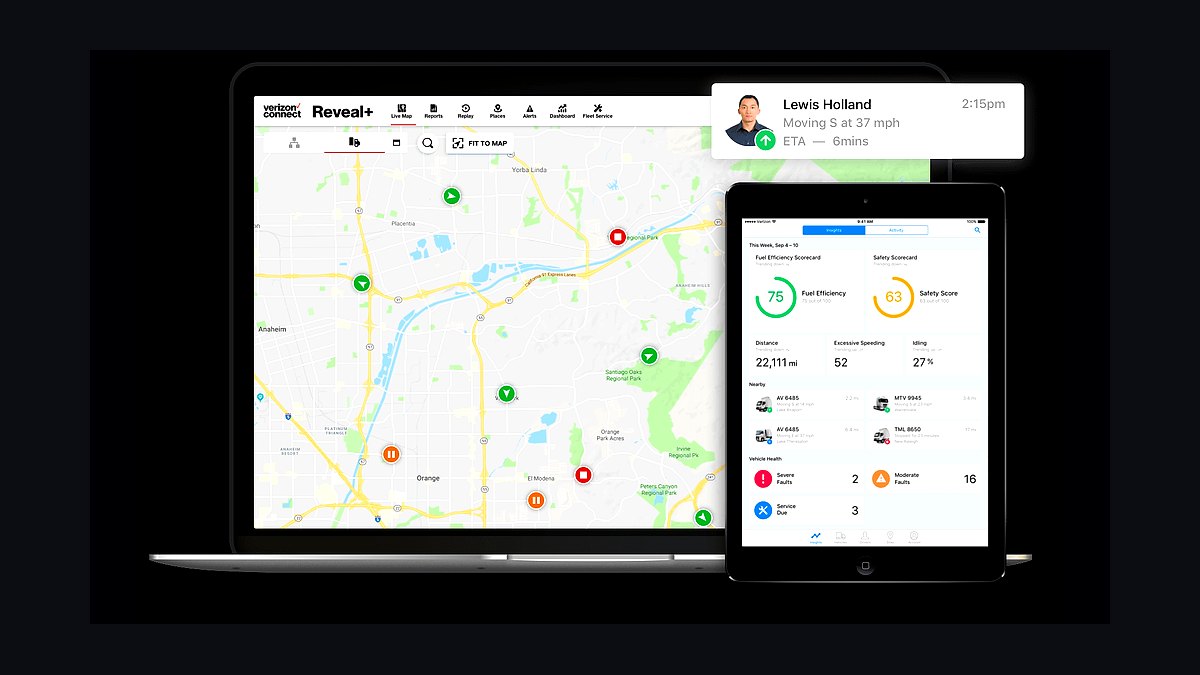
Verizon Connect ranks seventh as the other major fleet telematics option, with strong coverage and hardware bundles for landscaping trucks and trailers. Pricing is comparable to Samsara at roughly $20–40 per vehicle per month depending on contract length and hardware. It reports idle time, harsh braking, and route adherence, feeding fuel and maintenance decisions.
Verizon Connect fits mid-size fleets already on Verizon wireless or wanting simple dash-cam and tracking bundles. It trades away some of Samsara's integration depth and developer tooling. Compared with Samsara above, it is the pragmatic pick when cellular coverage or existing carrier relationships matter more than API flexibility.
8Gusto
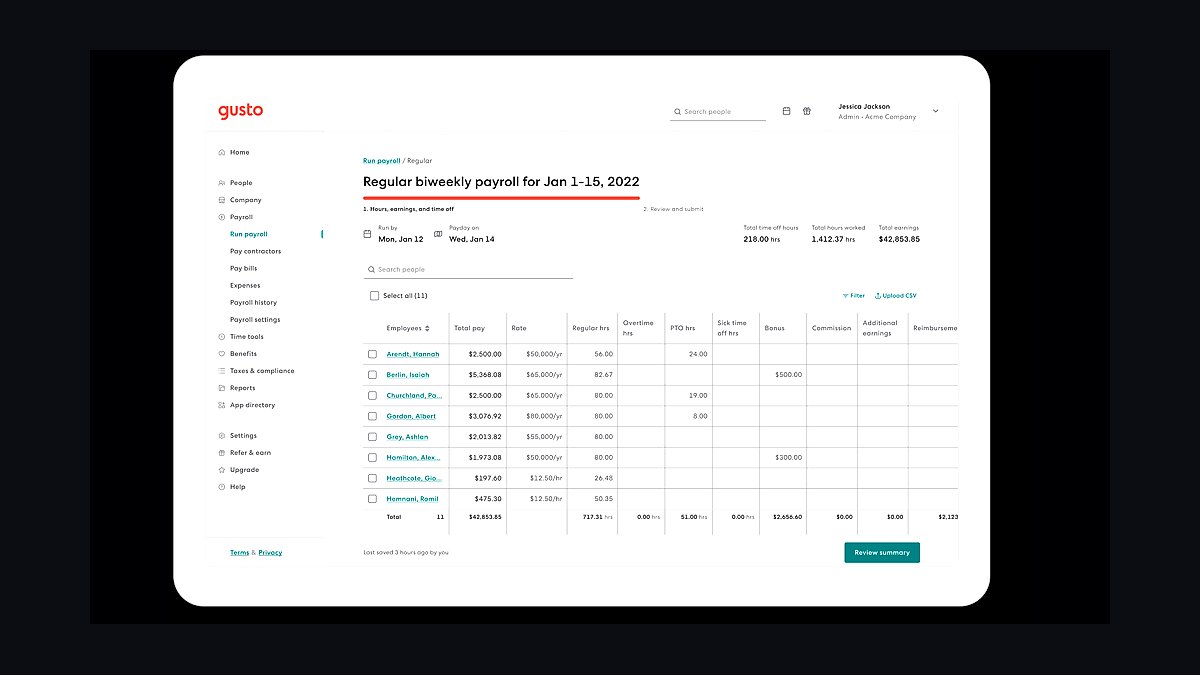
Gusto ranks eighth because payroll is the recurring back-office task most landscaping stacks handle badly, and Gusto automates it for a small per-employee monthly fee plus a base charge. It syncs hours from FSM timesheets, files payroll taxes, and handles direct deposit and contractor payments. For seasonal crews, its onboarding and offboarding flow matters more than most owners expect.
Gusto is for companies graduating from manual timesheet exports into real payroll integration, typically at the two-to-ten-crew stage. It trades away the deep HR compliance tooling that ADP provides at enterprise scale. Compared with ADP below, Gusto is cheaper and simpler but less suited to multi-state, multi-entity payroll.
9ADP
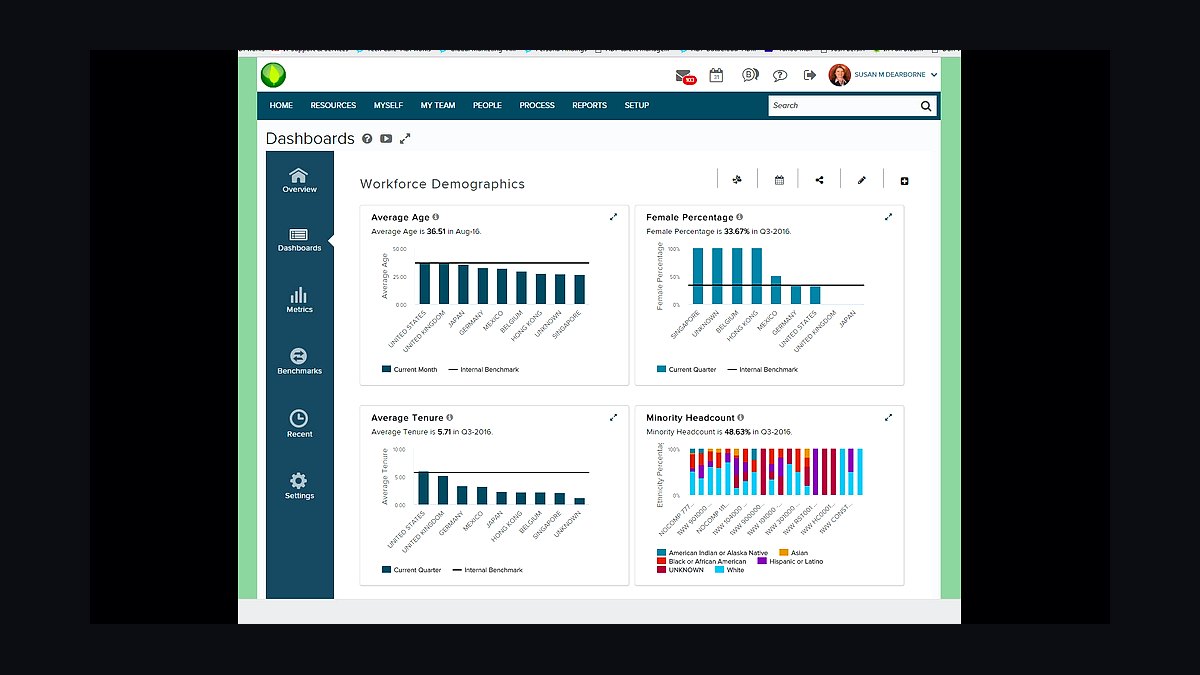
ADP ranks ninth for payroll and HR at the commercial-landscape scale, where multi-state tax registration and multi-entity payroll become real burdens. Pricing is quoted per company and generally exceeds Gusto's per-employee model. It handles certified payroll, benefits administration, and compliance reporting that smaller payroll tools do not.
ADP is for companies running dozens of employees across multiple branches or states, where payroll complexity justifies the cost. It trades away the simplicity and low entry price that make Gusto attractive to smaller operators. Compared with Gusto above, ADP is heavier, more expensive, and more capable — the right call only once headcount and geography demand it.
10Google Business Profile
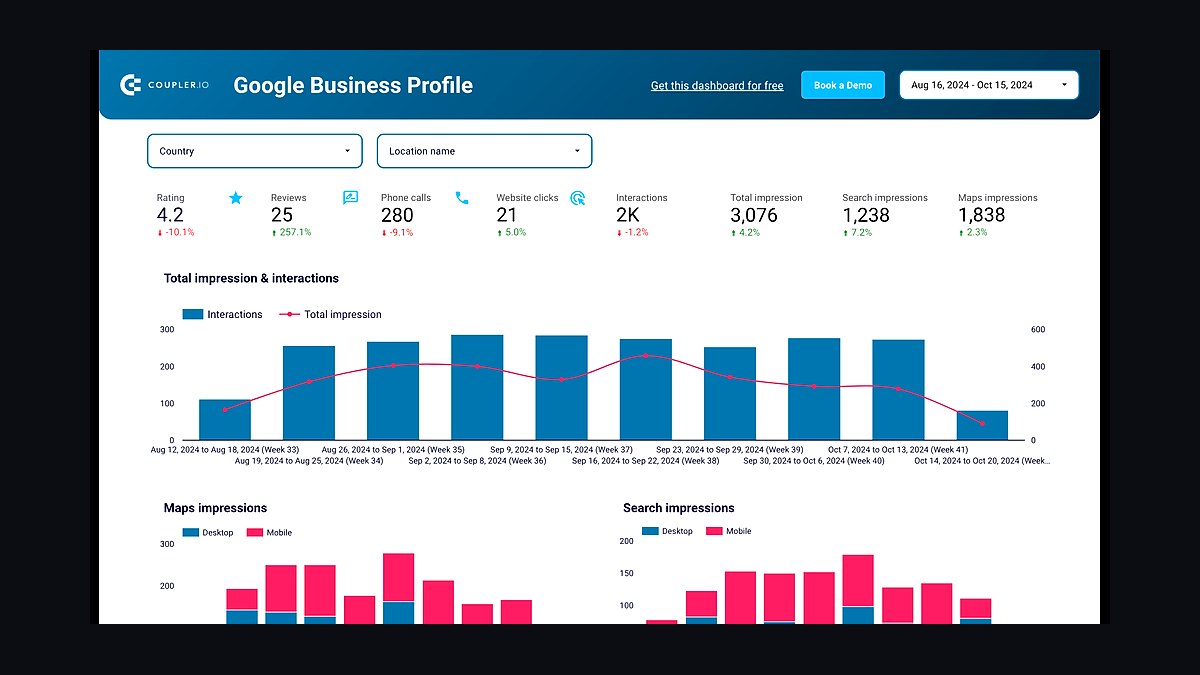
Google Business Profile ranks tenth because local search and reviews drive landscaping leads more than any paid channel, and the profile is free to manage. An actively updated profile with photos, service categories, and review responses feeds Google Local Services Ads and map-pack visibility. Review-collection workflows connected to the FSM platform compound its effect.
Google Business Profile is for every landscaping business, regardless of size, but it delivers most when paired with a review-request automation inside the FSM core. It trades away nothing financially but demands consistent weekly attention. Compared with the paid tools above, it is the lowest-cost, highest-leverage marketing layer in the stack.
How we ranked these
We ranked tools by fit against the operational realities of landscaping: recurring route scheduling, crew mobile usability, estimating depth for design/build work, job costing, payment collection, and accounting sync. Weighting favored platforms with proven landscape-specific deployments, transparent pricing, and native integrations over standalone point solutions. Scores combined vendor documentation, published pricing tiers, G2 and Capterra review volume, and capability checks against a 40-crew commercial scenario.
We deliberately ignored brand advertising spend, affiliate-driven "best of" listicles, and feature counts that never get used by actual crews. We excluded tools with no mobile app, no recurring-job engine, or no accounting integration, since those force manual double-entry. We also ignored generic small-business suites built for desk-bound retail or professional services, because seasonal weather delays and phone-only crews break their core assumptions.
What to look for
What matters most is matching platform tier to crew count and job mix, not chasing the longest feature list. A two-crew mowing operation needs scheduling, invoicing, and card-on-file billing; a commercial landscape firm needs job costing, labor budgeting, and multi-branch reporting. Confirm the mobile app works offline, that QuickBooks Online sync is two-way, and that route optimization is native rather than a paid add-on.
The mistake most buyers make is signing an annual enterprise contract before running one full route through the system. Vendors demo beautifully; a Friday afternoon rain delay does not. Pilot one crew for two weeks, verify data migration of recurring contracts, and price payment processing fees separately. Owners also forget the training curve: if crews don't adopt the mobile app, the stack collapses back to paper within a month.
Related questions
Do I need separate CRM and scheduling software, or does one tool do both?
For nearly every landscaping business, one platform should handle both. Jobber, LMN, and Aspire combine customer records, scheduling, and communication in a single system. Running a separate CRM alongside them duplicates customer data and creates sync errors that cost office hours to untangle.
Should I use GPS trackers or just track crews through their phones?
Phone-based location tracking through the FSM mobile app is enough for most small and mid-size operations. Dedicated GPS hardware earns its cost mainly for larger fleets needing fuel, idle-time, and vehicle maintenance data, not just crew location during the workday.
Is QuickBooks Online necessary, or can the FSM platform replace it entirely?
FSM platforms handle invoicing and payments well but are not full accounting systems. They lack tax filing, chart-of-accounts depth, and multi-entity bookkeeping. Sync the FSM to QuickBooks Online or Xero rather than trying to replace your general ledger with a field service tool.
How much does switching software cost in lost productivity during the transition?
Expect a real dip for two to four weeks as crews and office staff run partially in the old system and partially in the new one. Scheduling the switch for the off-season or shoulder season, rather than mid-summer peak, meaningfully reduces that cost.
What's the single most important piece of software for a landscaping business?
The field service management platform is the hub. It touches scheduling, invoicing, customer communication, and crew mobile access simultaneously, making it the system everything else connects to. Choose it first, then build accounting, payments, GPS, and marketing around it.
Is Jobber good enough for a growing landscaping company, or will I outgrow it?
Jobber scales well into the small-to-mid range, and higher tiers add route optimization and unlimited users. Companies running heavy design/build estimating or complex multi-branch job costing typically outgrow it and migrate to LMN or Aspire once crew counts pass roughly ten.
Do I need a dedicated app for lawn care route optimization?
Most FSM platforms now include route optimization natively rather than requiring a separate app. A standalone routing tool is usually only worth adding if the built-in version proves too basic for a large multi-truck operation with tight time windows.
How important is online payment collection for a lawn care business?
Very important. Recurring maintenance accounts billed automatically by card or ACH dramatically cut the hours office staff spend chasing checks. Most residential and commercial customers now expect the option regardless of business size, and card-on-file reduces late payments.
FAQ
What's the single most important piece of software for a landscaping business?
The field service management platform. It touches scheduling, invoicing, customer communication, and crew mobile access all at once, making it the hub everything else connects to. Pick it first, then layer accounting, payments, GPS, and marketing around that core.
Is Jobber good enough for a growing landscaping company, or will I outgrow it?
Jobber scales reasonably well into the small-to-mid range, and its higher tiers add route optimization and unlimited users. Companies running heavy design/build estimating or complex multi-branch job costing typically outgrow it and move to LMN or Aspire.
Do I need a dedicated app for lawn care route optimization?
Most FSM platforms now include route optimization as a built-in feature rather than requiring a separate app. A standalone routing tool is usually only worth adding if the built-in version proves too basic for a large multi-truck operation.
How important is online payment collection for a lawn care business?
Very important. Recurring maintenance accounts billed automatically by card or ACH dramatically cut the time office staff spend chasing checks, and most customers now expect the option regardless of business size. ACH is typically cheaper per transaction than cards.
Can a landscaping business run entirely on free tools like Google Calendar and spreadsheets?
It's possible at the very smallest scale, but it breaks down quickly once there are recurring routes, multiple crews, or more than a handful of active customers. Nothing connects automatically, so every schedule change has to be manually copied everywhere else.
Should marketing software be considered part of the core stack?
Yes, at a basic level. An actively managed Google Business Profile and a review-collection workflow are close to mandatory for local search visibility, even if the business doesn't invest in paid ads. Landscaping demand is heavily local-search and review driven.
How long does it take to fully implement a landscaping software stack?
A small lawn care business with one to five crews should budget four to eight weeks from contract signing to retiring old tools. A commercial landscape company with fifteen or more crews and multiple service lines should plan two to four months for job costing, payroll, and reporting configuration.
What hidden costs should I budget for beyond the subscription?
Budget for data migration time, rugged phone mounts or tablets for trucks, GPS trackers if not bundled, and a two-to-four week training curve where old and new systems run in parallel. Payment processing fees of roughly 2.9 to 3.5 percent per card transaction are a separate recurring line item.
Does the FSM platform replace my payroll provider?
No. FSM platforms track crew hours and job time, but payroll tax filing, benefits, and direct deposit belong to a dedicated provider like Gusto or ADP. Look for a native integration so timesheet data flows automatically instead of being exported and re-entered manually each pay period.
How do I know when my business has outgrown its current software?
The tell is manual re-entry: copying job details from a text message into an invoice, or reconstructing payroll hours from memory at week's end. When office staff spend more time syncing tools than dispatching crews, the stack is the bottleneck, not the workload.
Sources
- https://www.getjobber.com
- https://www.golmn.com
- https://www.youraspire.com
- https://www.serviceautopilot.com
- https://quickbooks.intuit.com
- https://www.g2.com
- https://www.capterra.com
- https://www.landscapeprofessionals.org
- https://www.samsara.com
- https://support.google.com/business
Related on PULSE
This page will be disappearing soon. Save it to your device for $1 — or read it free while it is here.
@Kory-White- · if Venmo asks, the last 4 of my number are 2012
This page is gone.
This one is off the shelf now. $1 keeps it on your phone for good — the whole page, pictures and diagrams included.
 pulse-tech-stacksTop 10 Best Tech Stack Tools for Independent Food Trucks in 2027
 pulse-tech-stacksTop 10 Best Tech Stack Tools for HVAC Equipment Distributors in 2027
 pulse-tech-stacksTop 10 Best Tech Stack Tools for Appliance Repair Services in 2027
 pulse-tech-stacksTop 10 Best Tech Stack Tools for Tire Shops in 2027
 pulse-tech-stacksTop 10 Best Tech Stack Tools for Staffing Agencies in 2027
 pulse-tech-stacksTop 10 Best Tech Stack Tools for Home Inspection Companies in 2027
 pulse-tech-stacksTop 10 Best Tech Stack Tools for Coffee Chain Operators in 2027
 pulse-tech-stacksTop 10 Best Tech Stack Tools for AI Music Generation Companies in 2027
 pulse-tech-stacksTop 10 Best Tech Stack Tools for Podiatry Practices in 2027
 pulse-tech-stacksTop 10 Best Tech Stack Tools for Commercial HVAC Contractors in 2027