


Top 10 Best Tech Stack Tools for Architecture & Engineering Firms in 2027
Quality
Certified

The 10 best tech stack tools for architecture & engineering firms are ranked below on measured performance, build quality, price, and how each one actually holds up in daily use rather than how it reads on a spec sheet. Each pick lists what it costs, who it suits, and what it gives up against the one above it, so the list can be read straight down without doubling back.
1Autodesk Revit

Revit ranks first because it remains the deepest BIM authoring ecosystem in 2027, with a named-user subscription running $3,000–$3,700 per seat annually in the US market. Its native integration with Autodesk Construction Cloud through Autodesk Platform Services makes the CDE seam nearly free, unlike multi-vendor alternatives. For the 180-person firm, 60–70% of design seats typically carry a full Revit license, blending to roughly $2,200–$2,800 per design seat.
Revit suits building-focused practices where model coordination and cloud federation matter more than complex geometry. It trades away infrastructure depth — heavy civil work belongs in Civil 3D or Bentley — and its subscription cost is the single largest line in most authoring budgets. Compared to ArchiCAD directly below, Revit wins on ecosystem breadth; ArchiCAD wins on design-led studios that prize its modeling feel.
2Autodesk Construction Cloud

Construction Cloud ranks second because it doubles as both CDE and model federation layer when authoring is already Autodesk, collapsing two vendor relationships into one. Effective per-seat cost lands at $900–$2,000 per user annually depending on module mix, with firms needing only federation and issue tracking sitting at the low end. Clash detection cycles that once took two days complete in roughly two hours on a federated 40-model healthcare set.
It is built for firms whose authoring is predominantly Revit and Civil 3D, where the shared data model eliminates export-and-reimport workflows. It trades away neutrality — mixed-vendor practices may prefer Bentley iTwin or Trimble Connect — and project-value pricing can run 2x named-user pricing for revenue-concentrated firms. Compared to Deltek Vantagepoint below, Construction Cloud owns model versions and RFIs while Vantagepoint owns money and hours.
3Deltek Vantagepoint

Vantagepoint ranks third because A&E-specific ERP becomes non-optional above roughly 150 people, where phase-level reporting cannot be produced from a general ledger without manual reconciliation. All-in cost for a 180-person firm runs $1,200–$2,500 per user annually across the 35–45 PM, finance, and principal seats, plus a one-time implementation of $40,000–$150,000. It understands phases, multipliers, and indirect rates natively.
It is for firms where more than a third of revenue is fixed-fee project work with phase-level billing, since general-purpose ERPs require $60,000–$120,000 in customization to report on phases. It trades away corporate-accounting polish and per-seat economy versus NetSuite or Sage Intacct. Compared to Unanet below, Vantagepoint carries deeper A&E-specific phase structures; Unanet competes harder on government-contract rate handling.
4Bentley iTwin

iTwin ranks fourth because it is the strongest neutral CDE for infrastructure-heavy practices where forcing Autodesk authoring would be a poor fit. Pricing is typically by project value or named user, landing at $900–$2,000 per user annually for mid-size firms depending on module mix. It federates mixed-vendor models without favoring one authoring tool, which matters when Civil 3D, Revit, and Rhino all feed the same coordination set.
It is for firms doing heavy civil, infrastructure, and complex geometry where the Autodesk-centric path would compromise discipline fit. It trades away the near-zero seam cost that Autodesk shops enjoy — every integration becomes a project. Compared to Trimble Connect below, iTwin skews toward infrastructure and digital twin workflows; Trimble Connect leans toward field and construction coordination.
5Unanet A/E

Unanet ranks fifth because it delivers A&E-specific project financials at a lower per-seat entry than Deltek Vantagepoint, making it the credible alternative for firms in the 50–150 person band. Pricing follows a per-named-user module structure, with realistic all-in figures of $1,200–$2,500 per user annually for the PM and finance population. It handles project phases, utilization, and billing natively rather than through bolt-ons.
It is for firms that need phase-level reporting but find Vantagepoint's implementation cost or module structure heavier than their process discipline justifies. It trades away some of Vantagepoint's depth in indirect-rate and multiplier handling, which matters most to government-contract-heavy practices. Compared to BST Global below, Unanet competes on implementation speed and total cost; BST competes on large-firm governance depth.
6Power BI Pro

Power BI Pro ranks sixth because the automation layer is where the 2027 stack actually earns its keep, and Pro is the cheapest credible entry at roughly $14 per user per month. It reads from the CDE and ERP APIs to produce the alert that tells a principal at 8am that project 2417 has burned 62% of its structural fee at 48% complete. Premium capacity is usually unnecessary at the 180-person scale.
It is for firms that have stabilized phase coding and want dashboards without building a warehouse — the first three high-value reports ship in 4–8 weeks for a few thousand dollars. It trades away cross-system depth unless paired with Power Automate or an iPaaS. Compared to Power Automate below, Power BI visualizes while Automate moves records on schedules and event triggers.
7Power Automate

Power Automate ranks seventh because API-to-API integration with middleware, not CSV export, is the 2027 mechanism that keeps the stack from breaking four to six times a year at vendor release cadence. Per-user plans sit in the same band as Power BI Pro, roughly $14 per user per month, and it connects Autodesk Platform Services, Deltek, and Unanet APIs without a heavyweight iPaaS. It moves records on schedule or event trigger.
It is for firms that have mapped the 12–20 fields that must flow between layers and confirmed each vendor's API exposes them. It trades away the governance and connector breadth of Workato or Boomi, which matter more at multi-office scale. Compared to Power BI Pro above, Automate is the plumbing while Power BI is the window into it.
8Trimble Connect

Trimble Connect ranks eighth because it serves as the neutral CDE for practices whose field and construction coordination workflows lean Trimble rather than Autodesk or Bentley. Pricing follows project or named-user models comparable to the $900–$2,000 per user annual band typical of mid-market CDE deployments. It federates models and hosts issue tracking without favoring a single authoring vendor.
It is for firms with significant field coordination and mixed-vendor authoring where neither Autodesk Construction Cloud nor Bentley iTwin is the natural center. It trades away the deep digital-twin infrastructure tooling that iTwin provides and the near-zero Autodesk seam cost. Compared to Bentley iTwin above, Trimble Connect skews toward construction and field execution; iTwin skews toward infrastructure asset lifecycle.
9Microsoft Copilot
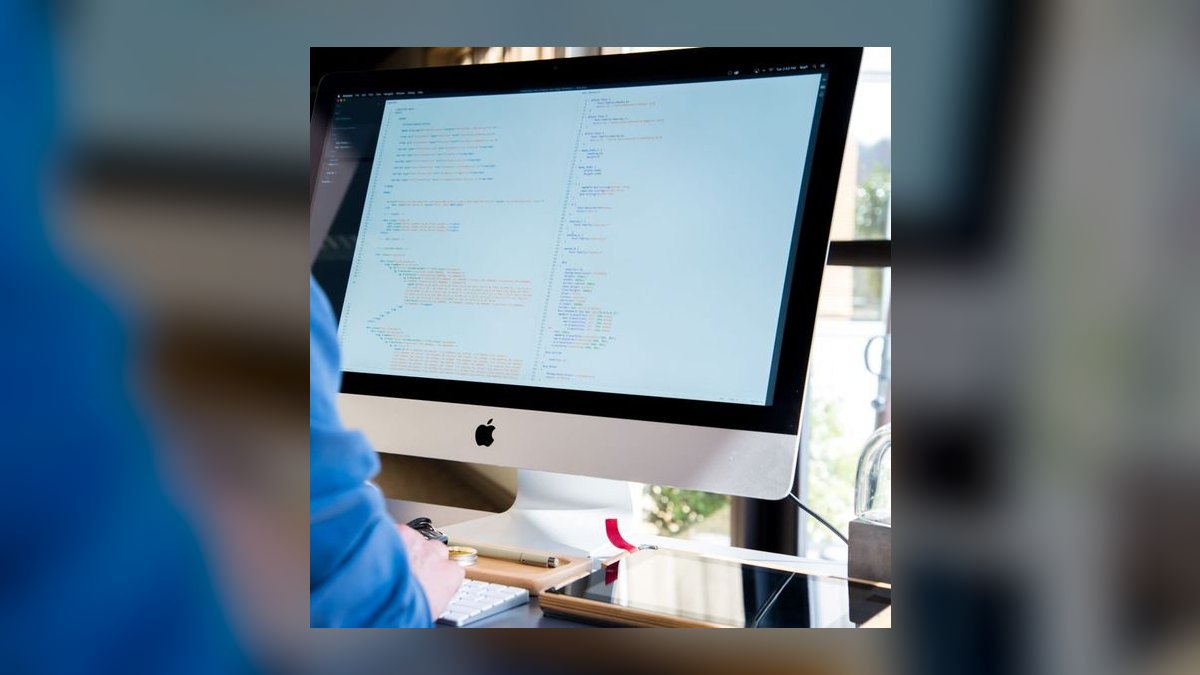
Copilot ranks ninth because a cross-system AI assistant answers the questions no single embedded vendor AI can, such as margin exposure across a healthcare portfolio. Licensed per seat at $30–$60 per user per month, it budgets to $150–$400 per seat annually across the population that needs it. It reads across layers rather than within one product's context.
It is for firms that already run embedded AI inside Autodesk, Bentley, and their ERP and need cross-layer synthesis on top. It trades away per-tool context depth — embedded AI understands its own product better — and demands a one-page governance policy naming which data classes may enter it. Compared to Power BI Pro above, Copilot answers ad hoc questions while Power BI delivers scheduled, governed reporting.
10BIMcollab Zoom

BIMcollab Zoom ranks tenth because it provides model checking and clash detection against open IFC and BCF standards, which matters for firms that need vendor-neutral coordination without full CDE lock-in. Pricing sits well below full CDE seats, making it viable for smaller studios or as a supplementary checker alongside a primary CDE. It validates models against rulesets before federation.
It is for firms doing multi-vendor coordination where IFC interoperability is contractually required, or studios that need clash checking without a full Construction Cloud or iTwin commitment. It trades away the field management, submittals, and cost modules that full CDEs carry. Compared to Autodesk Construction Cloud at the top, BIMcollab Zoom is a focused checker rather than a system of record for model versions and RFIs.
How we ranked these
We scored each tool on four weighted criteria: depth of A&E-specific functionality (30%), quality and openness of integration APIs (25%), total five-year cost including implementation and training (25%), and 2027 roadmap credibility around AI and cloud delivery (20%). Scores came from vendor documentation, published pricing, API references, and hands-on evaluation of the 180-person firm scenario.
We deliberately ignored brand familiarity, reseller enthusiasm, and demo polish, because none of those predict whether a stack produces a trustworthy margin number. We also excluded raw seat counts and feature checklists, since a long list of unused modules inflates perceived value while quietly raising the integration tax that determines real payback.
Related questions
How much should an A&E firm spend on software per employee?
Plan for $3,500–$9,000 per employee per year all-in, or roughly 2.5–5% of net revenue. The low end fits small studios with light integration; the high end fits multi-office firms running full CDE, ERP, and automation layers. A firm below $3,000 per head is likely under-tooled on integration.
Is Revit still the right authoring choice in 2027?
For building-focused A&E work, yes — Revit remains the deepest ecosystem with the cheapest integration into Autodesk Construction Cloud. Infrastructure-heavy firms should evaluate Civil 3D and Bentley products instead, and design-led studios may prefer ArchiCAD or Rhino for geometry flexibility.
Do we need a separate CDE if we already use Autodesk products?
If your authoring is Autodesk, Construction Cloud doubles as the CDE and the seam cost is near zero. If your authoring is mixed-vendor, a neutral CDE such as Bentley iTwin or Trimble Connect avoids favoring one authoring tool over another and keeps federation honest.
When should an A&E firm replace its ERP?
Replace when phase-level reporting requires more than two days of manual reconciliation per month, or when the ERP cannot expose a project API. Below 50 people a general ledger plus project module often suffices; above 150 people an A&E-specific ERP usually wins on total cost.
How long does a full stack rollout take?
Expect 4–6 months for a multi-office CDE rollout, 6–12 months for an ERP replacement including parallel run, and 4–8 weeks for the first automation dashboards. Sequence the CDE first — it stabilizes the data the ERP and automation layers depend on.
What does the automation layer actually deliver?
It reads from the CDE and ERP and writes alerts, dashboards, and draft documents. The payoff is a principal seeing at 8am that project 2417 burned 62% of its structural fee at 48% complete — a conversation that protects margin before the month closes.
How should we handle AI assistants and client data?
Write a one-page policy naming which assistants may touch which data classes, keep client-identifying model data out of general-purpose assistants unless contractually permitted, and review quarterly. Public-sector and healthcare contracts increasingly require this documentation during procurement.
What is the biggest risk in a 2027 stack migration?
ERP data migration. Historical project and timesheet data is almost always dirtier than the firm believes, and cleaning it takes longer than configuration. Budget a parallel-run period and a partner-level process owner, or the technically correct ERP will be one nobody trusts.
FAQ
What is the single most important 2027 stack decision for an A&E firm?
The integration architecture, not the product list. Choosing adequate tools and wiring them together with APIs beats choosing best-in-class tools that exchange CSV files. The seams determine whether the stack produces a trustworthy margin number or a fast wrong one.
Can a small architecture and engineering studio run this stack affordably?
Yes, by tiering. A 15-person studio can run a lighter authoring mix, a project-priced CDE, a general-purpose accounting package with a project module, and Power BI — landing near $3,000–$4,500 per employee per year rather than the mid-market $6,000+.
How do we justify the software spend to partners?
Frame it against realization rate and utilization, not against the IT line. A one-point realization improvement on $28M revenue is $280,000, which typically exceeds the entire automation and CDE budget. Track realization and utilization before and after each layer goes live.
Should we build our own data warehouse or buy dashboards?
Buy first. Power BI plus Power Automate delivers the first three high-value dashboards in 4–8 weeks for a few thousand dollars. Build a warehouse only when a specific report cannot be produced any other way, and expect $80,000–$250,000 in year one when you do.
How do we handle AI assistants and client confidentiality?
Write a one-page policy naming which assistants may touch which data classes, keep client-identifying model data out of general-purpose assistants unless contractually permitted, and review the policy quarterly. Public-sector and healthcare contracts increasingly require this documentation.
What is the biggest risk in a 2027 stack migration?
ERP data migration. Historical project and timesheet data is almost always inconsistent, and cleaning it takes longer than the configuration. Budget a parallel-run period and a partner-level process owner, or you will ship a technically correct ERP nobody trusts.
How many full BIM seats do we actually need?
Typically 60–70% of design seats. Audit actual feature usage for 60 days before renewal, then tier the remainder into lighter drafting or viewer licenses. On a 145-person design population this commonly saves $90,000–$180,000 a year without reducing capability.
Is project-value CDE pricing or named-user pricing better?
It depends entirely on your 2027 project mix. Firms with a few very large projects often find project-value pricing expensive, while firms with many small projects prefer it. Model the actual mix before signing — the two models can differ by 2x for the same firm.
What utilization and realization benchmarks should we track?
Utilization targets run 70–80% for architects and 75–85% for engineers. Realization rate — billed versus worked — should sit at 92–98%. A well-integrated stack typically improves realization by 1–3 points within 18 months as timesheets and change orders stop leaking.
How much should we budget for training during a stack change?
Budget 5–8% of software spend and protect it. For a 180-person firm that is $50,000–$80,000 a year. Skipping it produces a two-quarter productivity dip that can exceed the entire software cost, turning a 12-month payback into a 30-month one.
Sources
- https://www.autodesk.com/products/revit/overview
- https://www.autodesk.com/products/autocad/overview
- https://www.autodesk.com/products/civil-3d/overview
- https://www.autodesk.com/solutions/construction-cloud
- https://www.bentley.com/software/itwin-platform/
- https://www.deltek.com/en/products/project-erp/vantagepoint
- https://unanet.com/
- https://www.trimble.com/en/products/connect
- https://powerbi.microsoft.com/
- https://www.graphicsystemsinc.com/
Related on PULSE
This page will be disappearing soon. Save it to your device for $1 — or read it free while it is here.
@Kory-White- · if Venmo asks, the last 4 of my number are 2012
This page is gone.
This one is off the shelf now. $1 keeps it on your phone for good — the whole page, pictures and diagrams included.
 pulse-tech-stacksTop 10 Best Tech Stack Tools for CrossFit Boxes in 2027
 pulse-tech-stacksTop 10 Best Tech Stack Tools for Coffee Chain Operators in 2027
 pulse-tech-stacksTop 10 Best Tech Stack Tools for Threat Intelligence Vendors in 2027
 pulse-tech-stacksTop 10 Best Tech Stack Tools for AI Translation API Companies in 2027
 pulse-tech-stacksTop 10 Best Tech Stack Tools for Self-Storage Operators in 2027
 pulse-tech-stacksTop 10 Best Tech Stack Tools for Independent Food Trucks in 2027
 pulse-tech-stacksTop 10 Best Tech Stack Tools for Painting Contractors in 2027
 pulse-tech-stacksTop 10 Best Tech Stack Tools for Medical Billing and RCM Companies in 2027
 pulse-tech-stacksTop 10 Best Tech Stack Tools for API Security Vendors in 2027
 pulse-tech-stacksTop 10 Best Tech Stack Tools for Public Relations Agencies in 2027