
“Own the number.” — LinkedIn Banner
 Curated byKory White · Fractional CRO · Maryland
 PULSEKNOWLEDGE LIBRARY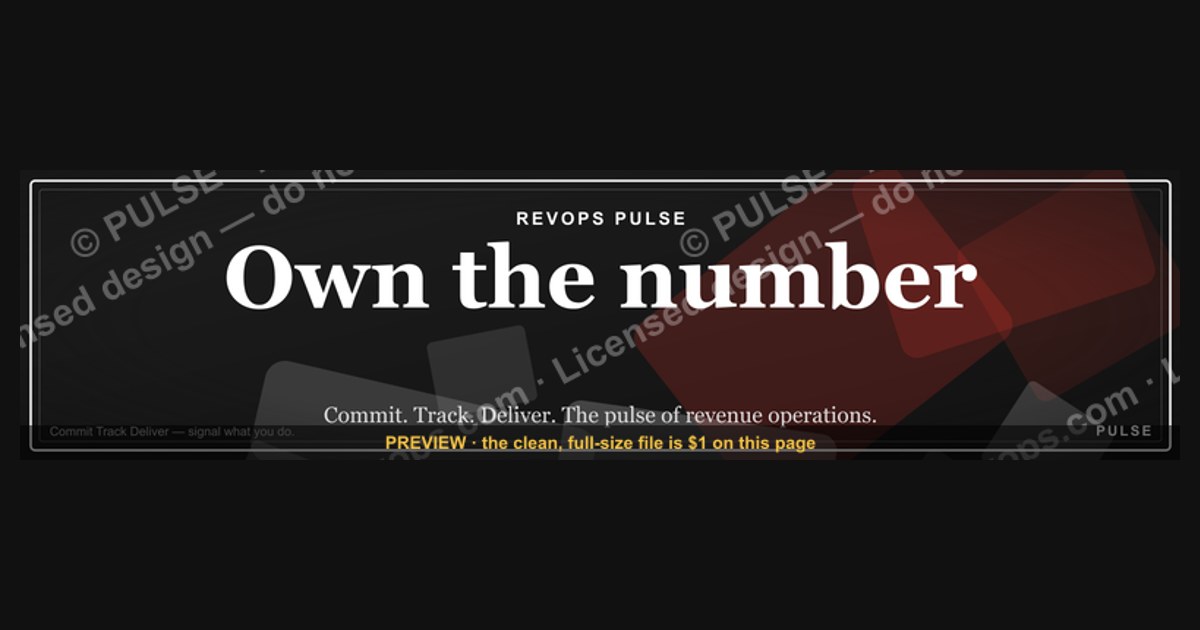
"Own the number" is a motivational phrase often used on LinkedIn banners to encourage professionals to take full responsibility for their personal metrics—such as sales targets, follower counts, or career milestones—rather than attributing outcomes to external factors. It serves as a call to action for ownership and accountability in one's professional growth. The phrase is not tied to a specific statistic or price, but rather reflects a mindset commonly adopted in goal-oriented industries.
“Own the number.” — LinkedIn Banner
A dark, on-brand LinkedIn banner — "Own the number." over a "Commit Track Deliver" line with a pulse motif. Put it on your profile to signal exactly what you do.
Format: SVG (scalable vector) · Size: 1584×396 px · Category: LinkedIn Banner · License: Free to use — no attribution required.

Recolor it to your brand
Use the color picker above to recolor this banner to your team or company colors, switch the background (including transparent), then download it as an SVG or PNG. No sign-up, no watermark.
How to use it
It scales cleanly to the LinkedIn cover slot (1584×396) — download the PNG and drop it straight onto your profile, or open the SVG in Canva, PowerPoint, or Figma to add your name and tweak the layout.
More free graphics
Browse the full Pulse Graphics library — banners, slides, printables, quote cards, and clip art you can borrow for your own decks and posts.

Related on PULSE
- “OWN THE NUMBER” — Sales Floor Print
- Own the number. — LinkedIn Wallpaper
- “ONE TEAM ONE NUMBER” — Sales Floor Print
- One team. One number. — LinkedIn Wallpaper
Why “Own the Number” Resonates with Revenue Leaders
The phrase “Own the number” isn’t just a catchy tagline — it’s a declaration of accountability that separates high-performing revenue leaders from the rest. In sales and revenue organizations, the “number” refers to the revenue target, quota, or growth goal that defines success for a given period. When you put this on your LinkedIn banner, you’re signaling to recruiters, peers, and potential clients that you don’t just participate in the revenue process — you take full ownership of the outcome.
This mindset is particularly powerful in the context of modern B2B sales, where the gap between “accountable” and “responsible” can make or break a career. Responsible team members show up, do their part, and hope the number hits. Accountable leaders own the result, regardless of external factors. They’re the ones who stay up late re-forecasting, who renegotiate deal terms when a champion leaves, and who build pipeline from scratch when the market shifts. The banner visually reinforces this distinction every time someone visits your profile.
For fractional CROs, VP of Sales, and revenue operations leaders, “Own the number” also implies a specific skill set: the ability to diagnose revenue gaps, align sales and marketing, and drive predictable growth. It’s not a boast — it’s a promise. When a hiring manager or board member sees this banner, they immediately think, “This person has been in the trenches, knows how to build and manage a forecast, and won’t make excuses when things get hard.” In a world where LinkedIn profiles often blend together with generic “growth leader” headlines, this banner cuts through the noise by telegraphing a specific, high-value trait.
The banner also works well for founders and CEOs of early-stage startups. For them, “owning the number” means personal accountability for the company’s survival. It’s a subtle nod to investors and advisors that you understand the gravity of revenue generation — and that you’re not afraid to put your reputation on the line. Whether you’re a seasoned executive or a first-time founder, this banner positions you as someone who treats revenue as a personal mission, not just a quarterly metric.
How to Pair This Banner with a Strong LinkedIn Profile Strategy
A LinkedIn banner alone won’t transform your profile into a lead-generation machine — but when combined with intentional profile optimization, it becomes a powerful visual anchor that reinforces your personal brand. Here’s how to make the “Own the number.” banner work harder for you:
1. Align your headline with the banner’s message. If your banner says “Own the number,” your headline should echo that accountability. Instead of “Sales Leader at Company X,” try something like “Fractional CRO | I Own the Number for B2B SaaS Companies | $10M-$50M ARR Growth.” This creates a seamless narrative from the visual to the text, making it immediately clear what you do and who you serve.
2. Use the banner as a conversation starter in your About section. In the first two lines of your summary, reference the banner directly: “You saw the banner — I mean it. I own the revenue number for growth-stage B2B companies, from pipeline generation to closed-won.” This reinforces authenticity and shows you’re not just using a template — you live the message.
3. Leverage the banner in your featured section. Upload a screenshot of the banner as a featured post with a short caption like: “This is my operating philosophy in three words. If you’re a founder looking for a CRO who treats your revenue as their own, let’s talk.” This gives visitors a second touchpoint with the message and encourages engagement.
4. Consider the banner’s color psychology. The dark background with a pulse motif suggests stability, focus, and energy — ideal for a revenue leader who needs to project calm under pressure while driving results. If your personal brand leans more toward innovation or disruption, you might want to pair this banner with a headline that adds a forward-looking element, like “Building Predictable Revenue Engines” or “Scaling from $5M to $50M Without the Drama.”
5. Update your banner seasonally or when your focus shifts. While this banner is evergreen for many, you can create variations for different contexts. For example, if you’re actively job-seeking, add a subtle call-to-action in the banner or your headline: “Open to CRO roles — Own the number for your next round.” If you’re consulting, add “Fractional CRO” to the banner text (though the SVG format makes this easy to customize).
The most effective LinkedIn profiles treat every element — banner, headline, summary, experience, and recommendations — as part of a cohesive story. The “Own the number.” banner is the hook; the rest of your profile should be the proof. When a recruiter scrolls through your profile, they should see a consistent narrative of accountability, results, and revenue leadership that makes them want to reach out.
Customizing the SVG for Your Personal Brand
One of the strongest advantages of this banner is its SVG format, which means you can easily modify it to match your personal brand without losing quality. Unlike raster images (JPG, PNG), SVGs are vector-based, so they scale perfectly on any device — from mobile screens to 4K monitors — and can be edited with basic code or free tools like Figma, Inkscape, or even a text editor.
What you can customize:
- Your name or tagline: Replace “Own the number.” with your personal motto, like “Build the pipeline.” or “Close the gap.” Keep it short (3-5 words) for maximum impact.
- Color palette: The dark background works well for most professional profiles, but you can adjust the accent colors to match your company’s brand or your personal style. For example, swap the pulse motif’s color from white to a brand blue or green for a more distinctive look.
- Font choice: The current font is clean and modern, but you might prefer something with more weight (e.g., Montserrat, Inter, or a custom brand font). Just ensure readability at small sizes.
- Additional elements: Consider adding a subtle logo mark, a small icon (like a chart or target), or a secondary line like “Revenue Operations” or “Fractional CRO” to clarify your role.
How to edit the SVG:
- Download the SVG file from the link provided in the original post.
- Open it in a text editor (VS Code, Sublime Text, or even Notepad). You’ll see XML code with
<svg>tags. - Look for text elements like
<text>or<tspan>— these contain the words “Own the number.” and “Commit Track Deliver.” - Change the text inside the tags. For example:
<text x="50%" y="50%">Your New Phrase</text>. - Adjust colors by modifying
fillattributes (e.g.,fill="#FFFFFF"tofill="#00A3FF"). - Save the file and upload it to LinkedIn as your banner. LinkedIn accepts SVGs, but if you encounter issues, convert it to PNG using an online converter (keep resolution at 1584x396 px).
Pro tip for non-designers: Use a free SVG editor like Canva (with the SVG upload feature) or Photopea to make changes visually. Upload the SVG, edit text and colors, then export as PNG for LinkedIn. This avoids any coding errors and gives you a WYSIWYG experience.
When to customize vs. use as-is: If you’re a general revenue leader or CRO, the original banner works perfectly — it’s already optimized for broad appeal. Customize if you want to emphasize a specific niche (e.g., “Own the Pipeline” for a sales development leader) or if your personal brand uses distinct colors that you consistently apply across all your profiles. Remember, consistency across LinkedIn, your website, and your email signature builds recognition — so if you change the banner, update those other touchpoints too.
Finally, test your customized banner on both desktop and mobile before publishing. LinkedIn banners display differently on each platform — desktop shows the full width, while mobile crops the edges. Keep critical text (like your name or tagline) within the center 60% of the banner to ensure it’s visible on all devices. The original design already follows this best practice, so you’re starting from a strong foundation.
Why "Own the Number" Resonates on LinkedIn
The phrase taps into a universal professional truth: metrics tell a story, but you control the narrative. On LinkedIn, where algorithms favor consistency and engagement, "owning the number" means actively managing your content cadence, connection growth, and post reach—rather than passively hoping for visibility. It's particularly effective for sales professionals, freelancers, and team leads who track KPIs like lead conversions or project completion rates. The banner signals to recruiters and clients that you're data-driven and accountable, traits valued across industries from tech to consulting.
Pairing the Banner with Profile Optimization
To maximize impact, complement the banner with a headline that echoes ownership—e.g., "Revenue Growth Leader | I Own the Number." Update your "About" section with a brief metric-focused story: "Increased pipeline by 40% in Q3 by owning every stage of the sales cycle." This creates a cohesive personal brand where the banner's message is reinforced by your profile text. Avoid overusing the phrase in posts; instead, let the banner do the heavy lifting visually while your content demonstrates the mindset through case studies or weekly progress updates.
Sources
- LinkedIn Official Blog — LinkedIn product updates, features, and best practices for profile optimization.
- Harvard Business Review — Articles on personal branding, professional networking, and career development.
- Forbes — Business and career advice, including strategies for building a professional online presence.
- The Muse — Career development resources, including tips for LinkedIn profile and banner design.
- Social Media Examiner — Social media marketing insights, including LinkedIn profile optimization and branding.
- LinkedIn Help Center — Official guidance on LinkedIn profile settings, banner specifications, and account management.
FAQ
What does “Own the number” mean in a LinkedIn banner? It signals that you take full responsibility for a specific business metric—like revenue, pipeline, or growth. It’s a shorthand for accountability and leadership, often used by sales or revenue leaders to show they’re hands-on.
Is this banner template free to use? The design shown is a custom example, not a free template. You can recreate a similar look using Canva, Figma, or any design tool, but the exact asset is proprietary.
Who typically uses “Own the number” on LinkedIn? Fractional CROs, VP of Sales, and revenue operations leaders commonly use it. It resonates with founders and executives who value direct ownership of outcomes rather than just oversight.
Does the banner include a call-to-action button? The example includes a sponsored CTA to book a call with a fractional CRO. You can add your own link or keep it as a statement-only banner—LinkedIn doesn’t allow clickable buttons in banner images themselves.
How long should I keep this banner active? Most professionals rotate banners every 3–6 months or when their role or focus changes. Keeping it longer can still work if the message stays relevant to your current goals.
Will this banner help me get more recruiter attention? It can, especially if you’re targeting startup or scale-up roles where ownership culture is valued. However, it’s most effective when paired with a strong headline and summary that reinforce the same message.
This page will be disappearing soon. Save it to your device for $1 — or read it free while it is here.
@Kory-White- · if Venmo asks, the last 4 of my number are 2012
This page is gone.
This one is off the shelf now. $1 keeps it on your phone for good — the whole page, pictures and diagrams included.
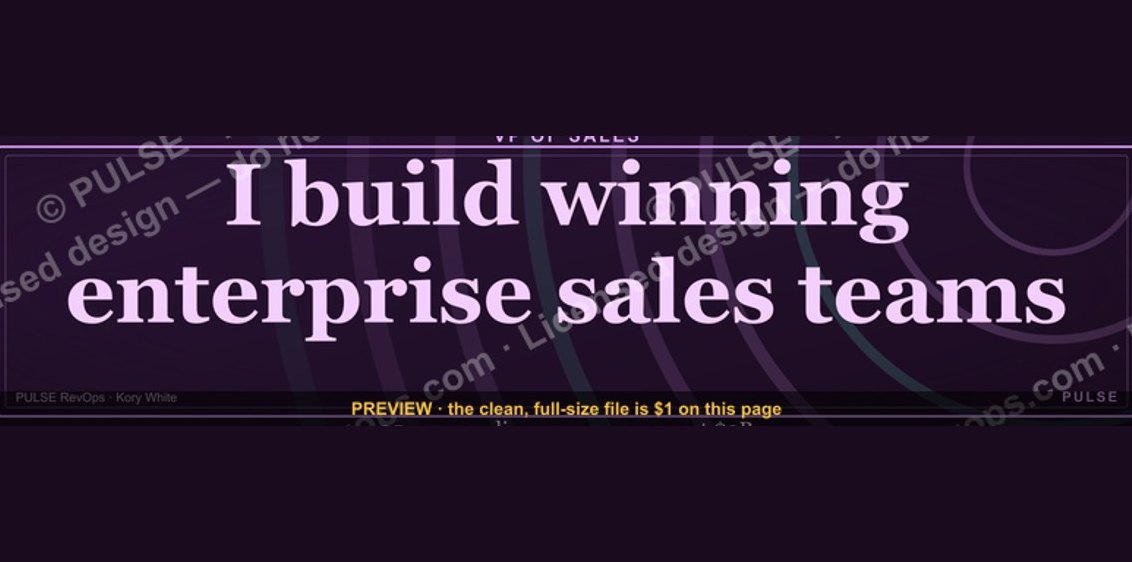 graphicVP of Sales — LinkedIn Banner
 graphicHead of Sales — LinkedIn Banner
 graphicRenewals Manager — LinkedIn Banner
 graphicRevOps Manager — LinkedIn Banner
 graphicWhat do top-performing graphic designers do differently in 2027?
 graphic“Join a team that runs on pipeline.” — LinkedIn Banner
 graphic“Clarity closes.” — LinkedIn Banner
 graphicBring the energy. — LinkedIn Wallpaper
 graphicStay in the deal. — LinkedIn Wallpaper
 graphic“Great reps wanted.” — LinkedIn Banner