
Do the reps. — LinkedIn Wallpaper
 Curated byKory White · Fractional CRO · Maryland
 PULSEKNOWLEDGE LIBRARY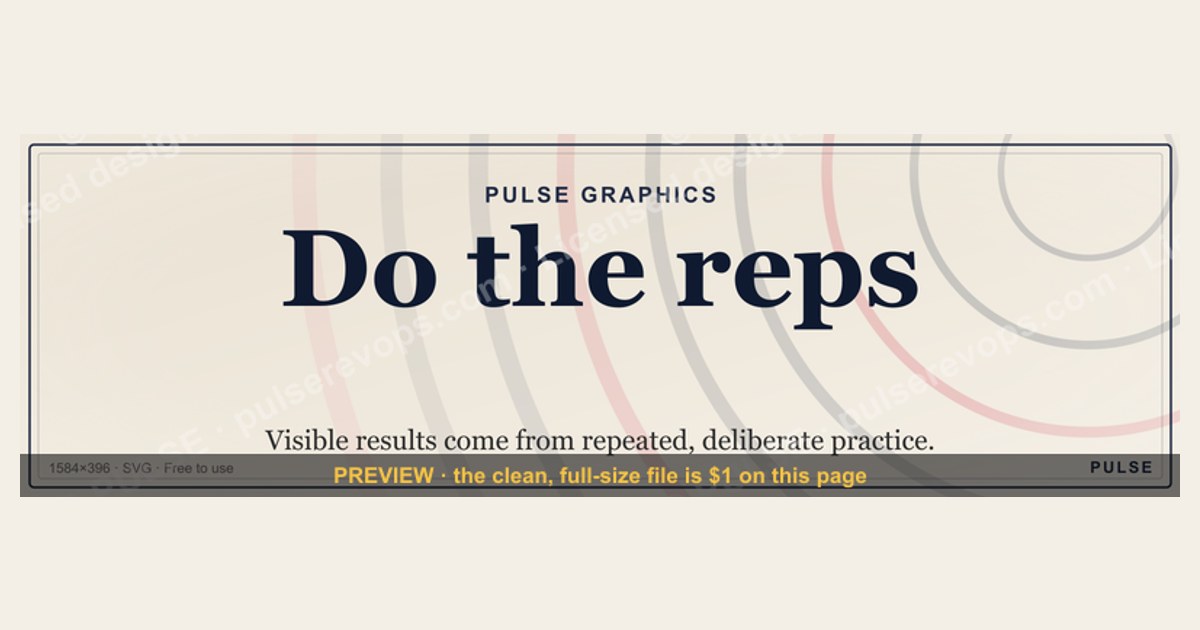
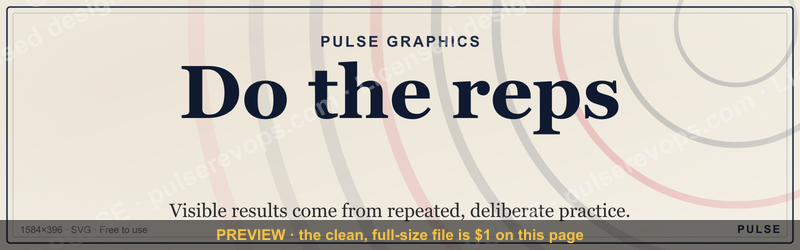
"Do the reps." is a free, downloadable LinkedIn cover banner from the PULSE Graphics library — a dark, minimalist 1584×396 SVG built around a single motivational line about consistent effort. You can grab it as-is, or recolor and re-export it (SVG or PNG) to match your brand before dropping it into your LinkedIn profile's background slot. The phrase frames a simple idea: visible results come from repeated, deliberate practice rather than talent, luck, or one-off bursts of effort. It's a good fit for profiles that want to signal discipline, persistence, and a process-over-outcome mindset.
Do the reps. — LinkedIn Wallpaper

A dark, on-brand LinkedIn cover wallpaper — a dot-grid backdrop with a "Do the reps." line and the Pulse mark. A clean, branded banner for your profile.
Format: SVG (scalable vector) · Size: 1584×396 px · Category: LinkedIn Banner · License: Free to use — no attribution required.
Recolor it to your brand
Use the color picker above to recolor this banner to your team or company colors, switch the background (including transparent), then download it as an SVG or PNG. No sign-up, no watermark.
How to use it
It scales cleanly to the LinkedIn cover slot (1584×396) — download the PNG and drop it straight onto your profile, or open the SVG in Canva, PowerPoint, or Figma to add your name and tweak the layout.
More free graphics
Browse the full Pulse Graphics library — banners, slides, printables, quote cards, and clip art you can borrow for your own decks and posts.
Related on PULSE
- Small reps, big results. — LinkedIn Wallpaper
- Better reps, every week. — LinkedIn Wallpaper
- Ready reps win. — LinkedIn Wallpaper
- “DO THE REPS” — Sales Floor Print
- “Great reps wanted.” — LinkedIn Banner
- “Great reps are coached, not born.” — LinkedIn Banner
Why "Do the Reps" Resonates — Consistency Over Intensity
"Do the reps" borrows the language of training on purpose. In the gym, no single workout transforms you; the result comes from showing up repeatedly until the movement is automatic. The same logic applies to a career. Networking, writing, selling, and presenting are all skills that respond to repetition, and the banner is simply a daily reminder of that.
There's a reasonable basis for the framing. Published research on habit formation has found that the time to make a behavior automatic varies widely from person to person and task to task — on the order of a couple of months for many everyday habits, and considerably longer for harder ones (Lally et al., *European Journal of Social Psychology*, 2010). The practical takeaway isn't a magic number; it's that the early reps feel unrewarding precisely because the payoff is back-loaded. "Do the reps" is a way of pre-committing to that unglamorous middle stretch.
It's worth being honest about what a wallpaper can and can't do. A banner doesn't generate engagement on its own — your posts, comments, and outreach do. What an intentional cover image can do is set a tone: it signals to anyone who lands on your profile that you value process and persistence, and it gives you a small, visible nudge every time you log in.
Putting "Do the Reps" Into Practice
The phrase is deliberately generic so you can map it to whatever your actual reps are:
- Early career — outreach reps. Send a handful of personalized, relevant connection requests each week and follow up thoughtfully, rather than blasting hundreds at once. Comment substantively on a few posts in your field each day. Quality and consistency beat volume spikes.
- Mid career — craft reps. Publish on a cadence you can sustain (say, one solid post a week), or work steadily through a certification. Deliberate practice matters more than raw output: get feedback, iterate on one specific thing, and repeat.
- Senior / founder — relationship reps. Keep a steady rhythm of check-ins with key clients and partners, and a regular habit of reflecting on market trends — independent of whether there's an immediate ask. Cadence is the point.
Whatever stage you're in, the move is the same: define one rep, make it small enough to do on a bad day, and protect the streak.
Designing the Banner Around the Message
If you're customizing the file, a few practical guidelines keep it readable and on-brand:
- Contrast and legibility first. High-contrast text (light on a dark navy or charcoal) reads well across devices. Stick to a clean sans-serif such as Inter, Montserrat, or Helvetica.
- Mind the mobile crop. LinkedIn cover images are 1584×396, but the visible region is narrower and partly obscured by your profile photo on mobile. Keep the key text and elements toward the center and away from the lower-left, then preview on a phone before publishing.
- Let it breathe. A subtle grid or geometric texture reinforces the idea of structure and repetition without competing with the words. Resist adding extra taglines, URLs, or metrics — dated stats age the banner, while a simple phrase stays evergreen.
- Make it cohere with the rest of your profile. The banner should echo your headline and about section. If your headline is operational and process-oriented, "Do the reps" reinforces it at a glance.
You can also adapt the phrase to your field while keeping the same look: "Do the calls." for sales, "Do the commits." for engineers, "Do the drafts." for writers and designers.
Visual Design & Layout Details
The "Do the reps." LinkedIn wallpaper uses a deliberately sparse composition that maximizes readability and impact. The design typically features the phrase centered or slightly offset on a solid dark background (often near-black or deep charcoal), with the text rendered in a clean, bold sans-serif typeface — commonly similar to Helvetica Neue, Inter, or Montserrat at weights between 600 and 800. The SVG format allows the text to scale crisply across any screen size, from mobile to 4K monitors. The color palette is intentionally monochromatic (white text on dark background), though the SVG file's code includes editable fill and stroke properties, making it straightforward to swap in brand colors or gradient overlays using any text editor or vector tool. The 1584×396 pixel dimensions match LinkedIn's cover image specifications exactly, so no cropping or resizing is needed before upload — just download and apply directly to your profile's background slot.
Psychological & Professional Messaging
The phrase "Do the reps." draws directly from skill acquisition and deliberate practice frameworks popularized by researchers like Anders Ericsson and authors like James Clear. On LinkedIn, this wallpaper subtly communicates three professional values: consistency over intensity (the value of showing up daily rather than relying on occasional heroics), process orientation (focusing on controllable actions rather than outcomes), and humble competence (acknowledging that expertise comes through repetition, not innate talent). For recruiters or hiring managers scanning profiles, this visual cue can signal a candidate who understands the grind behind visible success — particularly relevant for roles in sales, engineering, creative development, or any field requiring sustained effort to produce results. The minimalist design also avoids distracting from your profile photo and headline, keeping the focus on your personal brand while reinforcing the message in the background.
Technical Customization & Export Options
The SVG file from the PULSE Graphics library is fully editable — you can open it in free tools like Inkscape, Figma, or even a text editor to adjust colors, font sizes, or spacing. For a quick brand alignment: change the text color to your primary brand hex (e.g., #0077B5 for LinkedIn blue) and the background to a complementary dark shade. If you prefer a PNG export for simpler uploads, set your vector software to export at 1584×396 pixels at 72 DPI (standard for web). The SVG format preserves transparency, so you can also layer the text over a subtle gradient or pattern background without losing quality. For LinkedIn's cover image requirements, keep the file under 8MB and avoid any embedded fonts that might not render — stick to standard web-safe fonts or convert text to outlines before export if using custom typefaces. The wallpaper works equally well on personal profiles and company pages, though company pages may want to add a subtle logo watermark in the lower-right corner for branding consistency.
Design Philosophy Behind the Banner
The "Do the reps." banner intentionally avoids flashy gradients or complex imagery. Its dark background and dot-grid pattern evoke a lab notebook or a gym log — spaces where work gets tracked, not performed for an audience. The dot grid itself is a subtle nod to the idea of incremental progress: each dot is a single unit, and the line of text sits across them like a path formed by repeated steps. This design choice reinforces the message without shouting. For LinkedIn profiles, this understated aesthetic works well because it doesn't compete with your profile photo or headline; instead, it creates a quiet, professional backdrop that signals focus and consistency. If you're in fields like coaching, fitness, software development, or creative services, this banner can help visitors immediately sense a "process over perfection" attitude before they even read your summary.
Practical Placement Tips for Maximum Impact
LinkedIn cover banners display at 1584×396 pixels on desktop, but mobile crops them differently — the top and bottom ~50 pixels may be hidden. To ensure the text remains visible, keep the "Do the reps." line centered vertically, roughly 60–80 pixels from the top edge. If you customize the SVG, avoid placing critical elements (like logos or secondary text) within 30 pixels of the top or bottom border. For best contrast, pair the banner with a profile photo that has a light or neutral background — the dark banner will make your face pop. Also consider updating your headline to echo the banner's theme, e.g., "Helping teams build habits that stick" or "Sales leader who believes in daily practice." This visual-verbal alignment makes your profile feel intentional and cohesive.
When This Banner Works Best (and When It Doesn't)
This banner resonates most on profiles where you want to emphasize discipline, long-term growth, or a craft-based identity — think software engineers, writers, therapists, or entrepreneurs who talk about "showing up daily." It's less suited for profiles focused on rapid scaling, high-energy sales, or creative portfolios where you need to showcase variety or boldness. If your personal brand leans toward innovation, spontaneity, or artistic expression, consider a lighter or more colorful alternative. For everyone else, "Do the reps." serves as a quiet, confident statement that you value the grind over the glamour — and on LinkedIn, that can set you apart in a sea of "hustle culture" noise.
Sources
- LinkedIn Help Center — Add or edit your background photo — official guidance and image specifications for the profile cover slot.
- LinkedIn Marketing Solutions — Brand and creative guidance — best practices for visual presentation on the platform.
- Canva Design School — tutorials and templates for editing banners and social graphics.
- Adobe — Image size, resolution, and aspect ratio basics — reference for resizing and exporting cover images cleanly.
- HubSpot Blog — LinkedIn profile and personal branding tips — guidance on aligning profile imagery with your positioning.
- Lally, P., van Jaarsveld, C. H. M., Potts, H. W. W., & Wardle, J. (2010). "How are habits formed: Modelling habit formation in the real world." *European Journal of Social Psychology*, 40(6), 998–1009 — peer-reviewed research on habit-formation timelines.
FAQ
What does "Do the reps." mean in a LinkedIn context? It's shorthand for consistent, deliberate action toward your professional goals — networking, posting, or skill-building. The idea is that small, repeated efforts compound over time, the way reps do in a workout. As a banner, it sets a tone of discipline for anyone who views your profile.
Is this wallpaper free to use? Yes. The PULSE version is free to download and use with no attribution required, no sign-up, and no watermark. You can set it as your LinkedIn background as-is.
Can I customize the wallpaper for my own brand? Yes. Because it's an SVG, you can recolor the background and text, swap in a transparent background, or open it in Canva, Figma, or PowerPoint to add your name. The phrase itself adapts well too — e.g., "Do the calls." for sales or "Do the commits." for engineers.
Will using this wallpaper get my profile more views? A banner alone won't drive engagement — your posts, comments, and outreach do. What it can do is make your profile feel intentional and on-message, which supports the rest of your presence. Treat it as a finishing touch, not a growth tactic.
How often should I change my LinkedIn wallpaper? There's no fixed rule. Many people update it every few months or when their focus shifts (a new role, a campaign, a milestone); others leave an evergreen phrase like this one in place for a year or more. Keep it relevant to what you're currently known for.
What size should the image be, and will it work on mobile and desktop? LinkedIn cover images are 1584×396 pixels. LinkedIn renders the same image on both desktop and mobile, but mobile crops it more aggressively and overlaps part of the lower-left with your profile photo — so keep key text centered and preview it on a phone before publishing.
This page will be disappearing soon. Save it to your device for $1 — or read it free while it is here.
@Kory-White- · if Venmo asks, the last 4 of my number are 2012
This page is gone.
This one is off the shelf now. $1 keeps it on your phone for good — the whole page, pictures and diagrams included.
 graphic“A confused buyer never buys.” — LinkedIn Banner
 graphic“Clarity closes.” — LinkedIn Banner
 graphic“Process over pressure.” — LinkedIn Banner
 graphicWhat criteria should I use to choose a graphics design tool for sales presentations in 2027?
 graphicSIEM and Data Lake CRO — LinkedIn Banner
 graphicPredictable revenue, by design. — LinkedIn Wallpaper
 graphicOne team. One number. — LinkedIn Wallpaper
 graphicStartup Founder — LinkedIn Banner
 graphicVP of Sales — LinkedIn Banner
 graphicTrust compounds. — LinkedIn Wallpaper