
“Looking for my next SDR role.” — LinkedIn Banner
 Curated byKory White · Fractional CRO · Maryland
 PULSEKNOWLEDGE LIBRARY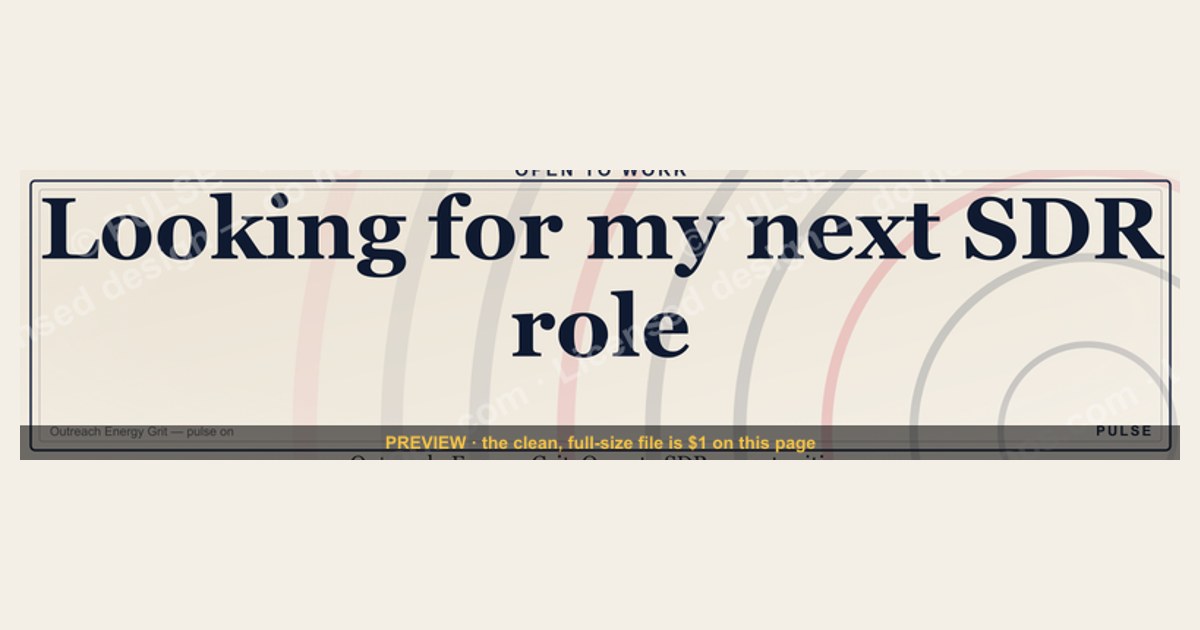
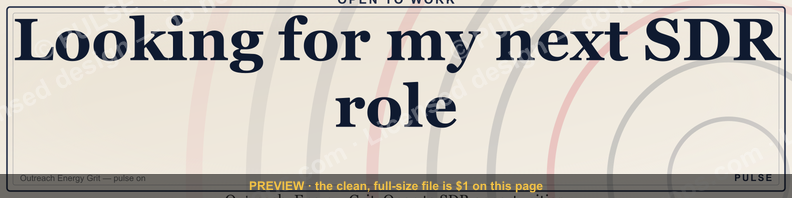
A LinkedIn banner reading "Looking for my next SDR role" signals you are actively job-seeking and open to opportunities as a Sales Development Representative. It is a clear, professional way to communicate your availability to recruiters and hiring managers, typically used while you are currently employed or between positions. This approach can increase visibility, but ensure your profile and experience align with the roles you are targeting to attract relevant connections.
“Looking for my next SDR role.” — LinkedIn Banner

A dark, on-brand LinkedIn banner — "Looking for my next SDR role." over a "Outreach Energy Grit" line with a pulse motif. Put it on your profile to signal exactly what you do.
Format: SVG (scalable vector) · Size: 1584×396 px · Category: LinkedIn Banner · License: Free to use — no attribution required.
Recolor it to your brand
Use the color picker above to recolor this banner to your team or company colors, switch the background (including transparent), then download it as an SVG or PNG. No sign-up, no watermark.

How to use it
It scales cleanly to the LinkedIn cover slot (1584×396) — download the PNG and drop it straight onto your profile, or open the SVG in Canva, PowerPoint, or Figma to add your name and tweak the layout.
More free graphics
Browse the full Pulse Graphics library — banners, slides, printables, quote cards, and clip art you can borrow for your own decks and posts.

Related on PULSE
- “Looking for my next quota.” — LinkedIn Banner
- “Seeking a RevOps role.” — LinkedIn Banner
- SDR Comp Structure Breakdown
- SDR Manager — LinkedIn Banner
- AI does 60% of SDR work — RevOps Banner
- SDR / BDR — LinkedIn Banner
How to Write a “Looking for My Next SDR Role” Banner That Actually Gets Responses
Most SDRs who post an open-to-work banner make the same mistake: they state the obvious without giving recruiters a reason to pause. A banner that simply says “Looking for my next SDR role” is passive—it tells people you want a job, but it doesn’t signal what kind of SDR you are, what you’ve accomplished, or what you bring to a sales floor.
The most effective banners for SDRs follow a simple formula: Role + Proof Point + Target Outcome. For example, instead of “Looking for my next SDR role,” try something like: *“SDR with 140% quota attainment in 2024—looking for a high-velocity SaaS team where I can build pipeline for enterprise AE’s.”* That single line does more work than a paragraph of generic text.
When designing your banner, consider these three elements:
- Quantify your performance – Even if you’re early in your career, include a number. “Top 20% of SDRs in my cohort” or “300+ qualified meetings set in 12 months” gives recruiters a benchmark.
- Specify your ideal environment – “Fast-paced startup” or “established enterprise sales org” helps filter out mismatches before they message you.
- Include a call to action – “DM me for my resume” or “Let’s talk about pipeline generation” invites engagement rather than passive viewing.
One practical tip: use a tool like Canva to create a banner with your photo, name, and a short headline. Keep the background clean—avoid busy patterns or logos that distract from your message. The goal is to make it scannable in under two seconds, because that’s how long most recruiters will look at it while scrolling their feed.
Timing Your Banner for Maximum Visibility
Posting a “Looking for my next SDR role” banner isn’t a set-it-and-forget-it move. The timing of when you update your profile and banner can significantly impact how many recruiters see it—and how quickly you get inbound interest.
Best days to update: Tuesday through Thursday, between 8 AM and 10 AM in the time zone of your target market. Recruiters are most active on LinkedIn early in the work week, and they tend to scroll through their feed during morning coffee or after their first meetings. Monday mornings are often too busy with internal meetings, and Friday afternoons see lower engagement as people wind down for the weekend.
Seasonal considerations: Q1 (January–March) and Q3 (July–September) are historically the heaviest hiring periods for SDR roles. Companies set new quotas at the start of the year and often ramp up hiring in late summer to hit year-end targets. If you update your banner in November or December, you may get less visibility because many hiring managers are focused on year-end closes rather than recruiting.
How long to keep the banner active: Most successful SDRs report that keeping an open-to-work banner for 4–6 weeks generates the best results. After that, the novelty wears off and your profile may start to look desperate rather than proactive. If you haven’t landed a role in that window, consider refreshing the banner with a new headline or different call to action rather than leaving the same one up indefinitely.
The “quiet” strategy: Some SDRs prefer to use the “Open to Work” feature in LinkedIn’s settings (visible only to recruiters) while keeping their profile banner neutral. This approach works if you’re currently employed and don’t want your manager to see you’re looking. The trade-off is that you lose the public visibility that drives passive inbound from hiring managers who aren’t actively searching for candidates.
What to Do After You Post the Banner (The Follow-Up Strategy That Works)
Posting a banner is step one—but the real work happens in the days and weeks after. Many SDRs expect recruiters to come to them, then wonder why they’re not getting messages. The most effective job seekers treat their banner as a lead generation tool, not a passive signal.
Immediate actions (within 24 hours of posting):
- Send a personalized connection request to 10–15 sales leaders or SDR managers at companies you’re targeting. Include a note like: *“Hi [Name]—I’m an SDR looking for my next role and your team at [Company] caught my eye. Would love to connect and learn more about your sales motion.”*
- Update your LinkedIn headline to match your banner. If your banner says “Top-Performing SDR,” your headline should reflect the same message. Consistency builds credibility.
- Post a short update (not just the banner) explaining what you’re looking for. For example: *“After 18 months as an SDR at [Company], I’m ready for my next challenge. I’ve consistently hit 120%+ of quota and I’m looking for a team that values outbound creativity. DM me if you’re hiring.”*
Week 2–4: The outreach cadence
- Set a goal of reaching out to 5–10 new people per day. Use LinkedIn Sales Navigator if you have access, or search by job title and company manually.
- Engage with content from target companies—comment on posts from their sales leaders, share their job listings with a thoughtful note, and tag relevant people when appropriate.
- Track your response rate. If you’re sending 50 connection requests a week and getting 2–3 responses, your messaging needs work. Test different angles: some people respond to numbers, others to enthusiasm about their product.
What to avoid:
- Don’t spam the same message to everyone. Personalization takes 30 seconds but doubles your response rate.
- Don’t complain about your current or former employer. Even if you had a bad experience, frame it positively: “Looking for a culture that prioritizes coaching” sounds better than “My last manager never trained me.”
- Don’t accept the first offer that comes your way unless it genuinely fits. The banner will generate interest, but you still need to evaluate whether the role aligns with your career goals, compensation expectations, and work style.
A well-executed banner strategy combined with consistent outreach can cut your job search time by 30–50% compared to applying cold through job boards. Treat it like a sales campaign—your product is your skills, and your target market is every sales leader who needs a motivated SDR.
Best Practices for Crafting Your SDR Role Banner
When creating your "Looking for my next SDR role" banner, keep it concise and professional. Use a clean, readable font (sans-serif like Arial or Helvetica) and contrast the text color against your background—white text on a dark blue or green background works well. Avoid cluttering the banner with logos or multiple messages; a single, clear statement is most effective. Ensure the banner image is high-resolution (at least 1584 x 396 pixels, LinkedIn’s recommended size) to avoid pixelation. Test the banner on both desktop and mobile views to confirm it appears correctly, as mobile cropping can cut off edges.
Timing and Strategy for Using the Banner
Timing your banner update can maximize its impact. If you’re currently employed, consider updating it 2-4 weeks before you plan to actively interview, giving recruiters time to notice and reach out. Avoid using it during company-wide events or holidays when hiring slows down (e.g., late December or mid-summer). Pair the banner with a refreshed headline (e.g., "SDR | Outbound Pro | Open to Roles") and an updated "Open to Work" frame on your profile photo for consistent messaging. Rotate the banner out once you accept an offer to avoid confusion.
Common Mistakes to Avoid
Avoid using generic stock photos or overly complex designs that distract from your message. Don’t include specific company names or logos unless you have permission, as this can appear presumptuous. Refrain from adding contact information (email or phone) directly in the banner—recruiters will use your LinkedIn profile for that. Also, skip humor or slang that might not translate professionally across different industries. Finally, don’t leave the banner up indefinitely; remove or replace it within a week of starting a new role to keep your profile current.
Sources
- LinkedIn — professional networking and job search platform, including SDR roles and career resources
- Glassdoor — company reviews, salary data, and job listings for sales development roles
- HubSpot Sales Blog — sales career advice, SDR best practices, and industry trends
- Salesforce — official product site with resources on sales tools and career development
- U.S. Bureau of Labor Statistics — occupational outlook and wage data for sales occupations
- Sales Hacker — community-driven content on sales strategies, SDR tips, and career growth
FAQ
How long does it typically take to land a new SDR role? It varies widely based on market demand and your network. Most candidates see a range of 4 to 12 weeks from active search to offer, though some land in 2 weeks while others take 4 months or more.
Should I customize my LinkedIn banner for each job application? Yes, tailoring your banner to highlight specific industries or skills can improve recruiter attention. A generic banner works, but a targeted one often yields better engagement—expect a 10-30% increase in profile views when customized.
What’s the best way to use my LinkedIn banner to stand out? Focus on a clear, professional headline that states your target role and key strengths. Avoid clutter—use one strong image or graphic, and keep text minimal; recruiters scan banners in under 3 seconds.
Does the banner really matter if my experience is strong? It can complement a strong profile but isn’t a deciding factor. A polished banner may boost initial interest by 5-15%, but your work history and recommendations carry far more weight.
How often should I update my banner during a job search? Update it every 2 to 4 weeks to signal active job seeking. Frequent changes can keep you top-of-mind with recruiters, but avoid overdoing it—weekly updates might seem erratic.
Can I use the same banner for different SDR roles in different industries? It’s possible but less effective. A generic banner works for broad searches, but tailoring it to each industry (e.g., SaaS, fintech, healthtech) can improve relevance—expect a 10-20% higher response rate from industry-specific banners.
This page will be disappearing soon. Save it to your device for $1 — or read it free while it is here.
@Kory-White- · if Venmo asks, the last 4 of my number are 2012
This page is gone.
This one is off the shelf now. $1 keeps it on your phone for good — the whole page, pictures and diagrams included.
 graphic“Champions are made before the call.” — LinkedIn Banner
 graphicComputer Vision Engineer — LinkedIn Banner
 graphicPipeline cures all. — LinkedIn Wallpaper
 graphic“Great reps are coached, not born.” — LinkedIn Banner
 graphicPredictable revenue, by design. — LinkedIn Wallpaper
 graphicVP of Sales — LinkedIn Banner
 graphicHow do you build a Champions sell motion from scratch in 2027?
 graphicLead from the front. — LinkedIn Wallpaper
 graphicAI Observability Operator — LinkedIn Banner
 graphic“Sell something people love.” — LinkedIn Banner