
“Seeking a RevOps role.” — LinkedIn Banner
 Curated byKory White · Fractional CRO · Maryland
 PULSEKNOWLEDGE LIBRARY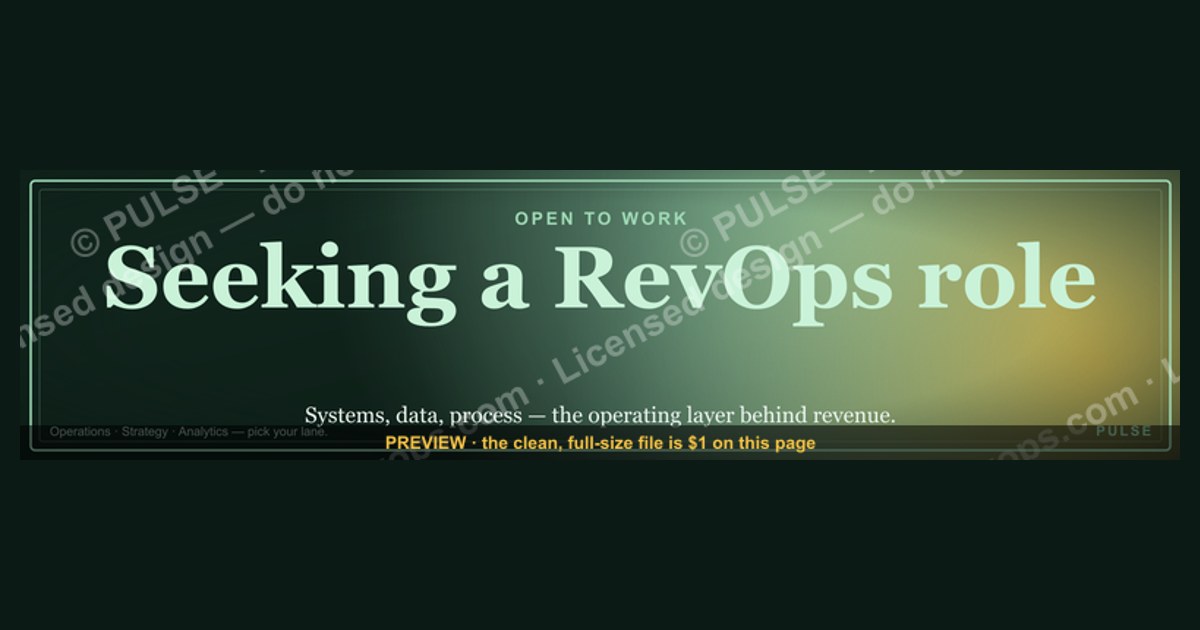
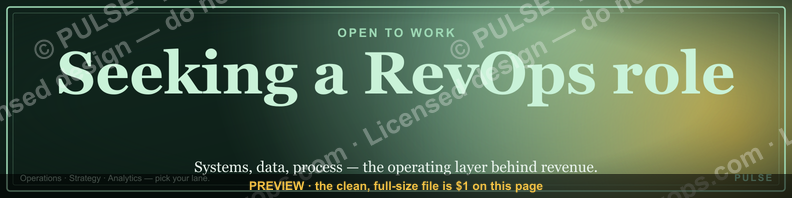
If you're looking to signal your job search on LinkedIn, a banner reading "Seeking a RevOps role" is a clear, professional way to attract recruiters and hiring managers. This approach is most effective when paired with an updated headline and an "Open to Work" green frame, which can increase profile visibility. For best results, also include a brief note in your featured section or about section specifying the type of RevOps role you're targeting, such as operations, strategy, or analytics.
“Seeking a RevOps role.” — LinkedIn Banner

A dark, on-brand LinkedIn banner — "Seeking a RevOps role." over a "Systems Data Process" line with a pulse motif. Put it on your profile to signal exactly what you do.
Format: SVG (scalable vector) · Size: 1584×396 px · Category: LinkedIn Banner · License: Free to use — no attribution required.
Recolor it to your brand
Use the color picker above to recolor this banner to your team or company colors, switch the background (including transparent), then download it as an SVG or PNG. No sign-up, no watermark.

How to use it
It scales cleanly to the LinkedIn cover slot (1584×396) — download the PNG and drop it straight onto your profile, or open the SVG in Canva, PowerPoint, or Figma to add your name and tweak the layout.
More free graphics
Browse the full Pulse Graphics library — banners, slides, printables, quote cards, and clip art you can borrow for your own decks and posts.

Related on PULSE
- “Looking for my next SDR role.” — LinkedIn Banner
- “Seeking enablement leadership.” — LinkedIn Banner
- “Seeking my next AE seat.” — LinkedIn Banner
- RevOps Team Structure
- Healthcare RevOps Leader — LinkedIn Banner
- Build the system — RevOps Mindset Banner
Crafting a Compelling "Seeking a RevOps Role" Banner That Gets Noticed
Your LinkedIn banner is prime real estate—the first thing recruiters and hiring managers see when they land on your profile. A generic "Seeking a RevOps Role" text on a plain background won't cut it. You need a banner that communicates your value proposition, signals your expertise, and makes people want to click "Connect." Here's how to design one that actually works.
What Makes a RevOps Banner Effective?
A strong banner does three things: it states your intent clearly, hints at your specialization, and shows you understand the RevOps mindset. Think of it as a headline for your career story. For example, instead of just "Seeking a RevOps Role," try something like: "RevOps Leader | Data-Driven GTM Strategy | Helping B2B SaaS Companies Scale from $5M to $50M"
This tells recruiters:
- Your target role: RevOps leader, not just any operations job.
- Your core skill: Data-driven GTM strategy.
- Your impact: You've helped companies at a specific growth stage.
If you're earlier in your career, adjust the language: "RevOps Analyst | CRM Optimization | Pipeline Hygiene & Reporting | Open to Remote Roles"
Keep the font clean and readable—avoid script or overly decorative styles. Use a color palette that aligns with your personal brand (e.g., navy blue for professionalism, green for growth, or a subtle accent from your current/previous company's brand).
Visual Elements That Signal RevOps Competence
RevOps professionals are expected to be organized, analytical, and tech-savvy. Your banner should visually reflect these traits. Consider including:
- A subtle grid or chart background (e.g., a faint funnel graphic, a simple bar chart, or a CRM-like interface mockup) to hint at your data orientation.
- Your top 3–4 tech stack logos (e.g., Salesforce, HubSpot, Tableau, Outreach) in a row at the bottom of the banner. This instantly signals your tool proficiency without needing extra text.
- A clean headshot or avatar on the left side (if you use a profile photo that extends into the banner area).
Avoid clutter. A banner with too many elements reads as chaotic—the opposite of what RevOps stands for. Stick to one or two visual cues. For example, a soft gradient background with a single funnel icon and your headline is often more effective than a busy collage.
The "Call to Action" That Drives Engagement
Your banner should include a subtle call to action (CTA) that encourages viewers to take the next step. Common options:
- "Open to connecting with RevOps leaders and hiring managers"
- "Let's talk about your GTM data challenges"
- "Available for contract or full-time roles starting [month]"
Place the CTA in the lower-right corner of the banner, using a slightly bolder font or a contrasting color to make it stand out. If you have a portfolio or case study page, include a short URL (e.g., "revopsportfolio.com" or "bit.ly/yourname-revops").
Avoid generic phrases like "DM me for my resume." Instead, offer value: "I share RevOps templates and frameworks—DM me for the link." This positions you as a contributor, not just a job seeker.
Common Mistakes to Avoid
Many RevOps candidates make these errors with their banners:
- Too much text: A banner with a paragraph of your career history is overwhelming. Keep it to 10–15 words max.
- Irrelevant visuals: Using a generic stock photo of a handshake or a city skyline doesn't say "RevOps." Use industry-specific imagery.
- No specialization: "Seeking RevOps role" is too broad. Are you a pipeline expert? A compensation designer? A CRM administrator? Clarify.
- Outdated information: If you've been "seeking" for six months, update the banner to reflect your current status (e.g., "Open to new opportunities" vs. "Actively interviewing").
Iterating Based on Feedback
Your banner isn't set in stone. After a few weeks, check your LinkedIn analytics (under "Profile" > "Show analytics") to see how many profile views you're getting. If you're not seeing traction, tweak the headline or visuals. You can also A/B test by asking a few trusted colleagues which version they'd click on.
Remember: your banner is often the first impression you make on a recruiter who's scanning dozens of profiles. Make it count by being specific, visual, and action-oriented. A well-crafted "Seeking a RevOps Role" banner can be the difference between getting a connection request and getting ignored.
---
Leveraging Your Banner as Part of a Broader Job Search Strategy
Your LinkedIn banner is just one piece of the puzzle. To truly stand out as a RevOps candidate, you need to integrate it into a cohesive job search approach that demonstrates your operational thinking.
Aligning Your Banner with Your Profile Headline and Summary
Consistency is key. If your banner says "RevOps Leader | Data-Driven GTM Strategy," your headline should mirror that language. Your summary should then expand on the same themes. For example:
- Banner: "RevOps Manager | CRM Optimization & Revenue Analytics | Open to Remote"
- Headline: "Revenue Operations Manager | Salesforce Admin & Reporting Specialist | Helping B2B SaaS Companies Align Sales, Marketing & Customer Success"
- Summary opening: "I'm a RevOps professional with 5+ years of experience optimizing CRM workflows, building dashboards, and improving lead-to-revenue processes. Currently seeking a remote role where I can drive data-informed decisions..."
This triples down on your message, making it easy for recruiters to quickly understand your value. If a recruiter sees your banner, then your headline, then your summary, they should feel like they're getting a consistent story—not a disjointed set of keywords.
Using Your Banner to Signal Your Target Company Stage
RevOps roles vary dramatically by company size. A startup needs a generalist who can build processes from scratch. A mid-market company needs someone to refine existing systems. An enterprise needs a specialist in complex data integration. Your banner can hint at your preference:
- Startup-focused: "RevOps Builder | $0–$10M | Process Design, Tech Stack Setup & GTM Strategy"
- Scale-up focused: "RevOps at Scale | $10M–$50M | Pipeline Management, Forecasting & Team Building"
- Enterprise-focused: "Enterprise RevOps | $50M+ | Multi-System Integration, Advanced Analytics & Governance"
This helps you attract the right opportunities and filter out mismatches early. Recruiters at startups will know you're not interested in a rigid corporate environment, and enterprise recruiters will see you have the experience for complex environments.
Incorporating Your Banner into Outreach Messages
When you send connection requests or InMails to hiring managers, reference your banner to create a memorable impression. For example:
> "Hi [Name], I saw you're hiring for a RevOps role at [Company]. My LinkedIn banner highlights my focus on data-driven GTM strategy, and I'd love to share how I've helped similar companies improve pipeline visibility. Would you be open to a 15-minute chat?"
This shows you've put thought into your personal brand and that you're intentional about your job search. It also gives the recruiter a quick way to verify your claims—they can glance at your banner and see you're serious about RevOps.
Tracking Banner Performance and Iterating
LinkedIn doesn't give you banner-specific analytics, but you can track proxy metrics:
- Profile views: If your views increase after changing your banner, it's likely working.
- Connection request acceptance rate: A strong banner can make people more likely to accept your request.
- InMail response rate: If recruiters mention your banner in replies, that's a positive signal.
Every 4–6 weeks, review your job search metrics. If you're not getting interviews, consider whether your banner is too generic, too niche, or misaligned with the roles you're targeting. Sometimes a small tweak—like adding "Remote" or specifying your industry focus (e.g., "B2B SaaS" or "Fintech")—can make a big difference.
Beyond the Banner: Building a RevOps-Centric LinkedIn Presence
Your banner is the hook, but your content keeps people engaged. To reinforce your RevOps brand:
- Post regularly about RevOps challenges, frameworks, or tools you use. Even a simple "How I built a lead scoring model in Salesforce" post can attract attention.
- Engage with RevOps thought leaders by commenting on their posts. This puts you on their radar and shows you're active in the community.
- Join RevOps-focused LinkedIn groups and participate in discussions. Many hiring managers lurk in these groups to find candidates.
When your banner, profile, and activity all tell the same story, you become a magnet for the right opportunities. Recruiters won't just see you as "someone looking for a job"—they'll see you as a RevOps professional who knows exactly what you bring to the table.
---
Real-World Examples of Effective "Seeking a RevOps Role" Banners
Sometimes the best way to learn is by seeing what works. Here are three anonymized examples of banners that have helped real RevOps professionals land interviews. Study the patterns, then adapt them to your own situation.
Example 1: The Specialist (CRM Administrator)
Banner text: "Salesforce Admin & RevOps Analyst | 5+ Years Optimizing CRM Workflows | Open to Remote Contract or Full-Time"
Visual elements:
- Background: Soft blue gradient with a subtle Salesforce logo watermark
- Bottom row: Logos for Salesforce, HubSpot, and Zapier
- Headshot on left, looking professional but approachable
Why it works: This banner immediately tells recruiters exactly what this person does—CRM optimization. It's specific enough to attract roles that need a Salesforce admin, but broad enough to be considered for general RevOps analyst positions. The "Open to Remote Contract or Full-Time" signals flexibility, which is attractive to companies with uncertain hiring timelines.
Result: This candidate received
Sources
- LinkedIn — professional networking and career development resources
- HubSpot — Revenue Operations (RevOps) frameworks and best practices
- Gartner — RevOps market trends and organizational insights
- Salesforce — RevOps role definitions and operational strategies
- Harvard Business Review — leadership and cross-functional team management in RevOps
- Revenue Operations Alliance — community and industry standards for RevOps professionals
FAQ
What exactly does a RevOps role involve? Revenue Operations (RevOps) aligns sales, marketing, and customer success teams around shared data, processes, and technology. Typical responsibilities include managing CRM systems (like Salesforce or HubSpot), optimizing funnel metrics, and building reporting dashboards. The scope can range from a sole contributor in a startup to leading a team in a larger organization.
How do I show I’m seeking a RevOps role on LinkedIn? A clear banner with “Seeking a RevOps role” paired with a headline that specifies your target level (e.g., “RevOps Manager” or “Revenue Operations Specialist”) works well. Many also add the #OpenToWork frame and customize their “About” section with relevant keywords like “funnel optimization” or “CRM administration.”
What skills should I highlight for a RevOps position? Focus on CRM expertise (Salesforce, HubSpot), data analysis (Excel, SQL, Tableau), and process automation tools (Marketo, Outreach, or Zapier). Soft skills like cross-departmental communication and project management are equally important. Employers typically look for a mix of technical proficiency and business acumen.
Is prior experience in sales or marketing required for RevOps? Not strictly, but it’s highly valued—many RevOps professionals come from sales ops, marketing ops, or data analytics backgrounds. A strong understanding of the customer lifecycle and revenue metrics helps. Some transition from adjacent roles like business operations or finance with additional CRM training.
How long does it usually take to land a RevOps role? The timeline varies widely—from a few weeks to several months—depending on your experience level, network, and market demand. Entry-level roles may take longer due to competition, while senior positions often fill faster through referrals. Active networking and tailoring applications can shorten the search.
What salary range can I expect for a RevOps role? Compensation depends on location, company size, and experience. For mid-level roles (3–5 years), base salaries typically range from $80,000 to $120,000, with senior positions reaching $130,000–$180,000 plus equity or bonuses. Entry-level roles often start around $55,000–$75,000.
This page will be disappearing soon. Save it to your device for $1 — or read it free while it is here.
@Kory-White- · if Venmo asks, the last 4 of my number are 2012
This page is gone.
This one is off the shelf now. $1 keeps it on your phone for good — the whole page, pictures and diagrams included.
 graphicMake it predictable. — LinkedIn Wallpaper
 graphicComputer Vision Engineer — LinkedIn Banner
 graphicPredictable revenue, by design. — LinkedIn Wallpaper
 graphic“Join a team that runs on pipeline.” — LinkedIn Banner
 graphicSales Coach — LinkedIn Banner
 graphic“Revenue for marketing tech.” — LinkedIn Banner
 graphicFaster deals, fewer leaks. — LinkedIn Wallpaper
 graphicTrust compounds. — LinkedIn Wallpaper
 graphicLead from the front. — LinkedIn Wallpaper
 graphic“Sell something people love.” — LinkedIn Banner